


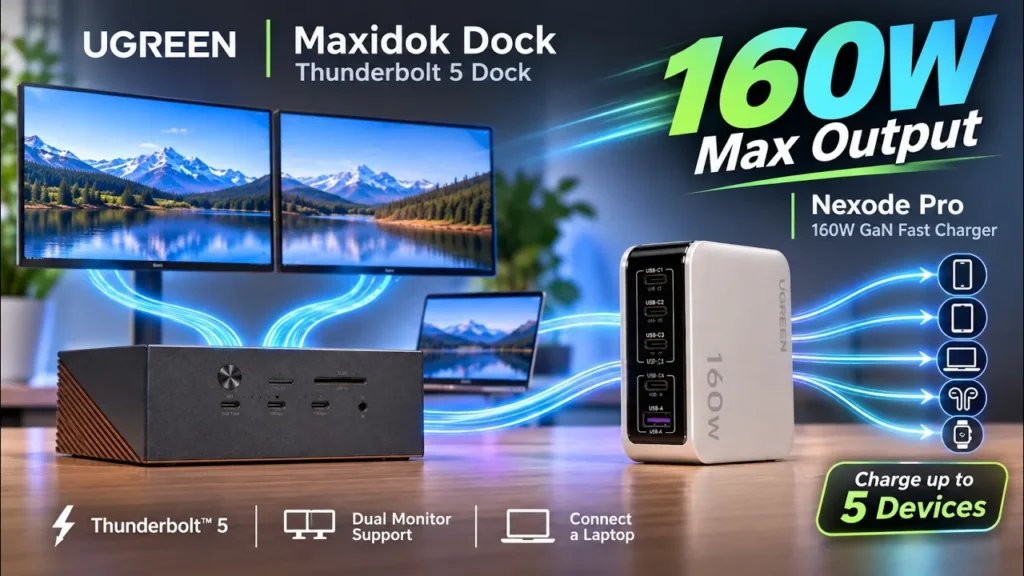

UGREEN Nexode Pro 160W Charger (39% OFF)
Please note that some of the links in my video descriptions are affiliate links where I earn from qualifying purchases. As an Amazon Associate I earn from qualifying purchases.
Intro

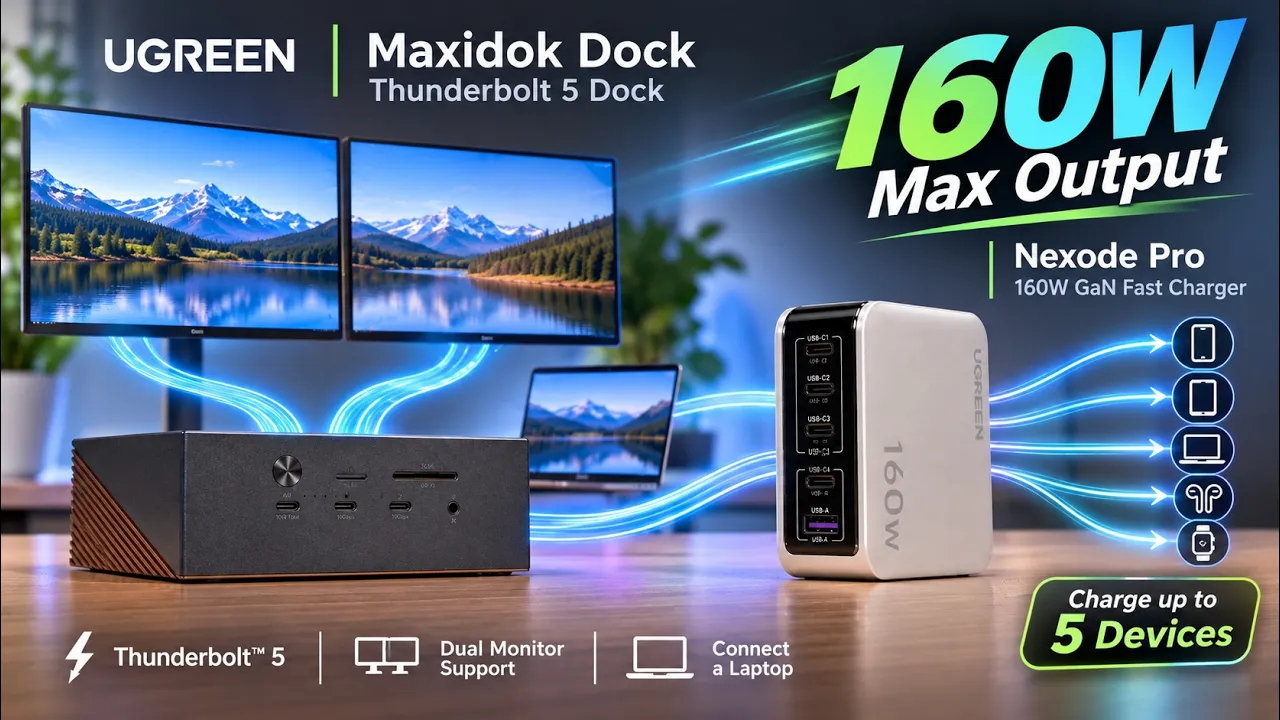
If your desk is cluttered with cables, anytime you’re charging or connecting your devices, the U-green Nexo Pro 16W charger and the U-green Maxi. Thunderbolt 5.concition figures up your setup while also adding tons of functionality. The U-green Nexo Pro 16W GAN fast charger outputs up to 16W total with up to 144W from a single USB type support enough to power up most laptops. It has a total of 5 charging ports for simultaneous charging, a handy display that has tons of charging information which can also be rotated, then even a foldable U-S plug for easy and compact carrying.
And when you need tons of connectivity, the U-green Maxi.17 and 1 Thunderbolt 5 docking station gives you a 10 of inputs, such as a Thunderbolt 5 upstream port, 2 Thunderbolt 5 down-stream ports delivering up to 120GB per second of transfer space. You can connect 2 or even up to 3 external displays depending on your setup, and you can also install up to an 8-turboi NVMe drive to expand your storage. So let’s look at how I’ll day perform if they deserve a place in your setup and by the way, if you like any of these, you can actually get up to 40% off during U-green’s black Friday deals. I’ll leave more information about that down below, and a big thanks to U-green for sending these out for review. In the box for the Nexo Pro 16W fast charger, you get the fast charger and
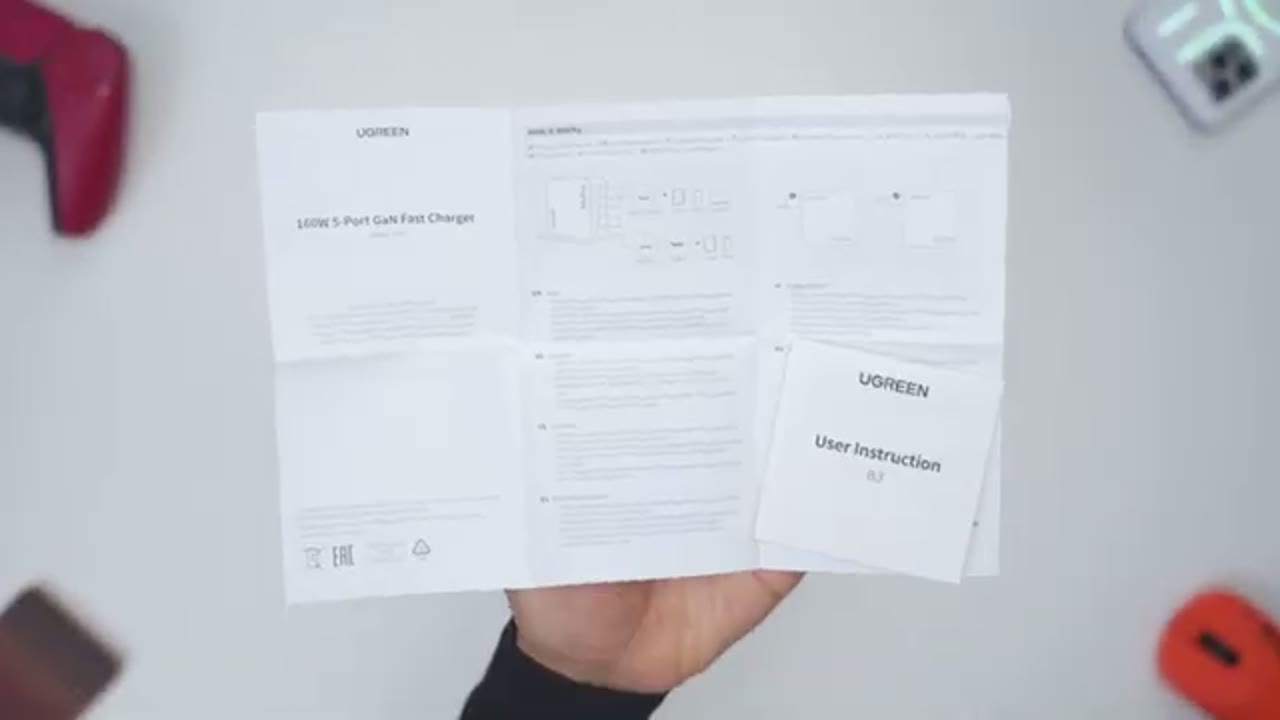
Nexode Pro 160W Charger Package Contents

instruction manuals. The Nexo Pro 16W 5 port fast charger comes in at around 338 grams or about
Nexode Pro 160W Charger Design
0.7 pounds, so it does have noticeable hefty. The build quality is really good on here, it feels really premium in the hand, no type of creaking or flexing, and we have this semi-mat semi-gloss type of finish on here, which looks really nice. There’s also the U-S plug with stones away pretty flush. Now any time you need access, that you can just pull it down and you’ll hear that kind of snap into place. Now, what does snap into place? This is not going anywhere. It has good hinge tension, but whenever you do need to put it away, you can go ahead, snap it back into place, and it stays pretty flushed, great for compact carry. The front has a handy TFT displayed it shows you various types of charging information, and there’s also a touch area here as well.
Now taking a look down here, this is where we have four USB type C ports and one USB type A port. The first two USB type C ports labeled C1 and C2 can output a max of 140 watts of power, enough to charge up most laptops, no problem at all, and with all five ports combined, you get a total of 160 watts of charging power. Here’s a quick look at the specs,
Nexode Pro 160W Charger Specs
feel free to pause and review or jump ahead to the next section. Now let’s talk charging
Nexode Pro 160W Charger Charging Performance
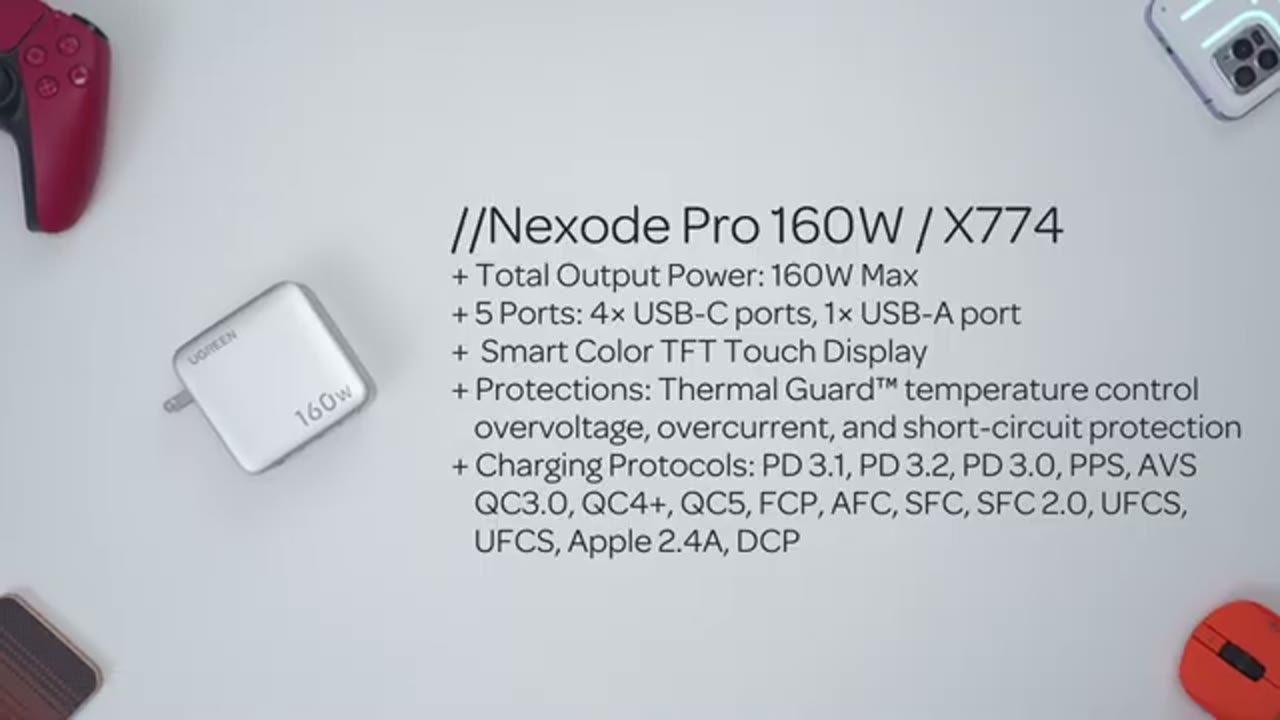
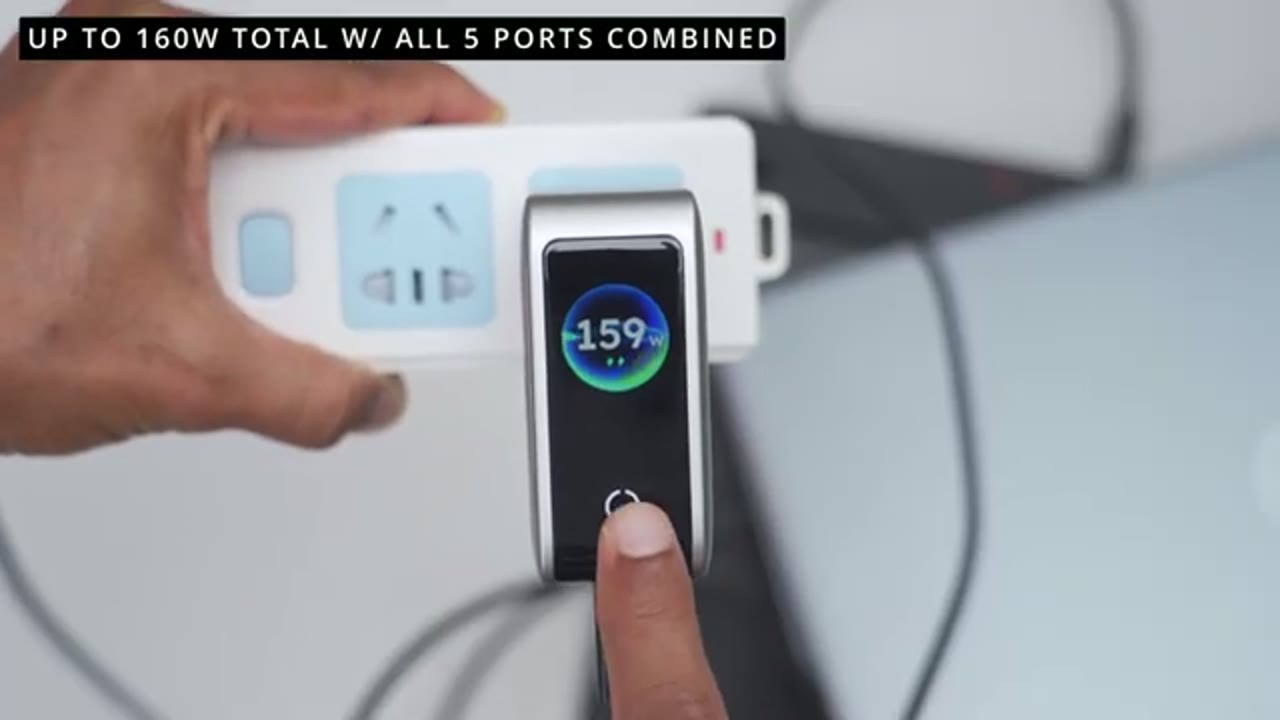
performance, and I actually saw close to the rated 168 watts, but when I was charging both of my laptops, I was seen between 158 to even 159 watts at times, which is crazy for such a compact body. Whenever you need to charge up your laptop, the charger is going to output up to a maximum of 140 watts, and that’s plenty enough to charge up most laptops, even with the laptop settings all max out. While I’m using Windows laptops, if you own a MacBook, this can actually charge a 16 inch MacBook Pro with an M4 Max chip from 0 to 56% in just 30 minutes.
I was able to charge my far more powerful gaming laptop, as long as I lowered the performance on it, so it’s pretty good I can actually charge it with this compact of a charger compared to my usual 330 watt massive charging brick if I really wanted to. I also tried charging five devices at once, so I connected my laptop, my ZF7, S26 Ultra, my iPhone 18 Pro Max, and I saw a combined output that was around 134 watts at the peak. The output also lowered at times as each of the devices adjusted their charging requirements, which you could see on the screen on the next probe, which is really handy.
After 30 minutes of continuously charging all five devices, the highest temperature I saw was 131 degrees Fahrenheit or about 55 degrees Celsius, and the charger never disconnected or stopped charging, which is pretty impressive. And note that if you have a powerful gaming laptop, charging five devices at once is not ideal since the power has to be shared between all of the devices. So you may see your gaming laptops, battery stay kind of the same or even actually lose battery life, not if you’re using a more traditional tablet laptop, you should be fine.
I also tried charging my iPhone 18 Pro Max, so I started at 9% battery and after 30 minutes I was already at 72% battery, so that’s about a 63% increase in half an hour, and the charging speed stayed between 28 to 29 watts, and it showed power delivery charging protocol on the screen. Overall the next OPP 162 watt charger is really impressive for the power it can output without overheating or shutting down and you could charge five devices at once in this combat body, and this is going to be my new go-to charging brick at home or whenever I’m on the go. In the box for the U Green Maxi Doctner Bolt V docking station,
Maxidok Thunderbolt 5 Dock Package Contents

you get the Maxi Doct unit, along with three different power plugs for wherever you are in world. There’s also a sizeable power adapter, a Thunderbolt V cable thermal pad screwdriver, and a detailed manual. In terms of design, so the Maxi Doct Thunderbolt V docking station
Maxidok Thunderbolt 5 Dock Design

comes in at around 862 grams or about 1.9 pounds, and it does feel very premium in the hand, especially with the mostly aluminum build, and we also have this matte type of finish. There’s also no type of creaking or flexing as I apply pressure. The Maxi Doctuses active cooling via the ventilation grills, and there is actually a built-in fan that’ll kick in any time it’s needed. Starting with the front view, so we have a power button LED in the cater-light micro SD card slot and SD card slot that are SD 4.0 speeds. Below those, there’s three USB Type-C ports at 10GB and a combo 3.5 millimeter audio jack. On the back we have an audio in and audio output. There’s also three USB Type-A ports at 10GB.
There’s also a power in port and below that there’s a 2.5 gigabit ethernet port display port 2.1 with support for up to 8k at 60Hz. There’s also two downstream Thunderbolt 5 ports and one Thunderbolt 5 uptreome port that you’ll connect your laptop to. And there’s also a security lock. The bottom has four feet to keep this nice and planted on your desk, but more importantly, there’s a cover and once you remove this cover, that gives you access to the NVME drive slot, and you can install up to an impressive 8-Tarabite NVME drive on here, so let’s go ahead and install our NVME drive next. 10-SOL
Maxidok Thunderbolt 5 Dock NVMe Install
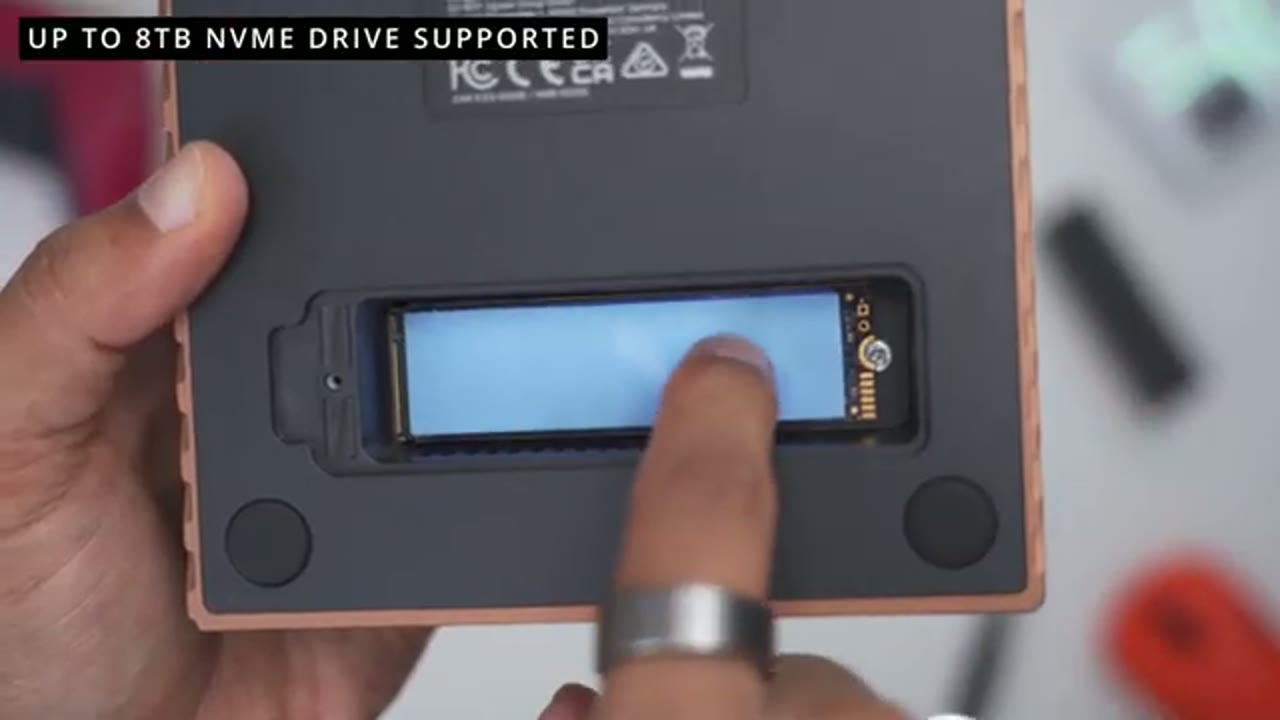
NVME drive, which is optional. The first thing we’ll do is to use the supplied screwdriver to remove the cover and do note that the cover has its own heatsink built into. Once you remove the cover, you’ll see a stand-off screw go ahead and remove that next. Now we can install the NVME drive into a slot, but before we do that, we shut up the silicone thermal pad that came in the box. It’ll be much easier to do this now versus later. Now we’re ready to see the NVME drive into the slot. Now do note that there’s a half-circle cutout, so make sure that the half-circle cutout side is on the side where you remove the screw. So go ahead and see it in and gently press down, and you should see the half-circle nicely aligned. Then go ahead and attach the screw that you previously removed.
Now we can put the protective cover back and screw it back in. In the next time you connect the doctor your laptop, you’ll see the drive pop up in your computer. You may have to format it, but after that you’re good to go. Here’s a quick look at the specs, feel free to pause and review or jump
Maxidok Thunderbolt 5 Dock Specs
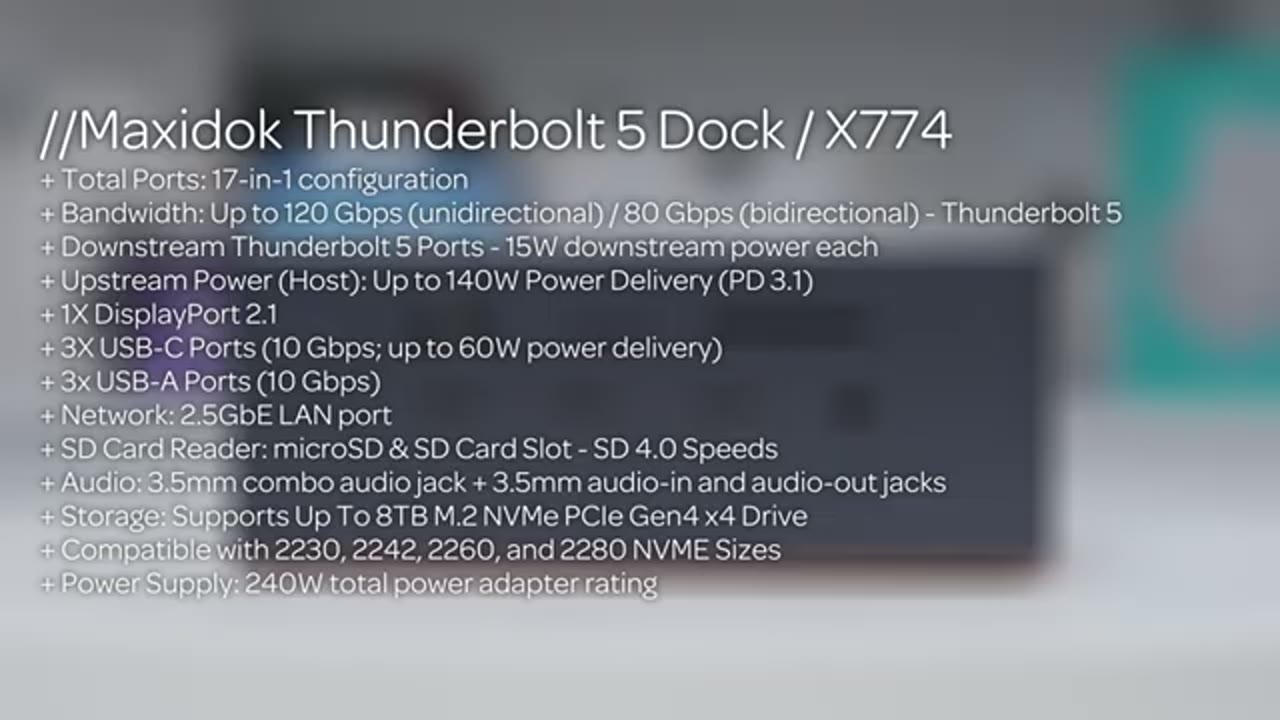
ahead to the next section. And as soon as I power the dock on within a matter of seconds,
Maxidok Thunderbolt 5 Dock Power On / Startup
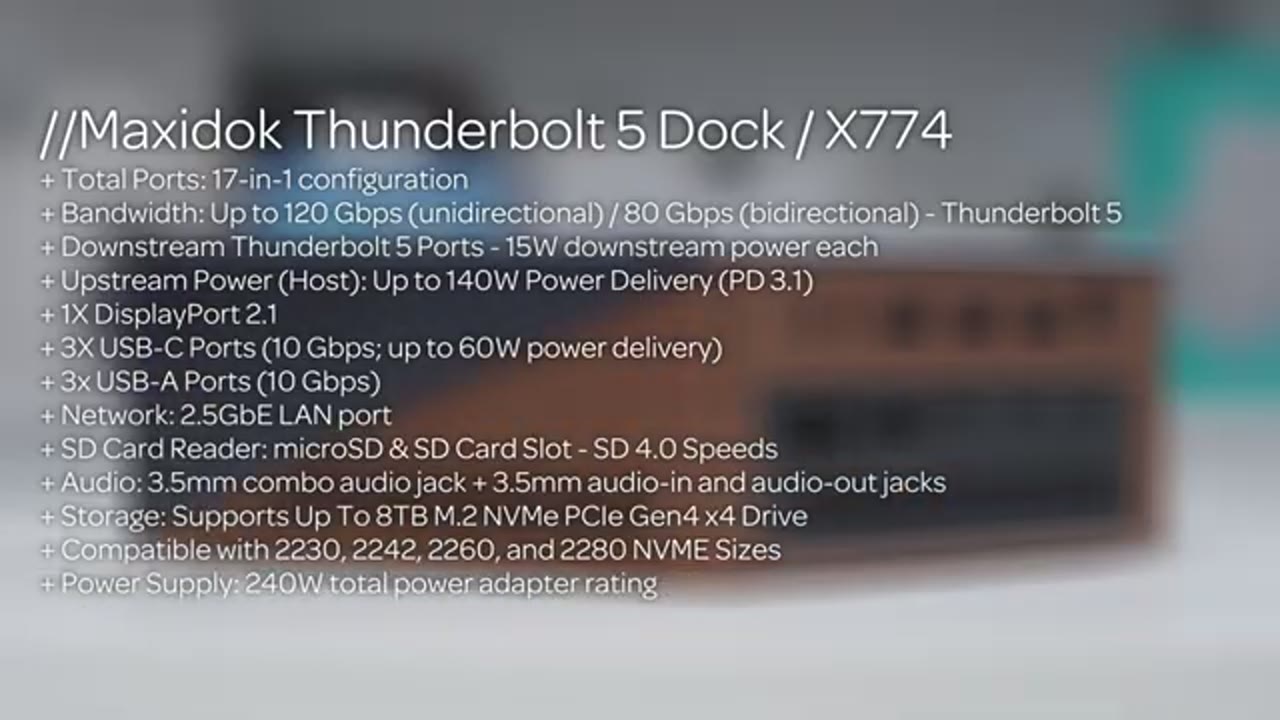
a USB drive that I have plugged in to automatically opens up the content on my laptop. My mouse says wireless dongle is ready to use so I can use my wireless mouse, and the external disk bays are also ready to go as just a quick and seamless experience. I was also easily able to
Maxidok Thunderbolt 5 Dock Display Performance
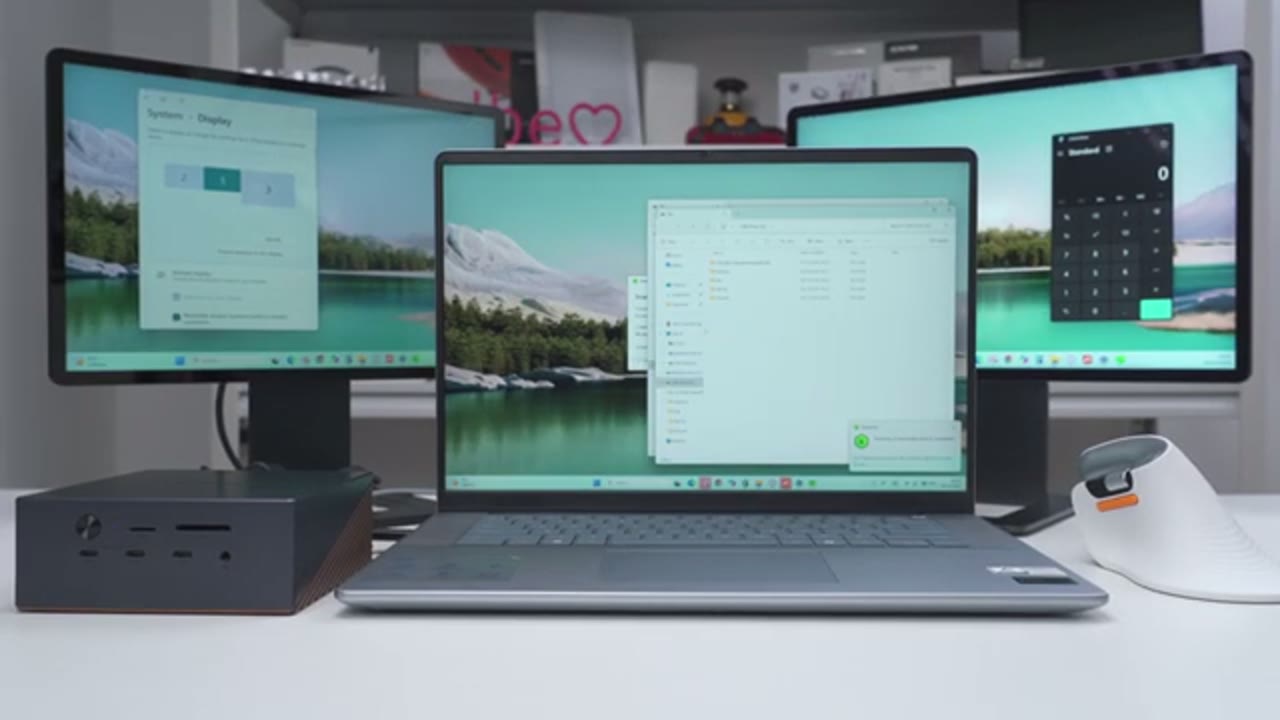
connect both of my 2K monitors to the dock without any issues, even though my laptop only supports Thunderbolt 4. Note that you can actually connect up to 3x kernel displays if you have a Windows laptop that supports Thunderbolt 5. So when it’s going to be by display port and the other two are going to be through Thunderbolt 5 connections. If you own a Mac, you can connect a Macs of two external displays with Macs support for a 6K resolution at 60 Hz. I also wanted to see how
Maxidok Thunderbolt 5 Dock Laptop Charging

well the dock would actually charge my laptop with both monitors connected and here’s how it did. So with both of my 2K monitors connected in YouTube playing in the background, I started the laptop with 14% battery and after an hour it was at 63% battery, so again 49% battery in an hour. And even with the dock charging my laptop and powering both of my 2K monitors, the Macs I saw at the temperature ago was around 93 degrees Fahrenheit or about 34 degrees Celsius, so pretty great. So yeah, a really powerful dock in such a compact body, an easily powered bottom-by-2K display and charge my laptop up at the same time. So quick note before we get into
Maxidok Thunderbolt 5 Dock Performance

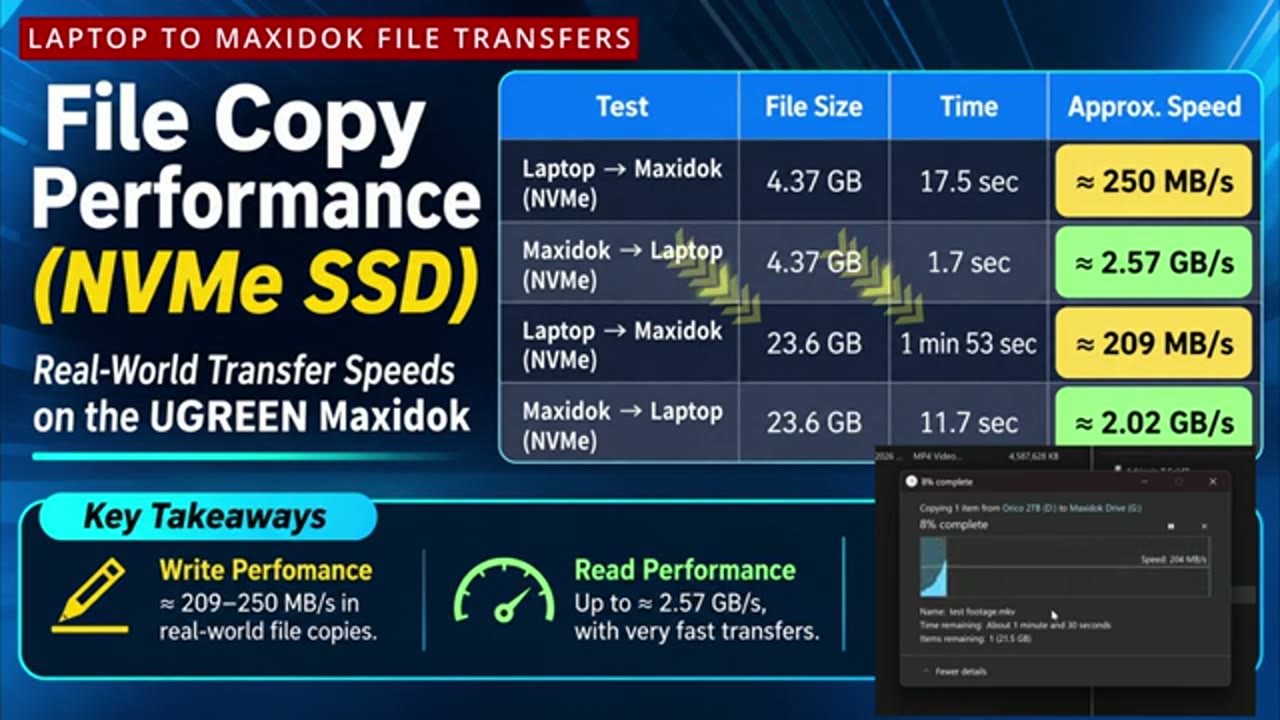
the file transfer, so my laptop only supports up to Thunderbolt 4, but this is a Thunderbolt 5 dock. So a Thunderbolt 4 supports up to 40 gigabits per second, but Thunderbolt 5 supports up to 80 gigabits per second by directional or 120 gigabits per second with bandwidth. Now you can size you can copy about a 6K 4K video file in about a second. That’s something I can demo or test since I don’t have Thunderbolt 5. Now if you do have a Thunderbolt 5 laptop, you’re going to get way better results than I did, but let’s look at my Thunderbolt 4 results and just keep in mind that you’ll get better results with Thunderbolt 5.
Moving files from the dock to my laptop was really fast, so it only took about 1.7 seconds to copy a 4.37 gigabyte file and copying a large 23.6 gigabyte file only took about 11.7 seconds. So when transferring files to the dock, I use a 4.37 gigabyte file and that took about 17.5 seconds to copy over averaging around 250 megabytes per second. I also tried copying a much larger file at 23.6 gigabytes, that took about a minute and 53 seconds and an average around 29 megabytes per second. Now let’s look at the performance of the
Maxidok Thunderbolt 5 Dock Ethernet Performance
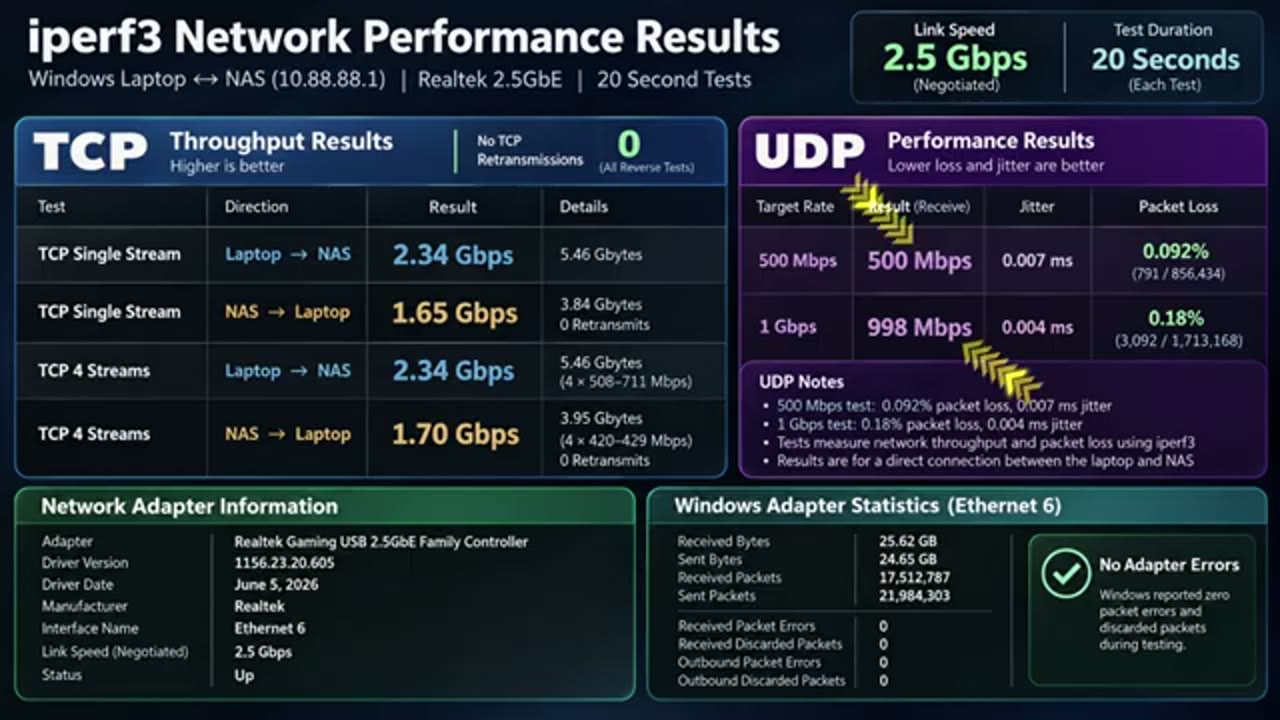
built-in 2.5 gigabyte Ethernet port. So I connected the dock directly to my U-green mass and I use I-Purf 3.2 measure network throughput in both directions, each test ran for about 20 seconds and the Ethernet connection negotiated at 2.5 gigabyte per second. With a single TCP connection, I got 2.34 gigabits per second transferring directly from my laptop to the mass and in the opposite direction, I got 1.65 gigabyte per second. I also tried with four simultaneous connections, so the laptop to NAS results still stayed the same at 2.34 gigabits per second while going from the NAS laptop, improves likely to 1.7 gigabits per second. I also tested UDP performance at 500 megabits and 1 gigabit per second and the receiving speeds were 590-990 megabits per second respectively. I also haven’t
Maxidok Thunderbolt 5 Dock Operating Sounds?
heard any fan noise or operating noise while this is working powering up both of my 2K displays and charging my laptop at the same time. Maybe my setup is just not powerfully enough to push it, but it’s great to see it’s very quiet. In terms of connectivity, this laptop has pretty much
Maxidok Thunderbolt 5 Dock Connectivity
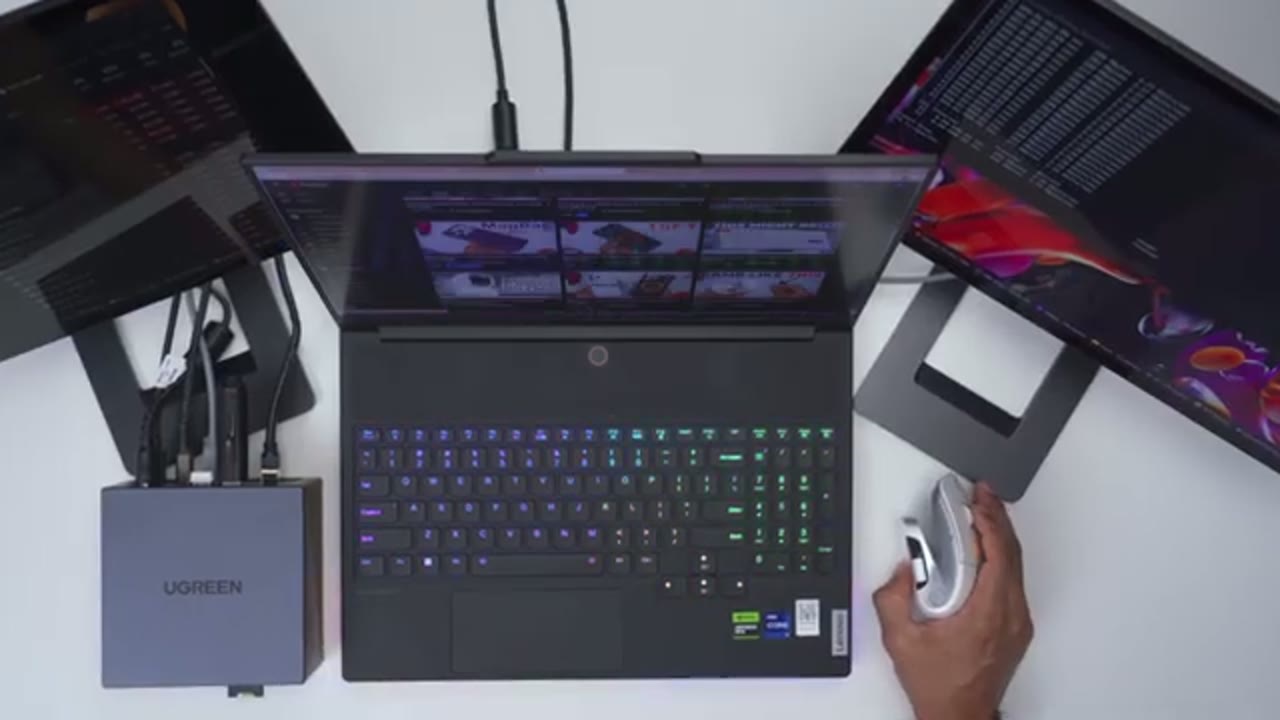
everything you need, especially if your current laptop doesn’t have great port selection. So for example, this laptop has a single USB Type-C port. There’s two Type-A ports in HDMI port, a micro SD card slot, but it doesn’t even have an Ethernet port on here. However, with a single Thunderbolt 5 cable going to the laptop to the dock, I can have my laptop charge and powered up. I also have access to two additional Thunderbolt 5 ports, so I can actually drive two external displays. On top it at I’ve 3 USB Type-A ports, 3 USB Type-C ports, I also have an Ethernet port, the micro SD card slot, SD card slot. The other thing is I can’t actually add a second hard drive to this laptop, but I can add up to an 8-terabyte NVMe drive on the dock.
So if your current laptop’s holding you back, you likely don’t need a new laptop. Maybe all you need is a dock like this. So if you like to
Recommended?
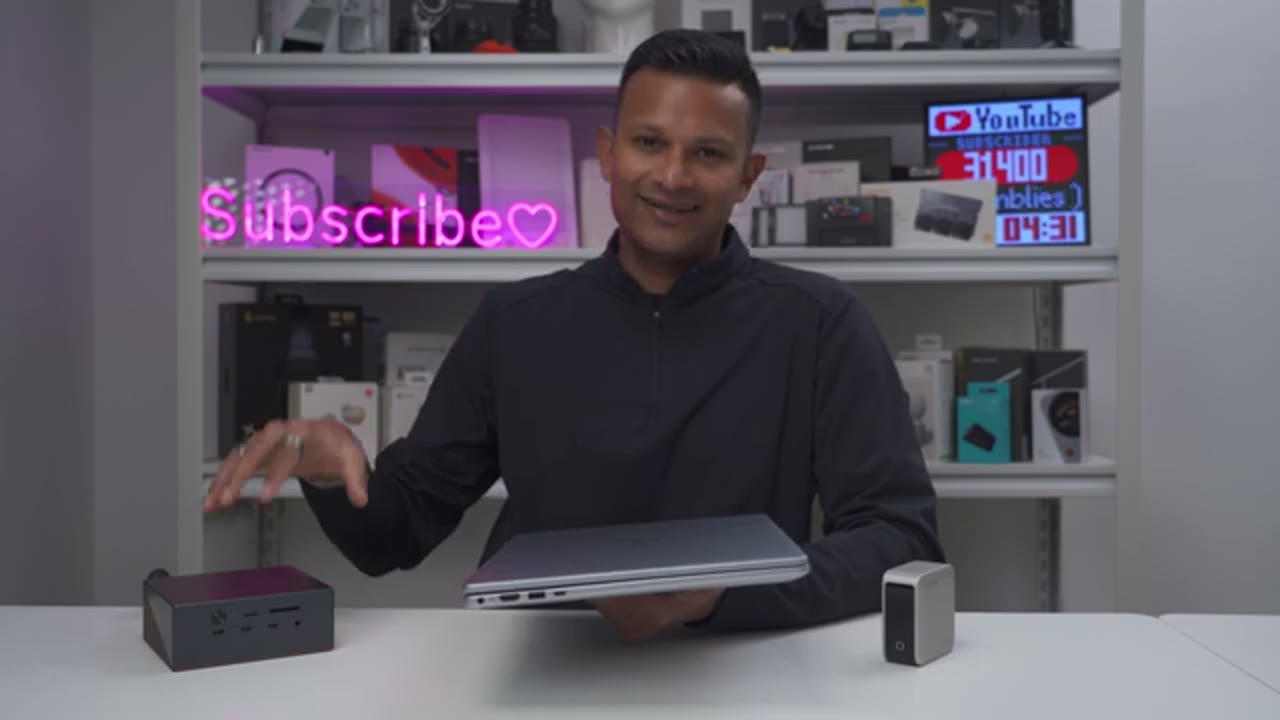
charge your laptop, phone or any other devices, the U-ring next-ode Pro 161-gant fast charger has your cover. It has a fairly compact body that you could easily use at home at work or on to go without having to bring a bunch of other charges with you. And if you really want to expand your laptop’s functionality, the U-Green Maxi Dock Thunderbolt 5 docking station allows you to connect two or even three external monitors with the Thunderbolt 5 ports while simultaneously keeping your laptop charge up, I’ll adjust a single cable running from the dock to your laptop for a much cleaner desk setup. Both of these are a solid upgrade to any setup and you can actually get up to 40% off of these during U-Green’s bot-fight details from November 1930.
So I’ll leave links down below if you want to get your very own or to learn more and if you have any coupon close, I’ll leave those down below as well. If you liked this video, maybe consider checking out this video next and maybe even consider liking and subscribing. Truly, this helped me out quite a bit. And I also hope you a bunch of other tech outside of chargers and docks, maybe you’ll find some of those interesting as well. And I really hope you’ll join me in my next video soon.
UGREEN Nexode Pro 160W Charger (39% OFF)
Please note that some of the links in my video descriptions are affiliate links where I earn from qualifying purchases. As an Amazon Associate I earn from qualifying purchases.