


Please note that some of the links in my video descriptions are affiliate links where I earn from qualifying purchases. As an Amazon Associate I earn from qualifying purchases.
Intro

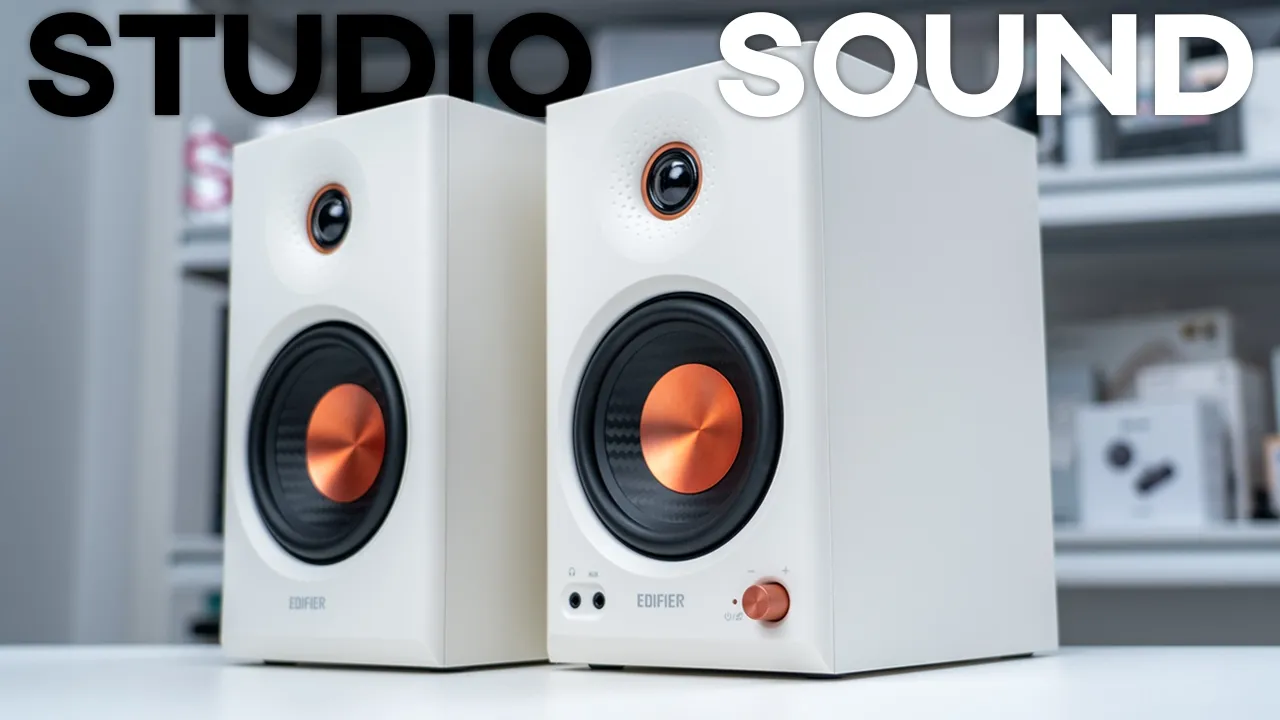
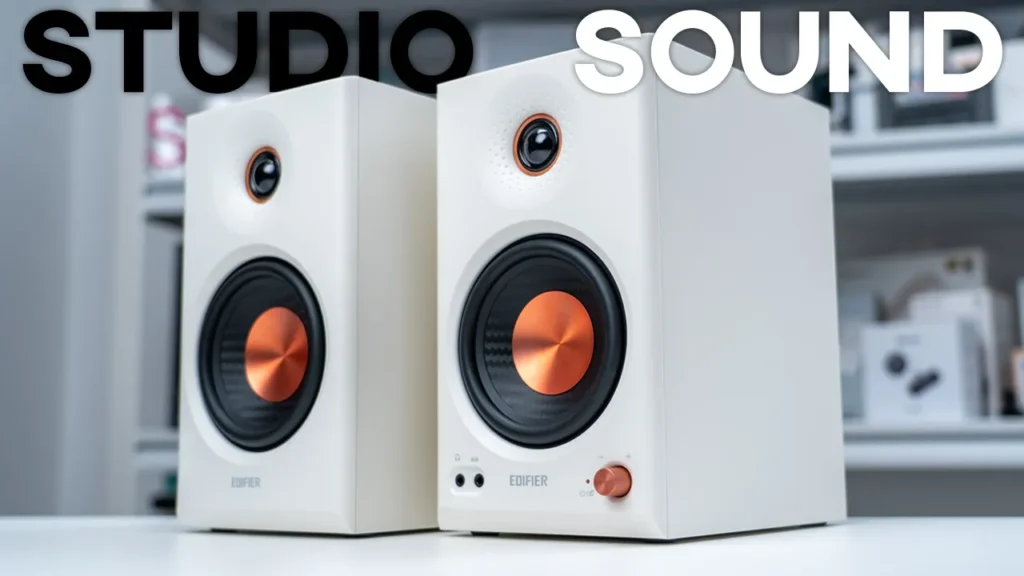
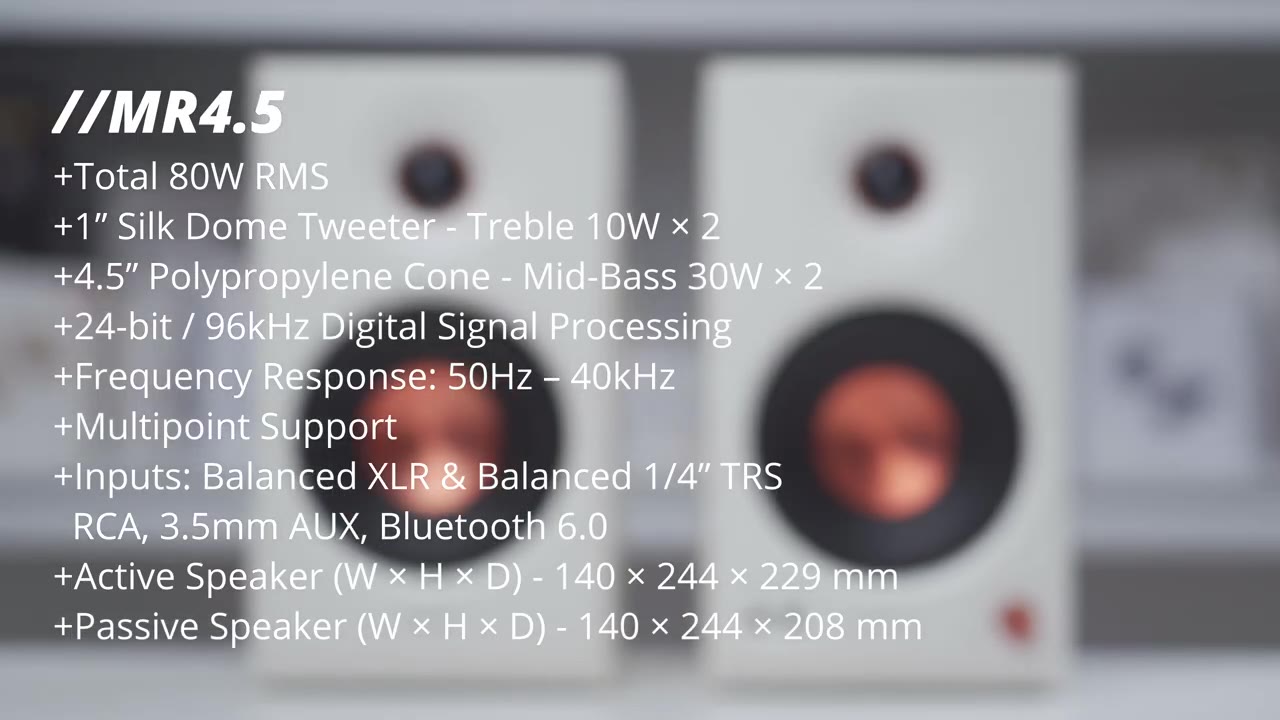
If you’re looking for speakers that have accurate sound for editing or creating, but can also do double duty for watching movies, listening to music, or gaming, you have to check out Edifier’s MR4.5 studio monitor speakers. They output powerful sound at 80 watts RMS total output, and they have a bi-amp design with a 1-in silk dome tweeter powered by a dedicated 10-watt amp and a 4.5-in mid-bass driver powered by a dedicated 30-watt amp. There’s 24-bit digital signal processing, a ton of inputs including balanced XLR, balanced TRS inputs, RCA input, a 3.5-mm aux in, 3.5-mm headphone jack, Bluetooth 6, and multi-point so you can connect two devices at once.
There’s a front knob to change the volume, switch the listening modes, and you can fine-tune the sound with the rear low and high frequency tuning knobs, along with Edifier Connects app support for even more fine-tune control. But, how good do they actually sound, and how do they stack up against Edifier’s MR5 if you’re trying to decide between both of those speakers? Well, let’s take a closer look, and a big thanks to Edifier for sending these out for review. In the
Package Contents

box, we have the Edifier MR4.5 speakers along with a long speaker connector cable, power cable, RCA to 3.5-mm cable, and 3.5 to 3.5-mm aux cable and manuals.
Design
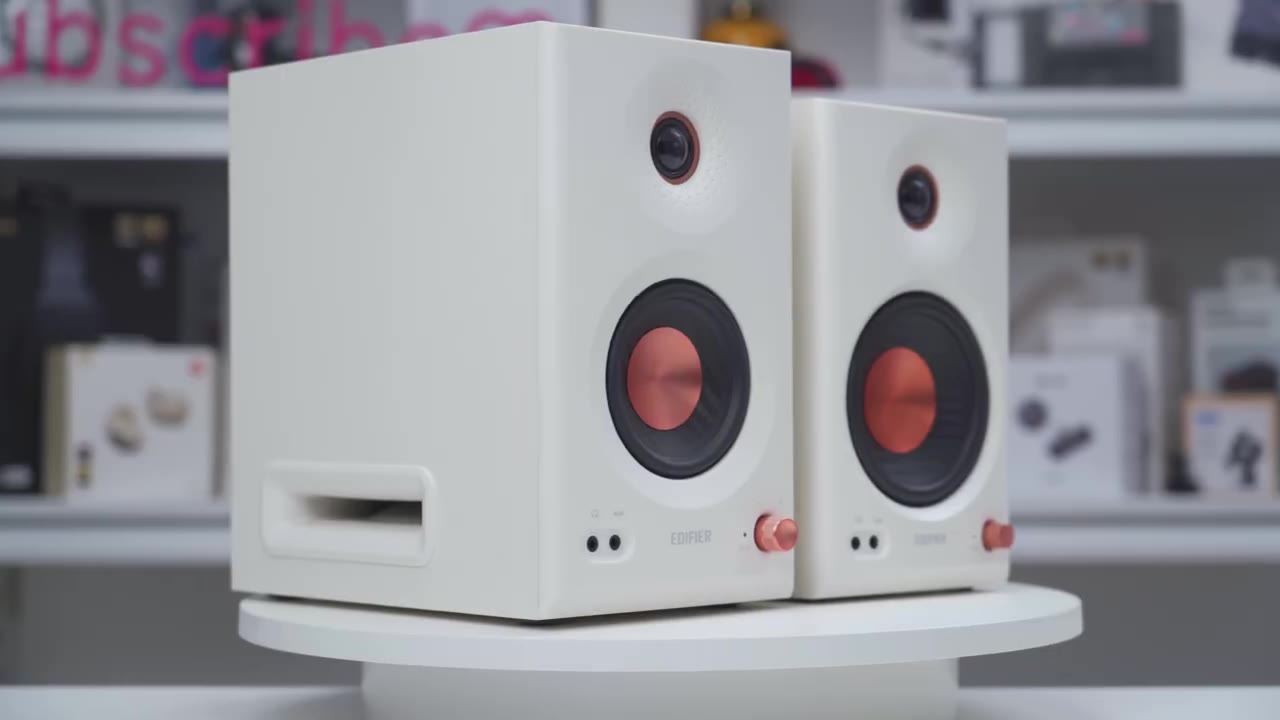
In terms of design, so the Edifier MR4.5 speakers look very similar to the MR5 speakers. The active speaker comes in at around 7.7 lb or 3.5 kg, and the passive speaker comes in at around 6.6 lb or 3 kg. I have the white version, but it also comes in black as well, and we have an MDF enclosure all the way around. Now, at the top, this is where we have the 1-in silk dome tweeter, and we do have dimpled wave guides here, as well. And this is powered by a 10-watt amp per channel. Under that, we have the 4.5-in mid-bass driver with a polypropylene cone, and this is powered by a 30-watt amplifier per channel. There’s a 3.5 mm headphone jack and aux input at the bottom left corner, and at the bottom right we have a knob, and this does have hard stop increments as you rotate it.
There’s also an LED indicator light to show you which listening mode you’re in. There’s nothing on the sides, and on the back we have the bass reflex port along with high and low frequency tuning knobs, and you can adjust these minus 6 to plus 6 dB. We also have a bunch of inputs, so we have balanced XLR inputs and 1/4-in TRS inputs. We also have RCA input, a Bluetooth pairing button, the speaker out, and a power port. On the bottom we have rubber feet to minimize vibrations and to keep these planted. On the passive speaker we have the bass reflex port and speaker connector port.
Specs
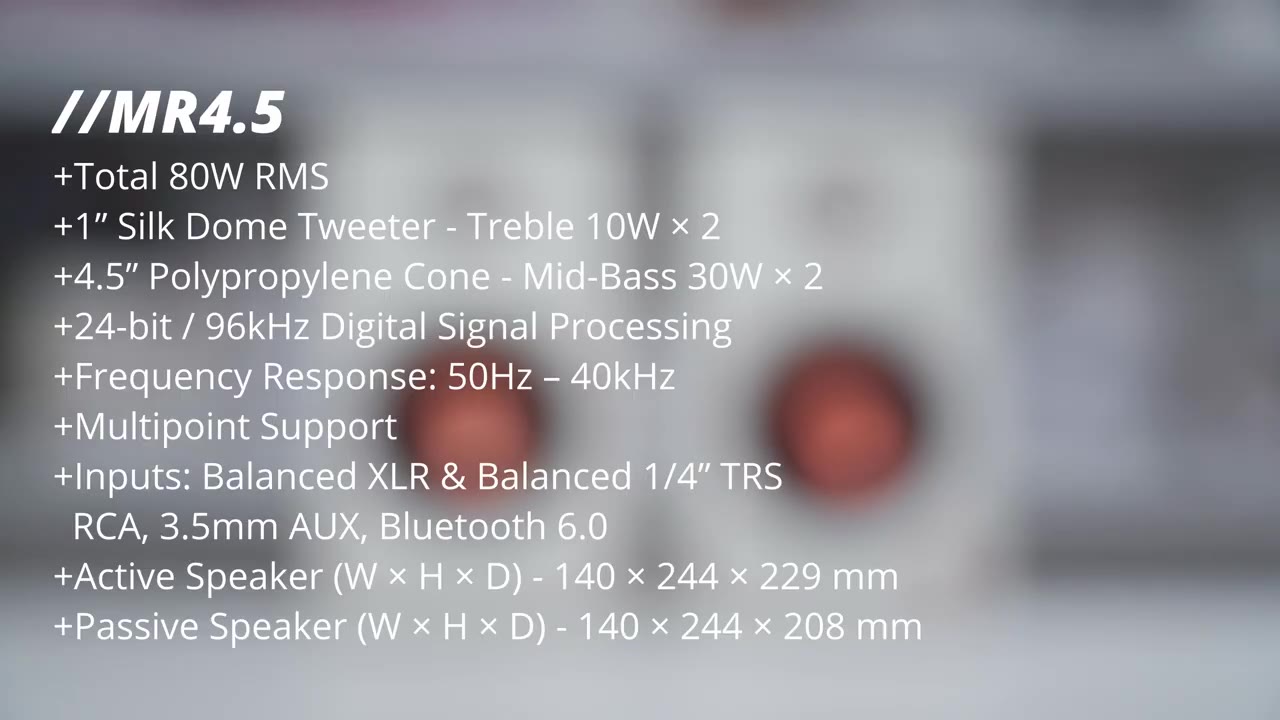
Here’s a quick look at the specs. Feel free to pause and review or jump ahead
Bluetooth Pairing
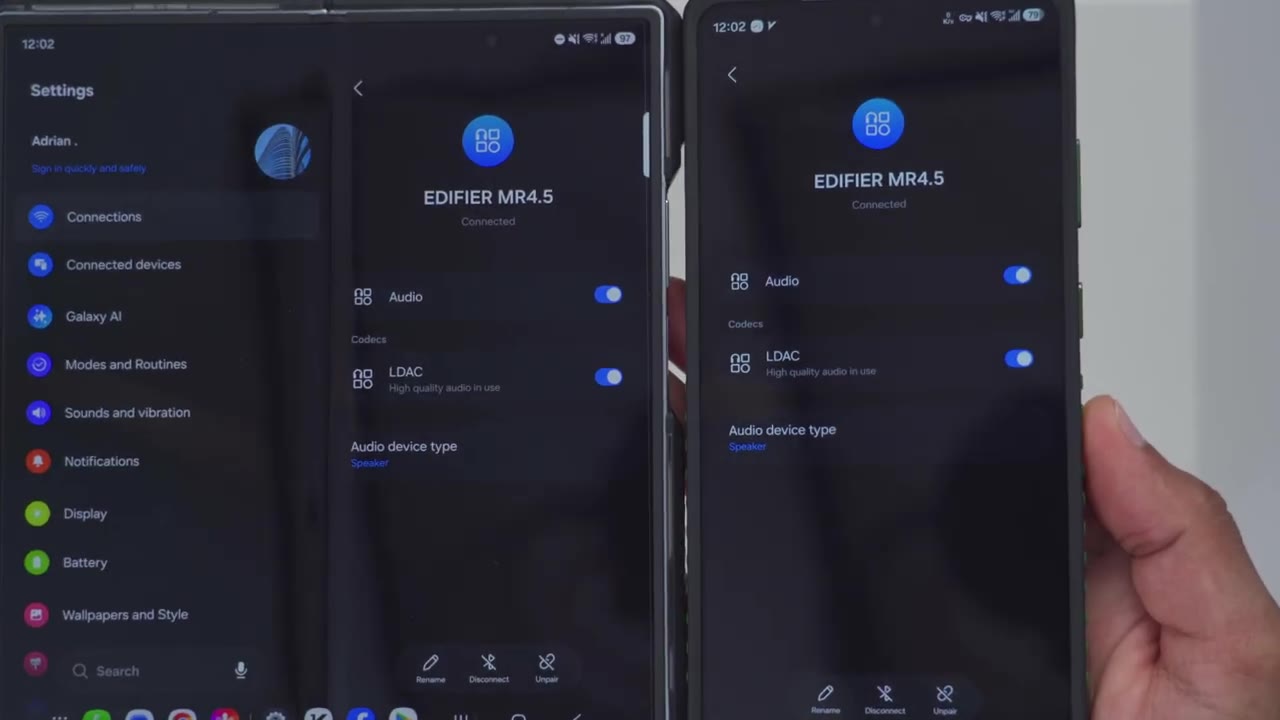
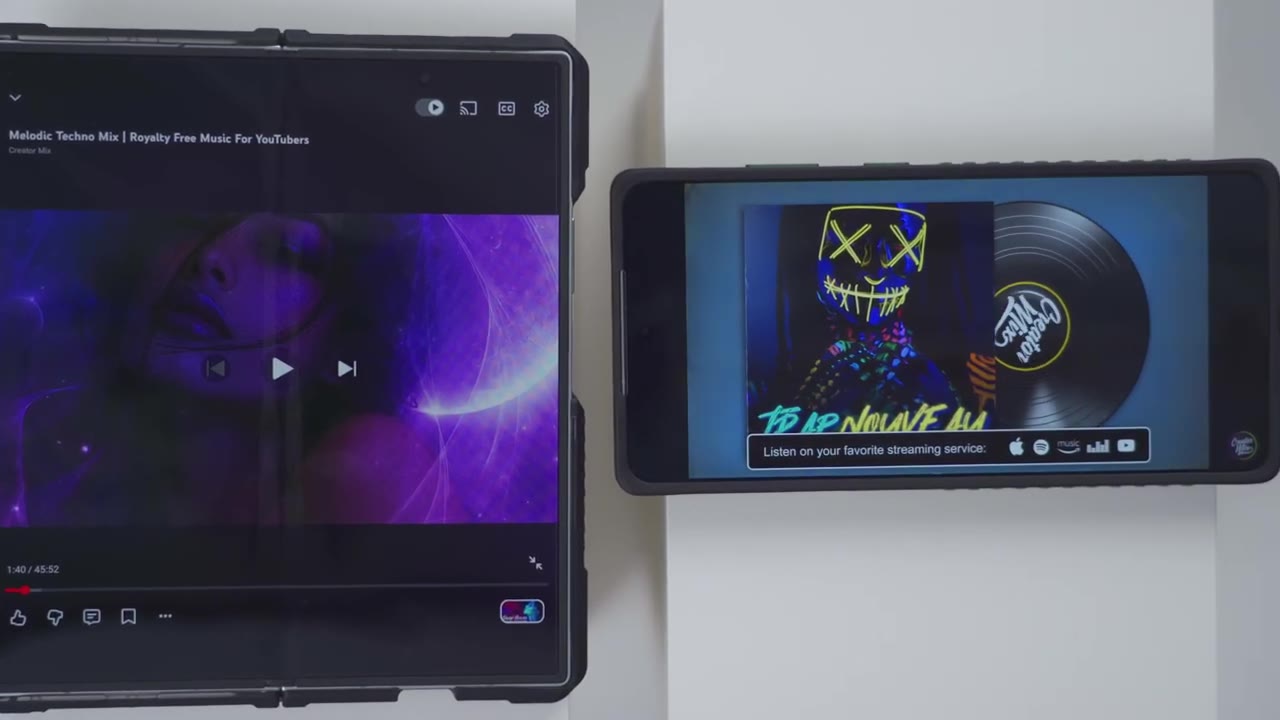
to the next section. I’m now going to pair the Edifier MR4.5s by Bluetooth, so I’ll just press the Bluetooth pairing button at the back, hit scan in my Bluetooth settings, and I could see it pop up right here, Edifier MR4.5. Wait for the pairing prompt, and then I’ll just hit pair, and you can see it’s connecting. Now it’s connected. Now, what you may also want to do is tap on the gear icon if you’re on an Android phone and turn on the LDAC toggle, so you can get the best possible quality wirelessly. I’ll repeat the same steps to pair by Bluetooth on my Z Fold 7 since we have multipoint support, and here’s a demo of that.
Multipoint Demo
No speech in this section.
Connex App Settings
Let’s take a look at the Edifier Connects app settings, and you can see that high-res wireless audio is enabled because we did enable LDAC in our Bluetooth settings earlier. Now, under sound effects you could switch it from monitor mode. This is going to be the most accurate, and then you can put it into music mode, and you can also set it to customize. And if you tap on these arrows here, you could dial in your own custom EQs, and I’ll share the EQ that I’m using in the video description. Under acoustic tuning, this is where you can fine-tune the sound, so you do have a low cutoff frequency. You can go from 20 Hz all the way up to 100 hertz. You can also change the slope from -6 dB to -24 dB. And then for acoustic space, you can also adjust this all the way from flat to -4 dB.
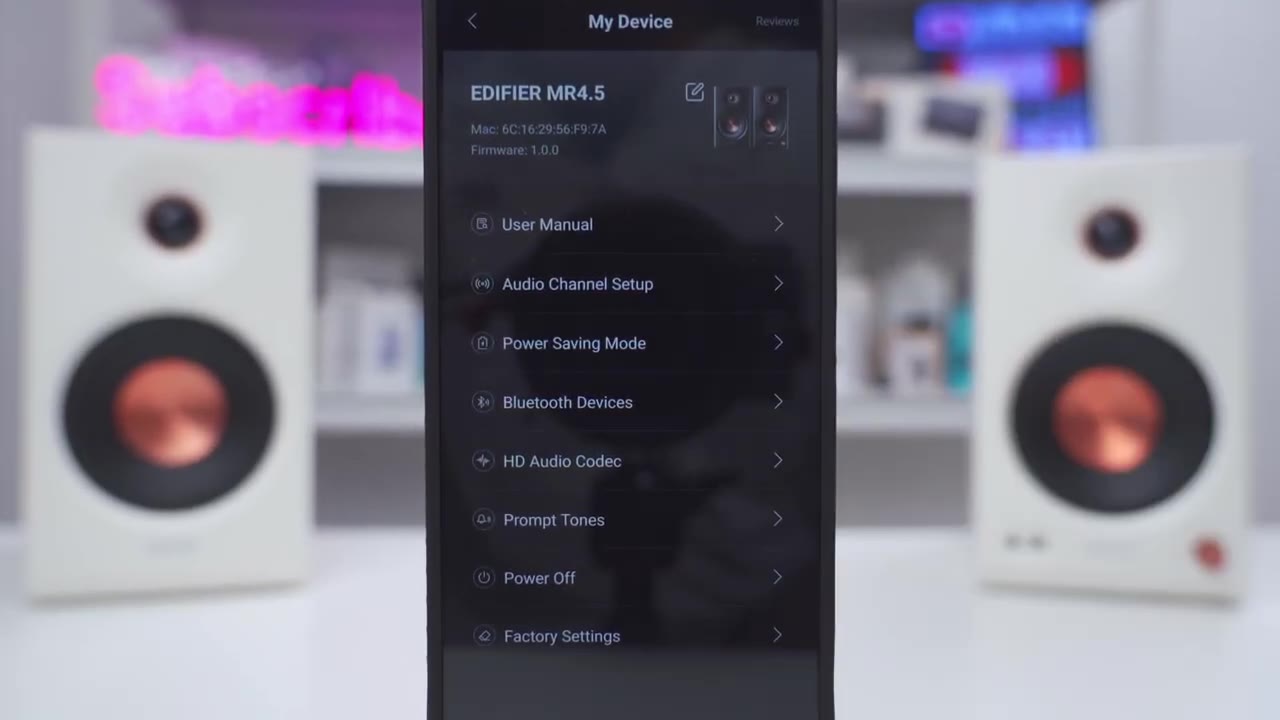
And you can also turn on this mode for desktop control if these are going to be on a desktop. Under volume control, you can dial in the volume of the speakers, but you can also see it update in real time as I adjust the volume knob. In the full settings in the top right, this is where you can take a look at the firmware version, access the user manual. Under audio channel setup, you can actually switch the right and left channels if you need to. Now, you can also enable or disable power saving mode. Basically, after 15 minutes, it’ll turn off. You can also go into Bluetooth devices to manage it here if you like. And then under HE audio codec, note that I have set it so that LDAC is on.
You can also set it for a more balanced sampling rate, or you can disable LDAC completely if you want to use multi-point since it’s one or the other. You can also enable or disable the prompt tones when Bluetooth connects. You can power everything off or factory reset. The controls are
Controls
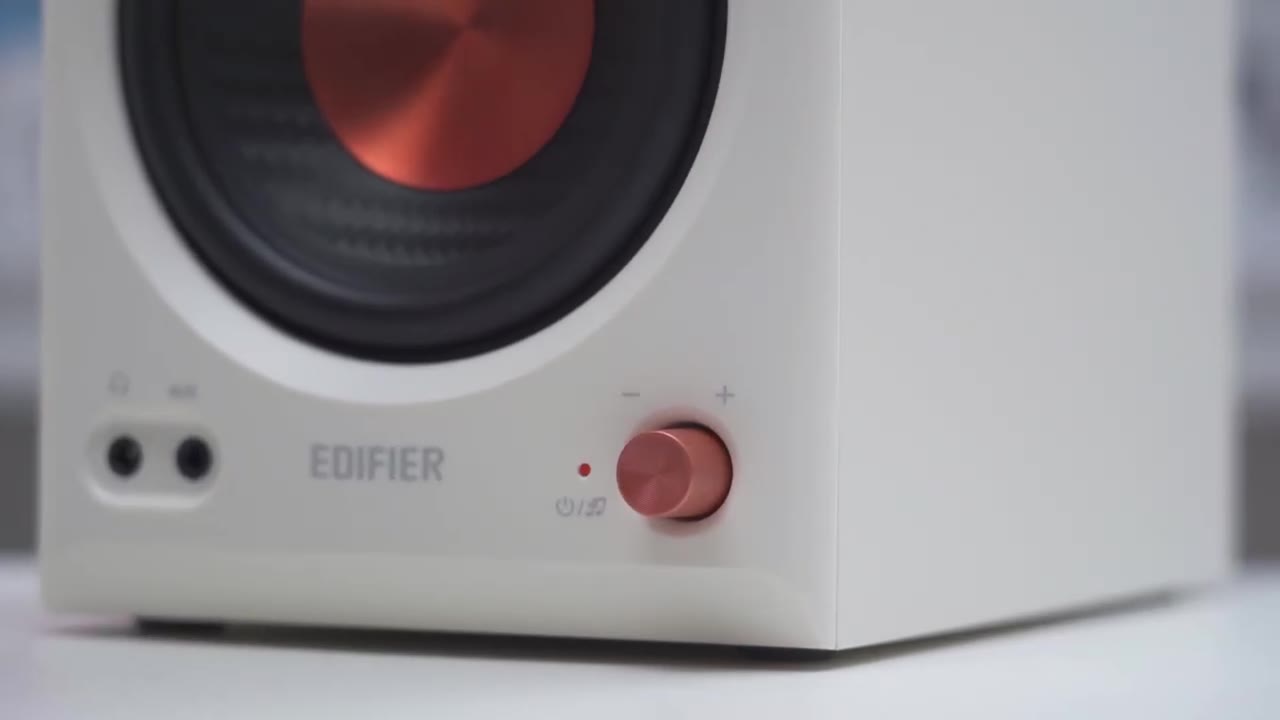
extremely responsive with the front knobs. So, rotating it is going to adjust the volume level up or down. You can also click it in or press it in, and that’s going to switch through the various listening modes, monitor mode, music mode, and customize mode. And if you press and hold it, it’s going to power the speakers off or turn them back
Inputs
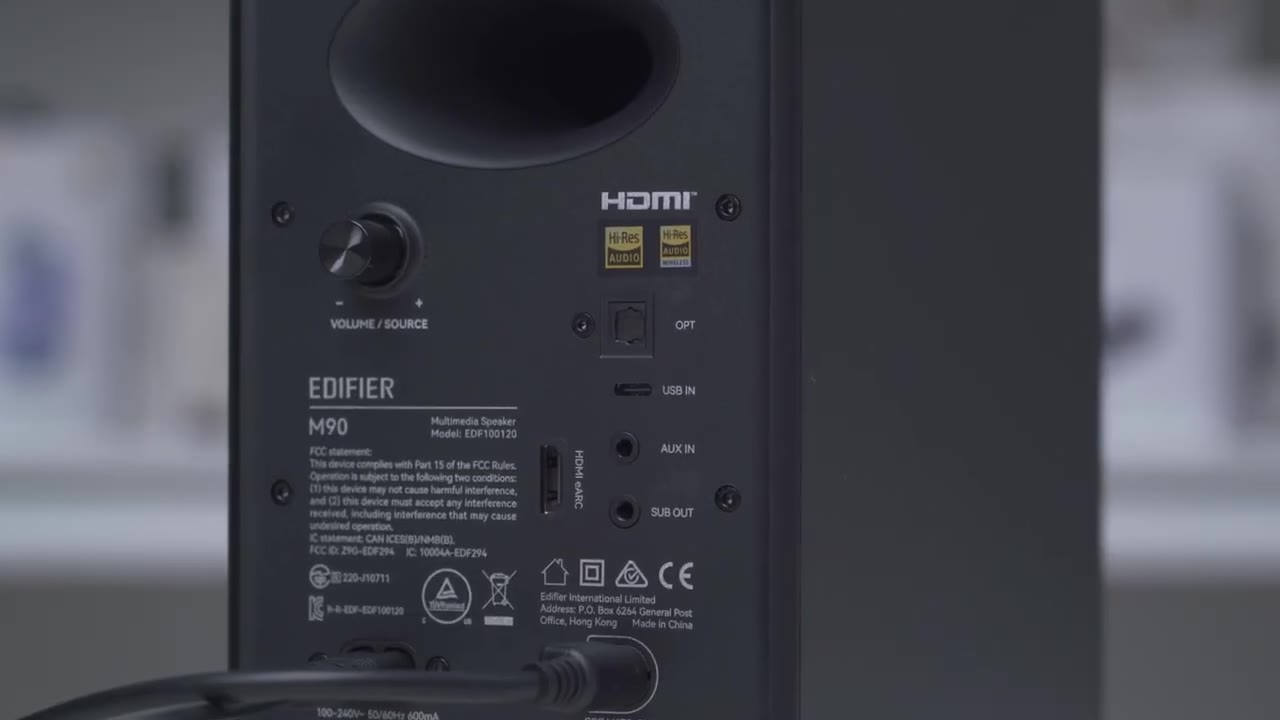
on. There’s a ton of inputs on these to connect pretty much any type of device. So, we have balanced XLR inputs, balanced 1/4 in TRS inputs, RCA input. We also have a 3.5 mm aux in, 3.5 mm headphone jack, Bluetooth 6 with multi-point support. Really, the only thing missing from these is a dedicated sub out if you want to connect an sub. And in that case, you’ll have to look at Edifier’s M90 speakers.
Sound
All right, let’s talk sound. So, these get plenty loud at 80 watts RMS total output. So, this is a bi-amp design. We have a 1-in soft dome tweeter, which is powered by its own dedicated 10-watt amp. So, we have 10 watts per channel, 20 total. And then we have a 4.5-in mid-bass driver powered by its own dedicated 30-watt amp per channel, so 60 W total there. And again, these get plenty loud, so they go up to about 30 in the volume slider on the Edifier Connect app. And I didn’t find myself going past more than 15. That was already plenty loud for me. But if you do crank it harder than that, you don’t really notice any type of significant distortion, at least not to my ears. Now, these also have input mixing, which means you can hear, you know, multiple devices outputting from this at once.
So, if you have your phone connected to these by Bluetooth, plus you have these connected to your your your laptop or your desktop by RCA or any type of other input, you can hear both audio sources at once since you can’t actually switch inputs actively on this. If I crank these to the max volume and I don’t plug any inputs in, and if I put my ears really close up, you can hear a constant kind of white noise noise floor on her, but it’s nothing that comes across when you’re listening to music. Now, let’s get into the sound signature. Now, you do have a lot of fine control with these, so you do have those knobs at the back for the highs and the lows. And then you can also further fine-tune them in the Edifier Connect app, like I showed. Now, you have three listening modes by default.
There’s the monitor listening mode with the red LED. You have the music listening mode, and then a custom EQ mode. Now, in monitor mode, it’s going to sound way more flatter, more recessed, and the sound stage is going to be a little bit more compressed. But that’s what you’re going to want to use if audio accuracy is paramount. In the music listening mode, the overall tuning is more engaging, and it feels wider and better separated. So, I’m going to base my thoughts in the music listening mode. The low end is generally present and full-bodied with good impact and weight on bass hits.
Bass transients are mostly quick and controlled, especially on tighter mixes, but there are moments where low frequencies can linger around slightly longer than is ideal, creating a little sense of overlap in the background. When the low end is boosted, the bass gains noticeable depth and a more satisfying rumble, adding physical presence and weight. However, this can also push lows a little bit more where it becomes a less tightly controlled and encroaches on other frequencies. The midrange is fairly clear and forward with vocals sitting prominently in the mix and with good separation from surrounding instruments. There’s a good sense of clarity and definition in this range allowing individual instruments to remain distinguishable even in more complex arrangements.
Instruments have good left and right imaging and layering and are subtle background elements that remain audible without being masked giving a sense of openness and control. There were times where I felt vocals were a little slightly less forward than maybe some may prefer sitting just behind the leading edge of the mix rather than being pushed aggressively to the front. Overall, mids are clean, well separated, and natural with a slightly conservative vocal presentation. The high frequencies are crisp, airy, and well extended providing a sense of openness and detail without introducing harshness. Symbols and high frequency elements are easy to distinguish with good clarity and spatial positioning.
Travel detail contributes to a sound feel separated and well defined and importantly there’s no noticeable siblings or sharpness even during more complex or bright passages. These are just a great sounding set of speakers that I think most people are going to enjoy especially with all the fine-tune control you have with the rear knobs and the Edifier Connect app. These are also a massive step up from the previous Edifier MR3 speakers. Now, I didn’t get to use the MR4 so I can’t say how these compare, but if you take the total output of the MR3 and MR4 and add that together, these beat both of those combined so you can kind of get an idea in terms of the raw power. Now, let’s
MR5 vs MR4.5
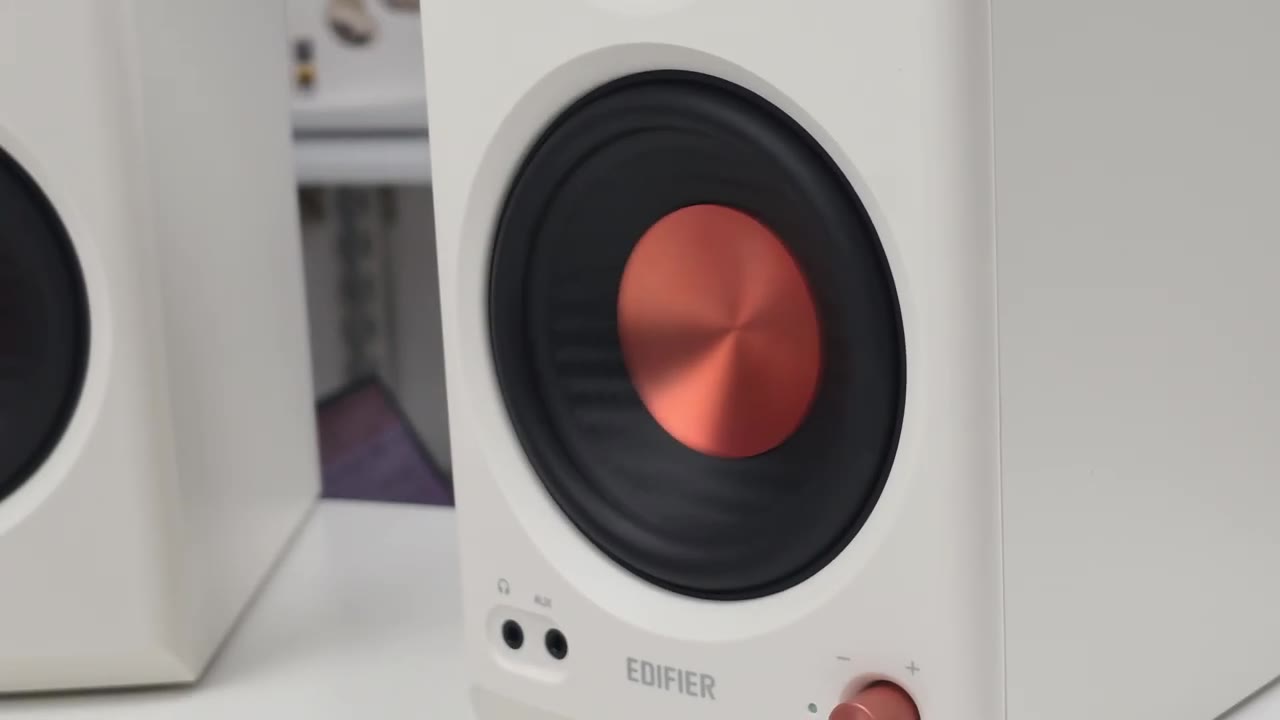
talk about how the Edifier MR5s compared to the Edifier MR4.5 4.5 if you’re trying to decide between these two models. On the MR5s, vocals came through more forward and better separated than I noticed on the MR4.5. On the MR5, that extra mid driver and the triamp design really helps keep everything more defined so instruments feel like they have more space and separation with slightly more open and airy presentation overall thanks to that added headroom. And in the low end, the Edifier MR5 also extends slightly deeper reaching down to 46 hertz compared to 50 hertz on the MR4.5 and it also feels tighter and more controlled as well. So, the Edifier MR5 does sound better than the MR4.5, but that’s not really a surprise if you think about it.
This is a triple driver setup in a tri-amp design versus a dual driver in a bi-amp design. If I ask myself, would I be happy with the sound coming out of the MR4.5s if I didn’t have the MR5s to compare? Yes, I would be plenty happy and impressed with the sound coming out of these. Like I mentioned, there’s a ton of room to really fine-tune these to get these pretty much how you like and I think most people are going to be happy with the Edifier MR4.5s. As well, this costs, you know, much less than the Edifier MR5 and has the same inputs as the Edifier MR5. So, if you’re trying to decide between both of these, you don’t need, you know, 110 watts versus the 80 on here, the Edifier 4.5s are a solid set
Recommended?
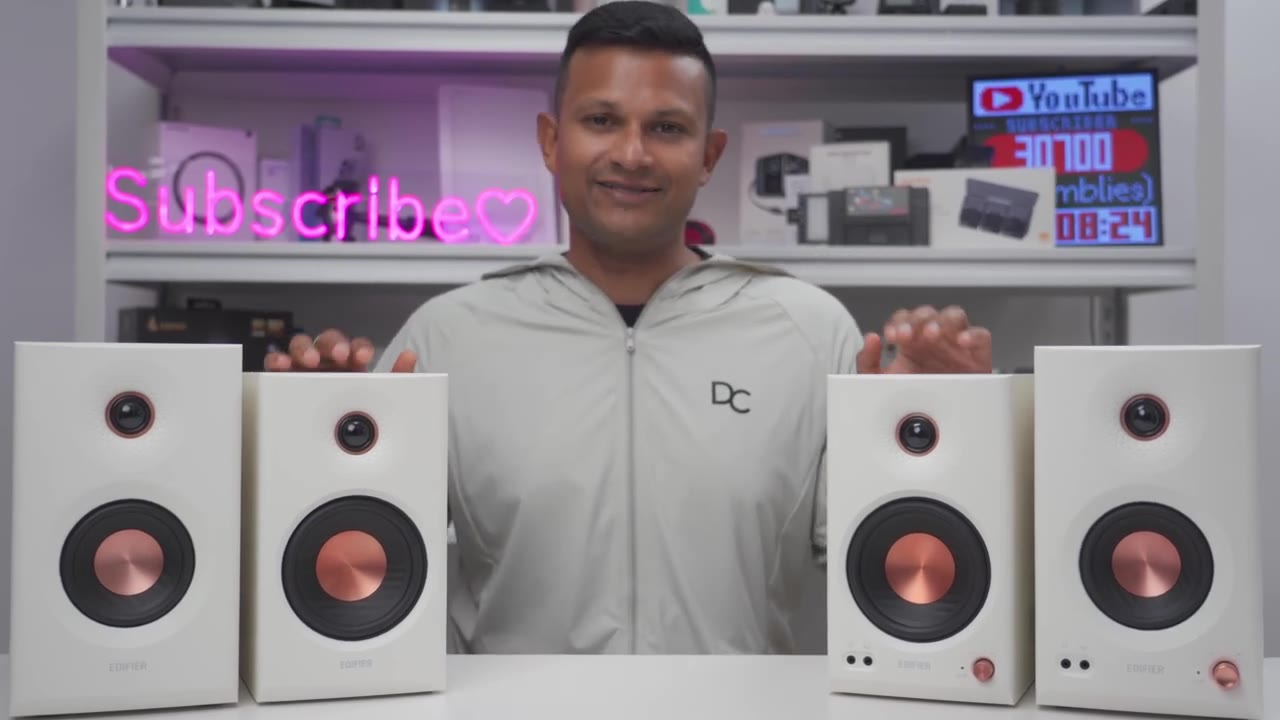
of speakers. So, whether you need audio accuracy or you just want an enjoyable pair of speakers for listening to music, watching movies, or gaming, the Edifier MR4.5 studio monitor speakers can really do it all. You get 80 watts RMS total output of powerful sound to fill out most rooms, tons of tuning options with the rear knobs and the Edifier Connects app to fine-tune the sound even further. So, if you’d like to get your very own Edifier MR4.5 studio monitor speakers, I’ll leave links down below so you can get your very own or learn more. Now, if you know you’re going to need a little bit more power and headroom, check out my review of Edifier’s MR5 up here and I’ll also leave links down below in the video description to my review of Edifier’s new S355DB.
That’s a 2.1 speaker system with a dedicated sub that outputs 150 watts RMS total output, extremely powerful, maybe check that out as well if you need a dedicated sub. And while you’re at it, maybe consider liking and subscribing to see more upcoming speaker reviews and maybe even consider joining as a member where you’ll get early access to videos and other perks. I also review a bunch of other tech that you may find interesting, so maybe check those videos out, too, and I really hope you’ll join me in my next video soon.
Please note that some of the links in my video descriptions are affiliate links where I earn from qualifying purchases. As an Amazon Associate I earn from qualifying purchases.