


Don’t like reading? Check out my video review on YouTube instead.

I’ve reviewed many wireless security camera systems, but one thing has remained elusive in all of those systems. That is the ability to record in 4K video resolution. We set up security camera systems to monitor, detect and review events or suspicious activity. But what is the point of recording a video that isn’t high enough video resolution to discern any details?
Finally, a company has answered my call to deliver a 4K camera system! A big thank you to Eufy for supplying the Eufy Cam 3 system for an unbiased test. Oh yeah, and there are no monthly fees! Even if you use the AI features, it is natively included with ZERO monthly fees! This post is sponsored by Eufy.
2023 Update: Pressing and holding the Sync button does not erase recorded data to maintain recorded videos.
Package Contents
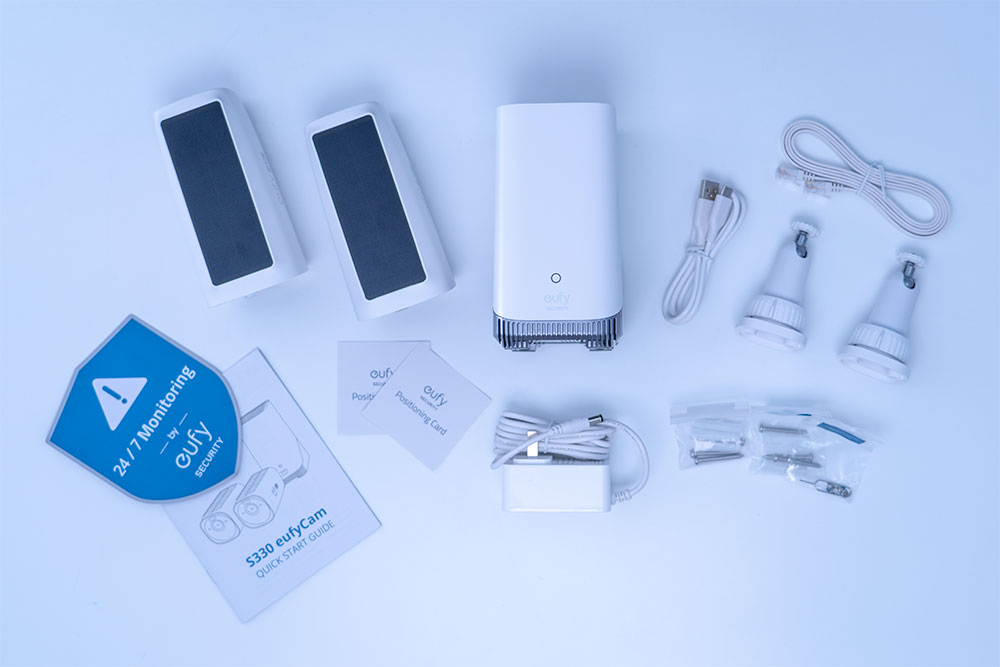
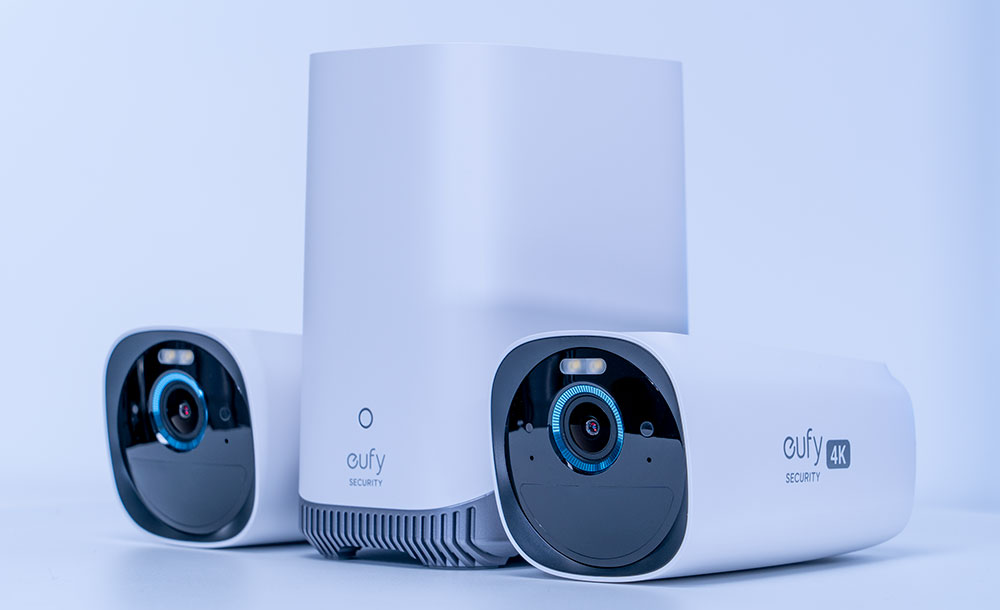
In the package, you’ll have everything needed to set up and mount the cameras and connect to the HomeBase 3.
- 2X – Eufy S330 4K Solar Wireless Cameras
- HomeBase 3
- Mounting Hardware & Screws For Both S330 Cameras
- Power Cable & Ethernet Cable For The HomeBase 3
- Type C Charging Cable
- Positioning Guides & User Manual
- Metal Reset Pin

Eufy Cam 3 Specs
S330 Camera Specs
- Video Resolution: 4K (3840 x 2160)
- Field of View: 130 Degrees Viewing Angle
- Aperture: F1.4 with BSI CMOS Sensor
- NightVision: Color Night Vision & IR
- Battery: 13400 mAh Rechargeable Battery
- Battery Life: Up to 365 Days
- IP67 Rating – Water & Dust Resistant
- 100 Lumen Motion Detection Spotlight
- Two-Way Audio
- Type C USB Port; 1000 Mbps LAN Port; SATA 3.0
- CPU: Quad-core ARM Cortex-A55
- Dimensions: 2.6 x 5.1 x 2.6in (6.5 x 12.9 x 6.5cm)
- Alexa & Google Home Assistant Compatible
HomeBase 3 Specs
- Self-Learning AI Algorithm For Human, Face, Pet & Vehicle Detection
- Optionally add AI features to older Eufy models which do not support AI natively
- Storage: 16 GB Built-In [Expandable up to 16TB With 2.5 inch HDD – Optional]
- Dimensions: 3.1 x 4.3 x 5.7in (7.8 x 10.9 x 14.4cm)
- Supports 24/7 recordings while using indoor camera models
Eufy Cam 3 – S330 Camera Design & Build Quality
The S330 4K Solar Cameras feel pretty solid in hand. There is no creaking, flexing or looseness when I apply pressure to the cameras directly or diagonally. This also ensures the IP67 rating to allow it to function in all seasons. The back of the camera has a weather-sealed USB charging port to prevent water from entering the camera body, along with a sync button and mounting port.

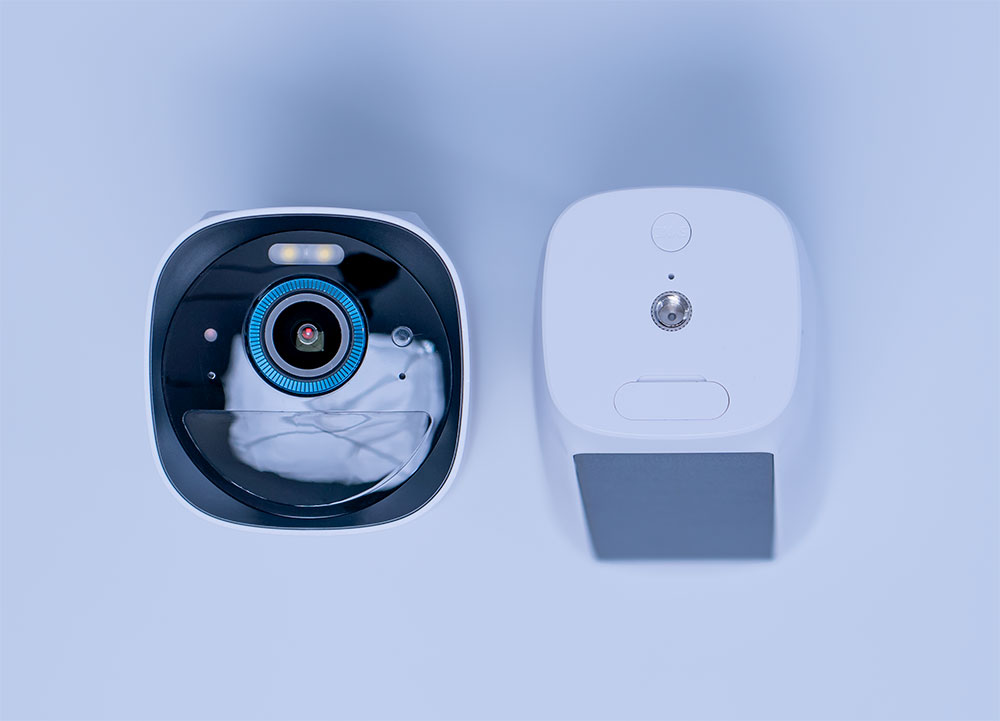
The front of the S330 camera houses the F1.4 lens with a backside illuminated CMOS sensor, which helps to allow more light to the sensor and increases light sensitivity. There are also various sensors for motion and IR, a microphone, and a powerful spotlight.

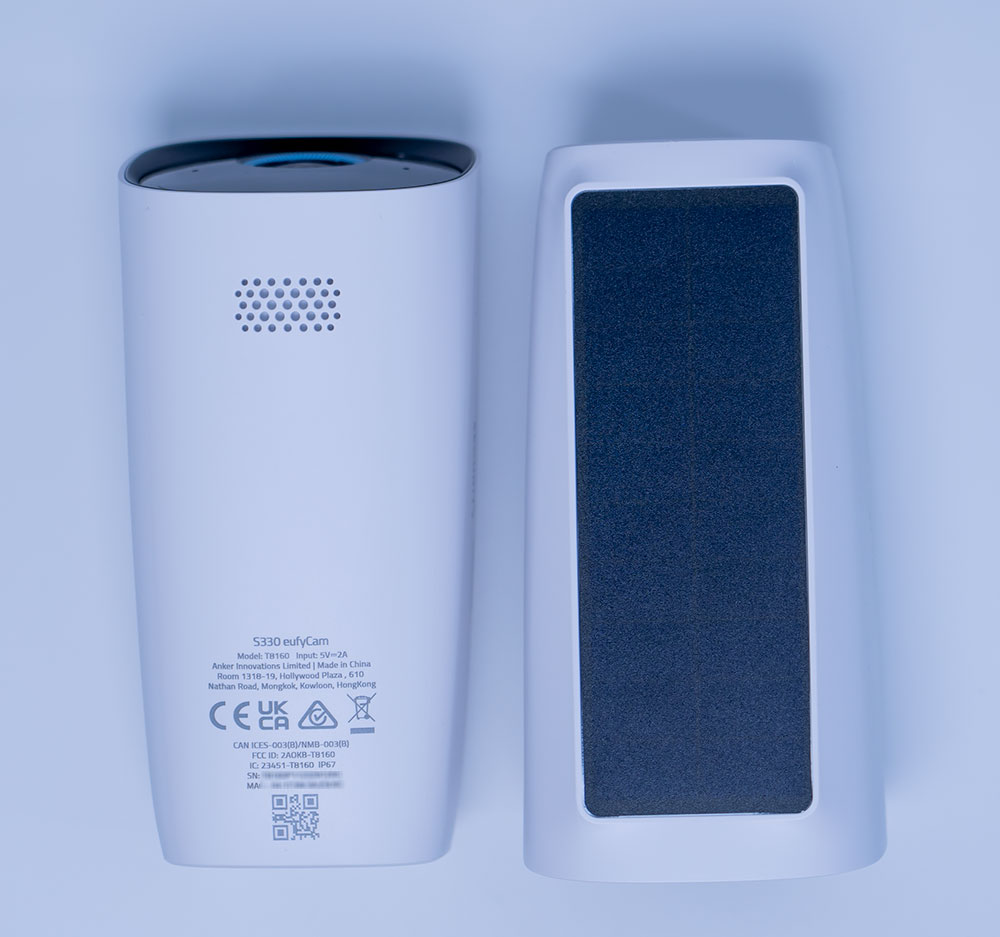
The top of the S330 camera houses a sizeable solar panel, while the bottom has a loudspeaker to communicate with visitors, both wanted and unwanted.
Camera & Eufy App Setup
It’s always recommended to set up the Eufy App and add the HomeBase 3 and cameras before you permanently install the cameras. The installation process is quite simple once you install the Eufy app and signup or log into the app. Once the app is ready, you must add the HomeBase 3 first, which must be plugged in by a power cable and connected by an ethernet cable. Some people may question why the HomeBase 3 cannot be connected wirelessly, which is likely because a WiFi signal may not be stable enough to ensure the regular transmission of 4K video files.
After the HomeBase 3 is added to the Eufy app, the next step is to add both S330 cameras to the app. Select the S330 camera in the app and press the Sync button located at the rear of the camera body next to the mounting port while keeping the S330 camera near the HomeBase 3. Repeat this step for the second S330 camera, and you’re done adding all hardware to the app.
Eufy App Settings
The Eufy app really offers a ton of settings, and I’ve been able to set everything up exactly how I wanted.
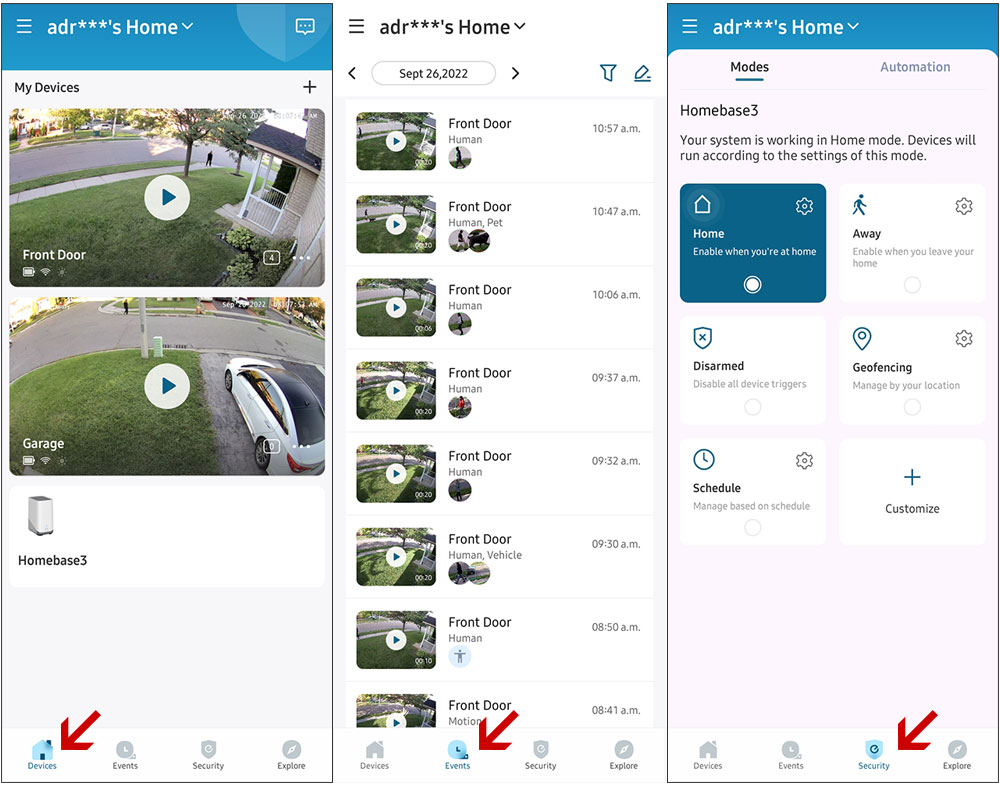
On the main dashboard, you have quick access to all added cameras (you can change the camera order, by the way). The primary tabs I use are the Devices, Events and Security tabs.

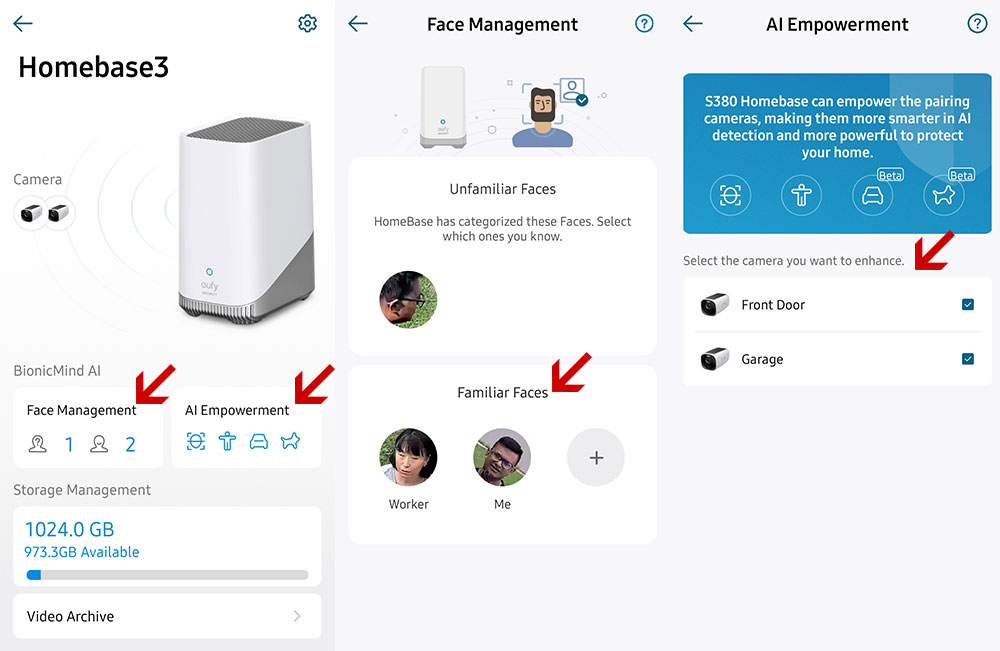
The HomeBase 3 settings allow you to add “Familiar Faces” under Face Management. This allows the AI system to recognize people in the household and tag them with names you specify. You can review faces that the AI camera picks up, or you can take a selfie with the Eufy App or select an image from your phone’s media library. There is also an option to ignore notifications from familiar faces so that you’re only alerted when a stranger comes around the house.
The HomeBase 3 also allows you to add AI analysis to other compatible Eufy cameras. This ability will come later through firmware updates.
While the HomeBase 3 comes with 16 GB of onboard storage, you have the ability to add up to an additional 16 TB of storage! That is one of the highest storage expansion options I’ve seen supported.


Events Tab Settings
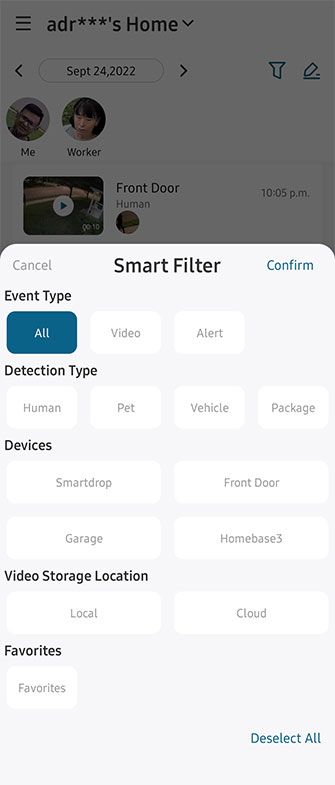
Getting into the Events tab, you can see in the screenshot that you have a variety of filters to choose from to narrow down video events using the Smart Filter option.
You can filter based on the following:
- Event Types
- Detection Types
- Connected Devices
- Video Storage Location
In the screenshot, you can see there are two familiar faces that I added to the HomeBase 3 settings earlier. Whenever I review the events tab, I can tap on a familiar face, and it will narrow down the video clips to only show videos where a certain face appears in the video. A convenient feature to have, especially for those of you who have kids with a curfew.
Even if you have not added a familiar face, the AI will still add unfamiliar faces to the top for you to filter through if the person came close up enough to the camera.
Each video clip also shows which camera captured the video and is tagged with text to designate if it detected the following elements:
- Human
- Pet
- Vehicle
Events can also be deleted if necessary.
Eufy S330 Camera Settings
Motion Detection allows a wide range of sensitivity settings, but I’ve left mine on the default value. An activity zone can also be enabled to only capture motion in specific areas if you have false triggers, such as swaying tree branches. The types of motion detection can also be toggled thanks to AI processing.
Power Manager allows changing of the video clip lengths from as quick as 5 seconds long to as long as 120 seconds long. A retrigger or cooldown time can also be set between video clip recordings to avoid numerous video clips and app notifications. Longer video clips will drain the battery more quickly.
I’ll touch on the Solar Dashboard later since that ties in mainly to the 365-day battery life performance.


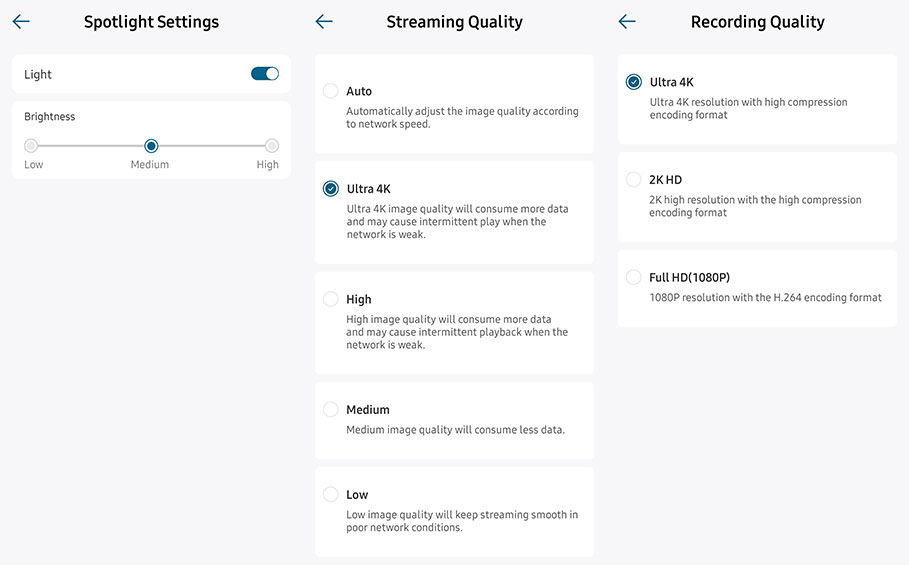
Unlike other systems I’ve tested before, the spotlight function provides good illumination. The spotlight can be set up to low, medium, or high. I usually leave it medium or high, and my night vision videos come out quite nicely. Having a spotlight in a dark area of the house also acts as an excellent deterrent. Speaking about deterrents, a theft alarm can be sounded on both the S330 cameras and the HomeBase 3 if anyone tries to steal the cameras.
The camera’s default recording quality is 4K, of course, but you can also lower that to 2K or Full HD if you want to preserve battery and storage even more, especially during the Winter months. I leave both of my cameras on 4K to have the best possible video quality.
If you want to ensure that you see 4K videos, set the Streaming Quality to 4K. If you have limited data on your cellphone or weak WiFi, you can set the streaming quality to Auto in a pinch.

Why settle for traditional IR night vision when you have fully illuminated color night vision? I’ve kept both S330 cameras to full color night vision while still maintaining 100% battery life on my front camera, which receives sunlight easily. If you already have enough exterior lighting, you have the option to turn off both the IR function and the spotlight.
The speaker located on the underside of the S330 cameras is quite loud at the max volume. I find that medium volume is loud enough to communicate with visitors or delivery drivers.
I’ve set the app Notifications to Most Efficient because I want to be notified of activity as soon as it happens so that I can pull up a live view video and check out what’s happening or chat with the visitor. You can set other notification options if getting alerts as soon as possible is not a priority.


I like to have the red LED light always on my cameras so that people know the cameras are powered on and functioning, but this can be turned off if you like.
Cameras can be made sharable with others if necessary.
Under the Security tab, certain modes can be set to reflect how you’d like the cameras to behave when you’re home, away from home, or in other situations. Custom modes can be set to suit almost any need. For short-term activities like mowing the lawn, shovelling snow, etc., you can snooze notifications from the cameras individually for preset lengths of time. You can also disarm the entire system if you have long-term construction or renovation jobs.


Eufy S330 Installation

S330 installation is quite simple. Each camera only requires two screws to secure it. Simply place the positioning guide, drill two holes, secure the two mounts with the supplied screws and attach the S330 camera body by rotating it until it is threaded in. There is also a stopper to rotate against the rear camera body to ensure it stays in place. A tightening knob located at the base of the mount allows you to secure the camera angle and tilt.
Eufy recommends angling the camera body down to around 7 degrees. This gives you a nice wide 130-degree view while keeping the body sloped down to have snow and water slide off the body.
Eufy App Notifications
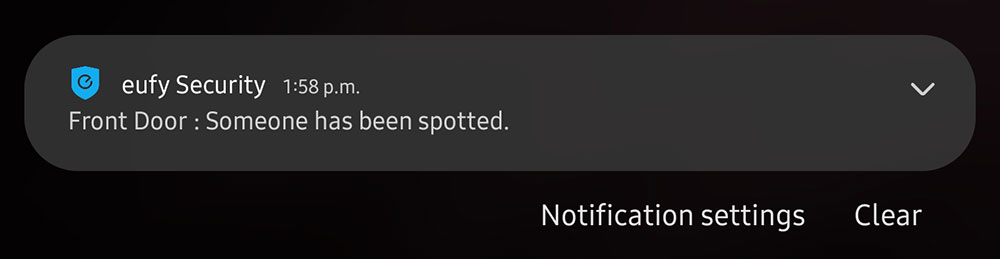
I’m quite happy with the speed and responsiveness of the Eufy app notifications. Alerts are quick to receive, and once tapped, the app and associated live view video is loaded within a matter of seconds, which is impressive since it is set to stream in 4K quality on my phone.

Video Quality & Playback
Why would you buy a 4K camera system? Well, for the 4K video quality, of course. Video resolution is exactly what you would expect from a 4K camera system. Videos look clear both during the day and at night. The microphone pickup is also pretty surprising because I’ve been able to hear some conversations from passersby as they pass my house.
It’s difficult to showcase the video quality in a photo, so please click this link to view the video quality: https://youtu.be/ElLrj6leKUM?t=933
Battery Life Claims
So Eufy says you can get 365 days of battery life with this system. Imagine never having to unplug a camera to charge it back up or running a cable and power bank to it. Well, that could actually be a reality, judging by what I’ve seen so far.


I’ve positioned one camera on the house’s front wall and the other one facing my driveway. The front camera receives some sunlight throughout the day because a large tree casts shadows depending on the position of the sun during the day. Even with the camera’s solar panel being exposed to shade from the tree, the camera has maintained a full 100% battery life. This is with 4K video recording, the spotlight set to medium brightness, the red status LED always on and set to detect all types of motion with a 5-second trigger time between each 20-second video. It’s worth noting that it has been very overcast where I am at the time of testing the system, yet the battery life has been amazing.
Winter has not arrived yet, which is usually accompanied by more gloomy days and snow covering the solar panels. That will lead to diminished charging capability, but certain settings can be made in the app to prolong battery life during these periods if necessary. This is something I will monitor and update if I need to make any changes to settings. With a 13,400 mAh battery built-in, I doubt I will need to, though.

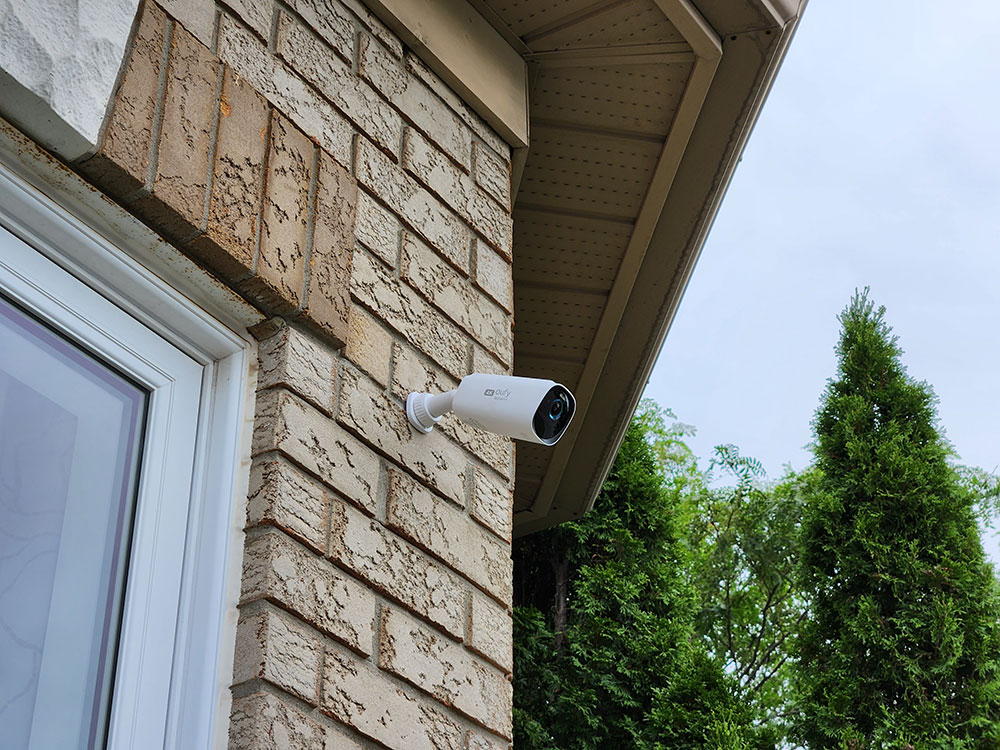
My second S330 camera, located near my garage, has not maintained 100% battery life because of where I positioned it. It is situated below a roof overhang, limiting the amount of solar charging it receives daily. There are also two trees on the camera’s right, which constantly obstruct most sunlight from reaching the solar panel. Even so, the camera has maintained around an 87% charge since the overcast days have cleared up.
One thing to note is that I experienced increased battery drain on both cameras since I played around heavily with the settings during the first two to three weeks to get properly acquainted with the cameras and the system overall. Now that my settings are pretty much dialed in, I expect my garage camera’s battery level to increase with fewer overcast days.
Can I Recommend The EufyCam 3 Wireless 4K Solar Camera System?

If you’re looking for a 4K camera system, this is the only wireless 4K system I know of. Could there be other systems out there that I’m not aware of? Sure, but the video quality isn’t the only important factor when choosing a camera system. I’ve used other camera systems where the video quality was Full HD or 2K, but it took forever to load up live view video and to receive notifications on my phone. So it’s impressive the speed at which I receive app alerts and how quickly I can pull up live view video.
Cost is another factor to consider when choosing a security system. Many systems require a monthly fee to enable cloud storage or even AI functionality, and those costs add up quickly. The Eufycam 3 system has no monthly fees since you have unrestricted access to the AI system, and you can add up to 16 TB of data, which is seriously impressive. If you want to have offsite backups for added peace of mind, you can pay for a Cloud plan, but I’m perfectly happy with local storage.
The ability to install the cameras and never have to touch them again to top up the battery life is a welcome breath of fresh air and makes this system truly wireless.
If you’re interested in picking up the new EufyCam 3 Camera System, please use the affiliate links below with the promotional codes for a discount:
➡️ 🇺🇸 US: Use $50-off-code “EUFYCAM4K” on eufyCam 3 at both Amazon and eufy.com; also applicable to eufyCam 3C on eufy.com, valid until Oct. 15. ➡️Amazon: https://eufyofficial.com/3fbQyd1 ➡️eufy.com: https://eufyofficial.com/3SqhQL0
➡️🇬🇧 UK: Use £40-off-code “EUFYCAMNEW” on eufyCam 3 on eufy.com; also applicable to eufyCam 3C at both Amazon and eufy.com. ➡️eufy.com: https://eufyofficial.com/3dvCWZK ➡️Amazon: https://eufyofficial.com/3xGMtUA
➡️🇩🇪 DE: Use €40-off-code “CAM3EUFY” on eufyCam 3 on eufy.com; also applicable to eufyCam 3C at both Amazon and eufy.com, valid until Oct. 15. ➡️eufy.com: https://eufyofficial.com/3LwBClY ➡️Amazon: https://eufyofficial.com/3ByQv2A
Did I miss something in my review? Do you have any unanswered questions? Let me know in the comments below, or leave a comment on my YouTube video and I will do my best to answer it 🙂
Some links may be referral links, which means I earn a small commission for qualifying sales. There is no additional cost to you.