


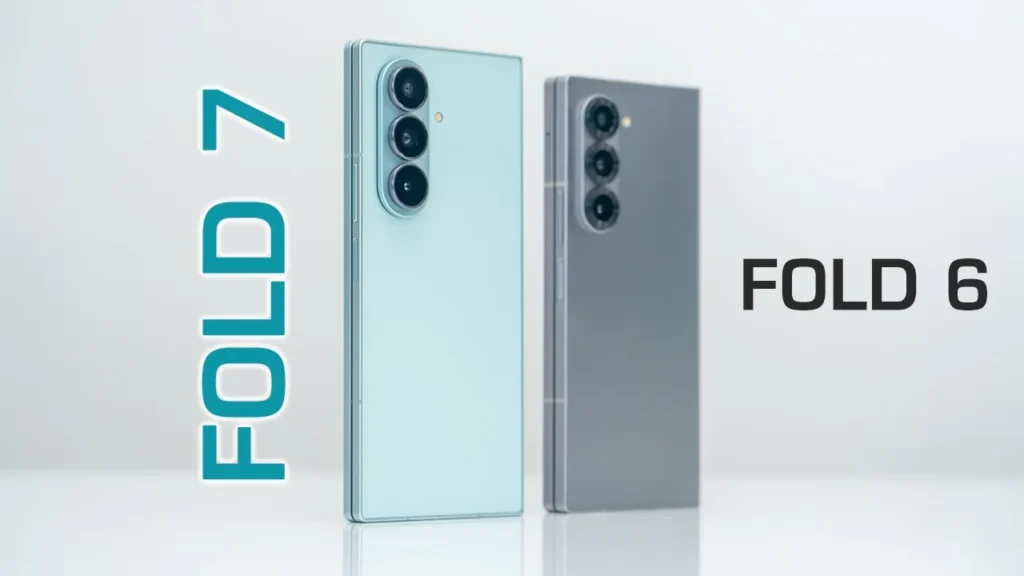

Order Your Galaxy Z Fold 7 NOW
Please note that some of the links in my video descriptions are affiliate links where I earn from qualifying purchases. As an Amazon Associate I earn from qualifying purchases.
Intro

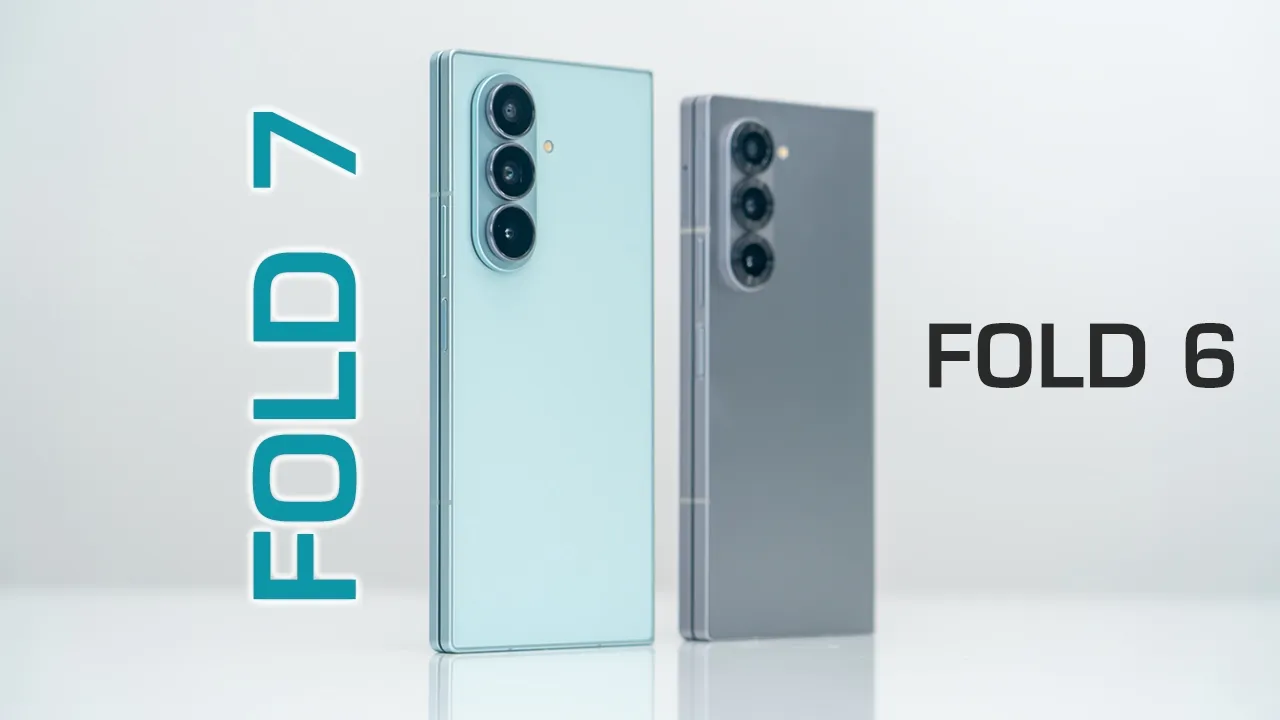
Hey, it’s Adrian and the brand new Samsung Galaxy ZFold 7 is officially out. Now, there’s been a lot of interest in this phone. I can understand why the design is fairly striking, especially when compared to the ZFold 6. Now, Samsung’s done a lot of good things with this phone, but they’ve also become kind of lazy and stagnant in my opinion in other areas. Now, if you have the ZFold 6 like I have here, the ZFold 7 does address some of the problems I had with the ZFold 6. But, is it enough to actually warrant an upgrade from the ZFold 6? as well. I’m going to go through, you know, a couple of key areas with these phones. And if you have the S25 Ultra and you’re considering jumping to the ZFold 7, I’ll also address that as well. So, let’s get into it. The
Design
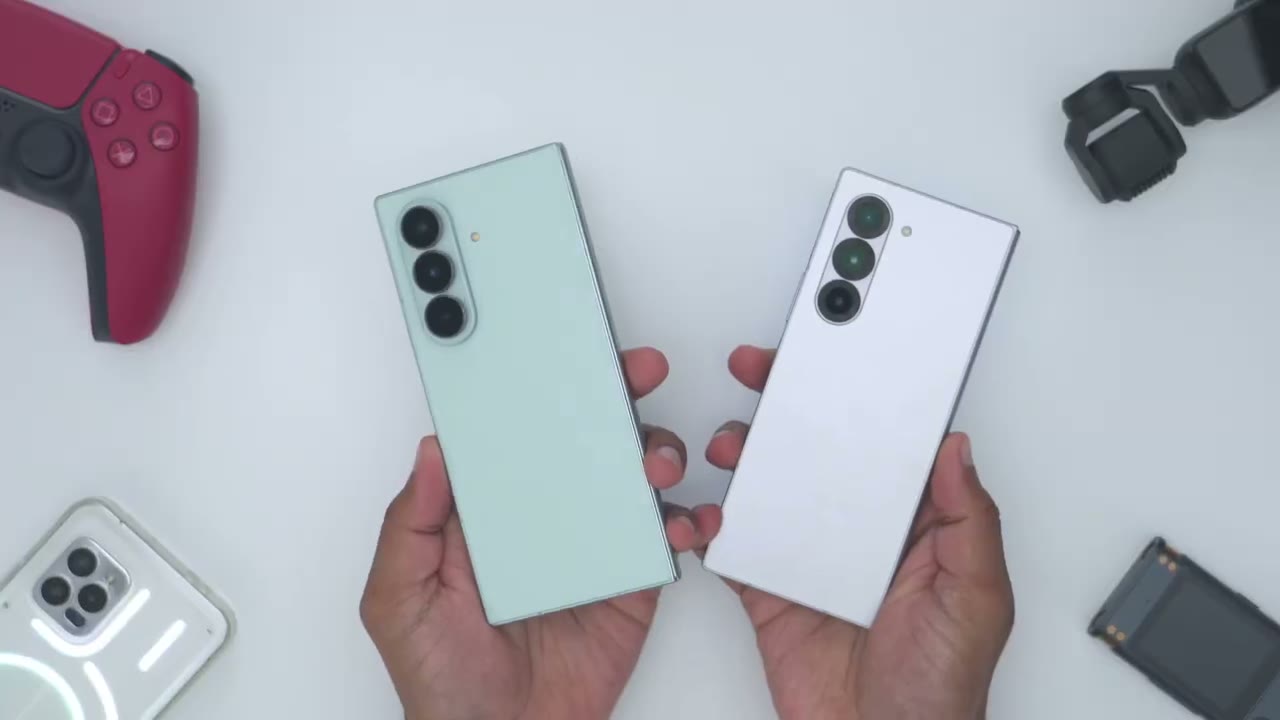
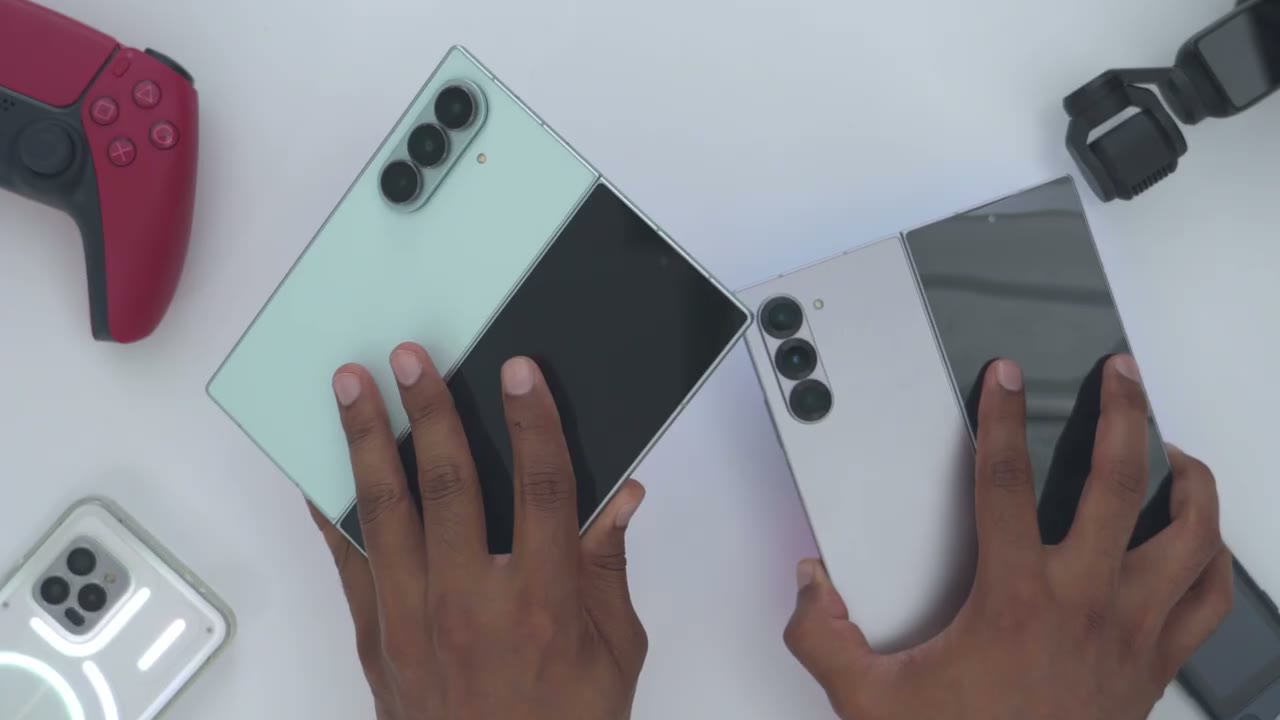
design on the brand new ZFold 7 is very striking, and you could see just how much different it looks to the previous ZFold 6. And that thinner build also lends to a reduced weight. So, this is coming in at around 215 g compared to the 239 g around on the ZFold 6. So about a 23 to 24 g difference and that’s actually very noticeable in the hand both from a weight perspective and just the overall hand feel when folded. The ZFold 7 is around 8.9 mm thick and the ZFold 6 is around 12.1 mm thick. So a noticeable difference there. and the narrower sizes thanks to the brand new armor flex hinge on the ZFold 7 which has an IP48 rating and is rated for up to 500,000 folds or half a million folds compared to the 200,000 on the ZFold 6.
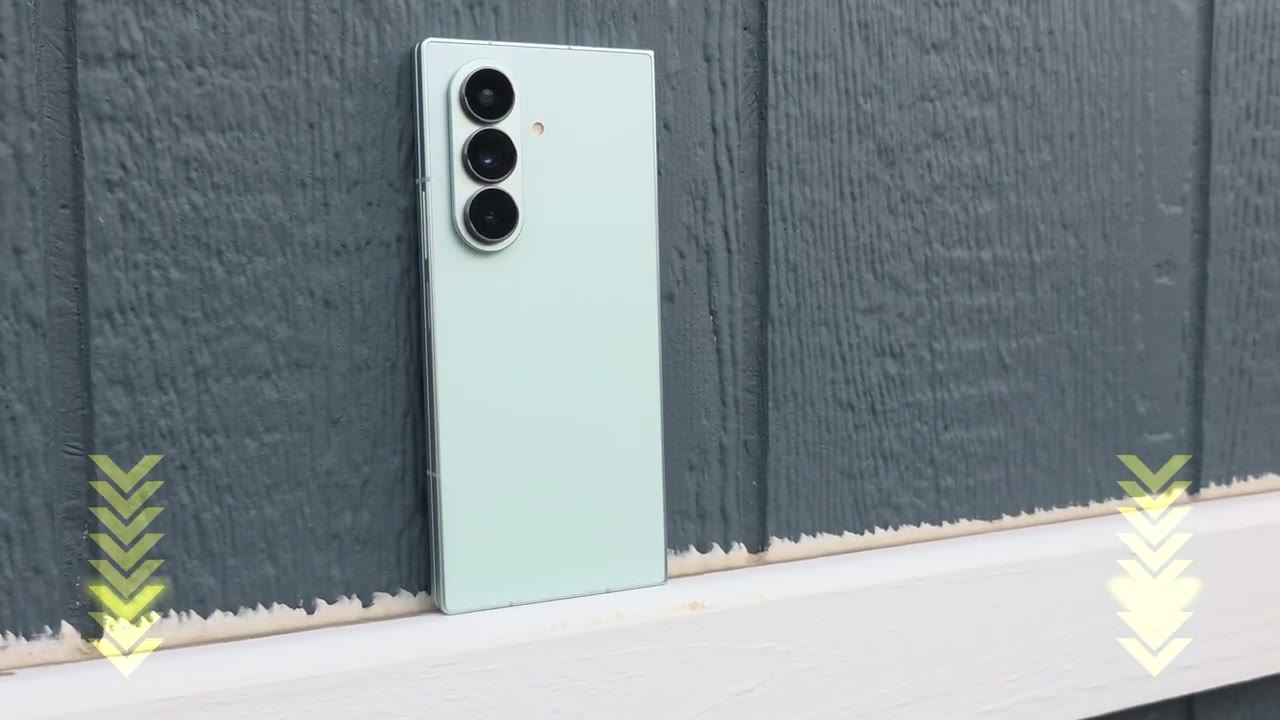
So if you had any type of hinge anxiety, it’s definitely mitigated or rectified with the ZFold 7. We also have a larger 6.5 in screen for the outer display on the ZFold 7 compared to the 6.3 in screen on the ZFold 6. and that made typing and navigating around kind of cramped and cumbersome. However, on the ZFold 7, this is such a usable space or usable screen that you can probably go a lot of the times just on the outer screen if you really wanted to. The camera module looks pretty much the same on both phones. Now, we do have this kind of silver ring that wraps around the lens on the ZFold 7, which I think looks much nicer than on the ZFold 6. Now, one notable change is that on the main lens, we have a 200 megapixel camera, whereas on the ZFold 6, we have a 50 megapixel camera.
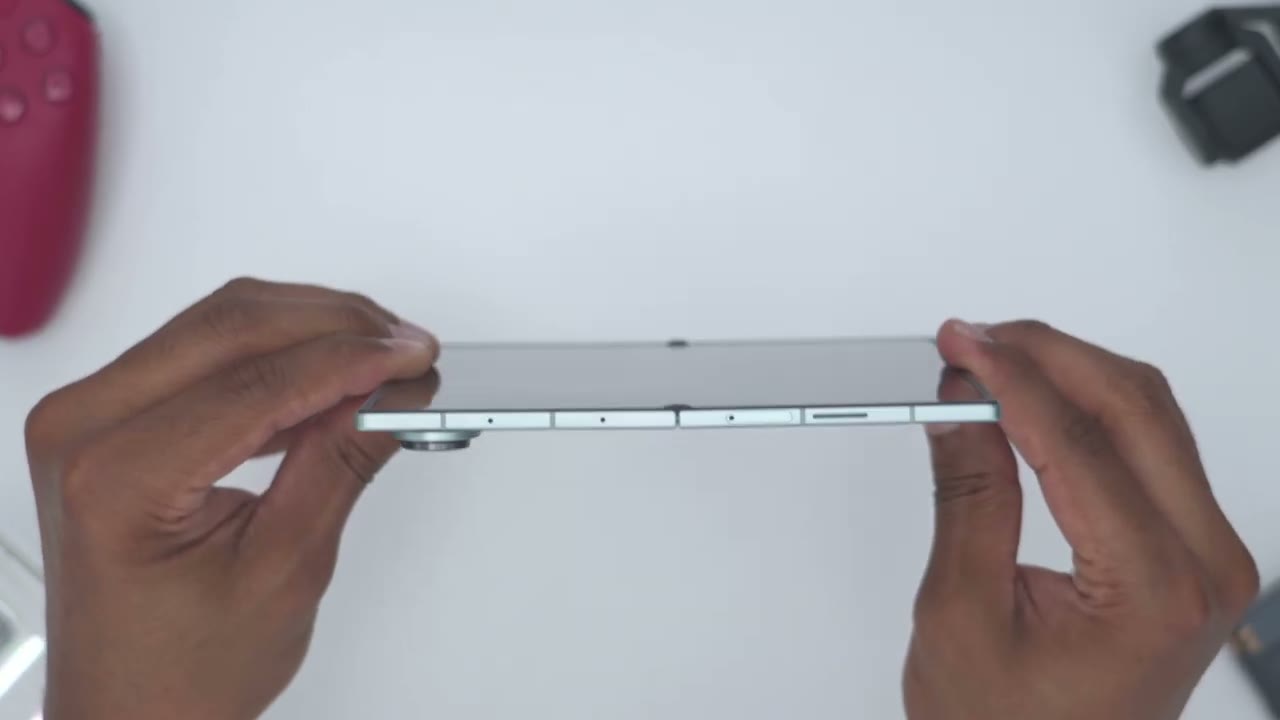
Taking a side view, the button placement is pretty much the same. Now, the power button also doubles as the fingerprint sensor, which I prefer over the underscreen sensors. They’ve also moved the SIM card slot from the side of the ZFold 6 all the way to the top on the ZFold 7. I also noticed that the speaker grill cutout seems to be just slightly larger on the ZFold 6. The screen bezel on the outer or cover screen seems to be pretty much the same on both phones. The bezel thickness also seems to be pretty much the same on both of the phones. Now, thanks to the new Armor Flex hinge on the ZFold 7, you can see that the crease is way less prominent than on the ZFold 6 on the right side there.
Now, it actually looks more prominent on camera, but I can tell you when I actually run my finger across it on the ZFold 7, it barely feels noticeable, and it’s something you easily forget is there after a while. Anyway, also notice just how slim the ZFold 7 is when completely unfolded at around 4.2 mm thick. Another thing is there has been some reports of the ZFold 7 not opening, you know, kind of flush or fully flat, but on my unit it seems to be pretty much in line. There’s kind of a slight little um you know, bend right here, but for the most part, it’s fairly flat. Looking at the
Screen
screen. So the ZFold 7 has Gorilla Glass Victus ceramic 2 and the ZFold 6 has Gorilla Glass Victus 2. Now again we do have that 6.5 in screen on the ZFold 7 compared to the 6.3 in on the ZFold 6. And it’s way more usable on the ZFold 7 to you know type text kind of use it onehanded compared to the ZFold 6. And this is one area where the fold phones actually shine because if you actually use the cover screen, you know, quite a bit without having to unfold it every time, you can actually prolong the battery life because you’re only powering this one outer screen versus the large inner screen. But aside from the wider screen, there’s not really any other notable changes. Both screens are still 120 Hz AMOLED screens with a 2600 nit peak brightness.
And the inner screens are basically the same in terms of the peak brightness and the type of screen along with the refresh rate. And notice just how prominent the crease is on the ZFold 6 compared to the ZFold 7, it’s barely perceivable. Now, on a
Multitasking
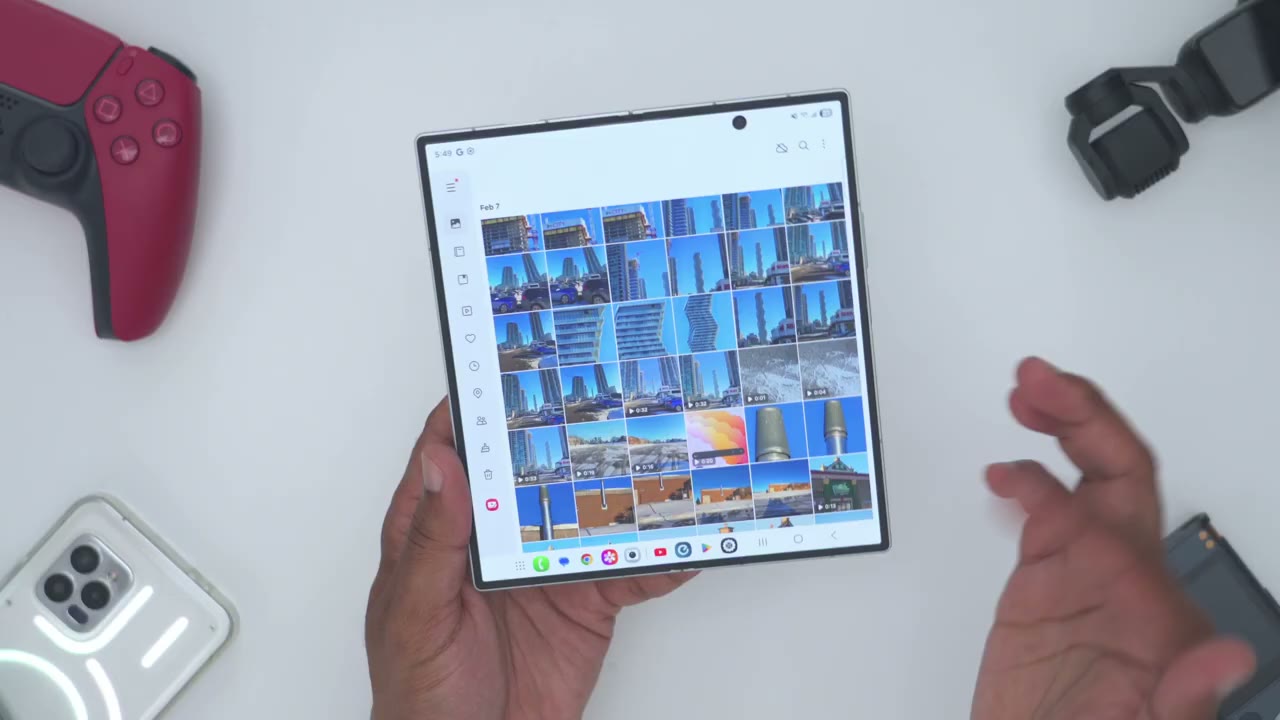
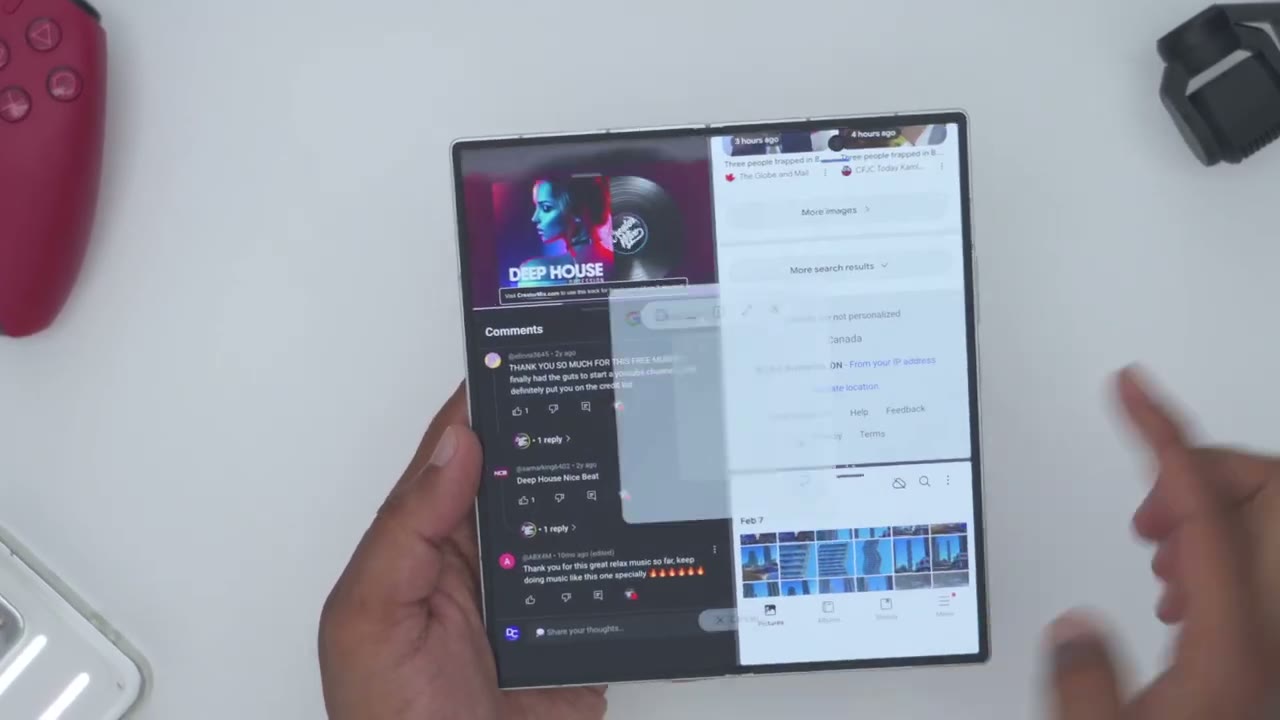
traditional phone like the S25 Ultra, you’re just going to use this kind of app icon to cycle through app and then pick the app you want to jump into. But because we have this static taskbar at the bottom on the foldable phones, I could just easily cycle between different type of apps within seconds. And of course, you can also go ahead and just launch apps in split view, either split horizontally or vertically. And you can see I can actually switch the priority of these windows as well. And if I wanted to, I could even bring in a third app. So, I’ll just go ahead into the photo app here. Drag it at the bottom here. You can see that you have just way more flexibility and versatility in addition to those multitasking windows. You can see I’m on YouTube right now.
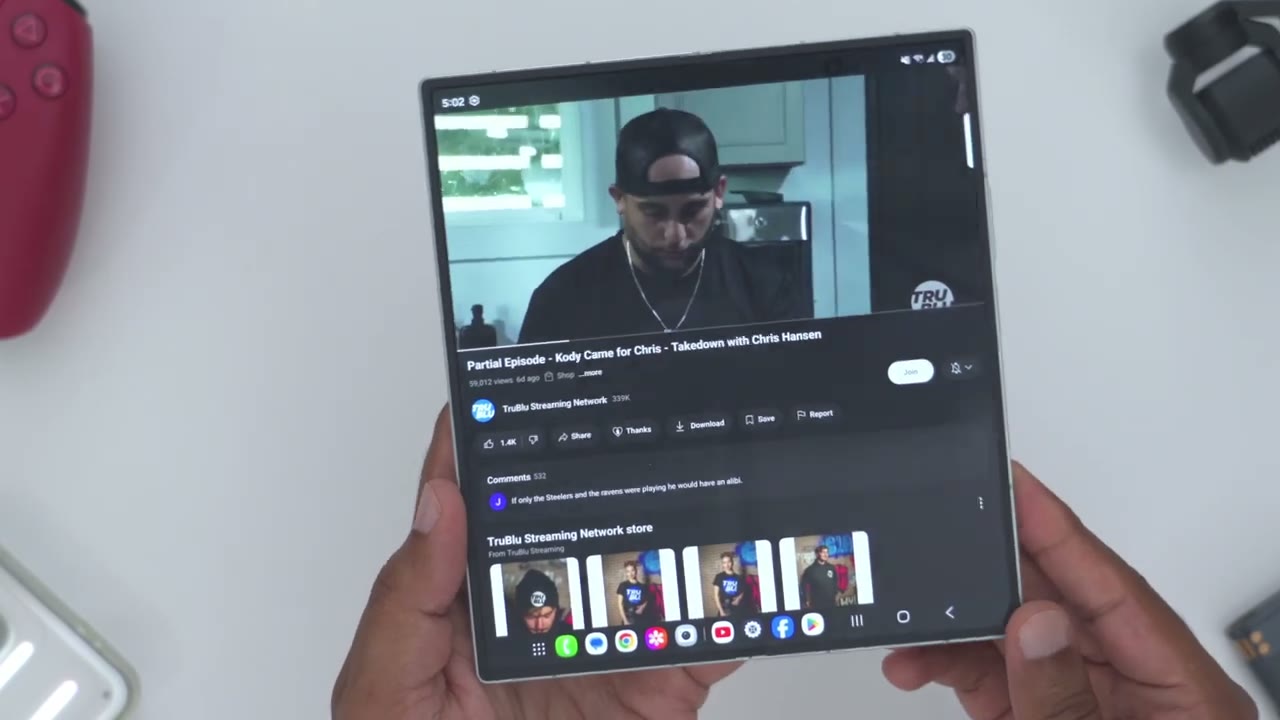
I can go ahead and just change the orientation. Now what I can do is actually put this into this you know 90° mode and an icon appears at the bottom here to put it into flex mode. Now if I tap on that icon I have full controls here. So I don’t actually have to tap this top screen. I can easily just you know kind of cycle through the video on here. Pause playback or I can go ahead you know kind of use this as a touchpad if I was browsing a website or you know kind of signing a PDF file. So you have much more functionality in flex mode. One thing on the YouTube app that hasn’t been fixed is you can see right now we can see this true blue logo. Nothing is cut off. But as soon as I jump into the comment section, it’s actually now cut off.
And I have no clue why YouTube, Samsung, uh Google is not fixing this issue. Like why not just back the comment section down, you know, just a little bit more? Just drop this down a little bit lower so the logo is actually not cut out. And there’s like no real way to just kind of get around that. At least not natively or easily. It’s kind
Armor Flex Hinge
of silly. Even though the hinge on the ZFold 7 is really impressive, I may be in the minority when I say I prefer the hinge tensioning on the ZFold 6 better. And what I mean by that is it is still very easy and very fluid to just open up the ZFold 7. You can see very easy to open it up and then close it, no problem. Now, most of the time you’re just going to have it fully open or kind of in this, you know, 90° angle so you can watch YouTube, read comments, etc. Now, if you were to go at any other type of extreme angulation, say like this, you know, a quick shake will just pop it right out of that. So, you can see again, just shaking it will pop it out of that. Now, if I take a look at on the ZFold 6, so again, I can open it, close it.
Now, I do notice it requires a bit more force to open and close it, but that’s actually not a bad thing for me. But if I go into kind of one of those extreme angulations like I showed, so let’s take a look here and I shake it. That hinge is not going anywhere. It’s pretty much locked into place. Now, maybe this doesn’t really matter to you if you’re not living in those type of extreme angulations, but it’s something I definitely prefer because I just have way more adjustability and range. Say I was using these rear cameras and I wanted to get, you know, a more extreme angulation or video shot. It’s more possible with the ZFold 6 than on the ZFold 7. Again, maybe not something that really matters to you.
Also notice how the hinge bounces back slightly on the ZFold 7, but with the ZFold 6, the hinge is just locked into place. The ZFold 7
Performance
is running the brand new Snapdragon 8 Elite chip. So just kind of multitasking around, having a ton of apps open in the background, gaming is really not going to be any problem on this phone. But if we take a look at the ZFold 6 running the Snapdragon 8 Gen 3 chip, multitasking, having tons of apps open in the background is also no issue. So this is not really a reason to upgrade. While both phones completed benchmarks very quickly, the ZFold 7 was on average from 29 to 31% faster in terms of CPU related task and about 19 to 20% faster in GPU related tasks. And in various 3D Mark benchmarks, the results were as much as 27 to 33% better on average for the ZFold 7. I also noticed the thermal performance to be pretty much the same on both phones.
However, when I ran the Geekbench GPU test, I noticed that the ZFold 6 was actually finishing it faster, even though it had a lower score, and the ZFold 7 was finishing it slower with a higher score, but also much higher temperatures, like a 7 to 8° difference, which was very surprising. So, the Vapor Chamber seems to be doing the job so far, but maybe if you game for an even longer period of time, there would be more of a temperature difference. The ZFold 7 also caps out at 16 gigs of RAM if you get the 1 TB model. Now, do note that with the ZFold 6, you cannot get 16 gigs of RAM, even if you went to the 1 TB model. The max
Cameras
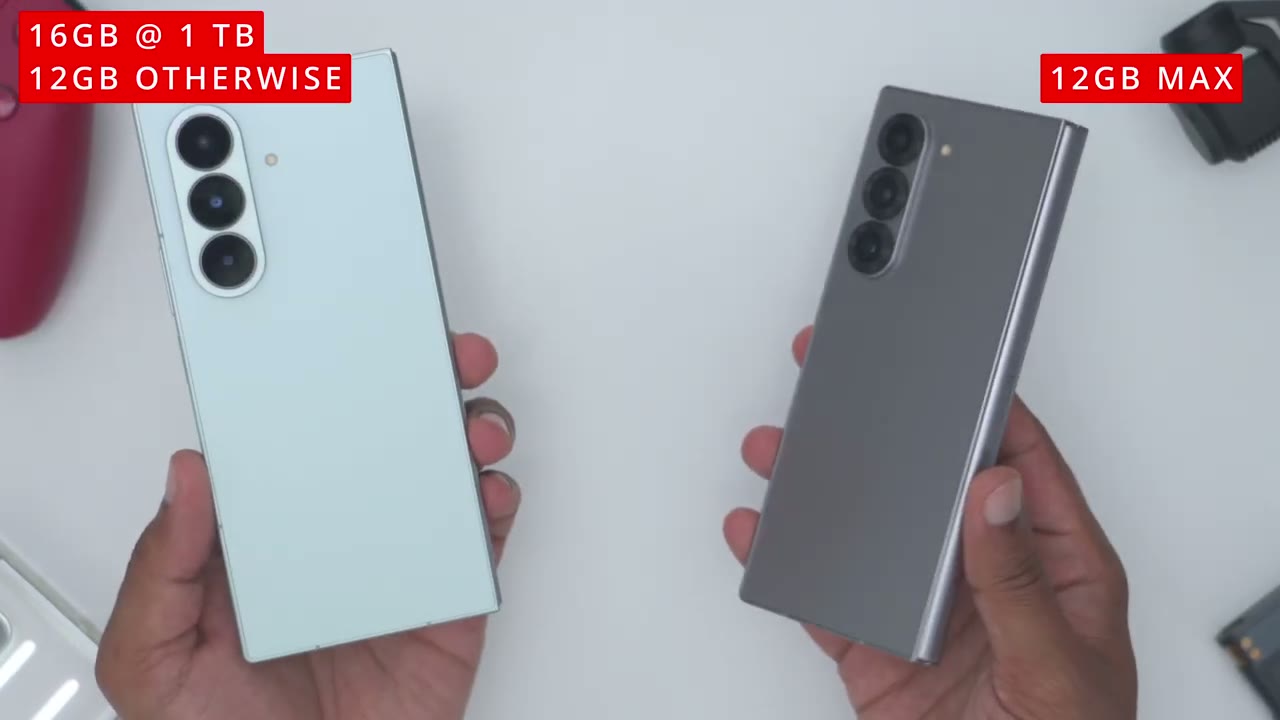
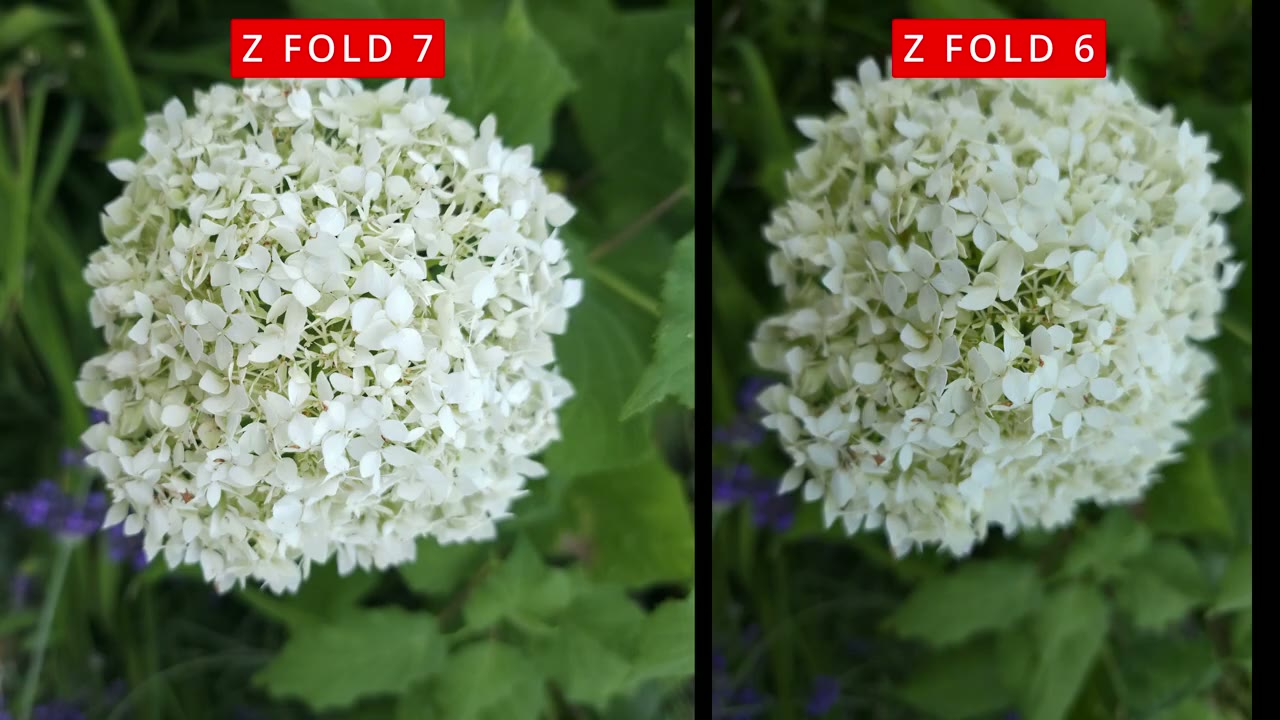
megapixel count on the ZFold 6 is 50 megapixels, and on the ZFold 7, it’s been increased to 200 megapixels, which is the same as on the S25 Ultra. While a lot of people are excited about this 200 megapixel bump up from the 50 megapixel, I don’t think it’s that impactful. And the reason for that is you can see if I jump to 12 megapixels on both of these phones, I have full focal range versatility. I can go from the ultra wide lens, the 1x, 2x, or 3x optical lens. And that goes for both of these phones. Now, if I jump to 50 megapixel on the ZFold 6, which is the maximum, I’m locked into 1x. So, I can no longer zoom in or zoom out. Now, if I do the same on the ZFold 7, at 50 megapixel, same as on the ZFold 6, again, I’m locked into 1x. I can’t zoom in or zoom out.
If I go to the 200 megapixel, again, the same thing. I’m locked in at 1x. I would much rather live in the 12 megapixel count where I have full focal range versatility because I really don’t think I’ll be using, you know, the 200 megapixel feature that often. And if you think about how you take photos and you’re really not going into high megapixel photos, then it’s really not a reason for you to upgrade as well. Now, I know not everyone is a fan of the new look on the ZFold 7 for the inner selfie camera, but I think the image quality trade-off is actually worth it in this case. cover screen selfie cam remains pretty much unchanged at 10 megapixels for both phones. Now, one of the great features on here is using this capture view.
So, if I jump into photo and I go ahead and I just take a photo right here, you can see it’s going to populate that shot on the left side there. So, as you’re taking photos, you can see it’s just kind of stacking those photos, which is really nice because you don’t actually have to jump into the gallery to check for focus or composition. You can just cycle through right here is really convenient to have. And of course, we can also use this cover screen preview on so that that way we can actually use the high megapixel lens on the rear of the phone and use the cover screen to kind of preview or compose that shot. So you can see as I run my hand here, I’m not actually going to be using the lower resolution 10 megapixel selfie cam.
I can actually use the higher megapixel uh 12, 10, or 200 megapixel count if I really wanted to. And the great thing is that if you’re doing a group shot, everyone in the group can kind of see themsel on the screen. you know, kind of squeeze in so that they’re all in the frame and at the same time you’re getting this view as well. So, everyone is getting to see real life, you know, what that image is going to look like before you expose it. I also noticed that the minimum focusing distance was closer on the ZFold 6 than the ZFold 7, meaning I can get much closer and detailed shots than on the ZFold 7.
And when comparing the 50 megapixel photos from the ZFold 6 to the 200 megapixel photos on the ZFold 7, I didn’t notice a night and day difference and certainly not enough to warrant an upgrade from the ZFold 6. So there’s
What Changes?
been a lot of great changes on the ZFold 7 so far, but there’s also been a lot of bad or just kind of lazy and stagnant changes from Samsung’s end. So let’s look at those next. So one of those is battery capacity. On both of these phones, we’re still at 4,400 milliamp hours of battery. And this is with the phone actually being, you know, kind of increased in size. Yes, it’s thinner, but it should also accommodate a larger battery like some of the other foldable rivals are doing. The other thing to note is that yes, even though we do have the Snapdragon 8 Elite chip, it should be more, you know, kind of power efficient than the ZFold 6. We also do have a larger outer screen and a larger inner screen, but we have the same exact battery to power it.
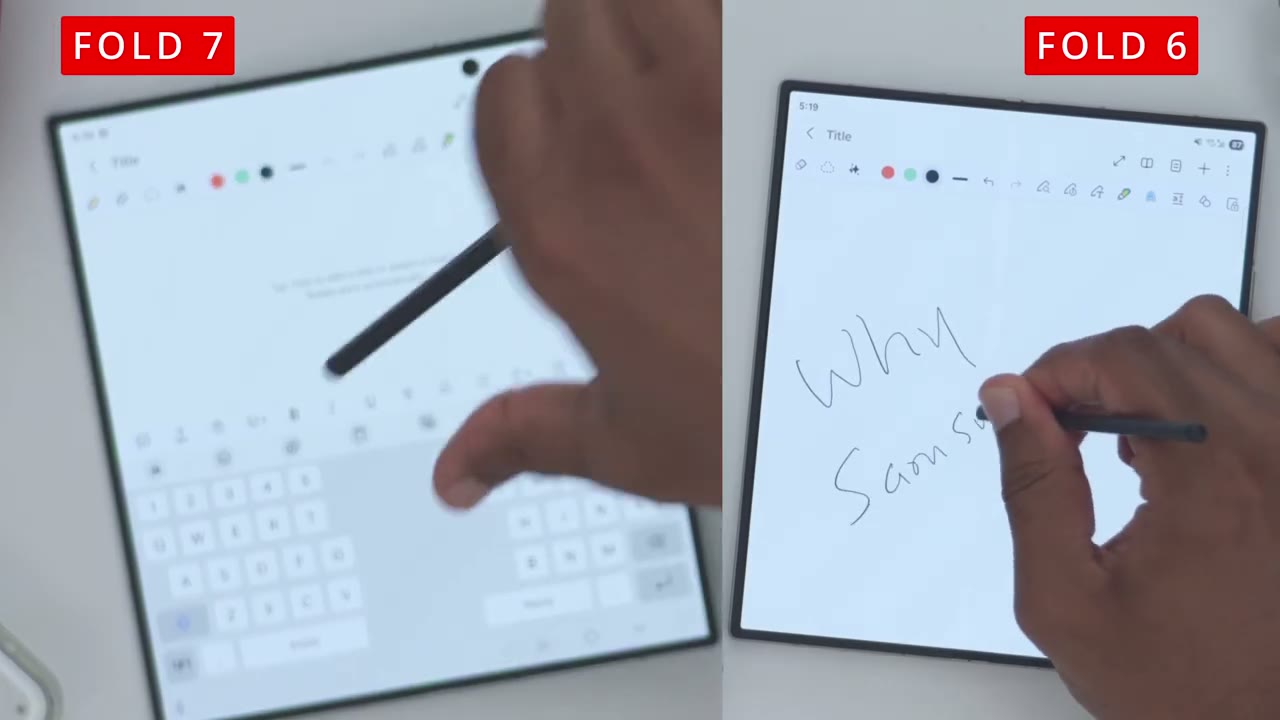
And another thing that really sucks is that we still only have a max of 25 watts of fast wired charging. And that’s on both phones. So, there’s been no innovation on the battery capacity front or the fast charging speeds, especially when you look at other rivals. They’re really pushing the boundaries of what’s possible. Another frustrating change or step backwards is the lack of SPEN support on the ZV 7. It’s telling me to note smarter, not harder. Well, it is harder to note because I now have one
Wobble Woes
less avenue to do that. Another thing I want to talk about is the wobble on this phone. So, anytime you place it flat down on the surface, the wobble is insane on here where it’s pretty much unusable unless you have the phone, you know, kind of unfolded where it’s going to minimize the wobble. But just, you know, having it closed, putting it, you know, flat on a table, there’s too much wobble on here. And the only way to really counteract or mitigate this is to slap on a case and you need to get kind of a thick or bulky case because you want the case to, you know, kind of come out as much as possible to minimize the wobble or rocking on here. And at that point, what is the point of even having this thin of a phone if the wobble is that bad?
Samsung might as well, you know, just kind of align the camera module to go across horizontally versus vertically. So, at least when you put it down, you know, it’s just at one angle and it’s not going to rock like this. It’s just really lazy design. And I really don’t think we should be, you know, okay with this type of just
Gaming
laziness. Gaming is fantastic on the ZFold 7. And because the screen is larger, it’s really easy to make out everything on the screen. Another really cool thing is that you can actually start a game on the outer or cover screen and just open the phone up and continue the game on the much larger screen. Both phones were also able to run demanding games at maximum graphics settings and at up to 60 frames per
Speaker
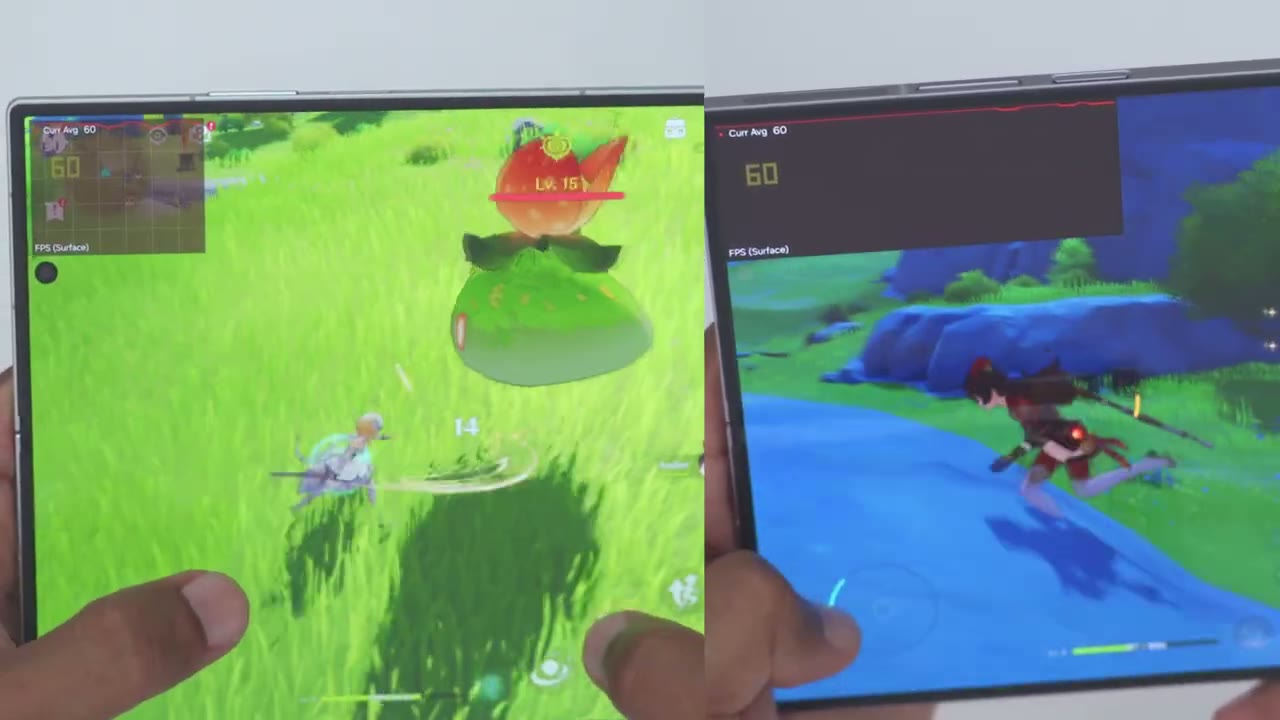
second. [Music] [Music]
Battery
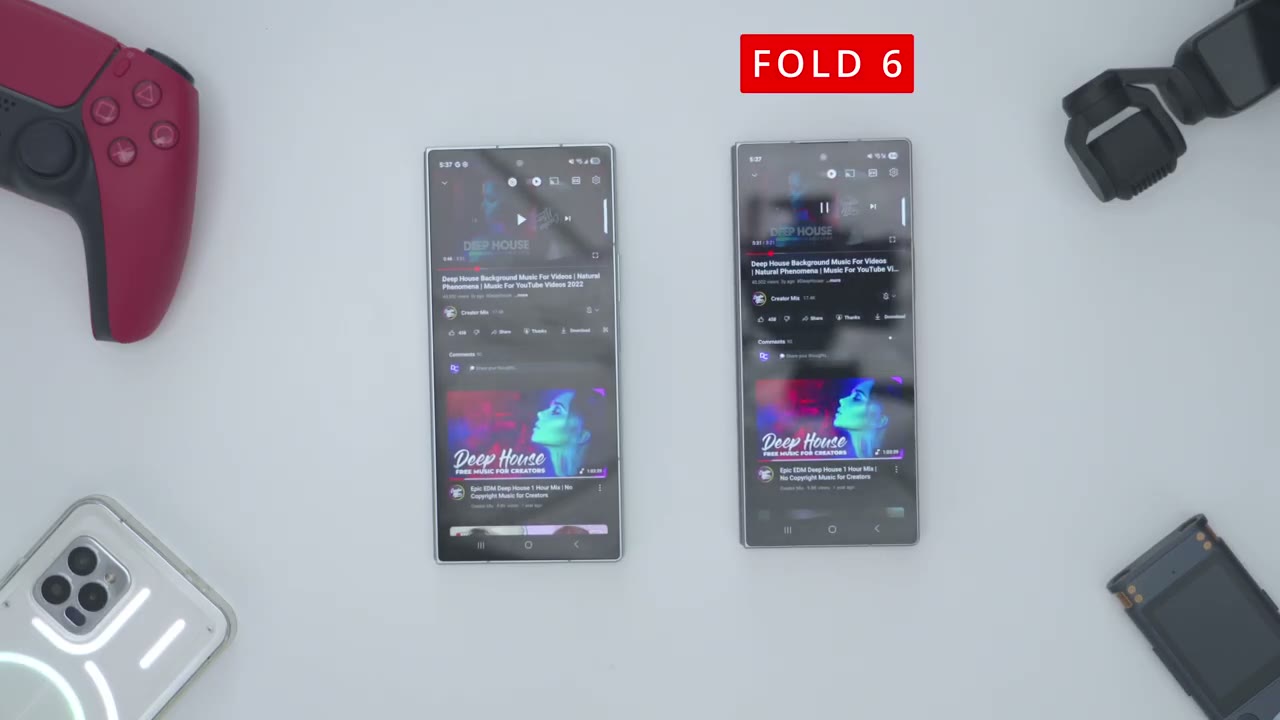
Battery life is marginally better than on the ZFold 6. Now, keep in mind my ZFold 6 is a year old, so there has been some level of battery degradation. Otherwise, maybe the battery levels would be pretty similar. Another thing to note is that the Snapdragon 8 Elite chip is also more power efficient, which is why it’s kind of offsetting the
Fold 7 vs S25 Ultra
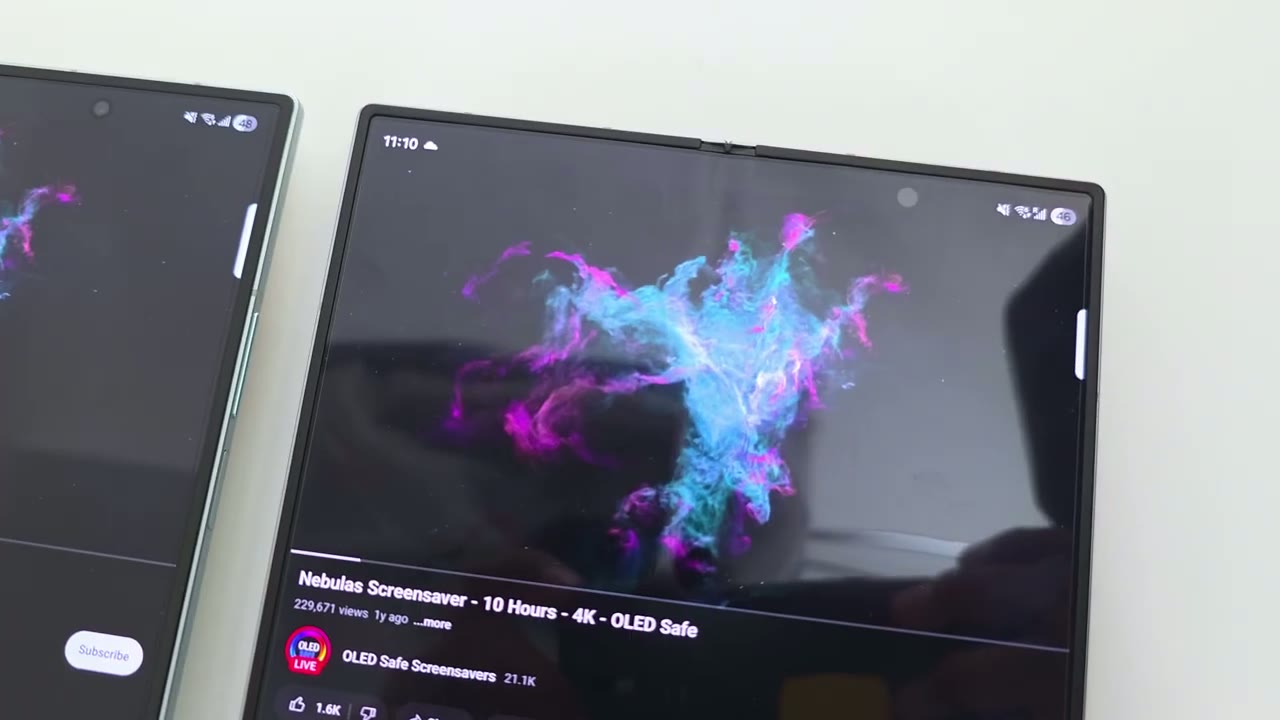
larger screens. If you own the S25 Ultra and you’re considering making the move to the ZFold 7, but you’re just not sure, let me help you out a bit. And this is also about 3 g lighter than the S25 Ultra. But that is really not the full story because the S25 Ultra has an additional lens. So we have up to a 5x optical lens which is missing from the ZFold 7. We also have a 5,000 mAh hour battery compared to only 4,400 mAh battery on the ZFold 7. We also have 45 watts of fast wire charging compared to only 25 watts on the ZFold 7. The S25 Ultra also still supports the S Pen and the S Pen is housed in the body, whereas the ZFold 7 has no SPEN support even if you were to carry it separately. There’s also an IP68 rating on the S25 Ultra, whereas the ZFold 7 only has an IP48 rating.
So basically, in every aspect, the S25 Ultra is the superior phone, and it’s only if you really need, you know, kind of that large screen for multitasking that you should even look
Buy Z Fold 7
at the ZFold 7. if you’re impressed with the ZFold 7 so far. I’m going to leave links down below so you can get your very own. I still think there’s some pre-order sales going on if you’re
More Coming
interested. So, I think I’m going to leave it there for now. In terms of this kind of first look, I want to spend more time with the ZFold 7 to really see if it’s actually worth the upgrade from the ZFold 6, especially considering this is $100 more than the still very capable ZFold 6. So, I hope you’ll join me in my next video soon and maybe consider checking out this video here, which YouTube is recommending, or some of my other videos, because I review a bunch of different tech products, and I’m sure you’ll find something you
Order Your Galaxy Z Fold 7 NOW
Please note that some of the links in my video descriptions are affiliate links where I earn from qualifying purchases. As an Amazon Associate I earn from qualifying purchases.