


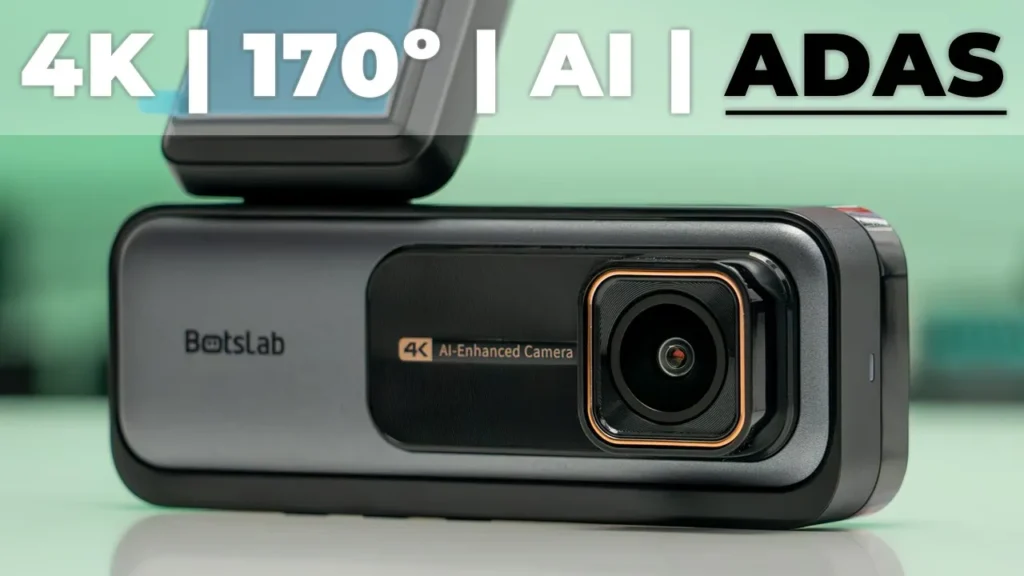

Get Botslab 360 DashCam on Amazon USA
Please note that some of the links in my video descriptions are affiliate links where I earn from qualifying purchases. As an Amazon Associate I earn from qualifying purchases.
Intro

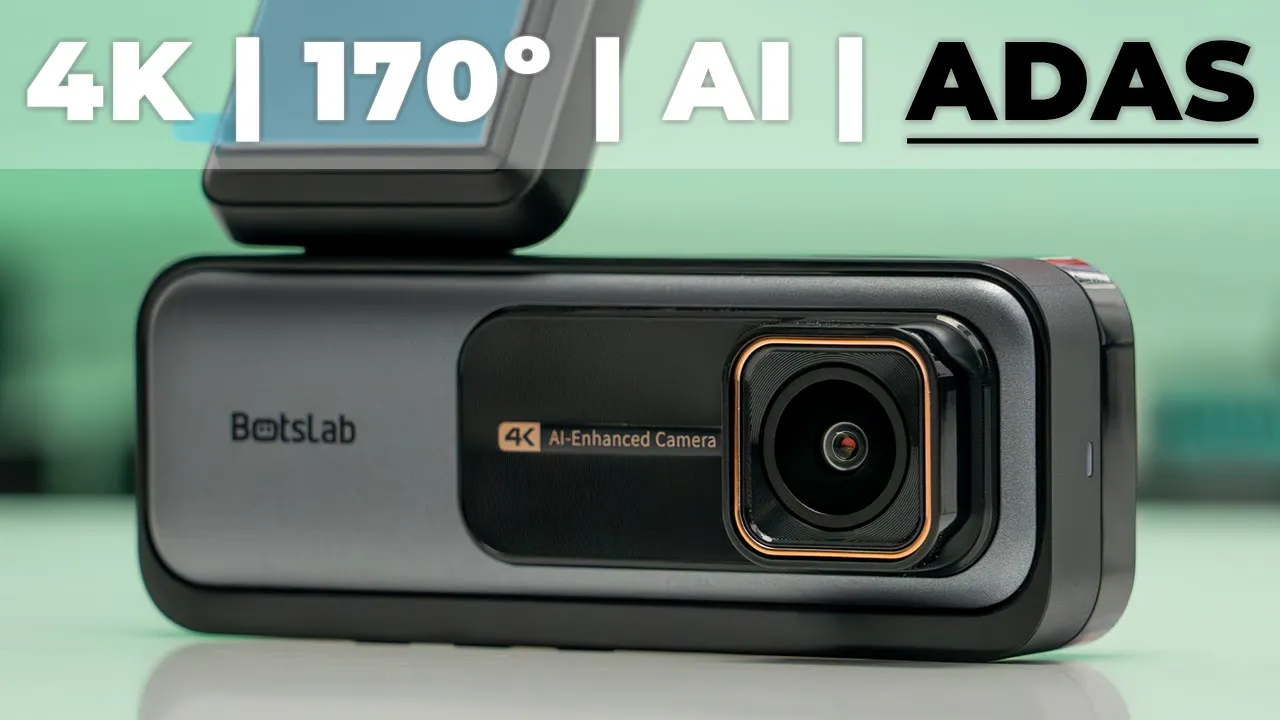
hey it’s Adrian and today I have the bsop 360 dash cam now what makes this dash cam unique is that it has an AI chip on there that gives you access to driver assistant features such as pedestrian Crossing Collision warning Lane deviation on top of that there’s also a 4K recording camera in the front and a 1080p recording in the back all recording in a 170° field of view and that very wide 170° field of view allowed me to capture a very near Mist that was scary when a deer just darted across the road now on top of that we also have GPS root logging and support for up to a 256 micr SD card for any length of road trip so let’s take a closer look at just how well it performs and we can see if this will be the next dash camera in your car and a big thanks to bat for sending us out for review the
Package Contents
box has the Bop 360 dash camera we have an additional sticker pad a really long cable micro USB to typ a connector and a wiring tool to wedg it ESD stickers the manual a 64 GB micro SD card power adapter and wiring for the rear camera the botlab 360 dash camera came well
Design
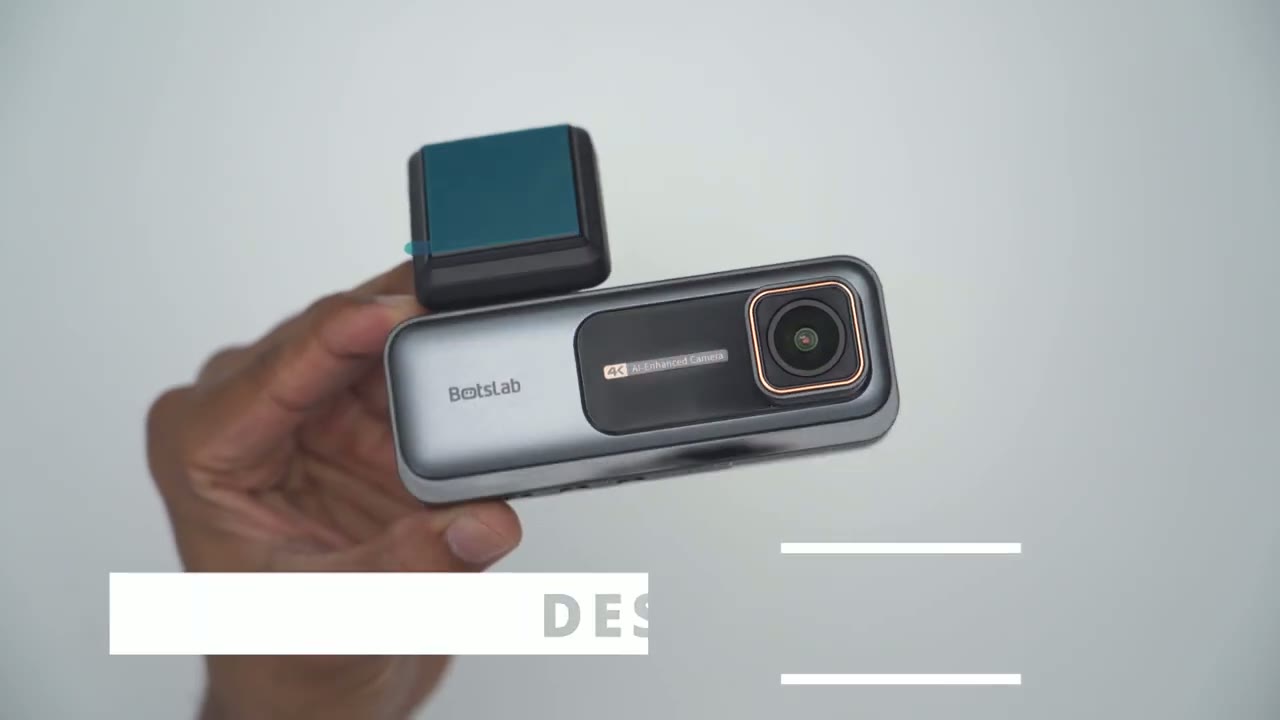
packaged and protected now it looks very premium and it feels very premium in the hand as well coming in at around 158 G or 0.3 lb now at the very top we have that 4K lens and it shows that it’s an AI enhanced camera because we do have an npu unit in here and then we have the bab logo I really like this kind of brass or gold color ring here really makes it pop now if we take a look at the mounting portion here so we have an adhesive pad and you could use these supplied ESD stickers for better adhesion now on the side of it we have a micro USB connector to power the entire dash camera and a mini USB adapter to power the rear camera and then we also have the micro USB card slot here now this is actually able to um adjust you can adjust the angle so that’s as much as you can go and this is as much as you can go the other way you can see it hits on the body here so you have some level of articulation we have an LED indicator light on the other side and then at the very bottom we have menu and button controls along with additional venting and finally on the rear we have the bab logo again with the LCD screen the rear camera unit has a green ring around it which looks really nice and then we also have a sticky pad which is adjustable you can see you can angulate it and then you can just rotate this knob to kind of tighten it in place now we also have a very long cable to run to the front of the car cabin so you can connect it to the dash camera and this part here is actually detachable and I guess this is if this cable gets damaged you can just order another one and then just connect it right back so that’s a pretty good design feature here’s a quick look at
Specs
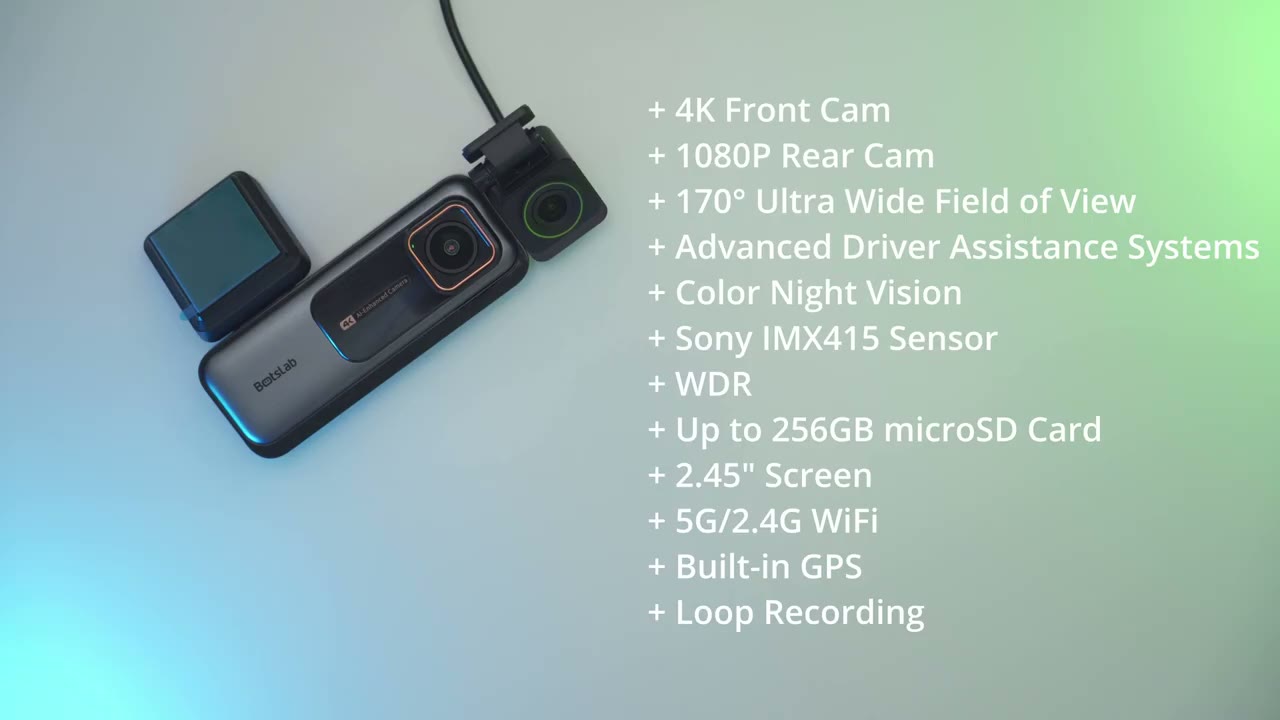
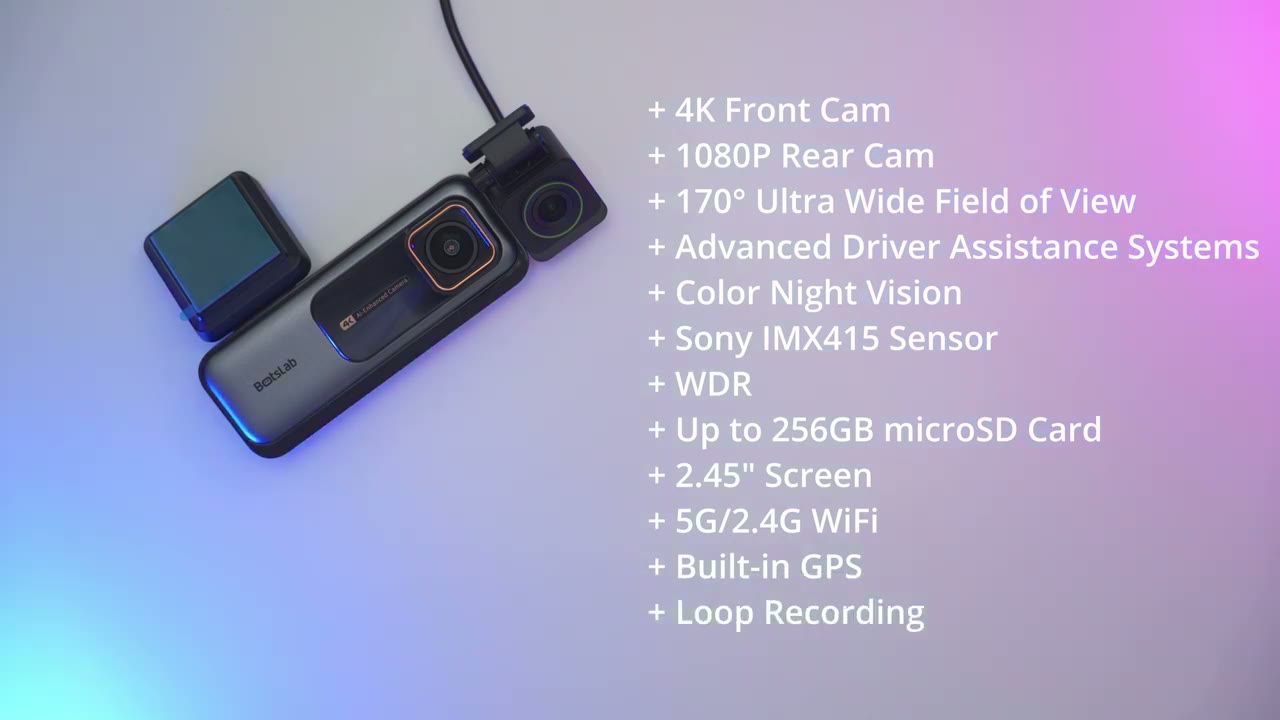
some of the specs feel free to pause or jump ahead to the next section I’m going
Setup
to connect the dash camera to my phone so I’ve ensured that the Bluetooth is turned on so so I’m going to click the middle button here to gain access to the settings tap on that again it’s on connect your phone so I’ll tap on that again go into Bluetooth pairing and it says to open the bot slap app on the phone which I have open already so I’ll click on ADD at device and it’s found the dash camera received Bluetooth data let’s take a look at the dash camera
Settings
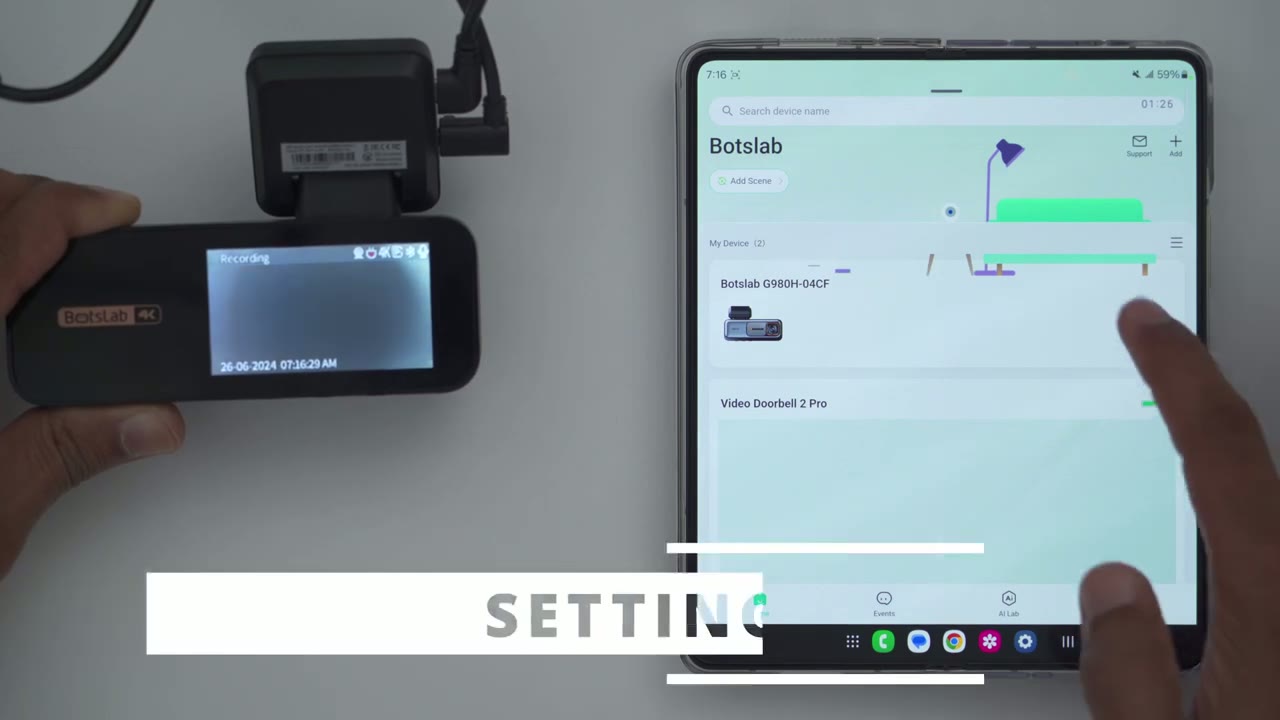
settings so I’m going to tap into it on the bsab app and the really cool feature on here is this live broadcast so let me boot into that and basically whatever the dash camera lens is seeing or the screen on here is going to be a duplicate on the phone so you can see this is what I’m taking a look at right now on my table and the delay is not too bad here I’m going to move my hander so I would say about a second or so of a delay not too bad it does mention the resolution is going to be a little bit reduced because it seems to be transferring this over Bluetooth connection there’s also a speedometer there so that’s going to be cool to see when you’re driving now what I’m I’m thinking is that you can actually leave this running while you’re driving you can look at the much larger screen on your phone which is going to be a brighter screen as well instead of looking at it on the dash camera if you really wanted to now we can take a screen recording it’s going to save it to the phone’s uh pH photo album we can also take a snapshot and then we can switch between the front and the rear screen so here is the rear camera I’m just going to rotate it around and I’m going to switch back to the front camera a little bit of a delay there while it switches but that works fairly seamlessly that’s really cool let’s take a look at the full dash cam settings so the recording resolution is either 4K at 25 frames per second or we can go down to 1080p at 60 frames per second I’m going to leave it on 4K since I want to experience 4K quality we have the option to turn voice recordings on or off but I’m just going to keep it on for now and we can change the speed shown on video so miles per hour or kilm I’ll leave it on kilm and I’ll leave the video logo on now speaker volume you’ve been hearing the call outs or prompts right now it’s at the medum we can switch it to high and if you have a noisy cabin in your car you may want it on high the time can be 12 or 24h hour and then the screen saver page is going to be a clock instead of screen off I’ll leave it on the clock the automatic screen saver can kick in after 60 seconds or you can just disable it completely So you you’re just always seeing the GPS screen and I think that’s what I’m going to do I kind of like seeing it while I’m driving the sensitivity for the parking monitor so this is if your car is parked and it gets hit this is going to turn on so I’m going to leave it the sensitivity to high and automatic shut down on idle I’ll leave it at to 10 minutes sure why not sensitivity for emergency recording I’m going to leave that on high and it is actually really sensitive the dash camera slipped out of my hand and it kicked in um so that feature seems to be working really well there’s a fatigue reminder if you’re taking you know kind of long trips and the time-lapse recording we could set it from 816 to 24 hours I’ll leave it on 16 sensitivity for Lane deviation um we can go either medium high low or it can be disabled which is good if it becomes too annoying and the distance warning sensitivity so I think I’ll leave it on medium and see how it reacts front car reminder I’ll leave that on and this is if you’re just starting the car and I believe there’s if there’s an obstruction in front it’s going to let you know pedestrian Collision I’ll leave that on the Wi-Fi password I don’t think I’ve said that yet these are the languages available English um Italian Chinese French Spanish Etc if I tap on video playback I’m going to wait for the app to connect to the camera terminate recording okay once you do that it up course stops recording which makes sense now I haven’t mounted this in my car so you’re just seeing kind of em just test recordings and this was with the protective sticker on so we have the emergency video this is where I kind of manhandle or mishandled the dash camera and it kicked in emergency recording so we have Loop video which is good um rear emergency video so again I did also fumble with it on the rear camera Rear View Loop video I mean there’s a lot of options on here this is actually pretty neat so the 360 dash camera is working as expected I’ve dialed in all my settings next I’m going to just install it in the car test it out and let you know my thoughts the 4K video quality on
Video Quality
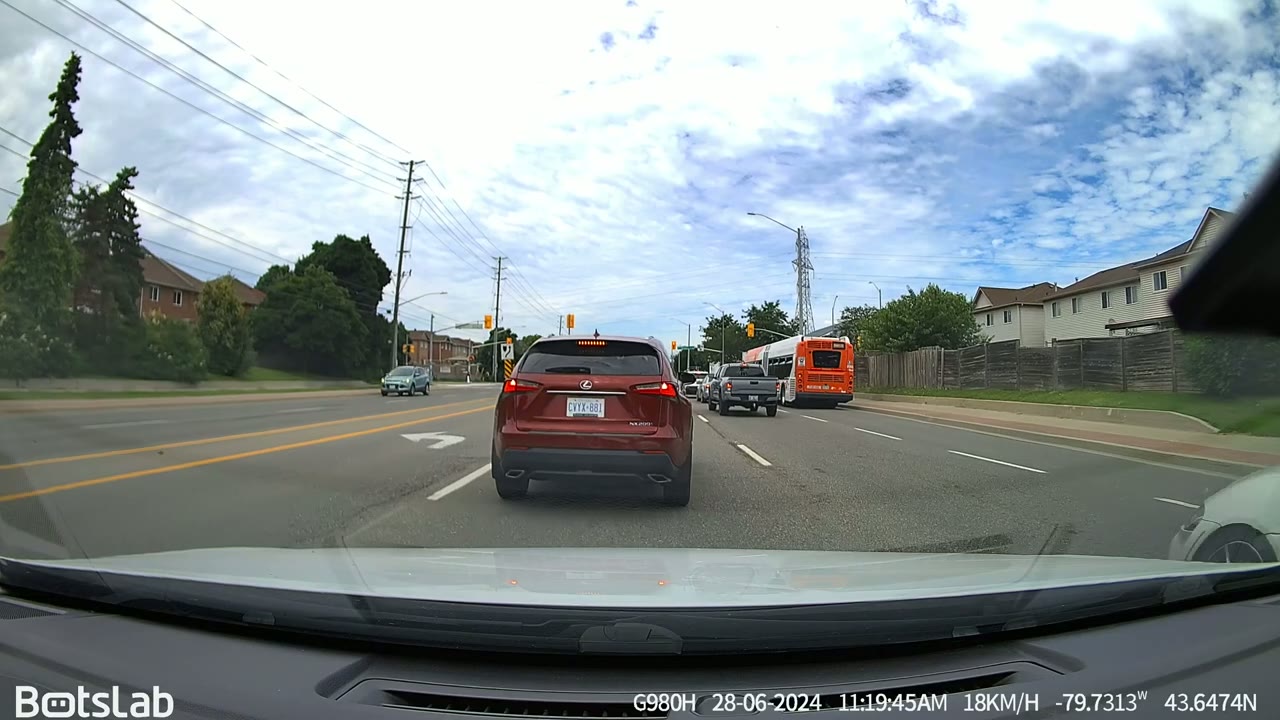
here is sharp enough to make out license plates during the day and at night and you know those days when it’s super sunny and your dash kind of just reflects on your windshield well even in those situations it’s still clear enough to make out license plates I’ve been using the dash cam in conditions such as sunny days overcast days rainy days and it fared well in all of those conditions to make out license plates and here’s a video of that very near Miss I had with a deer that just darted across the road so on that day I was going at a fairly decent speed and I only noticed the there as soon as it darted out of the Tall Grass I didn’t see it before however when reviewing the dash cam video as soon as I got home I could see it running from the right side of the car just on that day there is no way I could have paid attention all the way that far and that just shows how great having the 170° field of view is so yeah this would have already paid for itself if I got into that Collision let’s talk about footage from the rear dash cam so this records in 1080P now one thing you’ll notice right away is that because I live in Canada we have you know kind of heating elements on the rear glass to kind of melt snow so because of that you’re going to see that very prominently in the video the other thing is I have my rear Glass Tinted and because that limits the amount of light that comes into the car even on bright days it’s harder to make out license plates unless the car is fairly close up so on very overcast days or when it’s dark it’s much harder to make out license plate from the rear unless the car is very close up so just keep that in mind you can also quickly switch between seeing the front or rear dash cam video feed in a matter of clicks if you want to see what’s going on behind you as well let’s talk about the
Driver Assist Features
Advanced Driver assistance features so the first is The Pedestrian warning and this will detect pedestrians Crossing in front of your car up to 33 ft out and that’s if you’re traveling at a speed of between 6 to 25 mph the next feature is the Collision warning so this will alert you if you’re within 16 ft of a vehicle in front of you and you’re going over 19 mph it’ll just give you an audible alert that you’re following too close the next feature is Lane departure or Lane deviation so if you take more than 2 seconds to switch your lane and you’re going at a speed of above 37 mph or 60 km it’s going to let you know that you’re deviating from the lane the next feature is front car start so if the car in front of you has moved up you know 6 and 1/2 ft or more 4 2 m and your car is still stationary it’s going to tell you front car start to let you know hey it’s time to start driving and this can come in handy if you’re one of those distracted drivers or you get kind of lost admiring other cars on the road or you know looking at a squirrel one thing
Optional Parking Kit
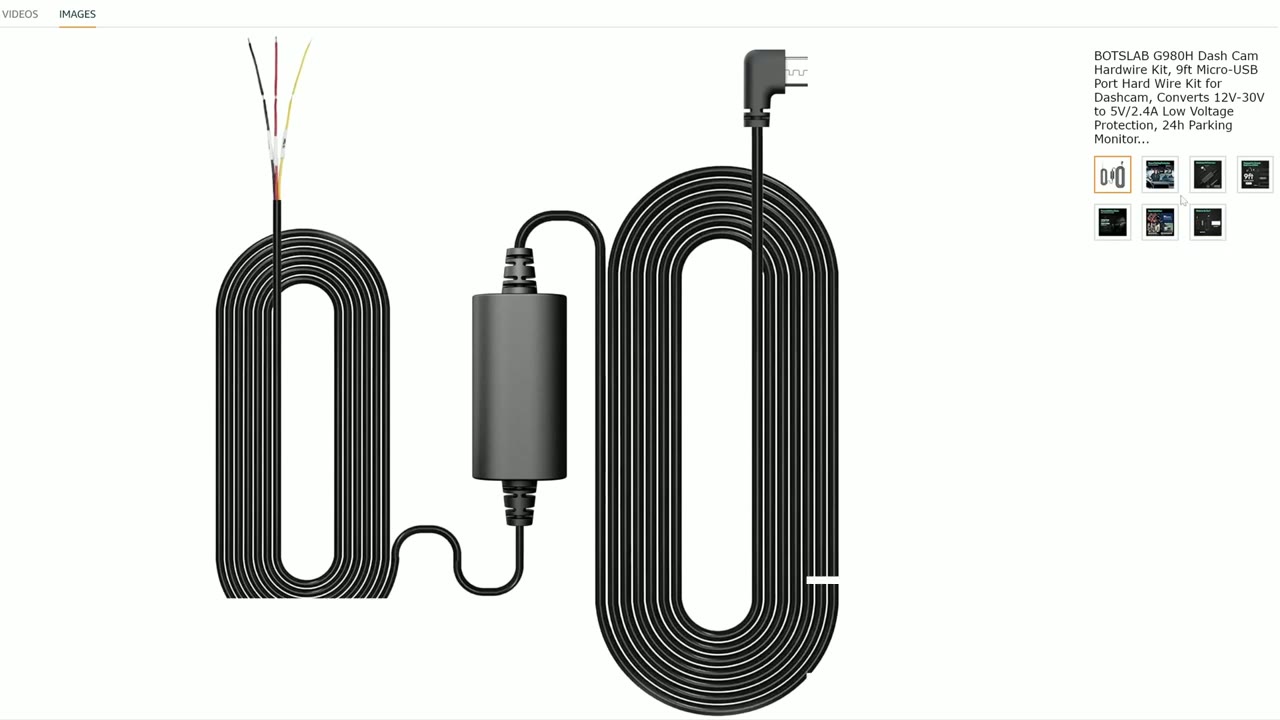
to note is that once you park your car and turn it off there’s no built-in capacitor in the dash cam so if you want to be able to record events that happen when the car is turned off you’ll have to buy the optional hardwire kit you can
Emergency Recordings
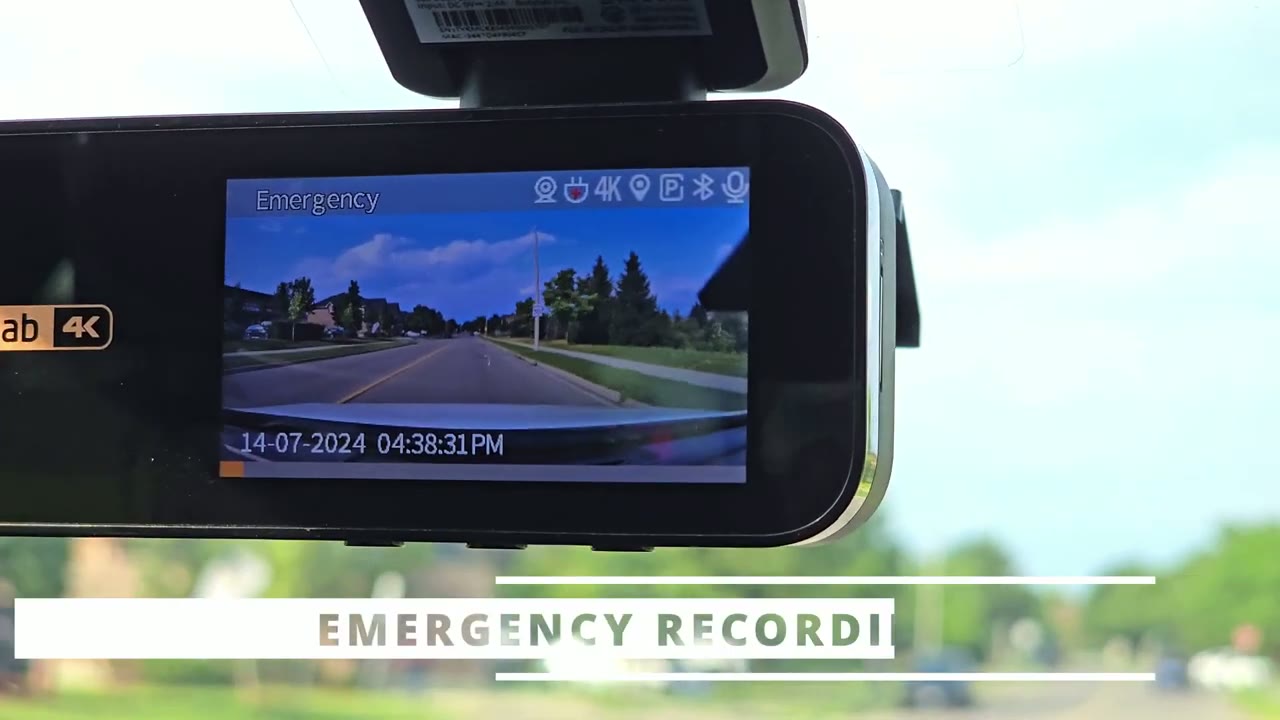
also use the g sensor feature and you can adjust the sensitivity so if the dash cam detects that the car has experienced you know like um a kind of abrupt hit or shock like say you hit a pothole or someone hits you it’s going to record about a minute of protected video that’s not going to be overwritten
Storage
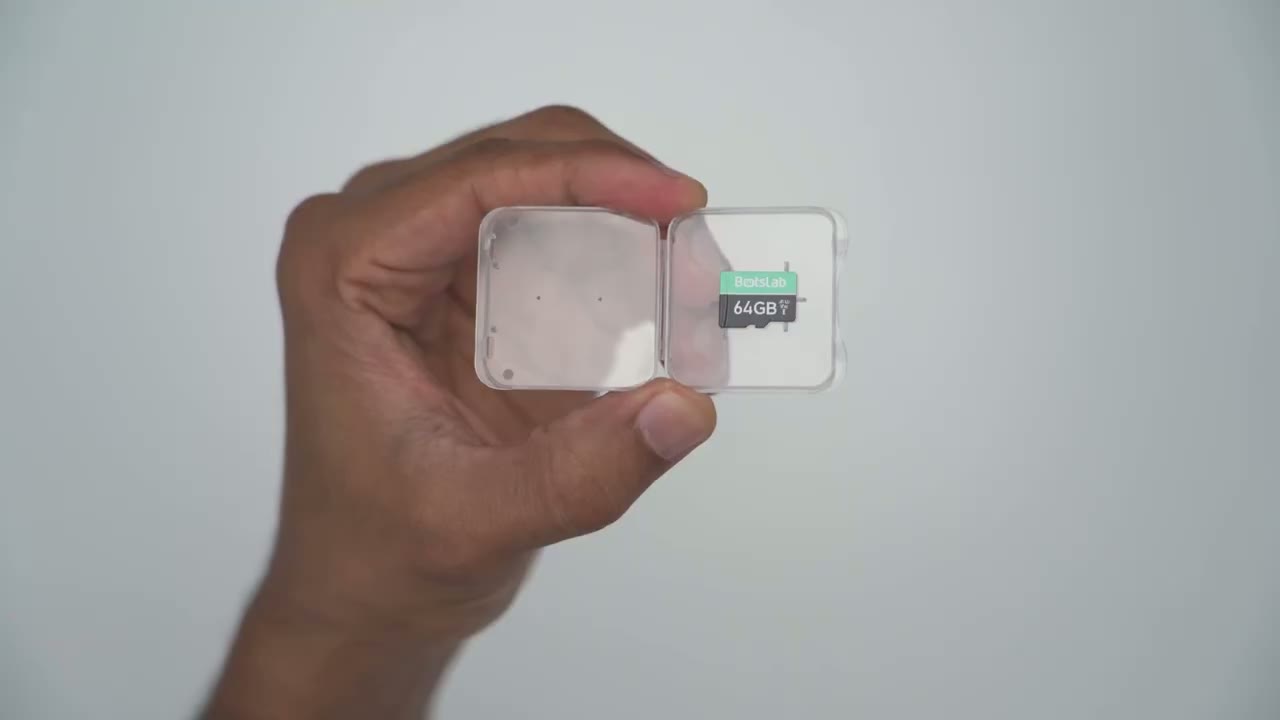
while the box came with a 64 GB micro SD card I inserted my own 256 gig card and I was able to get between 28 to 29 hours of continuous recording so even if you drove an entire day you’ll easily be covered so the botp 360 dash camera is a
Recommended?
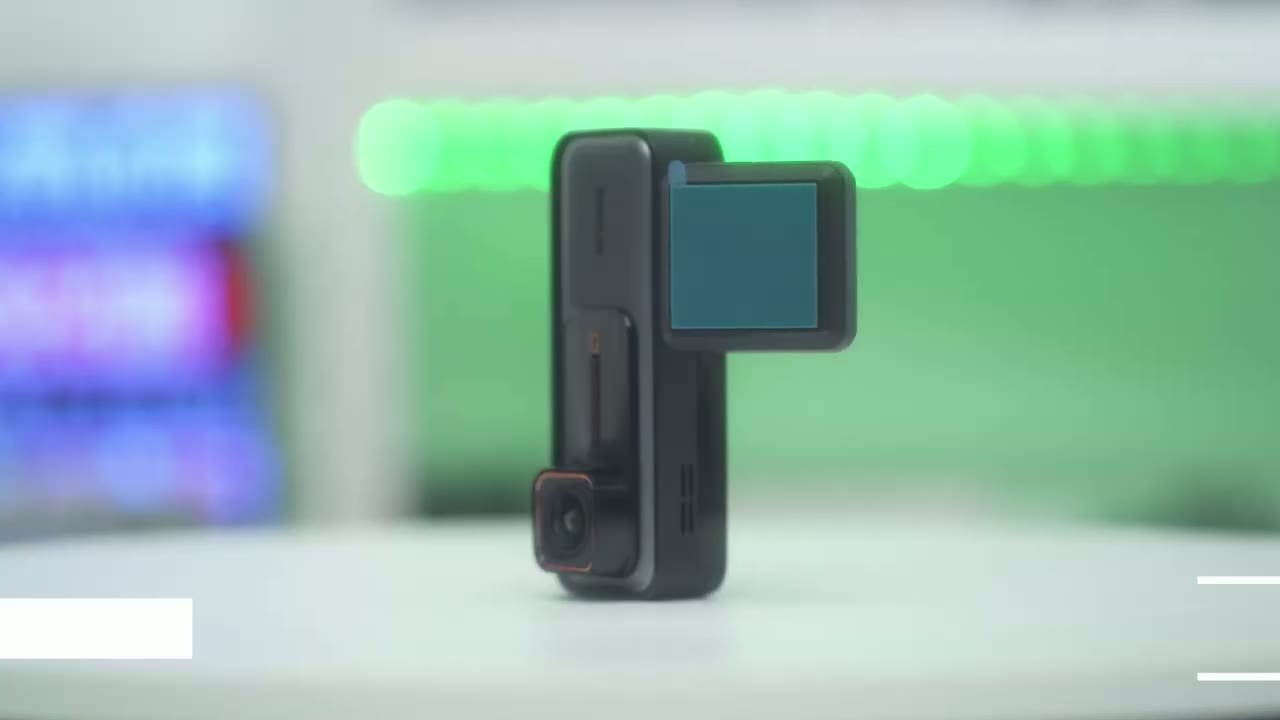
fairly solid dash cam especially with the advanc driver assistance features such as pedestrian warnings Collision warning Lane departure and front car start on top of that the front camera records in 4k quality and you also have a rear camera recording in case anyone rear ends you and you have a very wide 170° field of view and when you pair it with a 256 micro SD card you easily get over 24 hours of video recording from both the front and rear dash camera so if you’re interested in picking up the Bots slap dash cam 360 I’m going to leave a coupon code down below that you could use on Amazon that’s going to get you an additional 40% off during Amazon’s Prime days if you enjoyed this video please consider checking out some of my other tech reviews I review a bunch of different Tech products I’m sure you’ll find something you like and if I can ask a huge favor from you if you did enjoy this video please consider liking and subscribing you have no idea how much it helps me out and I truly appreciate your support but thank you very much for watching and I’ll see you in the next one soon
Get Botslab 360 DashCam on Amazon USA
Please note that some of the links in my video descriptions are affiliate links where I earn from qualifying purchases. As an Amazon Associate I earn from qualifying purchases.