



Please note that some of the links in my video descriptions are affiliate links where I earn from qualifying purchases. As an Amazon Associate I earn from qualifying purchases.
Intro

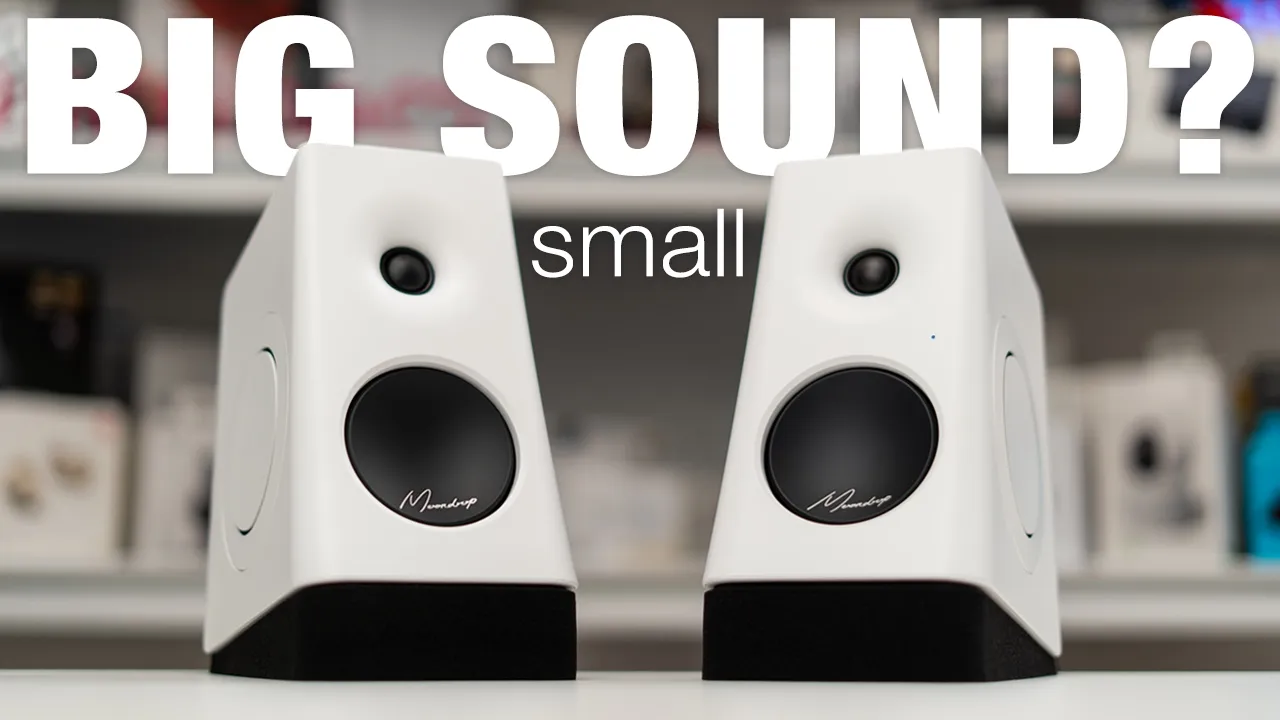
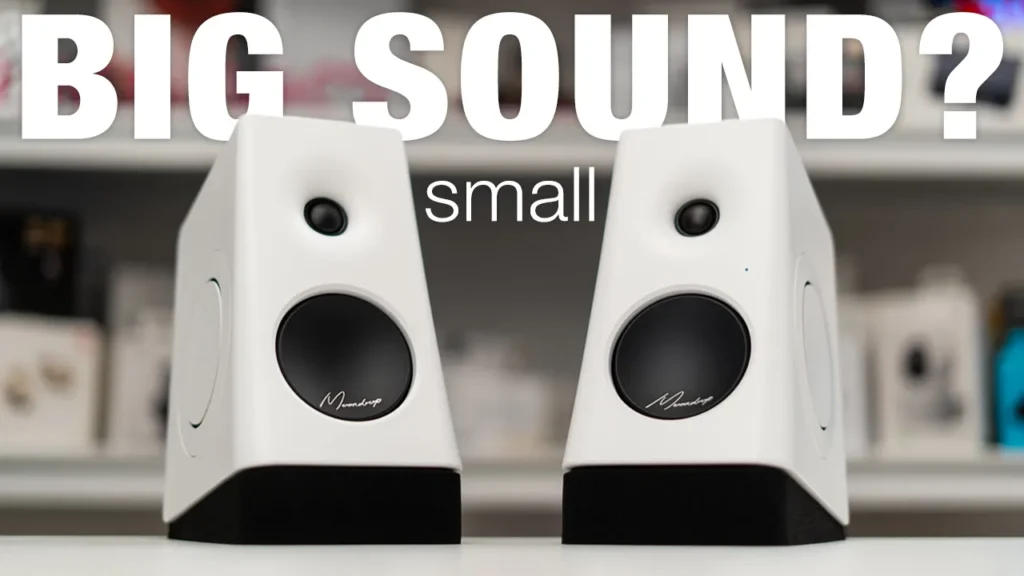
If you’re looking for a compact desktop speakers that come in at a great price and don’t compromise on sound, the Moontrop MM3 speakers might be what you’re looking for. They have 66 watts total output with a 0.65 inch tweeter, a 3 inch midwoofer, and 3 inch dual passabrators for base performance. There’s tons of inputs like Bluetooth 6.0 USB-C, 3.5 millimeter OX, optical, and SPDI up. There’s also LDAC high-rise wireless audio, a dedicated Moontrop app to use preset EQs and even the ability to find two the speakers through parametric EQ settings, either in the app or with the online web dashboard, and they even come with sponge foam riser pads as well.
Now while all that sounds good, there are some potential dual burgers to be aware of, so let’s take a closer look at just how good they sound, and a big thanks to Moontrop for setting
Package Contents
these up for review. In the box you get the Moontrop MM3 A speakers along with two sponge pads that also act as risers and help reduce vibrations. There’s also a power cable speaker connector cable USB type A to Type-C cable and 3.5 millimeter OX cable, along with a manual and quick start guide.
Design

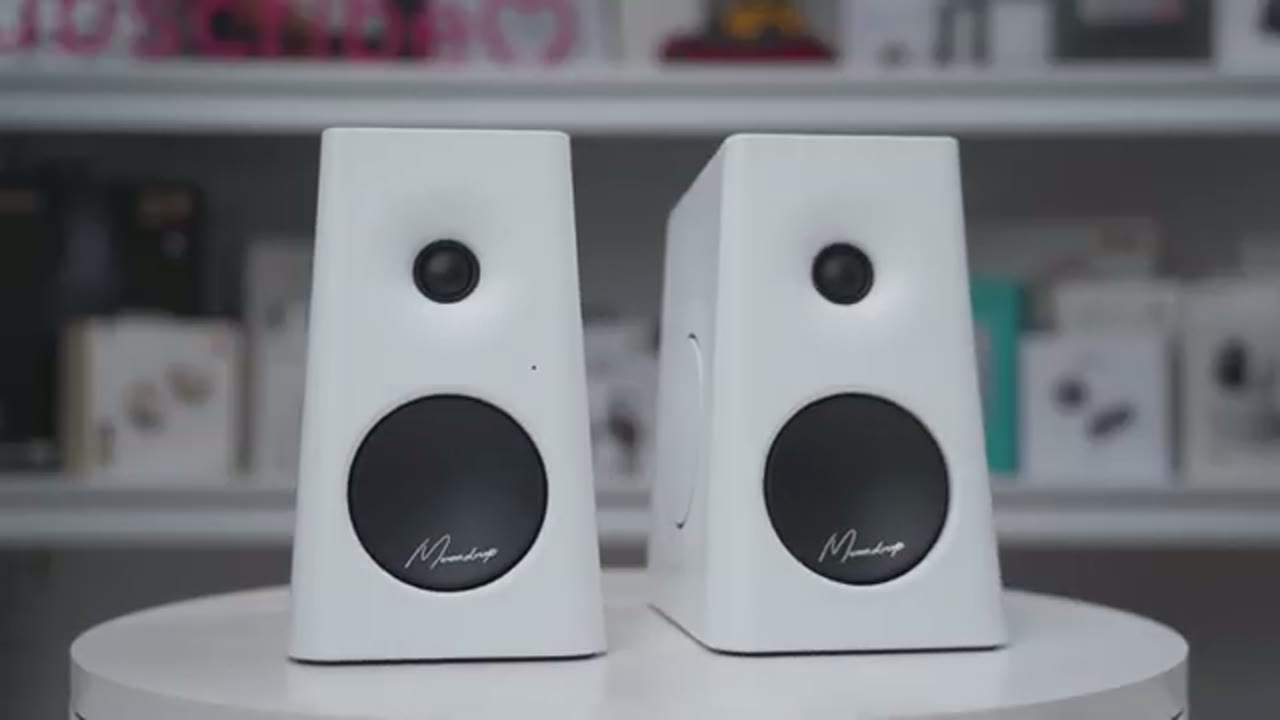
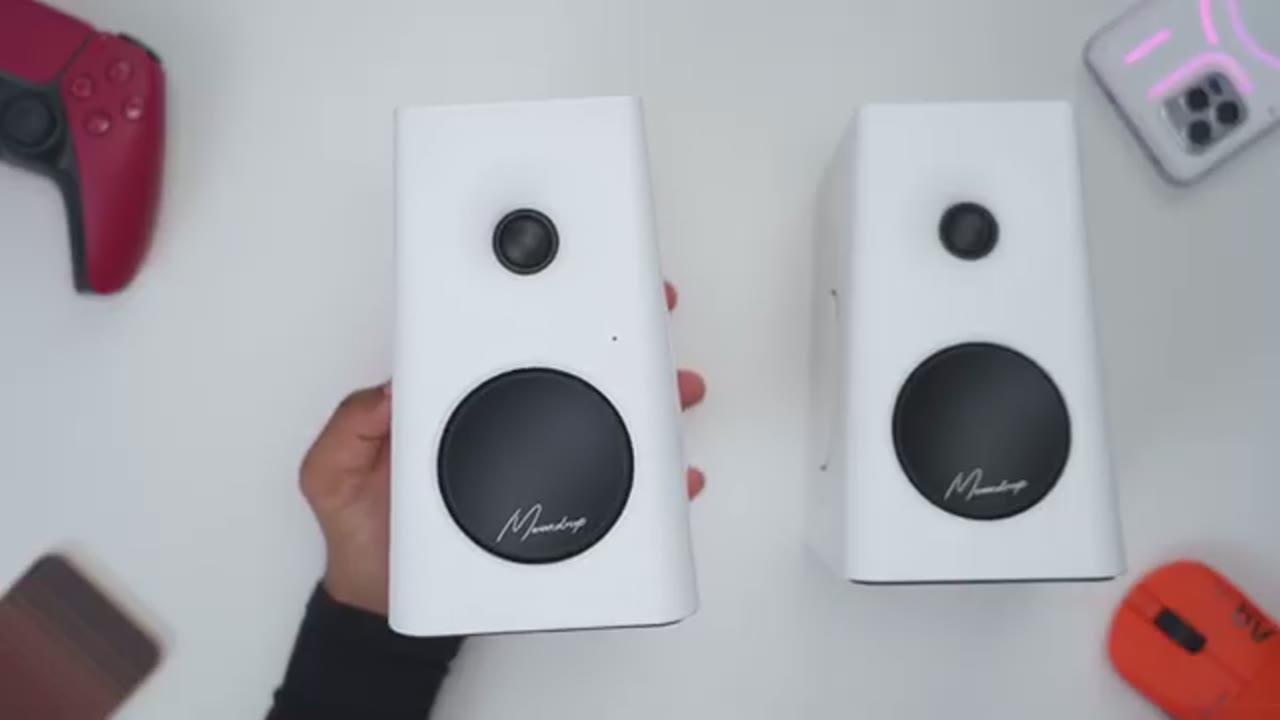
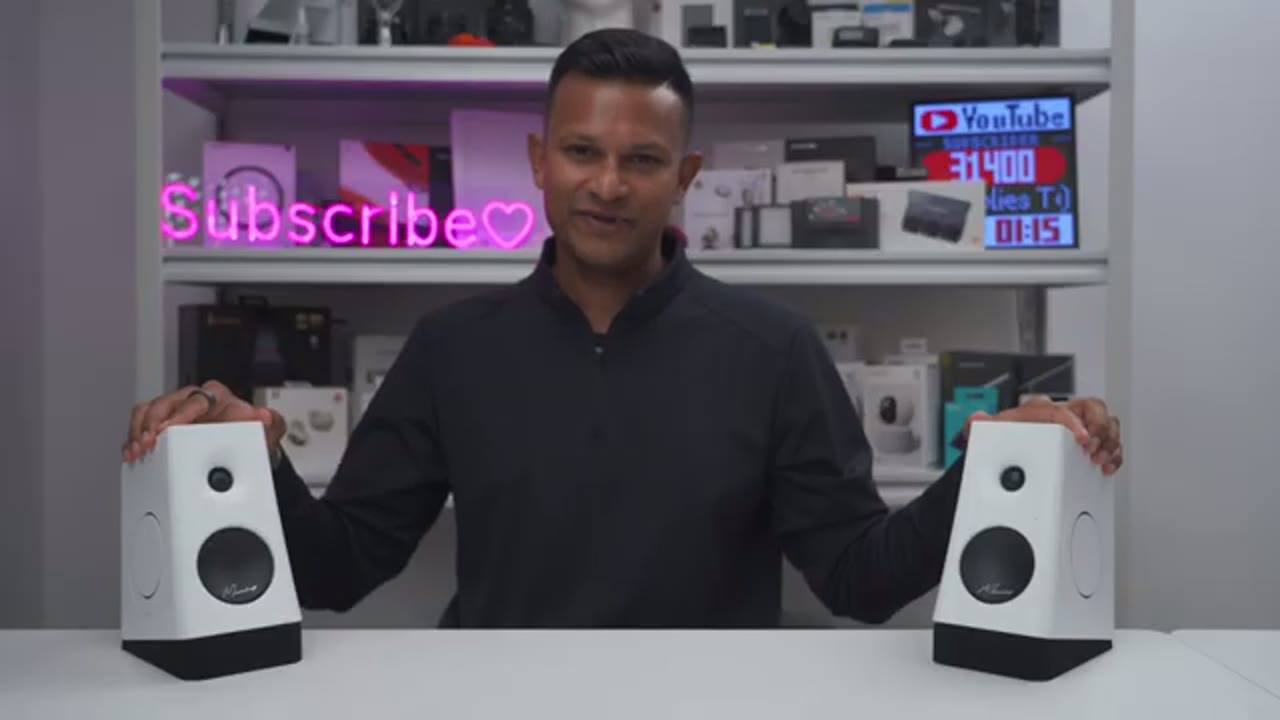
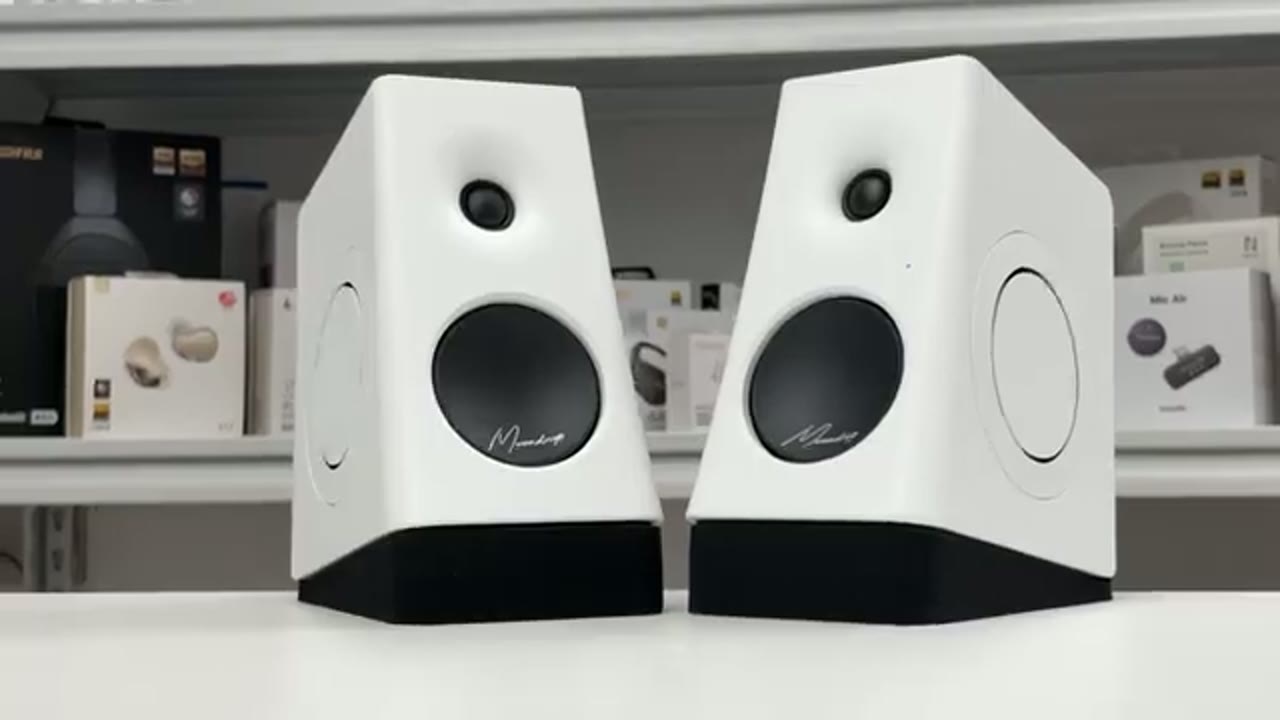
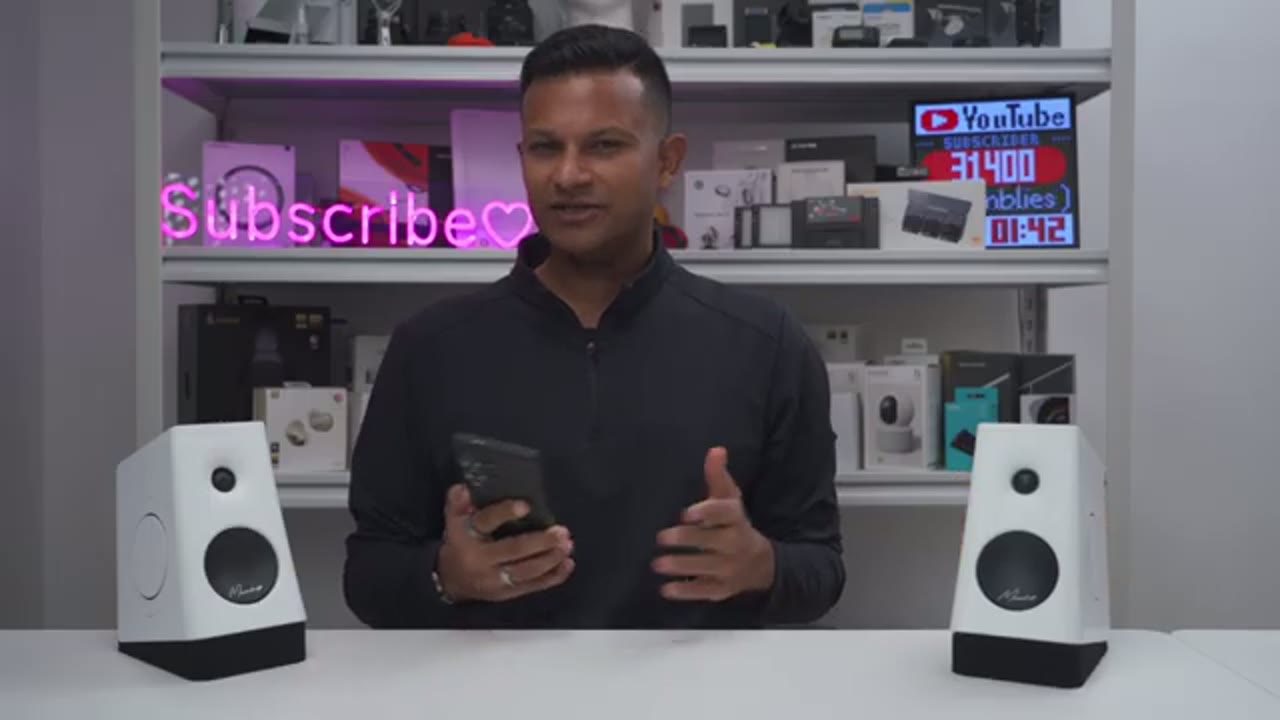
In terms of design, so both of the speakers come in at around two kilograms or about 4.4 pounds. Now that dimensions are also very compact and small on here, and I’ll just put the iPhone 18 Pro Max next at a speaker, so you can get an idea in terms of scale. You can see as I angelated from the side we do have this slight curvature here, so this is actually tilt to 10 degrees to help direct the audio better to your ears, and to also reduce diffractions and internal sanding waves. In addition to the front baffle being angelated by 10 degrees, it also comes with two sponge foam pads in the pack, so you can actually use this to angelate the speaker upward to your ear even more, and to help reduce vibrations when these are on your desk.
The top house is the 0.65 in Silk Dome Twitter and at the bottom we have a 3 inch aluminum cone mid-woofer, along with an LED indicator like to show you which input you’re in and whenever the speakers are powered on. Since the MM3A’s don’t have a base reflex port, instead what Moon Drop has done is to use dual 3 inch passive radiators one on each side, to help kind of extend the base performance beyond what a speaker of this size would normally be able to handle. The back of the passive speaker has all of the inputs along with a multifunction button, so you could use this to increase or decrease volume. We do have hard-sop increments and it just continually rotate.
Now a few long press on this is going to power on or power off the speakers, and a quick press is going to switch between the various inputs. There’s a tactile button you could press down to put it into Bluetooth pairing mode, and the inputs are USB Type-C 3.5mm Oxt, there’s Toss Link or Optical SPDIF and the speaker connector port along with the power port. The passive speaker is basically the same design all the way throughout, except that on the back we only have this speaker connector port. Each speaker is capable of 33 watts output for a total of 66 watts.
Specs
Here’s a quick look at the specs feel free to pause and review or jump ahead to the next
Bluetooth Pairing
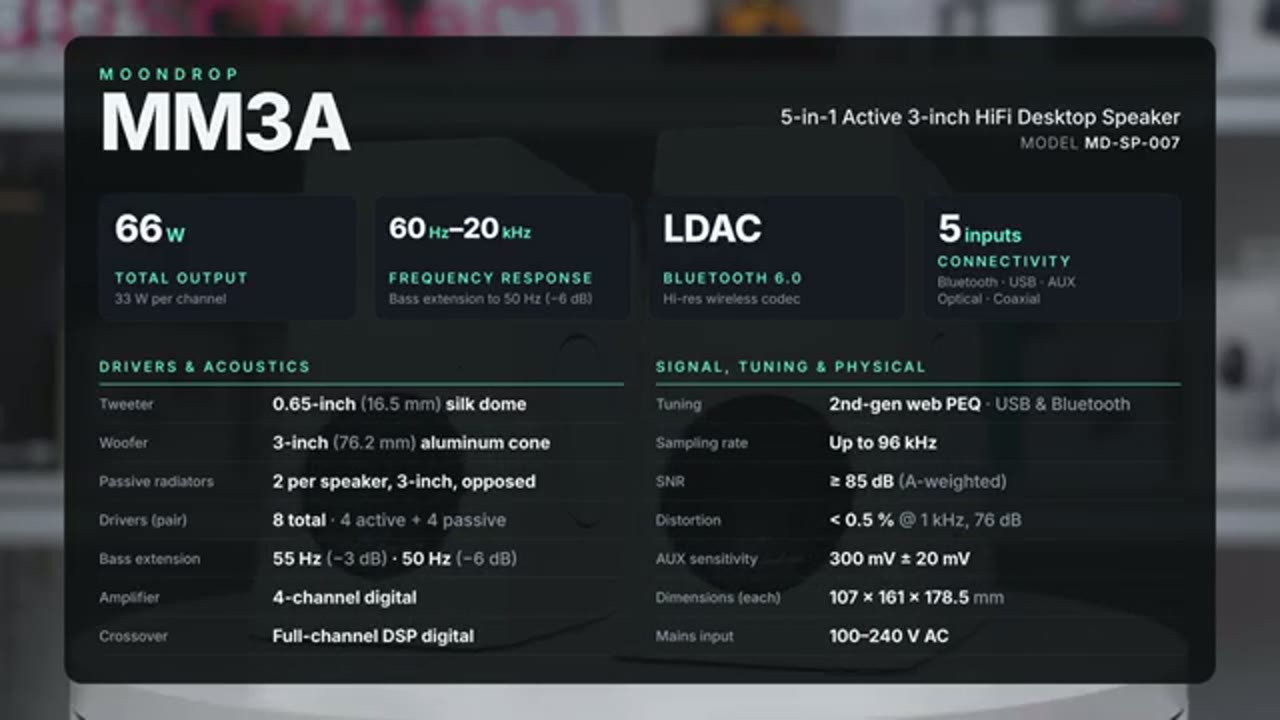
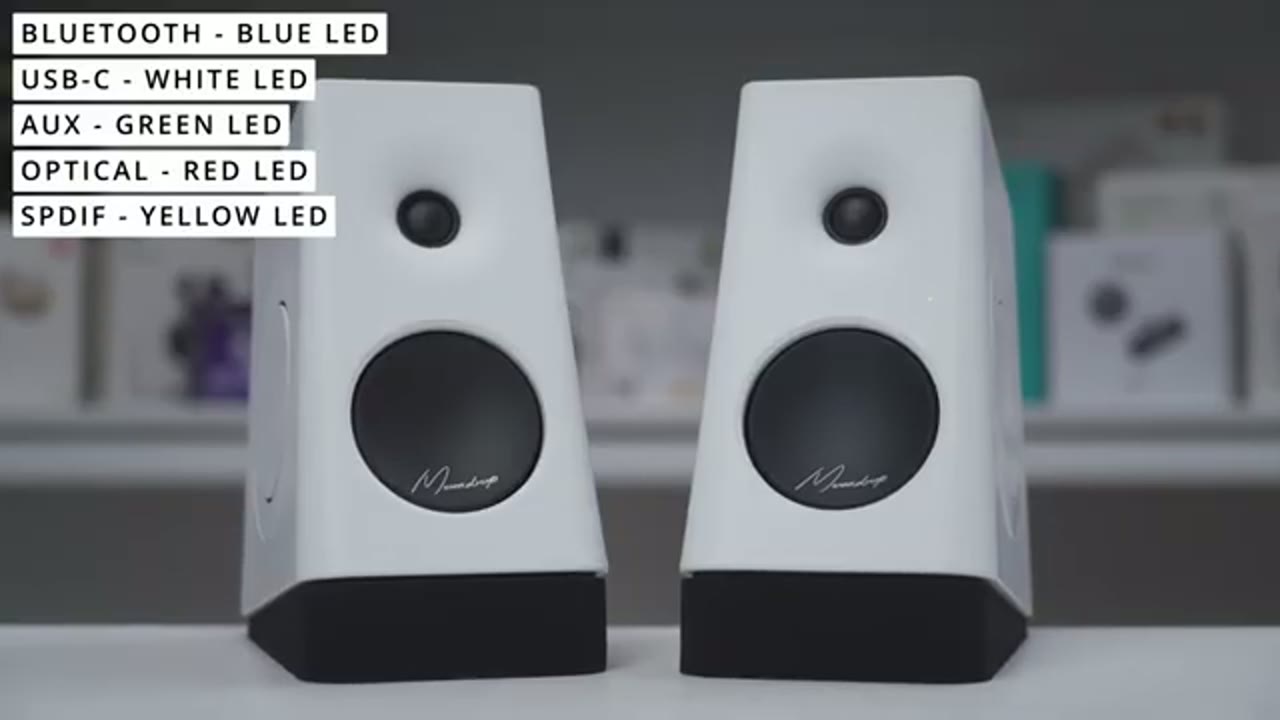
section. The Moondrop MM3A is by Bluetooth that’s really simple, simply switch the input on the back until you see a blue LED on the front letting you know you’re in Bluetooth and put mode, then jump into your phone’s Bluetooth settings, hit scan and find the MM3A tap on that and hit pair and just like that to reconnect it.
Inputs / Connectivity
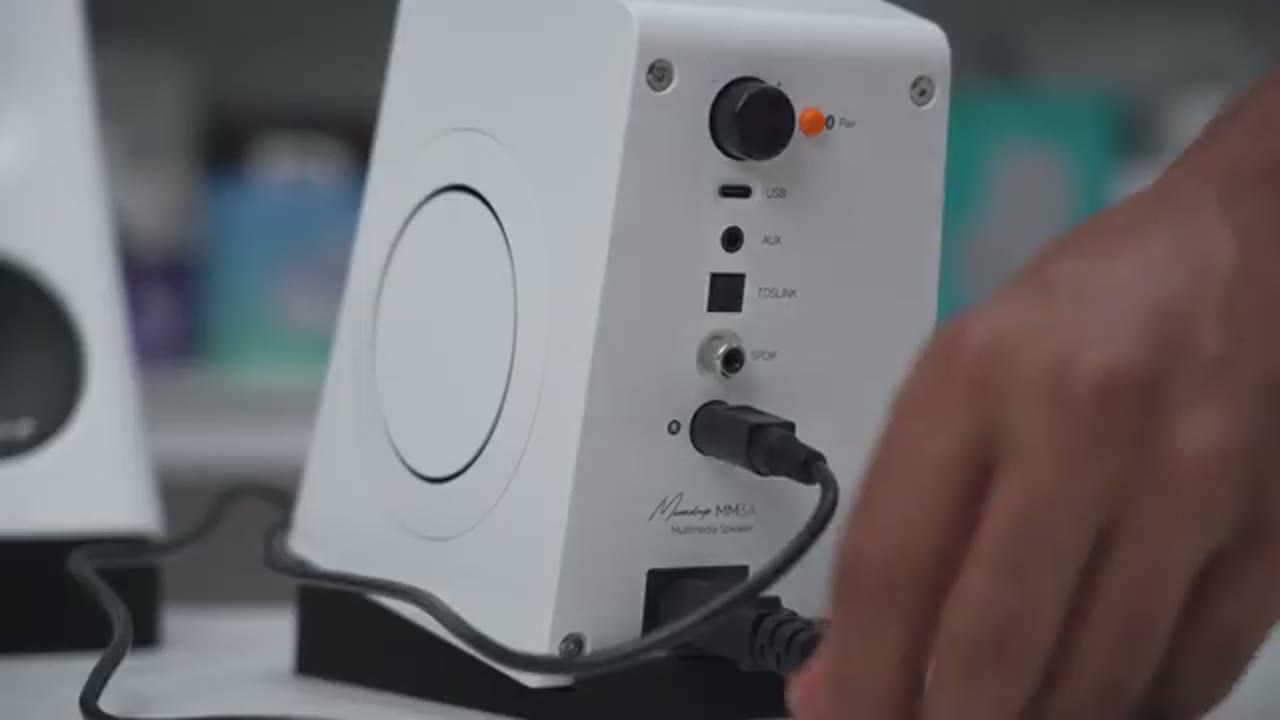
We have 5 inputs on the MM3A, so we have USB Type-C 3.5mm Oxt, Optical SPDIF and Bluetooth connection. To switch between the input, you’re going to press the multifunction button at the back, and it’s going to switch through the color so Bluetooth is blue, USB-C is white, Oxt’s green, Optical is red and SPDIF is yellow.
Moondrop App Settings
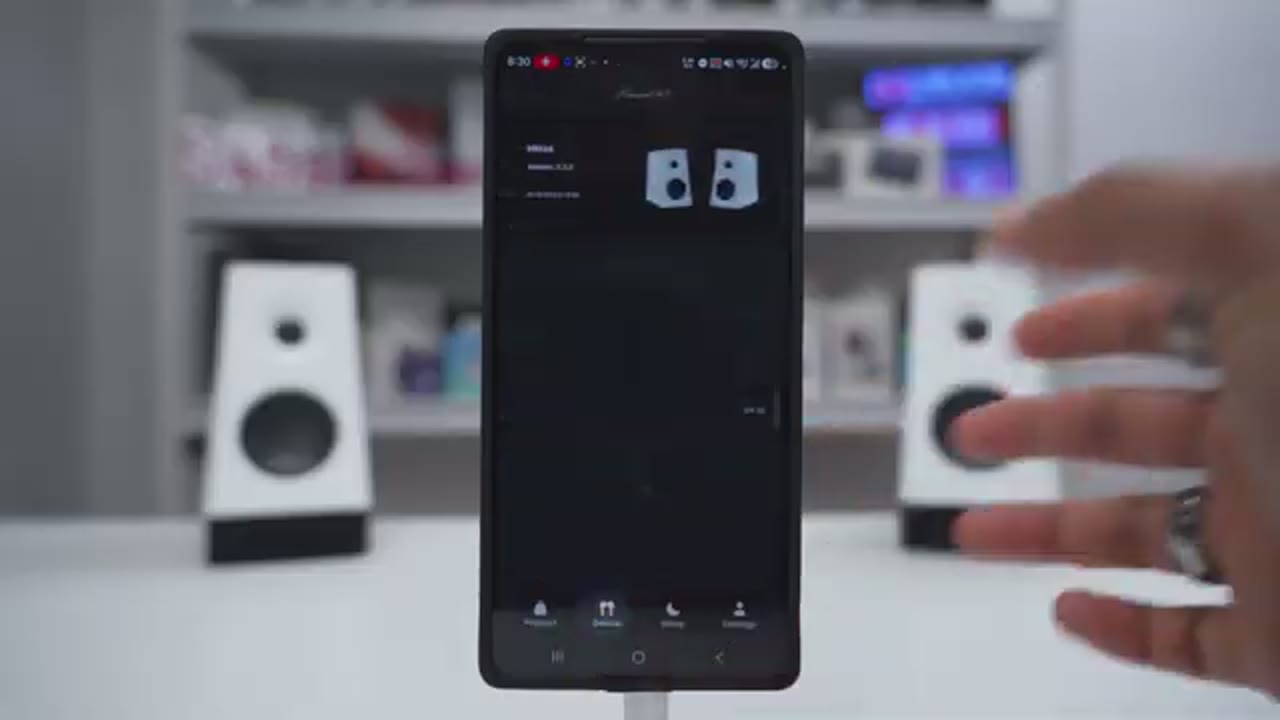
Let’s take a look at the Moondrop app setting, so once you have the MM3A’s paired by Bluetooth to your phone and you set it on the Bluetooth input, you’ll see the speakers here, note that I’m on version 1.2.5. But if I go ahead and click into here, this is where I can actually adjust the volume slider on the speakers right from here. If I didn’t want to use the volume knob, if we jump into function settings, you can actually enable or disable the Prom sound and you can change how loud that Prom sound is as well. Additionally, this is where you can go to enable LDAQ if you want to enable that for Bluetooth, but do note that you will have to additionally go into your phone’s Bluetooth settings and ensure LDAQ is on there as well.
If we jump under EQ tuning, you have the options to use Monitor Mode, Music Mode, Movie Mode and Game Mode. But if we go into Online Interactive DSP, this is where you can go through either a simple mode or advanced mode. So if you go under Simple, it’s just going to have you pick EQs, like you can pick one from four or one to four, and then it’s going to ask you, you don’t five to eight, and then nine to 12. And then depending on what you pick, it’s going to kind of give you a custom EQ that you could save to your account. Now if we jump into advanced mode, this is where you have access to the Parametric Equalizer, and this is where you get set, you know, you’re really custom type of frequency response.
So do note that I can go ahead and start driving on any of these, and I can actually adjust the gain on here as well as the frequency and the EQ value. Now what you can additionally do is you can actually set a target frequency response. So for example, you can see it’s broken out by brand, standard, or you know, if you have any specific ones. I’ll just scroll here, just click on one of these, and you can see the broken line is the target frequency response, and then you can try to dial in yours to get it, you know, kind of as close as you can to that type of response. You can also hit Haru EQ, and it’s going to try to, you know, kind of emulate that same type of frequency response if you like.
Now they do also have some official parametric EQ, so you can apply this American-style Asian-style Nordic style, et cetera, and then you can also go ahead and look at like community ones. So there’s some for games, there’s some for music, for movie, and then under featured, these would be the ones that the community has uploaded. And if you go under settings, as long as you make an account on the app, you could click in, you know, a teacher password, your username, your avatar, and then the available languages are English, and, you know, I guess Mandarin, Korean, possibly Japanese, and then if we jump under settings here, you could have a floating window, you could wipe the app data, and then under about you could take a look at the app settings.
The only thing I haven’t found on here is kind of the sleeper standby or auto off settings, I haven’t seen any settings like that.
Moondrop Online Dashboard
Now in addition to the moon drop app, you can also use their online web dashboard, and that’s going to give you access to the parametric EQ as well, along with their official EQs. But you will lose out on other settings like enabling LDAC, changing the prompt tones. So if you want the most, you know, kind of versatile in terms of options, you will need
Sound
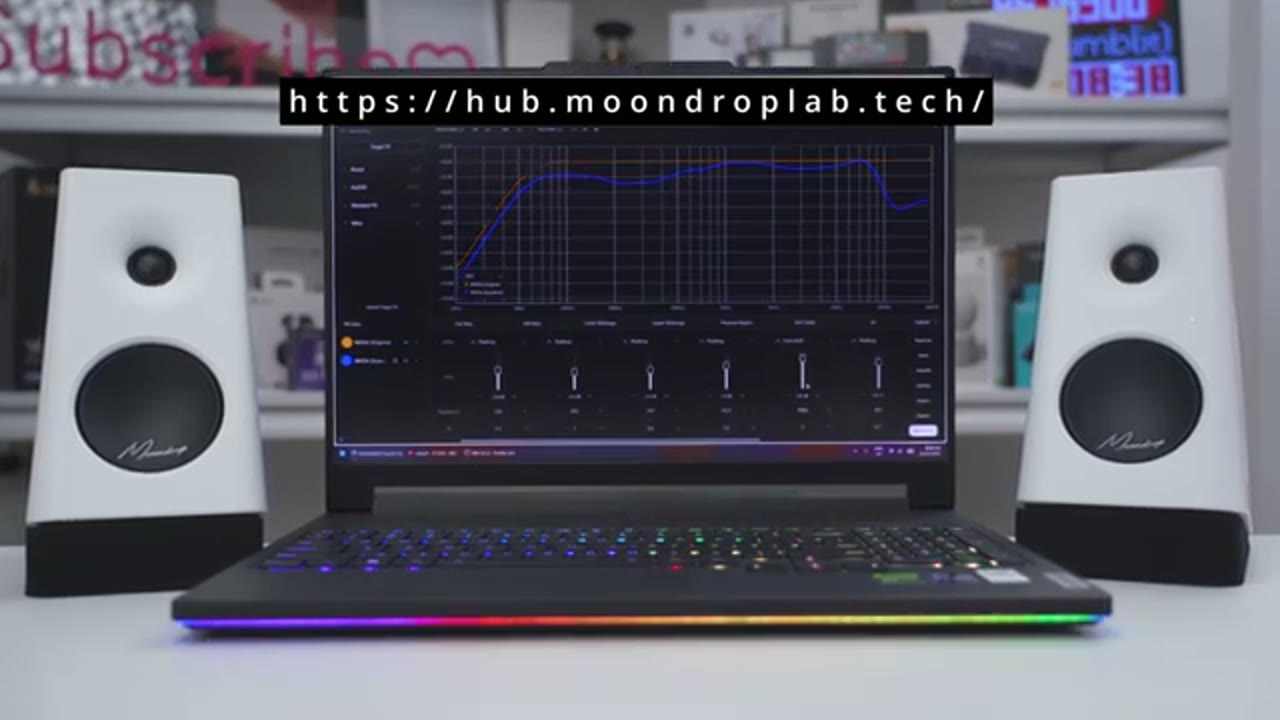
the app. Now let’s talk about how these actually sound, and here are some quick specs about what moon drops claiming. There’s a digital filter that upsamples the signal automatically, a DSP crossover lens, splits it between the tweeter and woofer. Now one thing to note is that you can really fine tune these in great detail if you spend enough time to kind of get them exactly where you want or as close as possible. So we have official presets, there’s different listing modes, the monitor mode, music mode, game mode, movie mode, there’s community presets that people upload, and you can download to these, and then there’s the parametric EQIs or settings as well, which give you a ton of fine control, so just a ton of versatility.
However, I’ll be sharing my thoughts mostly using the monitor listing mode, because that’s on a best of me. So the base actually hits pretty quick notes, start and stop cleanly instead of lingering, and even on more complex tracks, it’s a separated and doesn’t blur. It also hits with more impact than I expected at the size, which he passed the radiators seem to help with. And on tracks with a heavy base hit that sustains the base can bloom and feel a bit boomy at times. And when listening at lower volumes, the base still actually held up pretty well, so it was still proportionally there based on the lower volumes, and it didn’t feel weaker like it disappeared, so that was actually pretty impressive.
As for depth, you definitely can’t expect subwoofer type performance, but on certain tracks you can get a little taste of that deep rumming, just kind of starting. Now it’s not going to physically rattle or shake your entire setup, but you could see in this clip it was actually shaking my phone when I tried to record the base. Focal sound clear and present, bulk for male and female voices, so female voices have really high clarity and male vocals sound strong and full. The instruments also sound natural and full as well, and they stay well separated and clean and vocal leads without drowning out the instruments or blurring into them.
When it came to the highs, I found myself wanting a little bit more of top and more than the monitor mode was providing, so actually went and downloaded one of the community presets I’ll leave that like on screen or link down below, what I used, and that actually greatly improved things. With that preset applied symbols had a nice shimmer and without noticeable sibilance and I didn’t get any fatigue even with extended listening. Sounds moodly across a stereo field and on complex orchestral recordings I could pick out individual instruments and hear some subtle background details.
I also max a volume out on these and I didn’t notice any type of popping, crackling or any type of distortion as well, and even with the volume all the way down and nothing playing, there’s no type of hissing or static or anything like that. Now the other thing to keep in mind is when you’re adjusting those parametric EQ settings you could either use the Moon Drop app or the online web dashboard, and once you have those settings applied to the speaker, they do have onboard memory, so you’re not going to lose that if you switch to another input mode. So overall, really impressive sounding speakers, especially for the compact size and for the price, and I really didn’t expect the base performance to be that good, especially when I was gaming, so let’s talk about that next.
Gaming
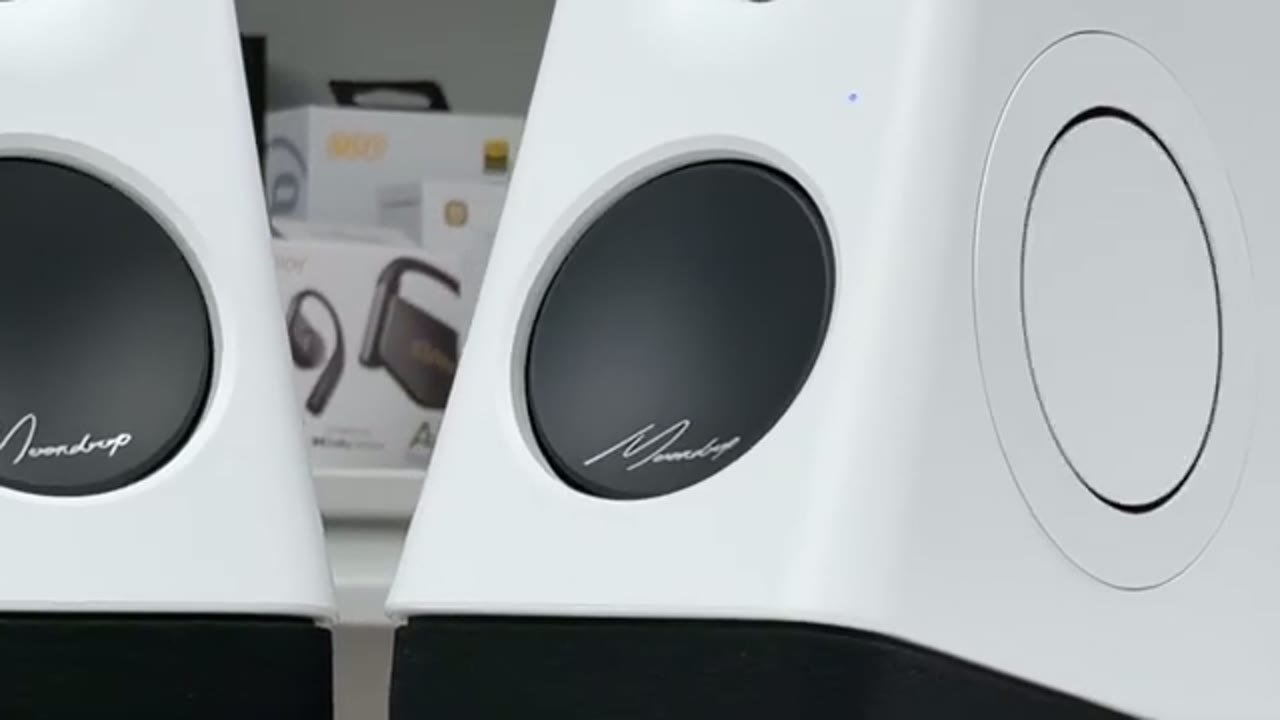
So I connected these to my smart TV and in the TV menu that I identified these as the Moon Drop MN3A, then I fired up my PS5 and I jumped into Battlefield, and these were fantastic and Battlefield 6, because I could hear footsteps like it or everything going on in the world. When I was in the tanks and the tanks were shooting, it gave you a pretty good sense of immersion and just overall war zone type of feeling. So again, you’re not going to get subwoofer performance, but there is a slight reach down into sub-based territory which makes these very fulfilling any time you’re gaming. So I could see these easily doing double duty watching movies or gaming just fantastic all-round speakers.
Potential Deal Breakers?
Now while I love using the MN3A, there are some potential billbreakers to keep in mind, so the first thing is that there is no multi-point support on these, you’ll first have to disconnect one device before you can connect together to the device. Now if you don’t use multi-point, or you don’t usually use Bluetooth, that’s not really that big of a deal. There’s also no headphone jack on the front if that matters to you, and I did notice out the delay of about two to three seconds when cycling through the various inputs, not that big of a deal if you mostly stick to one input, but something to be mindful of.
Also notice that sometimes if the speaker went into standby mode when I came back to my device and I started playing music or audio again, it wouldn’t automatically output to the speakers. Now I tried searching the inputs that didn’t solve it the only way to fix it was to power the speakers off completely power them back on and then music would resume playing. So that could definitely be annoying if you step away from your computer or device multiple times throughout the day and you have to power cycle these on or off. Now I went into the Mundraap app and I couldn’t find a way to disable standby mode or to change these standby time to you know like an hour or two hours, hopefully that’s something that could come in a future from her update.
Now even with all of that said I’m really impressed with the MM3 is the sound that’s coming out of these especially for this compact size in the price is really stand up. These are also only Mundraap’s second offering of speakers and if the MM3s are this good for a second product I can’t wait to see what their next speakers look like.
Switching Input Demo
Just wanted to give you guys a quick demo so you get an idea how long it takes to switch between inputs. So I’ve set the prompt tone to be the loudest it can be. You can lower this or just turn it off completely. So I’m going to switch the input right now, start pressed it and you can hear it’s taken effect. I’ll press it right now. So you can see a bit of a delay when you’re switching it but it’s just something to
MM3A or M60?
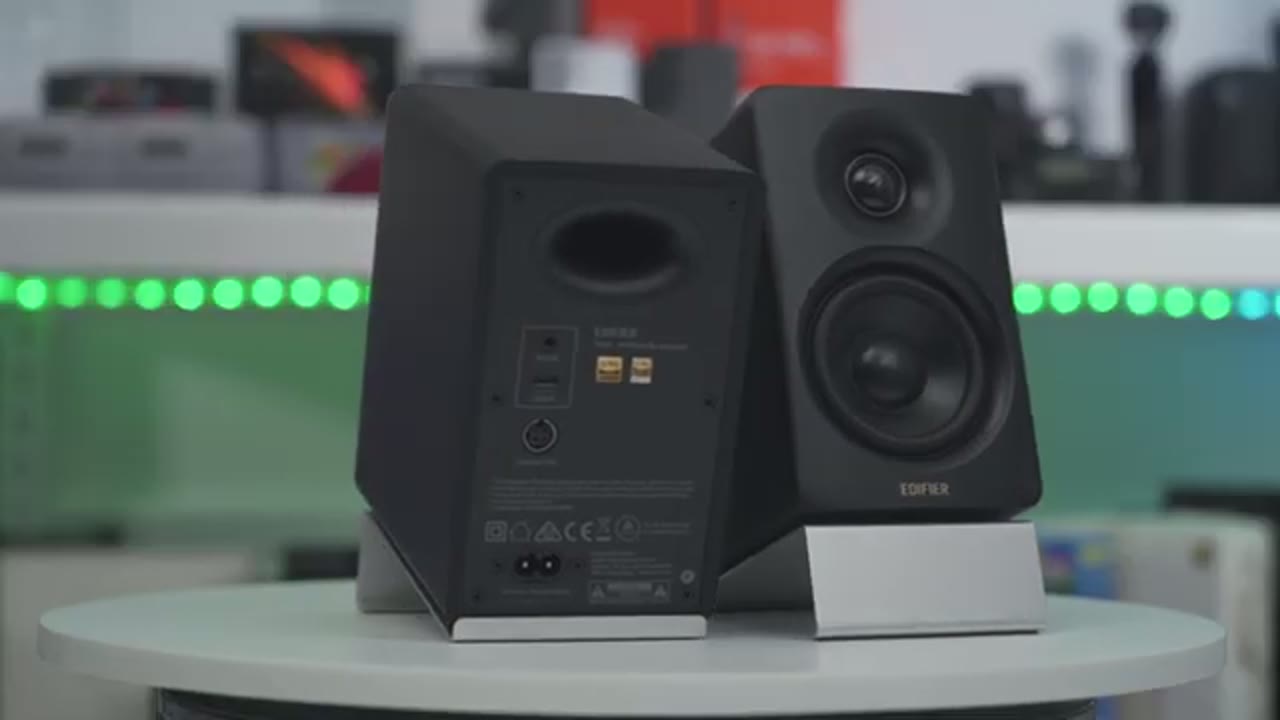
be mindful of. Now when I think of an alternative to the Mundraap MM3s based on what I’ve reviewed previously the Edifier M60s come to mind first because those are also compact speakers they also have a total of 66 watts output, same as the Mundraap MM3s and they’re also under 200 US same as these as well. Now in terms of sound I found that the M60 has more pronounced and punchy base along with lively or tuning out of the box that I personally find more enjoyable for listening to music. Now I’m not saying that the MM3s don’t sound as good because you can spend a lot of time finding these especially with the parametric EQ settings to really get them close to how you want but I don’t feel it’s ever going to match that kind of punch of the M60s.
But at the same time these also have their own advantages so you also have two additional port selections that you don’t have on the M60 so you have optical and SPDIF and the amount of tuning you could do on here is way more than you would find in the Edifier app. So I’d say go with the MM3 if you prefer a more neutral monitor oriented presentation with plenty of flexibility that customizes sound and go with the M60 if you prefer a punchy or base response and a lively or sound signature straight out of the box.
Recommended?
So what I recommend the Mundraap MM3a desktop speakers. Well if you’re looking for a compact speakers with powerful output at 66W solid sound and actual decent base the Mundraap MM3 is a great value at around 170 US for what they offer. I really like that they include these sponge foam risers the design is really unique compared to a lot of other speakers and you have a ton of input options as well plus the ability to really find two these with the EQs and parametric EQs. So if you have a smaller desktop setup but you don’t want to compromise on sound the Mundraap MM3s or some of the best compact speakers you can get right now and if you’re interested in picking up your own I’ll leave links down below and if I have any type of coupon codes I’ll leave those down below as well.
I’ll also leave my speaker review playlist linked up here if you’re interested in checking out my review of the Edifier M60 and if you enjoyed this video please consider liking and subscribing it truly helps me out quite a bit and while you’re at it you could have in consider joining as a member to get early access to videos and other perks. I’ll also review a bunch of tech outside of speakers so maybe you’ll find some of those videos interesting and I really hope you’ll join me in my next video soon.
Please note that some of the links in my video descriptions are affiliate links where I earn from qualifying purchases. As an Amazon Associate I earn from qualifying purchases.