




Please note that some of the links in my video descriptions are affiliate links where I earn from qualifying purchases. As an Amazon Associate I earn from qualifying purchases.
Intro

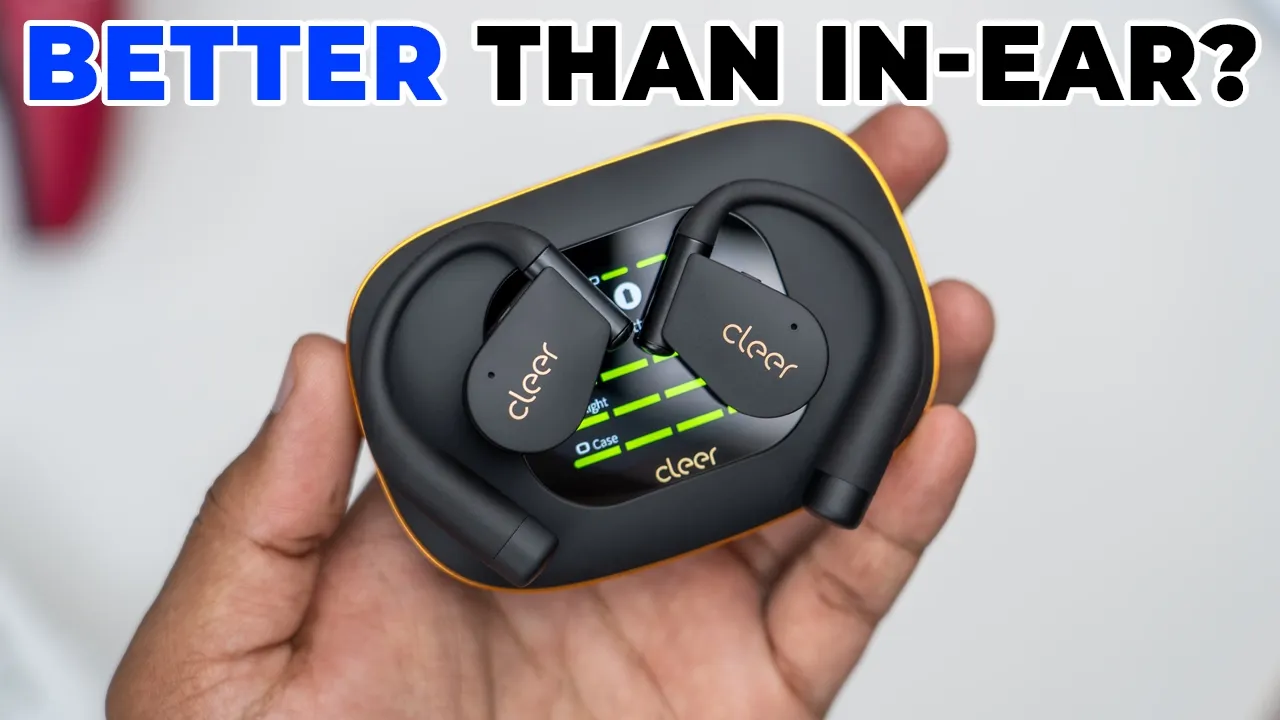
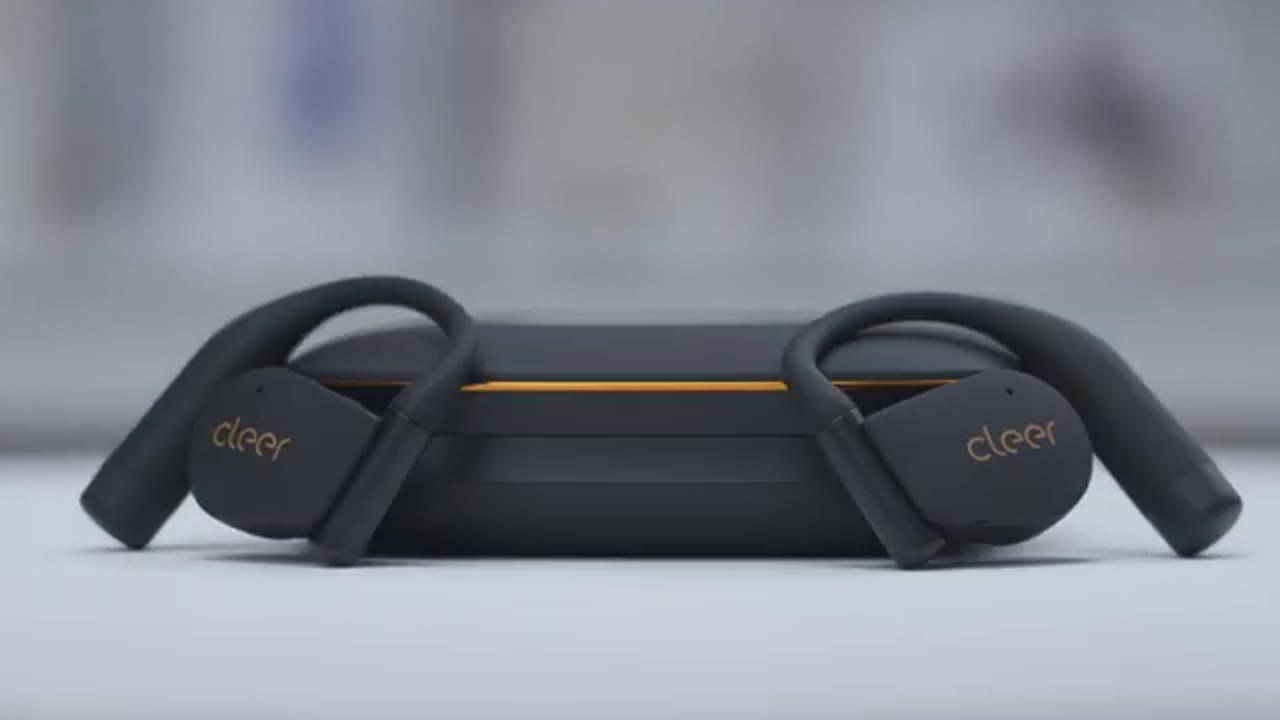
If you’re looking for the most full-featured pair of open-ear earbuds out there right now, you have to check out the Cleer Arc 5 open-ear earbuds. They have massive 16.2 mm dynamic drivers, THX certified spatial audio, Dolby Atmos support, Snapdragon Sound with aptX codec, LDAC, and Bluetooth LE audio. There’s a charging case with an AMOLED touchscreen for quick setting access. You can also set custom wallpapers. There’s UVC sterilization and even a mirror. In addition to the screen controls, you can also use touch controls, voice controls, and even head gesture controls. There’s up to 12 hours of battery life, and if you include the case, that jumps up to 60 hours. There’s quick charge support, an IPX7 rating, and even a physical button to use these without the charging case.
But, how good do they actually sound? And is it worth the upgrade from the Cleer Arc 3 or the Cleer Arc 4 Plus? Well, let’s take a closer look, and a big thanks to Cleer for sending these out for review. In the
Package Contents

box, we have the Cleer Arc 5 charging case, the Cleer Arc 5 open-ear headphones, USB A to type-C charging cable, and manual. The Cleer Arc 5 comes
Design

in at around 11.2 g, which is a little bit lighter than the Cleer Arc 3 model. Now, on the front, we have the Cleer logo, and this also doubles as the touch control area. There’s also an LED indicator light, and it’s made of this skin-friendly silicone material, that feels really nice. There’s a microphone port, along with a massive 16.2 mm dynamic driver housed behind the large speaker grill. And we also have metallic charging contacts. On the very top, we actually have a power button, that’s going to allow us to use this without the charging case, which is so convenient. There’s also an IPX7 rating for light rain and sweat. The Cleer Arc
Case Design

5 charging case comes in at around 89 g, which is significantly lighter than the previous Cleer Arc 3 case, coming in at around 109 g. On the front, we have a beautiful-looking OLED screen, with great contrast ratios. We also have the Cleer logo, and there’s this silver type of lip that goes all the way around. It plays really nice with the light. Just really premium-looking and feeling. On the side, we have this kind of recessed area in the front, that makes it easy to just open the case up, giving you access to the Cleer Arc 5s. There’s also a mirror, as well, which comes in handy. And there’s a reset button there, as well. On the rear, we have a USB-C charging port. Taking the Arc 5s out and putting them back into the case is extremely easy. There’s a ton of room all the way throughout.
And we have those metallic charging contacts, as well, along with the UV sterilization light. Note that the magnetic hole is not strong enough to keep the Arc 5s in there, if you were to hold this upside down. Here’s a quick look at the specs.
Specs
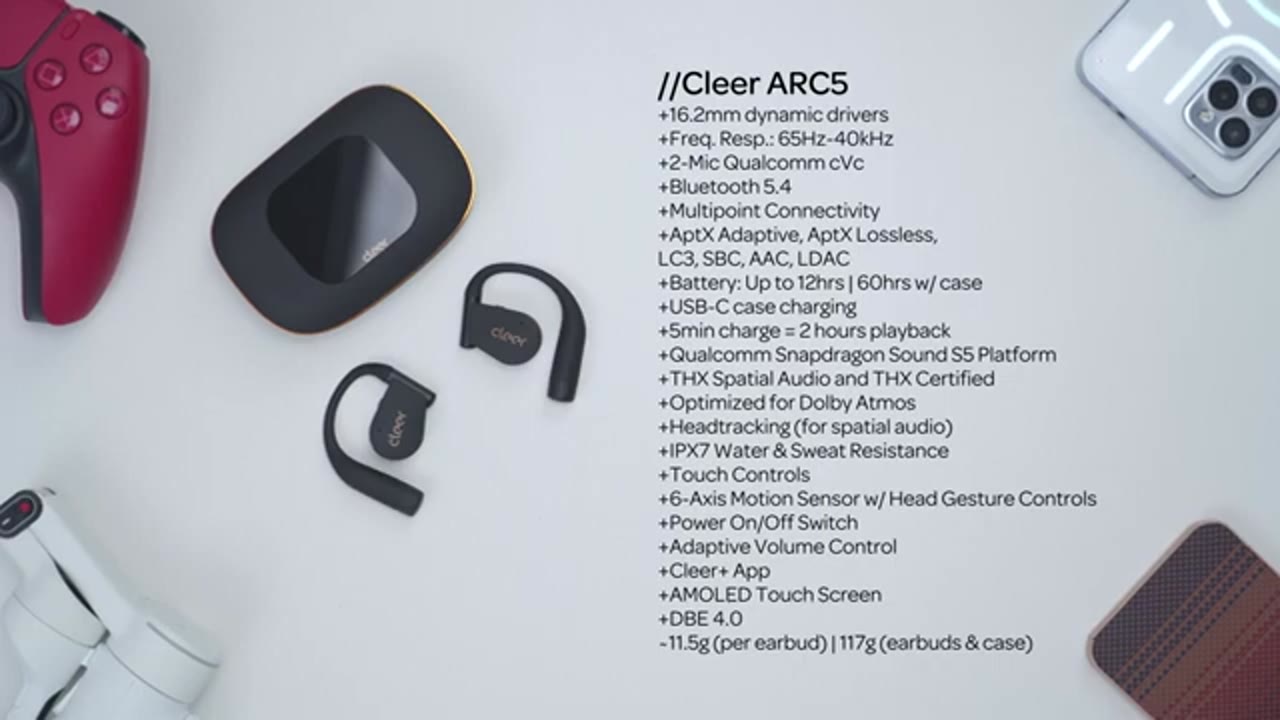
Feel free to pause and review, or jump ahead to the next section. To pair the
Bluetooth Pairing
Cleer Arc 5s, I’ll open the case up, and then hit scan in my Bluetooth settings. And I’ll just wait for it to pop up right there, Cleer Arc 5. Hit pair, and then I’ll just scroll to the top, and I can see it’s now paired for calls and audio. And I’ll repeat the process on my Z Fold 7, since we do have multipoint
Multipoint Demo
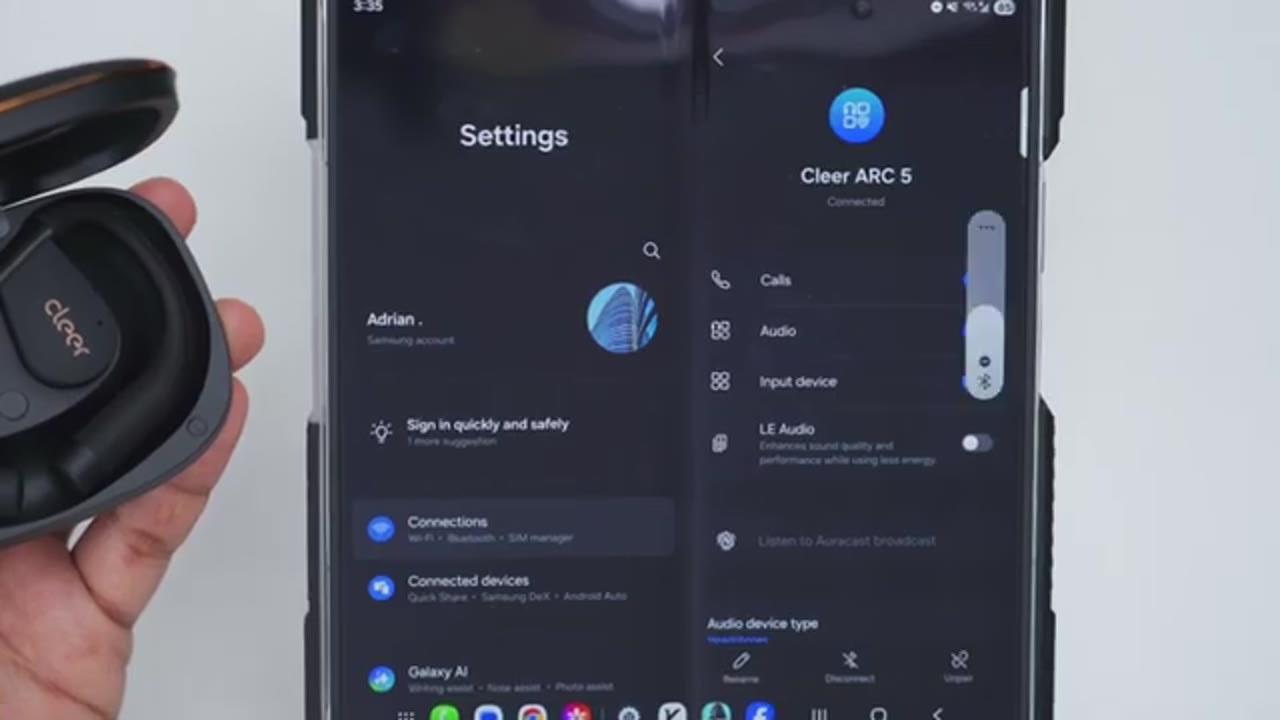
support.
Cleer App Settings

Let’s take a look at the Cleer Plus app settings. So, as soon as you open it up, you can see the battery life for the right and left earbuds at the same time. You can also quick toggle spatial audio on, along with setting it to music or movie mode, and enabling head tracking, as well. And you can also go ahead and switch from Dolby Atmos to THX support. Note it mentions that you should enable Dolby Atmos on your phone, if you want to take full advantage. If you prefer to use the EQs on here, simply disable spatial audio, and you can cycle through all of the various EQs, along with setting your own custom EQ, as well. You can enable automatic volume control, but if we go to the next tab, you can enable call control and music control. So, you can actually nod your head or use head gestures.
Now, under touchpad controls, you have touchpads for the left and right earbud, additionally. And then you can do a single tap control, double tap control, triple tap, hold, double tap and hold. You can also enable voice control. So, these are the various commands. On the next tab, you can actually check your cervical spine health status, while you’re wearing the Arc 5s. You can enable hearing care to limit the max volume, and you can set a sedentary reminder, and how often you’d like those alerts. You can also set up to eight custom type of wallpapers, which is really handy. You can update the firmware on the case, and under feature management, you can enable which settings you’ll have access to on the case. On the next tab, you can look at the user manual or FAQ.
You can update the firmware on the Arc 5s, along with setting the auto power off from never all the way up to 60 minutes. The voice prompt language can be set to English or Chinese. You can do a factory reset, enable LDAC, and you can also take a
Touch Controls
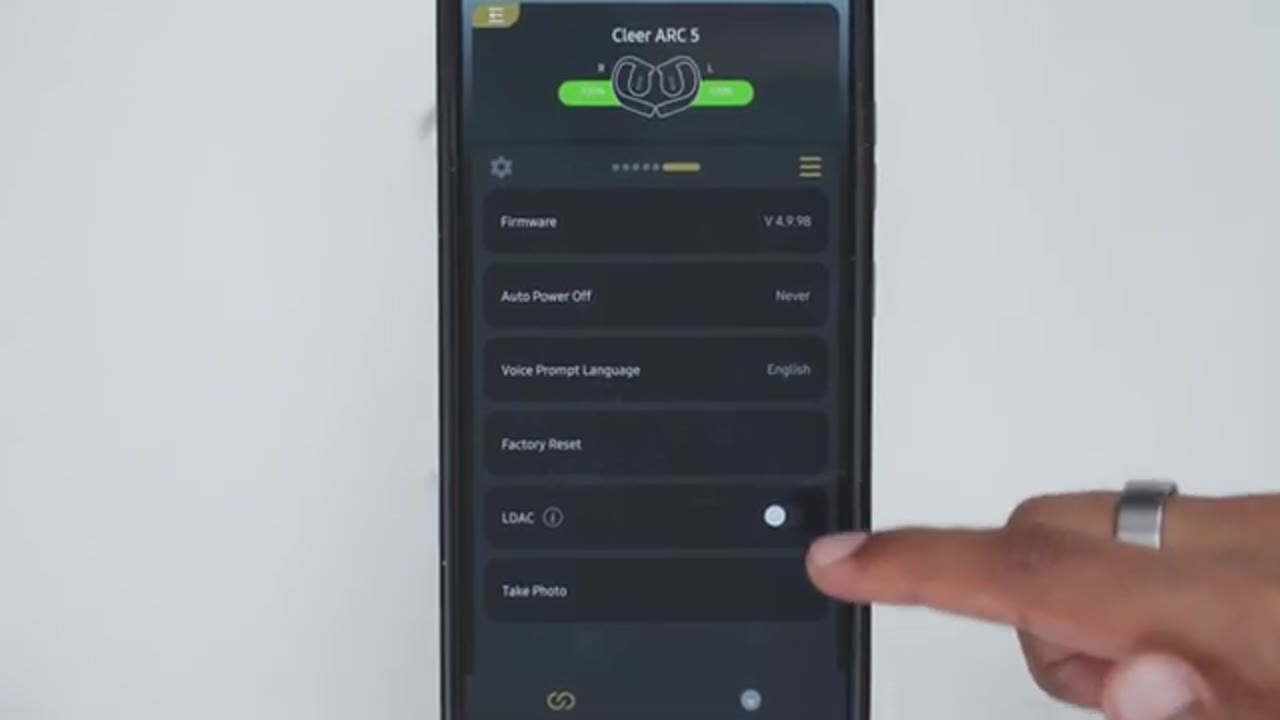
photo. Touch controls are extremely responsive, so a single tap on either earbud will pause or resume music playback. You can also do a double tap to jump ahead to the next track, and then do a double tap to jump back to the previous track. A double tap and hold will increase volume, and you can just hold that down to keep increasing it. And a double tap and hold on the other earbud will decrease volume. You can program a long press to turn on spatial audio, and once you’re in spatial audio, you can also do a long press to take you out of that mode. Looking at the
Case Touch Screen Controls

touchscreen controls on the charging case, so we have this beautiful OLED screen. Big improvement from the Cleer Arc 3. Now, you can see the battery life for the earbuds, along with the case. And I also set my own custom wallpaper. But, if I swipe up, that’s going to give me full access to the settings. So, I have the equalizer, and I can actually cycle through the various equalizers, without having to jump into the Cleer Plus app. Super handy. Now, if I swipe up, I can actually see the battery life for everything in more detail. And I can actually take a photo using the uh case right here. I can also jump ahead, go back to the previous track, pause and resume music playback. I can actually turn on uh Dolby Atmos right from here, again, without going into the Cleer app.
And I can switch it from music mode to movie mode, and also turn on head tracking, as well. If I swipe up, I can take a look at the system settings. So, I can set the screen timeout from 10 seconds to 45 seconds, or anywhere in between. And I can do a restart on the case, shut it down, do a factory reset. The languages seem to be Chinese, English, and French. Nothing else. Swiping over, I can take a look at the firmware version. I can pair both of the earbuds, if I need to do that again. And I can play a tone to find the right or left earbud. I can also change the screen brightness to be, you know, kind of very dim, if I’m using these at night, or crank the brightness, as well. And I can actually set custom wallpapers. So, these are what I’ve uploaded.
And there’s also some preset wallpapers, as well. And you can turn on ear protection, as well. In terms of
Sound

sound, these are packing serious specs, similar to the Cleer Arc 4 Plus. So, we have 16.2 mm dynamic drivers, which are massive. There’s their DBE, or dynamic bass enhancement 4.0. There’s Dolby Atmos support. These are THX certified. We have Bluetooth LE. We have LDAC. We have Snapdragon Sound, and aptX codec. For the best possible sound, at least to my ears, I made sure I had Bluetooth LE turned on. I also had spatial audio turned on, with the Dolby Atmos mode on. I then went into my phone settings. I turned Dolby Atmos on in there, as well. And I put it to the music equalizer. If you’re using a phone that doesn’t have Dolby Atmos support, and you don’t have a Bluetooth LE, make sure you enable LDAC, and use the rock equalizer. That also sounded fantastic on these.
Starting with bass, so bass was actually present. It had a nice punch and smooth sub-bass, considering these are open-ear, thanks to their DBE 4.0 tech. Bass also had pretty quick attack, and decayed cleanly, so it didn’t bleed into the mids. Vocals came through with good clarity, and were well-defined, without any type of harshness or sibilance, but they didn’t sit fully forward in the mix, when using the music EQ in the Dolby Atmos settings. However, switching to the voice EQ really brought them forward, where they were prominent, and really came alive. Highs were also clear and detailed, without harshness or sibilance, with clean instrument separation, a nice sense of airiness.
There’s even a little bit of sparkle up top, and the sound stage feels wider than expected, especially with jazz tracks. Overall, just fantastic [music] sound for open-ear earbuds. And these actually rival some in-ear earbuds, which I know is a crazy statement to make, but they sound that good with the Dolby Atmos support and Bluetooth LE. These are basically the gold standard for open-ear earbuds, for me. So, if you’ve been on the fence about open-ear earbuds, you don’t think they’re going to sound that good, or they’re compromising in sound in some way, give your ears a treat. Check out the Cleer Arc 5s. I don’t think you’re going to be disappointed. Here’s an example of what
Microphone
microphone audio sounds like from the Cleer Arc 5. I’m in a very quiet room, with little to no ambient noise. I’m outside. It’s an extremely windy day. Tons of background noise. A lot of bikes, cars passing by. And this is how well the microphones are handling all of that background ambient sound.
Gaming

And there was barely any audio delay or latency, using the Bluetooth LE codec. I was easily able to dominate in Call of
Head Gesture Controls

Duty Mobile. The head gesture controls are also extremely responsive, when changing tracks. So, you can do a right or left head nod, to go to the previous
Voice Controls

or next track. Pause music. Play music. Volume up. Volume down. Volume down. Next song. Previous song. So, the voice controls are extremely responsive. Plus, you can use the touch controls on here, head gesture controls, or even the touchscreen controls on the
Battery

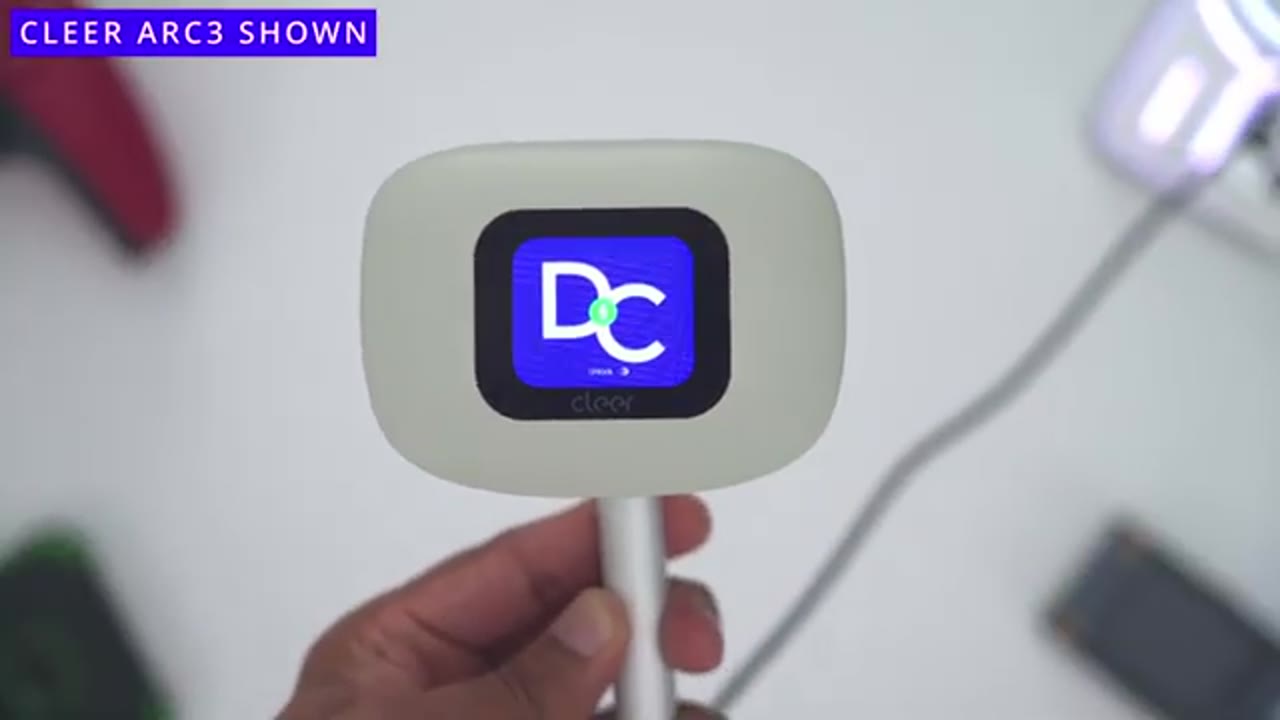
case. In terms of battery life, these are rated for up to an impressive 12 hours of battery life, or 60 hours total, if you factor in the charging case. That’s mostly going to come down to, you know, the volume level that you’re listening to these at. Whenever they do go down, a quick 5-minute charge is going to give you up to 2 hours of playtime. Note that when you recharge the battery case, you’ll have to use a USB-C cable, unlike the Cleer Arc 3, which could use USB-C cable and wireless
Comfort
charging. The Arc 5s are also extremely comfortable, thanks to the skin-friendly silicone material. They also sit nicely in my ears. Just good fitment, overall. And I actually find these to be a little bit more comfortable than the Cleer Arc 3s, which are already very comfortable.
ARC5 vs ARC3

If you’re trying to decide whether you should upgrade from the Cleer Arc 3 to the Cleer Arc 5, well, the Cleer Arc 3 still has a lot going for it, but the sound is definitely enhanced or better on the Cleer Arc 5s. It just sounds a little bit fuller with slightly elevated bass and treble for a just more engaging and energetic sound. So, if you love the sound on your Clear Arc 3, it’s not enough of a reason to upgrade to the Clear Arc 5 until you look at the other features. So, the case on the Arc 5 is much smaller, narrower, and it’s also way more lightweight. You also have a new screen on here, so the AMOLED screen looks way better. It’s way more responsive to touch controls than on the Clear Arc 3. And there’s also the addition of the physical power button on here.
It just makes it way easier to carry this without the case, and in that way it’s a much more appealing upgrade.
ARC5 vs ARC4 Plus

If you’re trying to decide between the Clear Arc 4 Plus and the Clear Arc 5, the gap is even narrower. So, when I listen to the Clear Arc 4 Plus, I actually found it to have more clarity in the mids and highs than on the Arc 5, at least to my ears when I calibrated all the settings. So, I’d say go with the Clear Arc 4 Plus if you’re going to listen to a lot of vocal prominent or instrumental heavy music, and go with the Clear Arc 5s for general all-around listening. Either way, you won’t go wrong with either of these. The sound is just fantastic. And of course, the case for the Clear Arc 4 Plus doesn’t have touchscreen controls. There’s no UVC sterilization and no built-in mirror, but it’s a more compact case at the same
Recommended?

time. So, if you want zero-compromise sound with all of the features, the Clear Arc 5s will not disappoint you. The massive 16.2 mm dynamic drivers pump out loud and energetic sound in high resolution with THX certified sound, Dolby Atmos support, LDAC, and Bluetooth LE codecs. Add in the full-featured charging case, and you get tons of battery life, quick charging, UVC sterilization, the ability to change EQs or tracks on the fly. Plus, you can use touch controls, head gestures, and voice control. The Clear Arc 5 open-ear earbuds pretty much have it all. So, if you’re interested in getting your very own, I’ll leave links down below, and if I have any type of coupon codes, I’ll leave those down below as well.
If you like this video, consider checking out this video next, and maybe even liking and subscribing. Outside of earbuds, I also review headphones, speakers, monitors, mics. Really something for everyone. I hope you’ll check those videos out, and I hope you’ll join me in my next video soon as well. Take care.
Please note that some of the links in my video descriptions are affiliate links where I earn from qualifying purchases. As an Amazon Associate I earn from qualifying purchases.