



Please note that some of the links in my video descriptions are affiliate links where I earn from qualifying purchases. As an Amazon Associate I earn from qualifying purchases.
Package Contents / Unbox

hey it’s adrian and today i’m taking a look at this long plus x87 wireless smart camera so this is a camera that you can install without wires and it has some pretty cool features such as ai detection and another thing that i haven’t seen with any other company yet is that they offer a seven day cloud plan without payment so you get that for free now before i get into the rest of the review long plus did send this to me for review but i’m gonna be sharing my uninfluenced thoughts in this review so with that in mind let’s get started in the package you get the
Package Contents

camera unit itself a charging cable for the camera a solar panel with a charging cable as well to permanently power the camera a quick start guide two adjustable plastic mounts the installation guides for those to drill into the wall mounting hardware and a reset key in terms of the specs so this
Specifications

is a 2k video resolution camera so the resolution is going to be 2560 by 1440p and it’s encoded in h.264 or h.265 the battery capacity is a 9 000 milliamp hour battery and the approximate field of view or viewing angle is 123 degrees it does support two-way audio and it has to be connected to a 2.4 gigahertz wi-fi network it is ip65 weather resistant against dust and water in terms of the dimension so it’s about four inches long two inches high and about 0.8 inches wide now in terms of the weight the camera unit by itself comes in around 0.84 pounds and the solar panel is about 0.5 pounds so all together it would be around 1.4
Design

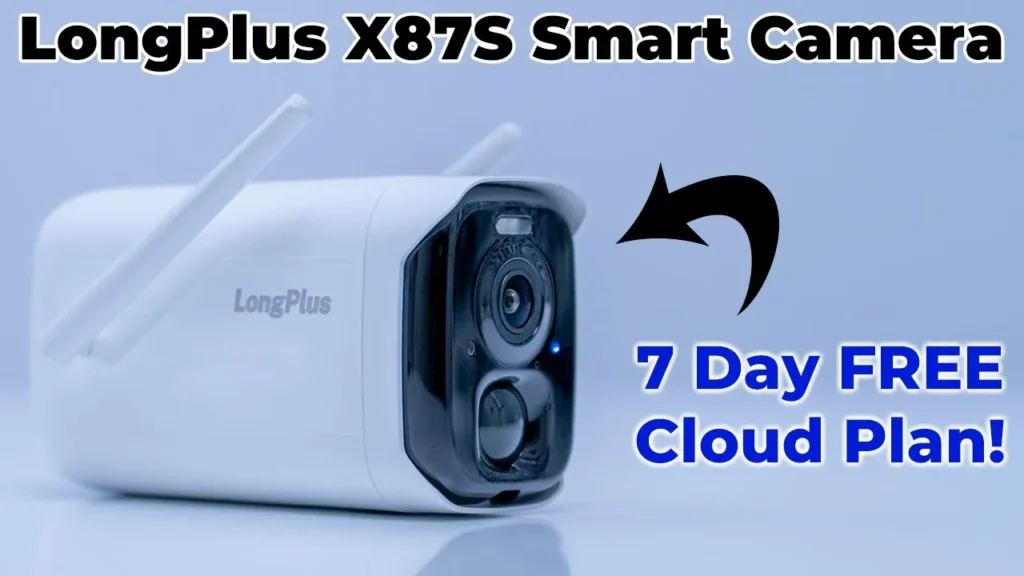
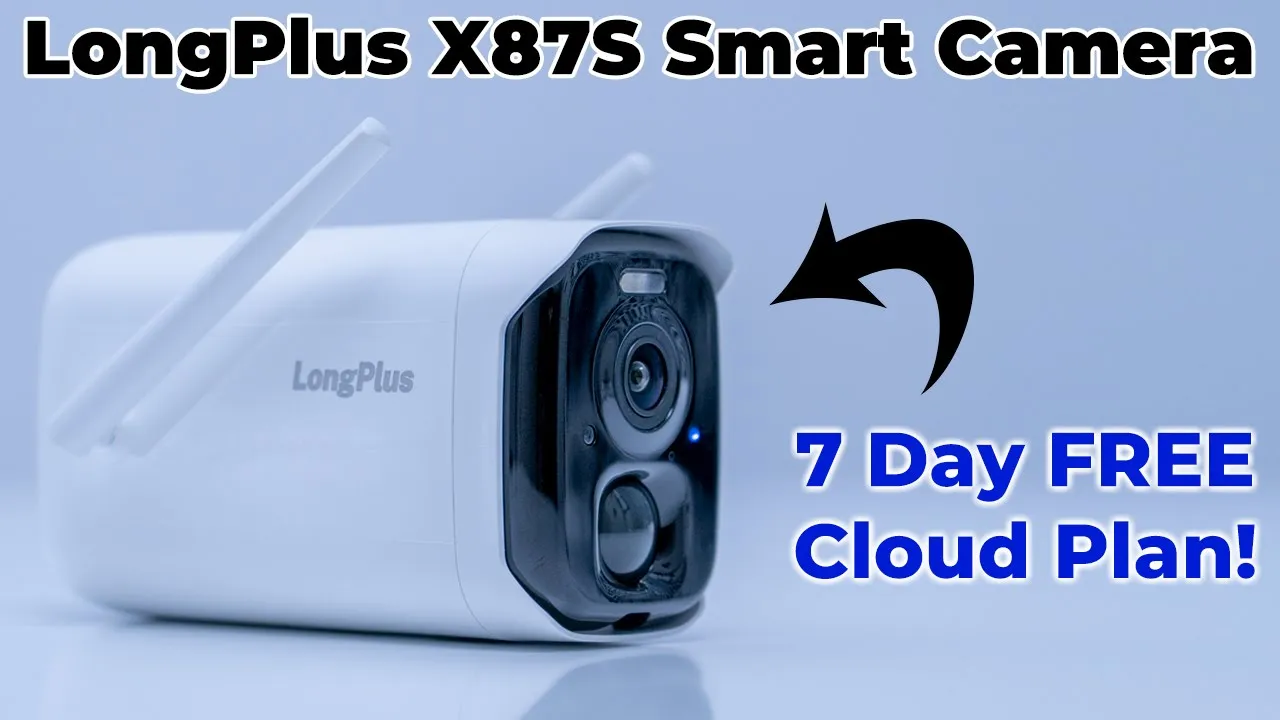
pounds taking a look at the design of the camera so i think it’s a really nice looking camera it looks pretty sleek and i actually do prefer white cameras because i wanted to stand out so that people know there’s a camera recording them but taking a look at the front so it has this nice black area to contrast really well but you do have the camera lens here motion sensor you have some led indicator lights and a small led flood light looking at the sides that’s where you would find the two antennas to adjust for wi-fi one thing i wanted to point out though is when i got this out of the package this antenna is very firm it stays into place it’s you know well tensioned or just good friction but on this antenna it’s very loose and kind of wobbly i know it’s not going to affect the performance but you know a gust of wind can definitely just move that out of place and hopefully you’re not going to have that issue on the back of the camera you’ll find the mounting hole there’s nothing on the top and then at the bottom you have another mounting hole there now this type of rubber here is meant to seal it to you know protect it from the elements so i’ve kind of pre-loosened it here you can see because it’s a bit of a pain when you don’t have long fingernails but if you just remove this first layer you have the micro usb charging port and then if you just yank that up you have full access to the control so on the left side there is the power button you have a reset hole and there’s a special tool for that and i’ve already gone ahead and inserted a micro sd card and according to the specs this supports a micro sd card up to 128 gigabytes which is what i have in there the design of the solar panel looks really nice too so it isn’t a perfect square it’s about six and a half inches by seven inches but you can see it’s quite thin and it doesn’t weigh too much coming in at around half of a pound now at the back you have a mounting hole and then that’s connected to this micro usb cable one thing i would have liked is if this was removable that way if this gets cut or damaged you know it wouldn’t render the entire solar panel obsolete but i guess this is due to weather sealing purposes in terms of the
App Setup

setup process it’s pretty straightforward if you’ve ever set up one of these wireless cameras but just to recap really quickly once you open up the bottom there you have access to the power button you just turn the camera on then you would download the app either from the play store or itunes store depending on the phone you have sign up for the app and then you would just click that you want to add the camera then it’ll prompt you to enter in your wi-fi credentials and remember you have to connect to your 2.4 gearhearts band not a 5 gigahertz pen these only work on a 2.4 once you do that you’ll just scan the qr code with the cameras lens and then you’ll be in the app and you can set things up how you like
App Settings

so in terms of the app settings so once you have the app on your phone go ahead and launch into it and just a heads up guys i’m in the basement and i’m kind of far from the wi-fi so it might be a bit slower than normal but just keep that in mind so on the main screen here if you’re going to add more than one camera you can see you can change the layout tera so you can have multiple cameras i only have the one camera so i’m going to go back to this mode but just really quickly at a glance you can see there’s a messages area at the top here you can see the battery level the camera status if it’s online or not and then you have some quick settings at the bottom here message gallery cloud and setting at the very bottom here you have an option to see the full message center and these can be sorted by date now the second tab is where you’ll pick the cloud plan now you can see here i have a 30-day trial and that’s for the 30-day plan with four gigabytes of storage but i’ll get into that later now the very last tab is where you would find your account settings so you could sub the language and you know message alerts and things like that now that we’re back on the home screen let’s take a look at the camera settings so i’m going to go ahead and pull up the live view and it takes a couple of seconds i am far from the wi-fi so keep that in mind but now we have the live view up and i just want to demonstrate the delay in terms of motion and what’s shown on the phone so you can see it’s a pretty low amount of delay i would say maybe about half a second if i have to guess and that’s quite good because on other systems like the blink system the delay is much more pronounced but let’s take a look at these quick options here so i do have an option to take a quick snapshot say i was looking at live view and i saw something interesting that works well i can also go ahead and click and i can just record whatever’s on the live view stop the recording and then i can just play that on the app of my choice that i have installed on the phone let’s get out of that now i’m gonna test the audio feature because you can do two-way audio but i’m gonna do it very quickly so to prevent a audio feedback loop but let’s take a look at that so you can see so you can hear it was picking up my audio on the camera playing it back through the phone and then you know it would just keep looping if i didn’t stop that now you do have an option here to change the resolution and both resolutions are really sharp and work well so taking a look at these bottom options here so there’s an option here called white light and you can see if i turn that on a little light comes on right there and i’m just going to turn that off and what this is supposed to do is anytime you record night vision on these cameras it’s going to record in black and white and the white light is supposed to illuminate the surroundings enough so that you can actually see in color and not black and white i highly doubt that because it is such a weak light but we’re gonna test that and i’ll let you know how it goes now at the bottom there’s also a screen flip so you can go ahead and flip the screen depending on how you mounted it but it’s only a horizontal flip sorry a vertical not a horizontal flip now there is an alarm feature here it’s quite loud i’m gonna do it very quickly and i’ll probably have to cut the video because there’s a bit of a delay arming it and disarming it but here it goes so you heard the alarm is quite loud now what i’m going to do is i’m going to test this call feature and this is for the two-way audio again i’m going to have to cut the recording short because it’s just going to be crazy audio feedback loops but here it goes hello so you can hear the sound was playing through the camera and then also through the phone so that’s how you have the two-way audio now i’ll just show you you can go ahead and click that full screen and you can see the quality is you know really good on there and if i just put my hand there um i have a remote here i’ll just put that in front of the camera and you can see that’s pretty detailed you can probably make out the text i’m not sure how clear it isn’t you know a close-up camera it’s more for a wide angle but that’s what that would look like okay so let’s take a look at the other option so you can also share the camera so if you go into camera sharing it’s gonna generate a qr code with a sets expiry time and the person you’re sharing with they’ll have to download the app of course to do that but let’s go into the full settings now so if i go into here you can see it shows the remaining battery life so it’s 99 wi-fi strength medium and the camera is online let’s go into motion detection so motion detection you can see i’ve turned on and the sensitivity is normal high or weak you also have a cool down time which would be kind of like a re-trigger time and then you can also set the duration so 10 seconds 15 seconds 20 seconds or you could leave it on auto and it’s gonna do a maximum recording time of three minutes depending on you know what it sees and now you can also set the resolution here so i have everything set to kind of the you know the maximum now going into ai analysis this is a really cool feature because the camera will actually look at the scene and determine if there’s a person a pet a vehicle or a package however this feature is only available if you sign up for one of their paid cloud plans they do give you a free cloud plan which is 70 days with one gigabyte of you know continuous recording so it’ll just overwrite every seven days or every one gigabyte but this feature will not be available but when you want to drill down a bit more you can go into the notification settings you can see i have notification on and you have this option for merge push and what it is is it’s just gonna wait a while to see if there’s a bunch of video clips kind of similar and then send you one notification versus individual events every time i’ll go ahead turn that off for now but you can see here for the smart push or multi-choice you have options so you can choose to get alerts when you it’s a person a pet a vehicle is approaching is parked is leaving you know a package is delivered um maybe the package was taken away so you can kind of customize that for what you like and if you have people walking pets you know in front of your house all the time you may not want that and you know i could just disable it like that let’s take a look at the activity zone so you may live in an area where you need to block out your neighbors driver or property for their privacy so to do that you can just go ahead add and you can just kind of move this around or change the size just okay it and then only whatever is in that area is going to be recorded there’s also an option here called sleep settings and when it’s enabled you can see that motion detection intercom alarm are going to be suspended so this would be a handy feature if you’re out in the front you know in front of the camera mowing the lawn or your kids are playing and you don’t want notifications going off all the time you can just go ahead and enable that now there is also an option here to schedule sleep so you can go ahead enable that go into the schedule setting add a sleep plan and you can see you can set dates and times for when you want those to take effect there is an option here for sd card video and you can view the video clips on the sd card i’m going to cover that later but there’s an option here to update the firmware i am on the most recent version and there’s an option here for sd card management you can see i have about 128 gigs on here and i’m using 0.3 now i did pop this into the computer and the video files range from you know as low as 2 megabytes to as much as 22 megabytes depending on the length of the clip recorded but on average i would say the clips are about six to eight megabytes so you can get away with a card you know as low as say four gigs or eight gigs ideally i think you know 16 or 32 would be best but you can go pretty low if you have something lying around now you also have an option here for lighting setting and you can have an indicator light shown on the front of the camera i have that on i want people to see that at night you also have a flashlight alarm so it’s just going to flash when motion is detected i have that off for now because i think i’d get complaints if i had that on you also have the option for night vision um you can pick infrared road sorry infrared mode or white light mode and i did go through that before i have it on infrared because i don’t have a lot of faith in this white light mode and then obviously you can set the light sensitivity in the advanced settings you can set some anti-flicker settings here i just have it on and set the 60 and then there’s also an installation area here to show you how to install it taking a look at the video files so right now we’re on the operate tab let’s go over to cloud and you can see i have an option to scroll through these clips here and i can change the date that i want to take a look at so right now i’m on the 30-day free trial and when that’s finished i’m gonna be on a seven-day free trial so i’ll have a seven-day loop at one gigabyte and then it’s just going to keep overriding now one thing to pay attention is as you’re going through these video files some of them have a icon so these have a person that’s because it detected my hand that’s the ai functionality working here now you can see on this one it detected a dog but there’s no dog here and i think the reason is is that you know there’s not enough of the scene to work with definitely if you had a full human body right now we’re just working with my hand um it’s having a problem there so hopefully that’s something that’s improved over time now you can also change the playback speed but it’s only 1x or 2x i would have liked to see you know more options like a 4x8x for example and then of course you can just view these files in a full screen format the next tab we can look at is card video and these are going to be the files that are on the sd card that is stored in the camera so i’m going to give it a while to pull that up and this is a bit more finicky to use i would say but you know similar to the other one you can just go ahead pick the date you’re looking for and you can also expand the timeline or you know uh shrink it down but you know you can go ahead and scroll to a video clip so let me go there and like i said it’s a bit finicky it’s not exactly accurate it doesn’t snap to and i wish it did snap to a bit better than it does but you can expand the timeline and i’ll go to this video clip here and it starts playing works okay enough and you have the other options like taking a snapshot saving video or viewing it
Cloud Plans

full screen so let’s take a look at the cloud storage plans and what you get so in the cloud tab i’ll go ahead in here and you can see there’s three different versions here so there’s a basic version which is 15 days of loop storage and 2 gigabytes of cloud storage and that starts at 3 us a month and then you have plans for each season or quarter and then annually the premium version it starts with 30 days of loop storage four gigabytes of cloud storage and then you have pricing plans for monthly seasonally or quarterly and then annually and then there’s a professional version which is 60 days of loop storage and eight gigabytes of storage and again same type of pricing and it’s always in us so you can see right here i have the trial plan and that gives me 30 days of loop storage and 4 gigabytes of cloud storage and when this plan is up i’m not going to renew it but by default when you make an account with longplus they’re going to give you seven days of loop storage and one gigabyte of cloud search and i think that’s really great because most of these wireless camera companies they don’t offer you anything for free in terms of cloud storage and that’s a pretty big selling point for me and the reason why i would recommend the system even though the app is so finicky to use and i experience frequent disconnects but one thing i do need to point out is that with any of these paid plans you have that ai detection feature where you know the ai is going to not analyze the scene and determine if you know a package was stolen a car is coming it’s a pet it’s a human with the seven day plan that you don’t get any of that so you’re only gonna get the seven days of loop storage and the one gigabyte of cloud storage no ai analysis
Installed

i have the camera installed i have it upside down but it’s flipped in the app and the wire is running to the solar panel just up there not the cleanest install i may change it again later but i’m just gonna test it and see how well it works
AI Performance

in terms of the ai performance so i tried to simulate getting a package delivered by pulling up in my car throwing out the package and then coming back and picking up the package later and i was trying to see if i could trigger it to show that the package was delivered or taken and it didn’t do that it did show me motion alerts that you know a vehicle came was parked left and general motion alerts but it didn’t show me that the package was delivered or taken and in fact it incorrectly flagged the package as a pet so in terms of ai performance it works well for you know cars and general motion detection but it has a hard time analyzing you know pets or packages at least it was in my case
Camera Performance

so now that i’ve installed the camera outside i’m going to go back into the app just to show you just a real world example of what you can expect when you pull up live view before i just had it you know in the basement so let me just pop that up i’ll put it wide screen and you can see it’s a pretty wild field of view pretty wide field of view sorry at around 124 degrees so i can see the beginning of my sidewalk here i’m on a corner a lot and almost to the end where my fence is it’s pretty pretty decent view now where i have it mounted there’s trees in the front if i was able to mount it further back on my brick wall i would have an even wider field of view but since it is brick i didn’t want to install it it would be a pretty time consuming process and then once you’re here you know you could uh zoom in or zoom out as you like taking a look at the messages that i’m getting so if i go into more you can see that all of these messages they’re kind of tagged with a description so vehicle description motion detection and if you scroll down more i’m sure i’ll receive other ones so there we go humanoid detection um and there’s some with pets and things like that and that’s the ai analyzing the scene and letting you know just you know really quickly at a glance what you can expect to see when you pull up that video clip now i did test it by parking my car in front of the house dropping off a package leaving and then coming back and picking up the package because the ai according to the system let me go into the settings here the ai is supposed to be able to detect so you can see here pets packages vehicles persons and not only that i do have the option here to alert me when a vehicle is approaching parked leaving or when a package seems to be delivered is delivered or taken away and i’m gonna play that test for you right now so you can see i did try this two times and the first time it did detect that it was a pet even though it was a box the second time it didn’t even tag that the package was delivered or removed and it could be due to the length of time i’ve like i had set it to only a 10 second clip maybe if it was recording for longer it would have realized that or maybe needs a certain amount of time to determine okay a package is there and then it’s gone but i’m still gonna fault it um because if you decide to keep it at 10 seconds and preserve battery life it should still work you know properly at 10 seconds so what i would say is you know for persons and vehicles it seems quite accurate however for pets and packages not really and you can see while i’m talking there’s notifications popping up here and if i pull those down you can see motion was detected um a vehicle leaving so i set it up to just you know send me a notification every time it gets an order there’s this option here called merge push and if you enable that instead of it sending you you know alerts every time some things happens it’s going to try to group successive videos and just send you one alert if it’s kind of like in a group or related but for testing purposes i’ve taken that option off now one thing that i was really impressed with that i didn’t expect to be impressed with was the night vision quality so you can see right now this is the default the infrared and if i just do that wide screen you can see um it’s pretty pretty good quality i can see there’s a car parked there can’t really make out the license plate but i can see there’s a car part there easily now one thing that i was a bit um worried about i would say or just not sure how it would work is the option in the night vision to turn on white light mode and that’s supposed to try to preserve the original colors of the scene and i’m just going to show you what that looks like so if i enable that actually let me go to this one here so let me make that wide screen and you can see that does an actually pretty good job i could see the green on the grass this is a silver colored uh honda so it actually works pretty well and what i thought was that the led light on the camera was hoping to illuminate the scene enough to give that true color that is not the case because the light is quite weak however i’m still seeing um you know the real colors are pretty close to that now that white light it does help it could stay on during the night just so that you know if it was in a closer area it would illuminate something or say you had it in a room it would illuminate that room because you can use this indoor and outdoor but for night vision purposes um this works really great either black and white or the infrared or this uh white light mode in terms of battery life it’s gonna take
Battery Life

me a bit more time to really figure out what the battery life is on this right now for the past two to three weeks i’ve been heavily testing it playing with a ton of features lighting alarms so i’ve just been draining the battery testing it now one thing that i know is accelerating the battery life on this phone sorry on the camera is that in front of where i have the camera place there’s a tree and the branches are always coming into camera view and it’s triggering motion detections and i don’t have a cool down time or re-trigger time so it’s constantly recording those motion detections as well i’ve set the duration to auto which is a three minute long clip and that’s not necessary because every time it detects motion it can record three minutes instead i can have a 10 15 or 20 seconds so i’m sure with with a bunch of these optimizations you know my battery life is going to improve
Potential Deal Breakers

now in terms of overall app usage this is the one area where it could be a potential deal breaker i think because while the app is full featured there’s a lot of options to pick from here there’s two main issues that i’ve noticed and one is that when i’m making certain changes on the app for the camera sometimes there’s kind of a disconnect and it’s kind of like when you make a change to your modem or router and the motor my router has to reboot to make those changes take effect that’s kind of what i feel is going on here because sometimes i’ll make a change here and then the app will just freeze and then it’ll come back online and i think that’s like it’s syncing back up with the camera so you can see here i went into options jump back out and it’s gonna try to load that feed again now if i was gonna do the screen flip you can see that that works pretty fine i can enable the white light obviously we’re not going to see that because it’s daytime and i can turn that back off and you see everything is quite responsive but there are those odd times where when i’m playing around with these features the app will kind of freeze and then i have to go back i either have to wait or i have to go back and you can see i’ll have to pull down kind of refresh things to establish that connection and then go back into it but you can see it’s pretty quick now it’s a potential deal breaker and the reason why i’m saying that is once you have a lot of these settings dialed in or where you want them you’re not going to be playing around with this after obviously i’m playing around with them a lot because i’m reviewing this unit but once i have them kind of where i want them i’m not going to be in here much but it is something to keep in mind that you know you can have some kind of uh disconnects or freezes with the app the second issue that i have with the app is that whenever i get a notification up here i’ll click the notification i’ll be launched into the app and it’ll take me to this messages area most of the time but once i’m in here i kind of usually have to refresh this and you can see a new message notification just popped up there now as soon as i got an alert right so let’s let’s test this out i have an alert here i’m going to click that alert and see what happens so it’s going to load up the app and ideally it should take me directly to that video clip that’s associated with the alert but it doesn’t it takes me to the screen i have to go into more and i have to click on the video now sometimes i have to actually pull down to refresh it because there may be a newer video than this it doesn’t always show me the most recent but if i click into here here’s the second issue this is as big as i can view this video file there’s no option here to make it widescreen and i can’t force it the only thing i can do is kind of double click to zoom in otherwise you know this is what i’m stuck with so to actually view this clip um you know in full screen i now have to go into the camera sorry that’s not the area i have to go into the camera and i either have to go into cloud or card video to view that video file so this would be the video file in question and from here you know i can go ahead and make it wide screen as i like however you know i think that type of functionality should already be in the messages area so can i recommend the
Recommended?

long plus x87 camera system and that answer is going to be kind of yes and no yes to the fact that the hardware is great you know it’s powerful the image quality is good during the day image quality is great at night and then you have the option of infrared or white light mode and you know there’s re i really have no no problems there it’s a decent field of view all of that stuff is great however it’s just the the software the app that you know kind of prevents me from giving it you know a green light because while it works for you know most of the time every once in a while you’ll have a hiccup and i have experience hiccups with other systems but it just seems a bit more frequent on this system but you know once you get the settings dialed in maybe it’s not going to be that much of an issue for you because you’re not always going to be in here but then there’s also the usability stuff right like when you get this notification like i just did now you can see it says 17 18 but if i pull down we can see it’s 1725 that that came in and i had to pull that down to get to this video file i shouldn’t have to do that so you know if things like that are going to bother you this is not the system for you if you could live with those you know minor inconveniences or frustrations then it’s still a good camera system one other thing that this has going for it is that they do offer you a seven day free cloud plan if you don’t go with any of their plans so the seven day free cloud plan will overwrite the video every seven days or every one gigabyte of storage whichever comes first so the only thing you’re not getting with that is you’re not gonna get the ai feature so no pet detection um you know car humanoid detection but maybe that’s not a big issue for you anyway and i still recommend always putting in an sd card in these type of systems even though you’ll have that cloud you know it’s probably a good idea to have the sd card as a backup all right guys so i hope you found this video helpful as always you know if you have any questions leave them down in the comments down below i really do my best to reply to everyone who leaves a question or a comment and if this doesn’t seem to be the system for you or if you’re looking for a video doorbell system versus a you know more of this wall mounted security system check out my other two videos i did review the blink doorbell camera and the xu j7 plus which is what has replaced my blink doorbell camera on my front door so maybe you’ll find those videos helpful and as always if you found this video helpful please consider liking and subscribing and i’ll see you in the next one bye
Please note that some of the links in my video descriptions are affiliate links where I earn from qualifying purchases. As an Amazon Associate I earn from qualifying purchases.