


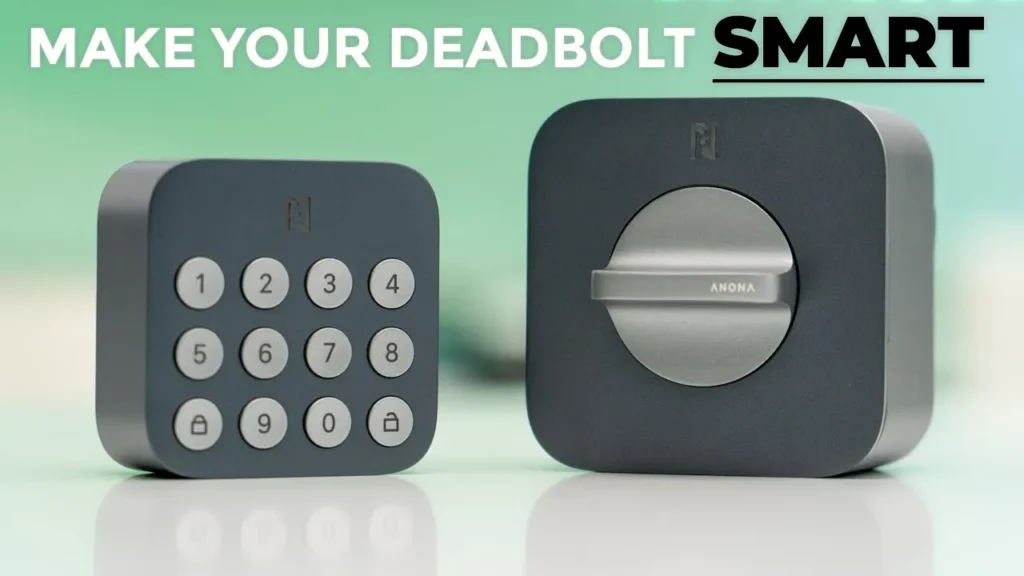

Buy Anona Holo Smart Lock on Amazon
Please note that some of the links in my video descriptions are affiliate links where I earn from qualifying purchases. As an Amazon Associate I earn from qualifying purchases.
Intro

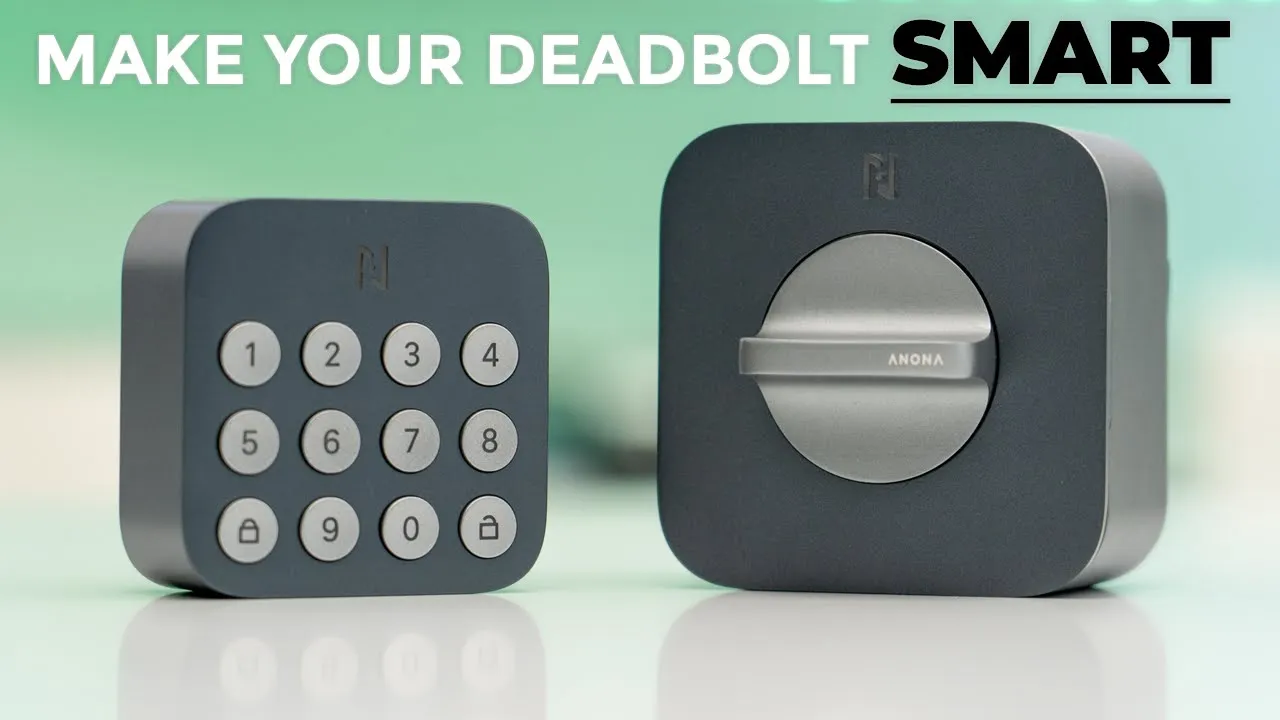
hey it’s Adrian and today I have a really unique Smart Lock This is the hollow Smart Wi-Fi lock from anona and what this allows you to do is you can add it to basically any type of single cylinder dead bolt lock to retrofit it and give it smart functionality and if you’re worried that it’s going to be a complicated process don’t worry I had the same doubts but it’s actually very straightforward the only thing you need is a Philips head screwdriver the lock can be unlocked with voice access through Alexa or with matter support you can also use your existing deadbolt key you can use the anona app or you can use this optional keypad that I have here you also get quick alerts from the anona security app so you can see who’s coming and going in to check your door status you can also add a bunch of users on there making this great for large families or if you want to use this for a rental property and there’s also an anti- peeping feature for the keypad to just keep everything nice and secure so let me show you just how easy it can be to retrofit your existing deadbolt and a big thanks to Nona for sending us out for
Package
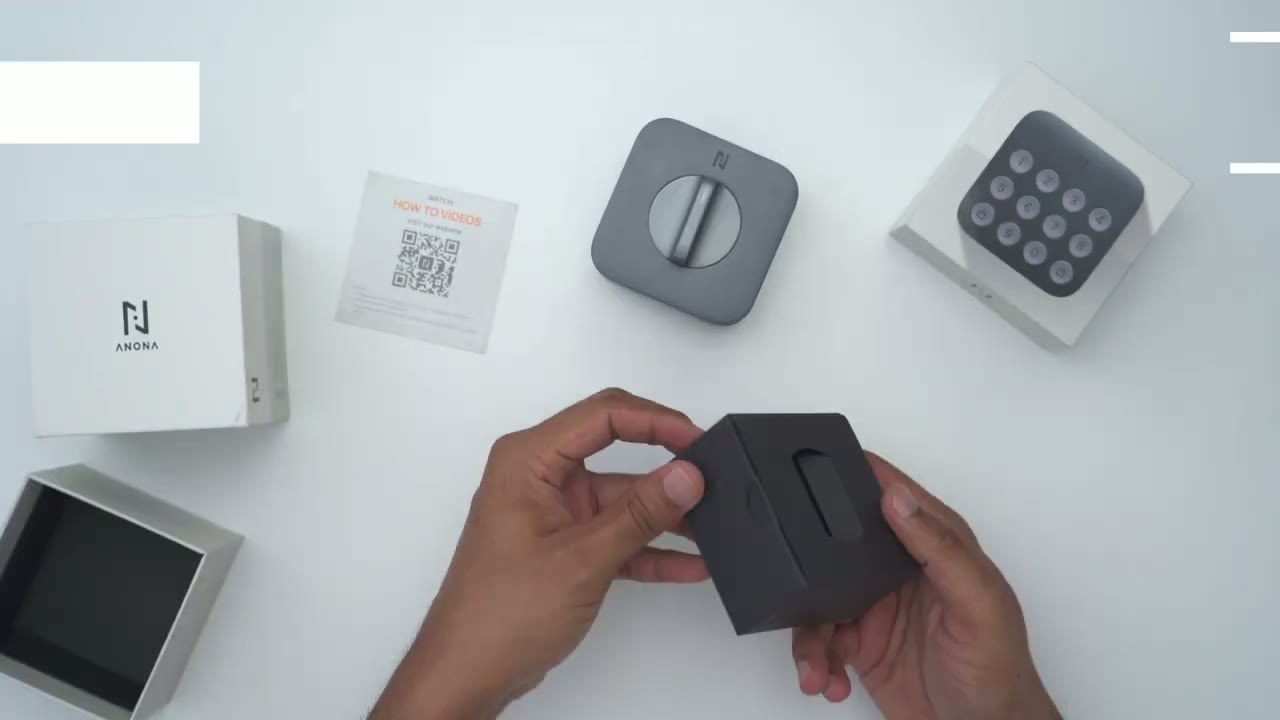
review the hollow lock box comes with the lock mounting plate for ablea Batteries adapter tips and we’re going to have to pick the correct one during installation we also have some sticky tape to keep the existing dead bolt lock in place while we install manual and a howto guide now if you went ahead and bought the optional keypad in that box we have the keypad unit three ablea batteries we also have a mounting adapter that’s going to attach to the keypad sticky tape screws and anchors so
Design
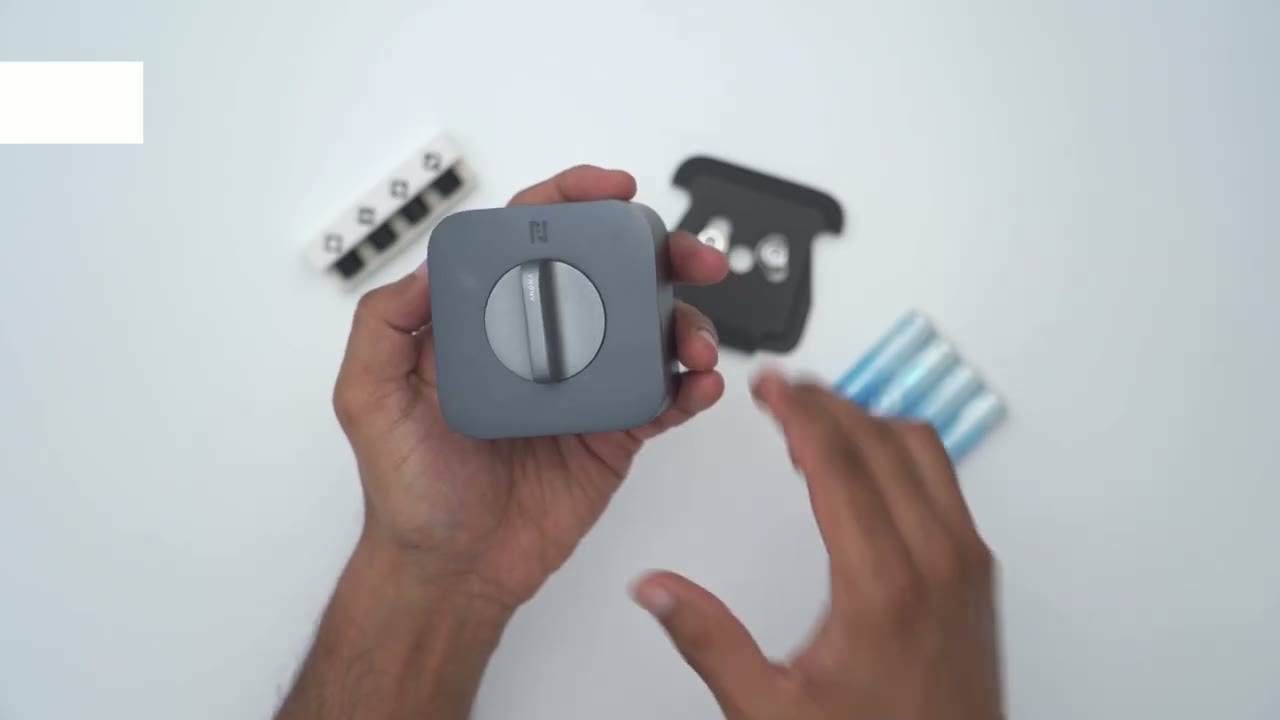
the anona Holo Smart Lock feels good in the hand coming in at a around 239 G or 0.5 lb without batteries inserted once you do insert the batteries it’s going to come in at around 300 G or 0.6 lb and it does feel cool to the touch so it’s pretty much an aluminum type of build most of the way through and then we have some plastic elements on the rear now we have these Wing latches these are going to be used for instulation I’ll demo that later and this is where we’re going to connect it to these cylinder mechanism on the deadbolt now everywhere else yeah it’s pretty much simple and you know a minimal design but it is matte and very you know resistant to fingerprints now we do have the Turning knob here and that’s pretty smooth and then we also have the anona logo here and this actually has an LED indicator light under side of it so to remove this cover we’re just going to pull out and you can see that we do have magnetic buttons there to snap it in place so it’s really handy that we have these magnetic snap on attachments so we can get access to the battery compartment really easily anytime we need to change these a batteries we also have a reset button there and then you can see that LED indicator light that’s going to shine through here so just remember when you pop this back on line up this frosted piece of plastic here right with that LED indicator light the design of the keypad perfectly matches the design on the hollow Smart Lock so you can go with this obsidian gray color or they have an antique silver as well so there’s the LED indicator light flashing I’ve inserted the batteries we have our digits right here and then the lock and unlock button and then to get access to the battery compartment there’s four screws I’ve already removed them so you are going to need a screwdriver initially for setup and then you put in three of the uh ablea batteries right there lock everything back and then to actually attach this to the door you’re going to use this supplied mounting plate you could use it with the hardware screws or with this adhesive mounting pad for instulation installing the
Installation
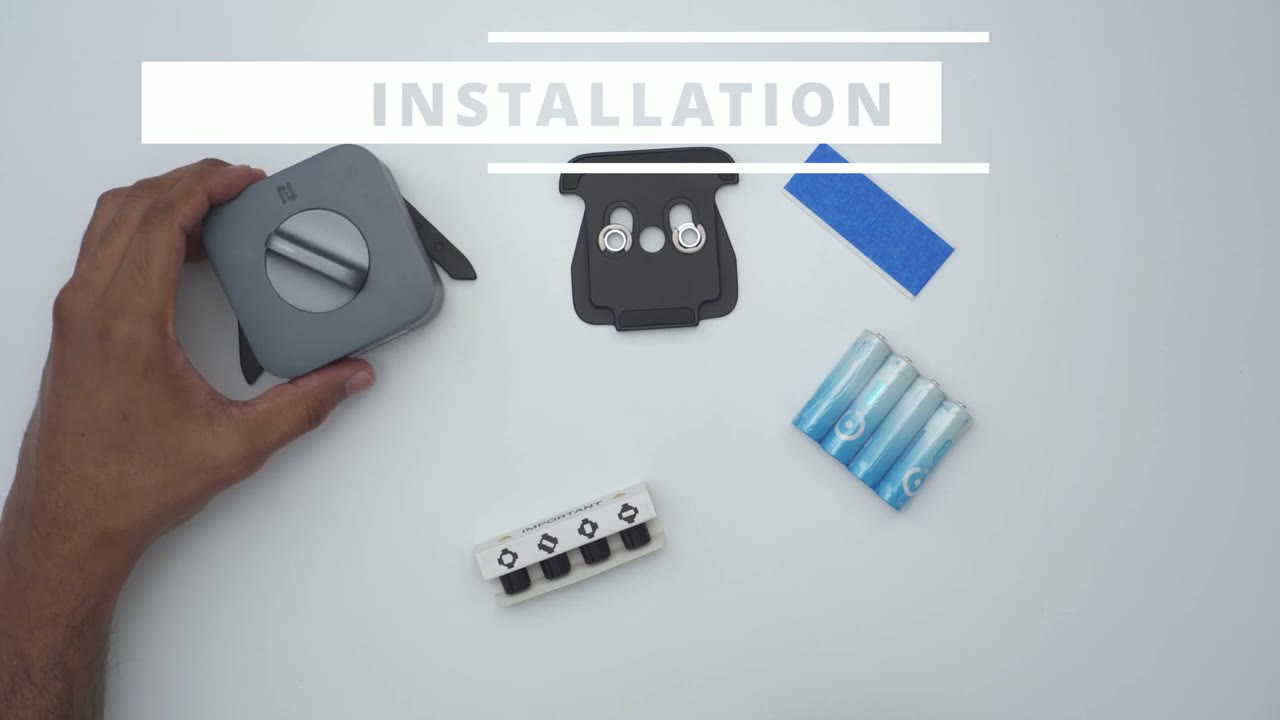
hollow Smart Lock is actually really easy so one of the first things we’re going to do is to use this Supply tape and tape the exterior of the dead bull to make sure it doesn’t fall down because the next thing we’re going to do is to remove the internal plate from our door which has the Turning knob once that’s removed we’re going to pull out the two screws attach the hollow smart blocks mounting adapter or mounting plate and then we’re going to screw it back in using those same two screws that we removed after we do that we’re going to take one of these adapter tips and I’m going to need this one with this kind of half circle at the top you’re going to pop it into this slot here once that’s done you’re going to actually align the hollow Smart Lock with the mounting plate you’re just going to slide in these Wings to attach it then we’re going to just pop out the front cover here put in the four batteries and we’re done with installation if you buy the optional keypad it’s also really easy to install this now you have two options one is to use these supplied screws drill it into your door frame or any surface nearby where it’s going to have you know close proximity to the lock now the other thing you can do if you want to put this on your door but you don’t want to drill in interior door is to use the adhesive tape that comes with this mounting plate here so what you’re going to do is you’re just going to attach the adhesive right here Stick it to your door and then you’re going to slide in the rear of the keypad right into this adapter here till it clicks into place and I actually dropped the keypad from a height of about 5 ft onto concrete it didn’t crack it still works everything’s going great it just has a bunch of dents and scuff so build quality outstanding so far so I’m going
App Setup
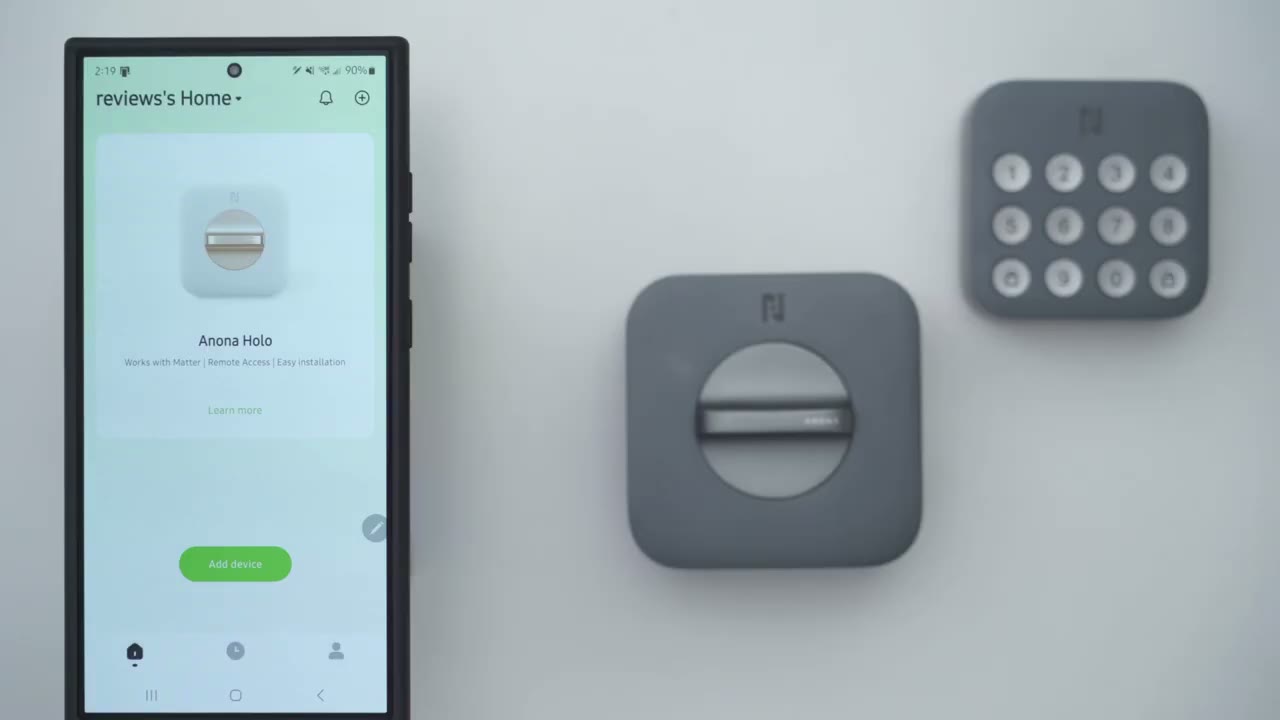
to go a bit out of order and instead of installing the locks I’m just going to add it to the app first to make sure everything is added nicely so I’ll click on ADD device click allow and make sure you’re connected to a 2.4 GHz Network so the first thing I’m going to do is to actually it’s already found the lock I’ll just tap on ADD there connecting device to Bluetooth and then I’m just going to select my Wi-Fi network now and again remember to pick one that’s a 2.4 GHz Network do not pick a 5 GHz Network and if yours isn’t split and you’re having an issue you’re going to have to log into your router or modem or contact your ISP and ask them how you could split the bands to a 2.4 band and a 5 GHz band all right so it has successfully been connected the hello Smart Lock is added to the app I’m not going to calibrate it since it’s not installed I’m kind of going out of order but what I want to do is to pair the keypad so I’m going to go ahead tap on that at keypad and it mentions to press and hold the lock button for 5 seconds which I’ve already done so I’m going to say I see the confirm white light blinking click on next and it’s found it automatically tap on that we’re just going to wait for it to connect by Bluetooth and I have to say the process to pair these and connect everything on the app has been pretty easy and effortless so far all right so I’ll just say I’ve completed it and I’m now going to put in my six digigit code and you can have up to 10 digits if you like for a longer password
Locking & Unlocking
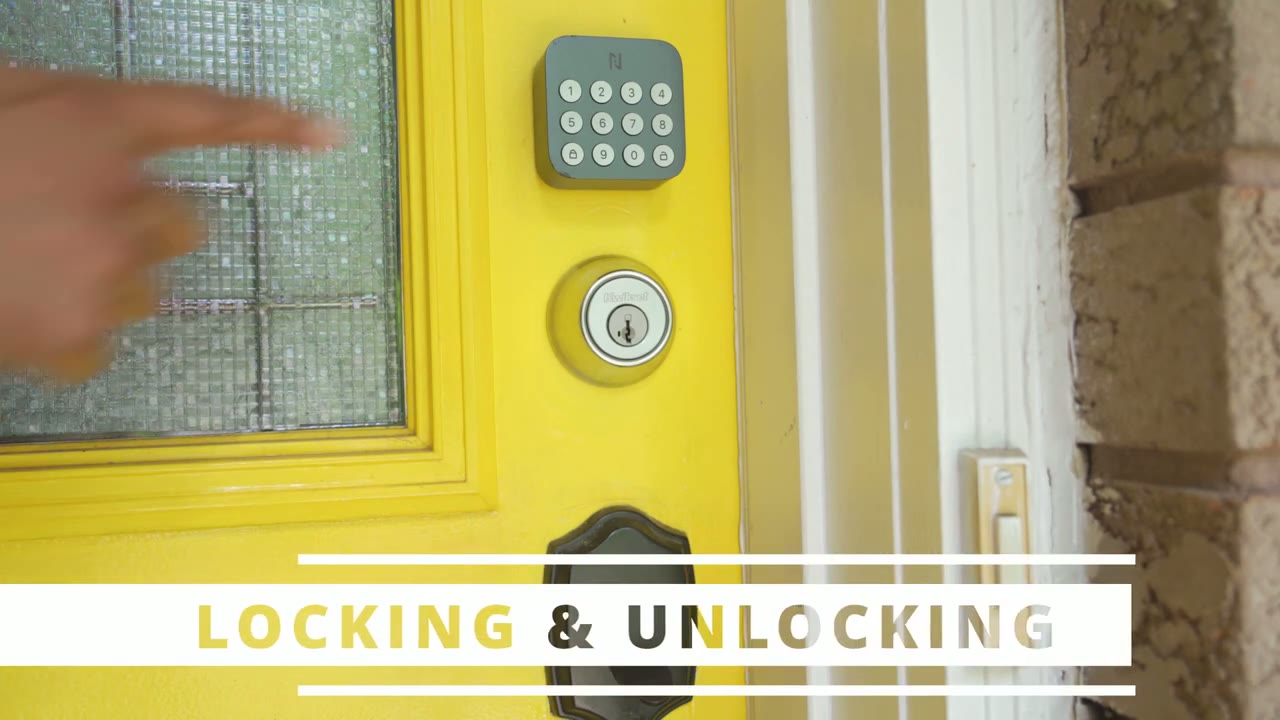
locking and unlocking the door is really simple so of course you could use all of the existing keys for your dead bolt since you’re just retrofitting it you’re not actually changing it so all of the keys on your car key Bunch or if you made a bunch of copies for your family members those all work very handy but my preferred way is to use the optional keypad now I say it’s optional because you could technically just buy the lock and just operate it using the app or keys or voice access but I highly recommend buying it as a bundle that just offers a ton of conveniences now the way this works is you’re just going to input your key or the pin that you set in the anona app and then you’re going to press the unlock button on the keypad and it’s going to unlock the door it doesn’t automatically unlock as soon as you input the pin so that’s good because if someone had to guess they’re not just keying in you know random numbers and then it’s going to automatically unlock they have to key in the numbers and press unlock now when you’re ready to lock the door you don’t have to input any type of keys or pins or passwords you’re just going to pull your door closed press the lock button on the keypad and it’s just going to automatically lock it very convenient there’s also an anti- peeping feature with the keypad so if someone’s looking over your shoulder while you’re entering in your PIN code what you could do is just put a bunch of fake digits in front and then your real pin and a bunch of fake digits at the end and then hit unlock and the system is smart enough to recognize you know the correct sequence of digits and unlock the door you can also use the unknown app by just sliding the slider in the app to lock and unlock the door so say someone was dropping something off you’re not at home you could just open up the app and slide to unlock it for them remotely wherever you are and this will use Wi-Fi from anywhere or your mobile data you can also set up voice access through Alexa and there is matter support now I don’t have any Alexa devices or matter devices so I wasn’t able to test this and if you’re someone who’s forgetful there is an autolock feature so as soon as you close the door it’s just going to automatically lock and of course you could set a timeout feature for it to lock automatically after 5 Seconds all the way up to 3 to 5 minutes you also get lightning quick app alerts from the unknowna security app anytime the door is opened or closed or the lock is locked or unlocked so it’s really handy for monitoring in real time who’s coming and going the battery life is rated for
Battery Life
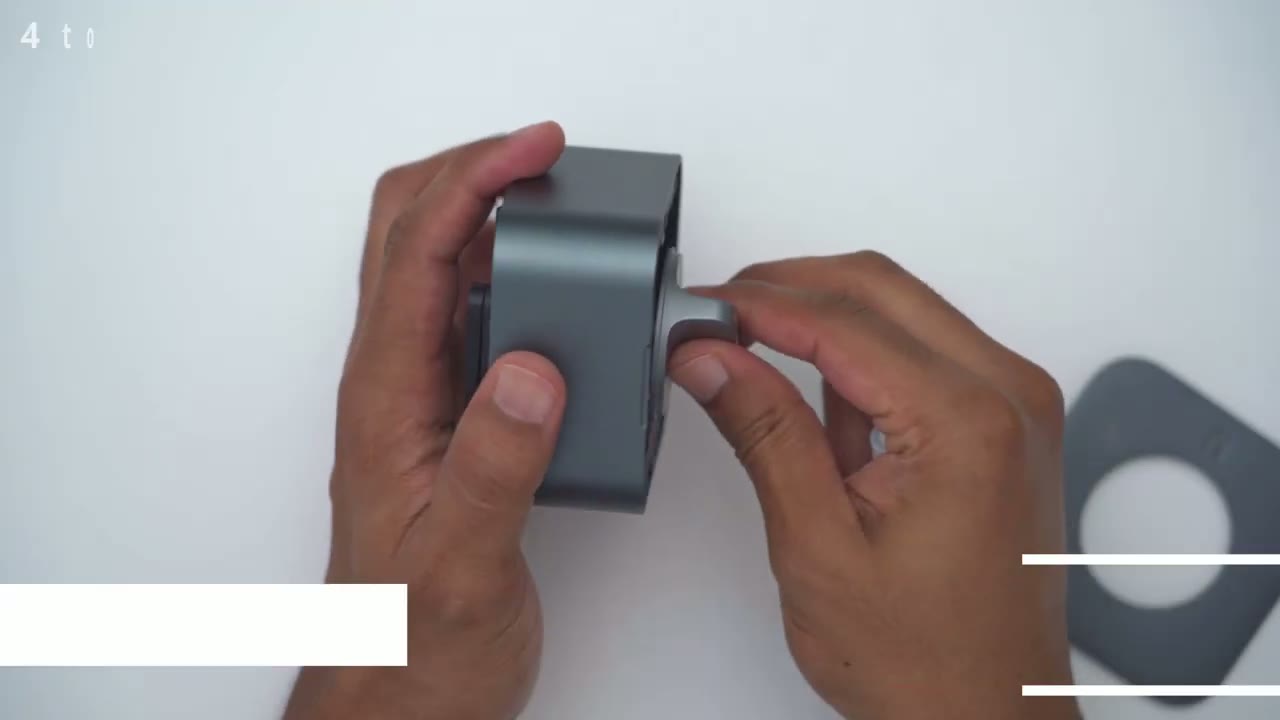
4 to 6 months of course this is going to vary by household but that number is based on locking the door 10 times and unlocking it 10 times so depending on how busy your household is you’re going to have to change your batteries more frequently or less frequently let’s take
App Settings
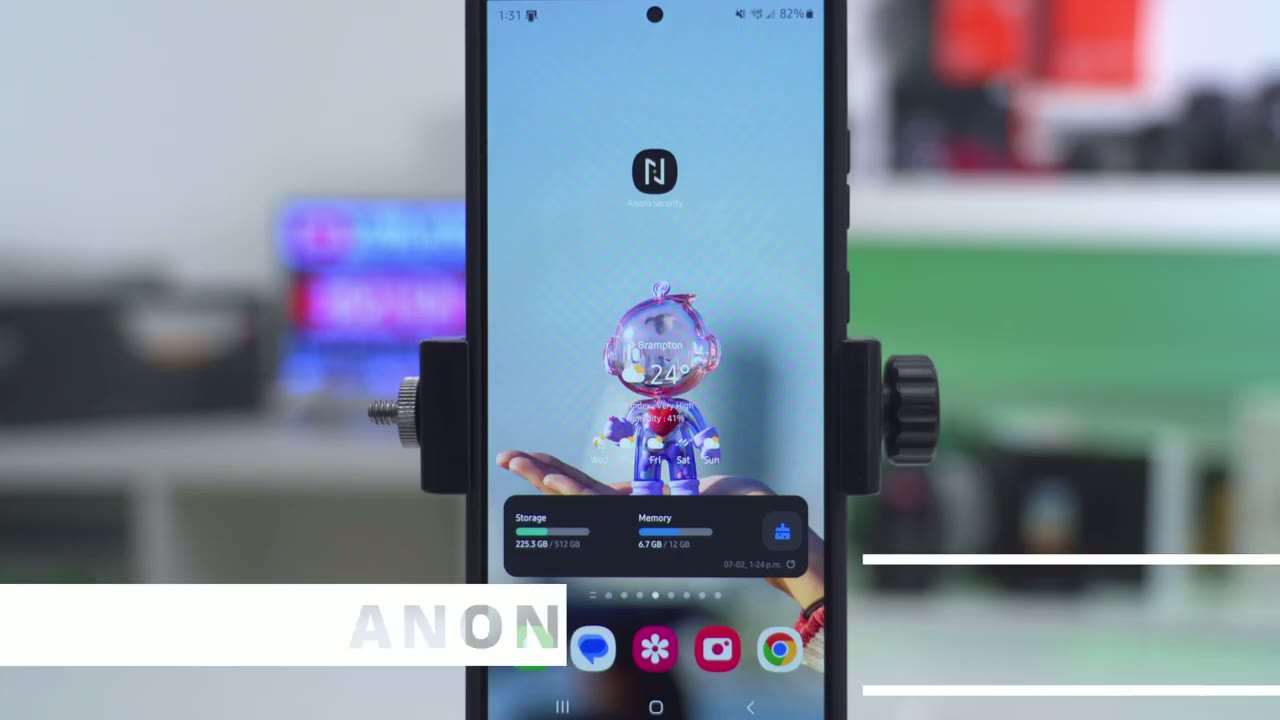
a look at the unknowna security app and as soon as you open it up you’re going to be able to see whether your door is opened or close and you could see if the lock is locked or unlocked so if the door was open this would be in red and it would say door open and since the lock is in green I know that it’s locked otherwise it would be in red and it would say slide to lock I can also see I have good Wi-Fi strength and battery life but let’s swipe up and we’ll go into the full settings so we can share the device with other family members and under keypad management this is something you may or may not have access to so I have full battery life there I’ve already set my own password and you can also set guest passwords and I believe you could set up to 50 different type of passwords I’ll just go through the process quickly to show you the options so you put the guest password the guest name and the passwords have to be at least six uh digits long now under expiry type we can set it to permanent to periodic and let’s just go back in there to periodic and you could set days and time schedule so you have a lot of fine control and you know an active date you can also set it to Temporary so it’s only going to be active say for you know this day or for 12 hours for example and you could set it to just be a onetime password so a lot of Versatility on that now under low power mode right now the battery level is good that’s not going to kick in and we also have this option called No autolock and it’s set to off now it says when enabled the device will not automatically lock within the set time period after closing the door so this is is if you normally enable autolock but you just want a breather from it say you’re having a party that day and you don’t want to disable the option you can time it out for 1 hour up to how many ever hours you like let’s go into the full lock settings actually before that we can see the summary of today’s events you know 11 unlocks 11 locks how many times the door was open and then if it was an app unlock password or manual unlock but let’s go to the lock settings now autolock this is where you’ll set it if you’re someone forgetful or you have people in your household who are forgetful the door will automatically lock and you could set it you know basically as soon as they close the door it’s going to automatically lock or from 5 Seconds up to you know a 5 minute window say you’re coming and going getting groceries from the car now under travel mode this is a mode you can enable if you’re going away on vacation or you’ll be away you know for an extended amount of time you can go ahead and put it into this battery saving type mode and you can also set a guest password if someone’s going to come you know kind of feed your pets um water your plants check your mail Etc now under device lock calibration this is only really needed when you first set it up or if the lock comes out of calibration so far it’s been great for me now under sound settings I like having an audible sound alert so I know the lock is locked or unlock and I have the volume set to high but you can set it to low as well you can also change the device name change the Wi-Fi network and under device notifications this is where you can pick you know do you want notifications and if you do want them them what kind of notifications do you want you know general ones abnormal ones um you know if there’s an issue with the lock or do you want a firmware notifications as well and I’ve enabled everything now you can also set the time zone and you can update the firmware on here now if we go to move the device this is if you want to move it from one household to the other but basically everything is exactly how I want it so I’ve not been using that and in the main screen you can just swipe back down to see everything or you can go over to the next tab which is just going to show you events so you can see the door automatically locked this was just me testing it I’ve used my own password on here and then it shows when the keypad was used so it says here I locked it using the app at this time and then also it’s going to show um keypad lock right there so you can see the type of locks and unlocks that were done and by who in terms of pricing they have a pre-order
Pricing
sale going on so the first 50 buyers are going to pay $89.99 us you’re going to get both the lock and the keypad which is a fantastic deal after that the next 51 to 100 orders are going to be paying $14.99 us again for the bundle and after the pre-order sale is over then you’re going to pay regular price for either the lock the keypad or you could buy them as a bundle as well so the anona
Recommendation
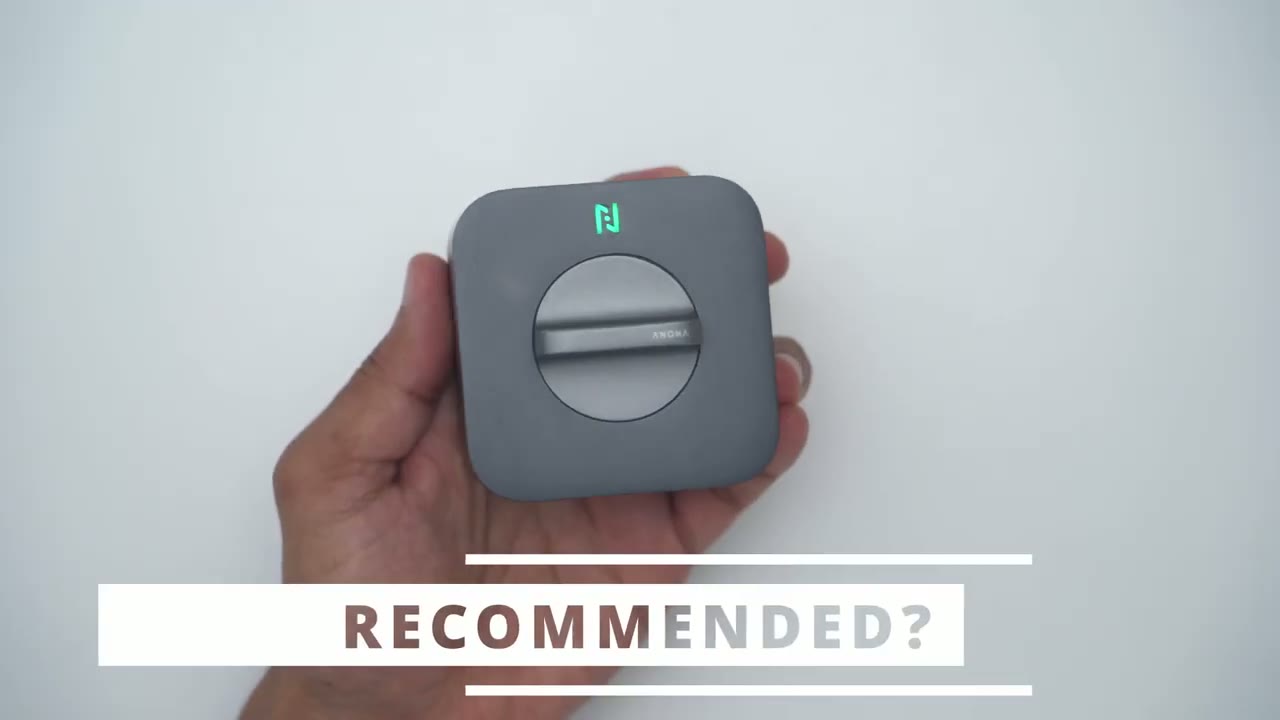
hollow Smart Lock is an easy recommendation from me the installation is actually very straightforward making it easy to Retro for any type of single cylinder deadbolt lock you get lightning quick alerts on the app so you can see your door status as your your door open is it closed is the lock open or is the lock locked and you can also add a bunch of different users on here to see who’s coming and going and the best part is there’s no monthly fees you just buy the system once install it to your door really simply and you just use it and you’re good to go so if you’re interested in picking up the anona hollow smart block I’m going to leave links down below to learn more or to check it out for yourself and if you get it during the pre-order time that’s the best you’re going to get the bundle if you’re watching this video the pre-order sale has ended don’t just buy the lock by itself buy it as a bundle with the keypad it just makes life a whole lot more convenient so let me know what you think of the anona hollow Smart Lock and let me know if you have any questions that I didn’t cover if you found this video helpful please consider checking out some of my other related videos I’m sure you’ll find something you like and I’ll see you in the next one soon
Buy Anona Holo Smart Lock on Amazon
Please note that some of the links in my video descriptions are affiliate links where I earn from qualifying purchases. As an Amazon Associate I earn from qualifying purchases.