



Buy Blink Sync Module XR on Amazon
Buy Sync Module XR + Outdoor 4 on Amazon
Buy USB Drive For Sync Module 2 on Amazon
Please note that some of the links in my video descriptions are affiliate links where I earn from qualifying purchases. As an Amazon Associate I earn from qualifying purchases.
Intro

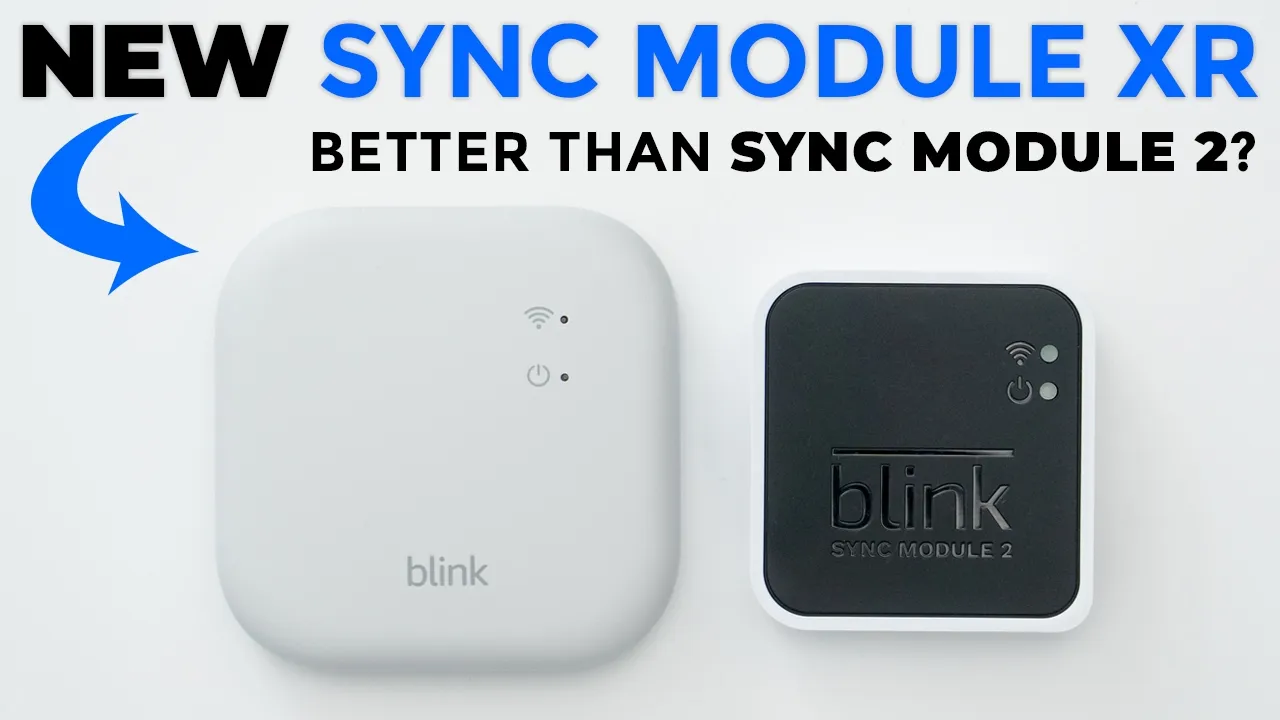
hey it’s Adrian and today I have Bling’s brand new sync module XR now the sync module XR is compatible with all of Bling’s previous cameras and devices however if you have a blinks outdoor 4 camera or the outdoor 4 flatlight camera you have a unique benefit and that benefit is that when you put this in their extended range or extended range plus mode you can install the outdoor for camera up to 400 ft away however this system is not perfect and there are some significant drawbacks so let’s take a closer look at the sync module XR and especially if you have the sync module 2 to see if it’s actually worth the upgrade or not in the box we have the
Package Contents
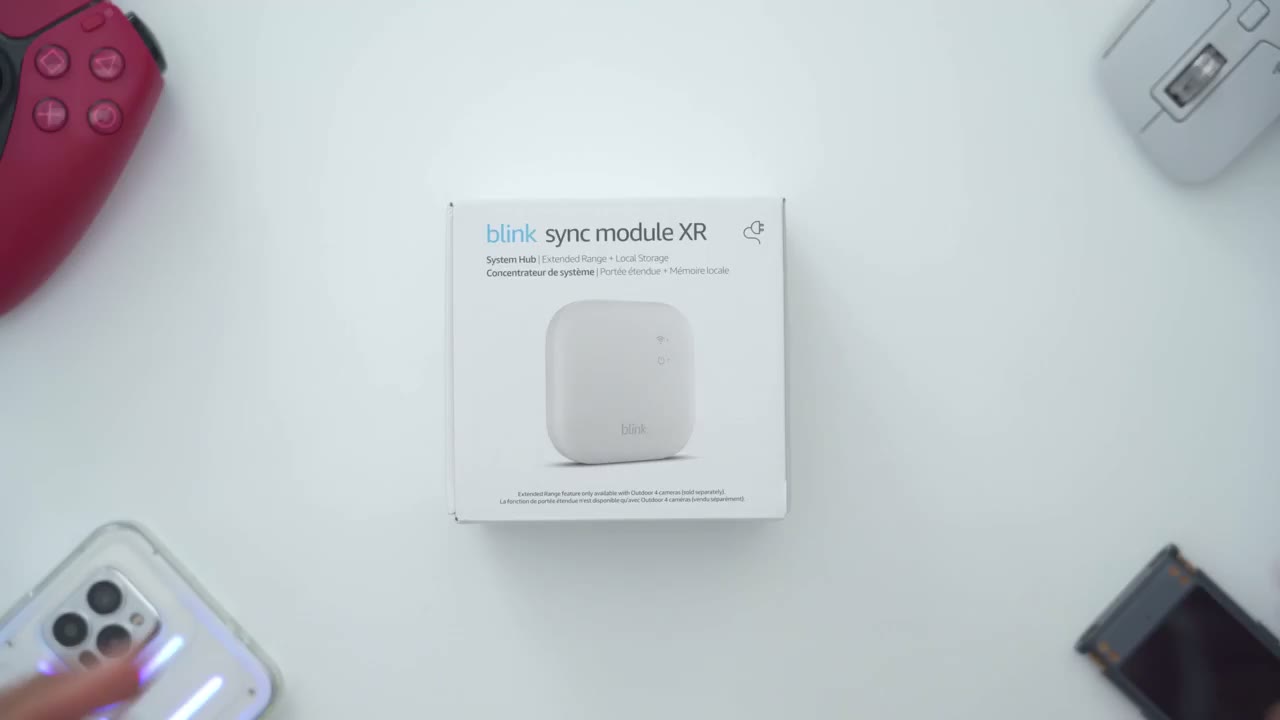
brand new blink sync module XR manual USB type A to type-c cable to keep it powered on and power brick so what if
What’s Changed?
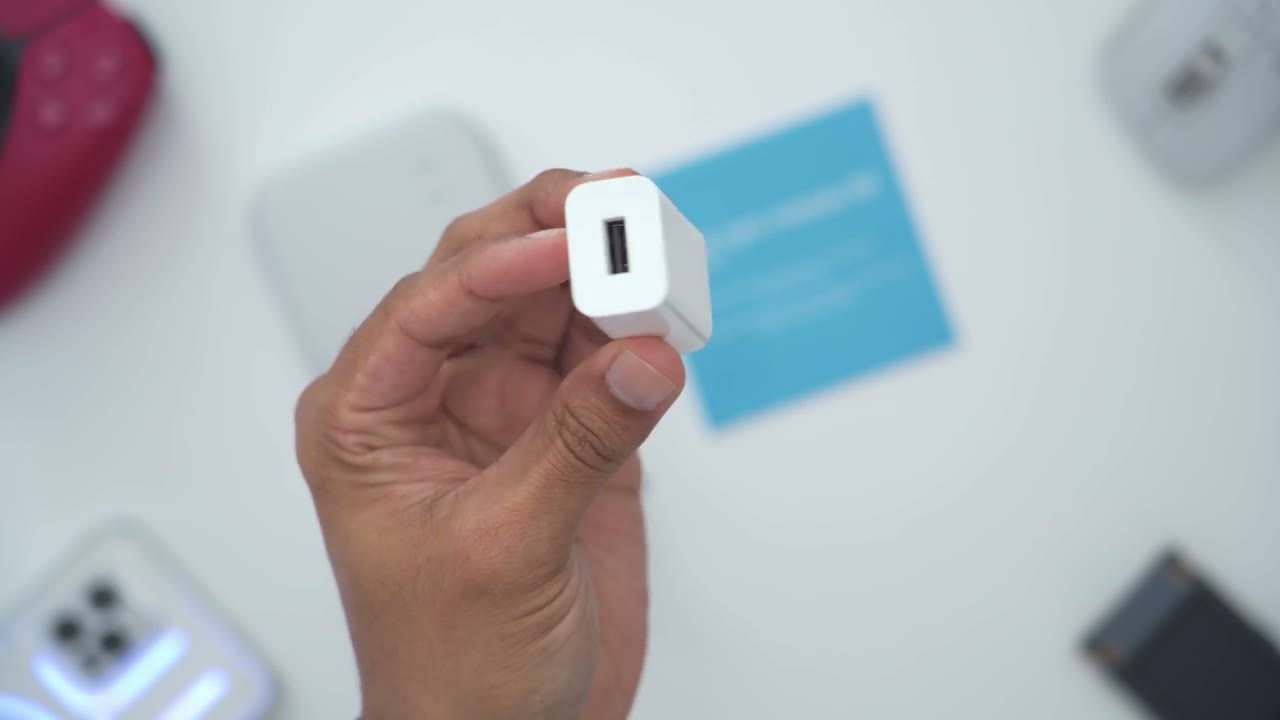
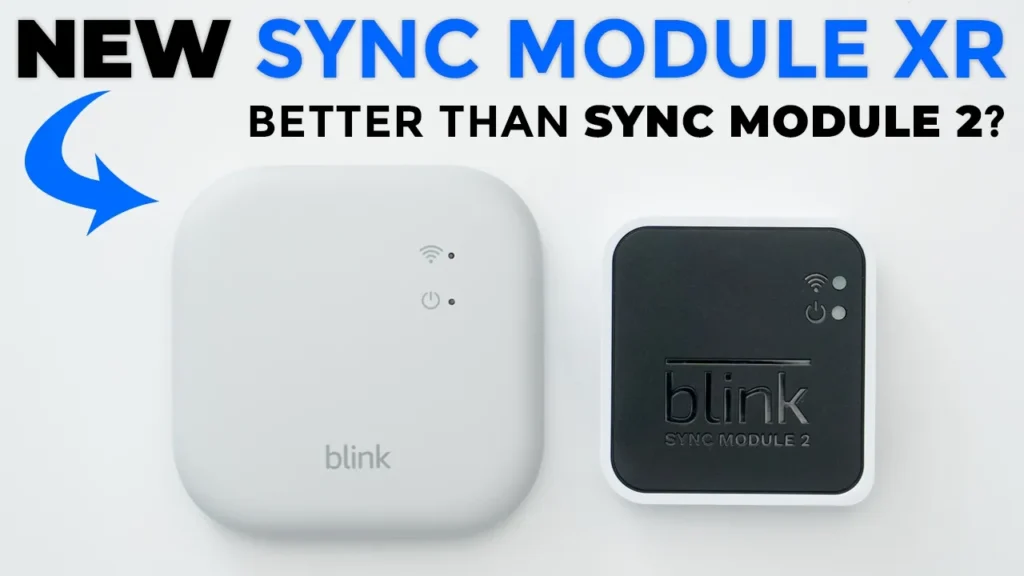
you have the previous blink sync module 2 is it worth upgrading to the new blink module XR well one of the changes is design so you could see just how much larger the sync module XR is compared to the sync module 2 now this does have more functionality which we will test to see if it’s worth the upgrade now if we take a look at how these are powered so this uses USB type-c which is a welcome update since everything just kind of uses that and this is still using micro USB which is pretty dated now on the side this takes USB drives or you know flash drives Thum drives and then this takes micro USB cards another welcome change because the card will sit inside of a unit you won’t have anything sticking out because depending on the size of a flash drive you have you would always have this sticking out of your sync module too the new sync module XR still accepts up to 256 GB of local storage same as with the sync module 2o so no upgrade there and you can also pair up to 10 devices on the sync module XR same as with the sync module 2 so no updates there as well what has changed is that the sync module XR has this XR and XR plus mode so an extended range and an extended range plus mode and what these modes do is they allow you to place specifically the blink outdoor for camera further away from the sync module than you could do with the sync module 2 now if you don’t own the blink outdoor 4 camera this is really not relevant or necessary for you to upgrade to because a lot of the benefits are only if you own that outdoor for a camera I want to
Sync Module XR Setup
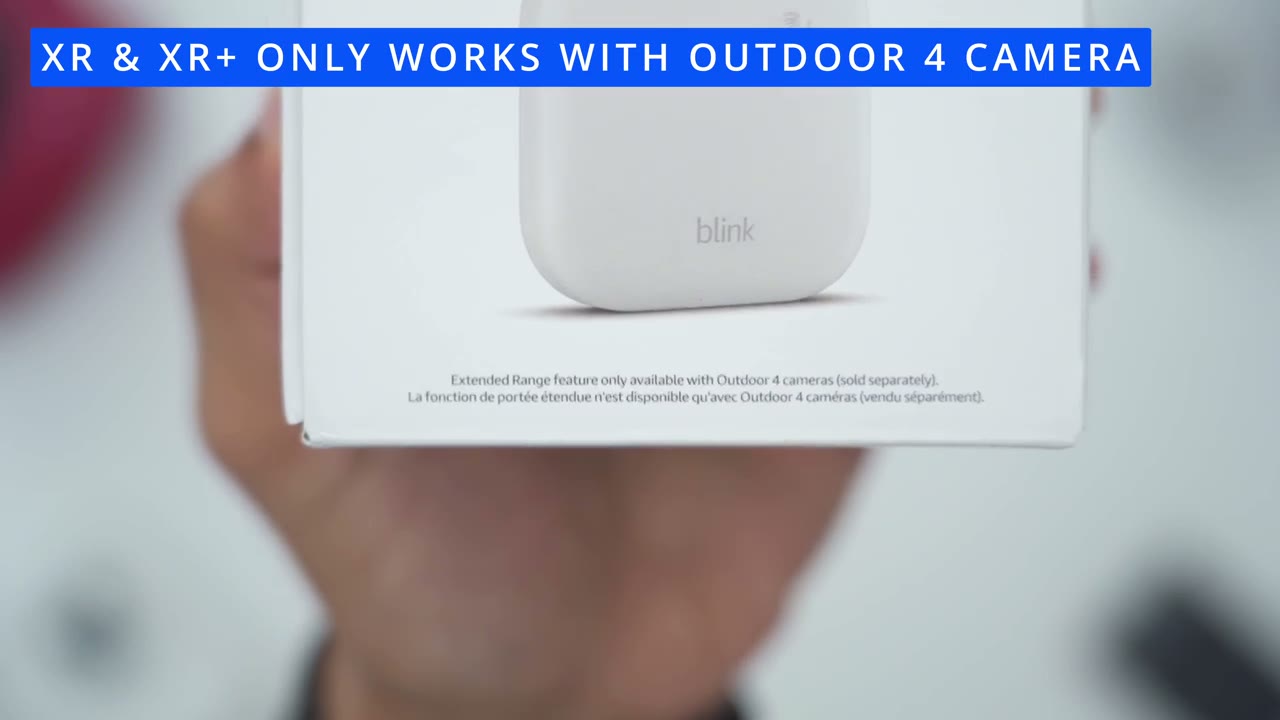
share my setup process using the sync module XR because I review a of blink devices and this gave me the most amount of headache now one thing to note is that you may assume that once you add these sync module XR all of your blink devices will automatically be paired with this that is not the case um I have the sync module 2 and when I tried to add the blink outdoor 4 camera to the sync module XR after I added this in the blink app it told me the outdoor 4 camera was already registered to an account so I had to go to the previous sync module the sync module 2 delete this camera from there then I could add it here which means I have to remove the back from this scan the QR code to add it to this and if you have your cameras installed kind of high that means you’re getting on a ladder it’s such a silly system that it’s not automatically you know kind of paired or married so once I got over that headache and it was you know correctly added under the syn P XR I went into the camera network setting which is where you’re going to be able to switch between you know Wi-Fi working mode XR mode and XR plus mode and there was no option to pick XR or xr+ there was just no camera network setting there so I followed blink’s troubleshooting step it says delete the camera again and reinstall it which I did a major pain it still wasn’t there I uninstalled the blink app and reinstalled it the setting was still not there what actually worked for me was I had to log out of the blink app completely log back in and then the feature appeared so if you’re having any type of headaches or issues like I was try doing that you know just log out of the blink App log back in and see if that solves your issues let’s talk about
XR & XR+ Modes
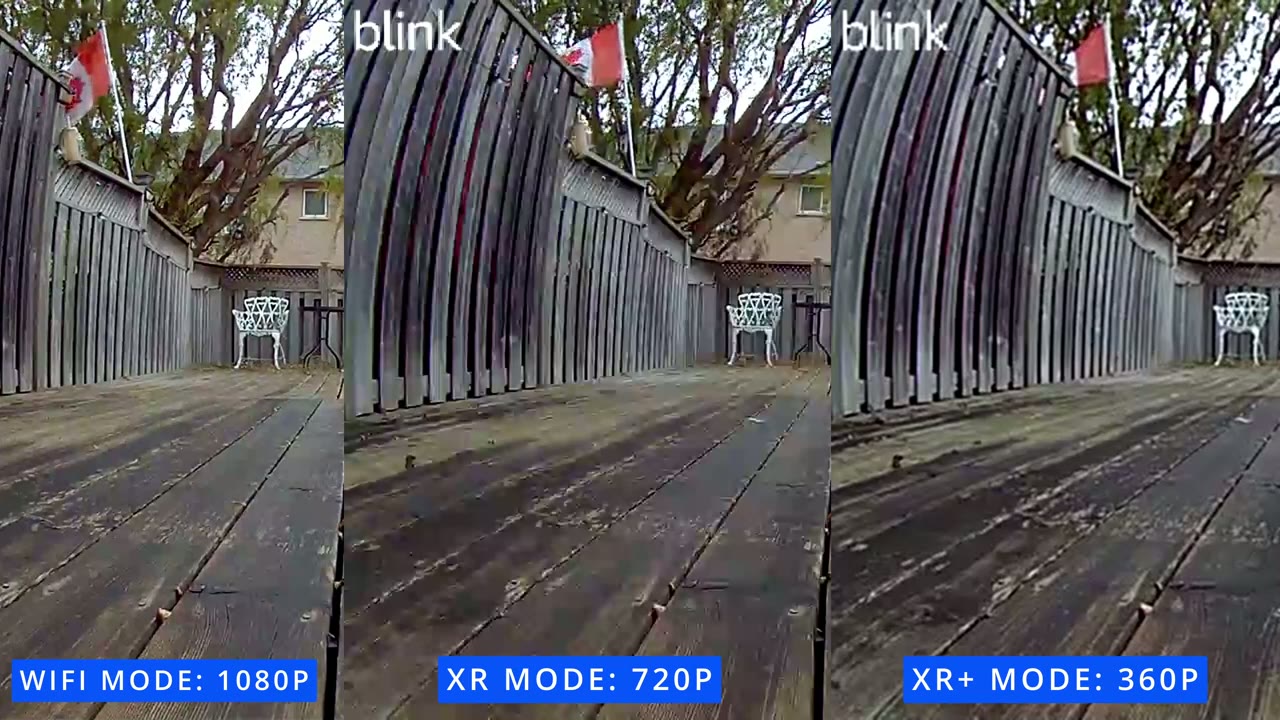
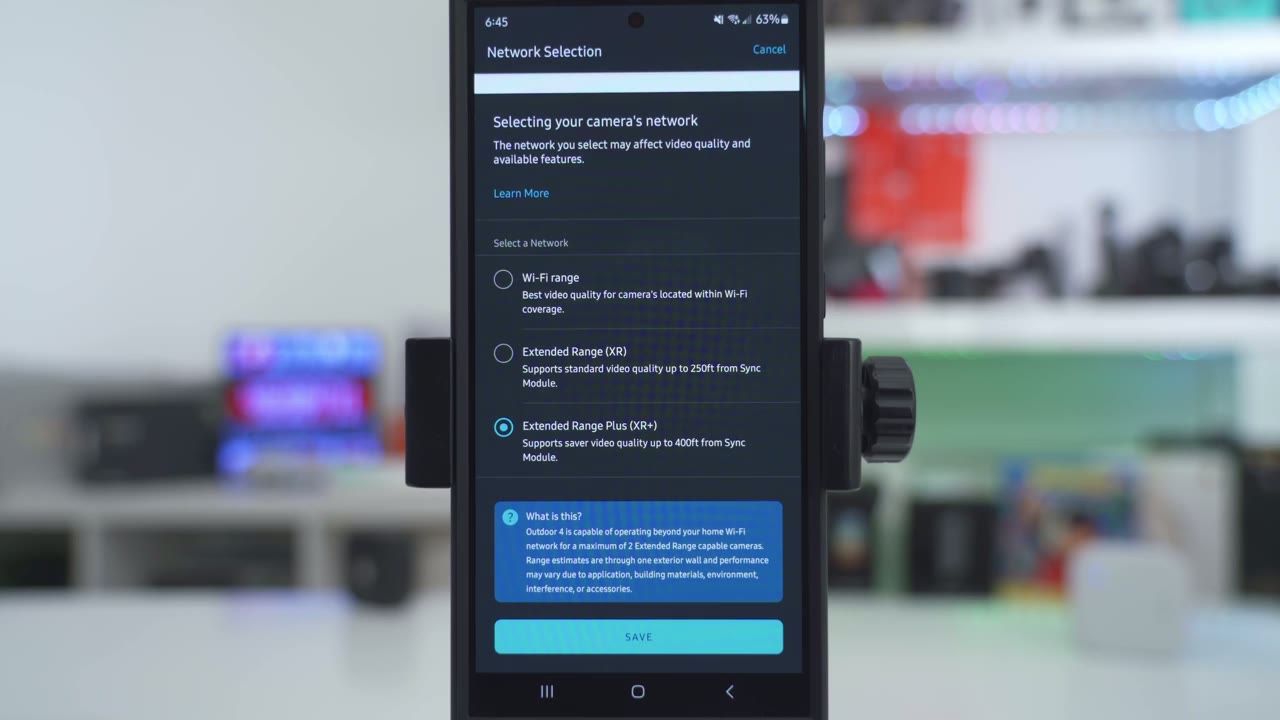
some of the drawbacks I mentioned at the start of the video If you get the sync module XR and you pair it with the blink outdoor 4 camera and just so that we’re all on the same page the blink outdoor 4 camera and the blink outdoor 4 flood light cameras will work perfectly fine with the sync module too there’s no issues at all so the extended range and the extended range plus working modes that allow you to place the outdoor 4 camera further away only applies to the outdoor 4 which is why they’re bundling it right now with the sync module XR and no other cameras are being bundled so in the blink app if you go into the camera settings for the outdoor for camera you have three options under camera Network you can set this to operate in Wi-Fi mode which is how it would operate if you had disconnected to the previous sync module 2o but there’s two additional modes which is the XR mode and XR plus mode now in the XR mode you can place this up to 250 ft away from the sync module XR but it’s really going to depend on you know if you have clear line of site if it’s going through multiple walls what material is the wall made of you know is it brick is it wood Etc now one thing to note is that anytime you put this in XR mode it is going to drop the video quality to 720p which means it’s going to be harder to make out you know sharp details or you know have a clear image if the subject is further away from the camera and if you think about it you know the best case scenario of keeping this in Wi-Fi mode you’re going to get 1080p video but if you drop down to 720 well you know that’s maybe acceptable for you it’s not really for me I don’t even think they should be offering 1080p in 2024 but that’s a determination you’re going to have to make but what if you need to place your camera more than 250 ft away well you’re going to have to put it in the XR plus mode and when you do that the video quality drops you know dramatically you’re getting 360p video quality in that case and that’s really abysmal video quality because you know unless a subject is very close up to the camera lens you’re not going to be able to make out a lot of detail at all and I’ll put um a video overlay here to show you what 1080p looks like 720p and 360p so you can get an idea of what kind of hit you’re taking in video quality when you go between these different modes now some
Limitations & Dealbreakers
of you may be thinking well it’s not that big of a deal to drop to 720p or 360p and yeah maybe for some of you you won’t care about the video quality maybe you just want this to function or act as a motion detection type of tool because if you have a really large property say like a farm or something like that you may just want to be notified with you know an alert on your phone that hey motion was detected maybe it’s a delivery guy leaving something at your mailbox and then you just have to make you know the really long drive down to your mailbox yeah in that case this will be perfectly fine but there’s even more drawbacks so the other drawback is that with the sync module XR you could only have two of the blink outdoor four cameras paired to one sync module XR so what does that mean well if you have four of these cameras and you want them you know north south east west on your property you will have to buy two of the sync module XR units the other thing is that what if you just need to put one camera you know kind of close to your house and another one really far out you may think well hey I’ll put one camera in XR mode up to 250 ft away and then I’ll get 720p video and I’ll put the other camera really far away and I’ll deal with that 360p video well that isn’t the case because with this system both cameras have to be either an XR mode or XR plus mode there is no mixing and matching all right let’s enter the bonus round of limitations so what if you have six of these cameras well that is not going to work because according to Blink you can only have a Max of two sync module XRS to any one blink account why is that I have no clue but basically based on that limitation you could have two of these and each one of these could have two cameras so you can have a Max of four outdoor cameras again you know just a ton of limitations when it comes to you know how many devices the way you can use the working modes the video quality it’s just really not you know making this look very attractive to me unfortunately I don’t have a really large property so I was only able to test the outdoor 4 camera up to 125 ft away so it definitely wouldn’t you know let me connect to this just using the Wi-Fi working mode I had to put it in XR mode and at 125 ft away the camera did you know connect it did show me a live view at 720p so it did work but when I looked in the blink app the actual signal strength in XR mode was one bar it was red like it wasn’t even yellow it wasn’t green it was one bar red and all the signal had to do was make it through one door just my front door and I make sure I stood in front of my front door all the way across the street on the sidewalk so you know it’s almost clear line of side with just a door in the way so I you know I really have um huge reservations that you can get up to 400 feet away even with clear line of side and nothing in the way and if you have a brick wall well it’s probably going to be even worse and looking at the reviews that I did online a lot of people are saying you know you can probably get 100 to 200 feet even in the XR plus mode so your mileage will really vary depending on you know the type of material in your walls how many walls it has to go through and if it can even have clear line as side so just keep that in mind
Enabling XR Modes
to access the XR and XR plus working modes when you’re taking a look at your blink outdoor for camera tap on the three little dots here and then go down to device settings in device settings you’re going to tap on general settings and then you’re going to scroll down to network and under Network there’s this option here called camera Network you could switch it between Wi-Fi and extended range so if you go into this this is where you can just leave it on Wi-Fi if the outdoor 4 camera will be very close to the sync module like you know in your home or just outside your home and then you could put it to the extended range or XR up to 250 ft away and it is going to drop the quality 2 720p and you can also put it to the extended range Plus or XR plus you could place it up to 400 ft away video quality will drop to 360p by the way you can
Local Storage Or Paid Plan?
save Clips directly to the sync module XR or the sync module to by putting in a micro USD card or a USB drive without having to pay for the monthly Cloud plan now if you don’t get the monthly Cloud plan there are some drawbacks to that which I’ve covered in a video up here so you can take a look at that and decide if you want to get the plan or just stick with local storage or maybe you want to have both of them so is it worth
Recommended?
getting the sync module XR over the sync module 2 and for a lot of you I don’t think it’s actually worth the upgrade to the sync module XR because both of the sync modules allow you to have up to 10 blink devices and both of them allow you to have up to 256 GB of storage now the notification speed on here is slightly quicker in terms of when you press a notification and it pulls up the video but it’s really not a reason to upgrade if you were perfectly fine with the speed on the sync module 2 but keep in mind there really are a ton of limitations like I showed if you put this in the XR mode which lets you place this up to 250 ft away you’re taking a drop in video quality of 720p and if you need to place this even further out you put it in the XR plus mode the video quality drops to 360p which is not really you know usable video I also encountered significant headaches getting the cameras that were previously paired under the sync module 2 Under the sync module XR so if you don’t want to go through that kind of headache and hassle you know getting on ladders taking cameras now scanning QR codes I would say just go ahead and skip the sync module XR it’s really only made for the outdoor 4 camera which is why they tell you um you’re really only going to get that benefit all of the other cameras in the lineup right now don’t actually get that XR compatibility maybe future models will but as it stands right now this is really not a worthwhile buy unless you really care about the outdoor 4 camera range but I will leave links down below to pick up the brand new sync module XR if you have a bunch of outdoor 4 cameras and it makes sense for you because you do want to place them further out or use them for notifications I hope I answered all of your questions about blink’s new sync module XR and how it works with the outdoor 4 camera but if there’s anything I missed or if anything is unclear just leave your questions in the comments down below and I’ll do my best to get back to you and if you found this video helpful please consider liking and subscribing it truly does help me out as a growing Channel and I really do appreciate it and if you like Tech in general check out some of my other tech reviews I review a variety of different Tech on here I’m sure you’ll find something you like and I hope to see you in the next one soon
Buy Blink Sync Module XR on Amazon
Buy Sync Module XR + Outdoor 4 on Amazon
Buy USB Drive For Sync Module 2 on Amazon
Please note that some of the links in my video descriptions are affiliate links where I earn from qualifying purchases. As an Amazon Associate I earn from qualifying purchases.