



Please note that some of the links in my video descriptions are affiliate links where I earn from qualifying purchases. As an Amazon Associate I earn from qualifying purchases.
Intro

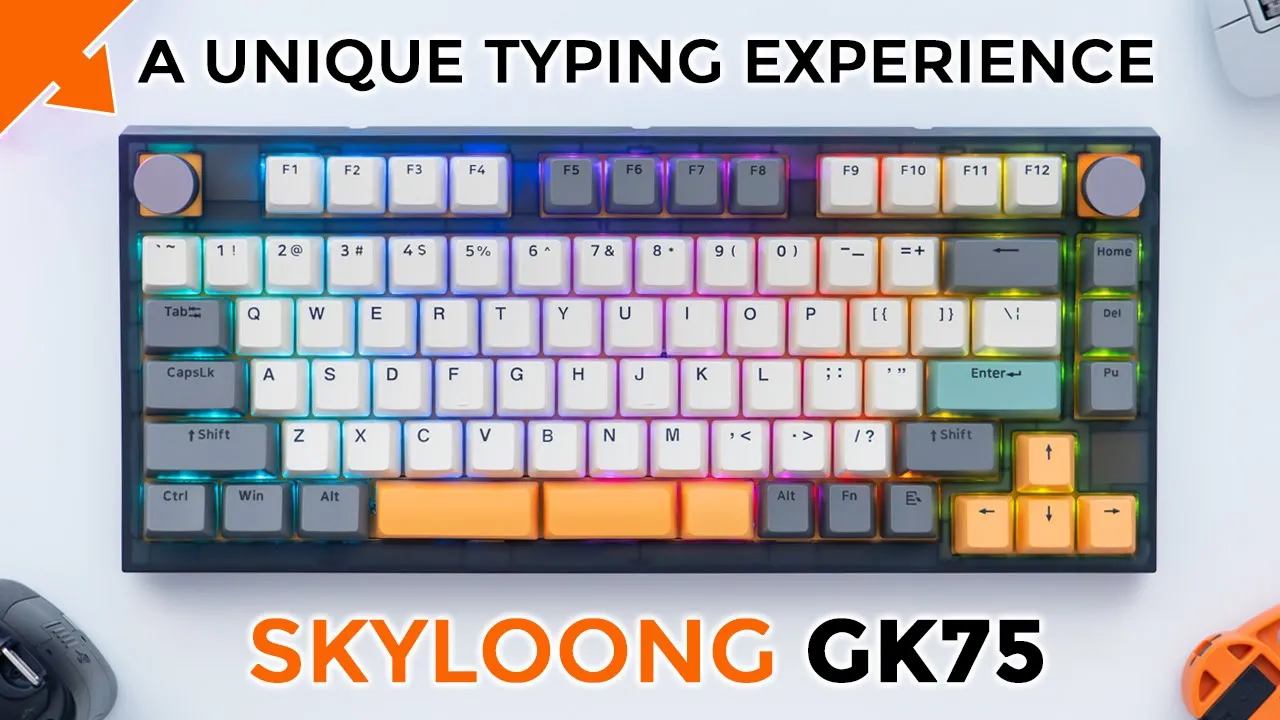
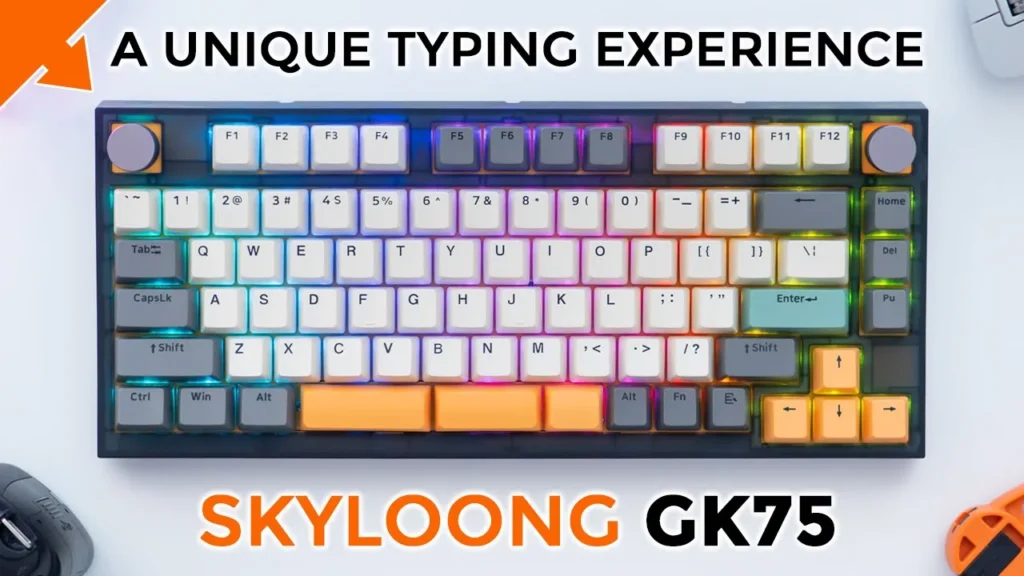
[Applause] hey guys it’s Adrian and today I’m taking a look at this gk75 mechanical keyboard from skylon now this is a 75 layout keyboard and it’s using Rose Glacier mechanical switches there’s a couple unique things about this keyboard one is that it’s using the split type of space bar and that comes in really handy because if you’re typing no matter where your fingers are on the keyboard you easily have access to this it also has two rotatable knobs or dials and that comes in super handy if you’re going to be doing any type of video editing image editing or anything that requires any type of slider or fine adjustments big thank you to skylon for sending this out for review but let’s get into it
Package Contents

in the package we have the skylon gk75 mechanical keyboard we have two additional switches a switch and keycap puller a USB a to type c adapter we also have the plate for a standard space bar if you don’t want to use the split space bar you also have a USB type A type c cable for charging the keyboard and for Wired mode and a bunch of additional keycaps let’s look at the design so the
Design
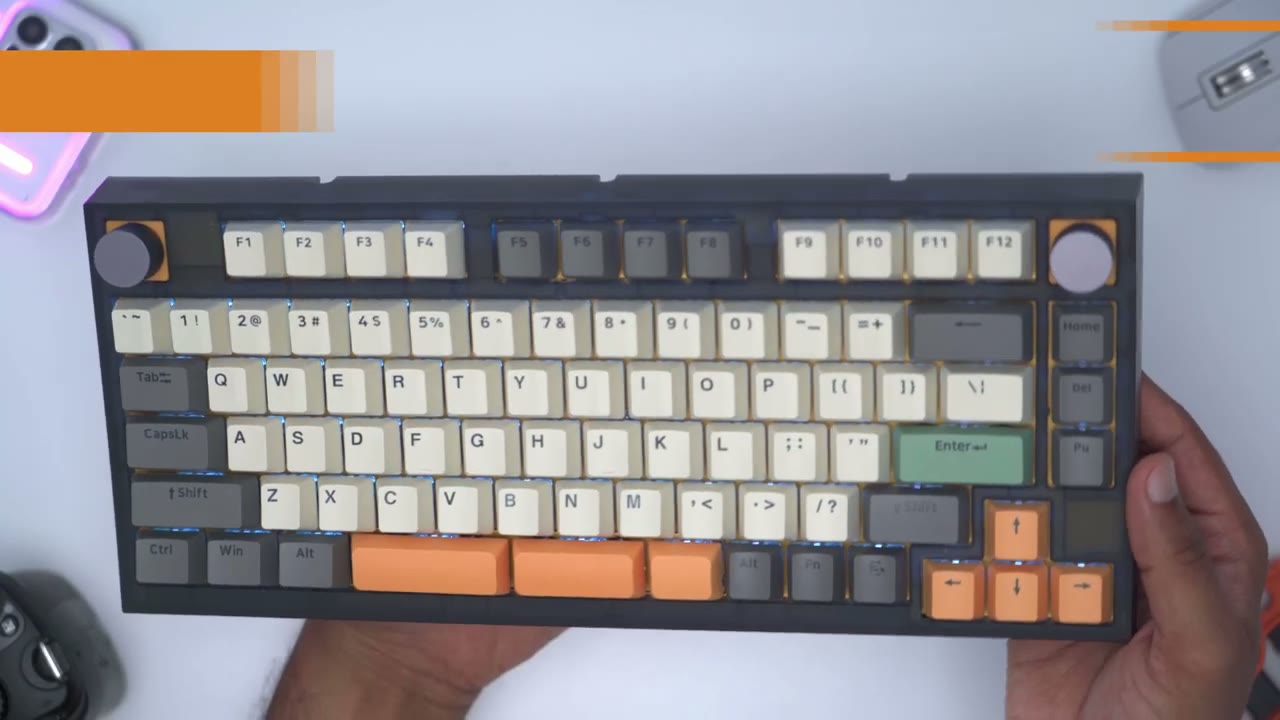
model I have is the gk75ti gray and this is with a translucent ABS case all the way through now you can see there are the keycaps they’re not white they’re kind of like a off-white type of color and the color scheme reminds me kind of like a pastel type of look you could see it’s a pretty muted type of look for the keycaps it also comes with some additional keycaps if you want a bit more of a consistent look and we also have a full length space bar which you can swap out if you’re not a fan of this split space bar the keycaps are a double shot pvt they are not shined through keycaps and the profile is the OEM profile the keycap have a matte finish and they’re slightly textured which makes them great to type on and bonus tip if you have kind of oily fingertips like I do I don’t really notice it on these due to the translucent ABS case you can see that we can actually make out the plate underneath there along with some other Design Elements and screws here’s a side view of the keyboard so it starts thinness at about three quarters of an inch and then slightly tapers up to about an inch and a quarter the rear of the keyboard carries along that clear translucent ABS plastic look and you can see that we have four rubber feet in every corner of the keyboard and we also have a small one in the center there now if we take a close look in the middle here we have a switch to switch it from Bluetooth USB or wired mode and 2.4 gigahertz mode as well and there’s also a switch to switch it from Windows to Mac mode we also have two stage adjustment for the rear feet if you’re going to be using the keyboard in wired mode once you pop in the USB type-c cable here and it is a very snug fit you can actually thread the cable through this cutout here or route it to the side pull it out here or on this cutout so a lot of options there and there is also cut out for the 2.4 gigahertz adapter there’s normally 80 keys and one knob but scaling has pre-installed an additional knob the knobs are well built they are quilted a touch so there’s some form of metal and you can see they’re nicely knurled for easy grip ability now there are hard stops or increments as you rotate the
Specs

knob the gk75 features hot top of those switches and it supports 3 and 5 Pin switches there’s 4 000 milliamp hour rechargeable battery there’s no qmk or via support so one of the reasons why
Knob
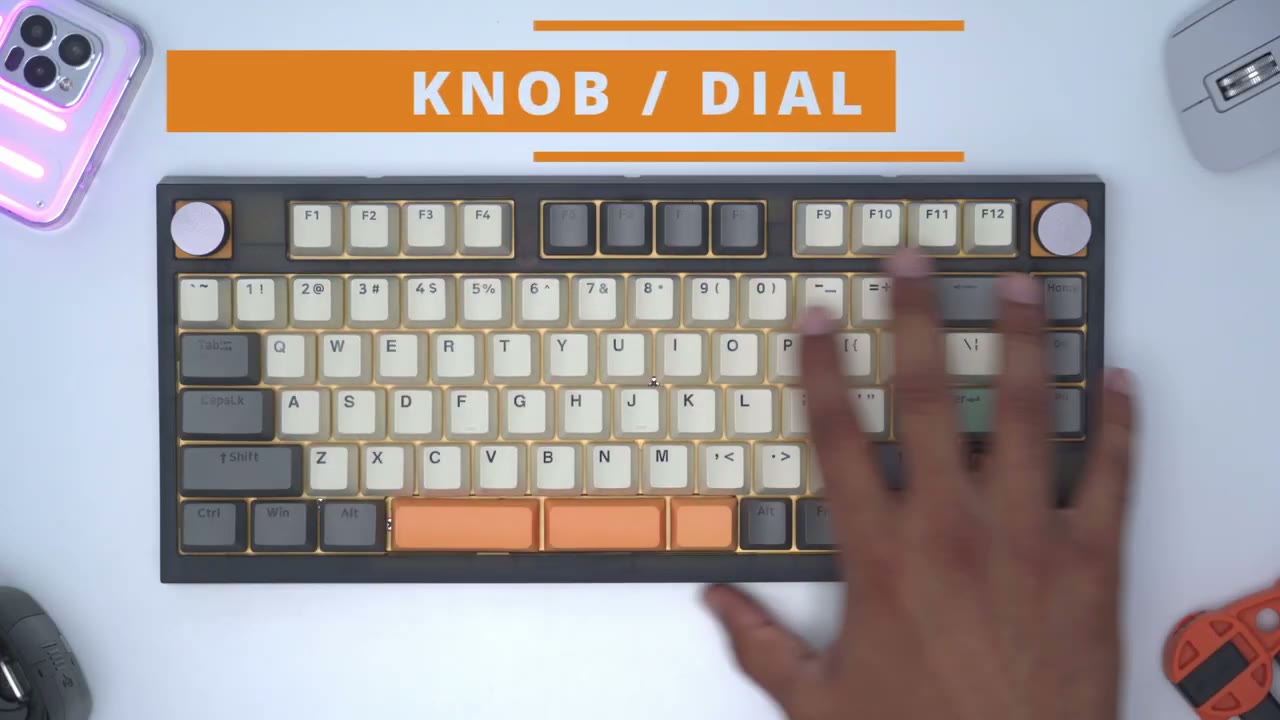
you may get the gk75 is the ability to have programmable knobs now I mentioned earlier that you can have the knobs in six specific or pre-programmed places which it shows in the manual here so I have one in the top left corner there one at top right corner and then we also have an additional slot so you can replace the F12 key and the three keys going down the side right here which are home delete and page up it’s quite easy to remove the knob module and switch and replace it with a regular switch so to do that I’m just gonna pop out the knob just like that and then there’s a kind of rubber covering here and I’ll just use the keycap puller to just pry that out and you can see it comes out really easily and it does type of you know really squishy material with the knob and the covering removed we’re just going to pull out this switch like you would do with any other type of traditional switch get a good hold on here all right here’s the two switches so we have the knob module you can see it has four metal contacts and we have the regular switch on the left side and I’m just going to pop that in right now and pop on the Escape key when you first take the keyboard out of the box the dials are programmed to adjust the volume up or down and then if you click it in it’s going to mute whatever you’re playing now I’ve programmed both of these knobs so that the left one here is used to adjust Sliders in Photoshop and then the right one is used to go forwards or backwards on my browser but one thing that I do wish I could program the knob to do is to actually mimic you know going up or down on a scroll wheel because when I use my video editing program to adjust those sliders it requires the mouse wheel to be rotated or scrolled up or down and when I go into the software for the knobs there is no option to simulate you know a mouse scrolling up or Mouse scrolling down so that’s something I wish to see in a future software version now I do use the SK button every once in a while so I’ve actually programmed this knob to adjust Sliders in Photoshop and if I click it in it’s going to function as an escape key so I’m kind of having the best of both curls where I could have not functionality and the Escape key one thing that I’d like to see change on the knob is the increment adjust so if I’m editing an image in Photoshop and I’m rotating the slider it goes up in pretty small increments of course you could set that on the software side as well but since these are hard stops and they have like increments you know you can’t just kind of flick it and it’ll just you know really jump or Skyrocket the value you’re adjusting so it would be good to adjust the increment so you know how much each rotation is or hold a modifier key on the keyboard to increase those type of increments or jumps but yeah guys overall I’m happy with the knob functionality I just wish I could simulate a mouse wheel scrolling up or down and the ability to have the increment value adjusted to something
Typing
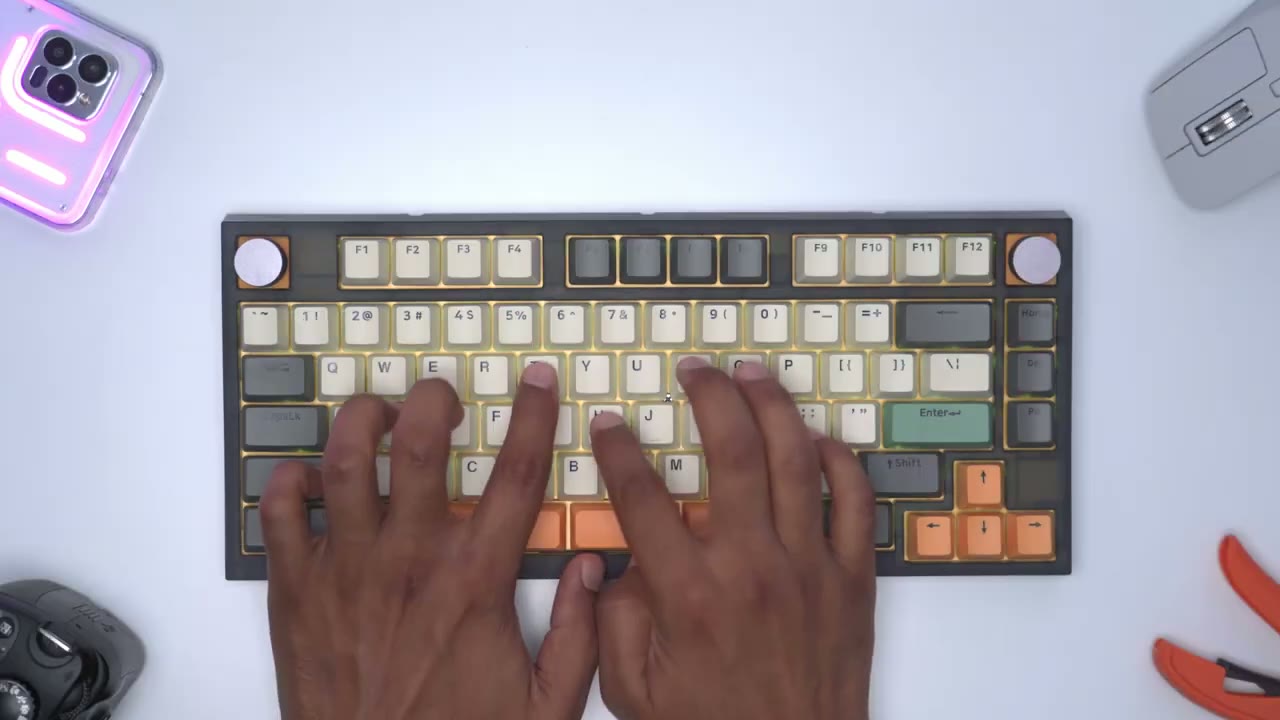
higher so I’ve reviewed a decent amount of keyboard so far and I have to say that the skyline gk75 actually offers one of the more unique and satisfying typing experiences I’ve had so far the typing experience has been so satisfying on this so far it’s so tactile the sound profile that accompanies this pairs perfectly well with it as well okay you can hear how planted those key presses sound like it’s just a really rewarding typing experience and you’re fully aware that you’ve pressed the key there’s no mistakes here the keys have a nice bounce back and again that matte and textured feel of the keycaps just really helps to solidify the entire typing experience the keyboard comes in at around 2.3 pounds or one kilogram so it’s super planted when you’re typing so
Split Spacebar
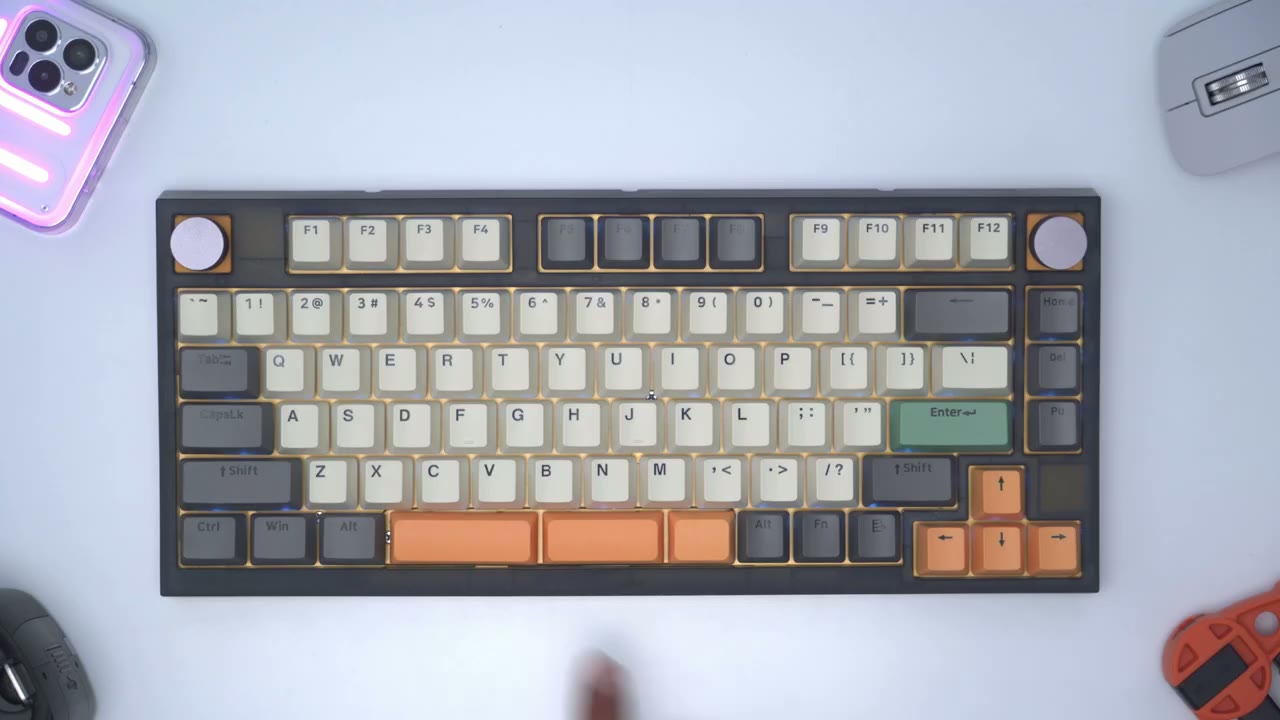
what do I think of the split space bar while typing well when I first started using the keyboard I thought I had to be mindful you know so that my thumb wasn’t Landing in between the gaps in the split spacebar but after a couple of days of typing you know my hands just naturally adjusted and you know my left finger would just uh or my left thumb would just always hit on this one or land on this one and then my right thumb would land on either of these so it’s a pretty seamless typing experience you know once you get used it now I also do prefer the sound coming out of the three split space bars versus you know the really wide one which you can also swap in another benefit of this split space bar is that the weight or pressure that you place on it is more evenly distributed because on a lot of keyboards with a standard space bar if you hit it on the extreme right or left and you know you may be experiencing a little bit of a wobble or the sound will be a little bit off but on here it’s pretty consistent all the way through I’ve removed the split spacebar plate and this is what it looks like and they’ve also supplied a standard or you know traditional type of space bar plate if you want to use the traditional space bar I’ve gone ahead and removed the split spacebar and installed the standard space bar plate with the standard space bar this is what it sounds like so you can see it’s a pretty consistent sound no matter if I hit it right side middle or left side there’s a little bit of wobble but it’s nothing major at all it’s within reason for what I’ve seen most keyboards and it actually sounds pretty decent now you can hear it compared to the sample while coming out of the rest of the keycaps it definitely stands out but let’s go back to the split space bar and see what that sounds like [Applause] so which one do you guys prefer the sound of the split spacebar or the standard let me know down below the sound profile on this is definitely
Sound
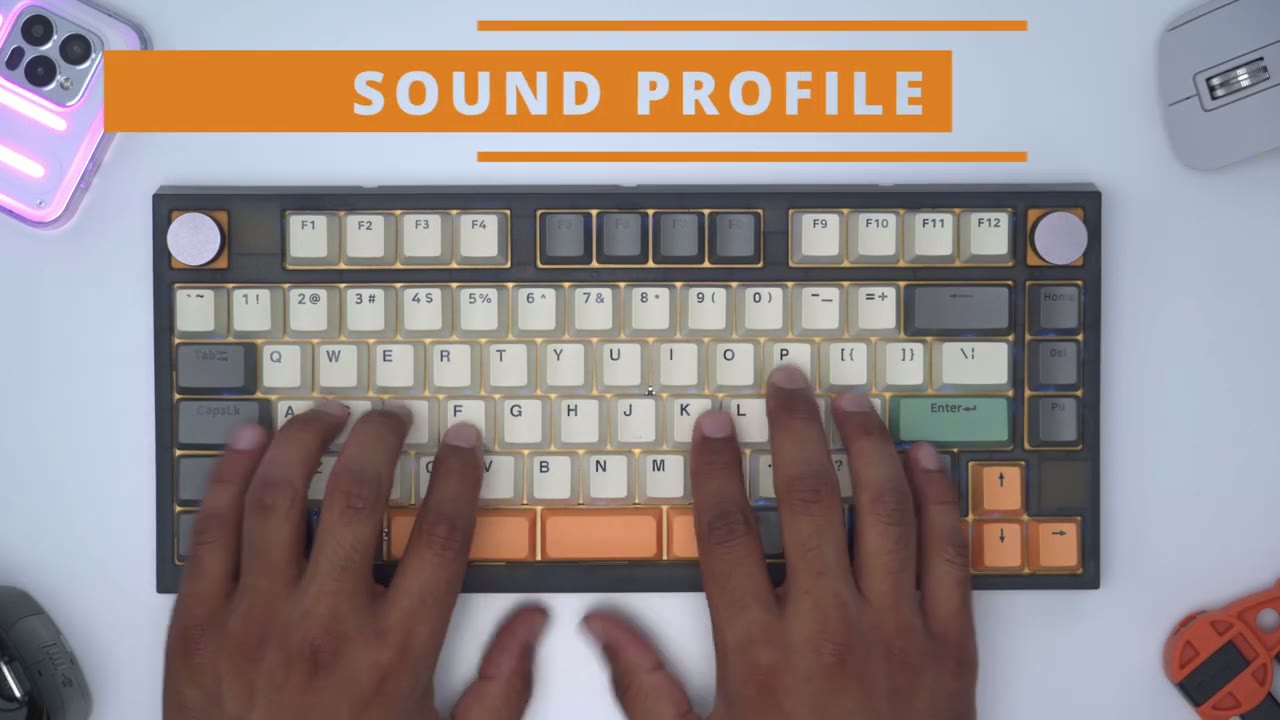
suited I would say more to home use because of the a shared work or office environment you’re definitely going to hear the sound coming out of this especially when you’re going at it [Applause]
Gaming

gaming on the gk75 was great thanks to the 1000 megahertz polling rate and even though I’m not going to be using this primarily as a gaming keyboard it’s good to know that it can handle it the gk75
RGB
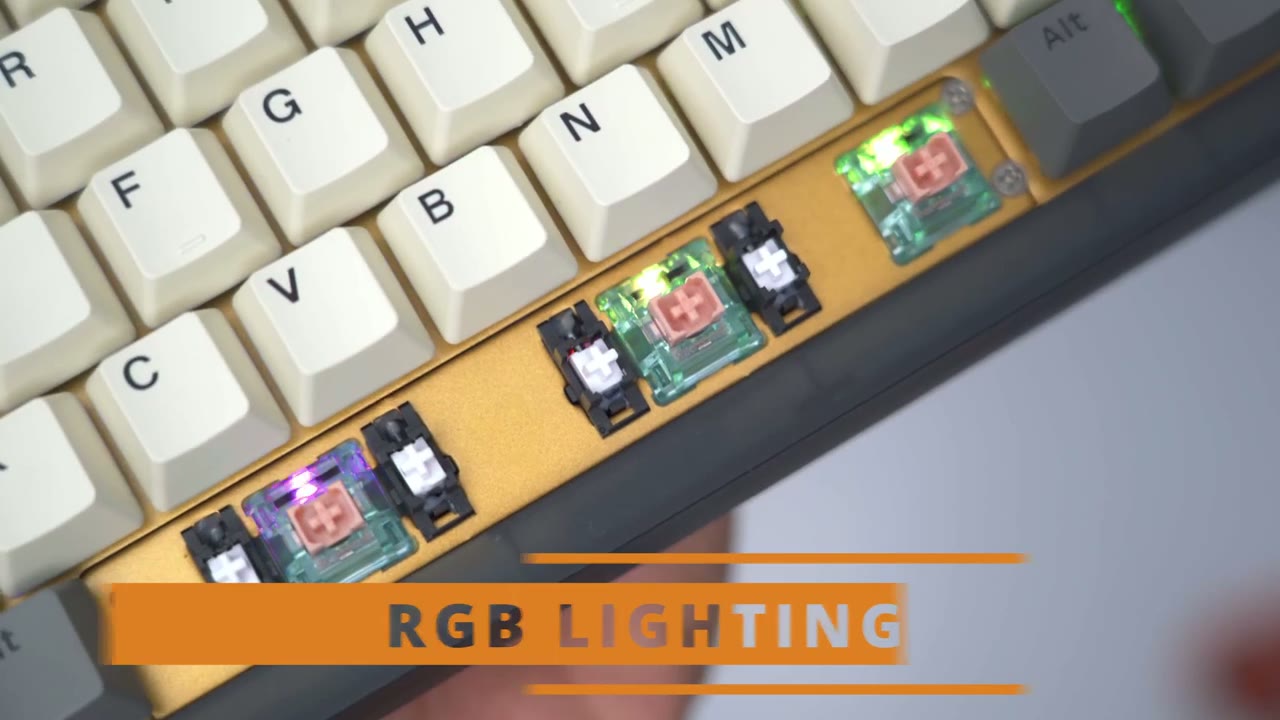
features North facing LEDs I’ve lowered the lighting in the room just to have the RGB effect show through a little bit better so while the RGB is there it’s definitely not the brightest RGB implementation that I’ve seen and there are no shine through keycaps so keep that in mind now to adjust the lighting it’s quite simple on the system you know function and the down arrow will completely lower the brightness and you can see that’s fully off and then functioning up will crank it to the brightest setting we can also reduce the speed of the effect like most other keyboards and then we could really speed that up as well if you ever want to turn the backlight off you would hit function and 9 and that just cuts it completely and then function at 9 turns it back on again if you want to pause the effect you would hit function and zero and you can see that pauses the effect or resumes it and we can also do a cycle through different type of preset lighting mode so you can see I can go through a bunch here of course you have options for solid colors as well if you like that I think the RGB implementation on here should satisfy most users but if you’re looking for the brightest RGB you could find this is definitely not going to be it it’s there you can see it it’s just a bit more you know toned down and tasteful you know especially if you’re not a fan of having a ton of RGB on all the time I fired up the driver software
Software
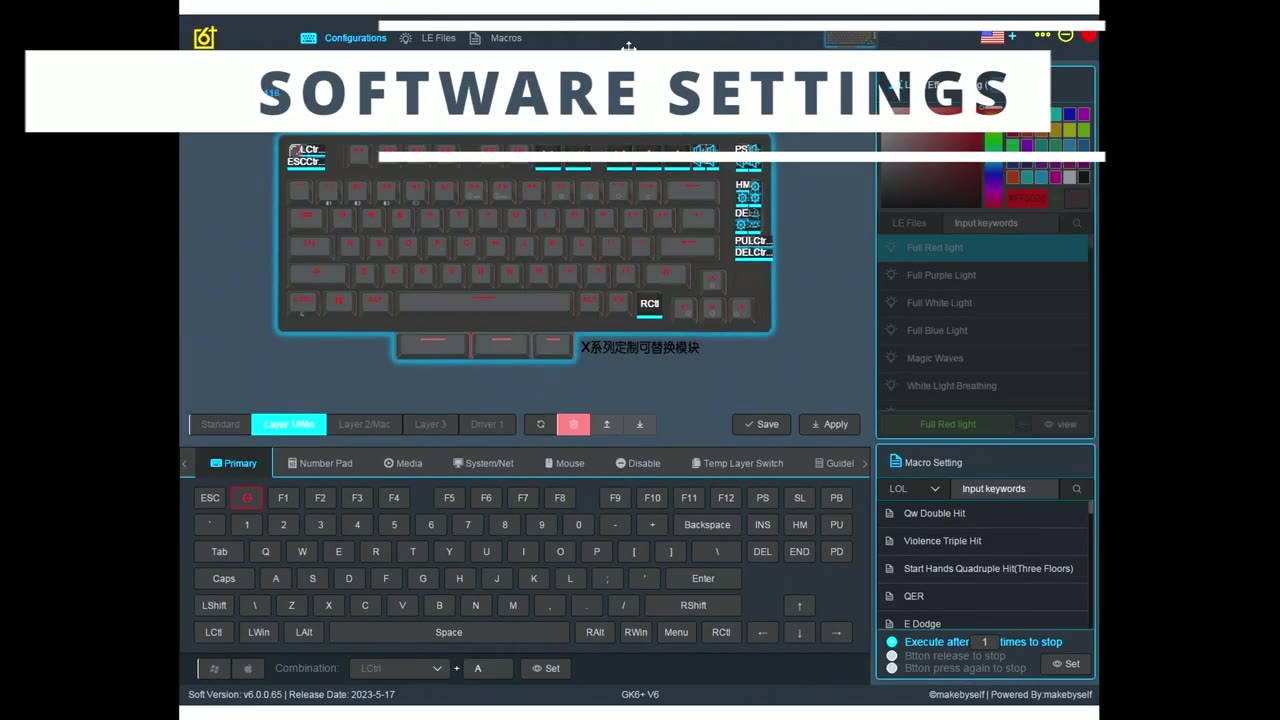
for the gk75 and you can see this is what the dashboard looks like and since we’re using this on a Windows computer we’re going to go to layer one or Windows and this is where we could you know rebind keys and things like that and you can see also for the space bar you can actually rebind this so that only one of these functions as a space bar and the other one functions you know as something else if you like now what’s important here is the dial functionality so you can see here if I go to dial and I’m just going to clear that configuration and you can see I can set this to to go up you know like shift up on the keyboard and then I’ll go to the other one here delete that and then set it to go down and this is how I can have you know kind of that fine control in terms of Sliders now one of the things I was mentioning is if I go and I try to modify the knob functionality in the top right here and I go to Mouse these are my options so right click left click middle click back in advance and this is how I was able to navigate around websites going forwards and backwards but what is missing for me is having an option for Mouse scroll wheel up and mouse scroll wheel down that would come in really handy for adjusting sliders and video editing where the arrows are used to you know move through the timeline versus change sliders if we go into the second tab here which is Le these are the lists or this is a list of different type of lighting that you could do on here and you can see it’s quite full featured and what you would do is when you’re in standard you could go ahead and delete some of these you know assign a different type of lighting let me just click that and then this is what you would cycle through on the um keyboard command so you can see really a ton of different options I just wish the software was a little bit more space out and a little bit larger in resolution um on the computer right now I’m using this on a 1080p Monitor and that’s why it’s so large but on a 4k monitor it’s challenging there’s also some handy
Shortcuts
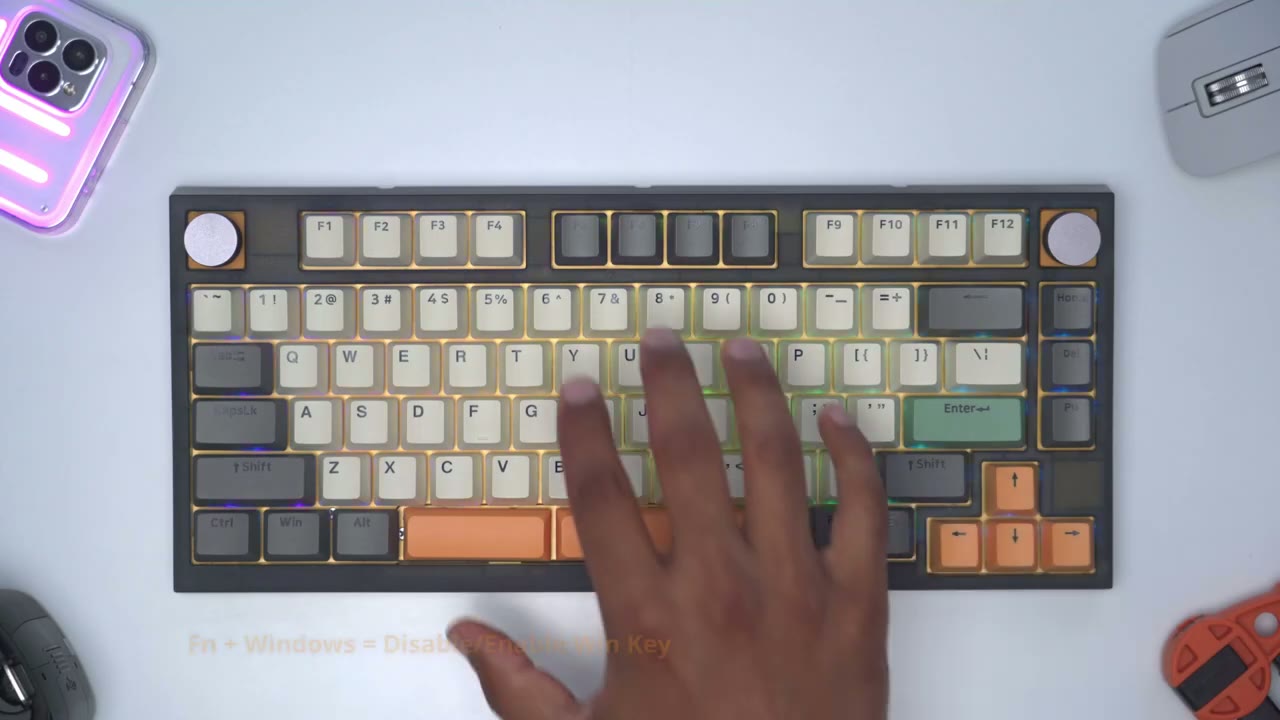
keyboard shortcuts so if you’re going to be using this for gaming you could just hit function in Windows and that’s just going to disable the Windows key then you can just enable it back function one and two are reserved for pairing Bluetooth devices and function 3 is reserved for the 2.4 gigahertz connection if you want to use the gk785 with multiple devices it is possible so you can see right now I have the keyboard set up or plugged into my computer if I hit the Windows key it’s going to pull up the start menu on my computer but I could easily hit function and space and then if I hit the Windows key now it’s going to pull up the voice assistant on my Android phone and I can just hit function in space again to exit out and I’m back to controlling my computer alright guys so can I recommend
Recommended?
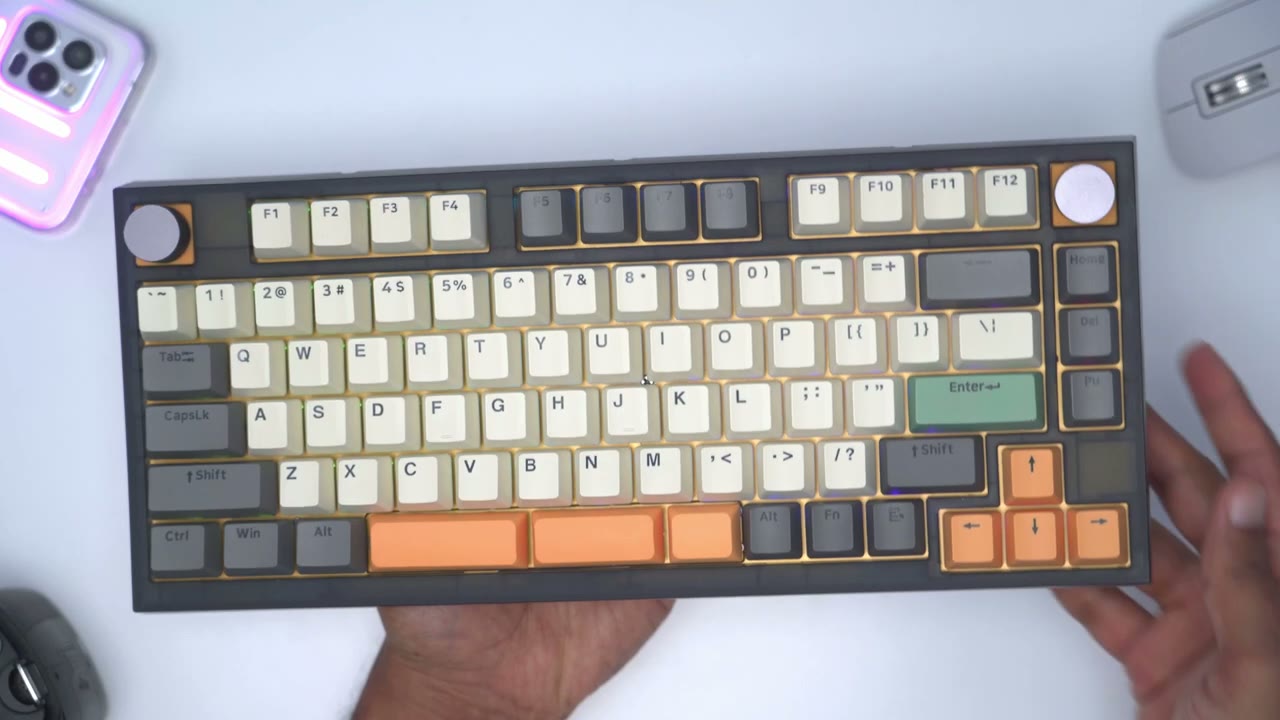
the skylon G K75 and this is really such a unique keyboard in terms of the looks with the split space bar having you know just one knob two knobs or up to six knobs there’s really a ton of functionality and versatility with this keyboard but the most standout feature for me is actually the typing experience because that’s what I’m actually going to be using this most of the time for it’s also such a well-built and solid keyboard you know if I try to flex it there’s really no give or room with creaking or flexing or anything like that it’s just a super compact planted keyboard there’s a nice weight to it you know coming in at around 2.3 pounds so if you guys are interested in checking out the skylon gk75 mechanical keyboard or any of their other type of mechanical keyboards you can use my promo code Dem crumblies for 15 off so yeah guys let me know what you think of the skylon gk75 mechanical keyboard you know I’m curious to hear what you guys think about the split space bar you know the sound profile coming out of that how do you feel about the knobs you know is one knob enough for you do you only need it for volume control or do you see the benefit of having you know two knobs and potentially up to six knobs depending on you know your application for this I’m super curious to hear how you guys would use all those knobs and as always if you found this video helpful please consider liking and subscribing it really does help me out a ton guys and I’ll see you in the next one soon
Please note that some of the links in my video descriptions are affiliate links where I earn from qualifying purchases. As an Amazon Associate I earn from qualifying purchases.