


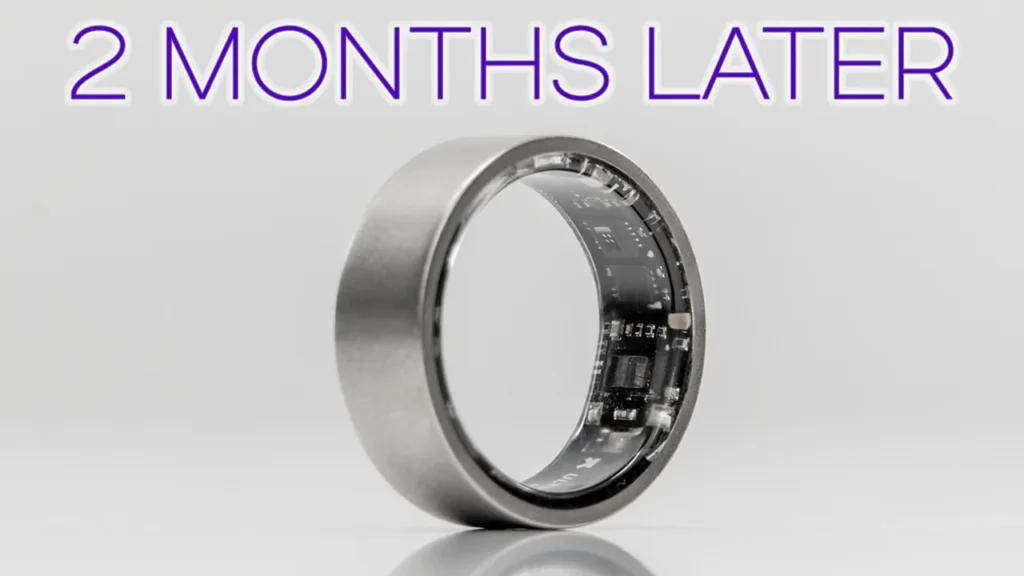

Buy UltraHuman Ring AIR on Amazon
Please note that some of the links in my video descriptions are affiliate links where I earn from qualifying purchases. As an Amazon Associate I earn from qualifying purchases.
Intro

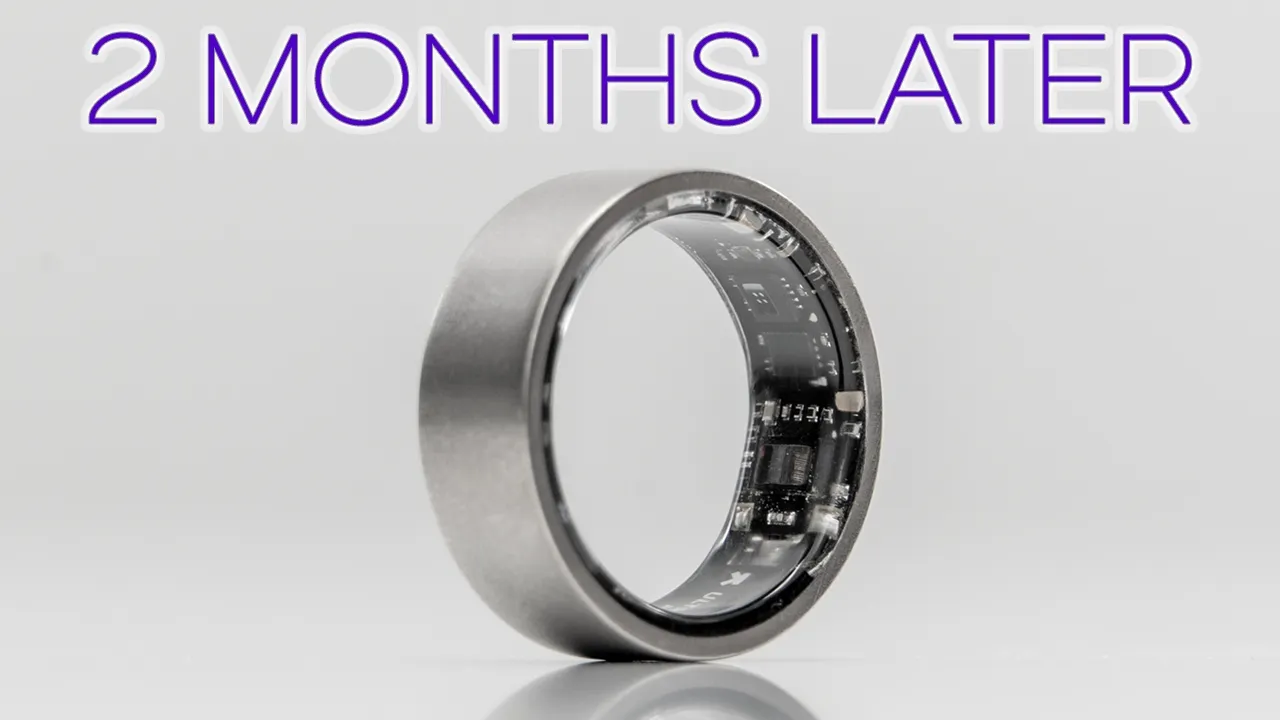
Hey, it’s Adrian. And if you’ve ever been curious or interested in the idea of a smart ring like I have, especially if you already own a smartwatch and you’re not sure where to start, well, the Ultra Human Ring Air is definitely worth checking out. The Ultrauman Ring Air boasts amazing battery life between 5 to 7 days. It has great build quality with the titanium build in a lightweight frame, and it’s water resistant up to 100 m as well. There’s a super in-depth app with pretty much every metric you’d ever need and the ability to add additional functionality through their Power Plug add-ons. But what’s best is that unlike other smart rings, there’s zero monthly fees to use this ring day in and day out with full functionality.
That’s something I always appreciate in a world where everything seems to be subscriptionbased. Now, can the UltraMan Ringer actually replace a smartwatch? Is it as accurate as a smartwatch? Will wearing this actually improve your health? Well, let me share my thoughts with you after wearing this for a full 2 months, basically 24 hours a day, and a big thanks to Ultra Human for sending this out for review.
Package Contents

In the box, we have the Ultra Human Air charging dock, USB type-C to type-C cable, various manuals, and stickers.
Design
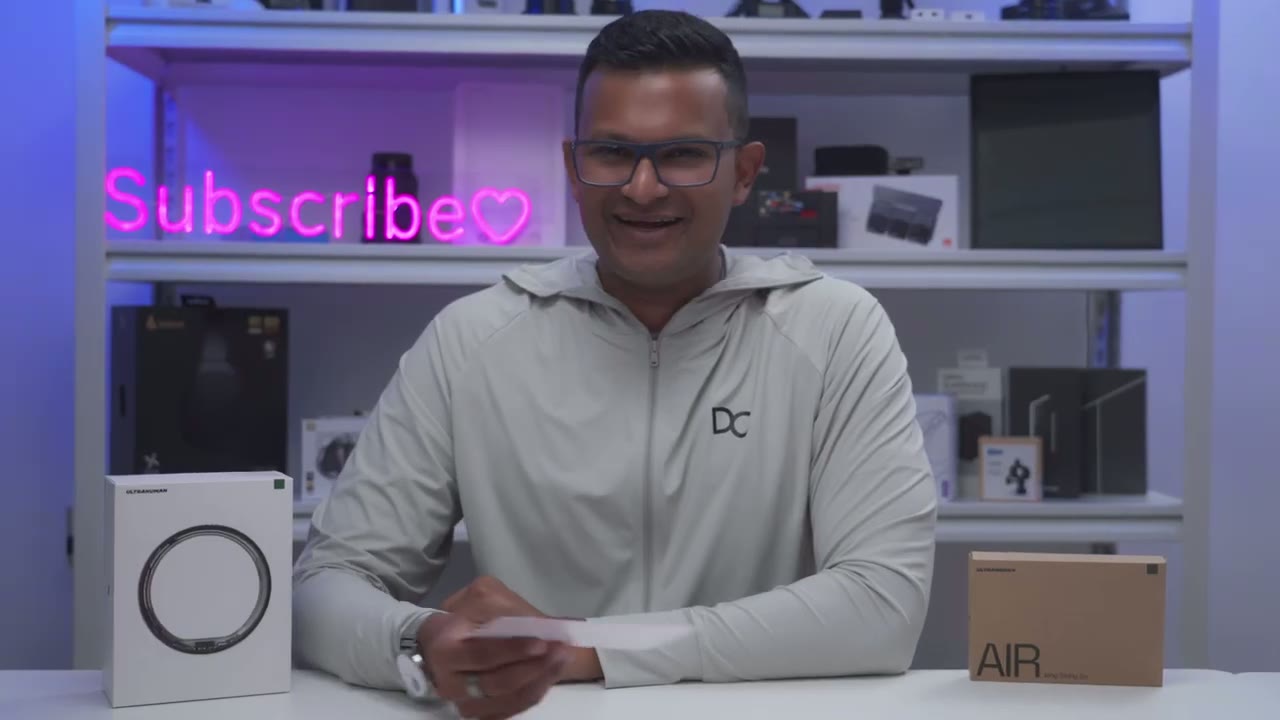
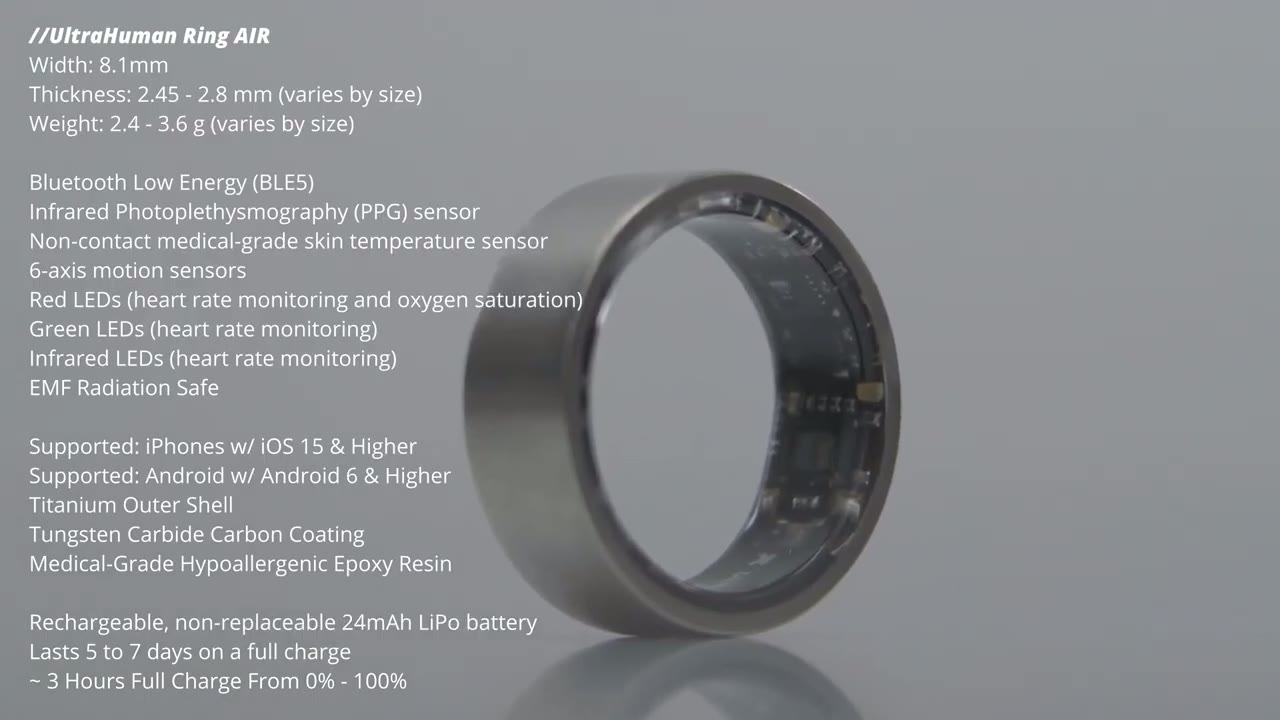
The Ring Air comes in different colors and finishes. So, when you get the ring sizing guide, it’s going to come with this sheet of paper, and it shows all of the different colors and finishes so you know exactly what you’re getting. Now, I have the raw titanium in size 9. So, I did get the ring sizing kit, and when you open it up, there’s a bunch of different ring sizes. Just go ahead, pick the one that best fits you. Wear it for 24 to 48 hours. Then you can go ahead and order your ring. The Ring Air is extremely lightweight at around 3 g. And there’s a tungsten carbide coating on the exterior and a smooth resin on the inside, making it really comfortable for all day wear. The inner side has the Ultrauman logo along with various sensors.
And there’s a slight raised bump to indicate where you should slide this onto your finger. So that bumped or raised portion always has to face up at all times. There’s also a charger for the ring. So once you plug this in by USBC, it’s going to light up purple, letting you know it’s ready to charge. You just pop the ring on there. It can only go in one way thanks to that raised bump. And it’s going to glow in and out white till it turns solid green, letting you know it’s fully charged. Here’s a
Specs
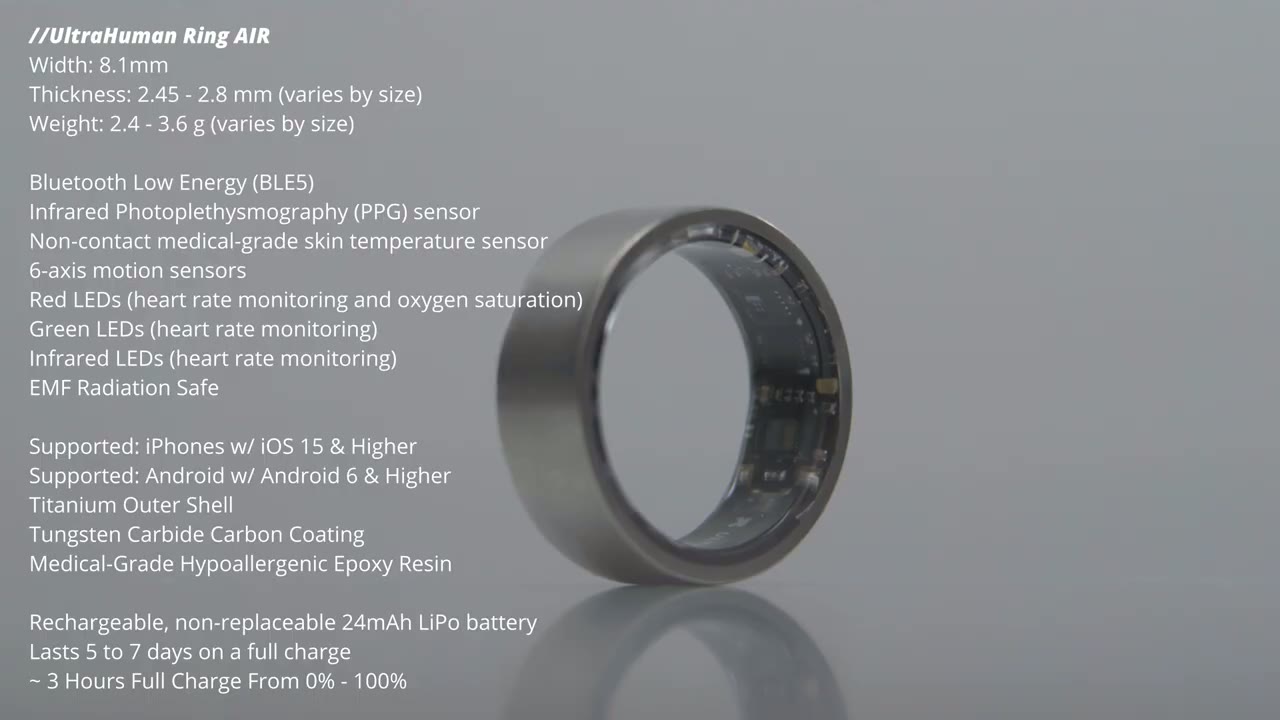
quick look at the specs. Feel free to pause and review or jump ahead to the
App Settings
next section. Let’s talk about the Ultra Human app. And this has been the standout part of this entire experience for me because you can have a beautifully designed device like you know this uh smartwatch right here but if the app experience is lacking well you’re not really going to get the full experience and thankfully with the Ultrauman app you get a ton of data. you could drill down into data as much as you want. And the app actually, you know, gives you gentle reminders or it just kind of pushes you or nudges you in a more impactful way than I noticed with the withings app um for my smartwatch. When you first open the Ultraum app, it’s going to go ahead and sync whatever is on the ring since the last time it was synced.
So, you could see this green bar at the bottom while it’s actively syncing. And then you get a quick snapshot of what’s going on. So right now you can see in the snapshot it’s showing my temperature deviation is optimal, sleep is optimal, steps are optimal, uh etc. Now one really cool thing as you can see right now it’s prompting me to add uh or to log sunlight exposure because I was out uh during this time. So I would just go ahead click on add and you can see at the top here it’s showing 13%. It just updated to 21%. And that’s because it’s added in that sunlight exposure through the power plug that I’ve added on here. And you can go ahead and take a look at the mode that you’re in. So, right now under uh battery mode, you can see it’s set to turbo mode.
I can also put it into this kind of chill mode, and it shows the difference between various modes. And then there’s also a critical battery mode. And then we also have the option for airplane mode and background sync as well. Actually, before I scroll down, I could tap into snapshot with this little arrow here. Basically, anytime you see that little arrow, you could, you know, kind of dive down deeper. So, you can see I have a bunch of information and it kind of breaks it down at the bottom here. So, you I could go into like recovery, for example. Take a look at my stress rhythm score. I because I have that arrow, I could tap into that and it’ll kind of cycle through various days and it’s just going to update kind of in real time. But, let’s jump back out to the main screen here.
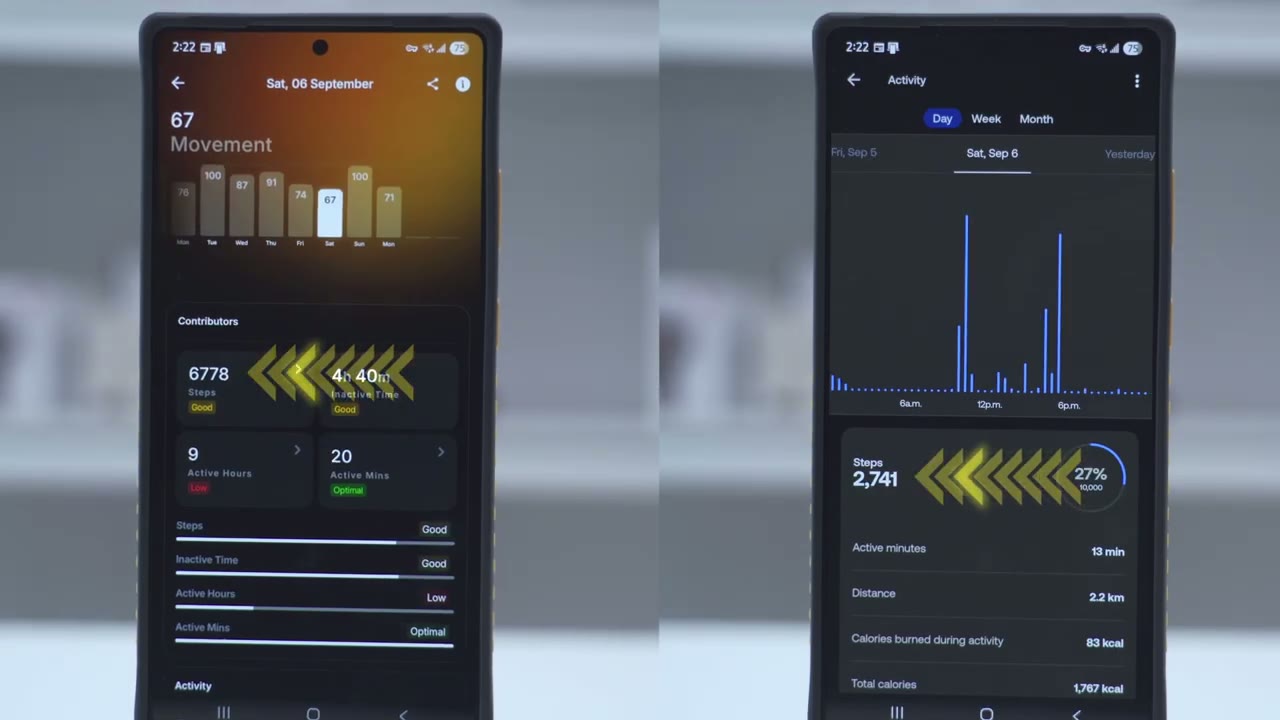
And it’s basically a vertical screen where you have all of the information. So you don’t have to hunt around. Just on the main home screen, you can see everything. So right now for movement, again, I could tap into uh this arrow right up here and I could see my movement score. So it’s 98 today. And I could just kind of cycle through various days. And you could see right at the bottom here, that’s kind of updating in real time. It’s showing these are how many steps I had. Of course, I could drill down into that, you know, uh further and take a look at like my daily uh weekly or monthly trend. And it shows my active hours, my inactive time, active minutes, and you know, just a bunch of other information like calories, etc.
Now, if I jump or sorry, scroll down, I can see my stress rhythm score. That’s at 87. It’s saying I’m relaxed right now. And then I can actually tap into that again, cycle through various days, um, take a look at a breakdown of how it got there. And there’s actually breathing exercises that you can go through to kind of lower your stress level if you wanted to. And now there’s also this feature called caffeine window. And this is in here because again, I downloaded a power plug to add this functionality. So this is showing me to avoid caffeine and other stimulants now so I can have a better sleep. something I’ve been kind of neglecting and ignoring, but you can see it tells you like kind of an optimal time to have caffeine.
Now, if we jump into sleep, it’s showing that, you know, I have a score of 73 and I was tossing and turning at night. Even though it shows, you know, a pretty good sleep duration and cycle. If I tap into this, you know, it’s showing that yes, I did oversleep today. Um, I went to bed kind of late last night. It shows, you know, total time in bed, uh amount of restorative sleep, if my temperature was fine, if my rest uh fullness was good, uh my HR drop, etc. And you can see as I go down, there’s just a ton of information like how long I was awake, RM sleep, light sleep, deep sleep. And you can see it also shows like the lowest my heart rate dropped while sleeping and then my average BPM while I was sleeping as well. It also shows the heart rate variability while I was sleeping.
Now you can see I had 21 tosses and turnings uh last night. Uh which is a lot. Usually it’s only like 12 or you know 12 to 14 for me. And it actually shows the oxygen oxygen saturation level and skin temperature. So really a host um of data you know really everything you would need. And it shows that I’ve achieved two or four sleep goals. And if I tap into that, I can see that had I went to bed, you know, earlier or and woken up earlier, I would have attained all of my sleep goals. So, not only does it give you the score, it tells you exactly what you have to do um to do better next time. Now, under dynamic recovery, it shows uh I have five of six metrics within range. And if I tap into that, you could see basically everything green is normal.
And then I did have too high of a resting heart rate and my sleep index was not good. And again, basically on any of these screens, you could kind of scroll down and get more information. Now, let’s jump into ultra age. This is kind of interesting. So, it is showing um you know, I’m about four years older than my actual age, which I tend to believe it because, you know, I I lead a very sedentary lifestyle. And if I look at how it’s kind of arriving at that, it’s showing my sleep index for the last 7 days is only fair. It’s not even just good. Um sleep score, deep sleep score is just moderate. And then my sleep depth for last week needs attention. So had I, you know, just gotten better sleep and on time sleep, you know, I could get this number down. There’s also a circadian rhythm.
Again, you could tap into this. And this is a power plug feature. Um, and I’ll get into that a little bit more. Now, there’s also this brain waste clearance. And basically, if you have good brain waste clearance, you know, due to, you know, the type of sleep quality of sleep you’re getting, it’s going to kind of extend your caffeine window, which is uh something that I’ve noticed when I’ve had better sleep, the app will prompt me that, hey, you could have caffeine with a extended window. Now, heart rate is showing it at uh 66 right now. And I can again tap into that. Take a look at my, you know, trend for today. Um also weekly and monthly as well. So, you can see if you’re kind of doing better or not. Now, cardio weight is also putting me older than I am.
This is uh 100% true, you know, sedentary lifestyle, not much in terms of cardio and stuff. So, I have a 38 uh V2 max. So, that’s showing it as just being fair. And then resting heart rate is good. And then my HRV is just average. So, definitely I can improve in those areas. And then temperature deviation. Again, you could see um my current skin temperature while I’m sleeping and while I’m not sleeping. And then you can check that again, you know, uh daily, weekly, monthly, trends, etc. But let’s look at power plugs, which is a really cool feature. This lets you add functionality to the ring. So, some of these are free, some are paid. So, for example, AIB detection, you do have to pay $4.90 a month. This ultras for test at $6.90 a month. Now, there’s a lot that are free.
So like cyclone ovulation is free, vitamin D is uh free and you could see it says open because I’ve downloaded that one. That was what prompted me to add that sunlight exposure. Circadian rhythm. I’ve added that. Um same with the caffeine window. So you know depending on what you’re interested in. There’s a smart alarm, pregnancy insights, you know, just really a ton of different options on here to add functionality to the ring if you want to do that. Another really neat thing is that whenever I’m walking, it will actually automatically detect that I went out for a walk. And again, when I open the app, it’s going to just ask me, hey, do you want to add this activity? You just tap on it and pick was it like outdoor walking, indoor walking, etc.
And it’ll just automatically add it to the app. Now, if you want to do like a particular workout, you’ll have to manually add that. So, you’ll have to open the app up, click the plus sign, and then pick, you know, if it’s an activity, a sport, whatever. And there’s pretty much everything you can think of in here. and you would just start the activity. Now, this is one area where if you’re, you know, kind of considering a smart ring, you may prefer a smartwatch because, you know, a lot of that you could just do that on the touchcreen of the watch. So, if you know, you prefer having a touchcreen not reaching for your phone, that’s one consideration to
Monitoring Accuracy
keep in mind. All right, let’s talk about data accuracy. So, between the ultrauman ring error and my witing scan watch, I found that it was actually pretty much deadon in certain areas, like both devices were reporting the same, but way off in other areas. When it came to sleep data, the Ring Air was extremely accurate when I compared to the data on my watch. So, in terms of the total sleep time, it was only off by four to five minutes. Again, it can go either way. Like, who’s to say which is right, which is wrong. And then, in terms of the average BPM or beats per minute, it was only a 2 BPM difference. Again, depending on which device you trust more. So, no issues in terms of sleep tracking.
One area where both devices reported drastically different monitor was the Hamana steps I was taking every day. So I took a sample of, you know, 4 days where I was particularly active. So I wouldn’t have like one outlier day. And I noticed that the ring air would sometimes report as low as, you know, 1.4x increase in the steps reported to as much as a 2.4x increase in steps reported to the amount of steps reported on the scan watch, which is like double the amount of steps, which is quite significant. And if I have to pick one of these devices, um, I would pick these scan watch as being the most accurate, you know, because it’s probably going by wrist movement, you know, paired with distance walk, for example. Whereas with the Ring Air, this might be going by finger movements.
And if you think, you know, someone who types a lot, um, even shampooing your hair, cooking, doing any type of, you know, hobby or activity could register, you know, a ton of steps that are not actual steps. The other thing is that I also kept the ring on all the time when I was showering, brushing my teeth, but I would take the watch off. But it still wouldn’t contribute, you know, to a 2x amount of steps reported. For me personally, if I wanted to get an accurate idea of step count on the ringer, I would have to divide the amount of steps reported by around 2.14 to get an accurate idea. That’s if I calibrate it to the scan watch. So, if step reporting is super vital to you, you know, just keep that in mind.
either you’ll have to take a look at what your watch in the ring reports and then kind of divide it to get an idea or you just won’t be able to rely completely on that metric. So, has
Health Improvements?
wearing the Ring Air actually improved my health? And it actually has in some areas. Now, with my smartwatch, it also had an app and it would also prompt me, hey, get up and stretch your legs, go for a walk if you want to hit your step goal. But I find that I kind of started ignoring it after a while. Whereas with the Ring Air, I actually make more of an effort when the app sends me the alerts. And I think it’s because the data on here is just more fullfeatured. I can kind of drill down more on it. So, it makes it more actionable than just, hey, get up and hit your step goal because I can take a look at my movement. I can see my skin temperature. I could see my HRV, which I couldn’t see on the watch. It like the app for this didn’t have that. And I’m just getting way more data.
So I can see kind of micro improvements versus like looking at an overall step goal improvement or hey your active time was x amount of minutes now it’s this it’s just way more data in the ultrauman app and it makes it so that I want to improve all of these little areas than just you know one big area where that can kind of get boring or stagnant. So if you’re someone like that where you like seeing a lot of data, you like kind of drilling down, yeah, if you’re someone who’s serious about improving your health, I think this is a worthwhile investment. Battery
Battery Life
life has been fantastic on the Ring Air. I’m easily getting between five to seven days consistently on the newest firmware version. Now, there’s three battery modes. There’s a turbo mode, a chill mode, and a critical battery mode. Now, the turbo mode is where I was getting around 5 days of battery life. So, this is going to be kind of almost 24/7 tracking. It’s going to give you the most amount of data, which is why it’s 5 days. You could put it into chill mode, you’re going to get around 7 days of battery life, and that’s going to give you still a lot of metrics. I really didn’t notice, you know, much of a difference, but it’s not going to be, you know, as frequent as the turbo mode where it’s kind of constantly scanning or monitoring. And then you have the critical battery mode.
If, you know, you’re not able to charge the Ring anytime soon, you could put it into that mode. And the Ring will actually enter into that mode if the battery life gets low enough. Now, you can also extend battery life a little bit more if you turn on the Ring airplane mode. So, it’s only going to sync data anytime you disable that mode. You also have the option to turn background sync on or off. For the most part, I just left it off because I would just, you know, regularly open the app whenever it would send me app alerts. And every time you open the app, it’s just going to automatically sync. And that worked well for me. I want to share one tip about the battery life now that I’ve been wearing this for 2 months. And it may seem counterintuitive.
So, when I first got the ring, I was taking it off when I was shaving, when I was showering, because when I’m showering, I’m using like the bar soap, not the liquid soap. And the bar soap would kind of get stuck or built up on the ring. So, I’d have to take the ring off, clean the soap off, and then put the ring back on. So, I noticed when I took the ring off during those periods, the battery life was worse when I did my battery life test. And when I just kept the ring on 24/7 for every single activity I was doing, the battery life actually improved. So, what I think is happening is that the sensor on the ring is probably hunting around a lot, you know, looking for your finger, looking for a pulse or something to monitor.
And when it’s not finding that, it’s actually depleting the battery life more. That’s just my thought. But, you know, when I did keep this on all the time, battery life significantly improved. So, yeah, battery life has been fantastic for me. I only have to charge this every 5 to 7 days, depending on the power mode I put it in. And anytime the Ring is at 30% or less battery life, the app is going to send you an alert letting you know, hey, pop this on the charger whenever you have time. And usually by then, you still have like another 1 to two days.
Durability?
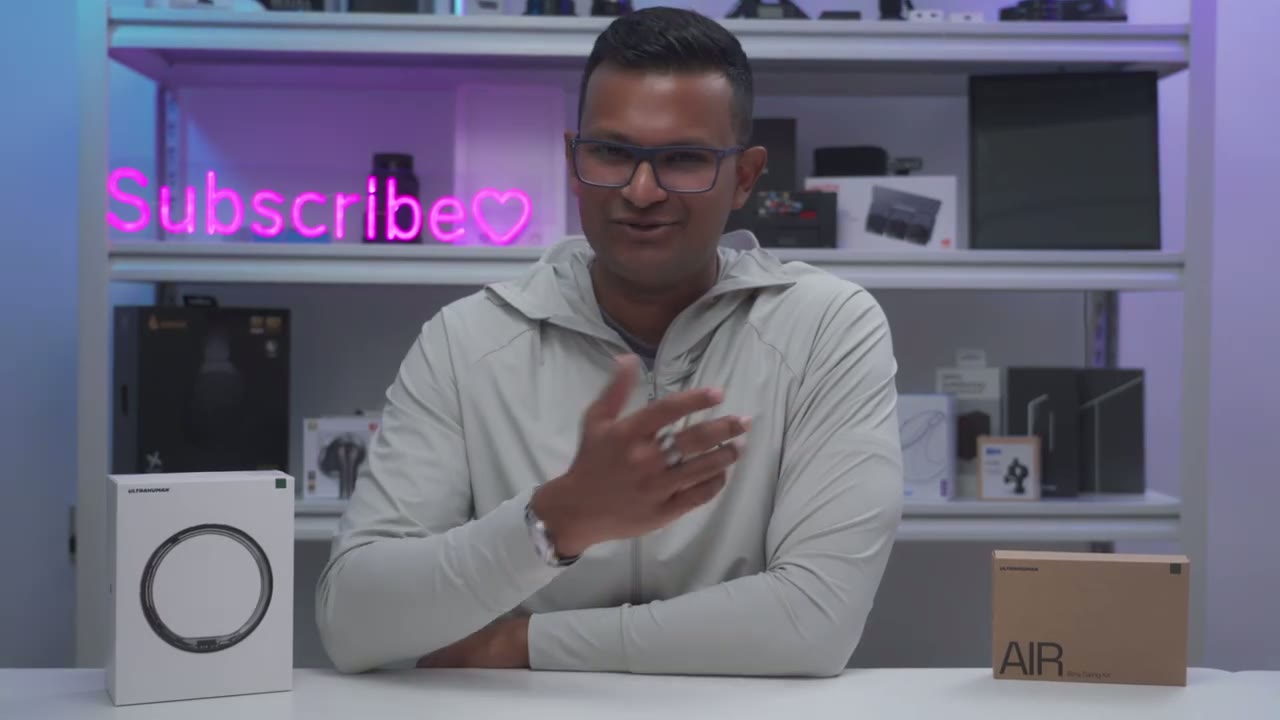
Anyway, the durability of the Ring Air has really exceeded my expectations. I’ve been wearing this for 2 months, basically 24 hours a day, every day, and this ring has been through a lot. I’ve had this ring on while I’m doing push-ups, while I’m using like hammers, power tools, you know, assembling the shelf behind me. Basically, this has been on all the time and it only has very minimal kind of, you know, like surface level scratches and nicks on it. It’s still ticking. So, in terms of durability, you’re not going to have any
Room For Improvement?
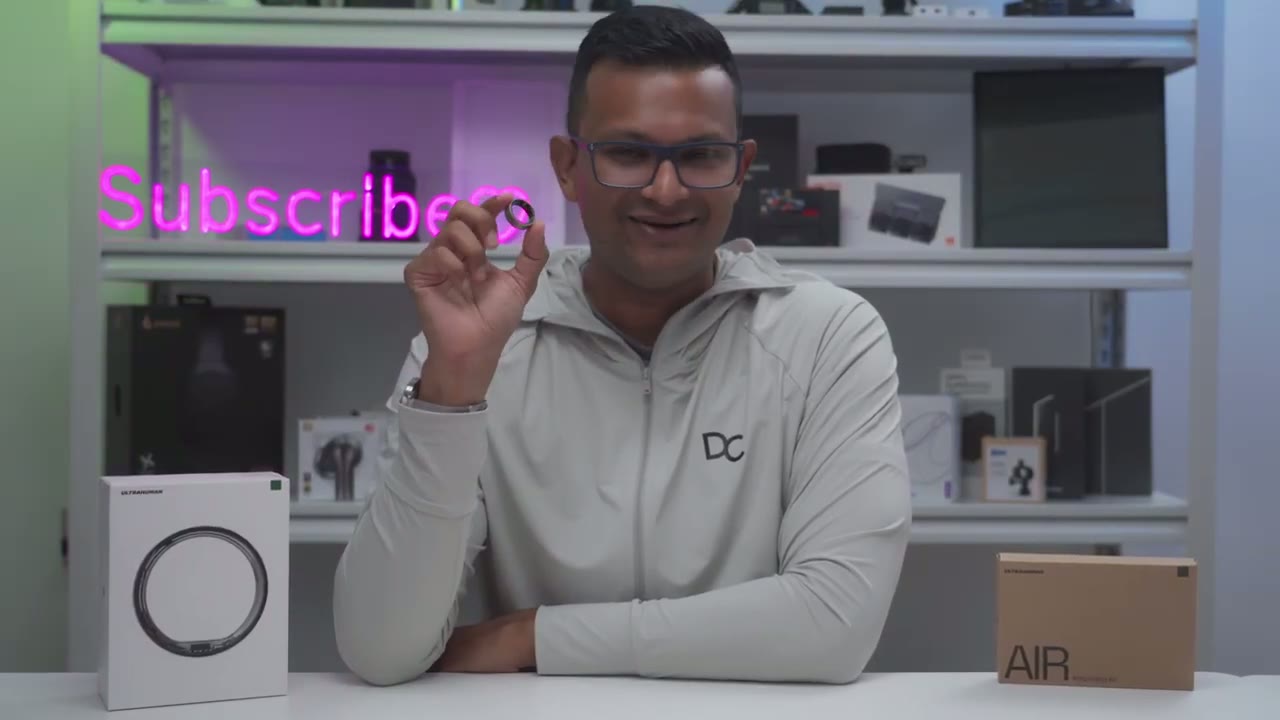
problems. While I’ve loved wearing the Ring Air basically for the last 2 months, 24 hours a day, there is one area where I wish it would improve on, and that is the step movement. I did mention that to Ultra Human, and they said it’s something they’re kind of always working on in terms of, you know, their algorithms for movement. So, you know, maybe if it’s kind of registering small movements of the finger, maybe it can go more on distance walked or, you know, based on your height or, you know, the amount of your, you know, your stride length. Maybe something else to kind of calibrate that number a little bit more against the movements of your finger. But yeah, that’s the only one area where it could use with improvement
Smart Ring or Smartwatch
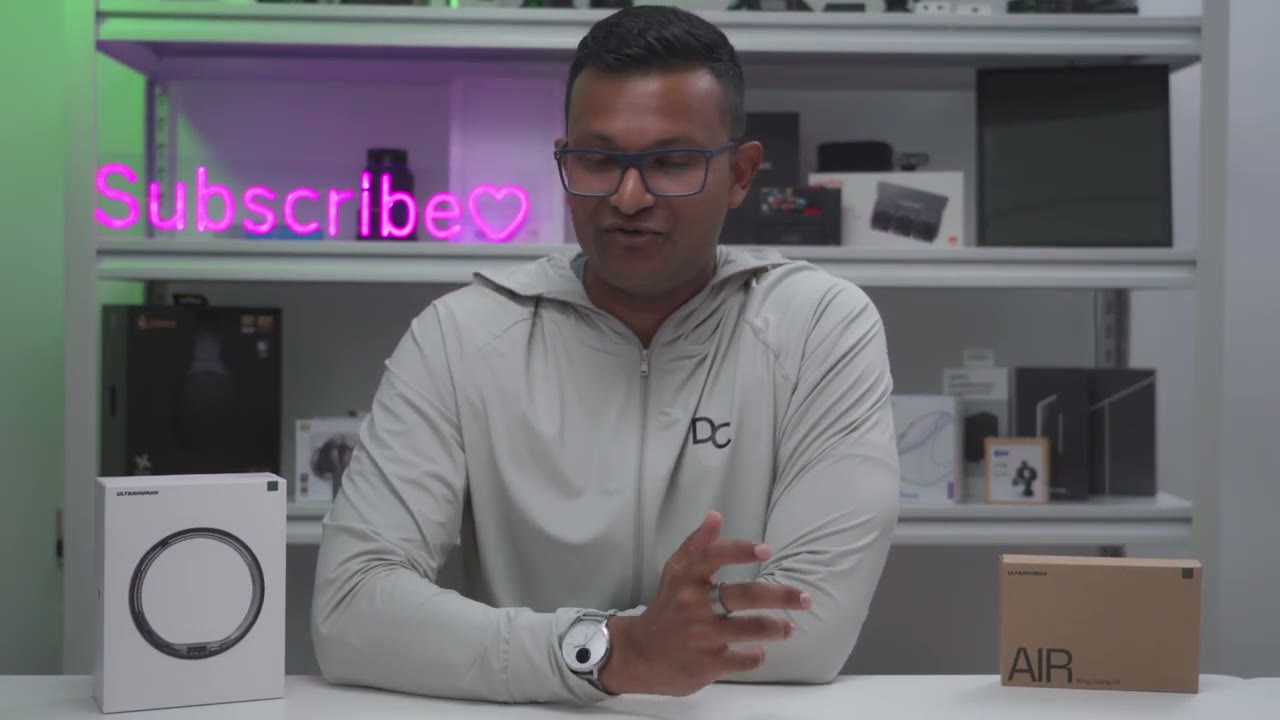
for me. Now, as someone who’s worn a smartwatch for 2 years plus, if you asked me to pick between both of these devices if I could only pick one to wear for the rest of time, the answer is actually surprising even to me because I would actually pick the ring air and that’s coming from someone who loves wearing watches in general. The first reason is that the app experience feels very polished with ultraum compared to my scan watch. Now, I haven’t worn a lot of uh smart watches from other brands. I’m sure they have really fullfeatured apps as well. So maybe that’s not a consideration for you. But one benefit also is that this is much less obtrusive. So it’s, you know, sleek, very minimal.
So whereas, you know, with my watch, I may bang it into a wall or if I kept it on while brushing my teeth or, you know, doing an activity, it would get wet, you know, the liquid would kind of seep under the watch band. Whereas with the ring, it’s, you know, much less surface area. So I could just, you know, slide it off, dry my finger, slide it back on. is just, you know, easier to just use day in day out. It’s easier to wear. I find that it’s just as accurate in pretty much every area that the watches, minus the step uh tracking,
Recommended?
which could use with improvement. So, should you get the ultraum ring error? Well, I really think it’s going to come down to how you like to use your device. If you’re someone who likes, you know, interact with the device on the screen, you want to start your workouts from the screen, check your data in real time on the screen, and say you want to check like text messages or whatever, well, yeah, the smartwatch is going to be the better buy for you. Now, if you’re someone who prefers, you know, kind of a minimalist look, you know, it’s sleek. You still get all of the tracking that you would get on a smartwatch, like temperature, um, sleep tracking, you have HRV on here. basically everything you can think of except like the movement score is going to be not as accurate.
Then yeah, the Ring Air is the better buy. It’s way less intrusive. You still get a ton of access to data. It’s a polish app experience and there’s zero monthly fees to get full functionality out of this. And I find that I can keep the Ring Air on for basically every activity I do 24/7. But I usually will take my watch off when showering because, you know, I don’t want shampoo and soap on the watch. It’s much harder to clean. Whereas with the Ring, it’s so smooth. It’s not many crevices for anything to get stuck on. It’s just easier to live with day in day out. So, if you’re interested in picking up your very own Ultra Human Ring Air, I’m going to leave links down below along with a coupon code so you can get 10% off your order.
And consider liking it, subscribing for more videos like this. I plan on reviewing, you know, more smart rings, more smart and health devices as well. and maybe consider checking out some of my other tech reviews cuz I review monitors, keyboards, headphones, laptops, earbuds. Really something for everyone. I think you’ll find something you like, and I really hope you’ll join me in my next video
Buy UltraHuman Ring AIR on Amazon
Please note that some of the links in my video descriptions are affiliate links where I earn from qualifying purchases. As an Amazon Associate I earn from qualifying purchases.