


Buy iTODOS Solar Panel Mount on Amazon
Buy Blink + Sync Doorbell on Amazon
Please note that some of the links in my video descriptions are affiliate links where I earn from qualifying purchases. As an Amazon Associate I earn from qualifying purchases.
Intro
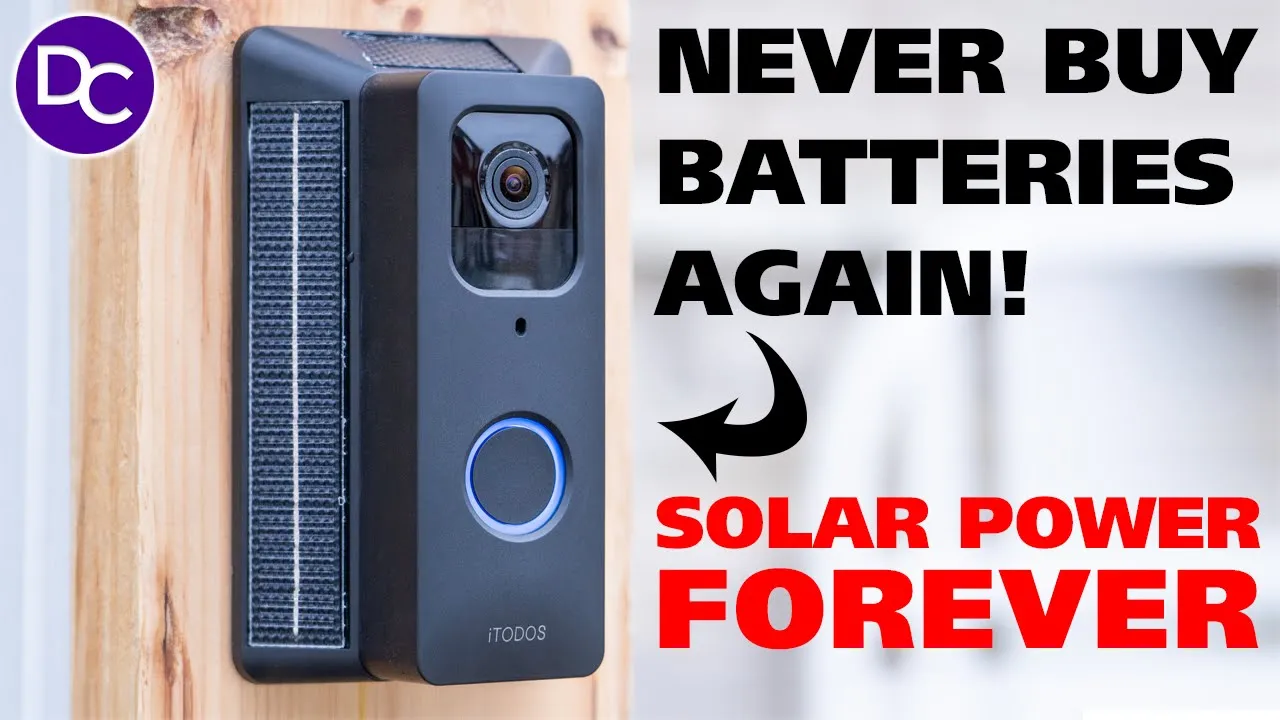
hey guys it’s Adrian and if you’ve ever been worried about battery life on your blink video doorbell I have the perfect thing for you this is a solar panel mount for your blink video doorbell and it adds a massive 13,200 milliamp hours and not only that it does have solar panels on there to keep that battery fully topped up that basically means you’re never going to have to buy ablea batteries for your blink video doorbell again because even without any type of charging this can last up to 6 months and you also have the option to just insert a USB type-c cable to just top it back up thanks to it toos for sending this out for review but let’s take a closer look at how it performs how easy it is to get this set up and if it’s worth it for you in the
Package Contents
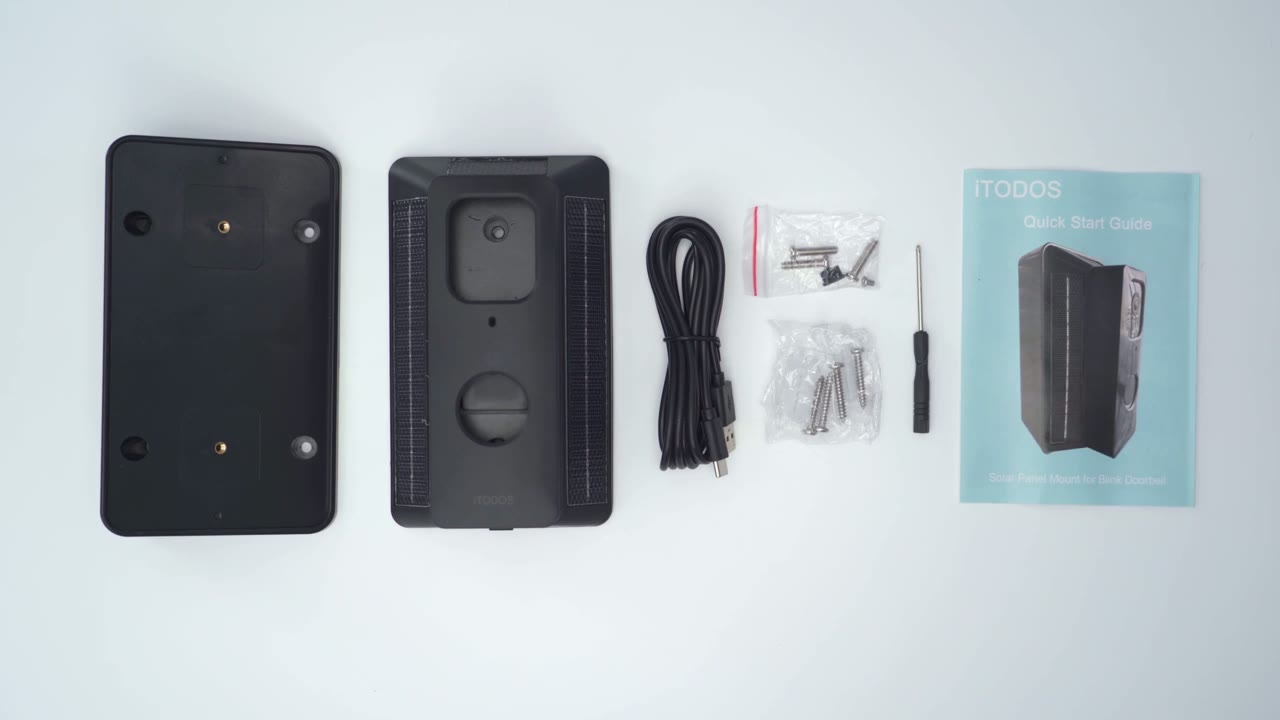
package we have an optional wedge that can be used the solar panel Mount along with a USB cable to Top This up initially we also have mounting screws a screwdriver and a manual all right so
Design
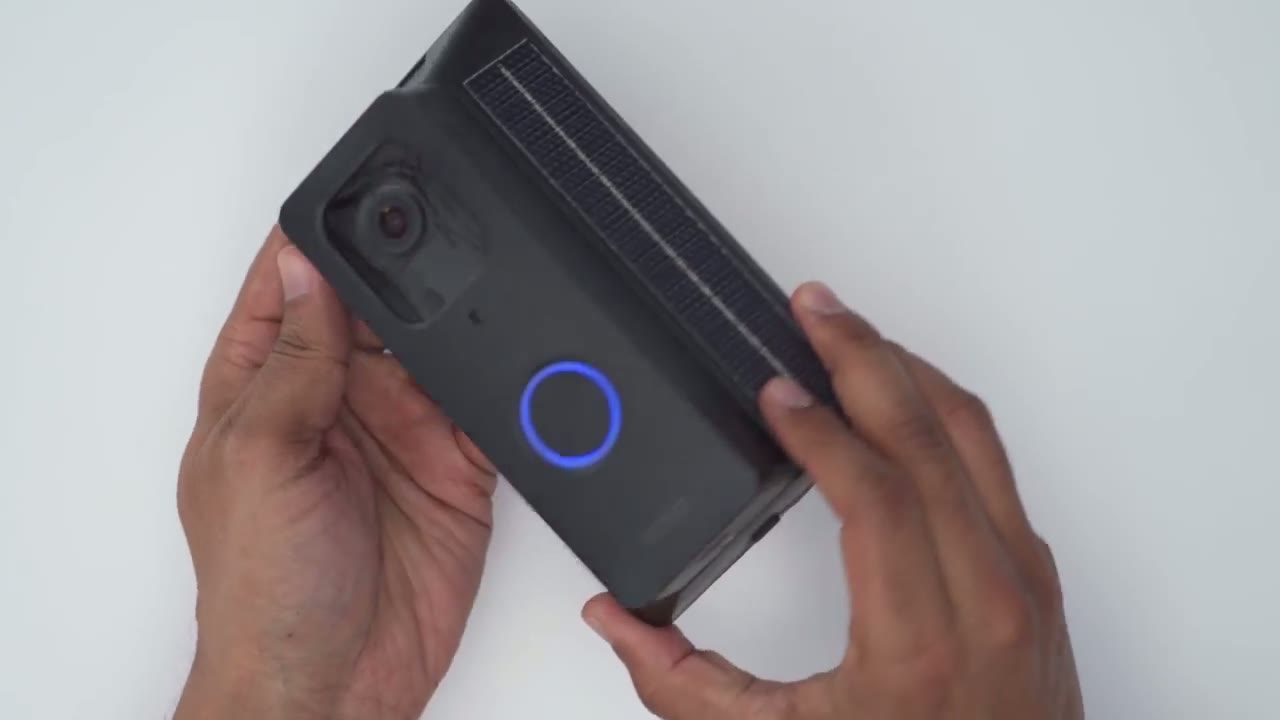
let’s take a look at the design of the solar Mount so you can see it’s a little bit beefy but that’s to be expected this is packing a 13,200 mAh battery very impressive so we do have the large solar panel on the right and left sides and then a small one at the very top here now if we take a look at the design there is a security screw at the bottom here to just prevent people from just yanking this top cover off and running away with the doorbell and we also have a protective little covering here with a USB type-c port and this is just to initially charge the mount up before you go ahead and plug everything and install it now if you live in an area where sunlight is not plentiful you can additionally just you know put in a USB type-c cable here connect it to a power bank if you ever needed a little bit more power but you know this should last a good 6 months without any issues at the very back we have a power switch you can use to power the unit on or off make sure you do put it in the on position before you go ahead and mount everything but you will know because you’re going to be able to see if your blink doorbell has power or not now the first thing we’re going to have to do is to remove this screw to get access to install it which I’ll do next so I’ve removed the security screw from the bottom here and I I can just lift up this Mount area and you can see this is what it looks like so we do have metal contacts here that are going to interface with the metal contacts on the blink video doorbell but before I get to that I just wanted to mention that there is also an additional wedge that you can use if you need it so you can just angulate it you know right side or left side however you need to and then attach the mount directly to it so you can see there’s two screws here for the actual Mount to go through but of course if you don’t need to use the wedge then you only need to secure it with two screws to make it very simple now the model I have here doesn’t have a kind of like a pass through to run wiring if you wanted to run the blink video doorbell to your ringer system to get everything set up for the first time once you remove the protective cover you’re just going to charge this for about 6 hours then you’re going to put the switch to the on position so it is getting current then what we’re going to do is we’re going to flip the back side of the blink video doorbell remove the protective cover and we’re going to pop out the two AA batteries thankfully we’re never going to need to use these again and then we’re just going to interface this right into the metal contacts just like so and we can already see we’re grapping power then we’re just going to take the protective cover angle it at the bottom and then snap it in at the top and we’re done the last step is to just install that security screw now that everything’s working as it should I’m going to go ahead and mount this outside my house so it can get a bit of solar charging and I’ll let you know my final thoughts all right so
Installation
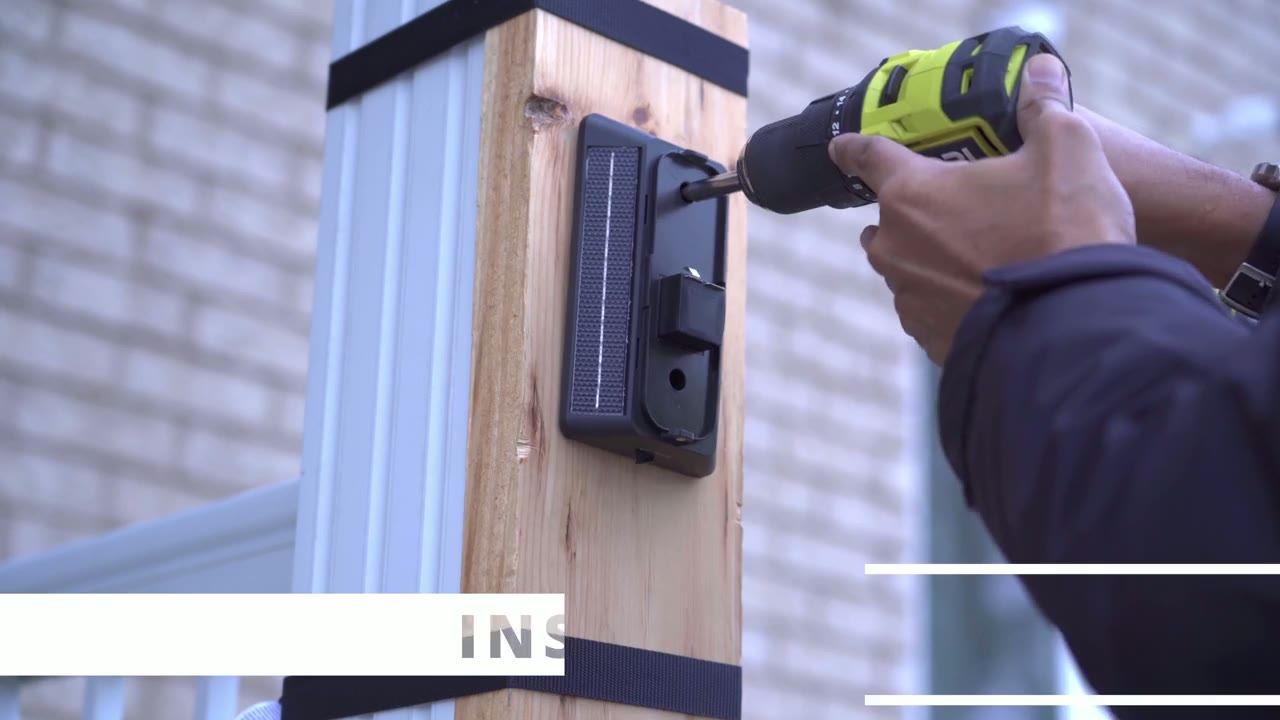
I finished installing the solar panel mount for the blink video doorbell it was an easy process for me because I didn’t use the wedge and I didn’t do any type of wiring so I just drilled you know the frame or the body right into a block of wood just for testing purposes now when you go ahead and install yours permanently at your doorway you know you’re going to have two options either just you know drill it into your door frame somewhere into the wall or go ahead and connect it to your household’s existing chime wiring so that you know the chime is triggered in your home so
Battery Life
it’s been about a little over 10 days since I’ve installed everything and I can say that I’ve easily generated or recorded Ed over 2,000 Clips which is a ton of clips and the reason for that is I have a lot of traffic in front of my house um you know there’s a lot of cars coming and going a lot of people walking back and forth on top of that in the blink app I’ve set the motion detection to the highest level it can go and I set the re-trigger time to 10 seconds meaning the system is now waiting a long time before it starts generating you know another clip based on motion is just always active now considering all of that you can see if I go into the blink app and I check the battery status it still shows it as okay so this thing is definitely going to last you a ton of time you know easily the 6 months that it recommends especially if you have good solar charging now I haven’t it’s winter time in Canada right now it’s been pretty cold we’ve already had two winter storms so far so it’s just been a lot of overcast skies and you know there is even snow and a little bit of ice kind of sitting on the top solar charging panel on one of the days that I noticed till it melted a little bit later so yeah this thing can definitely survive the elements and you know it still provides proper battery life even in really cold temperatur which usually deletes battery life much quicker so I can confidently recommend
Recommended
the solar panel mount for the blink video doorbell and if you hate buying AA batteries like I do this is such a game Cher because the other thing is you know it is quite annoying to remove that back cover from the blink video doorbell if you’ve had to change your batteries at least once you know what I’m talking about and with this system you know once you connect it to the Mount and then you just install this wherever it’s going you never have to remove that doorbell from there ever again now the other thing is even if you have a covered entryway like I you know which is why I kind of mounted mine you know on that block so it could see some sunlight just for testing purposes but if you put this somewhere where it’s saw Zero Sun at all you would still easily get probably you know 4 to 6 months of battery life and then when the battery does get depleted in it you don’t even have to remove anything you could just connect a USB type-c cable to the bottom of it and then just connect it to a power bank or run the wire inside your house plug it into a wall and you’re good to go but if you’re lucky enough to live somewhere with you know very sunny and nice weather unlike Canada you know you’re never going to have to worry about buying batteries again because as long as this is seeing sunlight and there’s not a lot of overcast days this is going to stay fully topped up especially with the three solar charging panels you have one at the top two at the side so whichever direction the sun is hitting you’re going to be good so if you’re interested in picking up the solar panel mount for your blink video doorbell it’s an awesome accessory I’m going to leave some links down below by the way if you found this video helpful please consider liking and subscribing it truly does help me out a lot and stay tuned for more videos like this where I’m going to Showcase you know accessories for your blink vide doorbell and other type of camera reviews and I’ll see you in the next one soon
Buy iTODOS Solar Panel Mount on Amazon
Buy Blink + Sync Doorbell on Amazon
Please note that some of the links in my video descriptions are affiliate links where I earn from qualifying purchases. As an Amazon Associate I earn from qualifying purchases.

