


Disclaimer: DRUNKDEER sent the Glacier X for an unbiased review. Some links may be affiliate links, which means I earn a small commission for qualifying sales. There is no additional cost to you.
If you search for a gaming mouse, you’ll come across a massive amount of options, but the DRUNKDEER Glacier X does things a bit differently by using Magnetic Micro Switches, allowing you to adapt the mouse to your gameplay style as it changes. It’s also fairly lightweight at 62 grams, uses a flagship PAW3955 sensor, Dual 8000 Hz polling, MIMS (Magnetic Induction Micro Switch), and up to 50,000 DPI. However, will using the DRUNKDEER Glacier X enhance your game? It might, so let’s take a closer look.
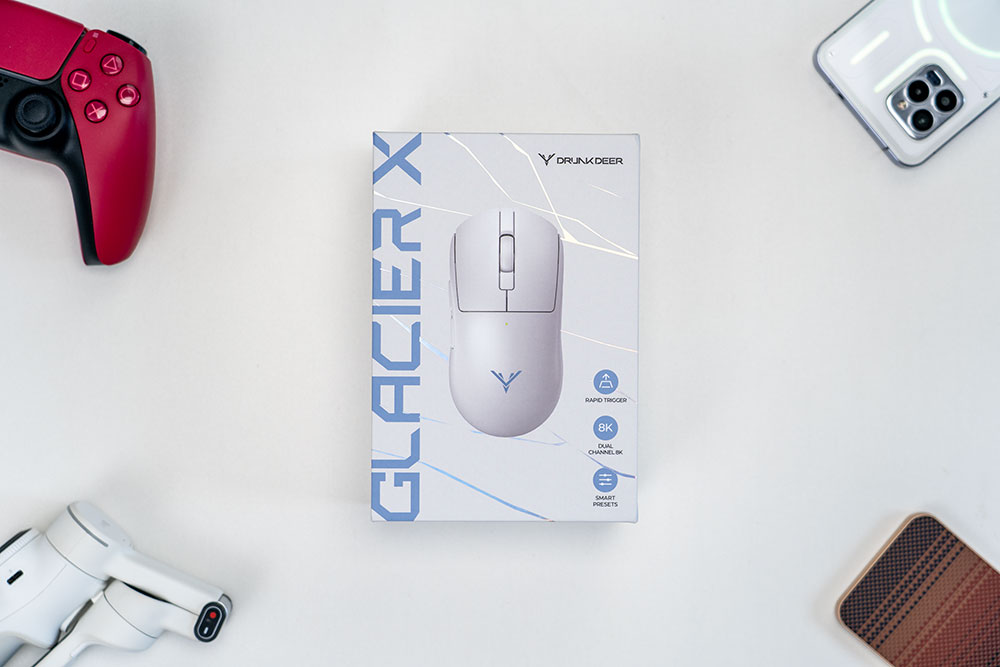
Package Contents
Note that I was sent an early engineering sample, not the final retail version, so the cosmetic finishing may not be perfect in all areas.
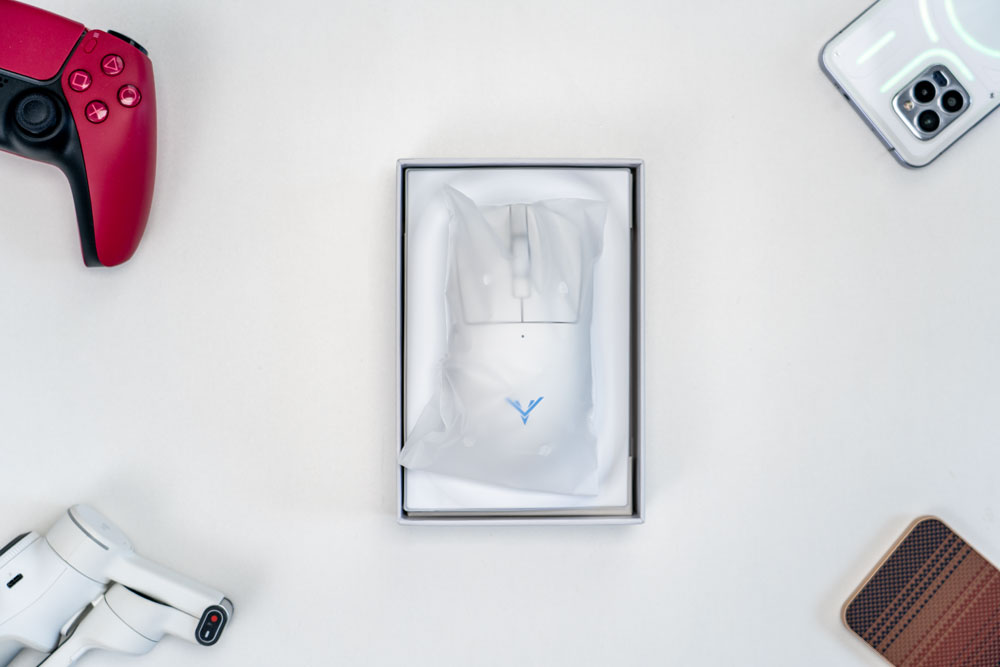
Once you open the box, you’ll find the DRUNKDEER Glacier X gaming mouse first, wrapped in a protective soft plastic and nicely secured.
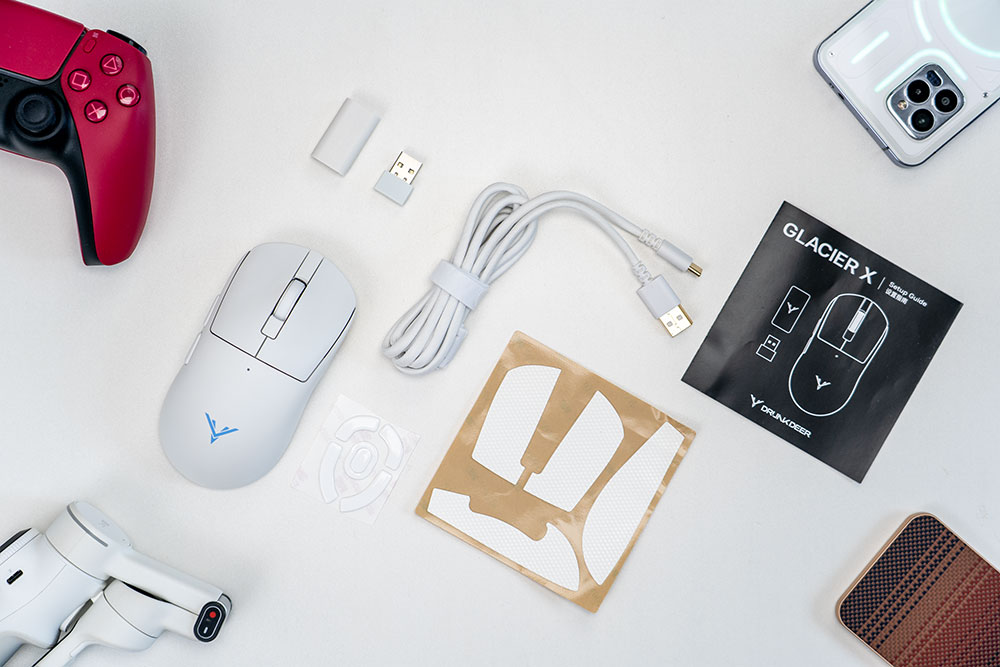
Once everything is unpacked from the box, you’ll have the DRUNKDEER Glacier X gaming mouse, a 2.4 GHz wireless receiever, a thick, braided USB-C-to-USB-A cable, receiver extension adapter, PTFE replacement skates, anti-slip mouse grip tape, and a quick-start guide.
Design
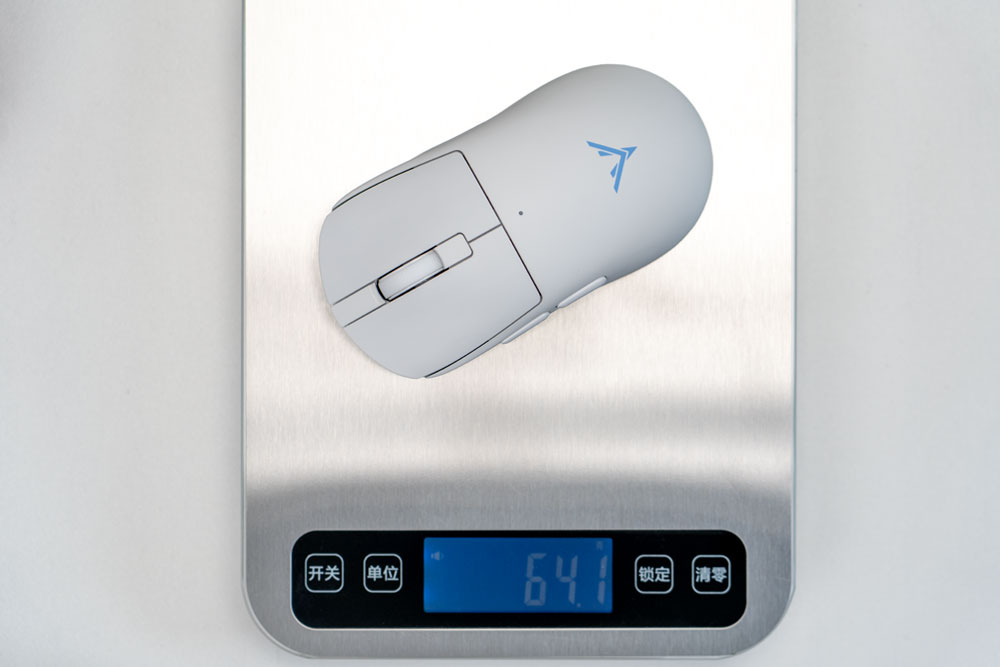
The DRUNKDEER Glacier X has an ABS shell and weighs around 64 grams out of the box in white on my scale (not a precision scale, so keep that in mind). The black color is around 1 gram lighter.
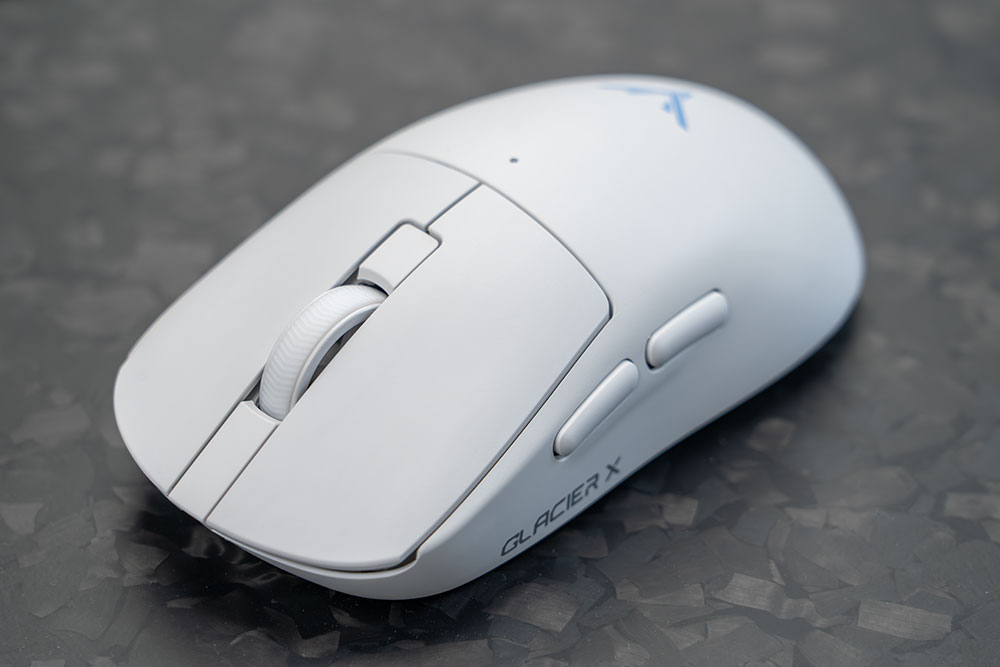
From a top-angled view, you can see the DRUNKDEER logo emblem, the GLACIER X branding, the right- and left-click buttons, the textured mouse scroll wheel, the LED indicator light, and two side buttons.
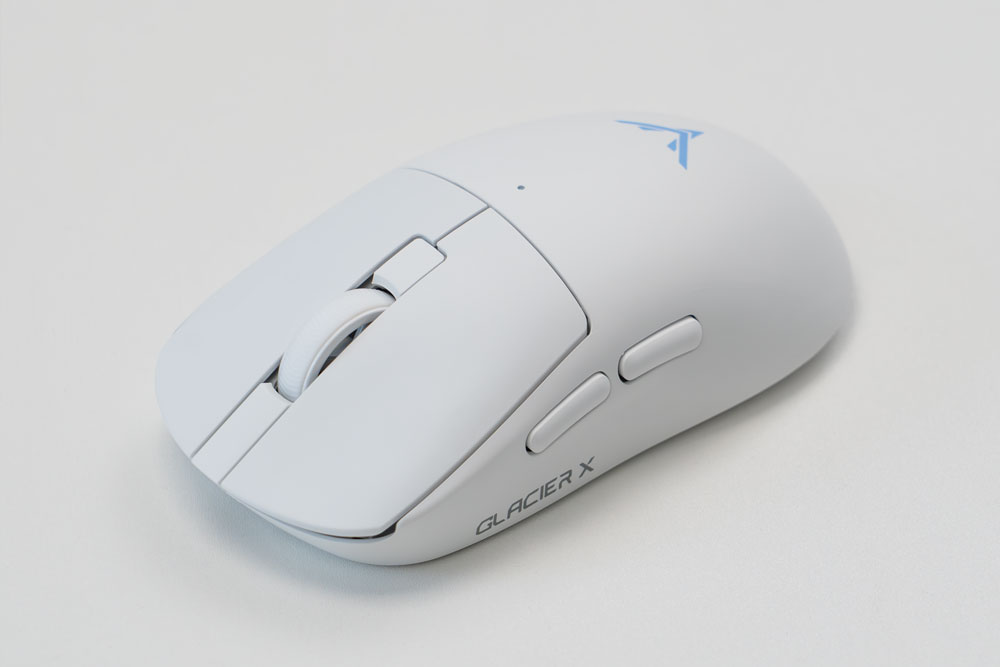
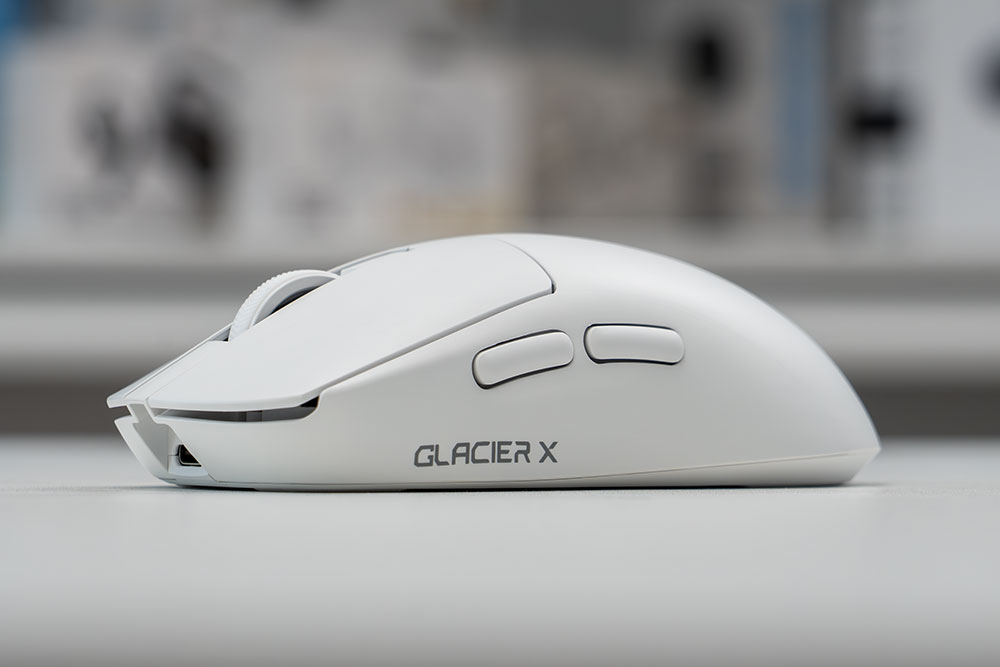
On the left side, there’s GLACIER X branding and the two side buttons, which extend out a good amount and have a matte finish. With my thumb resting against the side of the buttons, there’s very minimal wobble or play, which is good to see. There are some slight cosmetic imperfections on my early pre-production sample unit that do not negatively impact or hinder normal use, but those imperfections will not be present on the final retail version.
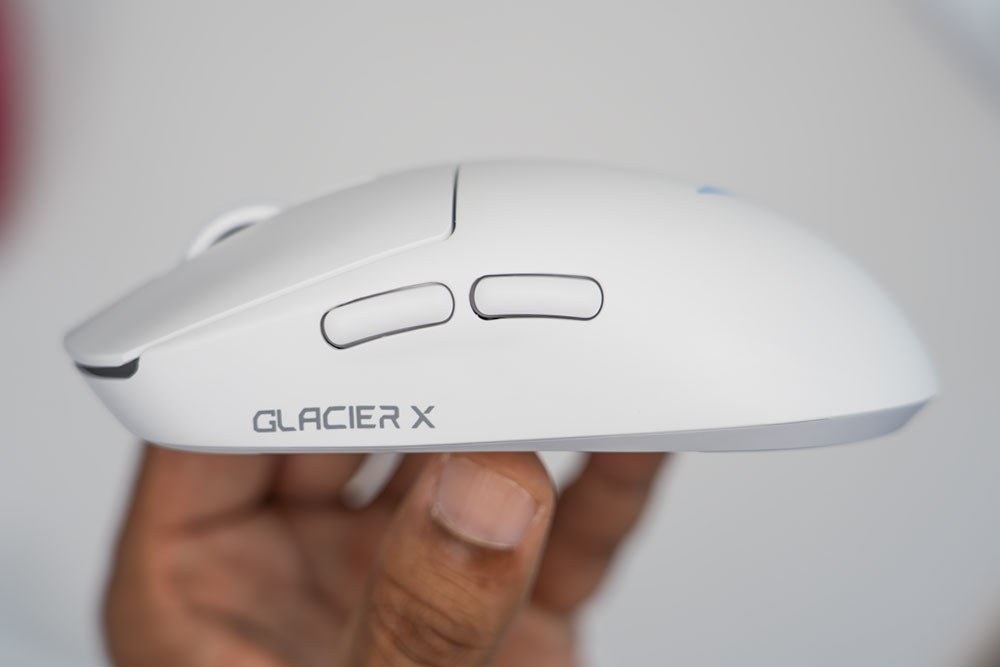
The left-side buttons also extend a good distance from the mouse body, so the click travel distance feels impactful and tactile. If you don’t like mice with more recessed side buttons, you’ll appreciate the positioning on the Glacier X.
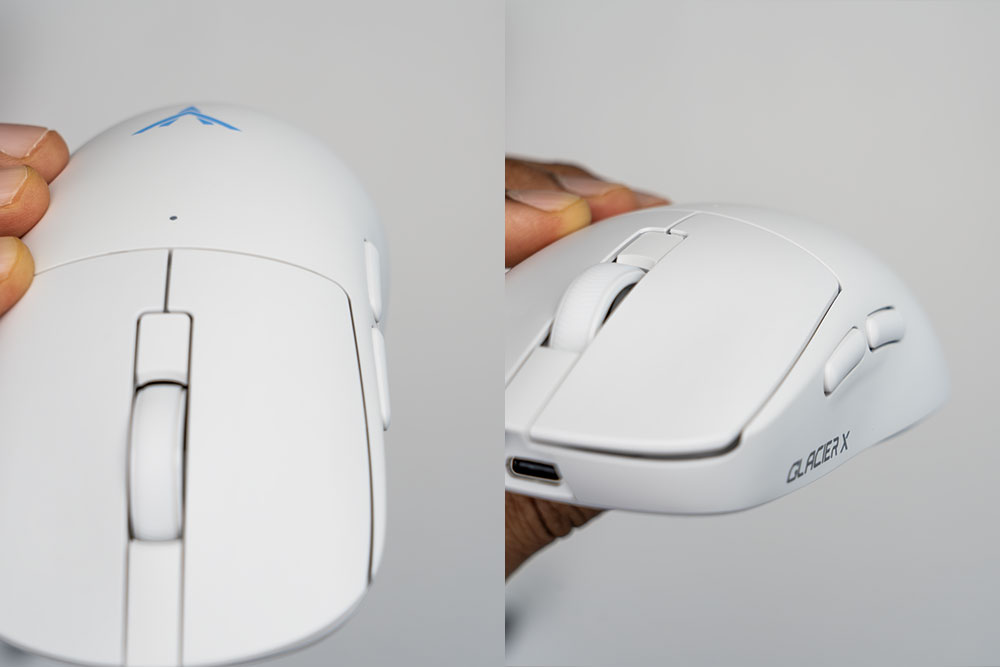
The right side of the mouse has a slight protrusion in the shape of a button that extends from the body; however, with my usual grip style, none of my fingers make any contact with it.
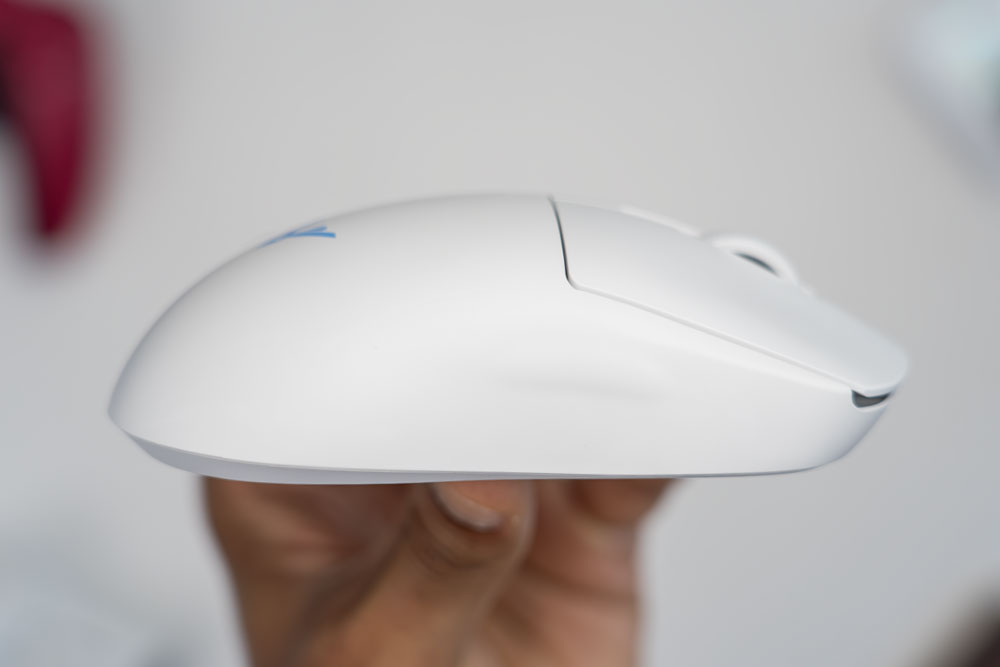
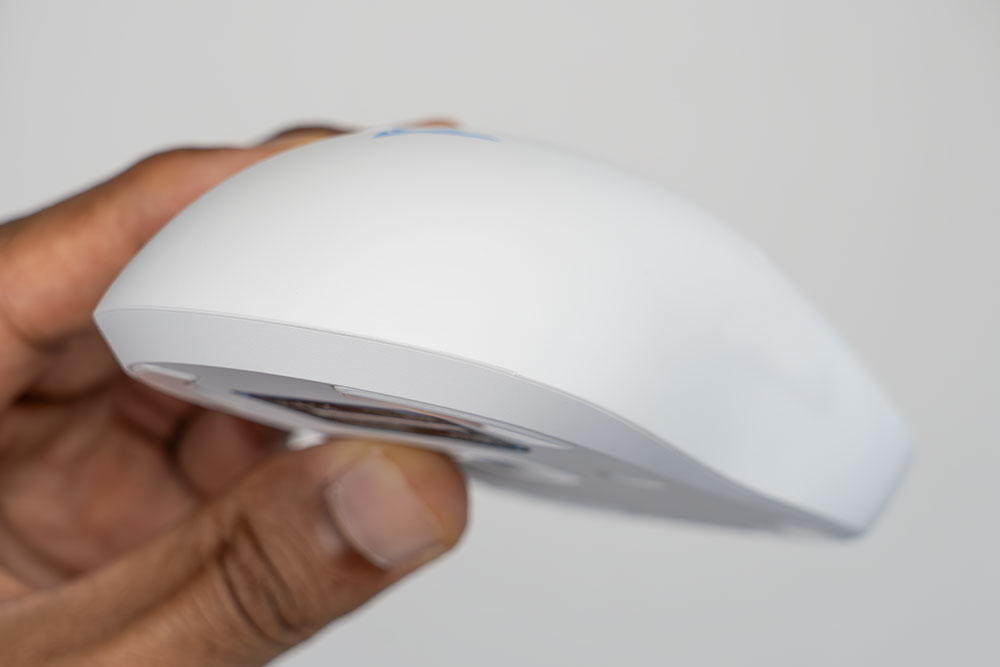
The curvature on the rear has a nice enough taper, and the middle of the mouse body is high enough that it should suit most small to medium-sized hands. The overall shell has a matte finish that helps with grip from every angle.
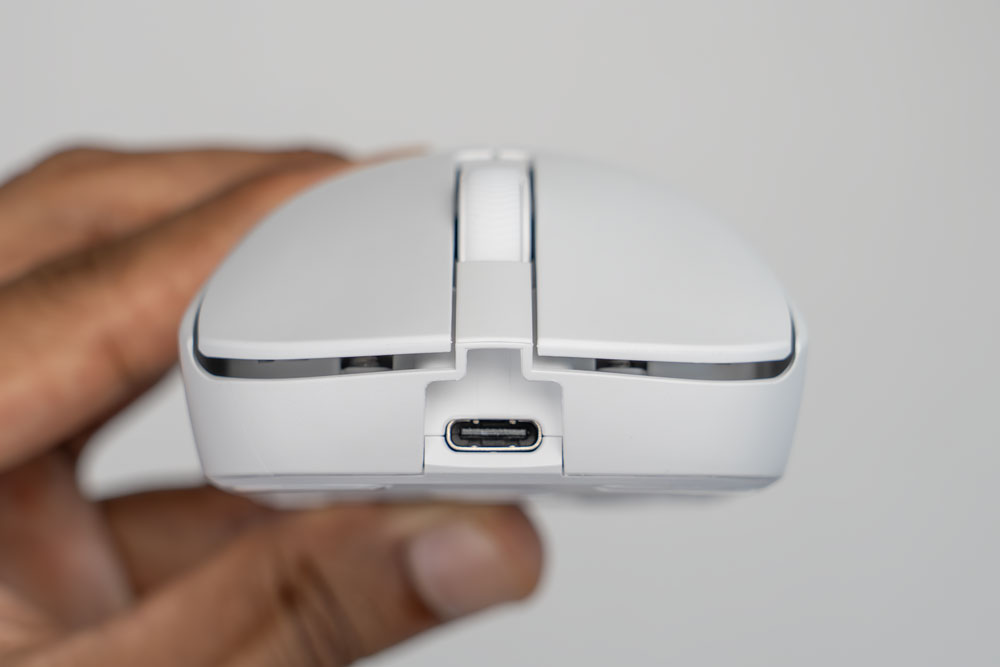
From the front, you have access to the USB Type-C charging port, which can also be used if you want to use the mouse in wired mode. The main right and left buttons have a slight depression in the middle of them that my fingers rest on nicely and feels natural; however, it’s difficult to capture the depression or curvature on camera with the white color.
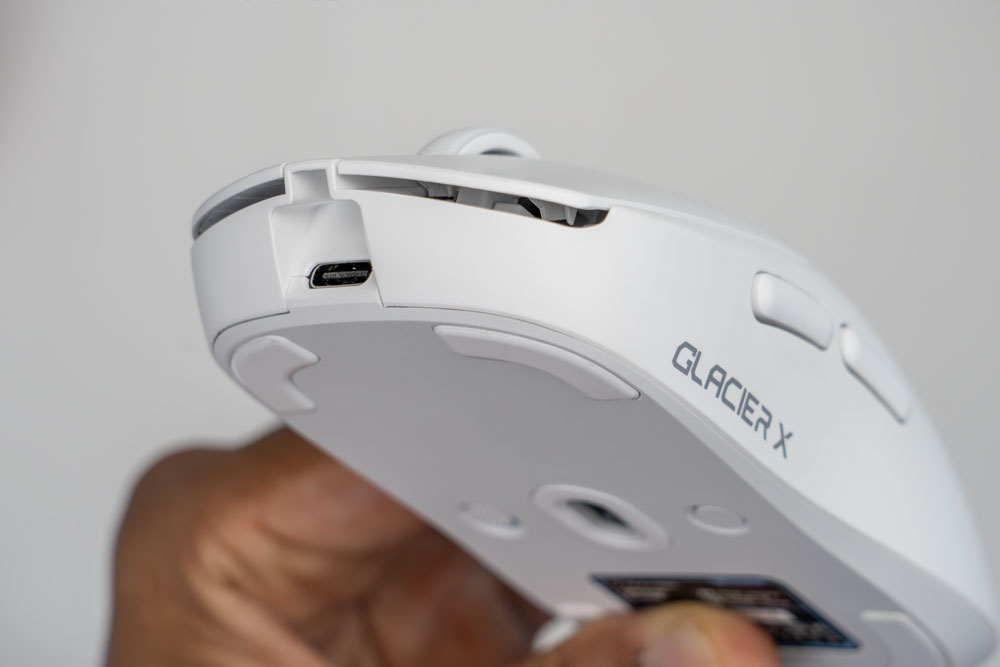
From a slightly underside view, you can see how much room the right and left click buttons have to travel if you want to fully bottom out your mouse presses or clicks.
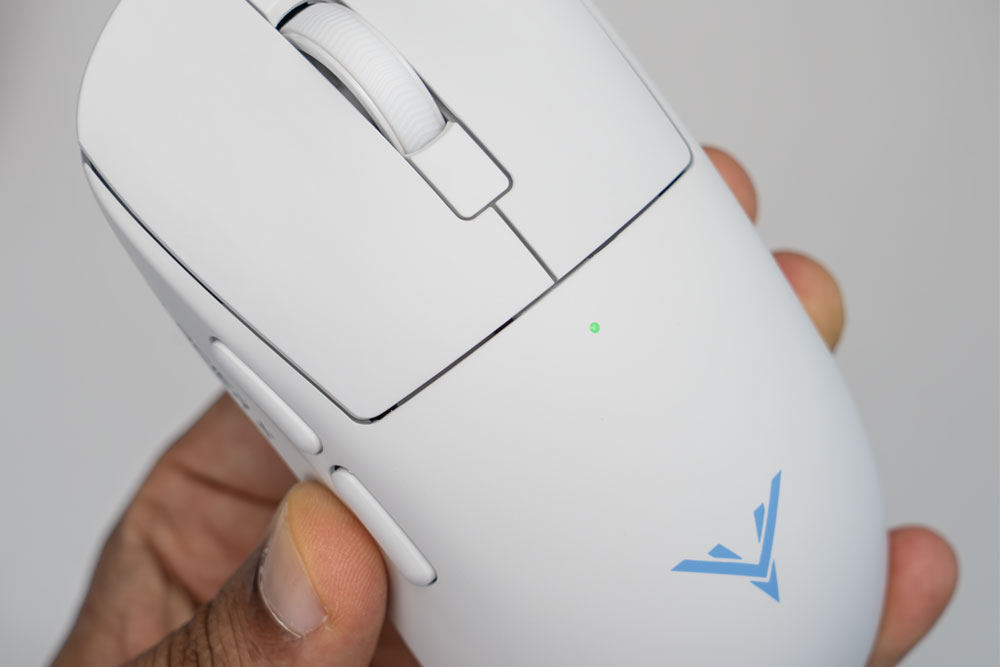
The top of the mouse has an LED indicator light, which shows the battery level range when recharging, and also briefly changes colors when switching between the various DPI levels.
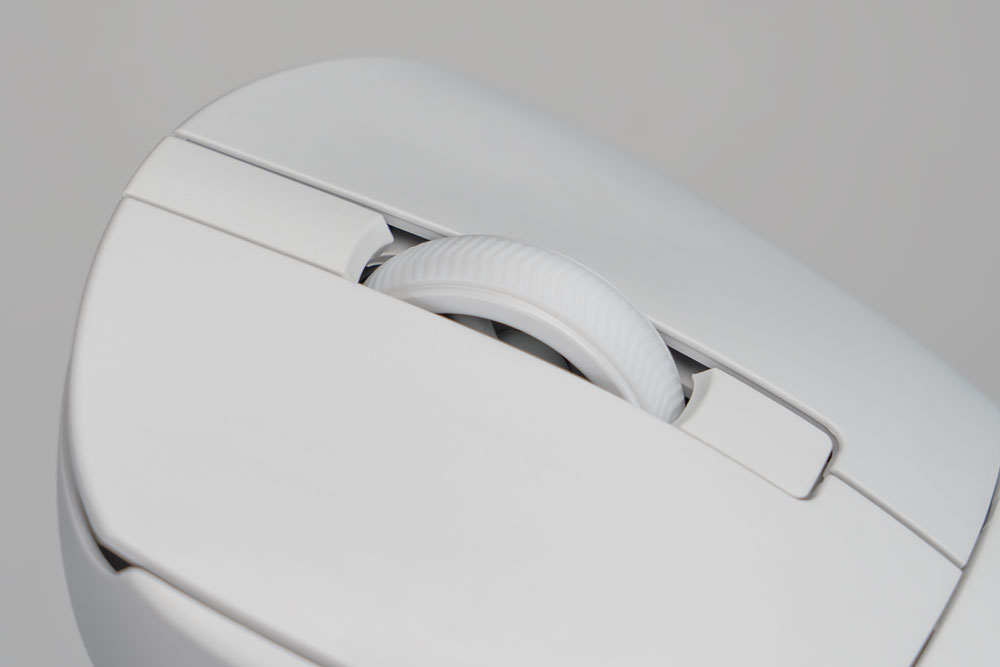
The scroll wheel seems to have three spokes, and the top has a rubberized ring with a forward facing, raised chevrons for grip and a planted feel while scrolling. The scroll wheel has hard-stop increments, so scrolling in either direction feels precise, with no play or drifting when resting your finger on the scroll wheel. It’s also easy to rotate the scroll wheel in any direction with ease. Using the middle click on the scroll wheel takes a decent amount of force to activate the press, but it’s still quite manageable.
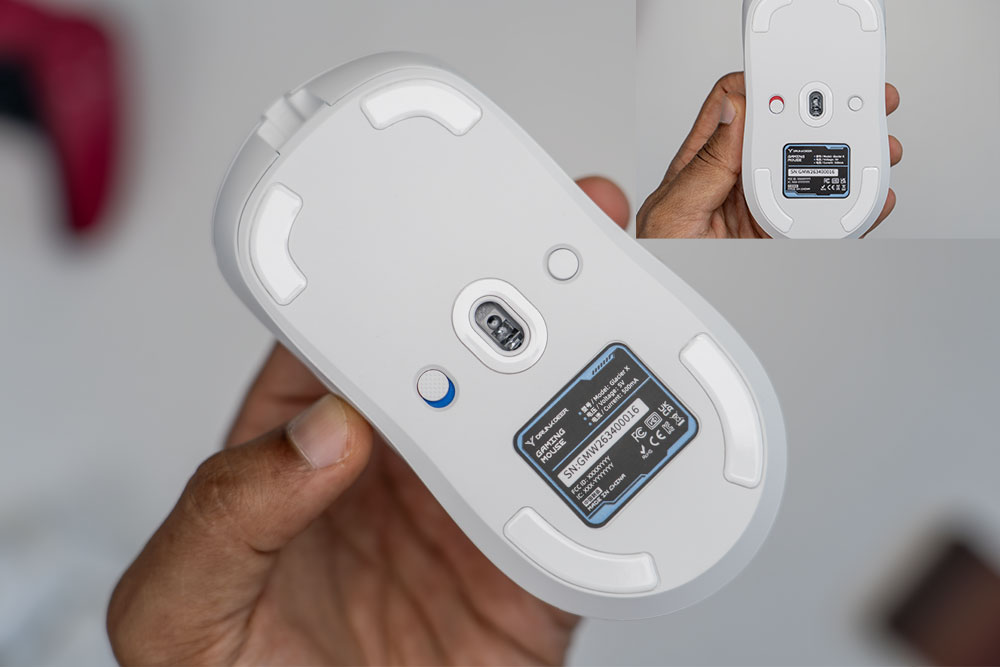
The bottom of the mouse has a DPI button on the right side, the sensor in the middle and a switch to power the mouse on or off. When powered on, you’ll see a blue layer and when powered off, there is a red layer.
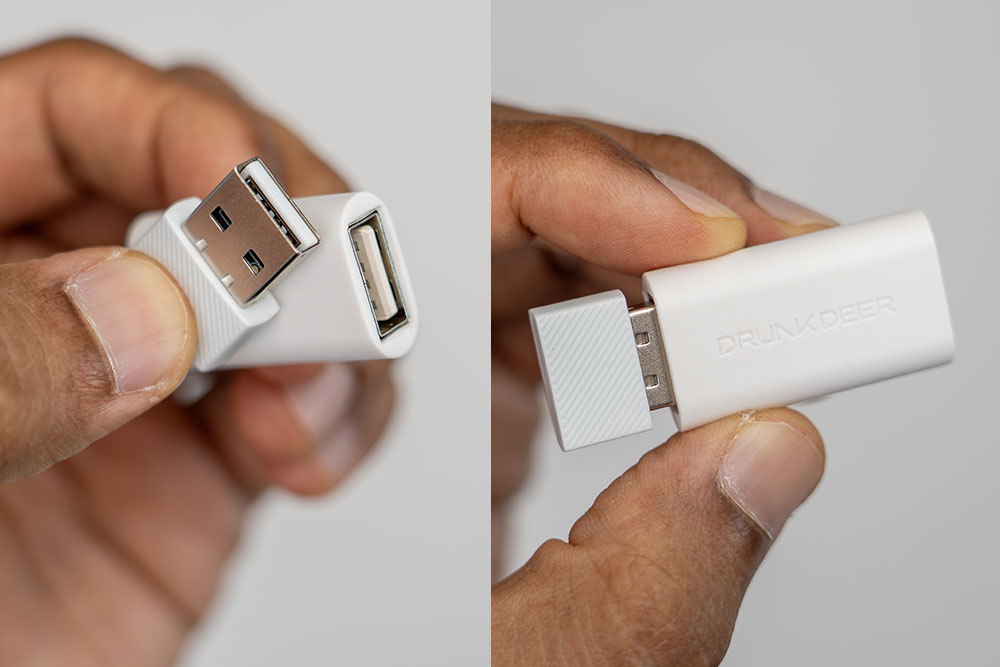
The wireless receiver is quite compact and can be stored in the extension adapter when not needed. If you want a very compact setup, you can simply plug the USB type A wireless dongle into your laptop or desktop directly to get everything up and running.
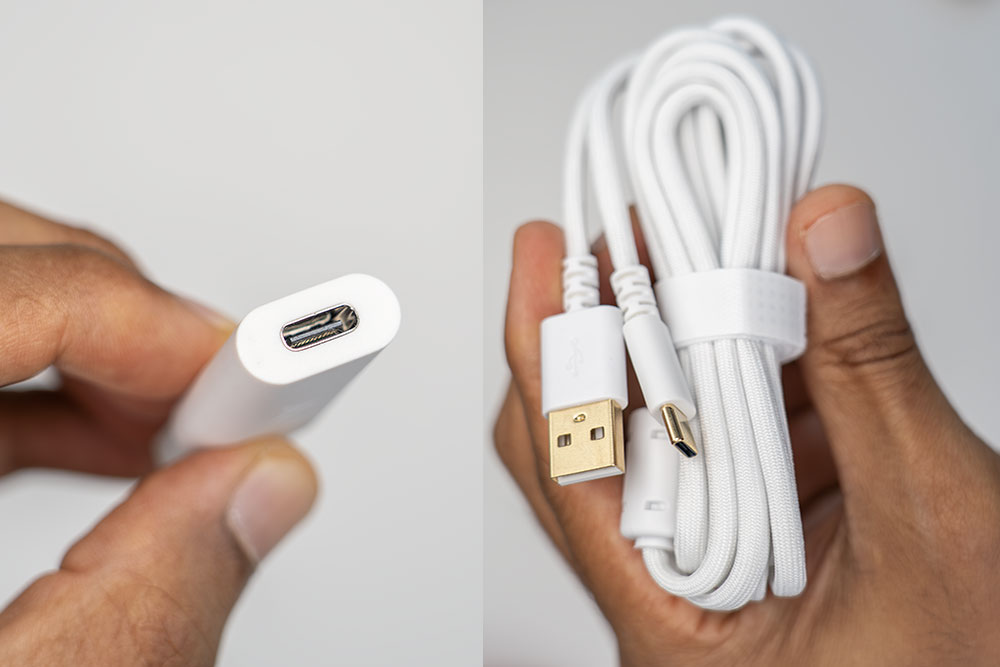
However, if you prefer to have the receiver dongle on your desk, you can plug it into the USB type A port on the extension adapter, then connect the extension adapter to your laptop or desktop using the included braided USB type A to type C cable, which has gold-plated connector ends since the extension adapter has a USB type C port on the other end.
Specs
- Sensor: PixArt PAW3955
- MCU: Nordic nRF54LM20A
- Polling Rate: 8000 Hz (Wireless or Wired)
- DPI Range: 1–50000
- Tracking Speed: 750 IPS
- Rapid Trigger: 5 Levels
- Haptic Feedback: Linear Motor w/ 5 Levels of Feedback
- Actuation Adjustment: 12 Levels
- Acceleration: 60G
- Latency: 0.125ms
- Switch: MIMS Magnetic Micro Switch
- Battery: 300mAh
- Battery Life: 100 Hours (1000Hz)
- Connectivity: Wired & 2.4GHz Wireless
- Weight: 63±1g
- Dimensions: ~ 125 × 63 × 38mm (±3mm)
Connectivity Options
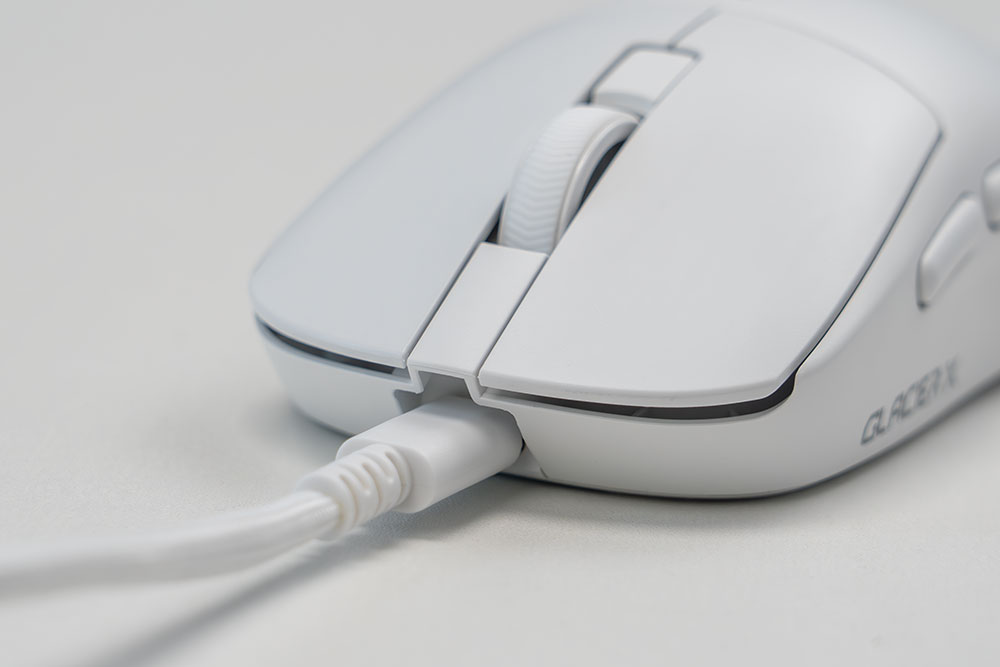
The Glacier X can be used in USB C wired mode or with the wireless receiver dongle. However, there is no Bluetooth connectivity.
DRUNKDEER Glacier X Web Dashboard
The Glacier X can be managed via a web dashboard using this link: https://www.glacier-mouse.com/ and has all the settings you need to fine-tune the mouse to your liking. You do not need to have the mouse hardwired to use the web dashboard since it can be accessed while using the wireless dongle as well.
Once you open the web dashboard, on any of the tabs or sections, the top left corner shows the battery life on the mouse and the current connection mode. You can also change the language and switch between light mode and dark mode.
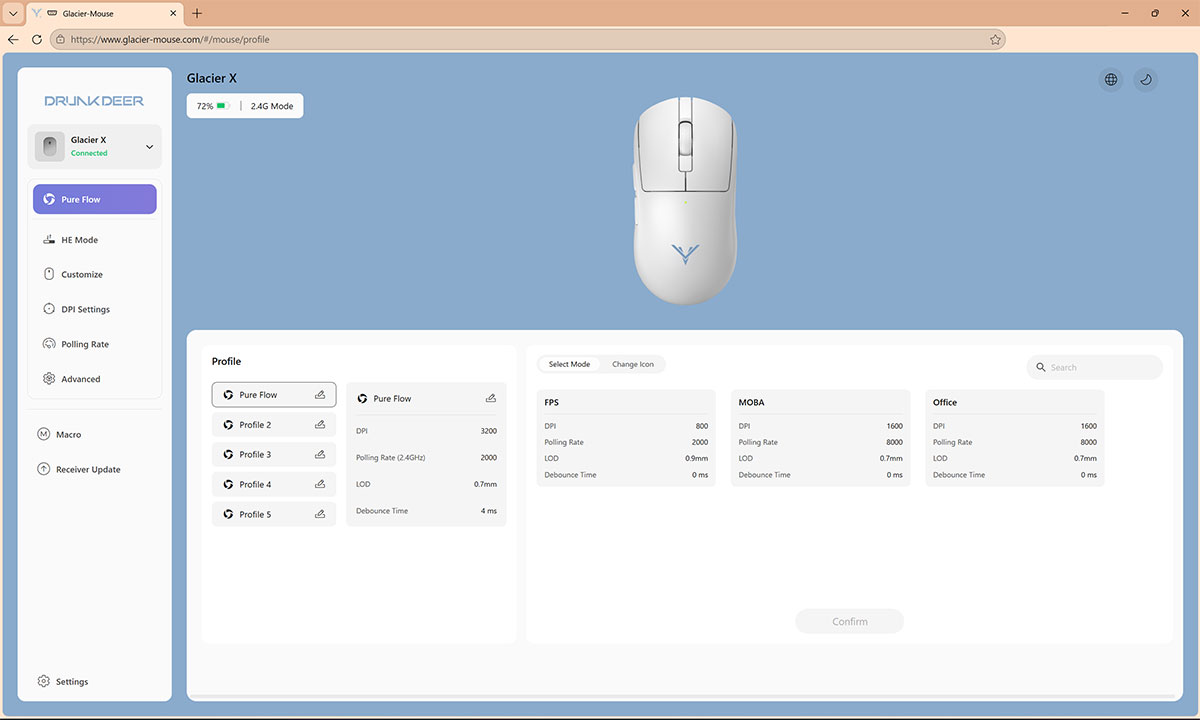
In the Profile section, you can create up to five different profiles with individual settings. You can also switch between default options for FPS, MOBA and Office use.
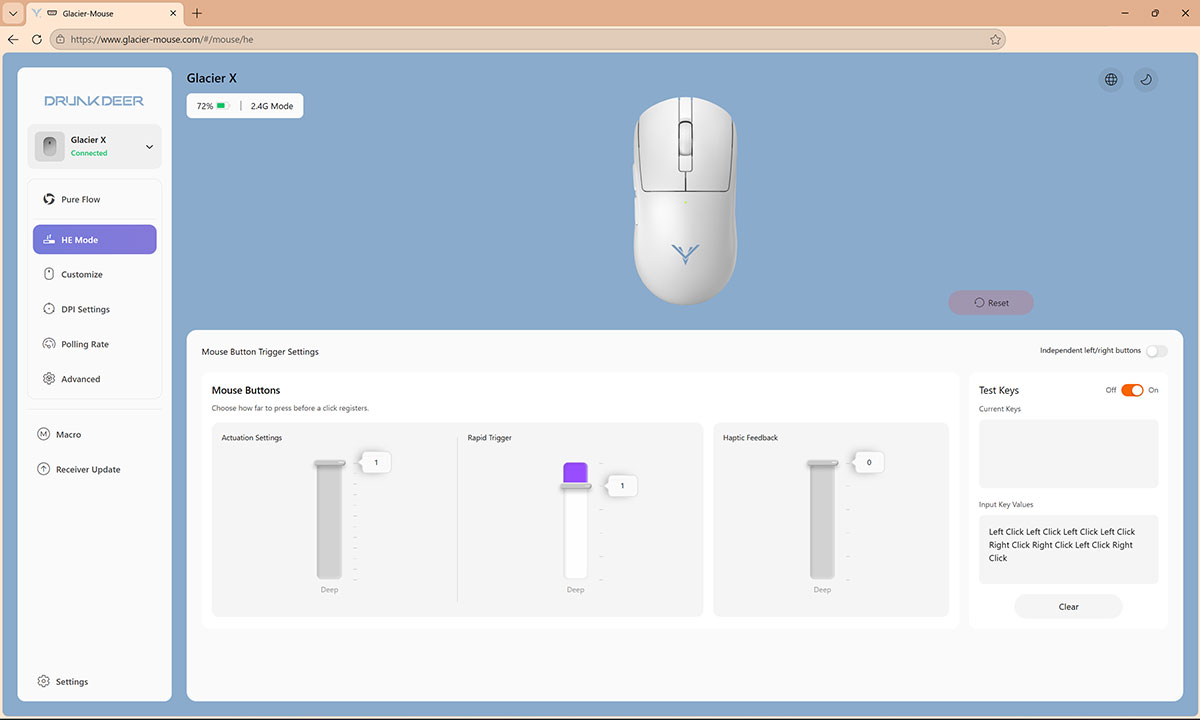
In the HE Section, you can adjust the Actuation Settings from level 1 to 12, and as you press down on the mouse button, you can see the actuation force in real time on the dashboard interface so you have an idea of how much force is necessary without having to jump into a game to test it out. You can also enable the “Test Keys” option to see a real time log of the mouse clicks.
There are five levels of Rapid Trigger adjustment, which are dependent on the Actuation Settings you choose. Setting the Actuation Settings to level 1 or 2 allows you access to Levels 1 through 5 of Rapid Trigger adjustment. Setting the Actuation Settings to Level 3 or 4 allows you to adjust the Rapid Trigger from level 1 to 4 only, and so on.
The Haptic Feedback was pretty impressive, because at level 0, there is legit, zero tactile feedback. I tried this setting at level 0 and set the Actuation Settings to level 1, and using the mouse with these settings took quite the adjustment since there was no tactile feedback when pressing the mouse button and it barely took any force to actuate the mouse button press. In fact, if you have a tendency to rest your finger somewhat heavily on the mouse button with these settings, you’d be pressing the mouse button without even realizing it.
By contrast, if you adjust the Haptic Feedback to level 5, there is a significantly impactful amount of tactile feedback, which also feels a bit unnatural to me. Levels 1 to 3 mimic what most mouse button tactility felt like, but even with those settings, you don’t get a corresponding crisp click that you’d find with more traditional switches. More on that later.
Note that you can independently fine tune these settings for the left or right buttons as well if you prefer.
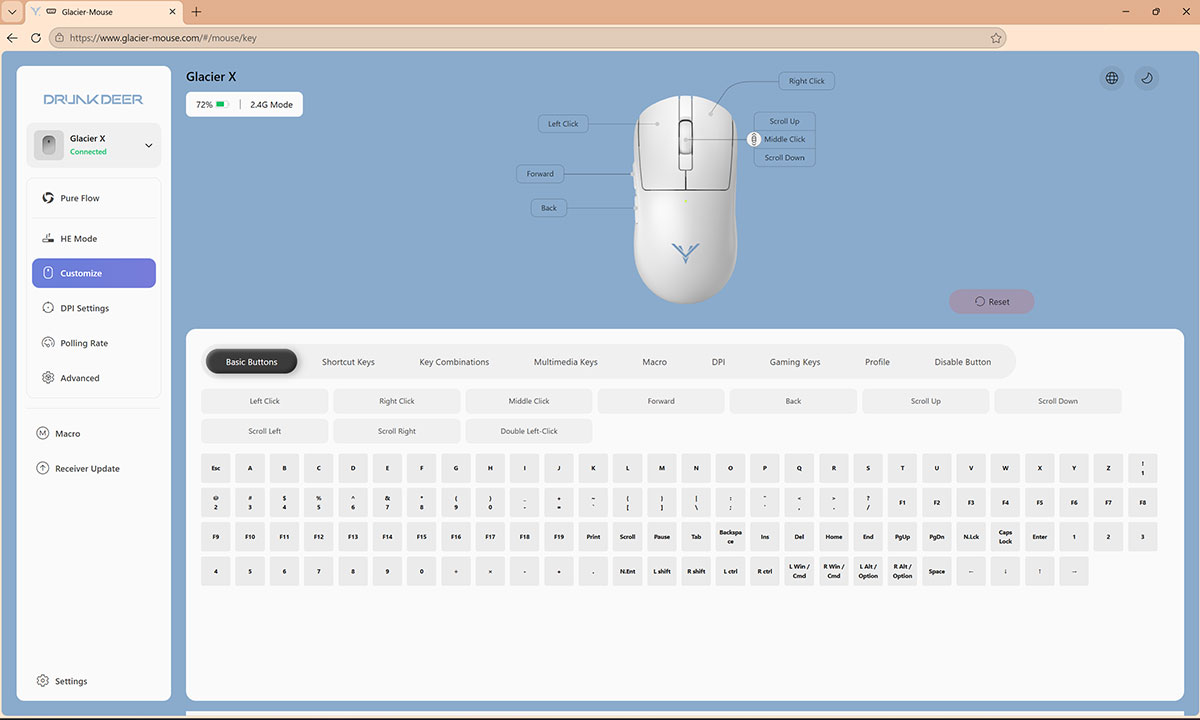
The Customize section can be used to remap any of the buttons, use shortcuts, use key combinations, etc., and you can also disable buttons if needed. I didn’t find a way to remap the DPI button on the bottom of the mouse if that matters to you.
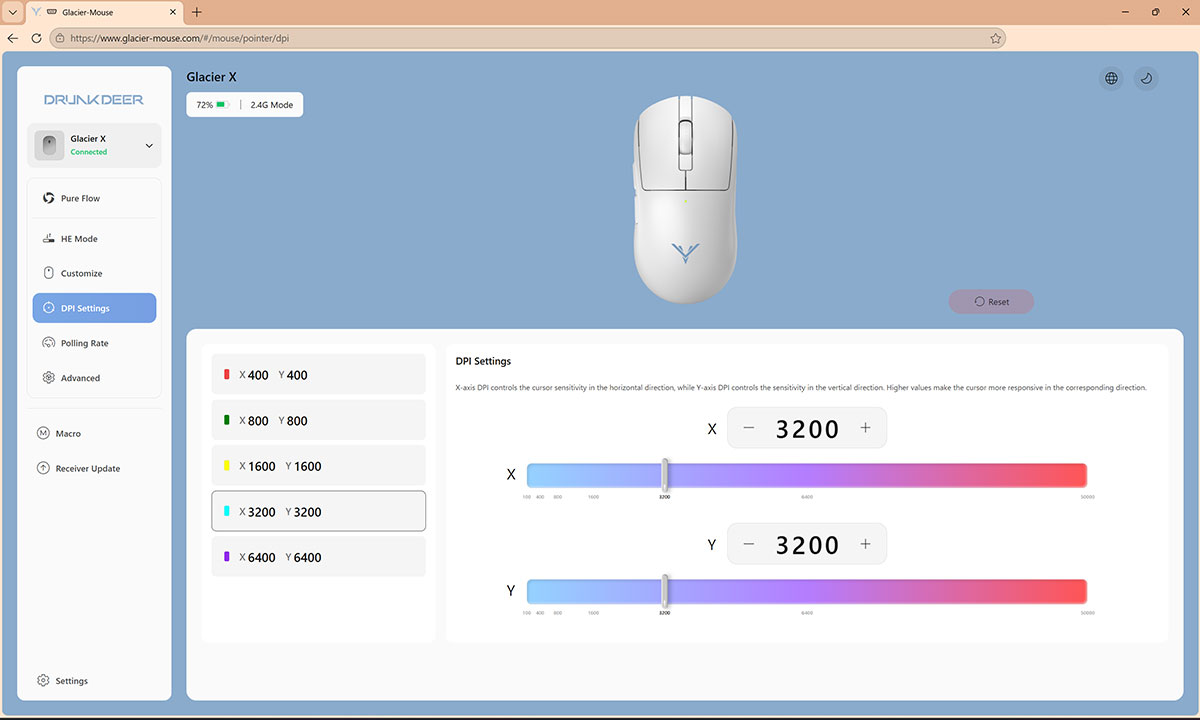
In the DPI Settings, you can adjust the DPI from level 1 to 50,000 with 1 DPI increments for fine control. The corresponding DPI colors are reflected on the mouse when cycling through the DPI levels via the web dashboard or using the DPI button on the bottom of the mouse.
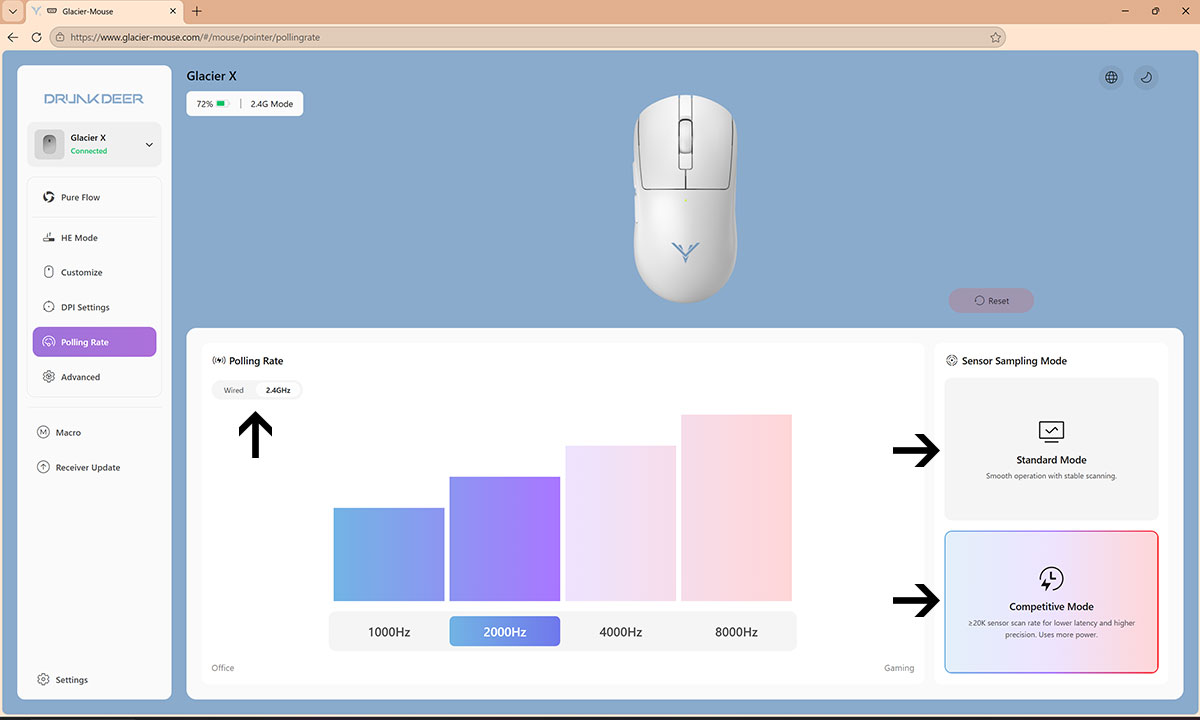
In the Polling Rate section, you can adjust the polling rate and sampling rate independently for Wired mode and 2.4 GHz wireless mode. The polling rate can be set from 1000 Hz to 8000 Hz, and the Sensor Sampling Mode can be set to Standard Mode for basic office and productivity use or Competitive Mode for gaming at lower latency at the expense of battery life.
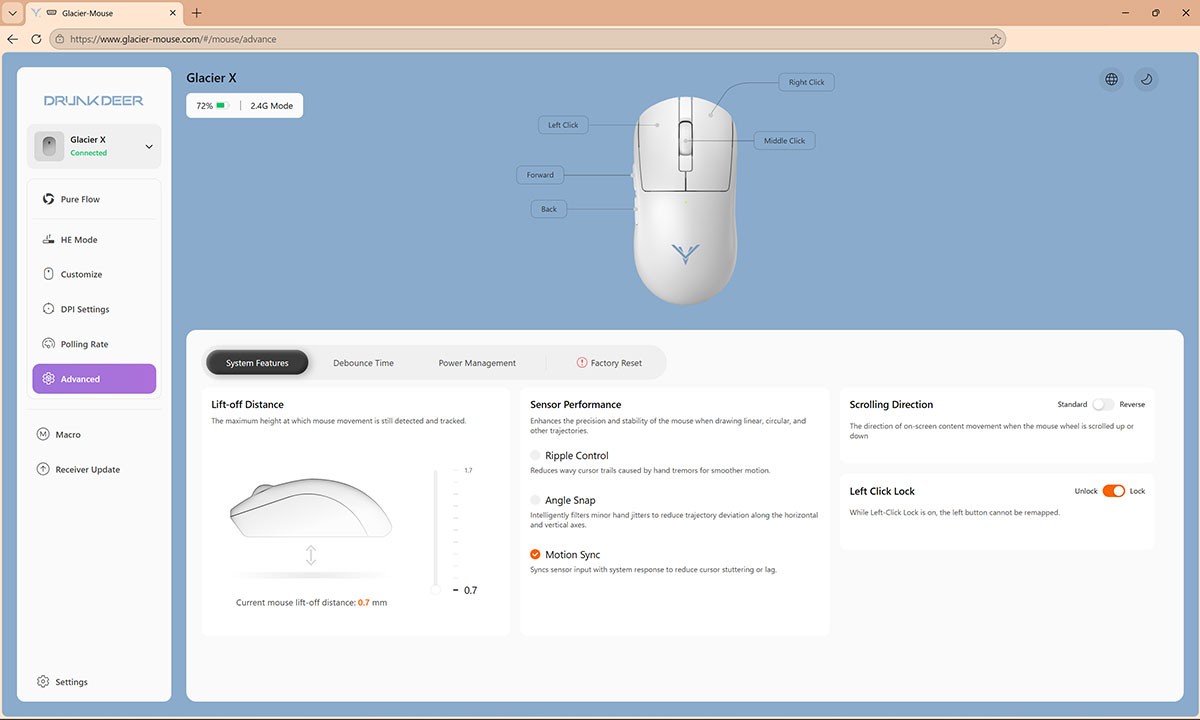
In the Advanced section, you can change the lift-off distance from as low as 0.7mm to 1.7mm. You can also enable the option to sync sensor input with system response to reduce cursor stuttering or lag.
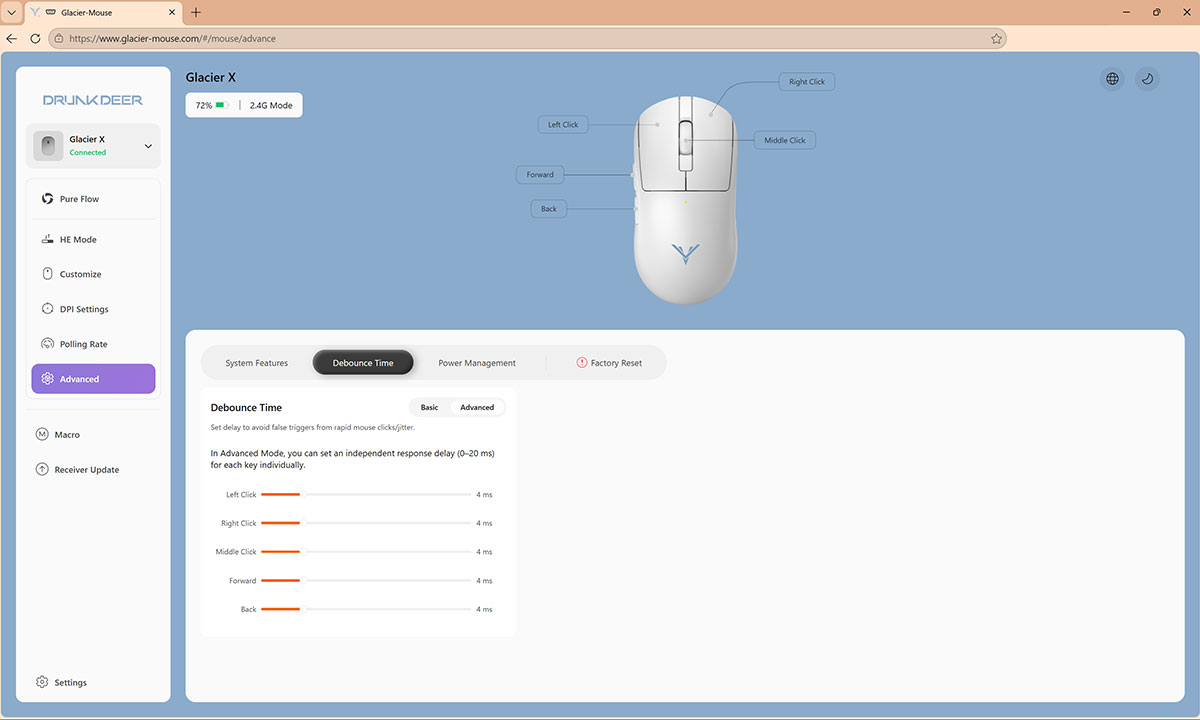
The Debounce time can also be adjusted for all the buttons or independently for each button from 0 ms to 20 ms. The mouse can also be set to go to sleep after 1 minute or up to 240 minutes.
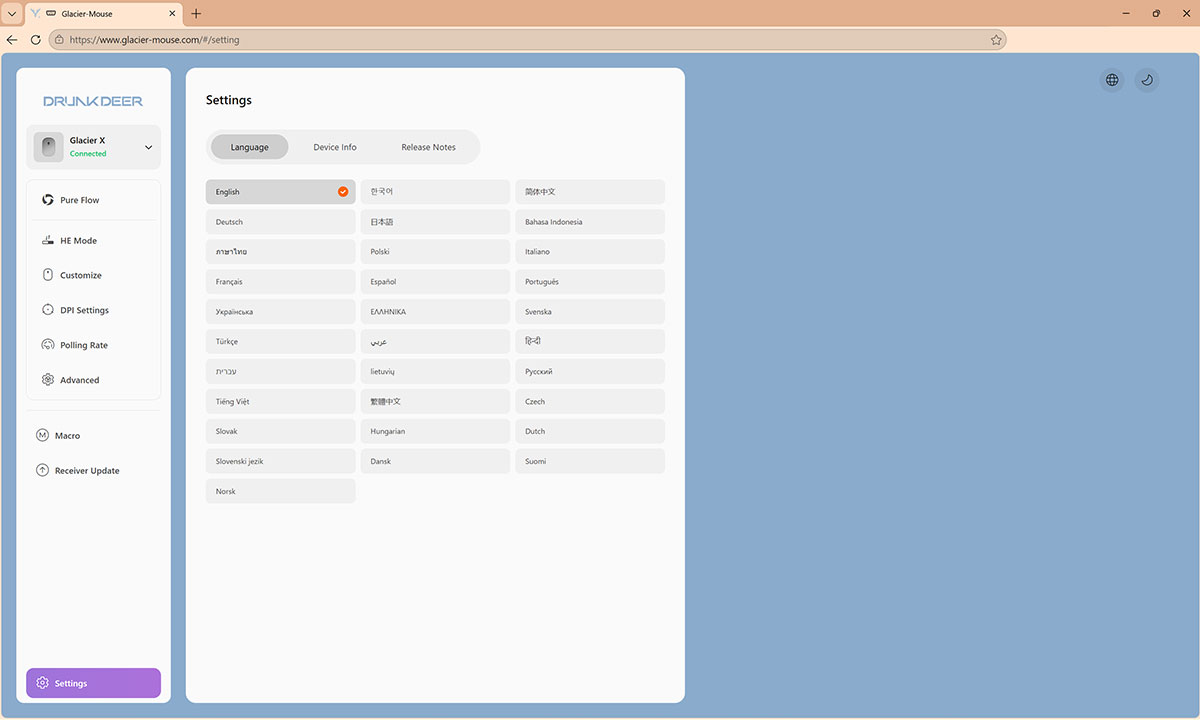
Macros can be programmed as well, and you can update the receiver firmware as well. Under settings, you can look at the device information and change the language here too.
Sensor
The PixArt PAW3955 sensor is used in the Glacier X, which is engineered for speed and responsiveness for high-level and competitive gaming. It supports up to 50,000 DPI, 750 IPS tracking speed, and 60G acceleration, for reliable and precise tracking even during the fastest twitches and mouse flicks.
Switches
The DRUNKDEER Glacier X uses MIMS Magnetic Micro Switches, which are designed to have that same fast reset after actuation as with Hall Effect keyboards. And with 12 levels of actuation adjustment, you can really fine tune how you want the Glacier X to perform, both when it comes to actuation distance and the haptic feedback.
Ergonomics
With a standard grip, the mouse has a pretty standard feel in my hands. Neither of my fingers extend past the main right and left mouse buttons, and that slight depression I mentioned earlier is noticeable and makes long gaming sessions very comfortable. As I slide my thumb up the left side of the mouse, it lands directly in between both the forward and back side buttons, so the placement is perfect for my hand.
The Glacier X is also great for claw style grips as well since the actuation can be set very low, allowing for very quick and responsive performance with just the slightest of pressing forces when using a claw style grip.
Sound Profile & Haptic Feedback
The sound profile is one of the areas where I feel it could be make-or-break for some. So, regardless of the haptic level chosen, the clicks do not result in a sharp sound profile that I’m used to with other gaming mice. On the first haptic level, there is almost no sound, and if you’ve used silent mice like Logitech’s MX3S or MX4, you’ll know what I’m talking about. If you increase the haptic level to 1 or 2, you get haptic feedback, but no major change in the sound profile.
In terms of the overall haptic feedback, the vibration is pretty strong as you increase the levels, but it has a bit of a residual vibration to it. So, it doesn’t stop as cleanly as I’d like, and the feedback feels a little less tight, especially as you get to the higher levels. However, if you use level 1, that seems to be the sweet spot where the vibration is tightest, and you still get that haptic feedback.
Gliding
The stock mouse feet/skates do a great job when used on a mousepad or even directly on my desk, and I had no tracking issues.
Gaming Performance
The Glacier X really shines when it comes to gaming performance, if you’re willing to make some adjustments and have a little patience.
Since a major advantage of the Glacier X is the ability to change the actuation level for quick and responsive presses, I decided to really put that to the test. So, I set the actuation distance to level 1, I set rapid trigger to level 1, and I also set the haptic feedback to level 0.
Before I even jumped into a game, I was mistakenly pressing the mouse button in Windows without realizing it due to muscle memory from using traditional mice. My first instinct was to dial back all the settings to something more moderate to simulate what using a more traditional gaming mouse would be like. However, I didn’t give in and I decided to use the mouse with the level 1 settings until I adapted to the new amount of force needed, and I’m really glad I did.

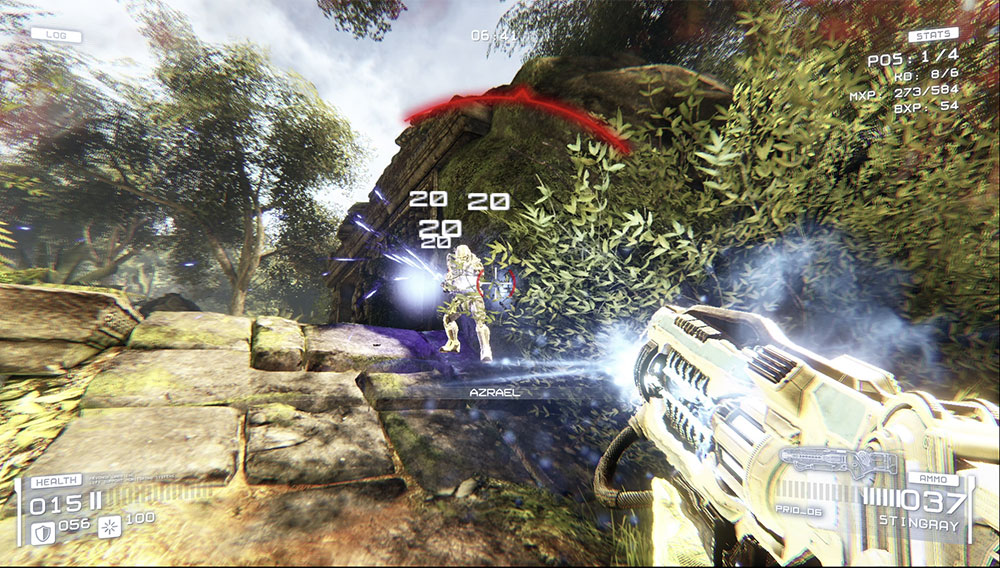
Once I got used to the Glacier X using the extremely responsive actuation level and having zero haptic feedback, I felt my gaming experience getting into more of a flow state after a while. I was able to quickly fire with that lower actuation and rapid trigger level setting and without having to wait for the button rest. Of course, there were times where I would mistakenly press the left mouse button due to the extremely sensitive settings keeping everything at level 1, but after a few hours of gameplay, I had that mostly ironed out. I also had a higher tendency to press the right mouse button out of just habit, so I set a more forgiving actuation level for the right mouse button, and that’s the setup I’ve been using. Even as I write this review, I’ve been using the Glacier X with all the level 1 settings in Photoshop without issue, now that I’ve become accustomed to it.
All of that said, if you absolutely hate or detest the silent type of mouse click or weak haptic feedback, then using level 1 for the haptic feedback is the best for having a more traditional and tactile feel; however, that ultra-crisp click sound and haptic feel will likely not be fully replicated to satisfy you if that’s your gold standard for gaming mice. Note, that the side buttons have a crisp and tactile sound and feel since they use standard switches. Also note that as you increase the haptic levels beyond level 1, the vibration has a slight lingering tail that may be a bit off-putting if you’re not used to it. I personally don’t like the haptics past level 1, and I actually prefer zero haptic feedback after my adjustment period.
My gaming experience with the Glacier X has been great so far because I’m coming from using silent click mice for my everyday use, but I can see the Glacier X presenting a longer adjustment period to really take full advantage of it.
Battery Life
Battery life is really difficult to nail down since there are so many factors, such as the polling rate used, sensor sampling mode, haptic feedback strength, etc. However, based on my use so far with the Haptic Feedback set to level zero, a 2000 Hz polling rate and the Sampling Rate set to Competitive Mode, I’ll end up at between 35 to 40 hours of use before I need to recharge the mouse.
Can I Recommend the DRUNKDEER Glacier X Gaming Mouse?
If you’ve been curious about gaming mice with magnetic switches, or you currently own a keyboard that uses magnetic switches, then the DRUNKDEER Glacier X is a solid option to see if it matches your play style. The ability to adjust the actuation levels and amount of haptic feedback can give you a ton of versatility for various types of games or to match your gaming mood, and you can also use it as an everyday use mouse when you’re not gaming by customizing the tuning.
However, be prepared to invest a little bit of time adjusting to the settings, especially if you go aggressively with them, rather than immediately defaulting to trying to mimic a more traditional gaming mouse feel at the first sign that something feels off. Only after really using the mouse for a bit and playing around with the various settings will you truly know if the Glacier X suits your gameplay style.
The price is also quite reasonable for the specs that it packs at around $79 USD during the Super Early Bird phase of the Kickstarter campaign.
The only potential dealbreaker I can foresee is the lack of replicating that crisp sound and tight tactile feel that you get with traditional mechanical switches. But if you’re willing to give it a try and play around, the Glacier X has the potential to enhance your gameplay once you get into your new groove!
The DRUNKDEER Glacier X is currently available for pre-order on kickstarter.com if you’re interested in learning more or picking it up.
Some links may be referral links, which means I earn a small commission for qualifying sales. There is no additional cost to you.