


Disclaimer: ATK Gear sent the A9 Air+ for an unbiased review. Some links may be affiliate links, which means I earn a small commission for qualifying sales. There is no additional cost to you.
The gaming mouse market is quite competitive, but the ATK Gear A9 Air+ stands out by bringing high-end specifications at a reasonable price. With a lightweight 47 g design, flagship PAW3955 sensor, 8000 Hz polling, and premium optical switches, the A9 Air+ is built to compete with larger names. So, how does the A9 Air+ truly perform?
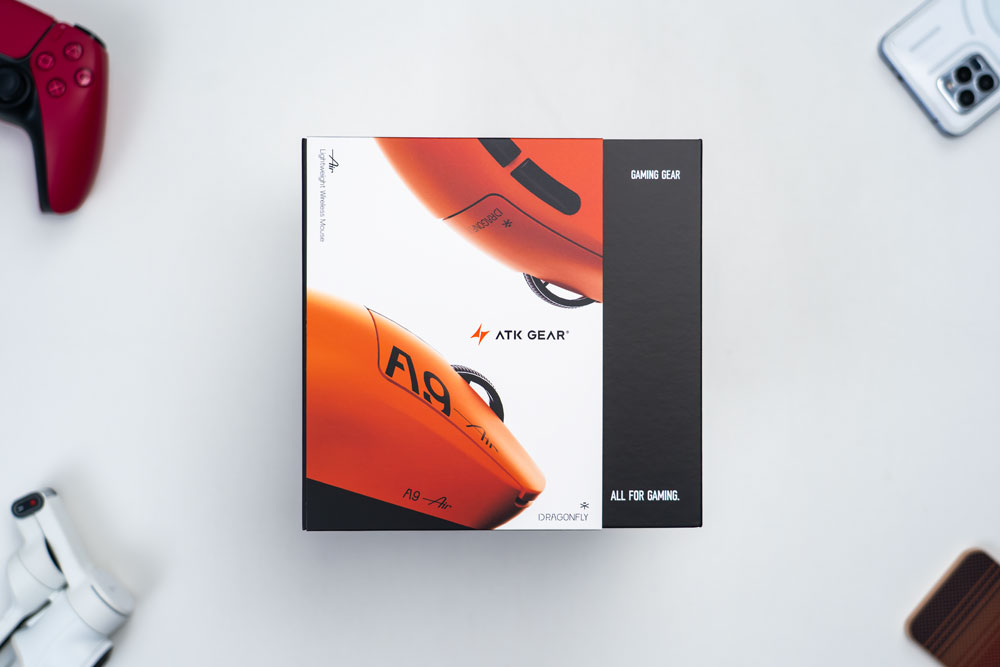
Package Contents
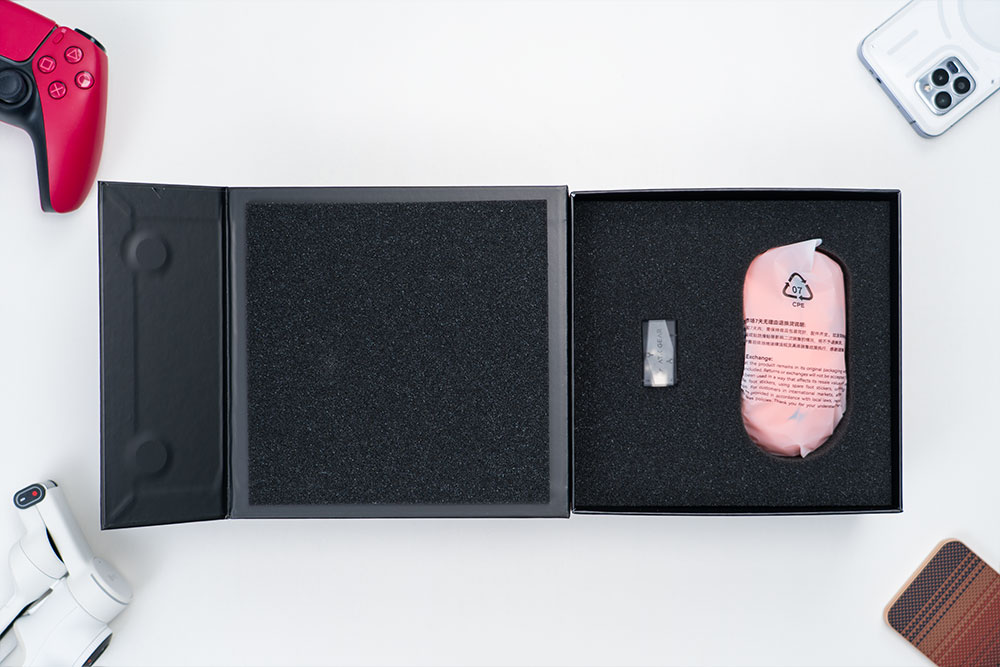
Once you open the box, you’ll find the A9 Air+ gaming mouse and the 8K dongle, both securely packaged in foam cutouts to prevent damage during shipping.
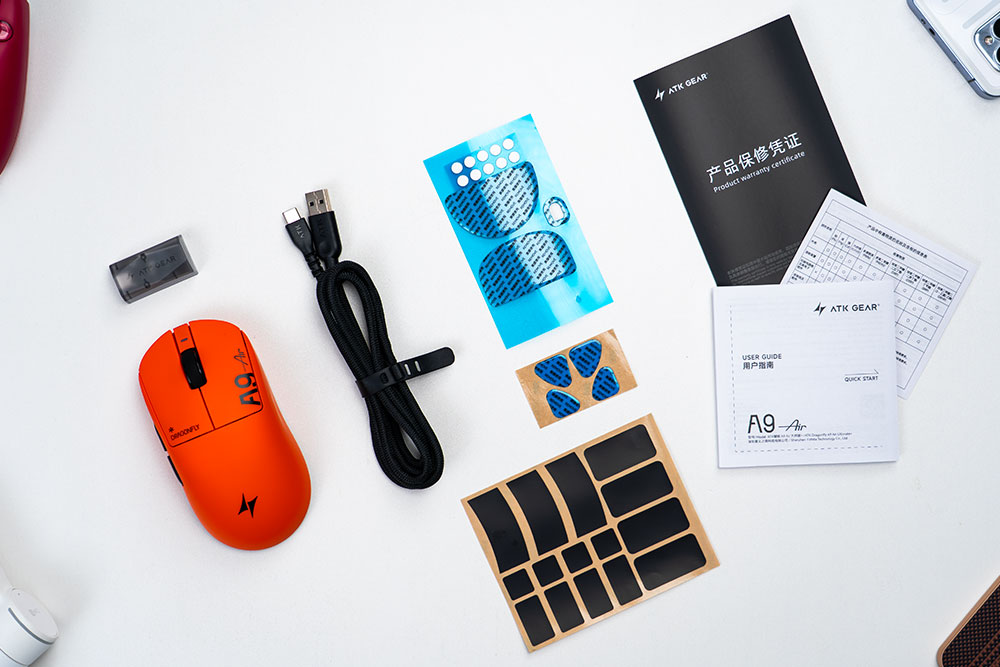
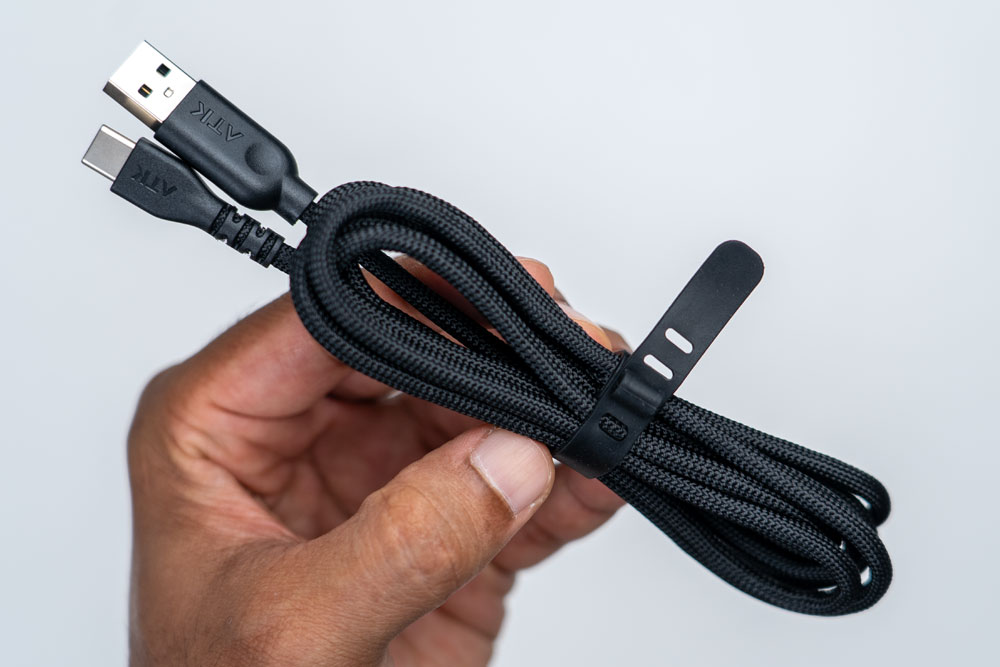
In the box, you get the A9 Air+ gaming mouse, a 2.4 GHz wireless 8K dongle, a thick, braided USB-A-to-USB-C cable, various mouse foot cutouts, mouse grips, a quick-start guide, and a warranty certificate.
Design
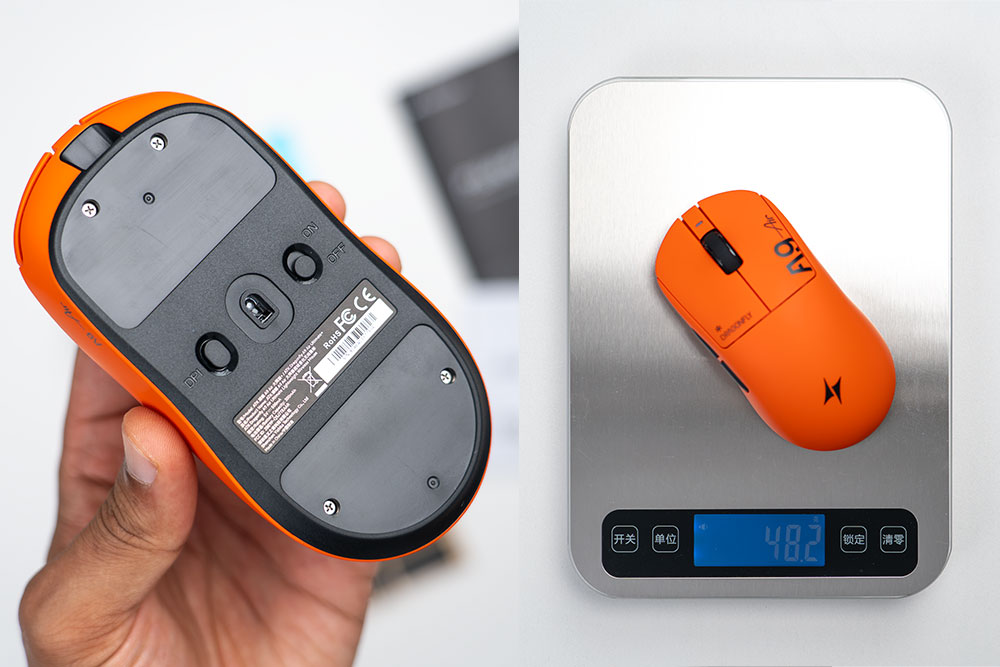
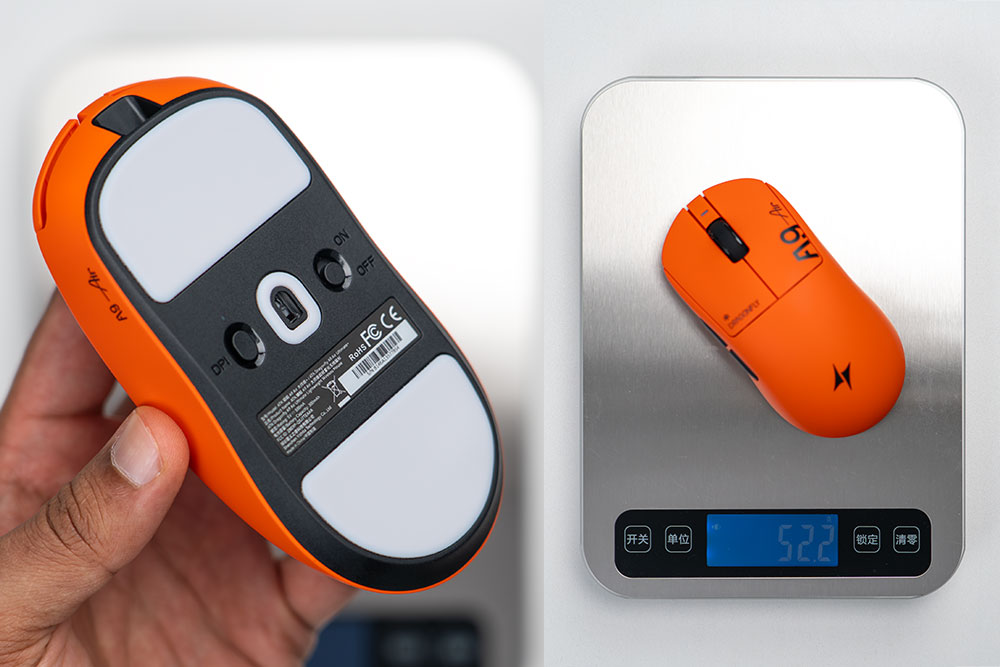
The A9 Air+ comes without any mouse feet or mouse skates pre-applied out of the box. It weighed 48.2 grams on my scale, which is not a precision scale, so keep that in mind.
The A9 Air+ came in around 52.2 grams with the two large mouse feet applied, adding an additional 4 grams. However, you could use the other mouse feet cutouts to shave even more weight off, if needed.
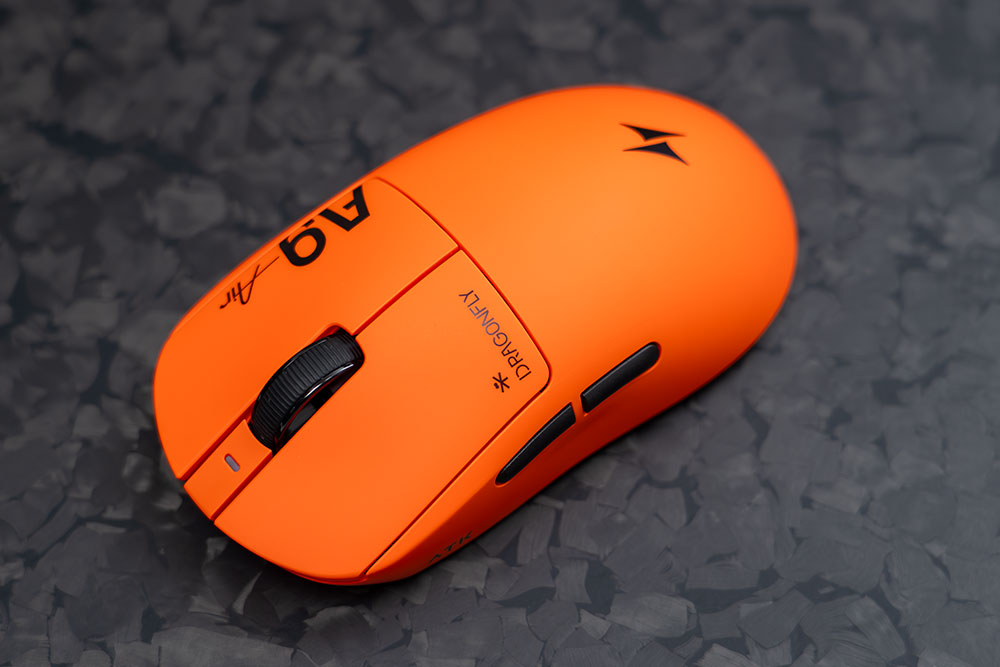
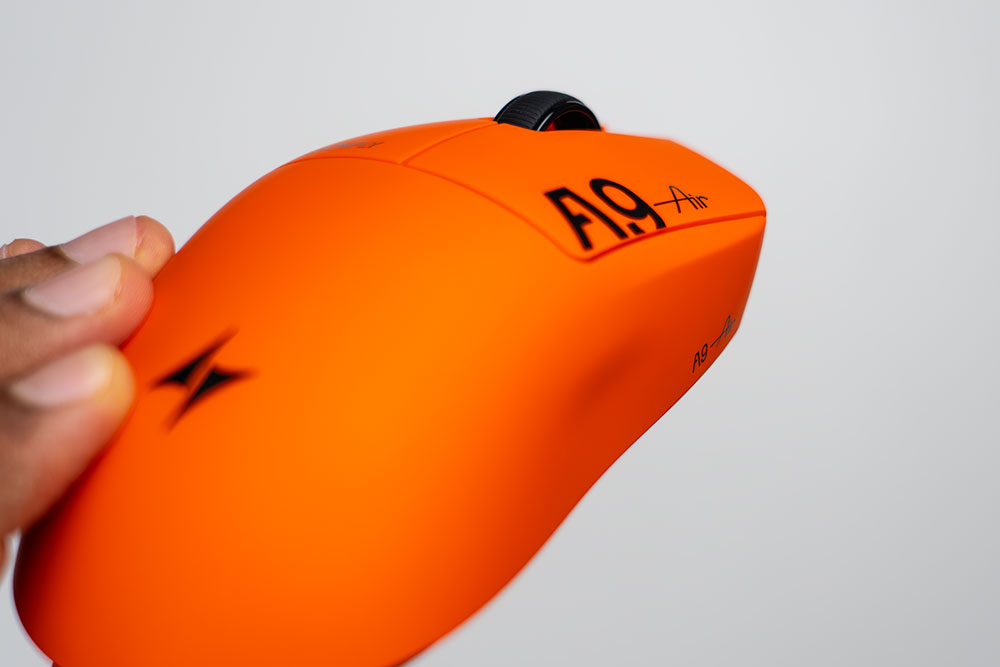
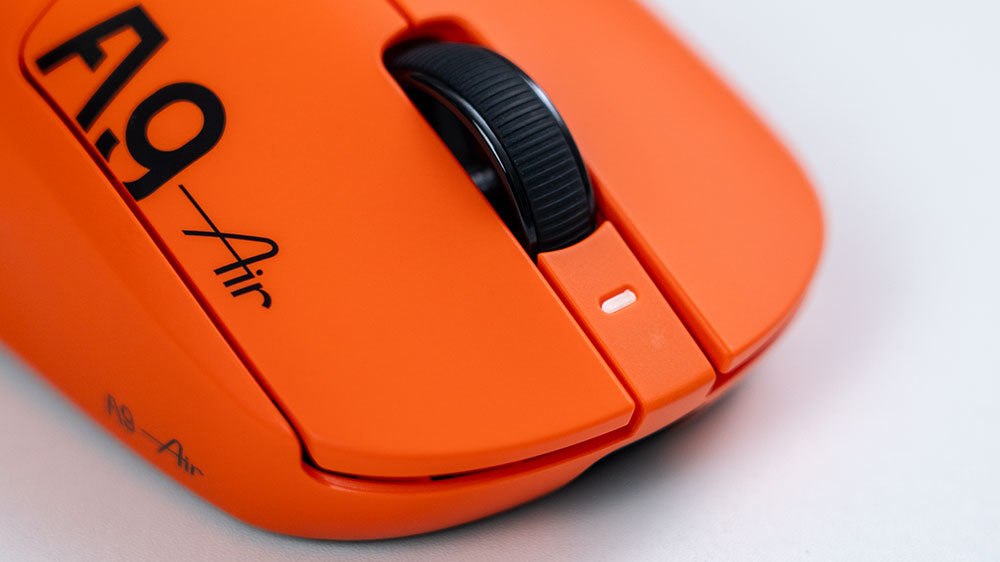
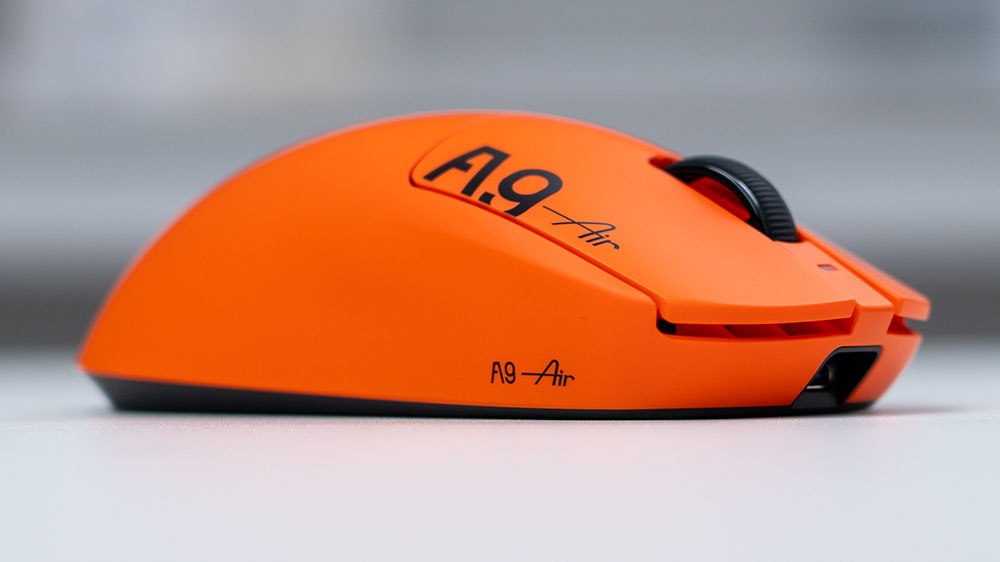
From an angled top view, you can see the ATK logo, the A9 Air branding, the right and left click buttons, the ribbed or textured mouse scroll wheel, the LED indicator light and two side buttons.
On the left side, there’s ATK lettering and the two side buttons, which have a matte finish and feel good with my thumb resting on them. I also noticed that there was no noticeable play or shifting when resting my thumb on the buttons. It’s rock-solid stable in place, which I like to see.
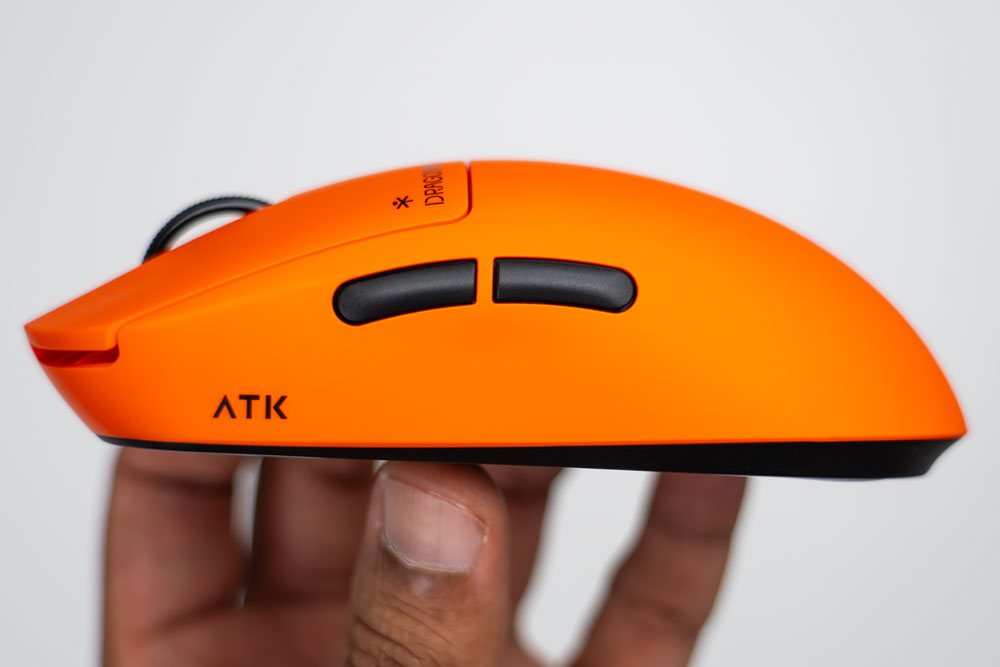
The left-side buttons also extend far enough from the mouse body that the click travel distance feels just right and very tactile.
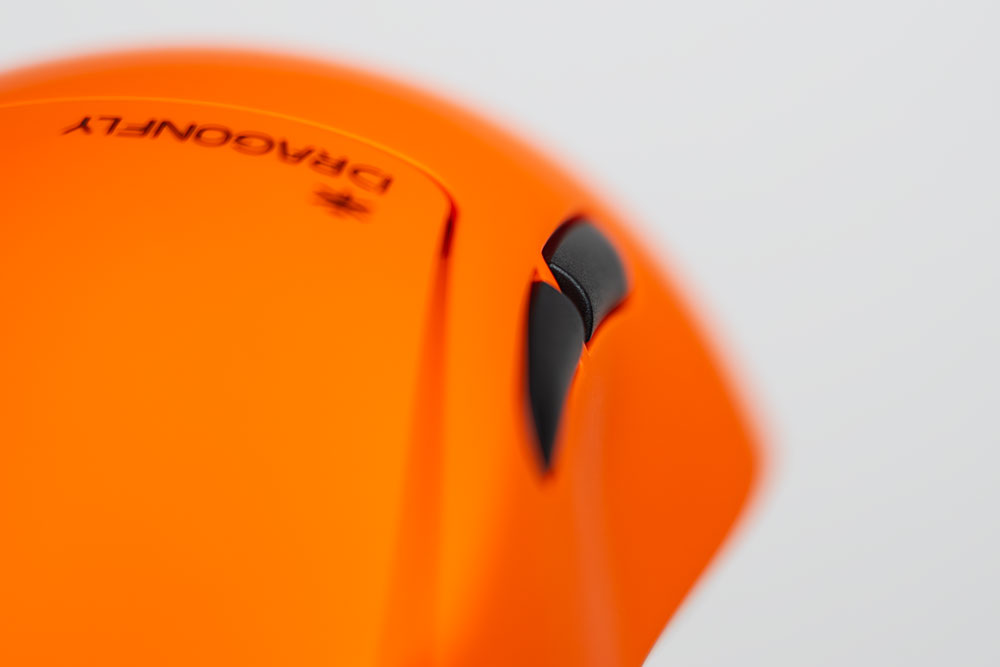
The right side of the mouse has a slight contour where my pinky finger usually rests, which is a nice added touch instead of having it flat or flush.
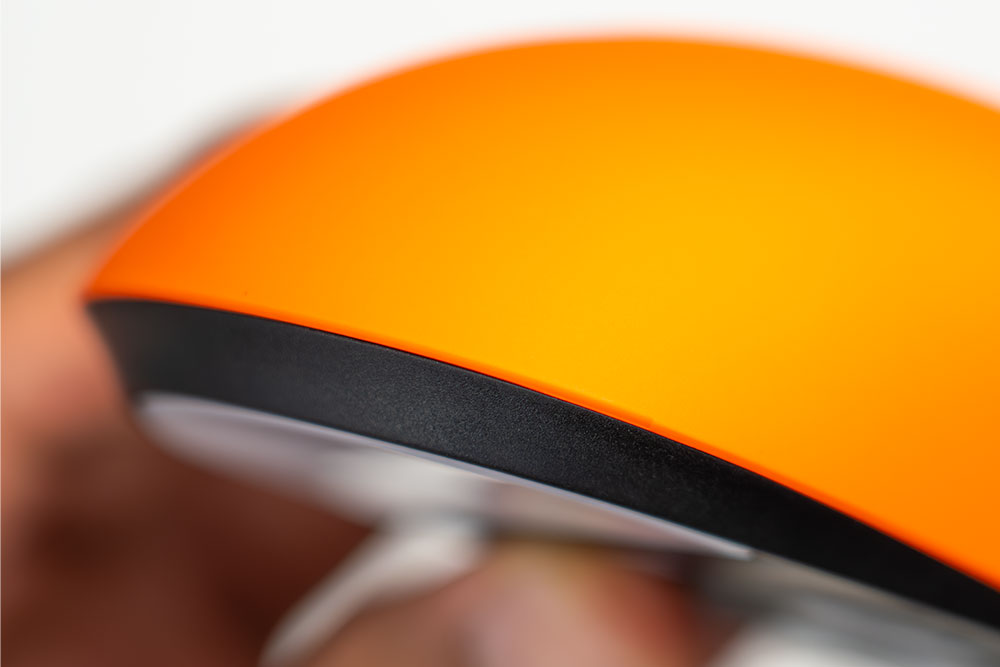
The curvature on the rear has a nice taper that should suit most small to medium-sized hands. Note that the bottom body, shown in black, has a matte finish. The top shell has a nice-feeling coating that isn’t glossy but also doesn’t feel fully matte. However, it feels good in the hand and is not slippery when in the palm.
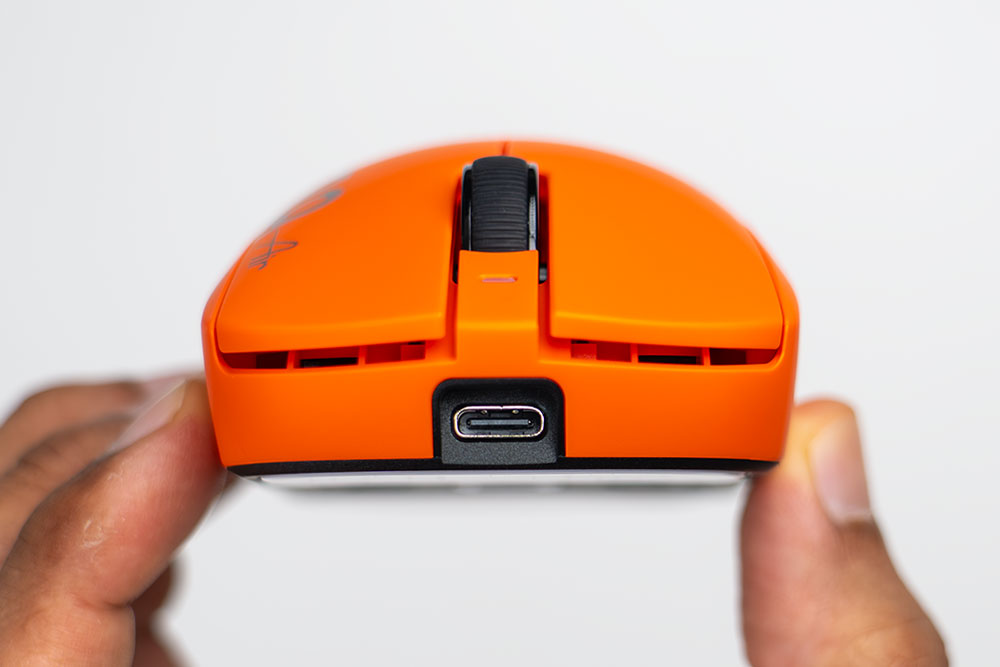
The front view shows the USB Type-C charging port, which can also be used if you want to use the mouse in wired mode. Plugging and unplugging the supplied braided USB-C to A cable takes a bit of effort, which is good to see because it means there’s no chance the cable will come free even if it’s tugged on with some force.
Above the USB-C port is the LED indicator light, which shows the approximate battery level; however, there is a better system than this, which I’ll get into later.
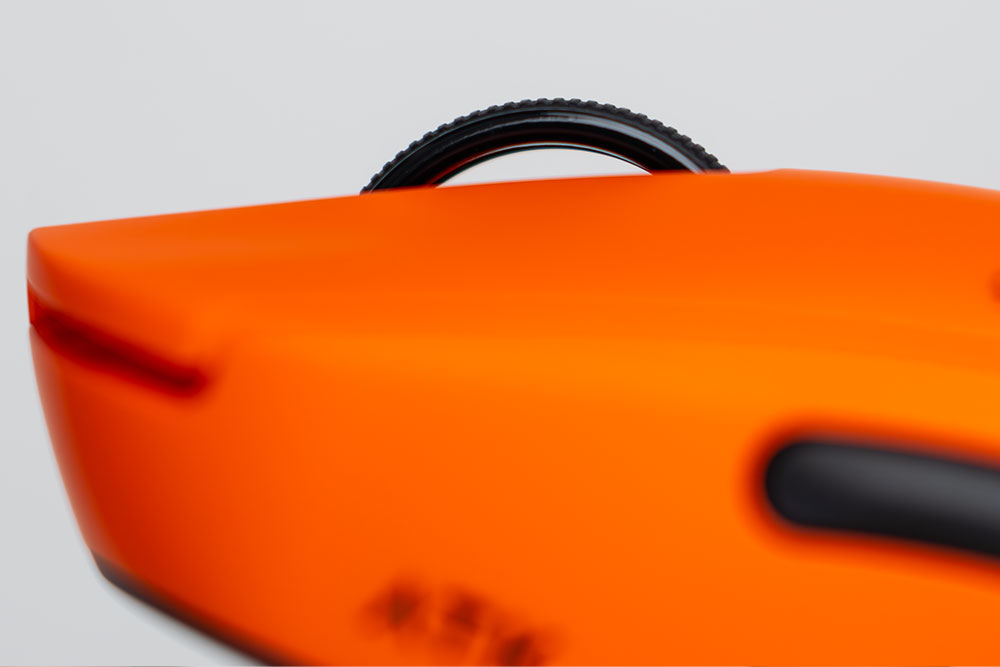
The scroll wheel has three spokes to keep it stable and locked in place. The top has a rubberized ring with a grooved texture for additional grip. The scroll wheel has hard-stop increments, so scrolling feels very precise, with no looseness or drifting, yet it doesn’t take much effort to actuate.
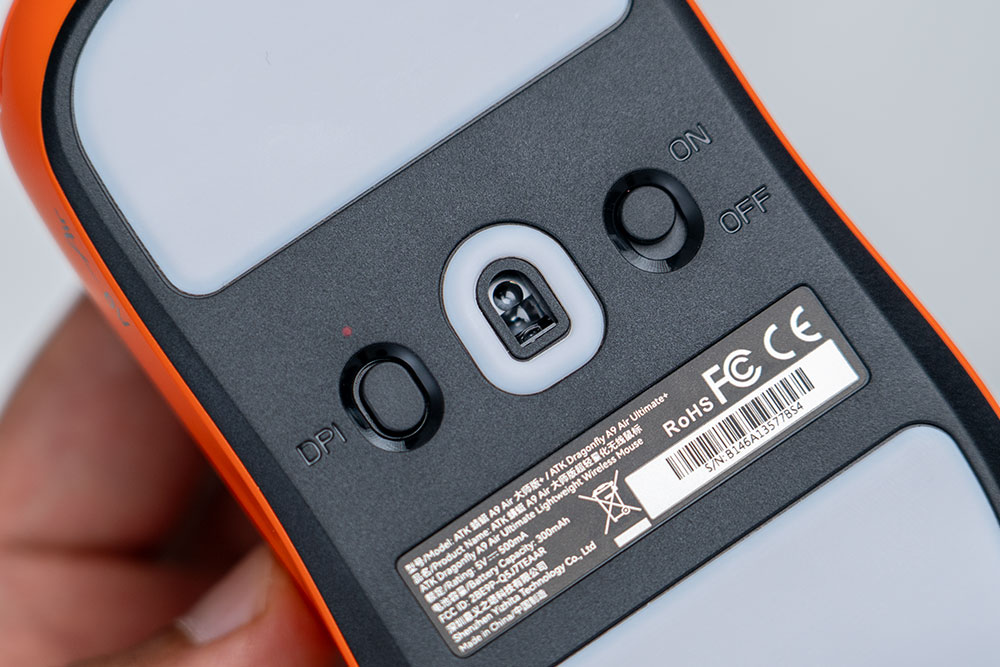
The bottom of the mouse has a DPI switch with a colored LED indicator light to let you know which DPI setting you are using. There’s also an ON/OFF switch and the sensor area.
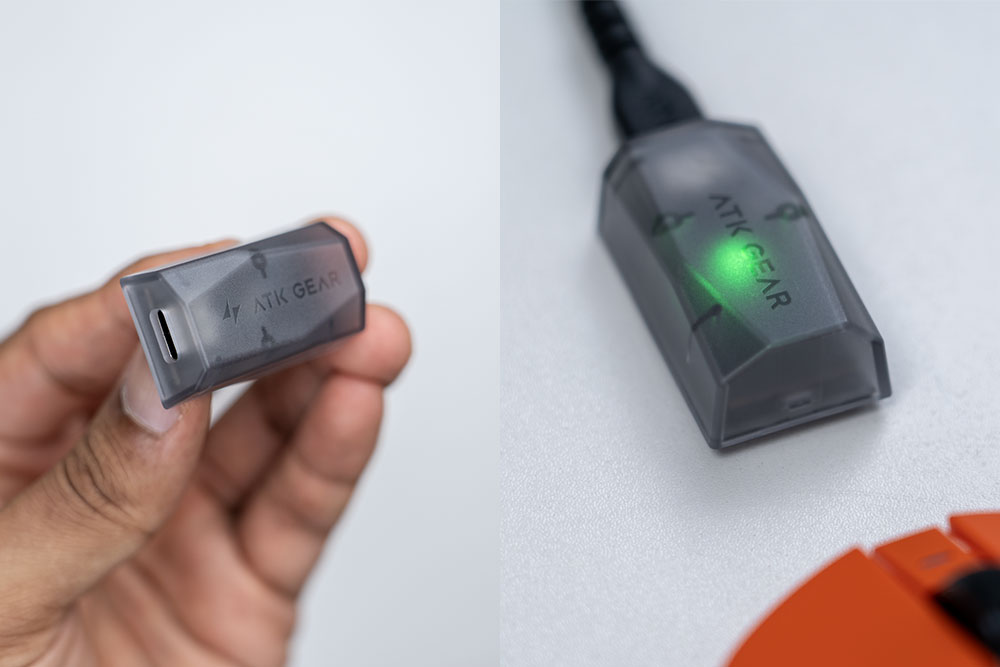
The included wireless receiver is fairly compact and doesn’t take up much desk space. There’s a USB C port on the back to connect the braided USB-A to C cable that comes in the box. An LED light can be set to display the remaining battery life on the mouse, or it can be set to change color based on the DPI setting you choose in the software, as well.
Specs
- Sensor: PAW3955 Master
- MCU: Nordic 54L15
- Polling Rate: 8000 Hz
- DPI Range: 1–50000 (1 DPI steps)
- Latency: 0.181ms
- Switch: ATK Swiftlight Optical
- Scroll Wheel: TTC Gold
- Battery: 300mAh
- Battery Life: 300 Hours (1000Hz)
- Coating: All-New Nano Coating
- Connectivity: Wired / 2.4GHz
- Weight: 47±3g
- Dimensions: 125mm x 63.5mm x 40mm
Connectivity Options
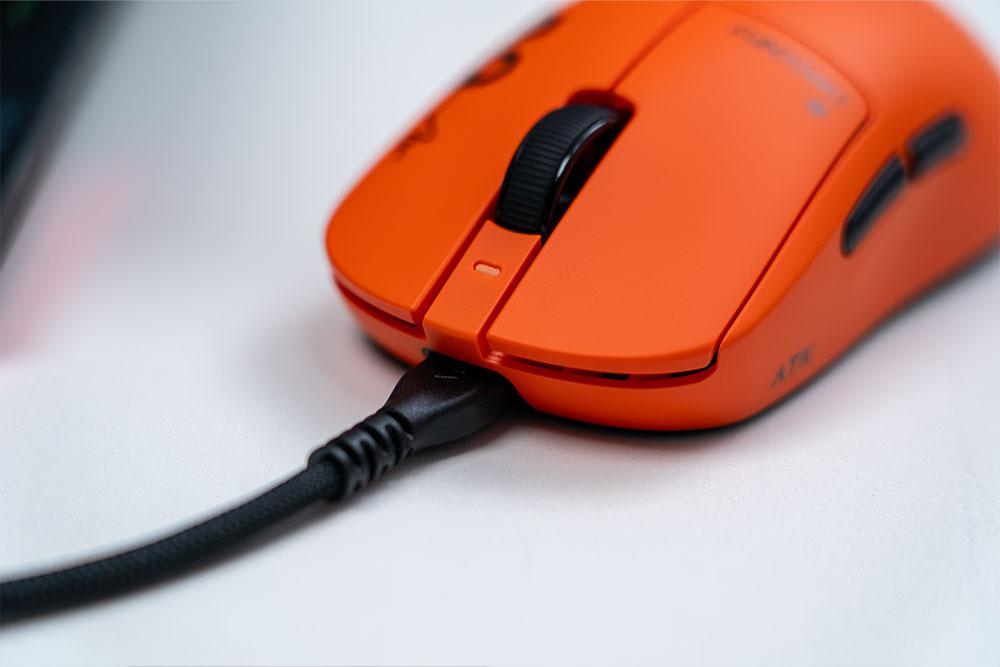
The A9 Air+ can be used in USB C wired mode or with the wireless receiver. Note that there is no Bluetooth connectivity.
ATK HUB Software
The ATK HUB software has a ton of settings to configure the A9 Air+ and get it dialled in exactly as you like. Here are screenshots of some of the settings.
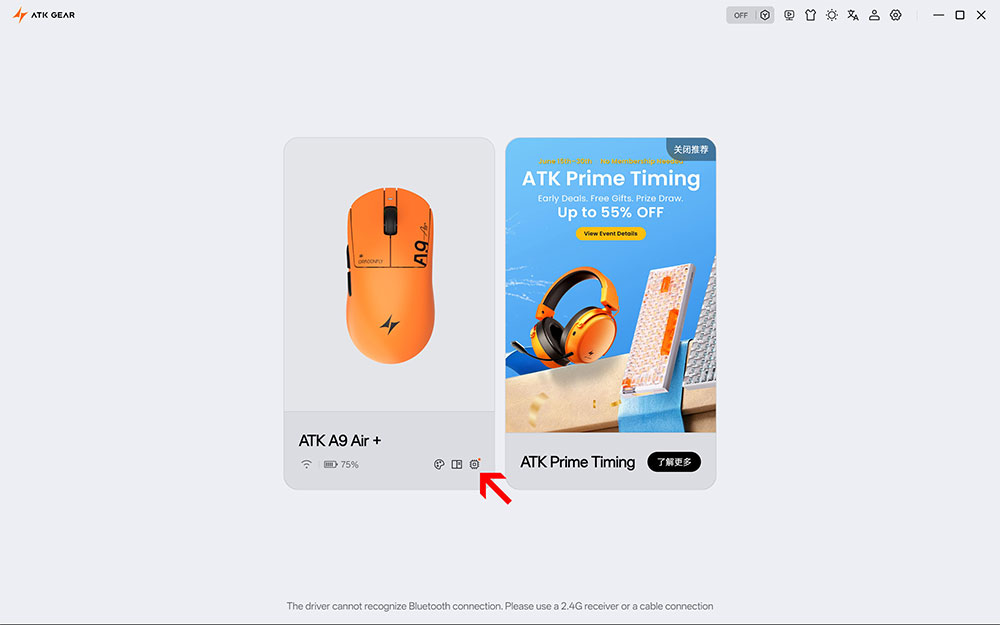
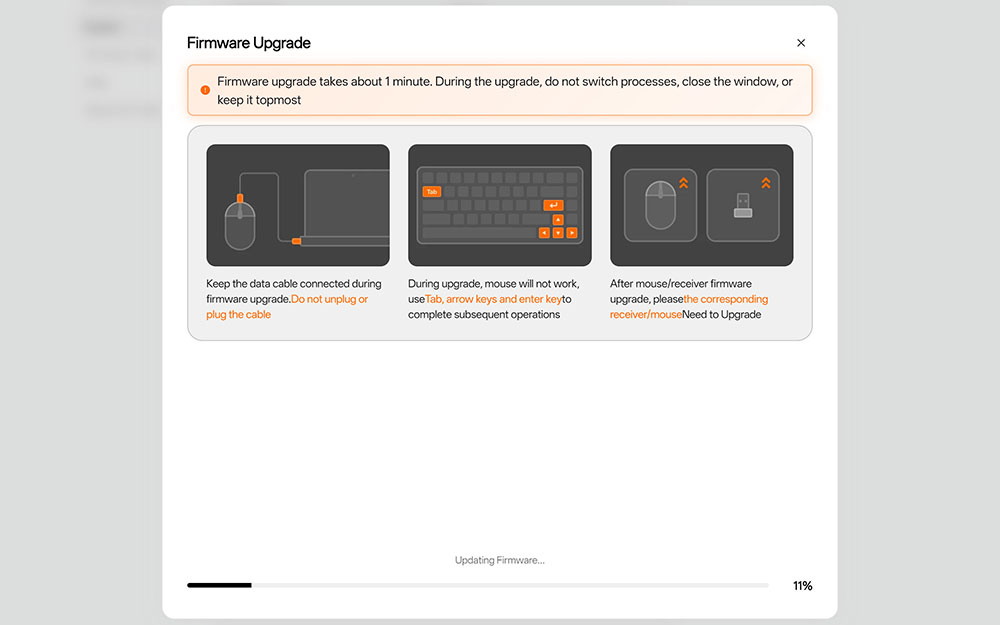
Once you open ATK HUB, you can see the battery life on the mouse, change the mouse color displayed on screen, and check for any firmware updates. My A9 Air+ did have a firmware update, shown in the red arrow, which I applied at the end of this review, version 5.20 for the mouse and V5.01 for the wireless dongle.
You can also change the display to dark mode and change the language as well.
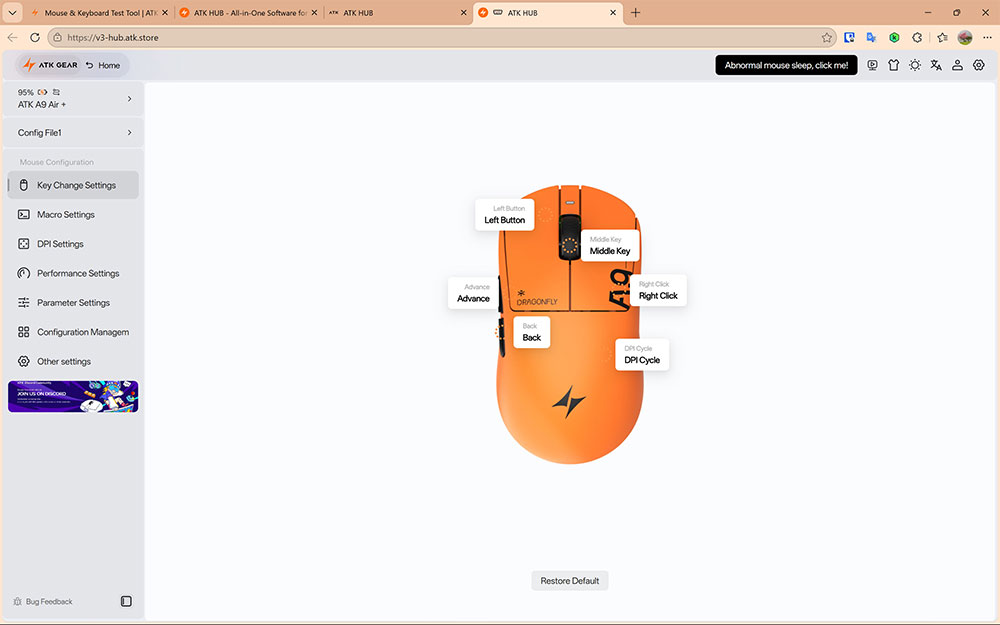
On the main dashboard screen, at the top left, you can also see the current battery left and whether the mouse is actively charging. Below that, you can switch between various configurations, such as a gaming or productivity config.
The default setting on this screen is the “Key Change Settings.” You can also click on the mouse buttons to remap them if needed. On the left side, you can use vertical navigation to switch between other settings screens.
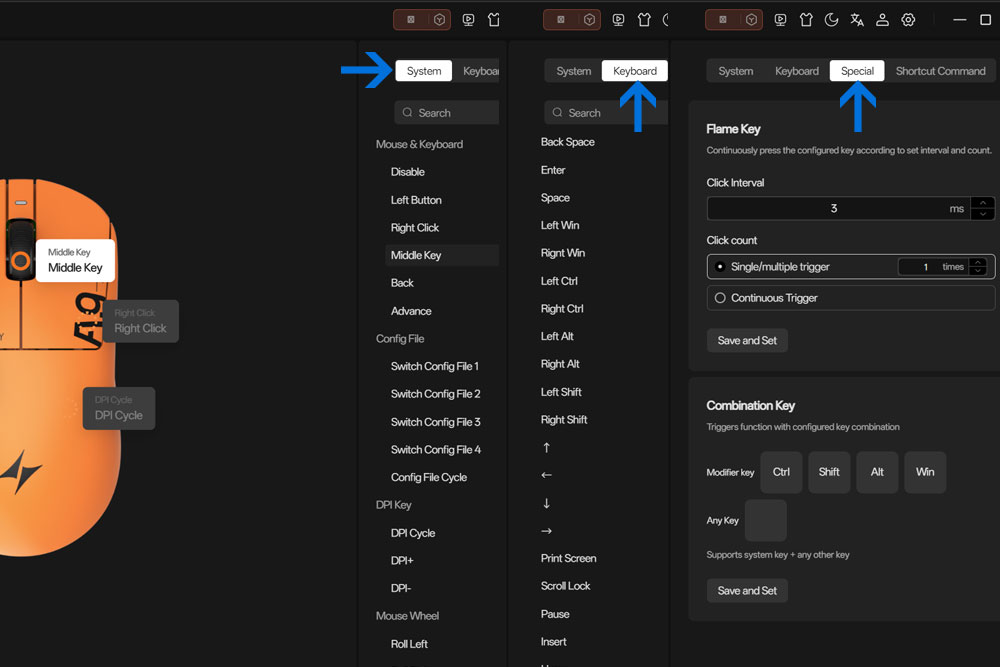
Note that when you click on a mouse button, another menu will appear on the right side of the window, where you can further select shortcuts from categories such as System, Keyboard, Special or Shortcut Commands, so there’s enough versatility to map whatever you’d like.
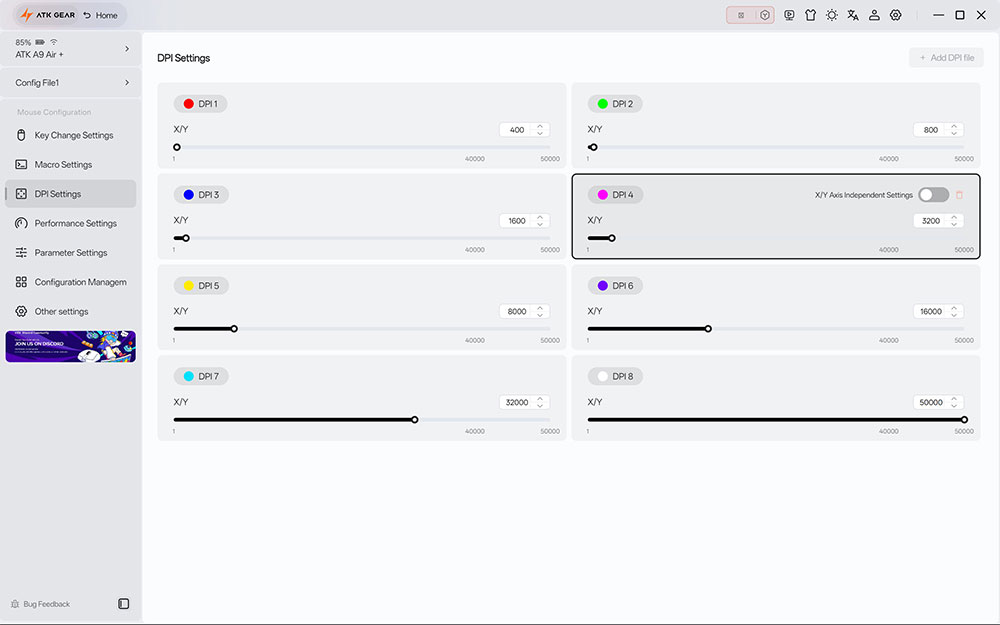
In the DPI settings, there are 4 preset DPI values. However, you can modify the preset values by as little as 1 DPI in either direction, from 1 DPI to 50,000 DPI. You can also add additional DPI presets for a total of 8 DPI configs. As well, you can set custom colors for each DPI level so that when you use the DPI button on the underside of the mouse, you’ll know which DPI setting you’re using if you don’t want to switch to the ATK HUB software.
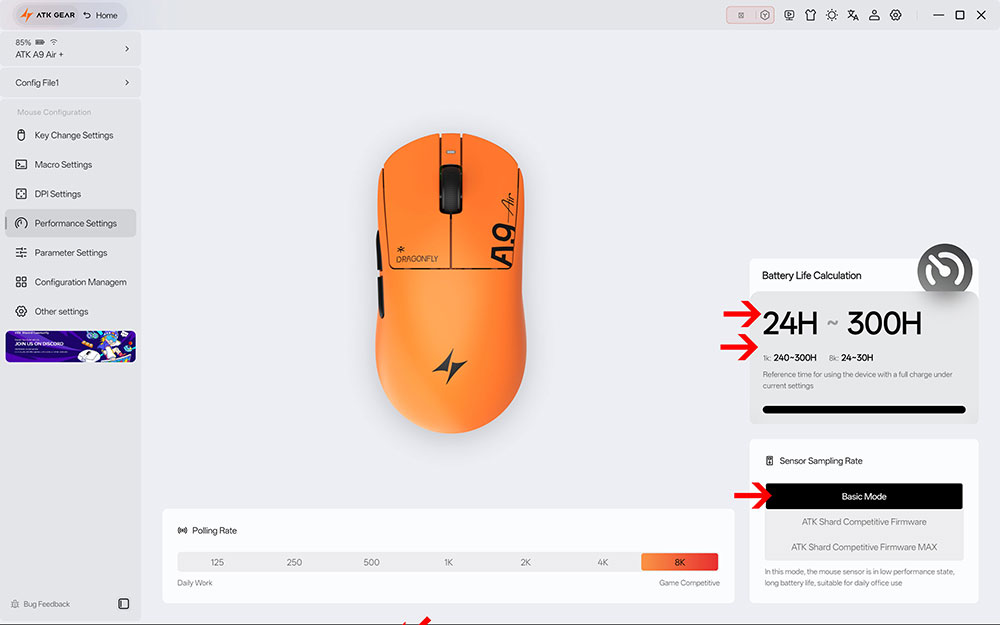
Under the Performance Settings section, you can adjust the polling rate from 125 Hz to 8K Hz. The sensor sampling rate can also be toggled between three modes:
- Basic Mode – Ideal for general use and tasks
- ATK Shard Competitive Firmware – High scanning frequency for high performance gaming
- ATK Shard Competitive Firmware MAX – Competitive gaming use – up to 20,000 surface scans per second.
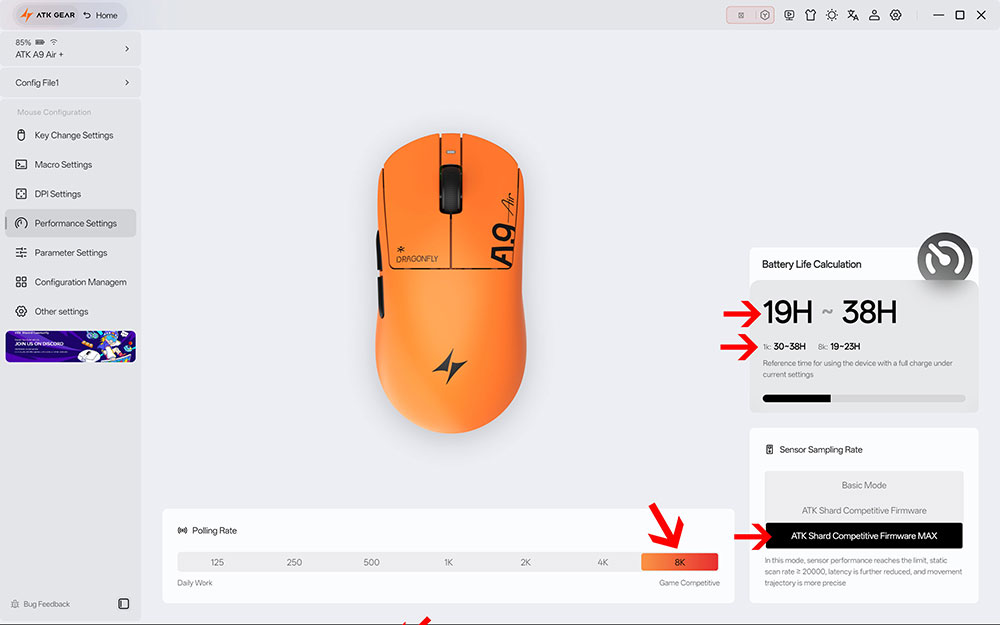
Note that the software estimates the runtime based on the sensor sampling rate that you choose. However, I’ll cover battery life later on.
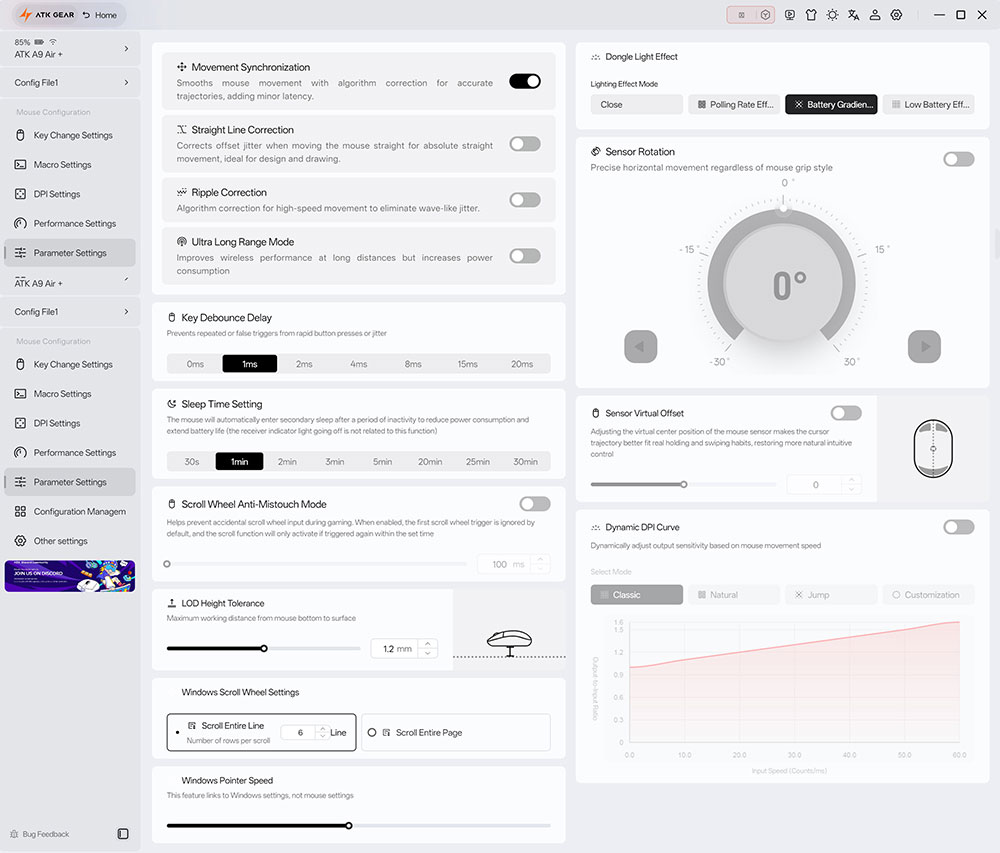
The Parameter Settings section has a wide variety of settings to adjust, such as changing the lighting effect mode on the wireless receiver dongle, enabling Dynamic DPI curves, Key Debounce Delay, Sleep Time settings, etc.
However, a key setting most of you will want to adjust is the LOD (Lift Off Distance), which can be set as low as 0.7mm to 1.7mm.
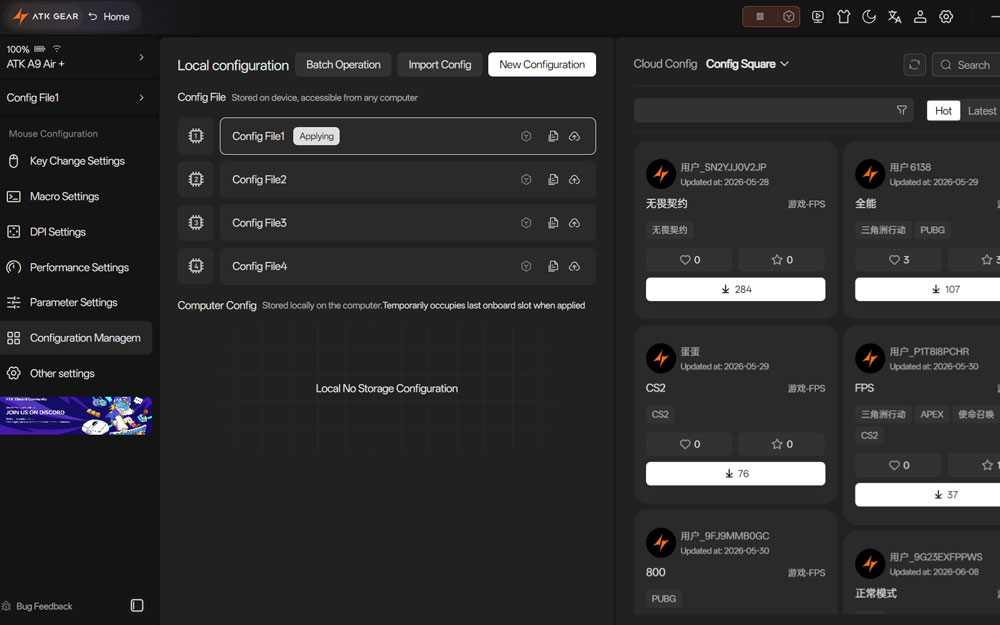
You can switch between configurations either in the Configuration settings section or by clicking on the top left quick access area. In addition to having various configurations for general use or for specific games, you can also download community configurations from the Cloud config section, which include options for games like PUBG, CS2, Valorant, etc.
Sensor
A flagship PixArt PAW3955 Master optical sensor is used in the A9 Air+, engineered to deliver exceptional speed, accuracy, and responsiveness for competitive gaming. It supports up to 50,000 DPI, 850 IPS tracking speed, and 50G acceleration, ensuring precise tracking even during the fastest flicks and rapid mouse movements.
Switches
The A9 Air+ uses ATK’s custom SwiftLight Optical Switches, which are designed for competitive gaming where speed, consistency, and durability are priorities. Optical switches use light-based actuation, allowing them to eliminate common issues such as contact degradation and double-clicking over time, which is why they’re rated for an impressive 150 million click lifespan, pretty impressive.
In terms of feel, the SwiftLight Optical Switches provide a sharp, crisp click with a more defined actuation point. I never found myself mistakenly clicking the mouse buttons while my fingers were resting on them, as would sometimes happen with other mice that require less actuation force. Some may prefer less actuation force, but I personally prefer the level of actuation on the A9 Air+ since it’s minimized mistaken clicks.
Nordic 54L15 MCU & Polling Rates
The ATK Gear A9 Air+ houses the Nordic 54L15 MCU, which is designed to deliver high processing performance thanks to its ability to support ultra-low-latency wireless communication, enabling polling rates between 125 Hz and 8,000 Hz. The 54L15 offers significantly higher processing efficiency and lower power consumption, making it one of the most advanced MCUs currently available for premium gaming mice.
Ergonomics
The mouse feels comfortable enough based on my hand size for day-long use without any issues. I can palm the entire mouse easily, and my middle finger doesn’t extend past the right mouse button like it sometimes does on other mice. The mouse’s body curvature should fit most hands. If you have large hands, you may need to adjust your grip style.
Sound Profile
The sound profile delivers a sharp click when pressing the right and left mouse buttons. The side buttons deliver a sharp click, however, it is not as sharp as the main mouse buttons. Scrolling the mouse wheel at a slow to regular speed doesn’t generate much sound unless you try to flick it, which is not really possible, since it has incremental hard stops. Pressing the middle mouse button down results in a similar sharp sound like the side mouse buttons.
Gliding
The included mouse feet do a fantastic job keeping the mouse gliding for short or far wrist movements. I even used the mouse on a plain white table without a mouse mat, and it didn’t skip a beat tracking.
Gaming Performance
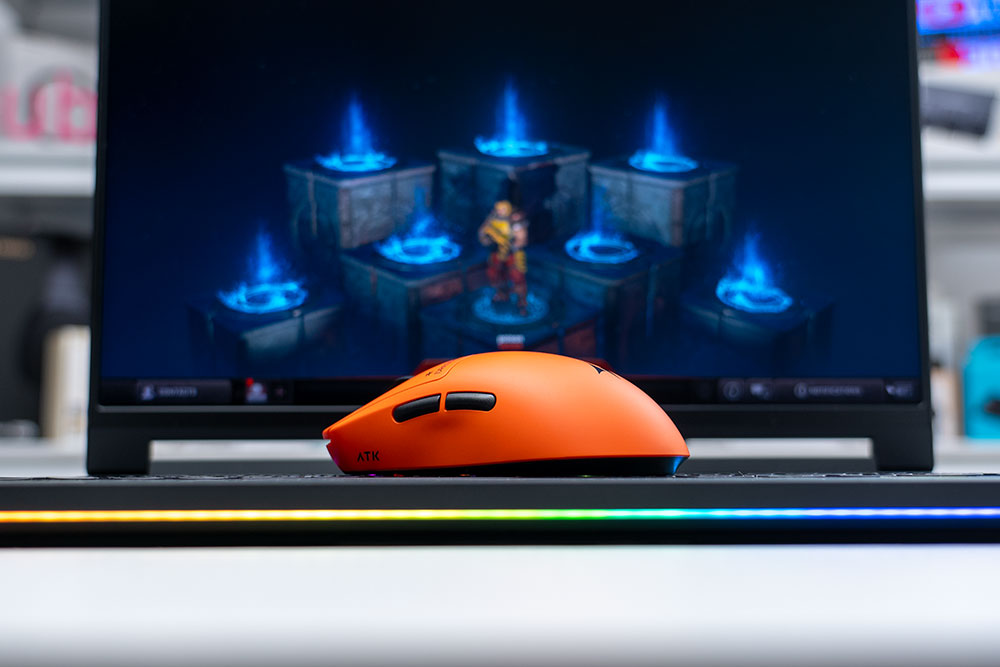
Gaming with the A9 Air+ in Quake Champions and other arena shooters was a real treat. It glided effortlessly and tracked reliably during both short wrist flicks and wider sweeping movements. The low 0.7 mm lift-off distance was also a big advantage when repositioning the mouse, especially when using a smaller mousepad or limited desk space where frequent lifts are required. The low latency, getting down to as low as 0.181ms also ensured that all my inputs registered immediately.
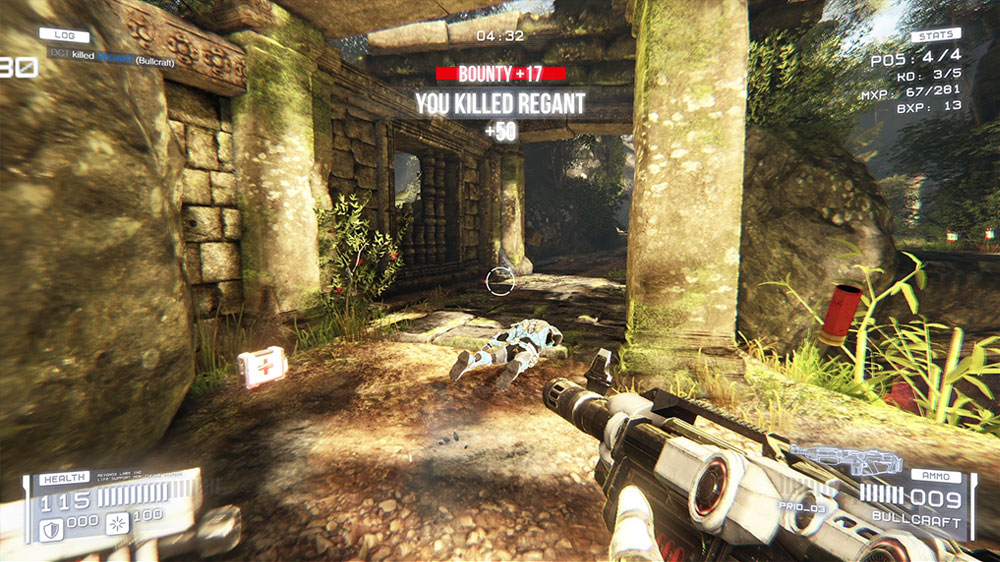
While the slightly heavier click actuation force did not negatively impact my FPS gameplay, players who spend significant time in click-intensive genres such as RTS games may want to take note. These games often require hundreds or even thousands of rapid clicks during extended sessions, where a lighter switch feel may be preferred to reduce finger fatigue.
Battery Life
The A9 Air+ uses a 300 mAh battery, and the battery life can vary by a wide range depending on how many hours you use the house and, more importantly, depending on the software performance settings. The polling rate can be set between 125 Hz and 8000 Hz (8K). Additionally, the Sensor Sample Rate can be set to Basic Mode | ATK Shard Competitive Firmware or ATK Shard Competitive Firmware MAX.
When I set the polling rate to 1K using the ATK Shard Competitive Firmware Mode, after about 3 days of use, the battery life reduced by around 5%, so with these settings, the mouse can easily last for a couple of weeks, depending on how many hours you use the mouse.
When I set the polling rate to 8K (8000 Hz) and the Sensor Sample Rate to ATK Shard Competitive Firmware MAX, based on the battery drain I experienced, the battery would last around 23 hours.
So the A9 Air+ can easily last for a day of heavy use with an 8K polling rate and a 20,000 Hz static scan rate. Or it can last for a couple of weeks with the polling rate set to 125 or 250 Hz, and with the sensor sampling rate set to Basic Mode.
As long as you’re willing to adjust the settings in the software based on if you’ll be gaming or doing productivity work, battery life isn’t much of a concern. You can also switch between multiple Configs in the software, so you can have a gaming config, a work/general use config, configs for specific games, etc.
Can I Recommend the ATK Gear A9 Air+ Gaming Mouse?
If you’re looking for flagship-grade type specs without spending flagship-grade money, the ATK Gear A9 Air+ delivers in basically every aspect. You get a high-performance PAW3955 Master sensor, a Nordic 54L15 MCU, Swiftlight Optical switches, up to 8K polling rates, 50,000 DPI, as low as 0.181ms latency, and pretty decent battery life. And you get all of this in a mouse that costs around $80 USD, in a world where high-end gaming mice can easily cost upwards of $100 USD to $160 USD for similar specs.
This is, hands down, one of the best gaming mice I’ve used to date, and I’ve still kept it on my desk after reviewing it. I can’t wait to get into my next gaming session, knowing that whenever I lose or perform poorly, the mouse wasn’t the limiting factor or bottleneck; I simply need to git gud.
Some links may be referral links, which means I earn a small commission for qualifying sales. There is no additional cost to you.