


Please note that some of the links in my video descriptions are affiliate links where I earn from qualifying purchases. As an Amazon Associate I earn from qualifying purchases.
Intro
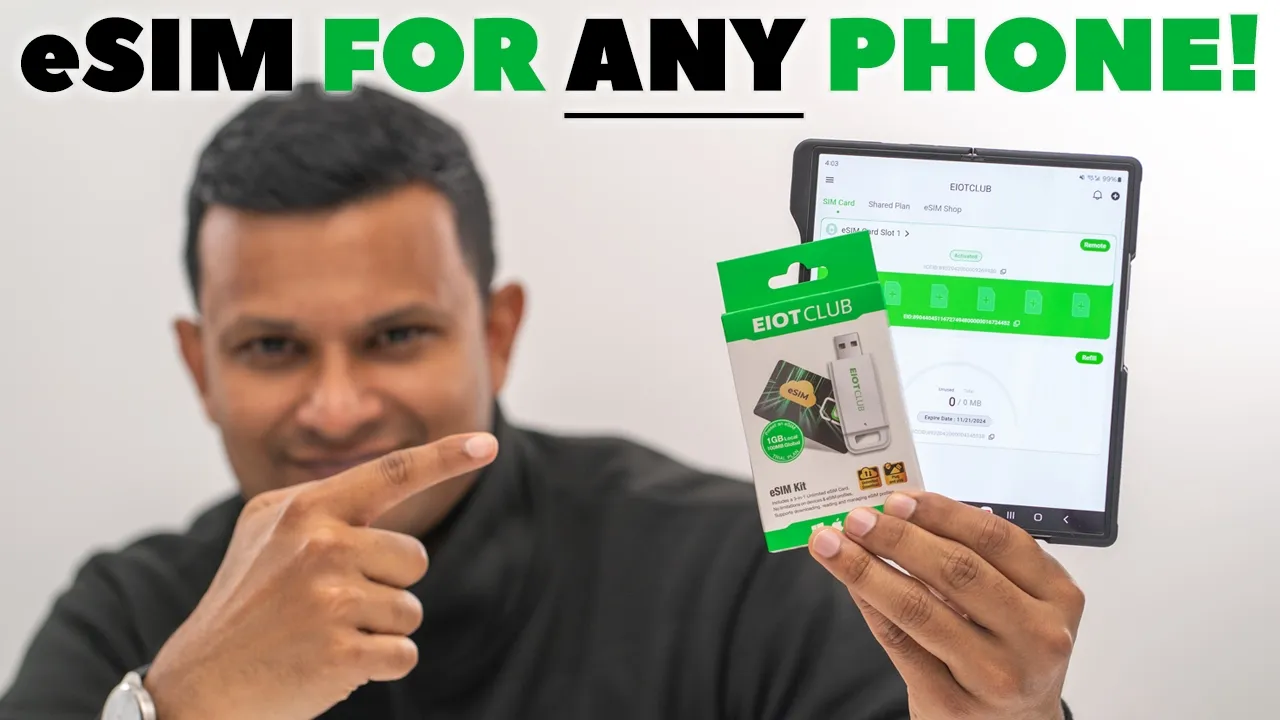
Hey, it’s Adrian. And if you want the ability to use one or more eims on an old phone that doesn’t support eim, or what if you have a brand new phone that does support eim, but you still want more than one eim on there? Well, you’re going to want to check out EIoT Club’s eim kit. You’ll be able to add internet connectivity to pretty much any device. You can use hotspot on your devices. You can add up to eight eim profiles so that you could quickly switch between different carriers. This is really helpful if you travel a lot or if you have a ton of businesses that you manage and you can do this in over 200 countries. So, let’s take a closer look at the ESIM kit from EoT Club. And a big thanks to EIoT Club for sending this out for review. In the package, we have the
Package Contents
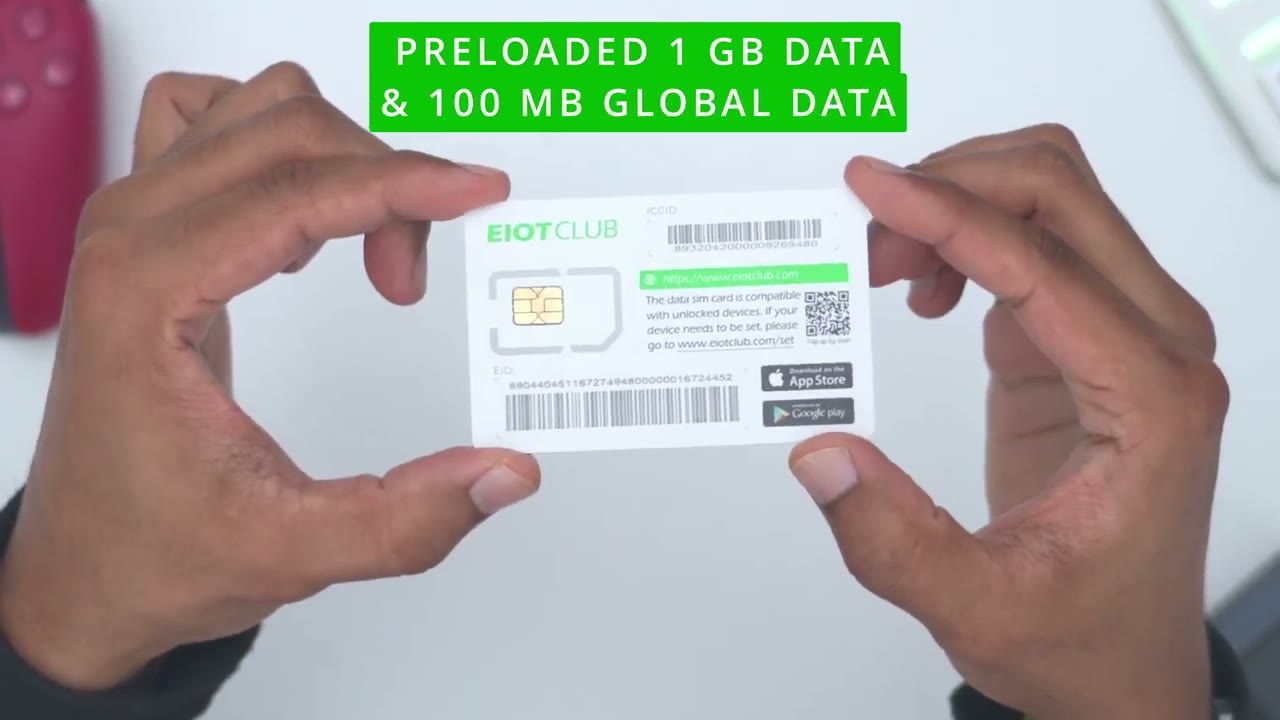
SIM card reader, which can be plugged into a laptop or desktop. And we also have the SIM card, which comes preloaded with 1 gig of local data and 100 megabytes of global data. So, the first
Easy eSIM Setup
thing we’re going to do is just to get access to the SIM card slot. And then just pop out your SIM card tray. Next, I’m going to pop out the EoT Club SIM card right from here. And there we have it. And then I’m just going to put it in my SIM card tray and insert it into the phone. Now that the EoT Club SIM card is in the phone, what I could do is I could go into the EoT Club app. And if you don’t have it, go ahead, set that up. I’ve used it already. Now, notice that right away as soon as I open the app, it’s showing that a physical eSIM card has been detected. Would you like to add it to your SIM card list? So, basically, it’s an automatic process. I’ll just click on okay. And don’t worry if you don’t see that message pop up automatically.
You can always click on the plus icon and enter the ICC ID number that’s at the very top of the card. So, the EIM profile is added in the EoT Club app. And I didn’t have to purchase this separately. It came with the eSIM kit. So, if you get yours, it’s going to come preloaded with an eSIM profile. You can be up and running right away. Now, I can see it’s activated and I can see the additional slots here, but let’s go on to remote where we’re going to get, you know, more options on here. And you can add up to nine different EI profiles. So, you can see I’m only using one of nine. So, if you frequently need to change carriers, if you travel a lot for business, you’re going between different countries, this is so handy. So, I’ve activated it and I’ve only used.3 gigs.
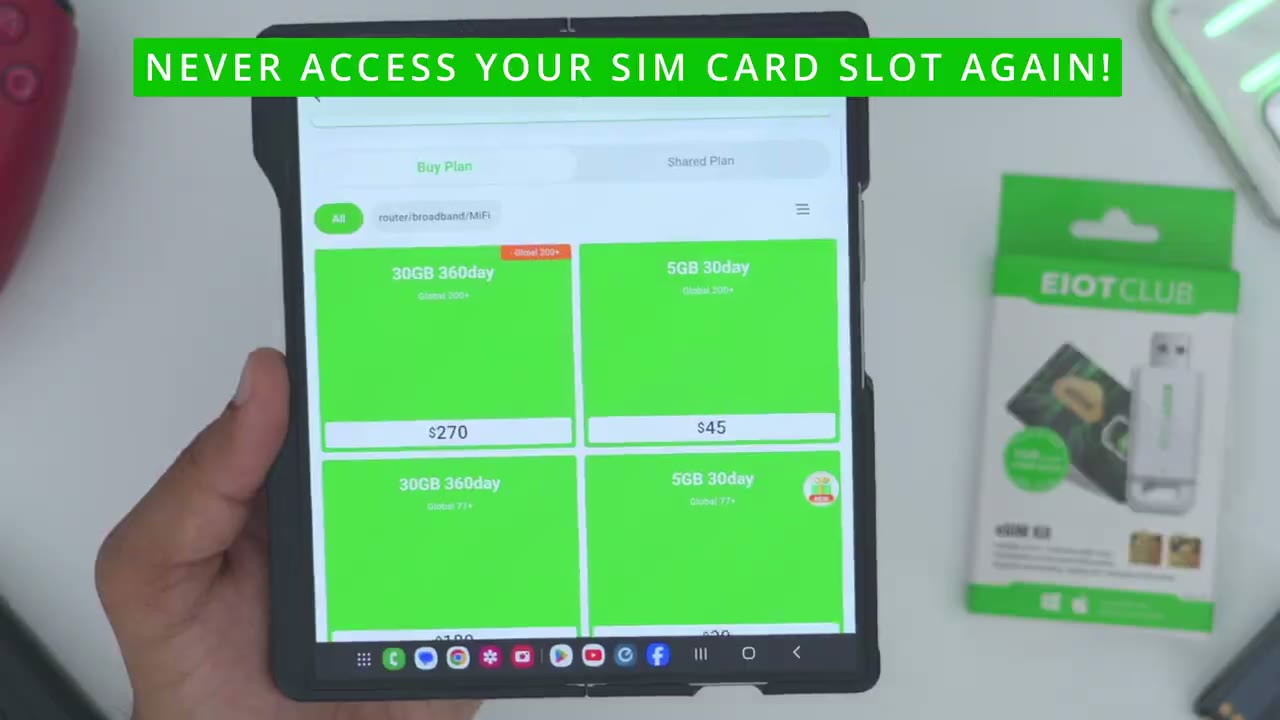
So, I have 1.7 gigs remaining of the 2 GB. And this is going to expire um around the end of May. Now, if I press this toggle here, it’s just going to turn the eim on or off. But what I can actually do is if I tapped into one of these, I could add another eim profile from a third party or I can get an eim profile by just going to the eo club uh sim shop right there. So yes, this will play nicely with any um carriers eim profiles which is nice. Now if we tap on refill, you can see again this is what I have right now. You can jump into my plan usage and you could see what I have there. But what I can also do is I can just go ahead and order directly on the eiot club app kind of like top up storage to refill what I have going on.
So, you know, I never have to actually fiddle with the physical SIM card once it’s set up one time here. You could just keep topping it up as you need. So, it’s very convenient. Let’s do a speed
Speed Test
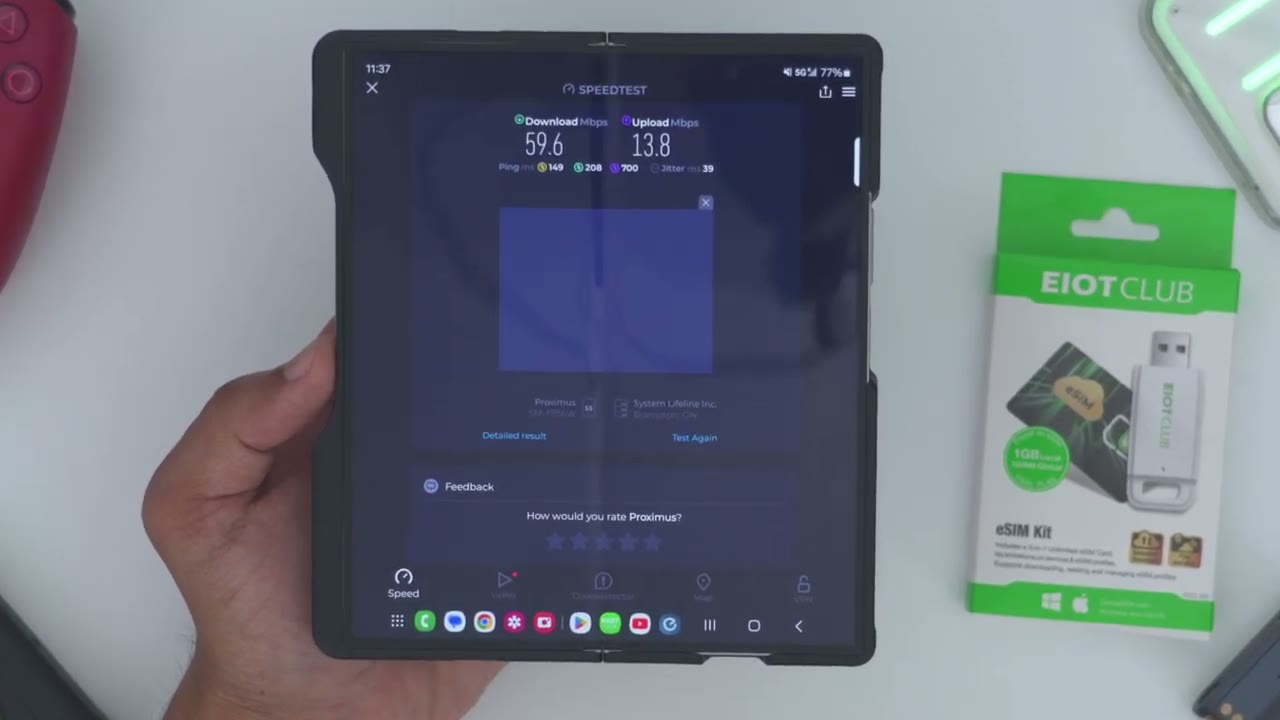
test. So, if I pull down, you can see right now I have no Wi-Fi on and no mobile data. So, if I go into my browser here and refresh, nothing’s happening. So, let’s just go turn mobile data on. So, this is going to be using the eim profile that we loaded up and you could see the website is loading. Now, if I go into the EoT Club app and I go shop SIM card physical ESIM. So, you do have the option to just get the physical eSIM without the uh card reader on here. But let’s now jump into the speed test. So, I’ll just jump right here and we’re connected. Just hit go and let’s take a look at the upload and download speeds. So, uh let’s take a look. So, yeah, it looks like we’re getting around 50. Now, note that um I’m in a basement.
I may not have the best signal, but it actually is showing the signals pretty good on here. It is 5G. So, yeah, it looks like uh maybe a peak of 60 uh megabits per second. And then let’s take a look at upload. So, upload looks like it’s going to be around 16, maybe 17 average, which is pretty decent. Like, this is perfectly fine for, you know, browsing, watching Netflix videos, things like that. even uploading YouTube videos, you know, if you’re kind of a content creator on the go. So, that’s what you can expect in terms of a speed
Hotspot Data Sharing
test. Another benefit we have using EoT Club’s physical SIM cards or their eSIM cards is the ability to use hotspot because I could share my internet connection from this phone to my other phone or to my partners or spouse’s phone or I can share the connection to a tablet or a laptop. Now, to do that, I’m going to pull down from the top, go into settings, and it says mobile hotspot and tethering right here. I’m going to tap on that. Turn on mobile hotspot. And then, if I tap into it, I could see that mine is called Perfruit. So, now if I actually go on my other phone here, and I just go ahead turn the Wi-Fi on, and I’m just going to wait to see that SSID. So, let’s see here. So, here it is. Perfruit. Turn that on. And I can see it’s completely connected now.
So now I can actually go ahead pull up my security cameras. Just tap into that and let that load up there. And I can go ahead and monitor, you know, like my home security cameras when I’m out on the road or say I’m on vacation elsewhere. And then if I just jump onto the internet here, refresh, and I now have internet connectivity on my phone. So again, as long as your um phone supports hotspot, what you could do is you can even buy like a burner phone, pop the uh EoT Club physical eSIM in there and just use that to dish out hotspot to, you know, your main phone or your laptop if you want to or just to make your life a little bit more convenient. But you have a ton of options with this system. To use the
eSIM USB Reader
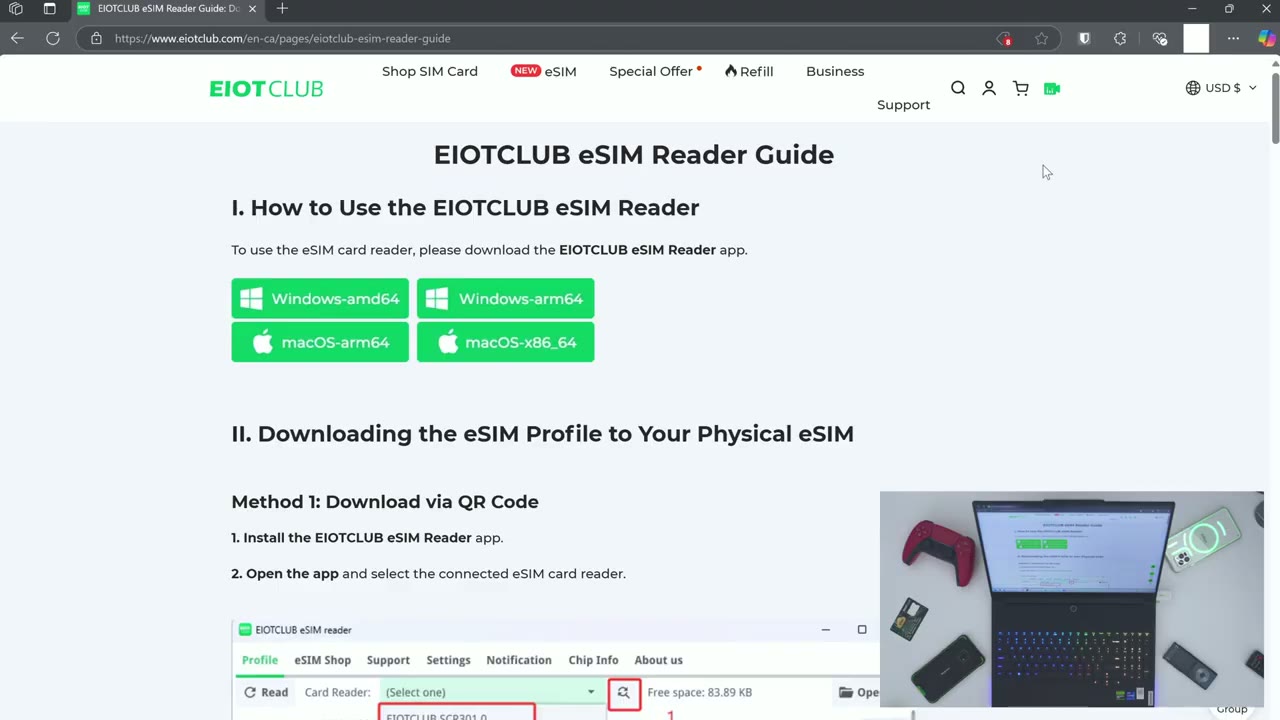
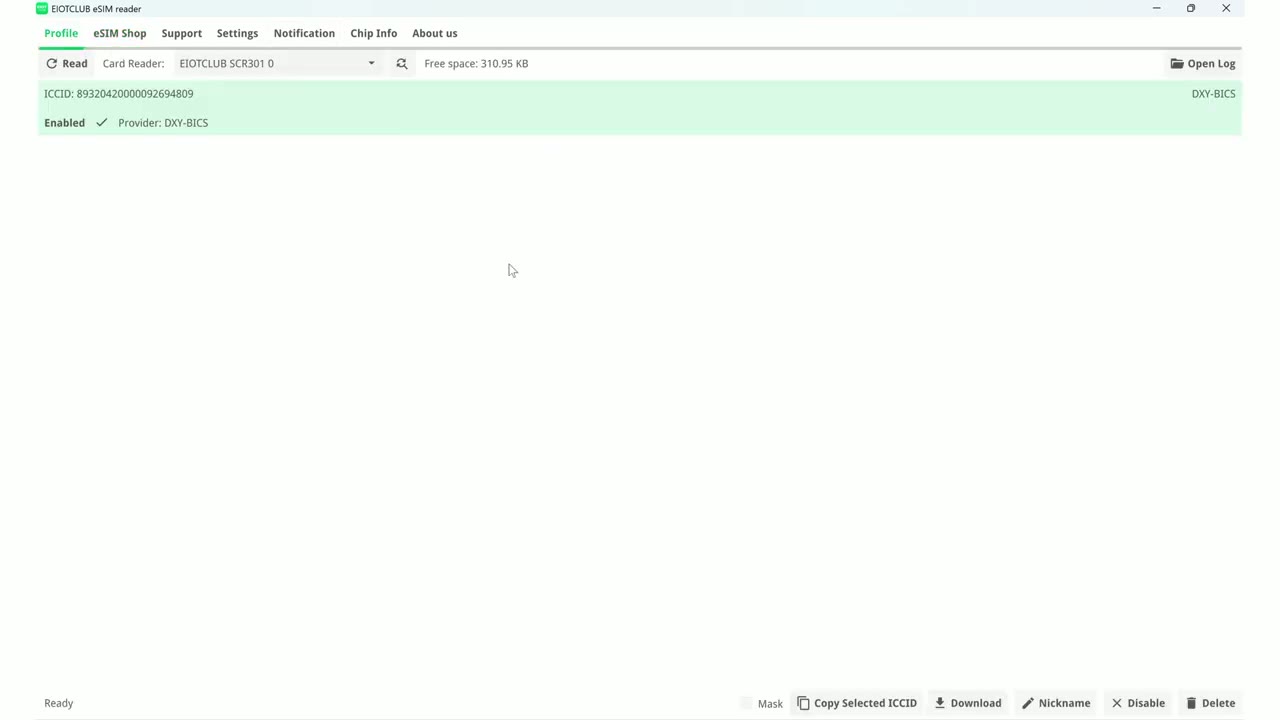
eSim reader on your laptop or desktop to set everything up instead of using your phone, we’re going to download the Windows app. Since I am on Windows, but there is a Mac version as well. Now I’m going to click on open file. And since this is a zip file, I will have to extract everything. So I’ll go ahead and extract everything. Now once it opens up, this is the app I’m going to use. So the EIOT Club EIM reader. So I’ll just go ahead double click that and I’ll say that I want to run it. And then once that pops up, we’re going to see the full interface here. So the first thing we’ll have to do is click on read. Now, before you do that, you will want to make sure that the eSIM is actually inside here. So, the way this works is there’s actually a tab.
You can lift this up and then that grants you access to the inside here. And then you would just put the SIM card or the eSIM card, sorry, into the actual holder. Slide it in here. And then you just snap everything back into place, insert it into your laptop’s USB port, and once it’s recognized, I can see the light right there. I’ll click on read and I can see the ICC ID number. I can see that it’s enabled. I can go ahead and apply a mask. I can copy the um ICC ID. I can go ahead and tap on download and I could scan additional uh QR images so that I can add additional EI profiles right from here. And it’s just going to display down here as a list. I could also give it a name so I know which one I’m dealing with. I could disable it and delete it.
Now you can also go into the eim shop and from here you can go ahead and you know buy additional eims top it up but like I mentioned also you can use third-party eim profiles if you like. So
Recommended?
if you want the convenience of eim so that you can quickly switch between different carriers without swapping physical sim cards. The eiot club eim kit is a unique and easy to use option. their physical SIMs and their eSIMs give you global coverage along with fast speeds and the ability to use hotspot for your devices. So, if you’re interested in picking up the eSIM kit from EoT Club, I’ll leave links in the description down below and pin comments. And don’t forget to use my coupon code DCT10 off for 10% off your order. Now, if you only need one eSIM to start with and you don’t want to start with the kit, check out this video next where I just reviewed their single eSIM so you can see how that works. And I have a huge favor to ask.
If you found this video helpful, would you mind liking and subscribing? It truly does help me out as a small and growing channel. And maybe consider checking out some of my other tech reviews. I review a bunch of different tech. You know, speakers, headphones, mechanical keyboards, dash cameras. Really something for everyone. And I hope you’ll join me in my next video
Please note that some of the links in my video descriptions are affiliate links where I earn from qualifying purchases. As an Amazon Associate I earn from qualifying purchases.

