


Buy Edifier M60 Speakers on Amazon
Buy Edifier MR3 Speakers on Amazon
Please note that some of the links in my video descriptions are affiliate links where I earn from qualifying purchases. As an Amazon Associate I earn from qualifying purchases.
Intro
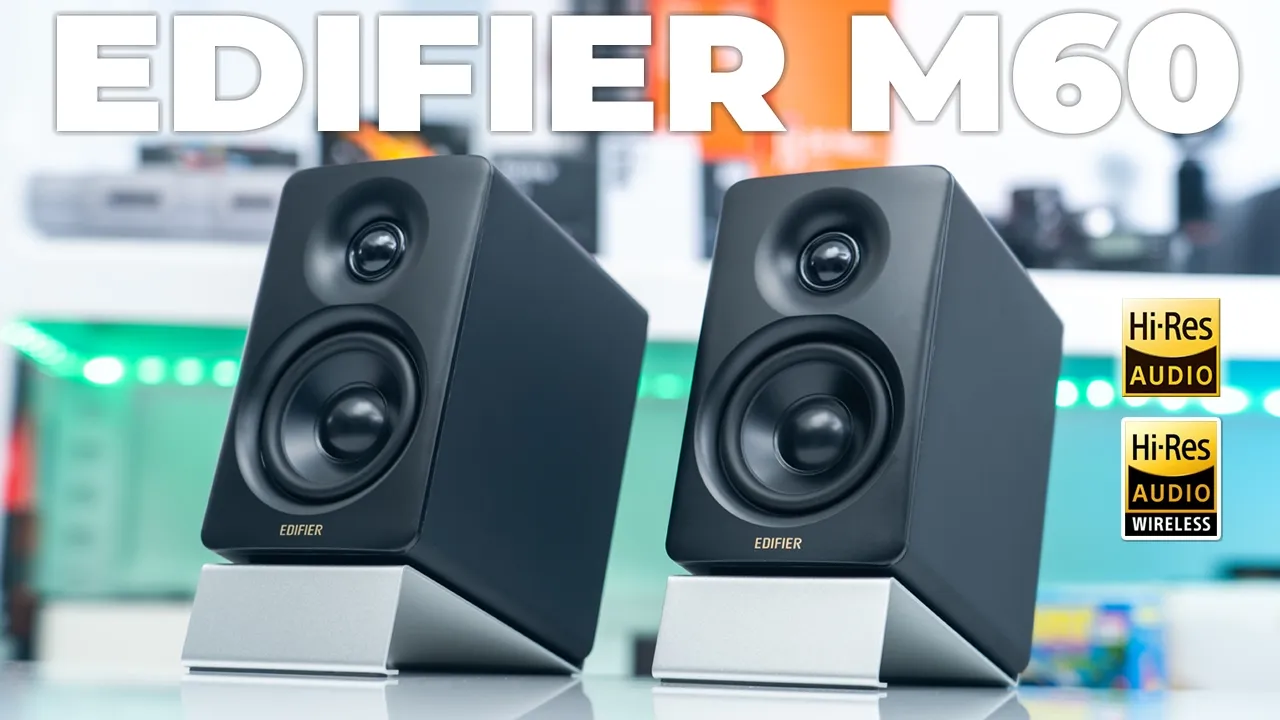
[Music] hey guys it’s Adrien and if you’re looking for compact speakers that pack serious base and have booming sound to fill any room you’re going to want to check out edifier’s M60 desktop speakers these output 66 Watts using a class D amplifier and we have 1-in silk doome tweeters and a 3-in long throw driver it’s running Bluetooth 5.3 we also have ldac codec and SBC codecs with the highres audio and highres wireless audio certific if ation there’s a responsive touch panel on the top with automatic proximity backlight edifier connects app support there’s also USBC Ox input and Bluetooth connections and don’t let the compact size of the M60 spol you because I’m coming from the edifier mr3s and when I played both of these together I was really impressed with the sound coming out of the m6s so later in the video I’ll play some clips with both speakers so you can decide with sounds best for you so take a closer look and a big thanks to edifier for sending these out for review
Package Contents
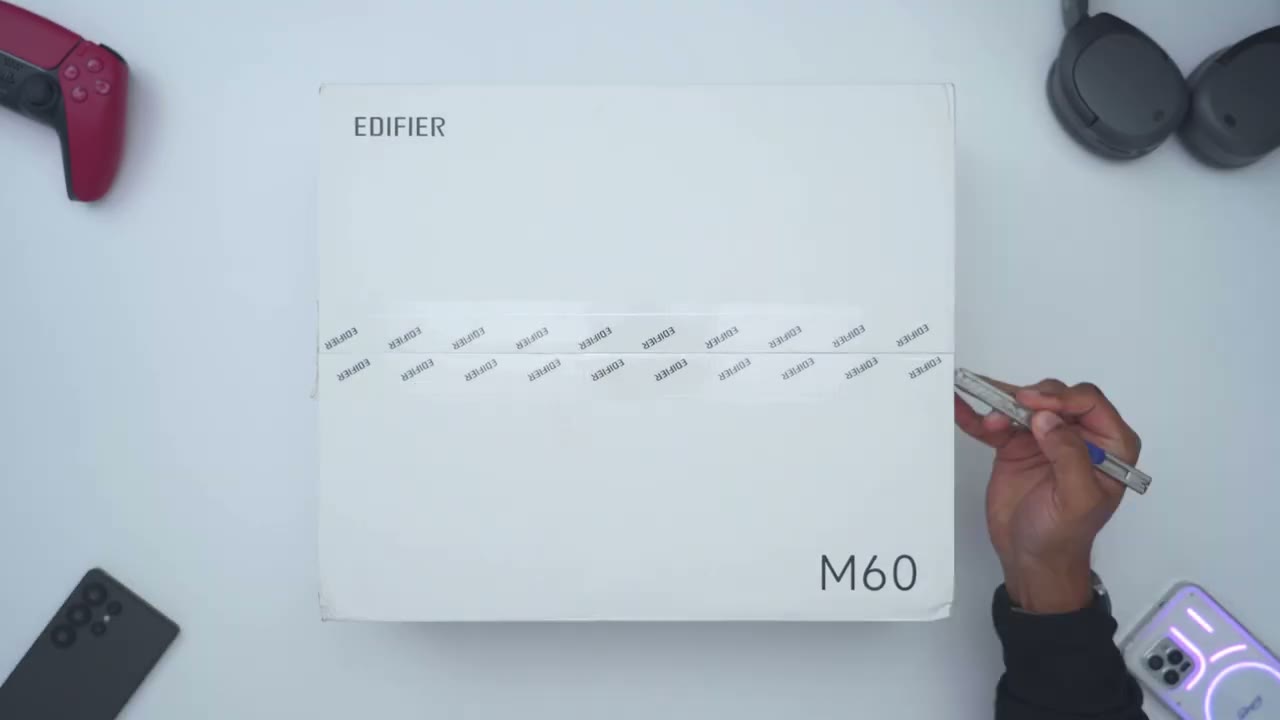
in the box we have the beautiful edifier m6c speakers and they’re in this type of matte black but it also does come in white we have speaker stands a power cable speaker connecting cable 3.5 mm Ox cable a 3.5 mm to RCA cable USB type-c to type-c cable and a quick start guide
Design
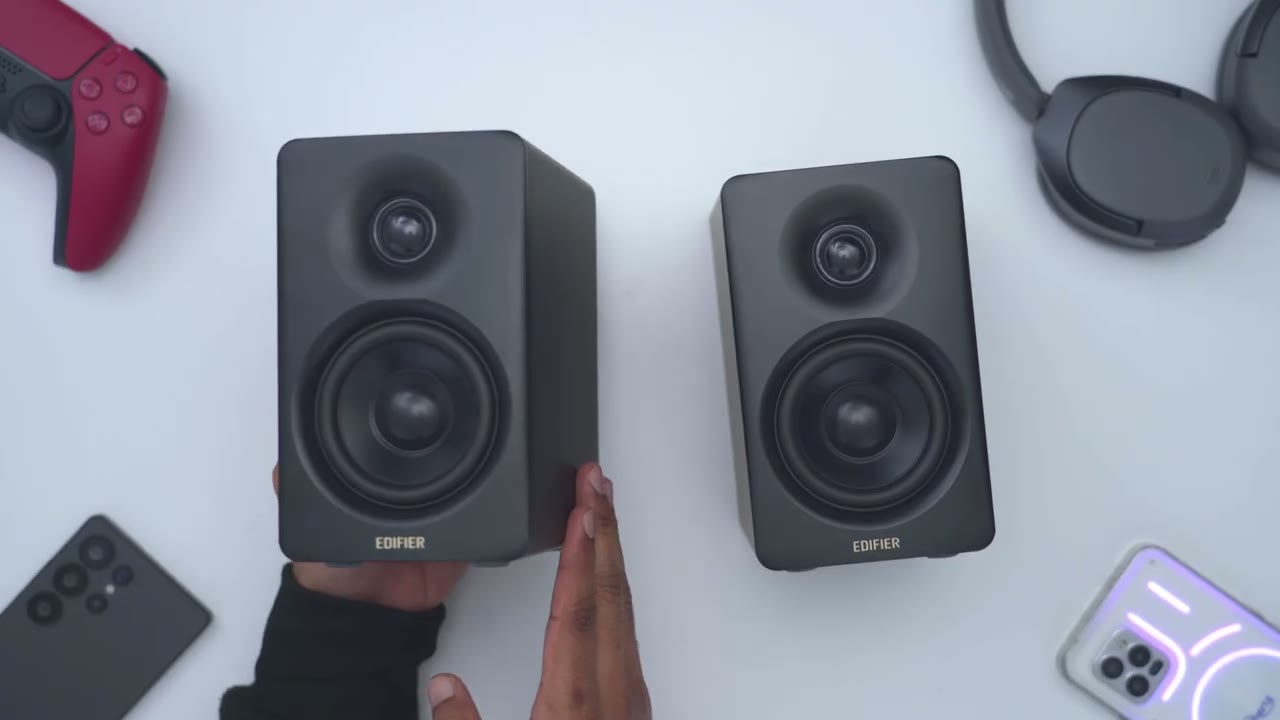
let’s look at the design of the edifier M60 speakers so these are very compact speakers they span you know basically the width of my hand and I can just grab this in one hand now the main speaker or the right speaker with all of the uh inputs located at the back of it this is coming in at around 1,600 G or about 3.5 lb and then the other speaker the left side is coming in at around 1,440 G or about 3.1 lb and then together in total about 6.6 to 6.7 lb and for reference my edifi mr3s which is what I’ve been daily driving on my desktop come in at around 4.4 lb and you can see it’s noticeably larger in every Dimension so we have 1in silk Dome tweeters and a 3-in long throw driver and then at the very top of the right speaker of the main one these are where we have the touch controls now these are proximity activated but you can also set them to stay on in the edifier app the rear of the speaker has the ox in input and you could use that 3.5 mm to RCA cable to connect this to TVs that still support it there’s a USB type-c port to connect this to your desktop or laptop and then we have a speaker outport that connects to the other one using that connecting wire and then lastly the power port and note the highres wireless audio certification because we do have ldac codec functionality in here the bottom of the speaker has rubber feet just to help keep these nice and planted but of course you also have these speaker stands that you could use the left speaker only houses the connecting Port so yeah the design is really nice on the edifier m6s these look and feel very premium hous in this wooden case and I have to say black is usually not my favorite color for speakers but they’ve done a fantastic job with this I’m glad it’s not a glossy type of finish it’s a mostly matte finish and it just looks really sleek and premium and stealth the speaker stand is super lightweight coming in at 75 G or about 0.16 lb and it’s cool to the touch I believe it’s an aluminum build and we have this type of rubber foot hair at the very bottom just to keep the speaker nice and planted and on the underside we have this same type of rubber feet
Specs
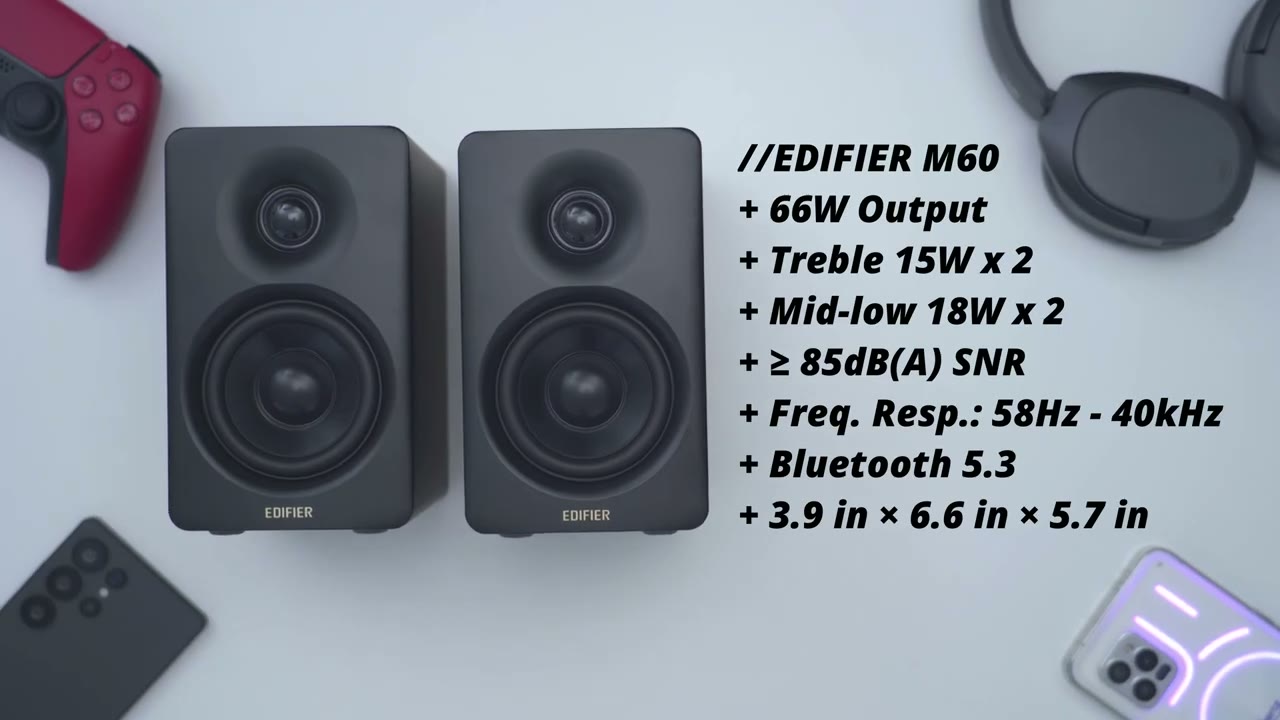
here’s a quick look at the specs feel free to pause the review or jump ahead to the next section I’ve just plugged
Bluetooth Pairing
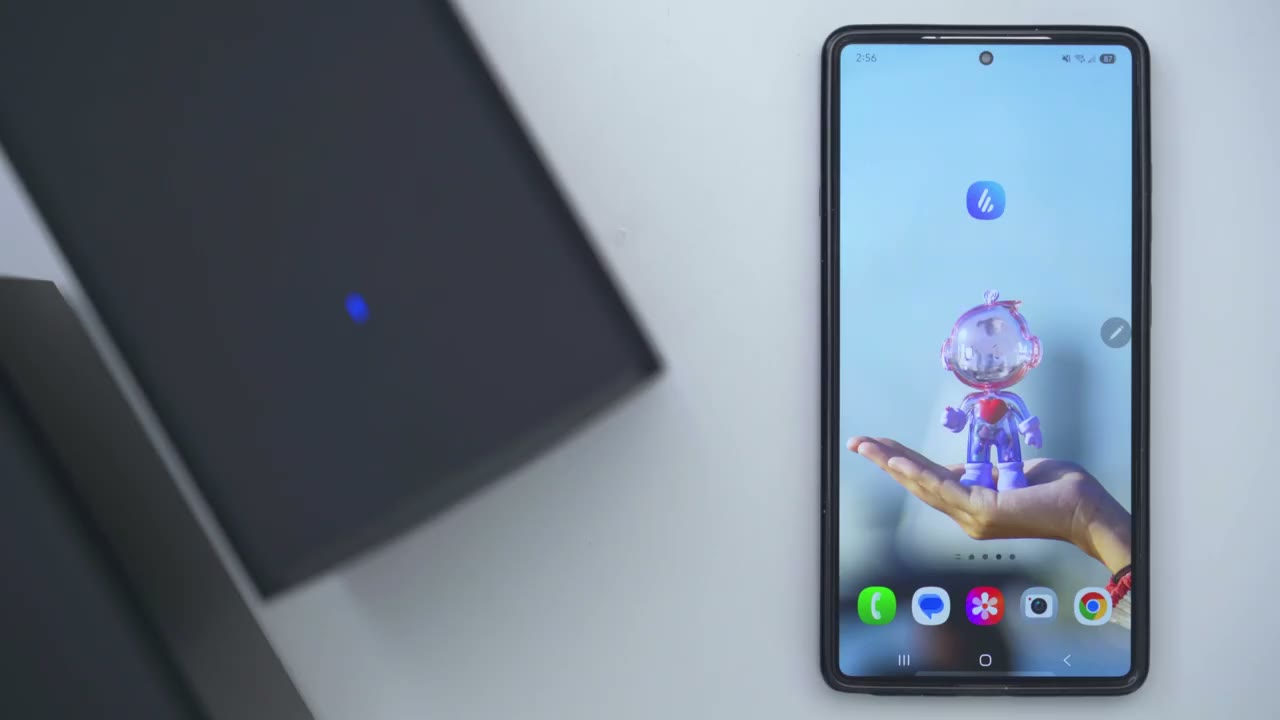
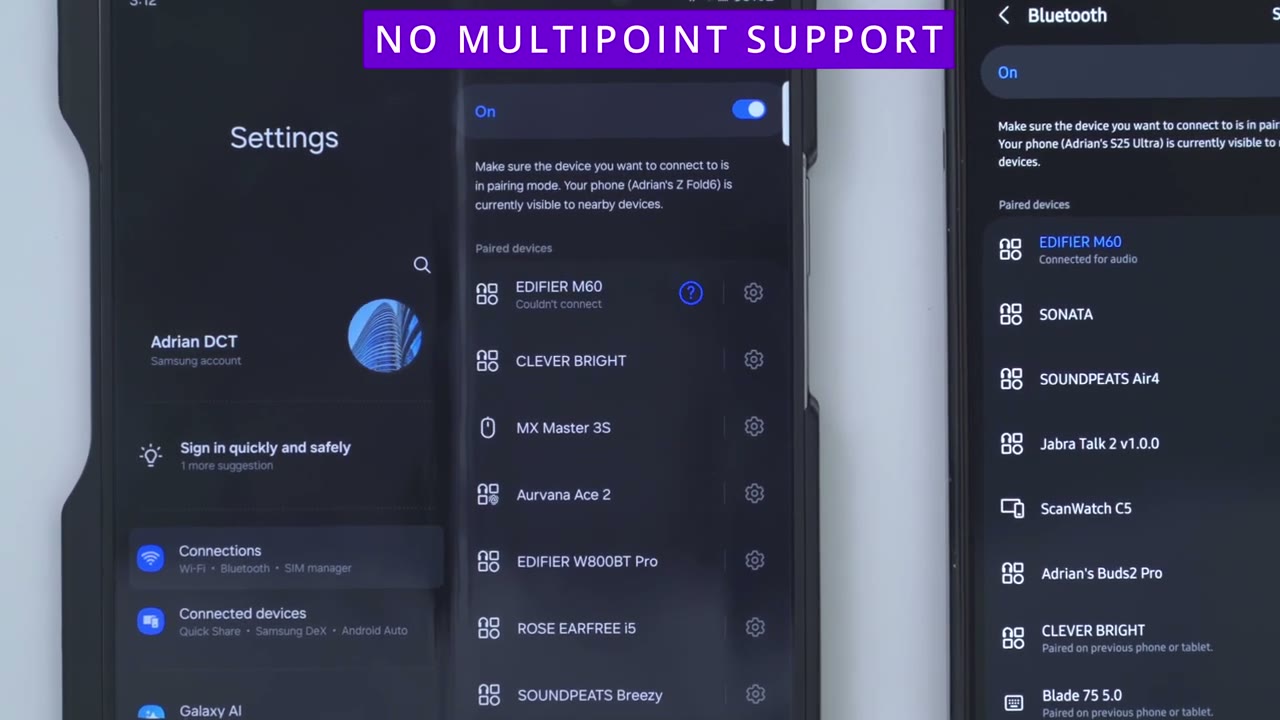
the m6s in and I can see it’s in pairing mode so the first thing I’ll do is just connect these by Bluetooth so I’ll just go into my bluetooth settings right now and I can see it here Ed rm60 tap on that and I’ll just wait for it to pair let’s go ahead pair and I can hear that it’s paired now also what you could do is you could tap into this gear icon and notice that you could turn on ldac now make sure you turn this on if you’re going to be you know using these with your phone note that multipoint is not supported you can only connect the m6s to one device at a time let’s jump into
App Settings
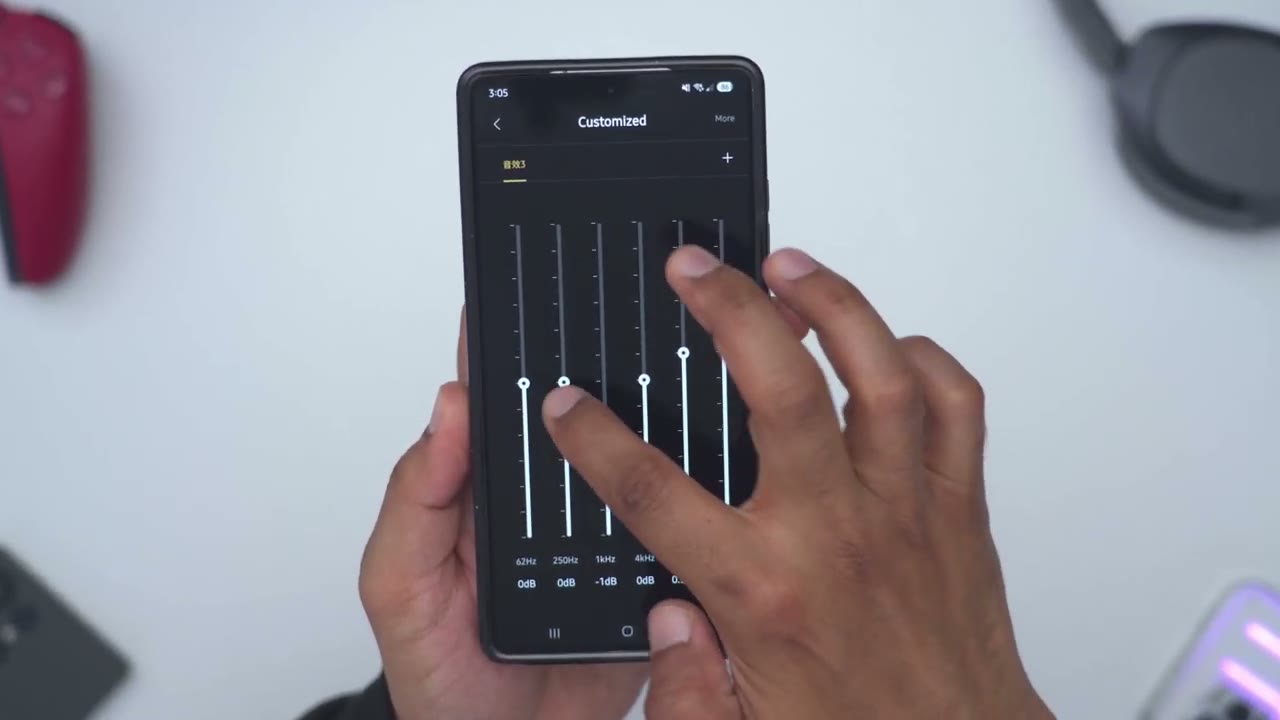
the edifier connects app and I’ll just wait for it to connect to the speakers you can see it’s found it pretty quickly so we can see edif M60 notice that highres audio is not lit up and that’s because I will have to enable that in the settings here to have ldac now for input sources we can switch between Bluetooth uh USB audio streaming and note the color change that happens at the top the colors actually change depending on the input sources now under sound effects and music we have a bunch of different options so you can just pick the generally music mode a monitor mode for you know more accurate sound a game mode movie mode or you could go into customize and underhair this is where you could set your own type of presets under volume control you can also adjust it on the app or using the touch controls at the top and you can see that real time change as I adjust it let’s jump into the full settings you can take a look at my current firmware version you can also take a look at the manual now under HD audio codec this is an important section this is where you could have ldac on or you can disable it completely now if I go back out you can see that the highres audio wireless certification is now lit up and that’s because I did enable it here now if we go under intelligent backlight so you could set the lighting duration from as low as 5 Seconds to 20 seconds to just always on if you prefer that I may leave it on here and then you could set the touch sensitivity from General low to high under prompt tones you can decide if you want that on or off for Bluetooth connections you can also power the speaker off right from here and you can also turn Bluetooth off right from the app as well the touch controls are
Touch Controls

really responsive so a quick press on volume up or down will increase or decrease the volume by one increment or you could long press on them to increase or decrease the volume more quickly now if you slide your finger from left to right or right to left you can advance or go back to previous tracks you can also tap the power button to switch between inputs so Bluetooth ox and USBC and you could also long press on the power button to put the speakers in
Sound
standby mode all right let’s talk sound so when I used these I made sure ldac was on in The edifier Connect app and it was set to 96 khz then I went on my phone and I also made sure LD was turned on and try to use the included speaker stands because they help minimize unwanted sound Reflections from tables or desktops and straight up you will not be disappointed by the sound coming out of the NFR M60 despite the compact size these get super loud it easily filled out my basement and I didn’t even really need to crank these to max volume at any point the m6s are using a classy amplifier so we have a total of 66 watts output for both speakers combined so 15 watts from the 1in sil doome tweeters and 18 wats from the 3-in long throw driver there’s also active two-way crossover to split the audio into two frequency bands for better separation I listen to a variety of different music and I did switch from the music uh preset on here to the monitor preset and I found that I prefer the monitor preset more because I noticed with the music preset in certain songs the bass was boost it just a little bit too much for me where vocals were kind of affected a little bit but I found monitor to be the best m mdle ground and I know 10 to 15 years ago I would have left it on the music mode so I get as much base as possible but I think because I’m getting older I’m kind of preferring a more balanced sound approach and thankfully you can get that with these because in addition to putting it to the monitor mode you could just go ahead and use the customized EQ under to really fine-tune and dial it in so you can get it where you want and it does a pretty fantastic drop and actually comes pretty close to the mr3s but when you do want that powerful base thump where you can feel it and you get that nice low Rumble these easily deliver on that that’s kind of what they seem to be doing I would almost class these kind of like as party speakers you could put these in a living room or you know your computer room or whatever it’ll easily just fill that entire room out and pump it with volume and the base thump on here I could actually feel the base thump something I don’t remember feeling as uh impactful on the edify mr3s so if you’re someone who loves a lot of Base you want to have kind of like a party speaker as well these will do that Duty so yeah the sound coming out of these will please most people like I said they get super loud the sound is booming you can feel the base but when you want a more balanced type listing approach just kick it into the monitor preset or use the custom preset and you’re good to go and
M60 or MR3
if you’re wondering how the EDR M60 compared to rfr MR3 well the results were pretty surprising to me so the ffr mr3s claim to fame is that there studio monitor speakers so you know more of a focus on accurate audio reproduction and the m6s were not built as that but after standing in front listening to both of these you know side by side with a bunch of different songs I was pretty hardpressed to find a difference especially when I put these in you know monitor mode and I played around with the custom eqs um these actually sound almost or just as good as the EDF mr3s and I could run either of these on my desktop with zero issues but here’s a sample of the audio clips let me know if you guys can tell the difference or which you guys think sounds better [Music] I’m going all the way up I’m going all the way up I’m going all the way [Applause] up so did you hear much of a difference I tried to calibrate the settings as close as I could so they were both set to the same volume level now one area where the mr3s have the advantage is that there’s more fine tuning controls on the back of the speakers whereas with the M60 there is not so I Tred to keep everything kind of you know middle of the road in terms of settings to have just an accurate uh comparison but if you want you know the most fine control over your audio experience then the edif fire MR3 would take it but there’s zero debate as to which of these speakers is the most powerful it is the EDR M60 outputting a total of 66 watts compared to the mr3s 36 wats but since most people are not going to be listening to these at max volume I don’t think this sound alone is enough to decide between the two of these so get the edifier MR3 if you want a headphone jack you want a physical volume knob instead of using touch controls you need the TRS balance or RCA unbalanced input and you need multipoint but if you want the loudest and most Bas possible get the M60 they’re super compact they’ll go great with any desk they actually look a bit more premium than the MR3 at least to me now the only thing you’re really sacrificing is that there’s no multipoint may not be a big deal to you if you’re running these you know pair to your phone and to your laptop and there’s also no headphone jack and you will be using touch controls but soundwise both of these are fantastic so
Recommended!
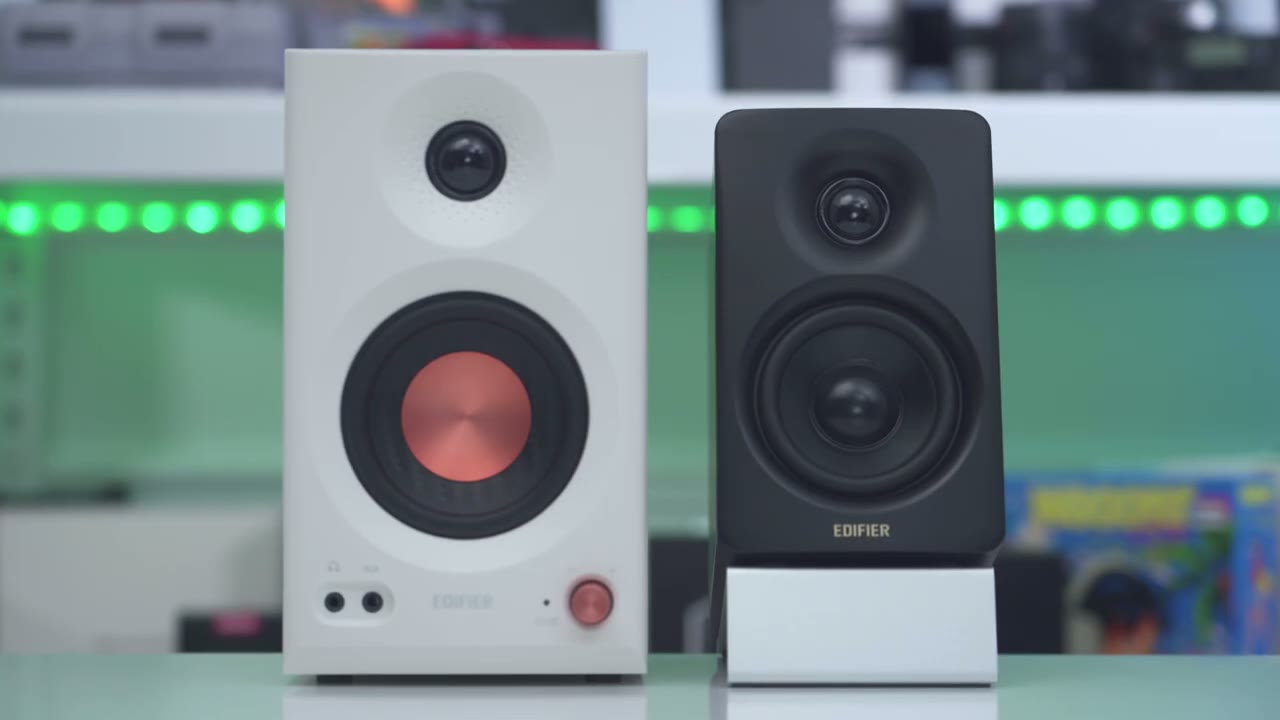
I can easily recommend the EDR m6s especially if you’re looking between these and the mr3s you won’t go wrong with either but if you definitely prefer you know louder sound more base the m60sbs but I was not disappointed and with the difference equalizers and the ability to have a custom EQ you could really tune it to fit your listening style also the design looks really topnotch it’s Sleek minimal it comes with those nice speaker stands it has ldac and you have enough inputs for most people for all your devices so if you’re interested in getting the edifier M60 desktop speakers I’m going to leave links down below and I’ll also leave links down below to the edifier MR3 and my review of that if you’re considering or debating between both of these and if you found this video helpful would you please consider liking and subscribing because it truly does help me out a ton as a small and growing Channel and I really do appreciate each and every one of you who watches my videos and consider checking out some of my other tech reviews I review mechanical keyboards monitors laptops phones security cameras pretty much something for everyone and I really hope to see you in my next video soon
Buy Edifier M60 Speakers on Amazon
Buy Edifier MR3 Speakers on Amazon
Please note that some of the links in my video descriptions are affiliate links where I earn from qualifying purchases. As an Amazon Associate I earn from qualifying purchases.

