


Buy The HiDock H1 ChatGPT Powered Dock!
Please note that some of the links in my video descriptions are affiliate links where I earn from qualifying purchases. As an Amazon Associate I earn from qualifying purchases.
Intro
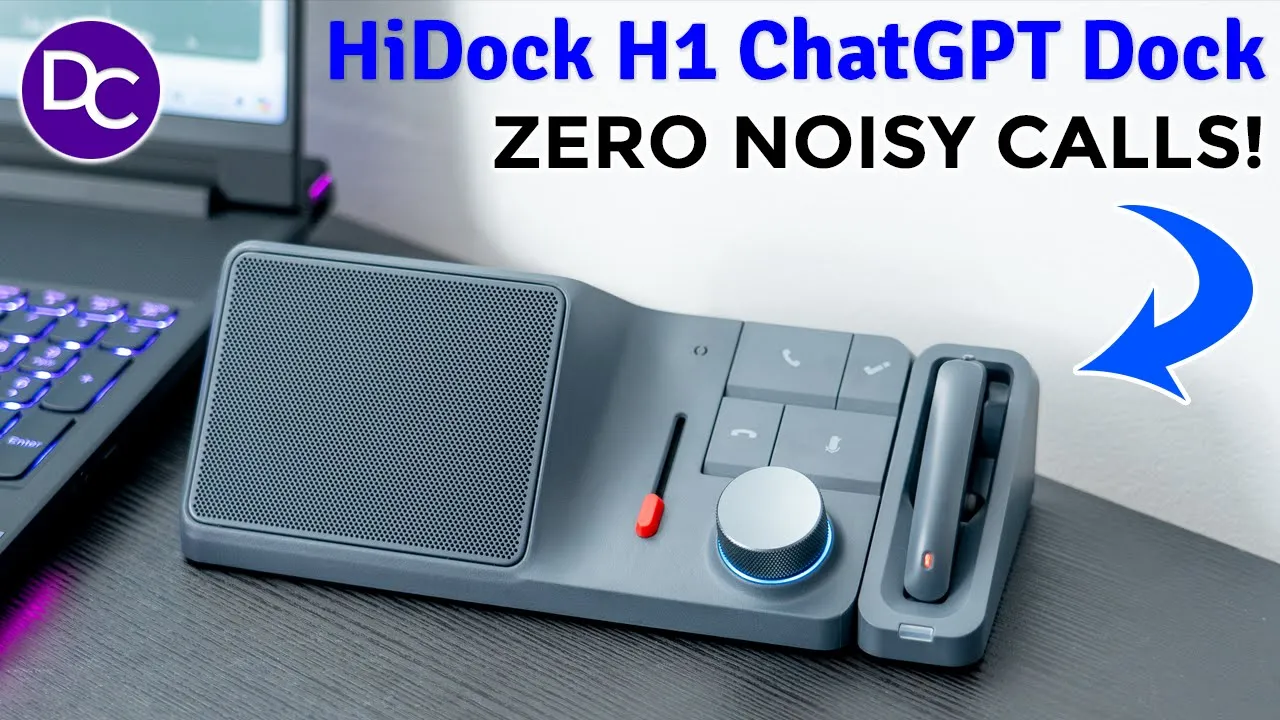
hey it’s Adrian and today I’m taking a look at this high do H1 which is something that I didn’t know I needed till I tried it out and what sets this aart is that this is a chat GPT power dock that you can use to transcribe meetings or to get summaries now this is really handy because if you’re on a lot of meetings and you know you kind of zone out or you really only want to get to the part that’s pertinent to you this is going to come in clutch but actually the most impressive feature on here for me is what they call their BNC or bidirectional noise cancellation now you’ve heard ofc well what this will do is it will effectively cancel out background or ambient noise both on your end and on the collar end and once you experience it and you see just how effectively this does that it’s something you’re not going to want to live without on top of that we also have a rich Port selection at the back which includes two HDMI ports capable of 4K video at 60 HZ there’s up to a 100 watt of power delivery for your laptop and 18 WTS of power delivery for your phone there’s also a built-in micro SD and standard SD card slot built-in ethernet port local storage really there’s a lot to talk about with this unit so a big thanks to hi do for sending this out for review but let’s take a closer look and you could see if this deserves a place on your desk in the box we have the hi
Package Contents
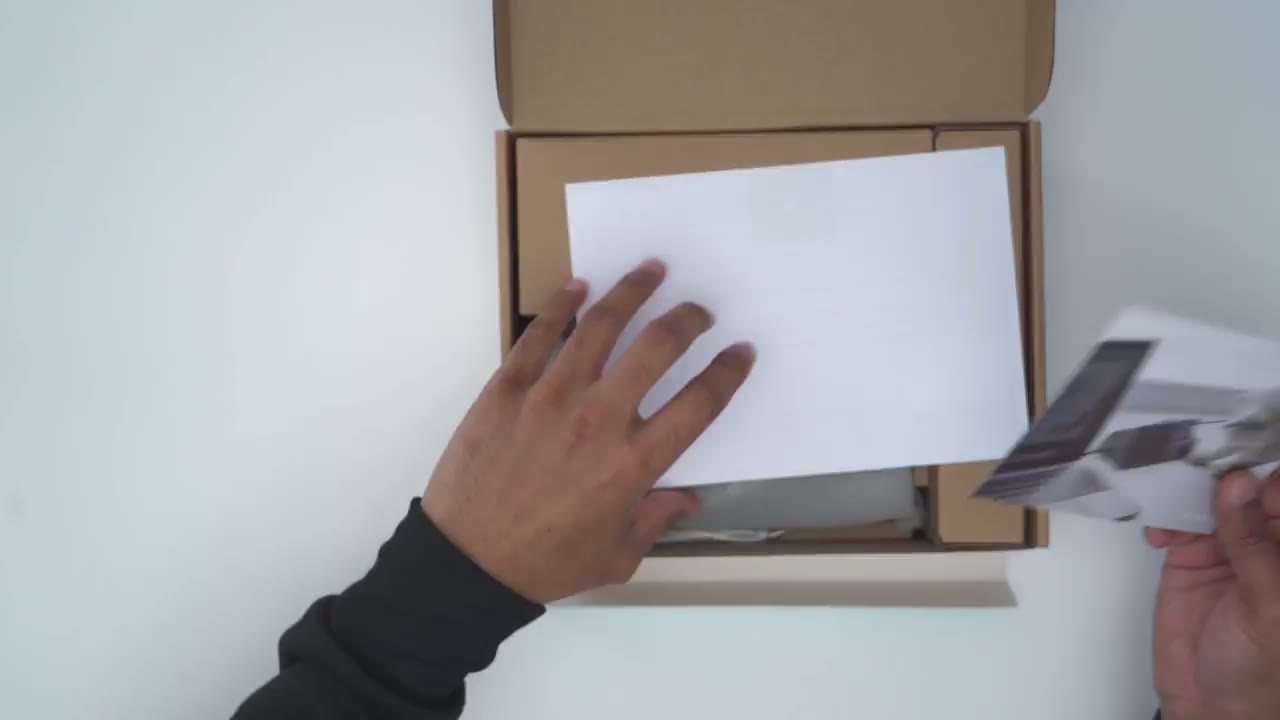
H1 unit we have the power brick and power cable along with a handy carrying case a wi strap quick start manual microphone with charging basee port and a USB type-c to type-c Cable the design
Design
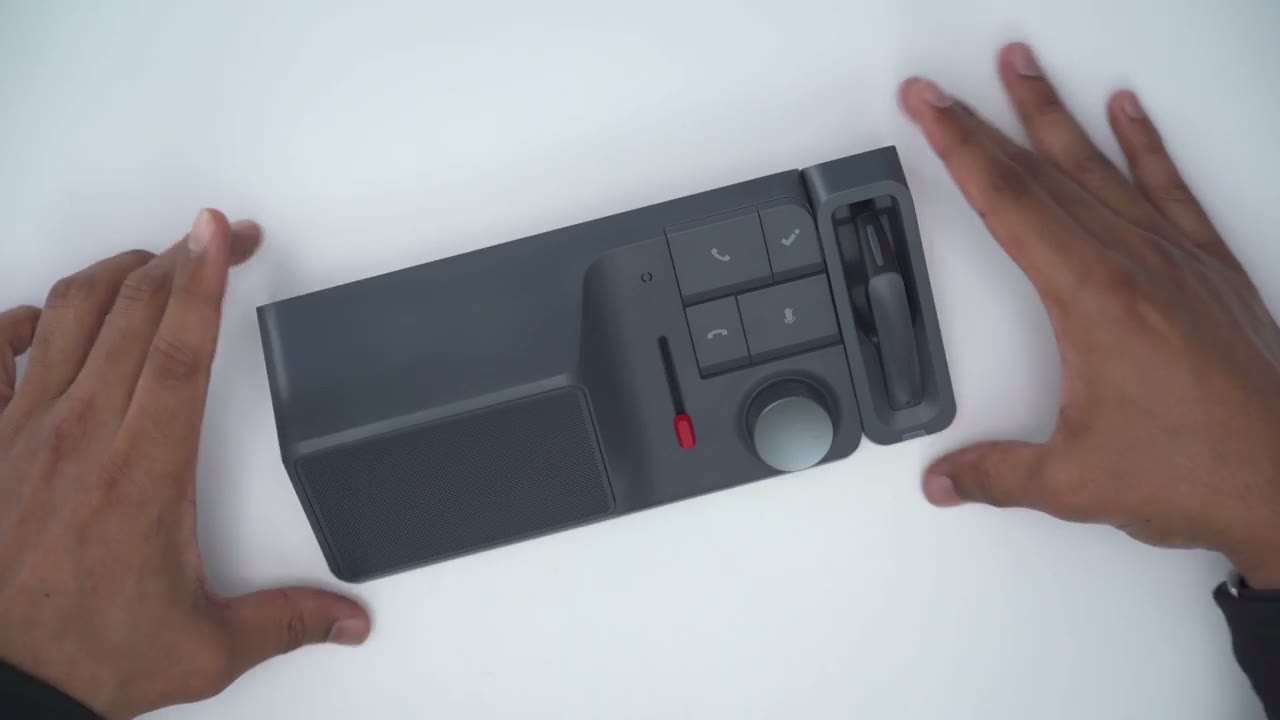
on the hok H1 one is really nice and it should blend in with most Des setups now I have the kind of dark slate gray color here but it is also available in a lighter color now pictured with this is this optional microphone attachment that I have here and you can see that there is a magnetic port on the side where that snaps into and then once you do remove the headset there are charging contacts on there so it’s you know a very nice and clean modular type of design there’s also an LED indicator status light the magnet is also pretty strong because I can rotate this kind of shake it and it still stays in place taking a closer look at the earpiece so there is a tactile button at the top and that functions in the same way as the high dog Button just to add key points or markers whenever you’re having chats and then we also have an LED indicator light there as well and this is rotatable the rear has a pairing button and then we also have rubber feet once you remove these protective stickers OK H1 unit looks premium and it feels premium in the hand very well built and there’s no creaking or anything like that going on now we have this massive speaker Grill and under here is a 7 wat driver and 5 wat Tweeter now we also have volume control with this knob and you can see it’s rotatable both ways and there’s some nice knurling going on there it feels really nice to touch and you know good grip ability this is also tactile you can press it down to play and resume music and then we also have a soft glow LED indicator light underhair to just show you certain status effects like if it’s muted or not now one of the standout features of this unit is actually this red little button that we can use as a slider and this is what hiok calls their BNC or bidirectional noise cancellation we also have standard buttons to answer calls to hang up on calls or to mute the microphone and then there is this special high do button which is what we’ll use to add kind of like points of interest or chapter markers or to start recordings and I will demo later the side of the unit has a Bluetooth pairing button we also have the 18w power delivery to charge your phone with up to 10 GB per second transfer speeds and very handy is we have two separate card slots one for a Micro SD and one for regular SD card and these speeds are up to 312 MB using the 4.0 speeds the rear of the unit has the power port a USB type-c port you’re going to use to connect to your laptop or desktop there’s two HDMI ports capable of 4K at 60 HZ there’s also a another USB type-c port capable of 10 GB speed a USB type a port at the same speed and another USB type a port at 5 gabit speeds and then a 2.5 gig ethernet port the bottom of the unit has rubber feet to keep everything nice and planted
Specs
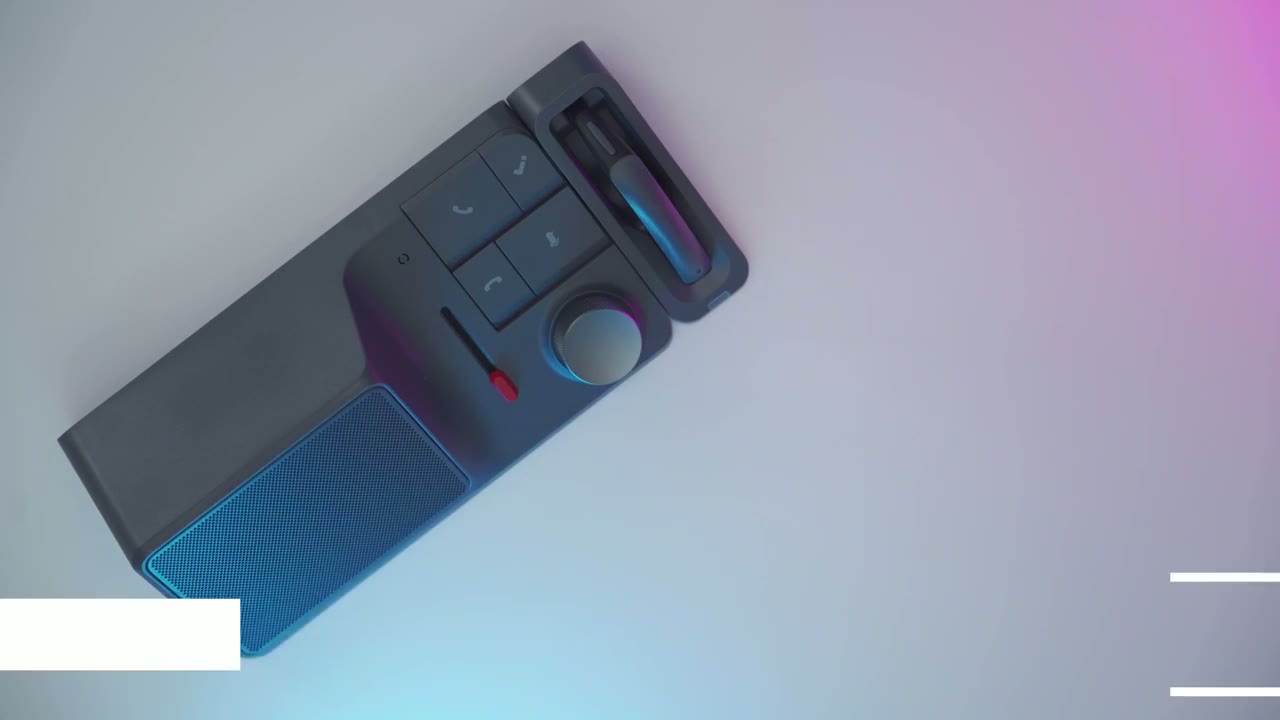
specs include bir directional noise cancelling there’s a 7 wat driver and 5 wat Tweeter 100 W power delivery for laptops and 18 watt for phones 2.5 gig ethernet we have SDXC 4.0 speeds for the card reader slots there’s three USB type c ports and two USB type A ports Bluetooth 5.2 there’s 32 GB of local storage and support for Windows Mac and Android to get everything set up I’ve
Setup
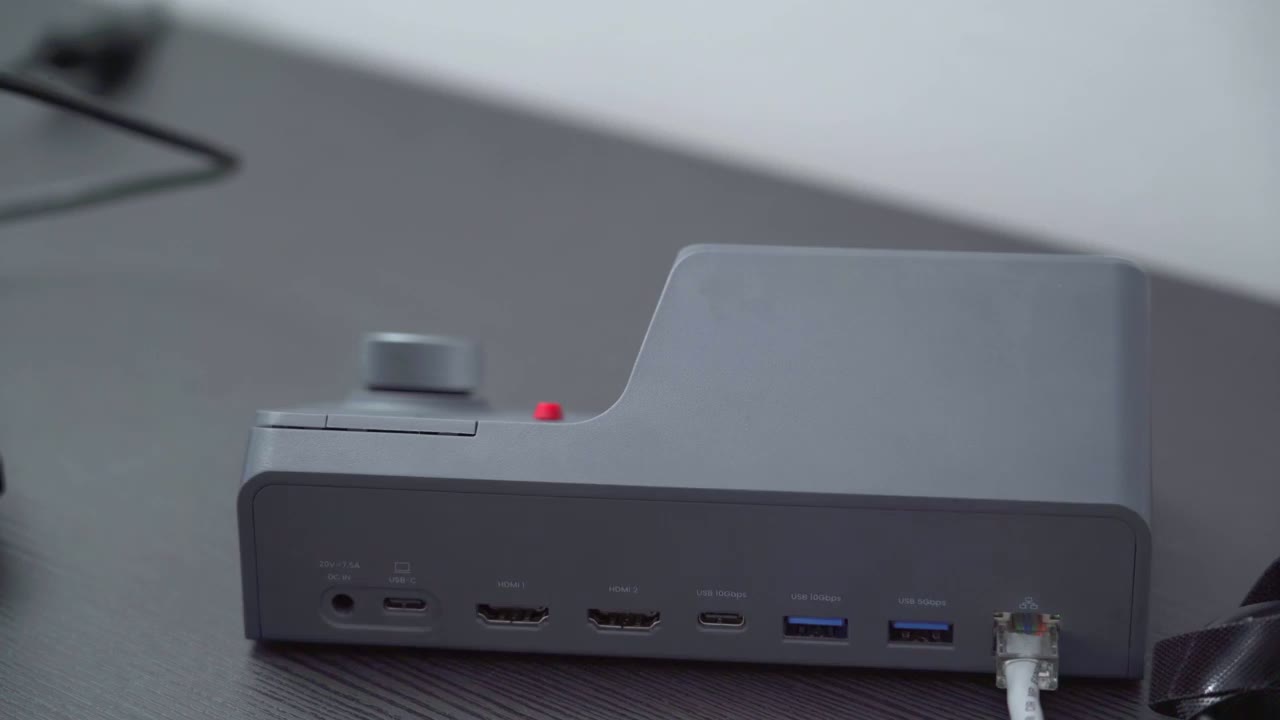
plugged in the ethernet cable to the rear of the dock I’m also going to plug in the USB type-c cable that was supplied and it’s connected to my laptop as well and then finally the power cable all right so the hok H1 is now connected to my laptop and I’ve gone to the website High notes. high.com and you can see it shows that it’s not current ly connected so I’m going to tap on that and it shows that it wants to connect so I’ll just tap on the H1 and hit connect and now we’re completely connected so the next step is just just update the firmware and get testing all right the firmware update is complete and now I can fully use the high do H1 let’s take a look at the high notes
Settings
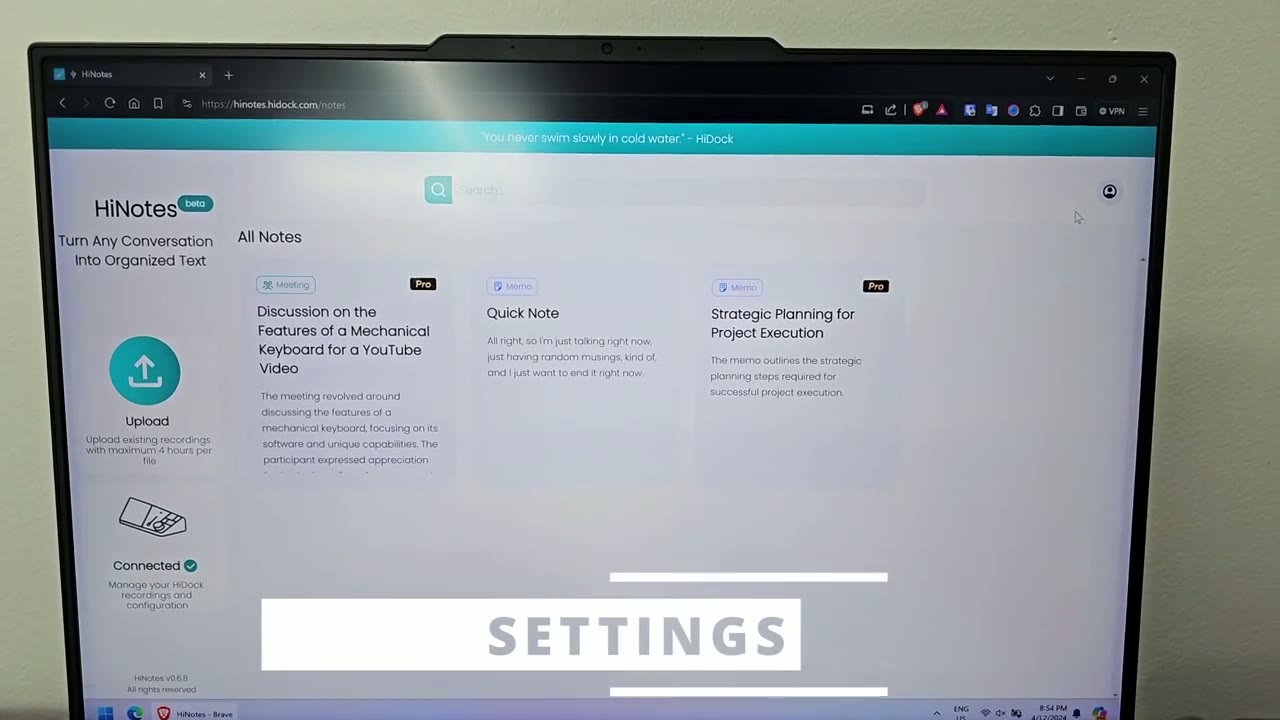
website so you could see you have the option to upload video clips directly from your computer if you have something recorded now I’m just using the local storage feature so if I tap on that you could see whatever I’ve recorded locally this is what I can access and transcribe now if we go into configuration you have the option to automatically record any type of phone calls that come in which is a handy feature and you can also play this recording notification so everyone can hear start recording if you live somewhere where you need to notify the other party you could turn that on and then you can also turn on this option to automatically upload and transcribe basically anything that you record instead of you know manual ually clicking this option here to upload and transcribe you could just have it always done automatically if I click on my profile here there’s three plans so the basic plan includes 30 mobile notes with 10 minutes per note so you have free transcription and 57 languages supported and a brief AI summary now if you go over to the hioc device owner you have all of those basic features but you also have the high do recording transcription uh voic Mark feature you can view in search notes and you do have access to the device manager so you can update the firmware and then there is the pro membership here which is what I have right now so you get everything on the other plans but you also get speaker identification if more than one person is speaking Advanced AI summary integration with Google doc notion Microsoft onee and you can share to social media so note that whenever you upload a file you can upload a maximum of 4 hours per file so that should be quite enough for a meeting so the first
Pairing Phone
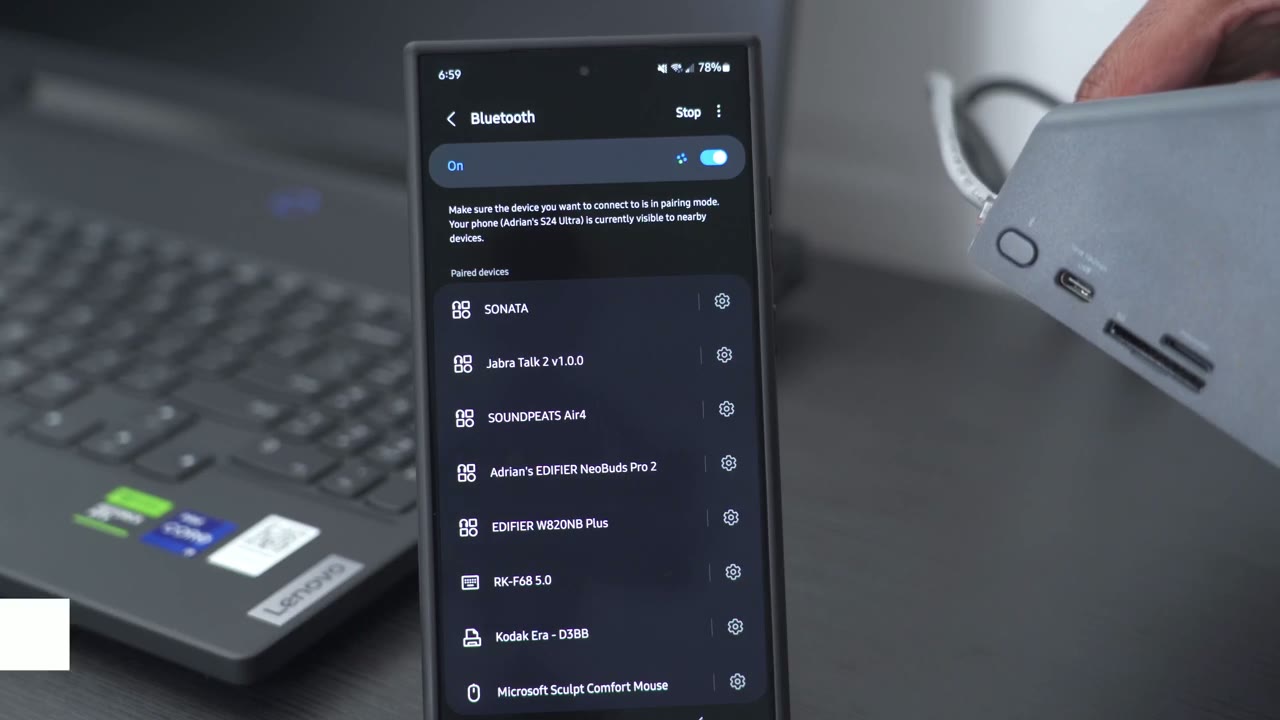
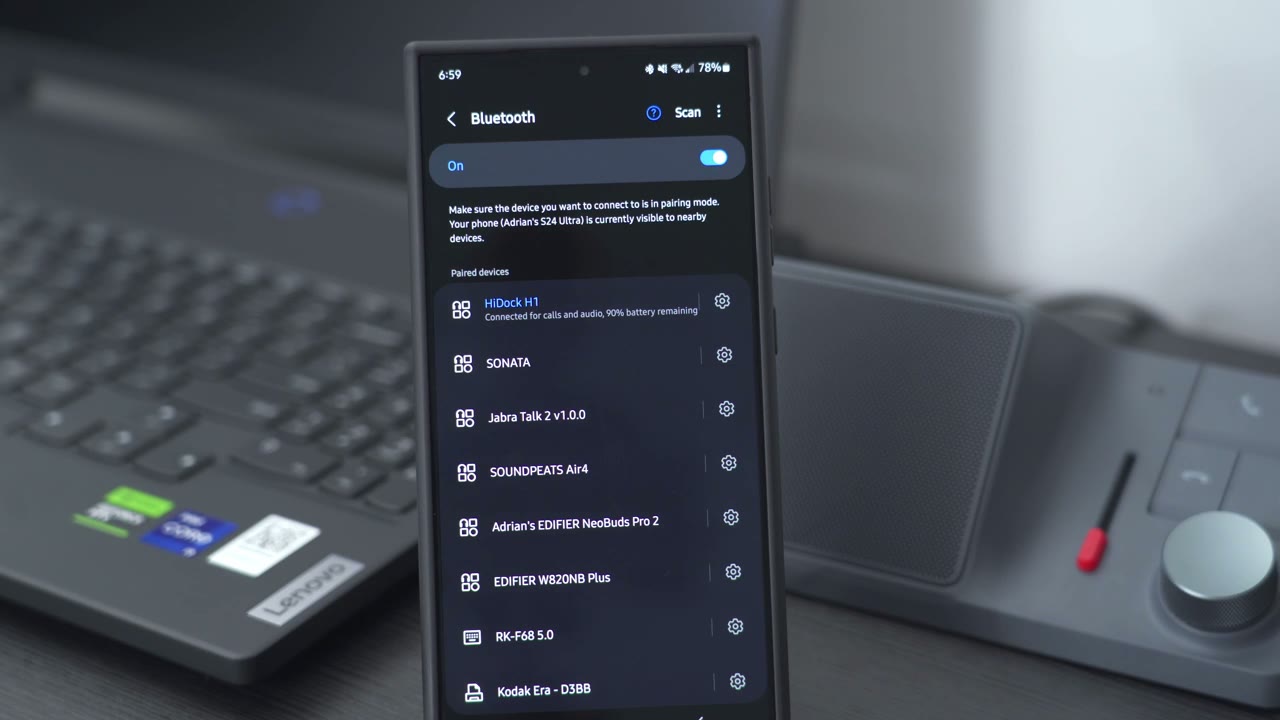
thing I’m going to do is to connect the H1 to my Samsung phone so I’m just going to press and hold the pairing button pairing and I can see the blue LED indicator light showing it’s in pairing mode so I’ll just hit scan and I see the H1 right here tap on that tap on pair the first device is connected successfully and it’s that simple to connect your phone to the H1 uh that t
Phone Call Transcription
you bought the the no caffeine one um where did you buy that at oh the red container yeah fresh okay next time you go can you get me another one I’m almost out okay all right so the phone call I just had I’m just going to click on upload and transcribe and I’m just going to wait for that to happen so basically I just had a call about you know T and for someone to pick that up for me the next time they go to the store so I’m just going to exit out of here so we can see it’s a noise test phone call so I just referenced that I’m not calling to test the noise this time but that I’m talking about t so here it identifies you know speaker one and speaker 2 and then I can see a summary which is to purchase another no caffeine tea the responsible party is the colar and the deadline is the next shopping trip um that’s just really so cool and so neat to see that and of course I could just copy this or even send it in an email to remind the person of it all
On Demand Transcription
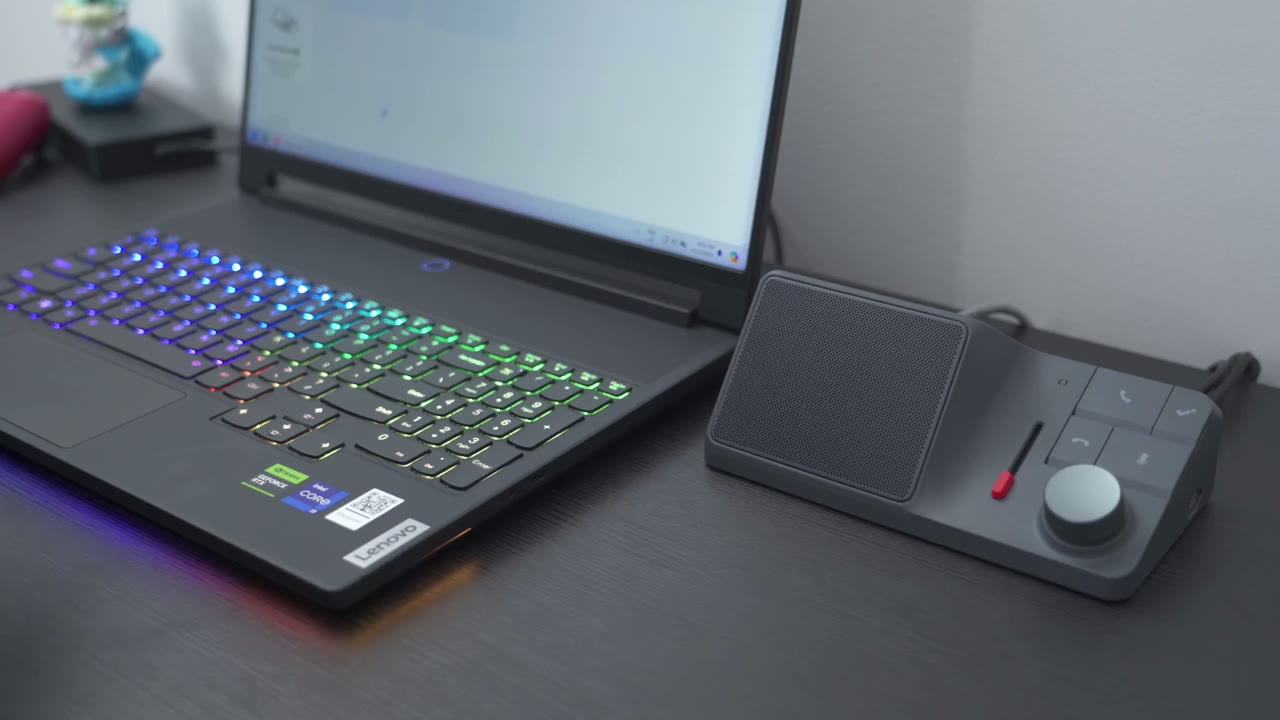
right now I’m going to demo the chat GPT powered functionality where it can just summarize you know a note or a meeting for us and also give us a transcription so a lot of times I have an idea and I’ll make a notepad file but this is just way more convenient I could just go ahead and press and hold the high dock button I see the blue LED indicator light so I know it’s actively listening to me at this point in time so right now I’m using a mechanical keyboard and I’ve Loved using it just because you know the keyboard’s great and so is the software experience and here I’m going to create a marker because the idea that I have is to create kind of a one-year follow-up video to describe my thoughts using this keyboard because I think it’s a worthwhile keyboard to have now the other thing that makes the keyboard worthwhile to have is the soft software I’m just going to create a marker again and because the software has a proprietary feature that lets you pair the keyboard with multiple devices and you could switch in between and copy and paste files very seamlessly and I’m going to create another marker here because while there’s a lot of great mechanical keyboards that are better than this keyboard a lot of them lack a lot of that type of functionality okay so now that I’ve you know kind of express my thoughts and the idea that I have for a upcoming YouTube video or follow-up video I’m just going to press and hold the high do button down the LED indicator light is gone so the recording has stopped the next thing I’m going to do is to go to the highnotes website all right so I’m now on the high notes.
high do.com site and I’m going to tap on the connected area here and I can see that this is the recording that I’ve just made and of course it just uploaded it using the local storage right to the website here so from here I can tap on upload and transcribe and this is where the chat GPT powered functionality comes in because this is both going to give me a transcription and a summary of what I’ve just spoken about and on top of that is going to put in kind of key markers every time I pressed it on the high do unit now if I was using the optional earpiece I can also tap on the button on the earpiece and do the same type of thing where I add chapters and markers but let’s just go ahead and take a look now at what was transcribed and it says here discussion on the features of a mechanical keyboard for a YouTube video I will tap on that and you can see it’s pretty much saying exactly you know or it’s transcribing exactly what I was speaking with but you can modify this you know by tapping the pencil icon here if it’s not to your liking or if it got something wrong so here’s the summary and you could see the markers are every time I mention that I was going to create a marker here is that marker and you can see it follows along with that text and then I can also just download this or just copy and paste this now here’s the summary where it says the participant expressed appreciation for the keyboard’s performance and software experience highlighting its SE functionality for pairing with multiple devices and then here is an outline so you can see how this can be very beneficial whether you’re in a meeting or you just have an idea that came to you and you just want that you know nicely detailed and match mapped out this does a lot of the work for me I actually don’t need to put this in a notepad file or a word pad file and just having that ability to make these type of recordings just on the go anytime an idea comes that kind of alone is worth the price for me if you really think about it this opens up a ton of opportunities in terms of the transcription and summarization feature because there’s a lot of times where I’m just like listening to a webinar in another browser while I’m working so my head is just like half focused on it it’s kind of like background noise but with this it could actually record that audio and then just give me a you know summary of whatever you know key points on there or a full transcription so I could just skim through without actually having to go through and listen to a full you know one hour seminar same with YouTube videos you know this can just summarize key points anytime you’re you know trying to learn or educate yourself so I really see a ton of opportunity there all right now I’m going to test
Bi-Directional Noise Cancelling
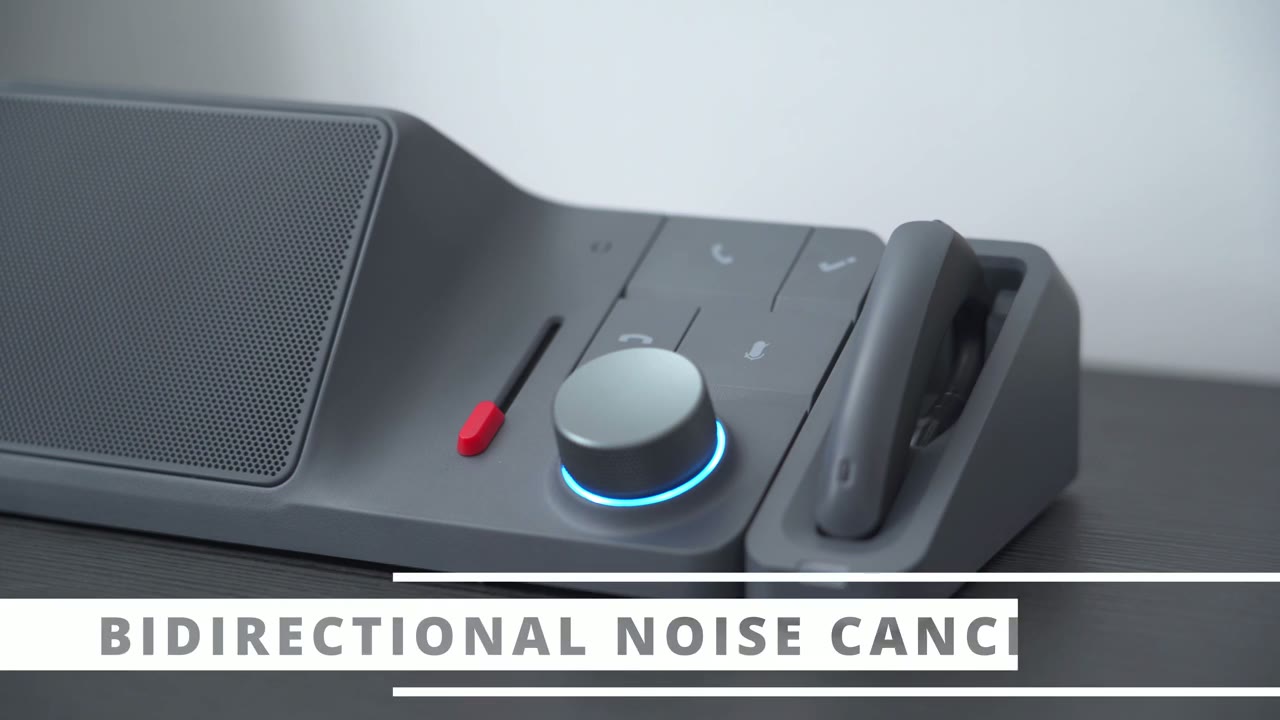
the Bal noise cancellation feature so I have a keyboard going in the background verbs chirping and I’m very close to the speaker outputting that so it’s going to be pretty loud now let’s Slide the slider all the way to the top and you can hear exactly what the bidirectional noise cancellation feature sounds like you should be hearing basically just my voice being completely isolated with little to no background or ambient noise welcome to high do bir directional noise cancellation demo in this demo we will play audio with various background Noises by moving the red slider up and down you can experience a noise reduction performance during the demo you can exit by pressing the hangup call button at any time let’s start with an introduction to the high do brand with keyboard typing and construction Noise We believe that communication can solve 90% of problems the communication devices of the future should effortlessly capture voice and take notes so that bidirectional noise cancellation feature or BNC really is a gamechanging feature and I think you know what I mean because if you’ve been on any type of meetings where there’s a bunch of people on the there’s usually you know one or two people anytime they’re on the mic there’s just a lot of background noise going on whether that’s a fin music playing TV in the background other people talking and this does a fantastic job of just you know killing that noise off and just isolating their voice I really just wish they would put this on you know kind of gaming headset so whenever you’re playing Call of Duty or whatever you can notot hear people’s garbage music playing in the background
Mic / Earpiece
one thing that I really like about the design is that you could just pop off the microphone attachment anytime you don’t need it and then just pop it back in and you’re good to go now I did use this on calls and the audio quality is good of course not as good as the speaker on here now there is also a button at the top here and if you long press that while you’re on a call or a meeting you’re going to hear an audible beep and that’s the same as you know pressing the button on here to add a marker or a chapter or point of interest on here so you have you know audible feedback that you actually have pressed it and then whenever you want to save on desktop space you know just yank this you know component or attachment out and you have a much cleaner setup and then anytime you need it just snap it back in super handy and convenient by the way if
Speaker
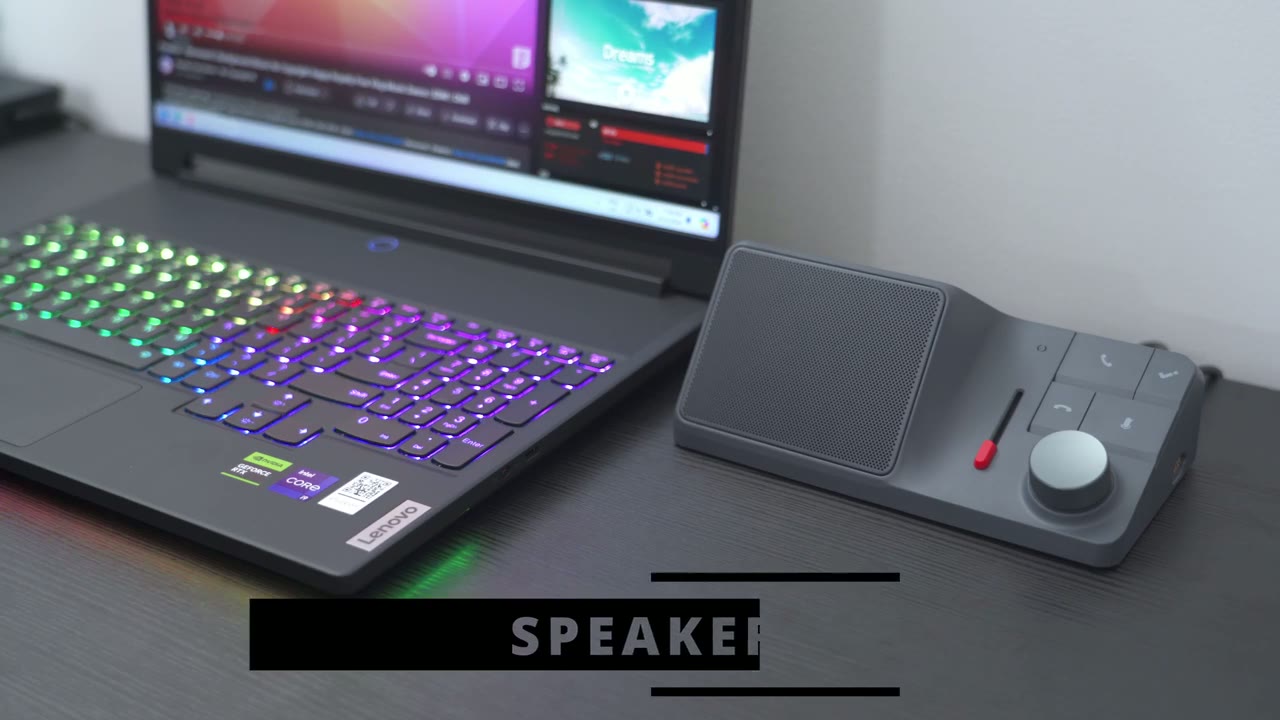
you have a laptop with really underpowered speakers well you could use the hoc H1 speakers to Output your audio here’s a demo of [Music] [Music] that and you could see that I could just go ahead and press the kn to pause music playback or to resume it and this thing gets super loud and it’s actually you know kind of vibrating the desk a little bit the sound has truly stand out on here the LED
LED Status Light
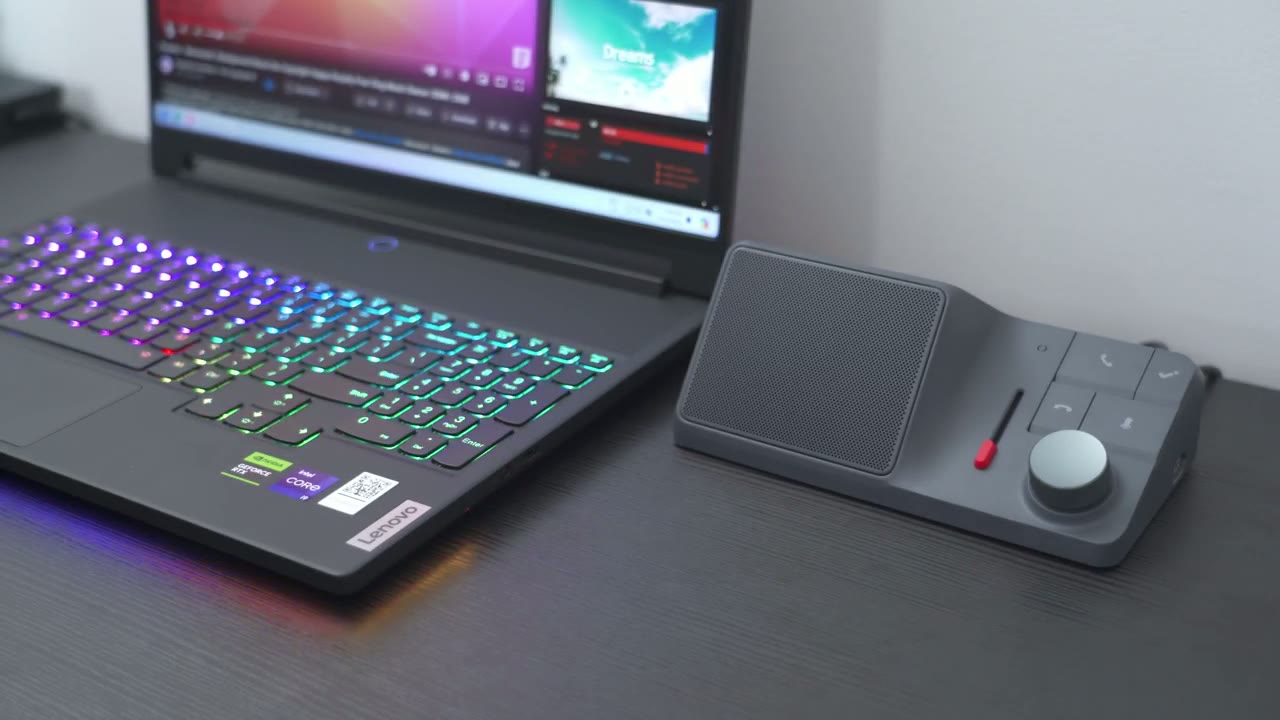
indicator light is also handy so to start a recording I can just press the high notes button here and anytime I want to place a marker or chapter for example every time I press this notice that the LED indicator light flashes white temporarily to let you know you’ve successfully activated a marker or a key point in the conversation or meeting and whenever you want to mute audio or mute your microphone once you press it you see it’s going to show red and then it just you know softly glows until you press it again and then it’s going to stay solid blue note that anytime you’re
Meeting Integration
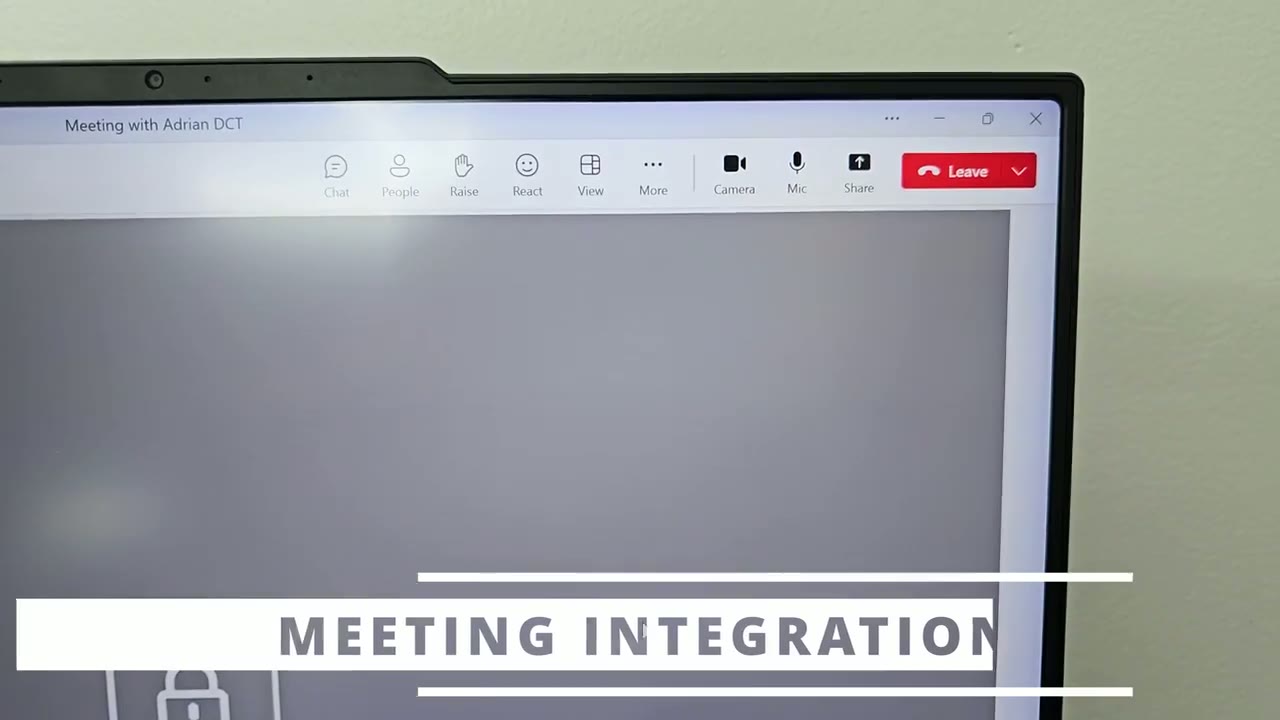
using Zoom or Microsoft teams like I have open right now you can see that if I go ahead and hit the mute button on the H1 it automatically mutes it in Microsoft teams and if I press it again it’s just going to auto automatically unmut it so you have integration built in while I only tested this with Microsoft teams and you can see in the demo that when I press the mute button on here it automatically just synchronized that in my Microsoft teams meeting there’s also support for Zoom Google meet Discord Skype WhatsApp Etc
HDMI Ports
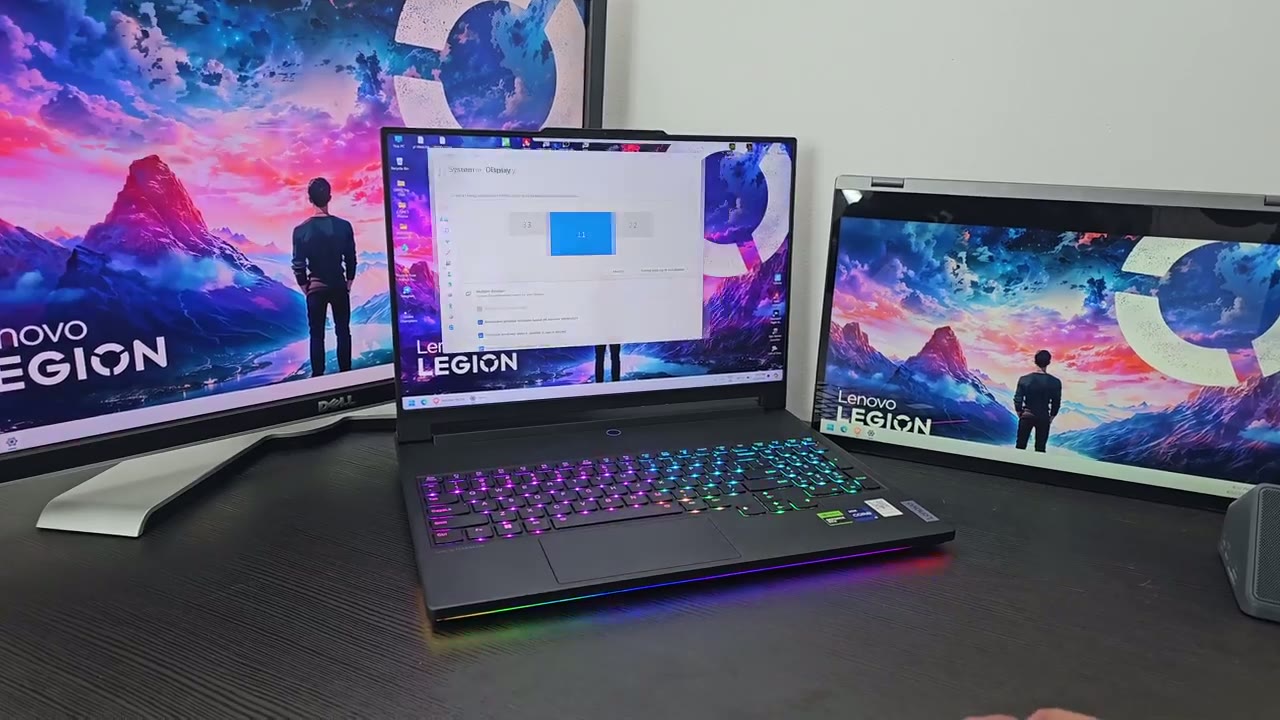
I’ve gone ahead and connected two secondary monitors to the dock and you can see right now I have a triple display setup and I can just go ahead and move those windows around so yeah this really does clear up a lot of space on your desk if you want to use this with multiple monitors if you plan on
Charging Devices
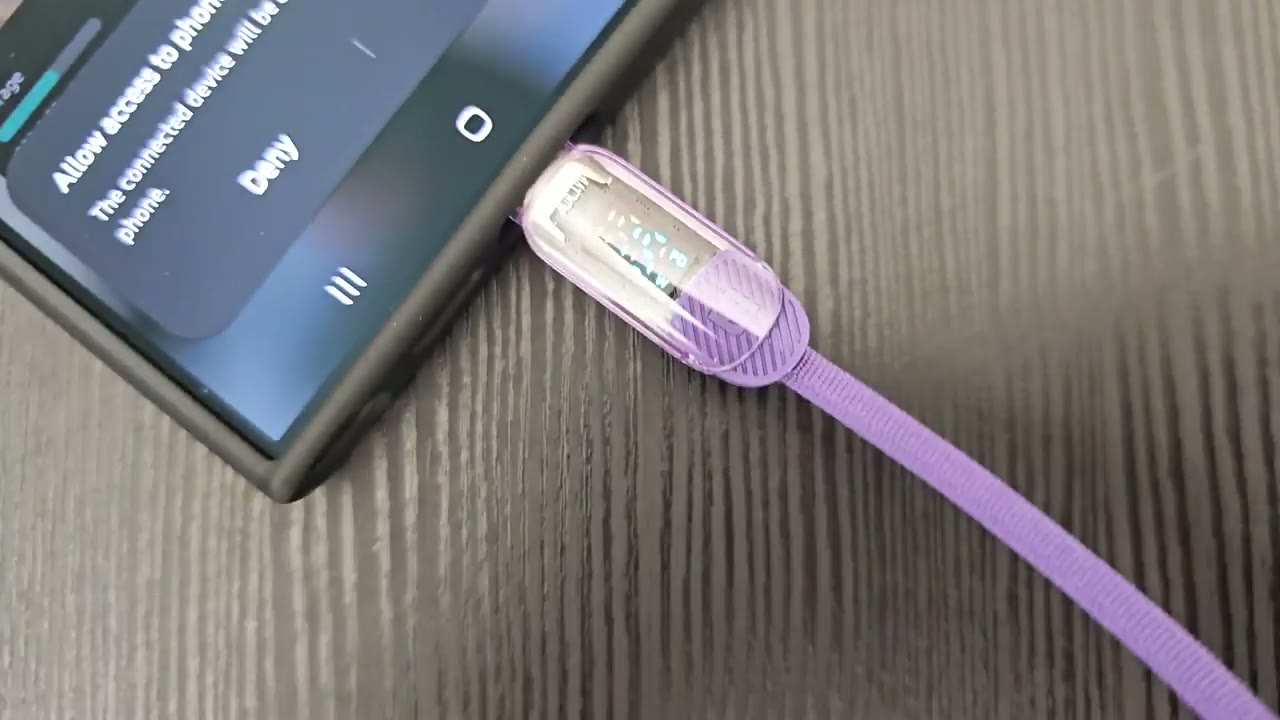
using the doc to charge your phone using the 18 wat power delivery Port I’m just going to plug in my charging cable here and I have a special cable and you could see it’s showing me the power delivery right now so I’m at around 15 watts which is very close to the 18 Watts That’s rated now I am using a Samsung phone and they’re known to throttle the charging speed once a battery level is over a certain amount so you know that’s pretty close to the rated 18 Watts now
SD Card Reader
that the micro SD card is inserted into the H1 dock I could see it show up on my laptop here so I’m just going to go into the video folder and if I look at this very last folder here the size is about 4 gigs on here you can see 3.9 GB so what I’m going to do is I’m just going to copy this and paste it into this folder here and let’s take a look look at the transfer speeds and you can see that’s pretty good and it’s going fast now the top rated speed on here is about 312 MB but of course this is really going to be dependent on the type of Micro SD card or SD card that you’re using you know it’s going to go by the max speed on that but you know this is a pretty good sustained right speed I’m now going to plug in my SD card into the high dock and you’re going to see it pop right up so I’ll just go into that folder and I’m just going to take a look at the video files here so the largest here is about 1.5 gigs so let’s just go ahead and copy that and paste it right now and we’ll take a look at the right speed on this and you could see that it’s fluctuating a bit but the average is at about 90 and again if I was to use a much higher rated SD card I could get closer to that 300 megabyte Mark so I
Recommended
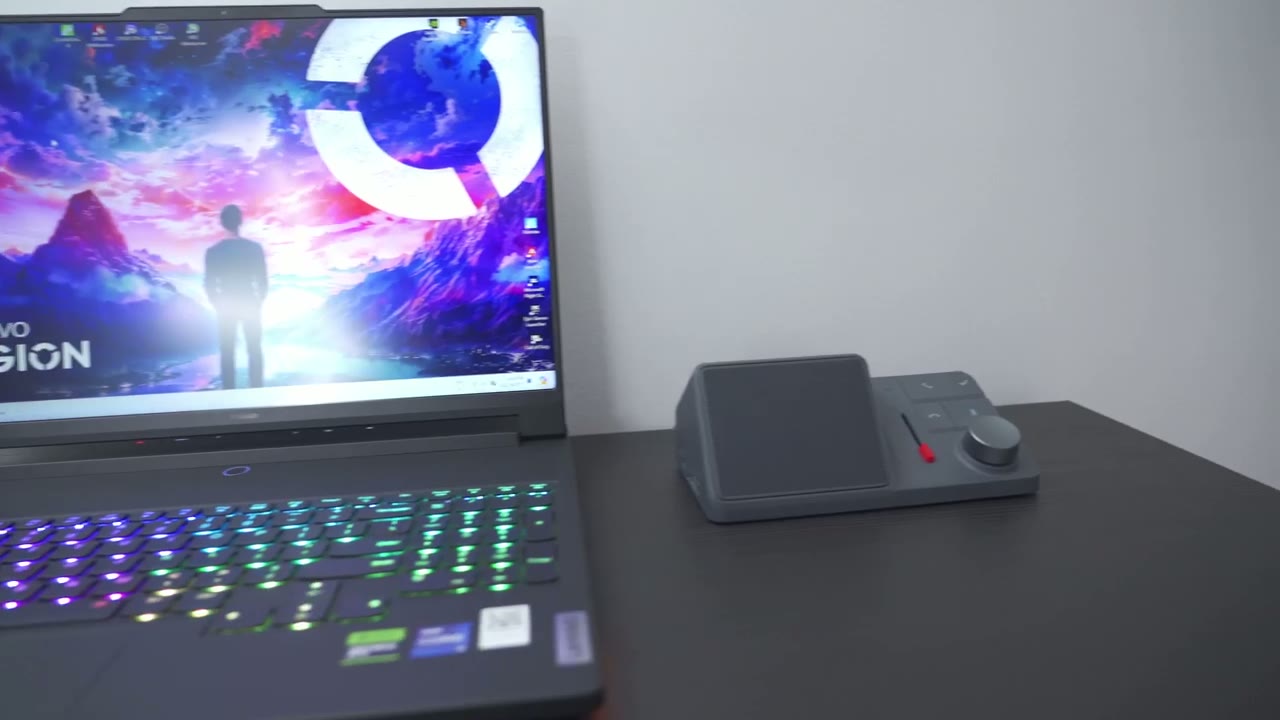
found the hioc H1 to be just a fascinating piece of tech and something that I didn’t even realize I needed it was completely not on my radar but after using it and going through all of the features I don’t see how I can live without this now and I used to always think you know these type of docs are mostly for people who work from a laptop if you have a desktop you don’t really need one but actually I plan on using this with my desktop because the ability to just you know hit record say out my thoughts or anything I’m thinking and then just have that you know as a transcription or a summary for me to just go back with actual you know laid out plans kind of itemized it really adds a lot of structure where I’m usually just you know having a bunch of notepad files on my deskop same with whenever I take an incoming call you know like I demoed it really structures that call and highlights key points on there kind of like in an order that you can easily just refer to same with if you’re on any type of meeting where again some parts are not relevant to you you can easily just skim through the transcription or just see the summary on there so you get the gist of it especially if you’re kind of just someone who needs to be there but you don’t need to actively be in the meeting this really comes in handy and that’s not even including the BNC or bidirectional noise cancellation this is actually not marketing hype this is a feature that obviously has been tested and perfected it really is able to isolate voices and really drown out pretty much the majority of am ENT or background noise and it’s a piece of technology that I want to see implemented in a lot more things like I mentioned gaming headsets would be a great start so if your laptop has an abysmal Port selection or you just need you know to connect more devices don’t just settle for one of those cheap docs you know3 $40 $50 that you’d find on Amazon try something like this you know it really is a life-changing type of experience with the amount of functionality and opportunity and convenience this just opens up for you you know you can have uh two additional displays using the HDMI 4K at 60 HZ you can have power delivery to your laptop up to 800 watt power delivery to your phone you also have a micro SD and SD card reader you don’t need to use any type of adapter this really just offers a ton of conveniences across the board so if you’re interested in picking up the hioc H1 I’m going to leave some links down below for you to pick one up for yourself or to learn more and as always if you found this video helpful please consider liking and subscribing and don’t forget to check out some of my other Tech related videos and I’ll see you in the next one soon
Buy The HiDock H1 ChatGPT Powered Dock!
Please note that some of the links in my video descriptions are affiliate links where I earn from qualifying purchases. As an Amazon Associate I earn from qualifying purchases.

