


Please note that some of the links in my video descriptions are affiliate links where I earn from qualifying purchases. As an Amazon Associate I earn from qualifying purchases.
Intro
hey it’s adrian and today i want to share a really important tip that i think every android user should make on their phone and what it is is to turn off the animations on your phone and this is going to make your phone feel more fluid more snappy when you go into developer options please only change the settings that i’m referencing if you manage to change any of the other settings it could result in instability on your phone so proceed carefully you
Enable Developer Options
can see that while i’m going through the menus here it’s not as fast as it usually looked and that’s because the animations are back on so let’s go ahead and turn those off to do that i’m going to scroll down click on the settings icon i’m going to go into about phone and then i’m going to scroll into software information and i’m going to look at build number and i’m going to keep tapping that and you can see it says you’re steps away from being a developer keep clicking that till you get this option to put in your pin go ahead and put in your pin and you can see it says developer mode has been enabled so let’s go back and back again and now under about phone there’s this option called developer
Turn Off Animations
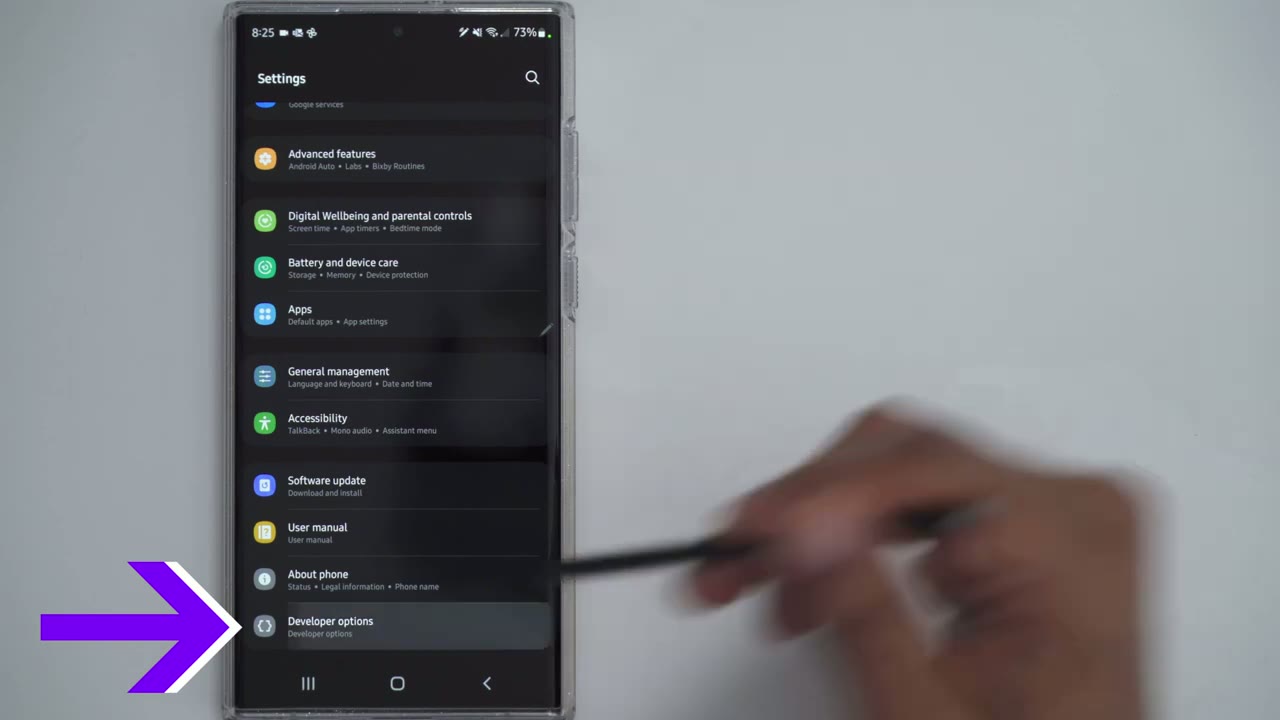
options so let’s click that and i’m going to scroll down until i see the option for window animation scale you can change it to whatever you want i like having it on off off off and now you can see when i pull down the menu everything is just really fast and fluid and as always if you found this video helpful please consider liking and subscribing and i’ll see you in the next one bye
Please note that some of the links in my video descriptions are affiliate links where I earn from qualifying purchases. As an Amazon Associate I earn from qualifying purchases.

