


Buy the XTU J7 Plus on Amazon USA
Buy the XTU J7 Plus on Amazon Canada
Please note that some of the links in my video descriptions are affiliate links where I earn from qualifying purchases. As an Amazon Associate I earn from qualifying purchases.
Package Contents / Unbox
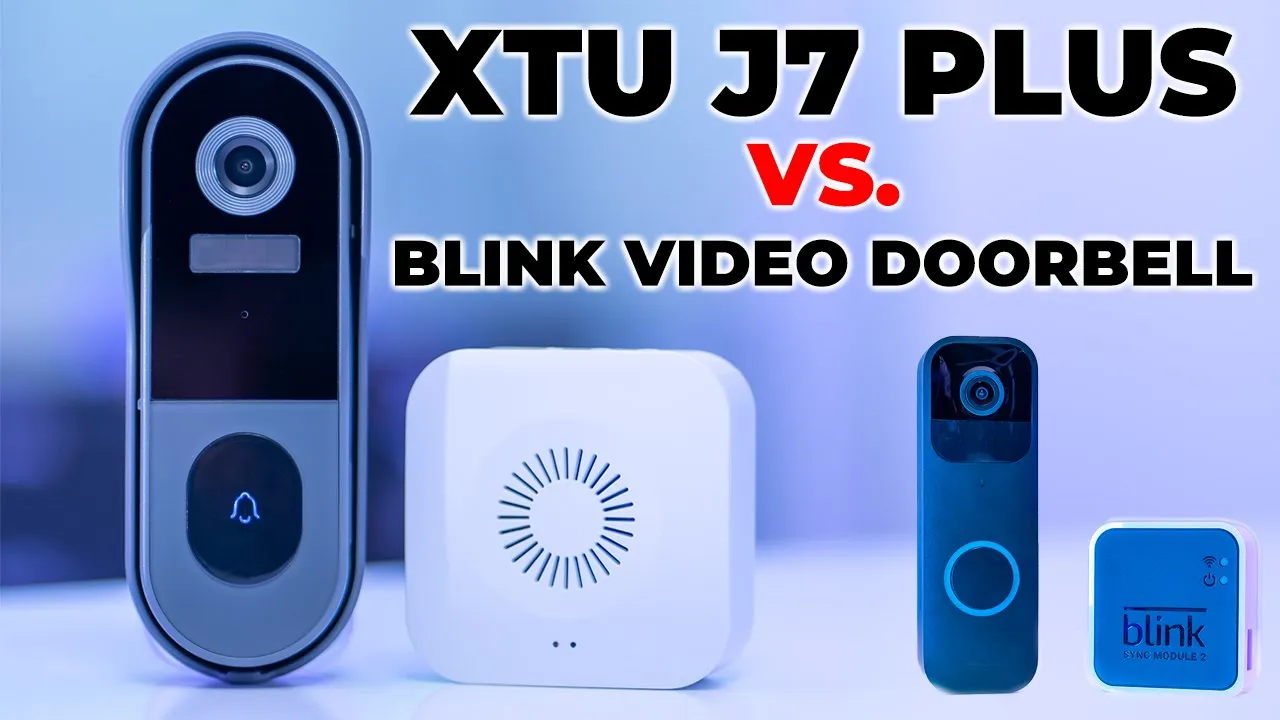
hey it’s adrian and today i’m taking a look at this xtu j7 plus battery powered doorbell camera now this is not a brand that i’m familiar with however they did send this unit out for an unbiased review so i’m just going to get into the review and i’ll let you know how it compares to my current camera which is a blink video doorbell so let’s get started so this is a 100 wire free
App & System Setup
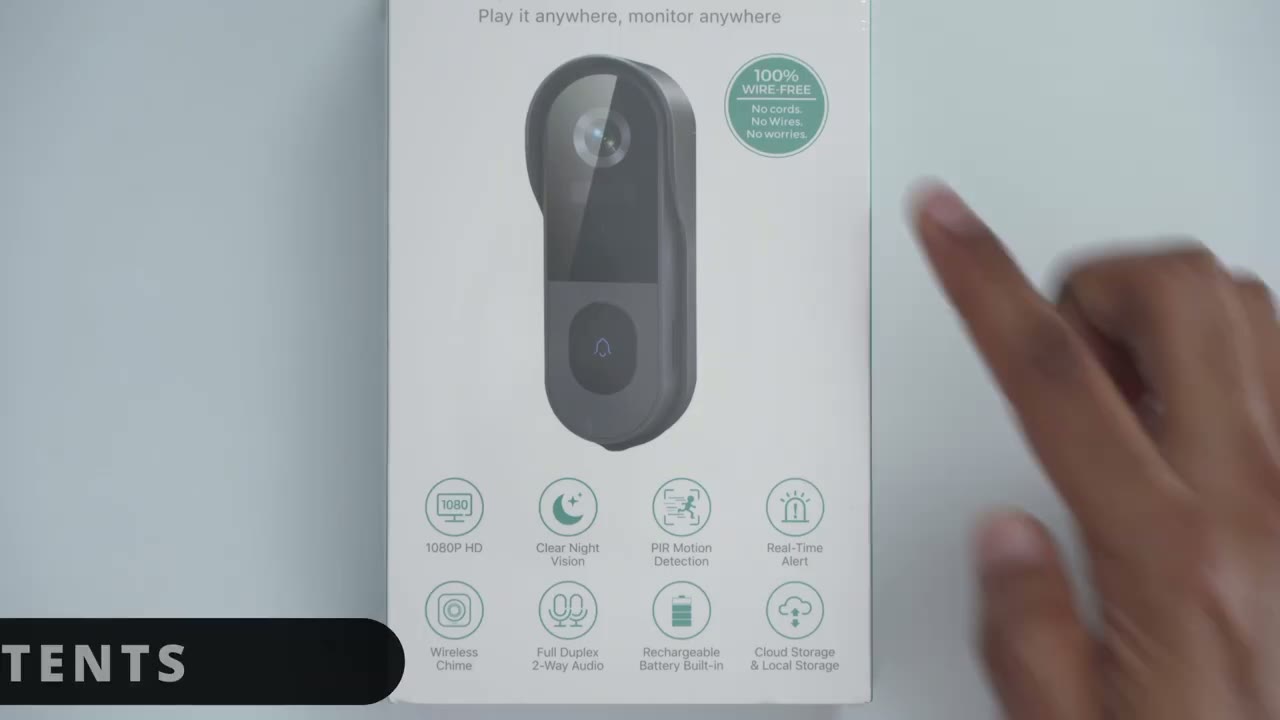
installation similar to the blink system but you can see it’s capable of 1080p you have night vision mode motion detection of course real-time alerts cloud storage there is a 5 000 milliamp hour built-in rechargeable battery full two-way audio and a wireless chime which the blink system does not have in the package you get the manual the doorbell camera with a mounting bracket the wireless chime batteries and there’s some mounting hardware so screwdriver screws and a charging cable for the camera taking a closer look at the main camera so there is a button at the back here and that triggers an alarm if it’s removed from this bracket here and taking a close-up look so you can see there’s the camera module you have the button to press and then you have a microphone for two-way audio on this side a little compartment here and that’s the charging port so it is a micro usb charging port it’s not a type c on the other side you also have looks like an on off switch a reset button and a slot for an micro sd card and then you have speakers on the side really quickly guys i just read this while i was going through the manual but there’s a screw hole at the bottom here and that screw hole lines up with the screw hole on this mounting bracket so once those are aligned and you feed in the screw here it’s going to make it really hard for someone to just grab this out of this socket now this socket is also going to be secured so it’s going to be very difficult someone would really have to put a lot of effort and probably damage the camera or they would have to just remove the screw from the bottom however if they do do that there is an alarm feature at the back here so you can see when this is in the bracket it’s going to be pressed down however once that pops out it’s going to trigger an alarm so that’s a pretty cool feature that is not on the blink system that i currently have right now taking a look at this mounting bracket so it’s a thick enough piece of plastic um not a whole lot of flex it feels pretty solidly built that’s good and looking at the doorbell chime so there is a micro usb port right there and this can be powered just continuously by using the supply cable you also have an option at the bottom here to put in three double a batteries which are supplied and then looking at the side here i can see there’s like a gear icon here i don’t know how that showing up on camera a volume icon and a music icon so i’m sure there are some settings that you can customize to tailor it to whatever you like in terms
Specifications
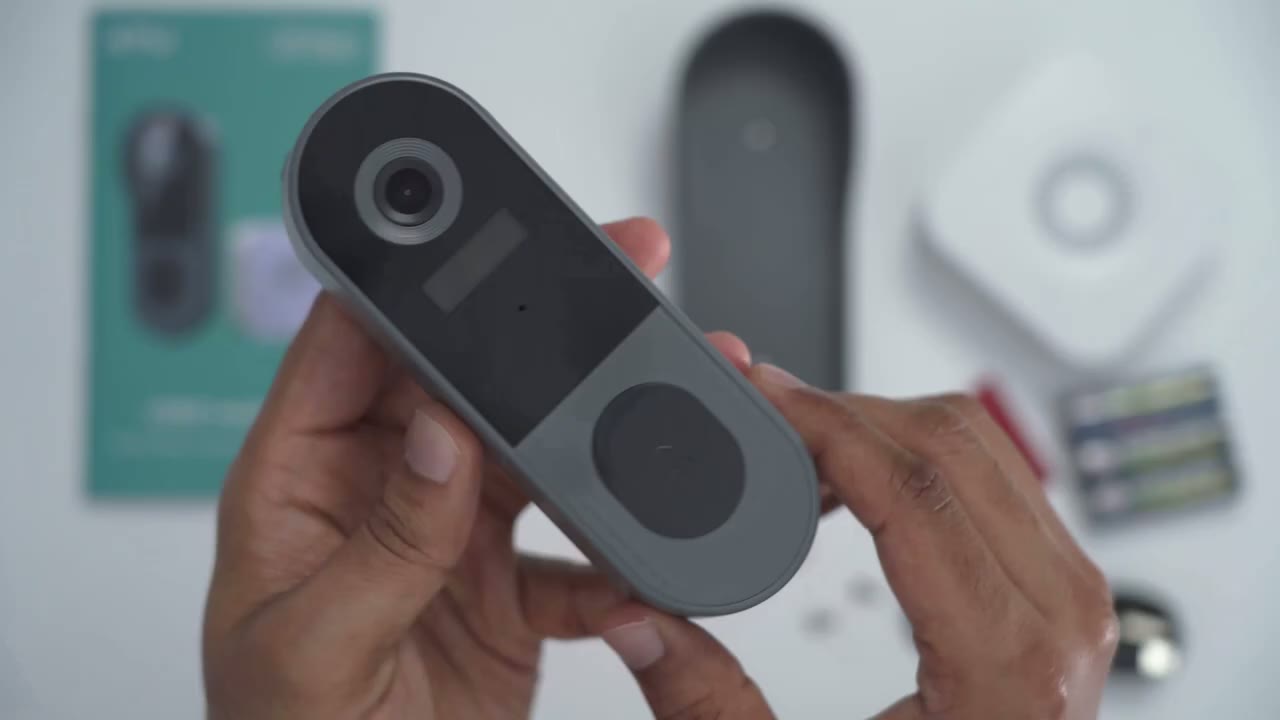
of the specs so you have wi-fi coverage that can reach up to 100 feet it is 166 degrees field of view it’s ip66 weatherproof 1080p video also it has night vision you have motion detection of course the anti-theft damper alert in case someone tries to lift it you can respond in real time with two-way audio and you can connect the doorbell to amazon alexa and the support for on-board storage is 128 gigabytes of microsd storage the camera weighs in at about 155 grams so it definitely feels a bit heavier than the blink doorbell but that’s going to be due to the 5 000 milliamp rechargeable built-in battery for a setup it seems
Setup
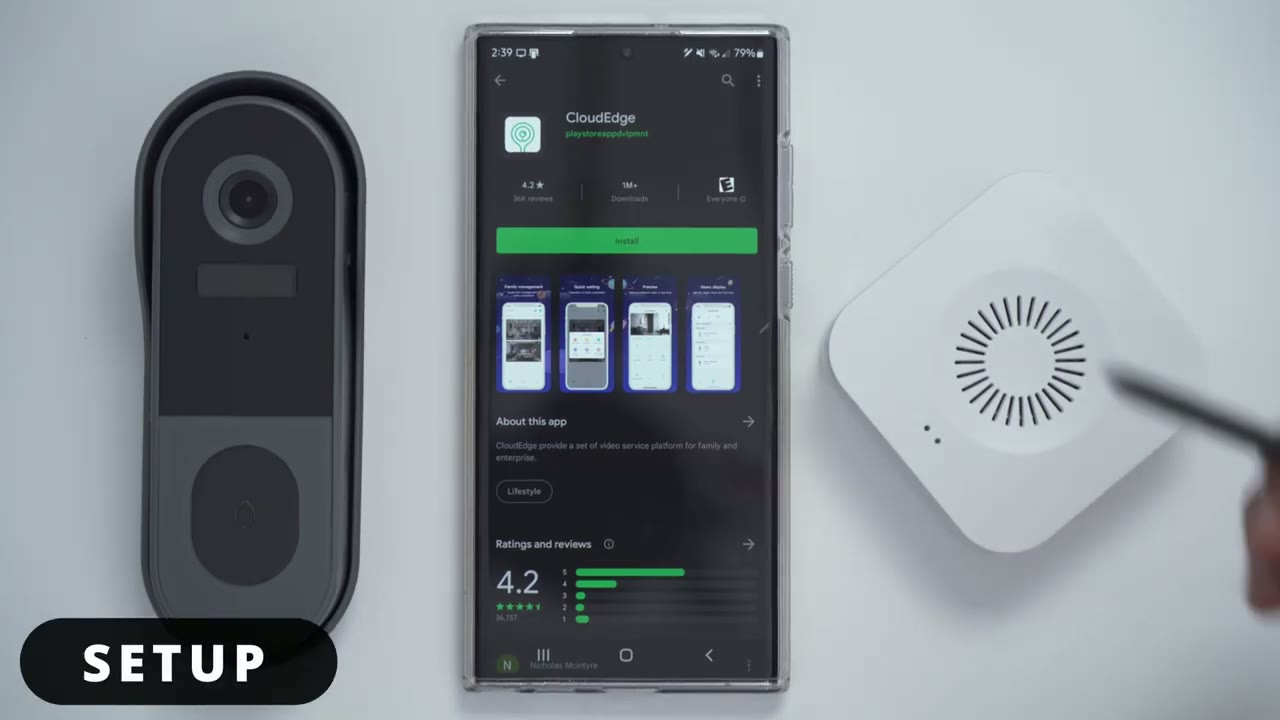
pretty simple so i’m gonna download the cloud edge app from the google play store okay so i’ve created an account in the cloud edge app i’ve turned on the camera now i’m just gonna add the device now i’m gonna scan the qr code [Music] okay so everything was added next put the camera and phone at the same place of the camera insulation so currently i’m in the basement and that’s why the signal strength is not really good but later i’m going to take it upstairs and do it now that the camera is connected to the app the next step is to connect the chime so i’m going to go ahead and press the reset button and while that’s flashing i’m going to go ahead and press the doorbell button okay so i can hear the chime is now paired when i press that it clicked right here that’s an option to change the chime alert so here’s your options here [Applause] so for those of you who are interested i have my finger on this alarm i’m going to let go and you can hear what happens if someone tries to grab it so you can see it plays a loud enough sound and if i go into the messages here you know it’s kind of funny saying the device was destroyed so that’s what happens if someone tries to lift it now that i have everything
App Settings
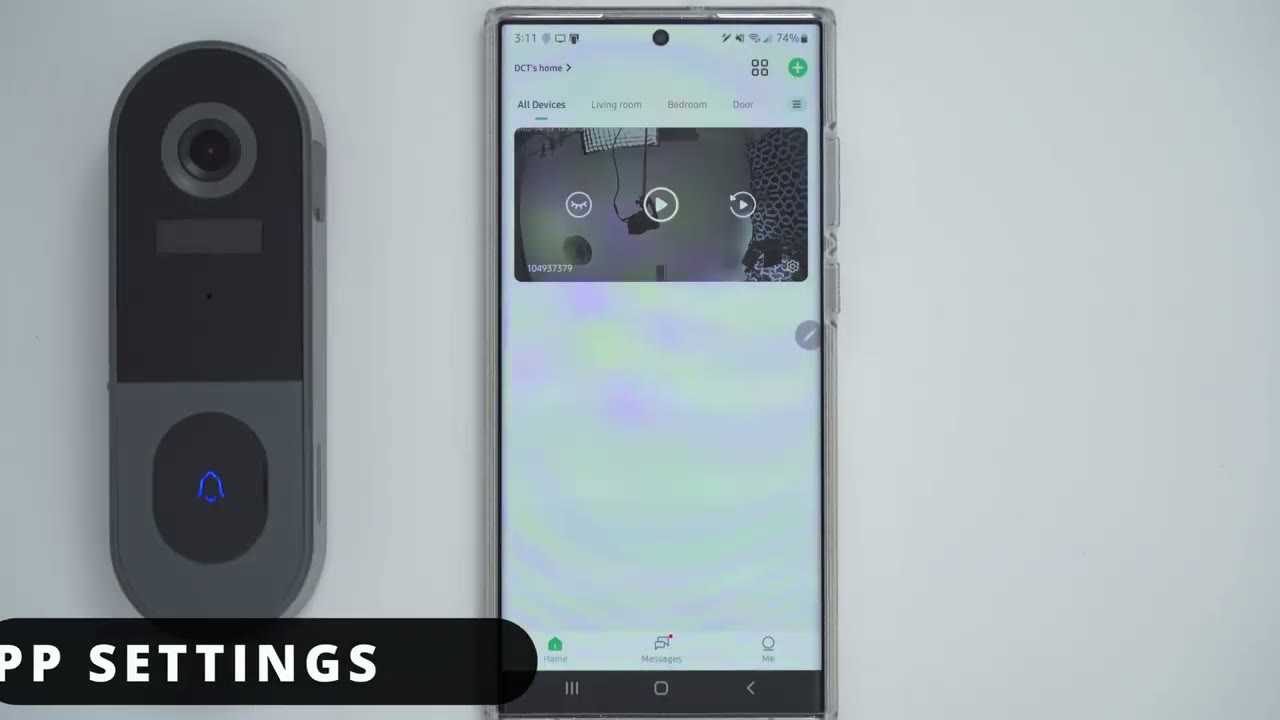
paired and connected i just want to take a look at the settings in the app really quickly so it looks like there’s some quick notification settings here but i’m going to go into the general settings so there’s a button here to just pause alert notifications if you want and let’s see so there’s device share time setting image setting i’m going to go into that anti-flicker that’s up to 60.
night vision mode is automatic that’s fine sound settings i’ll leave that at the default 70 and there’s an option for chime setting so you can actually turn on or off the chime feature voice message so here is where you can actually record three different voice messages and about 10 seconds at length and you can kind of play that back whenever you’re busy if you just want to send something kind of pre-recorded i’m not going to use that so i’ll leave that off so alarm management so i’m going to turn on motion detection i’ll leave the detection sensitivity to 3 and i’m not going to mess with anything else tamper alarm i’m gonna put that on also and that was for the button at the back there if anyone just tries to lift that battery management so i can see i’m set to 61 i have not fully charged this yet that’s why recording management so i haven’t put in an sd card i’m going to do that before i mount this and i can see for playback there’s event recording likely i don’t have any options because nothing’s recorded yet and then there is a cloud storage so it says to try seven days for free i’m going to go ahead and activate that and what that’s going to do is it does i’ll upload cloud video another thing i notice in the app which i think is pretty well done is if i click on this messages tab here i can see like a historical event of what was going on also if i go back into the settings here alarm messages i can see the timeline so i can pick whatever day and i can see whatever is going on here um with a thumbnail so that’s pretty cool one thing that i noticed that this system doesn’t have that the blink system has and i really appreciate it on blink system is uh customization in terms of the motion retrigger event so if i go into the settings here there’s a decent amount of options here but i don’t see any options to change the re-trigger time and if you’re not sure what that is basically you know if you’re outside of your front door say and you’re fiddling around with your keys or bringing in the groceries or something like that you may want to set a re-trigger kind of delay or time out so that any motion within 30 seconds it’s not going to create another alert on the phone and i don’t see that on here right now so that’s something i would like to see in an update before i go ahead and permanently mount everything i just want to make sure live view and all that’s working so if i click that that loads up pretty quickly and i’ll just turn the camera on the side and it updates the view pretty quickly as well now you have options here right now it’s on sd i’ll put it to hd quality and then of course i can make that full screen and that quality is pretty good if i put my hand there you can see there’s a slight bit of delay that’s kind of common with these cameras but the quality is pretty good let me back out of that now there’s also options for taking screenshots intercom record motion detection the tamper alarm and in history you can see it has a list of things that have occurred and if i go into cloud same thing now the cloud is only for seven days keep that in mind after seven days you will have to pay or you could just stick with um the history by just popping in a micro sd card which is what i’ve done but i’m gonna go on to the next step which is to mount it
Installation
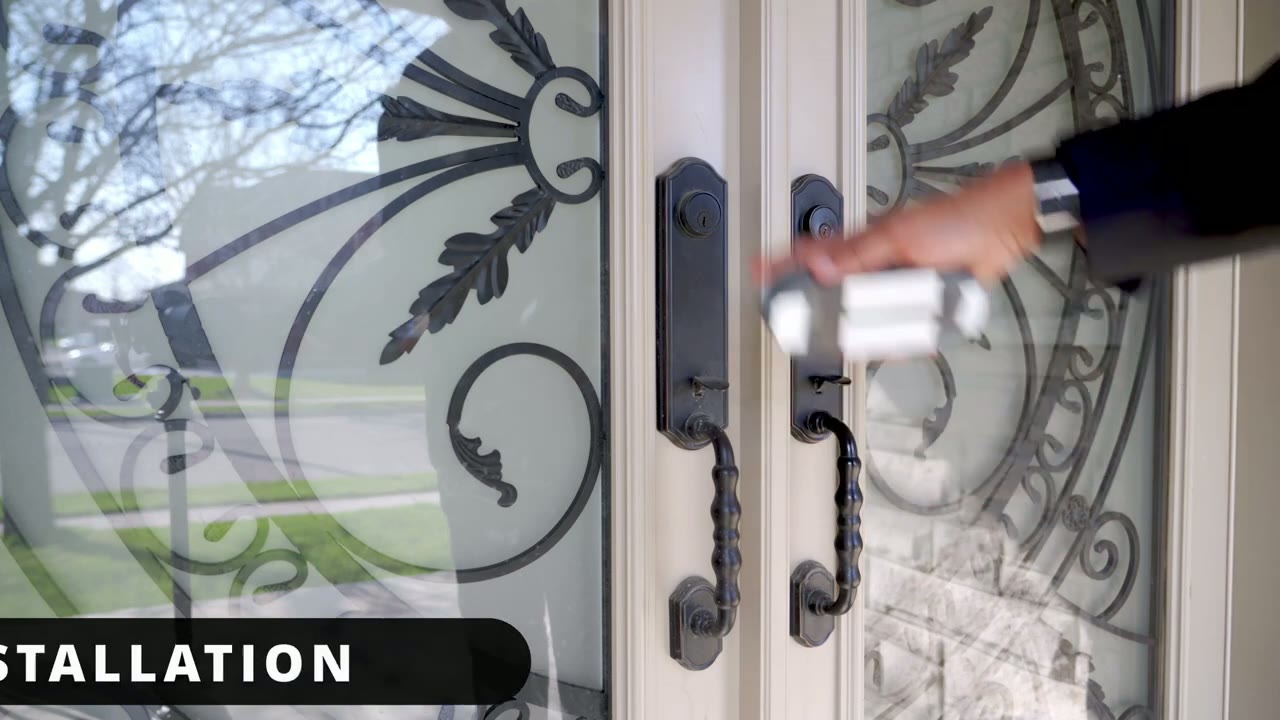
so i’ve removed my blink video doorbell i’m going to put the 7j plus now i just put adhesive for now because it’s just a really quick and dirty install and i’m going to test the performance and then depending on how that goes then i’ll permanently mount it so i have the 7j plus mounted on the door frame just really quick just so i could test it till i put it somewhere permanent so it’s pretty it’s pretty rigid and stuck in there with that adhesive strip so let me just test it up now here’s a quick demo of
Video Playback & Demo
what happens when someone rings the doorbell [Music] hello it’s adrian one testing123 three so here’s a demo of what it looks like you know pulling up live view and reviewing video or photos so i’m gonna go ahead and click for the live view and it takes a little bit i’m in the basement so it’s a bit longer if i was upstairs it would be quicker so you can hear the sound pickup is really good i’m going to turn that all the way down so we’re not interrupted again but just take a look at the image it’s on hd right now it’s really clear really crisp you know i could zoom in if i need to and that works pretty great now one thing that’s pretty impressive with this is the field of view so it’s i believe 145 degrees which is about 10 more than on the blink video doorbell so that’s pretty great however on my front door you can see i have the brick on the right and left side there so that obviously obstructs you know the field of view obviously i could have it much wider so if you don’t have this type of setup even better for you one other thing to take note of with my setup is i have this roof area at the top and because of that if someone stands in this area and rings the doorbell their face is not you know evenly or brightly lit by the sun so sometimes it’s a bit harder for me but obviously it’s not going to be an issue for you if you just have you know a clear clear doorbell with um or door front door sorry with nothing else blocking it but let me go ahead and show you what it looks like when you play back uh recorded video so i’m gonna go with the messages click on that alert there and you can see these entries here without the green play button these are just still photos okay so they’re not playable but if i click this one here and this is going to be me getting the mail today let’s just let that load up again it’s a bit slow because i’m in the basement so that’s me um i rang the doorbell and i backed up just to show you um what it looks like with my face in the sun you know it’s easy to make out my face when i’m properly illuminated which is going to be the case for most people’s front door there’s a quick demo of what night mode looks like so you can see everything is pretty clear even though i have some lights pointed directly towards the camera at the door it still does a good job of minimizing you know any type of flare and keeping the rest of the image really sharp and clear and in focus it’s much better quality than on the blink system so here’s another example of video playback this is just me getting an amazon package delivered so you can see in terms of playback pretty smooth it’s great at 1080p quality so really no complaints in terms of video playback and the speed of pulling up the live view also the photos that it takes overall i’m just really impressed after
My Thoughts
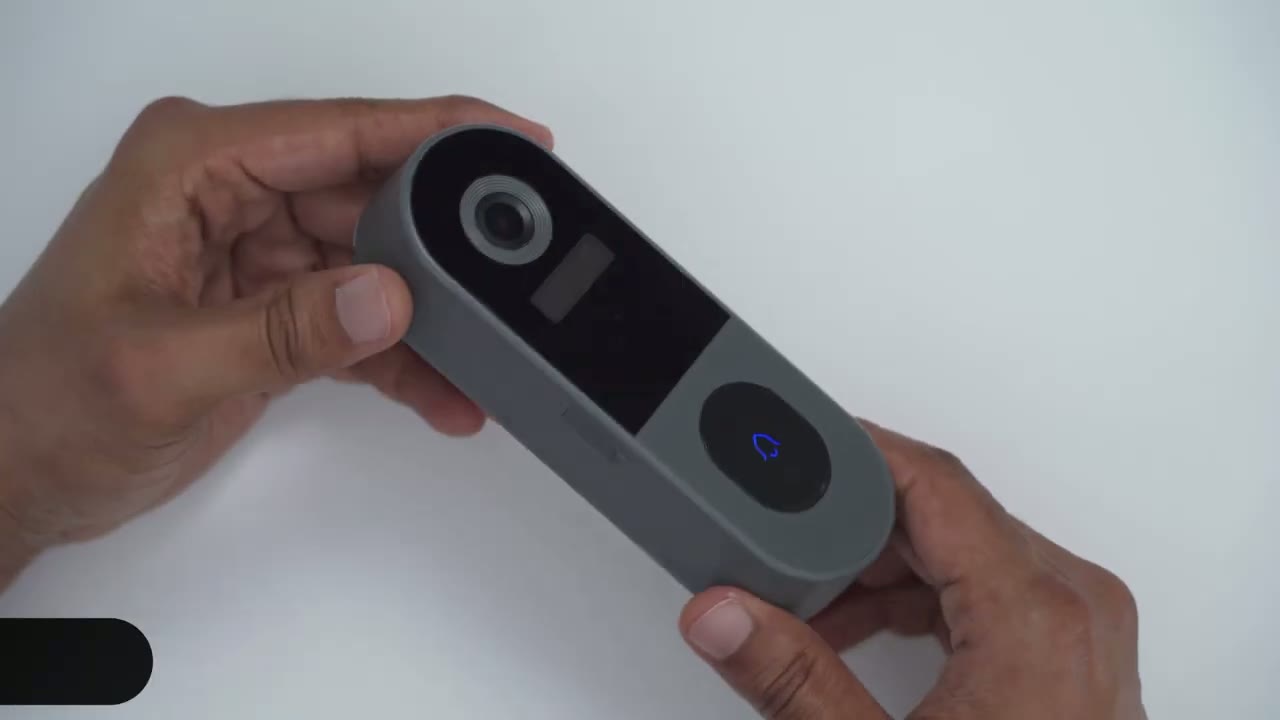
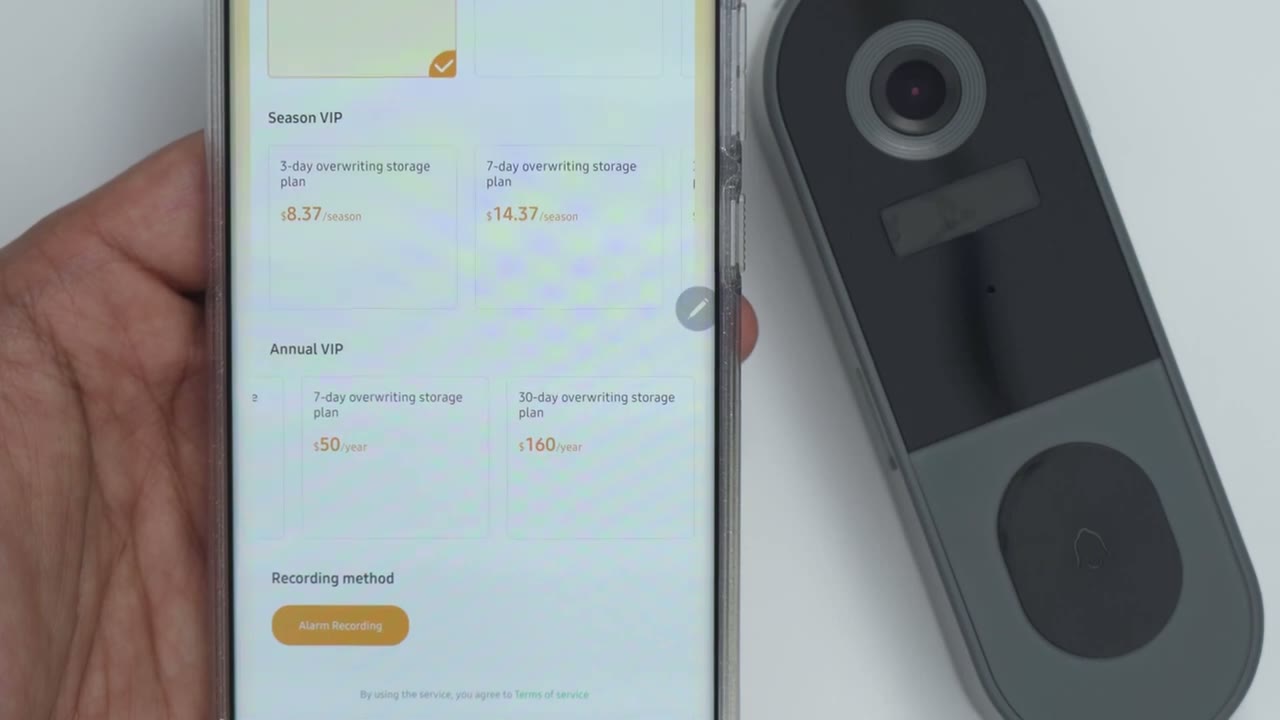
using the 7j plus i think i’m just going to replace my bling video doorbell with this system i just find it you know much quicker to pull up things the app alerts all of that just works much better than with the blink system now one of the things that’s different on here than the blink system is the battery life on here is rated for i believe two to three months from what i saw online i’m gonna have to test out long term to really see how that pans out but even though the blink system is rated for say up to two years of battery life i still prefer recharging this every two to three months because of just how quickly everything runs and i think one of the reasons everything runs very quickly on here is because there’s maybe a more frequent polling rate that’s why things are much quicker and not as delayed even when i’m pulling up video files for playback with the micro sd card here it’s just much quicker from here even though i have a sync module on the blink camera which is supposed to speed things up this is just way faster the other thing is the field of view on this is much wider than the blink system while from a hardware point of view this is really great like i mentioned earlier there’s a couple things lacking which is to have more fine-tuned controls like setting a re-trigger time or like a dead zone or a blackout zone that’s something the blink app does have now i also like that there’s a tamper alarm here i like that there’s a security screw at the bottom here for when i put it in the bracket this system comes in at around 80 us i think it does go on sale for a little bit less maybe like 70 us and the blink system if you do get that you do have to buy the sync module 2 in my opinion just having the standalone blink video doorbell camera is not going to be powerful enough for what you wanted to do especially if you’re not paying that monthly subscription plan talking about the subscriptions so they do have subscription plans starting at 299 a month up to 15.99 a month now not something i’m really a fan of i didn’t use it on my blink system likely won’t use it on here too there’s a season vip package here not sure what they mean by season and there’s also an annual plan so thirty dollars a year and that gives you a three day overriding storage plan which is actually not that bad for a year these seven days 50 and the 30 day is 160 a year so summing up i’m
Recommended?
pretty impressed with this unit for a company i’ve never heard of the hardware is good the video quality is excellent as well it’s a wider field of view than the blink system build quality wise even though it’s an all plastic build it has a decent amount of weight to the plastic doesn’t feel cheap there’s no bending or flexing or anything like that and you can see the ports are um they have this rubber so for weather sealing so all in all good i’m happy with the bracket that it comes with to keep it secure by screwing it down there and also this anti-tamper button here one thing i should mention is it is a bit of a fingerprint magnet because that finish is so glossy as soon as you press anything it does definitely leave fingerprints but that’s a minor minor gripe overall excellent system really quick you may find yourself charging the battery more often than with another type of system but i think i’m willing to live with that trade-off just because of how quickly and fluidly everything pulls up and that’s kind of what you want when someone’s at your doorbell anyway let me know if i missed anything in my review or if you have any questions about this unit you know as time goes on i’ll leave an update in the pinned comments down below if i notice anything else or if i notice there’s any updates that add some of the functionality i was talking about and as always if you found this video helpful please consider liking and subscribing and i’ll see you in the next one bye
Buy the XTU J7 Plus on Amazon USA
Buy the XTU J7 Plus on Amazon Canada
Please note that some of the links in my video descriptions are affiliate links where I earn from qualifying purchases. As an Amazon Associate I earn from qualifying purchases.

