


☑️ Get the Tolifo Palm LED on Amazon
Please note that some of the links in my video descriptions are affiliate links where I earn from qualifying purchases. As an Amazon Associate I earn from qualifying purchases.
Intro
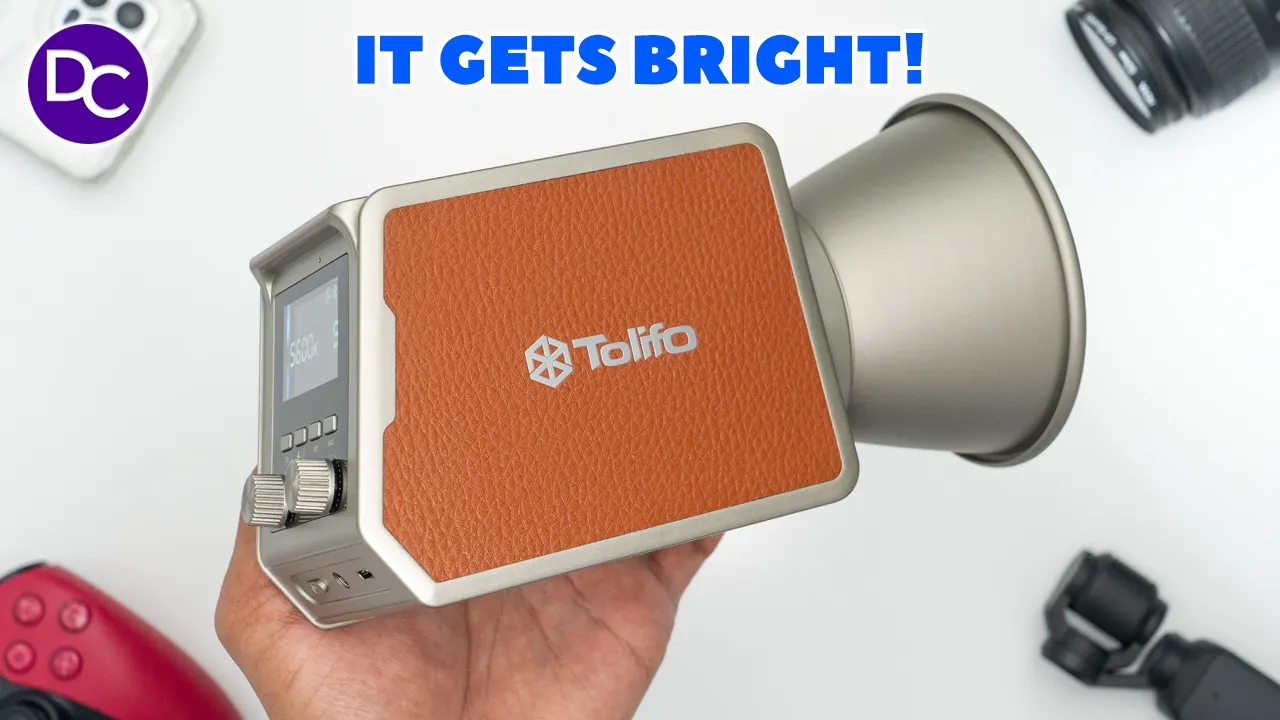
hey it’s Adrian and today I’m taking a look at this Palm LED video light from too now this video is a bit dark you can definitely use with a little bit of brightness and because I can remotely control this using their linkl light app I can do that in about a second without having to worry about running any type of wiring so this just adds a ton of Versatility to whatever you’re shooting whether it be a video or any type of product photography since you have continuous lighting and because there’s no connected wiring you know you can kind of move this around at will wherever you like to modify Lighting on top of that you can go from 2700k to 6,500k you also have full RGB settings and the built-in battery offers great battery life with fast charging with the option to also run this in wired mode there’s also a ton of light effects and of course app control so if all this sounds good to you let’s take a closer look at how well it performs and a big thanks to too for sending us out for a review in the box we have the TFO pal
Package Contents
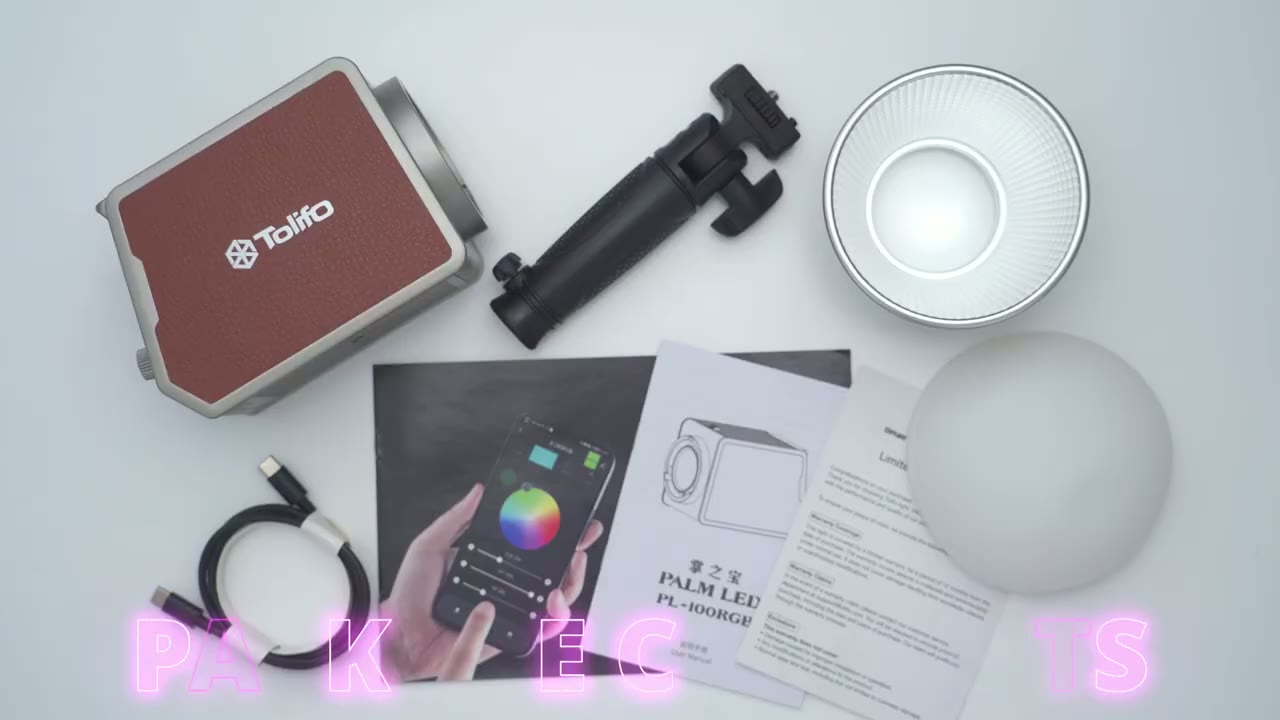
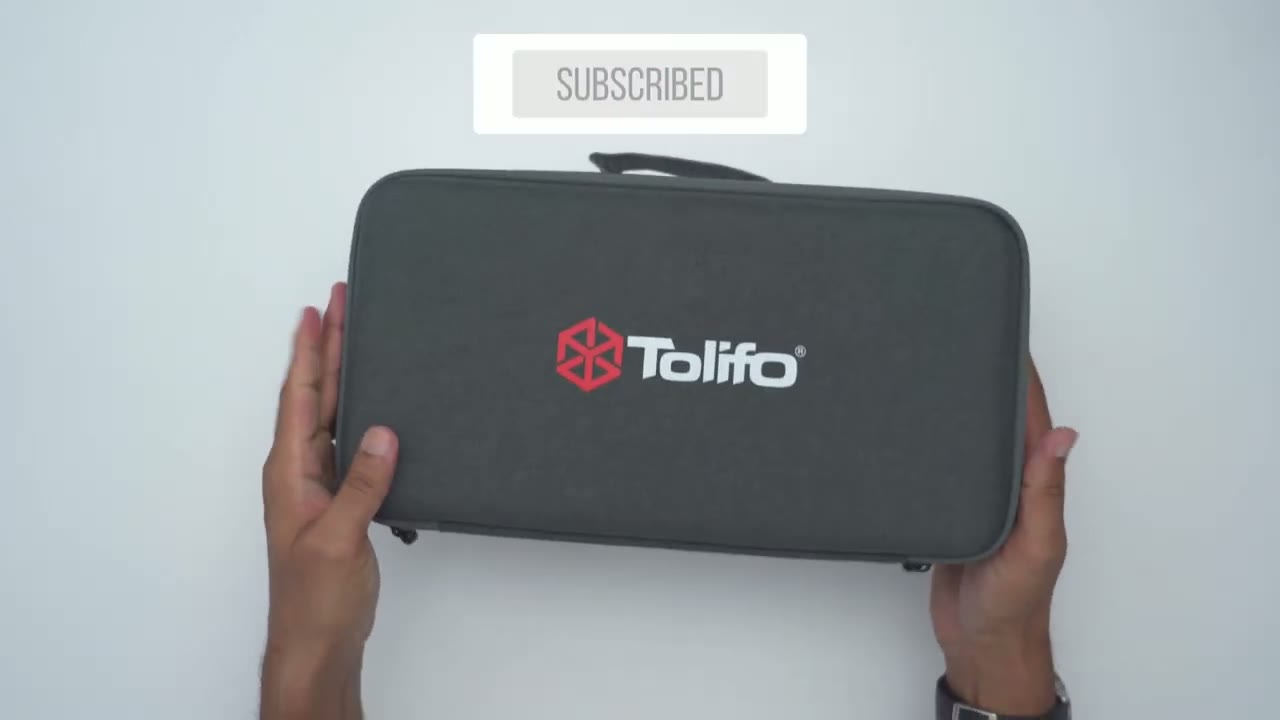
LED video light we also have a mount which doubles as a grip a cone reflector attachment along with a gel cap for it warranty card instruction manual and app manual along with a USB typ-c to type-c Cable there’s also a handy hard shell zipper pouch that you could use to store the lights and all the accessories so
Design
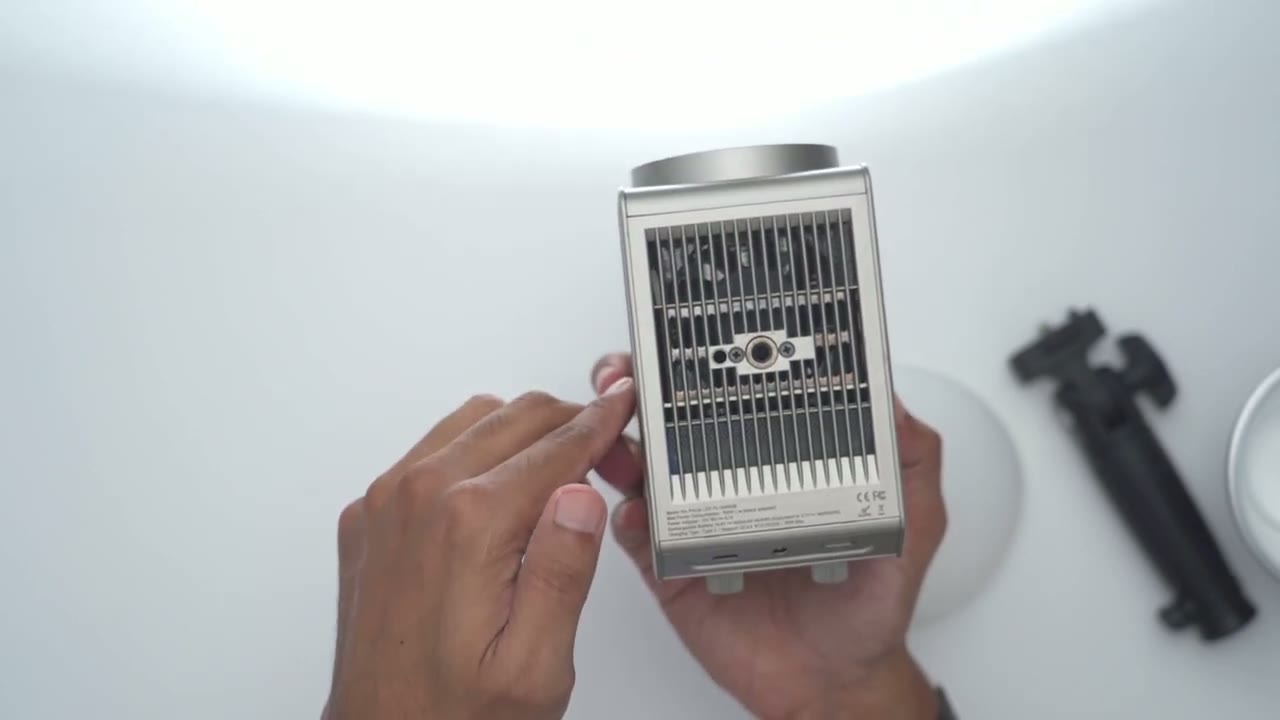
the too Palm LED light is pretty accurate so it fits in the palm of my hands not too big and it’s actually not too heavy as well considering what you get so this comes in at around 846 G which works out to about 1.8 lb now if you add in the cone reflector here along with the um silicone diffuser here to soften the light and the handheld grip well it comes into around you know 1,30 G or so or about 2.2 lb so this makes it very lightweight and portable because you can just go ahead and just you know kind of Mount this stationary or if you use the supplied hand grip you can just move this wherever you need light so it’s you know very Dynamic and portable so the front of the light is where we have the by color and RGB lighting and you can see we have an area here that interfaces with this kind of mini bone style mouth so that clicks into place and you know that’s a very secure fit not going anywhere and then once you want to release it you’re just going to pull back on this retention Clipper rotate it out you know very simple to operate at the bottom this is where we have the thread Mount to go ahead and you know Mount this to a c stand or a tripod for example and then it looks like we have ventilation here along with a fan to keep everything nice and cool and we also have a power button here a power port if you do want to continuously power this now it doesn’t come with that in the box so this is something you’ll have to buy additionally then we have the USB type-c port here to just kind of charge this up for portable use and we also have ventilation areas at the top to keep this nice and cool and I’ll let you know exactly how I find it in terms of when this fan kicks in let me power it on so
Ease of Use
we can take a look at the display here so right now it says 10 it shows the battery life and we have knobs with hard stop increments here to make it really easy to control light output on the Fly and you can see that’s very handy and you can just scroll up or sorry rotate this now if you click in we’ll go from 025 50 75 so 25% increments which is really handy and then we have a knob here again to change you know colors uh the color temperature from 2700k to 6500k and also to change effects and so on and then we also have buttons so an hsl button a Max button here we also have um looks like a fan button and possibly Bluetooth right here and then the effects button and you could cycle through different type of effects so very easy to operate let me go ahead and
Mounting
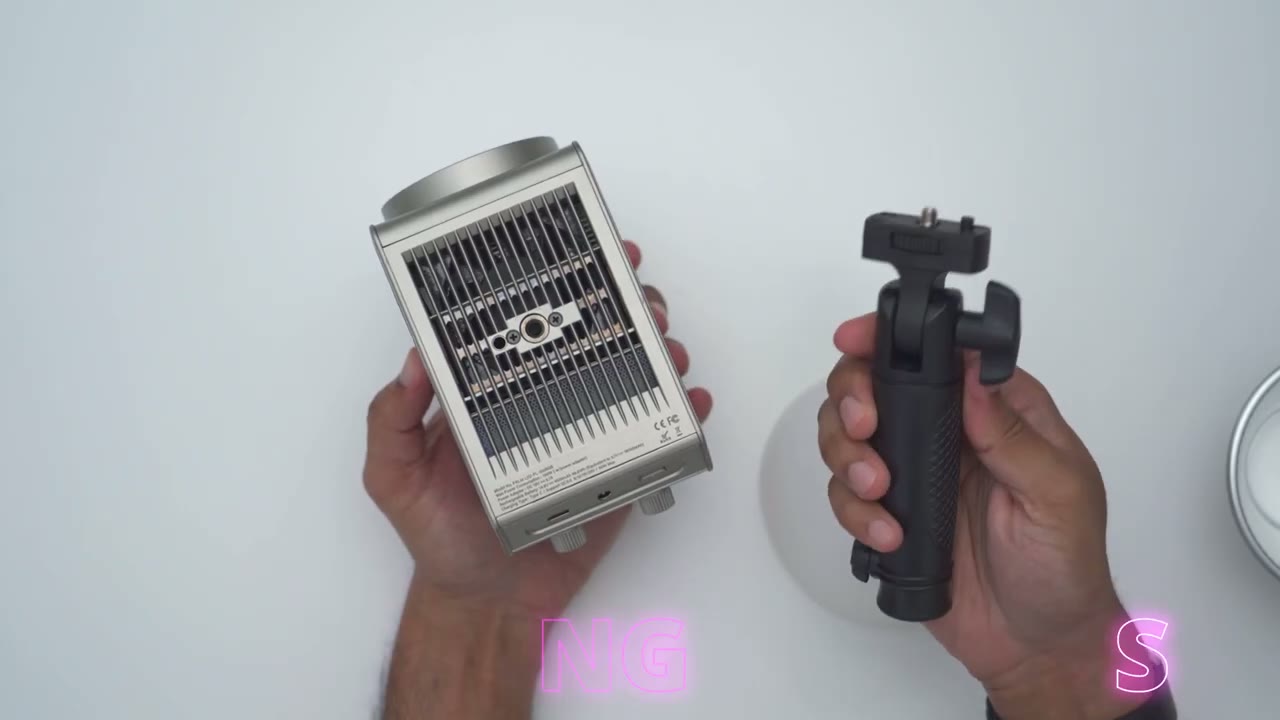
add the optional hand grip so you can see there’s a little nodular protrusion here on the grip and that’s going to interface with this opening right here so just line that up and then you’re just going to use this right here to tighten everything up securely so let’s go ahead and do that all right so it’s nicely mounted now and I can easily just use this kind of handheld and of course you have a knob here to lock it into whatever position you like and once you have it in position um the grip does have actually a textured area for you know kind of easy holding so your hands is not going to get fatigue and then you can also go ahead and add this to a c stand or any other type of compatible Mount so yeah pretty awesome uh little lighter I’ve removed the ball head from my tripod and now I can go ahead and thread in the mount at the bottom here directly to my tripod so I’ll just go ahead rotate that onto place just like so and just like that you could go ahead and easily Mount the TFO light wherever you need to so here’s what everything
Lighting
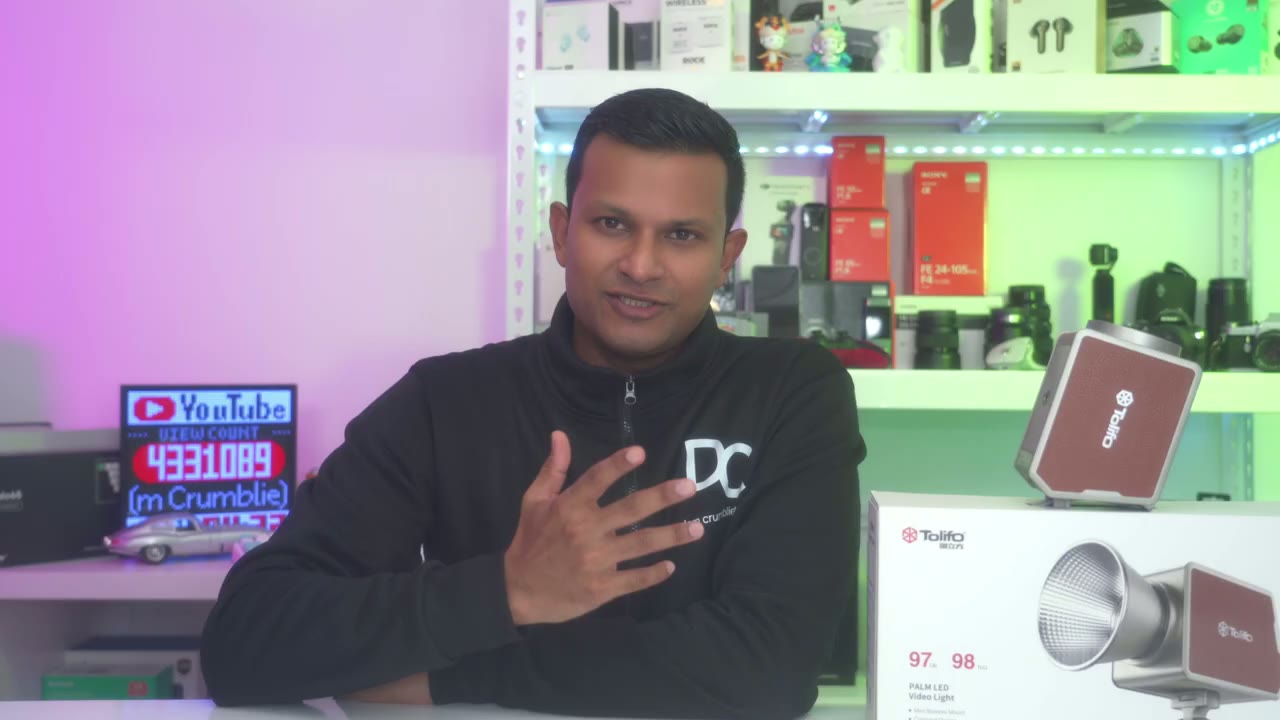
normally looks like with all of my lighting going on and I’m now going to turn on the palm LED video light to show how it’ll kind of fill in the Shadow areas on my face and the room in general so here is a light on and you can see that really helps enhance the lighting in here you know it was already pretty good to start with but just having this additional you know kind of accent or supplemental lighting really helps tie everything together really quickly again so this is with the TFO light on off and you could see just what a huge difference this very small and compact light is making to the overall scene and of course you have some light modifiers and the zipper pouch to help you soften or dim the lighting as you see fit so right now I’m on a warmer color temperature I could jump over into color and just kind of cycle through the colors at will and really interestingly is we have these type of gel effects where you can pick different type of uh gel filter looks which is really neat and it can just really enhance your lighting and here’s just how much illumination one single Palm LED video light can provide so there’s no other type of lighting going on in this room so I’m going to cut this all the way to zero so we have almost a dark room with only you know that led light strip going on and that little monitor in the back I’m going to bump this up to about say 51% and you can see the entire room is now you know much better illuminated and then now at 100% on the max setting and it’s basically you know almost fully illuminated right now you’re seeing this glowing or cascading type of RGB effect so I use two large LED lights that are wired for continuous power to accomplish this but I’m going to now cut those lights off and just use the TFO light with the RGB setting in one of the effect modes to show how it can kind of do the same job and here’s what the TFO light looks like so at 100% brightness you can see it mimics that same type of cascading or fading RGB effect now I’ve only positioned it right that in the center just a demo it but of course if you add two lights you could kind of balance it out like to simulate the two lights that I had the battery life is
Battery Life
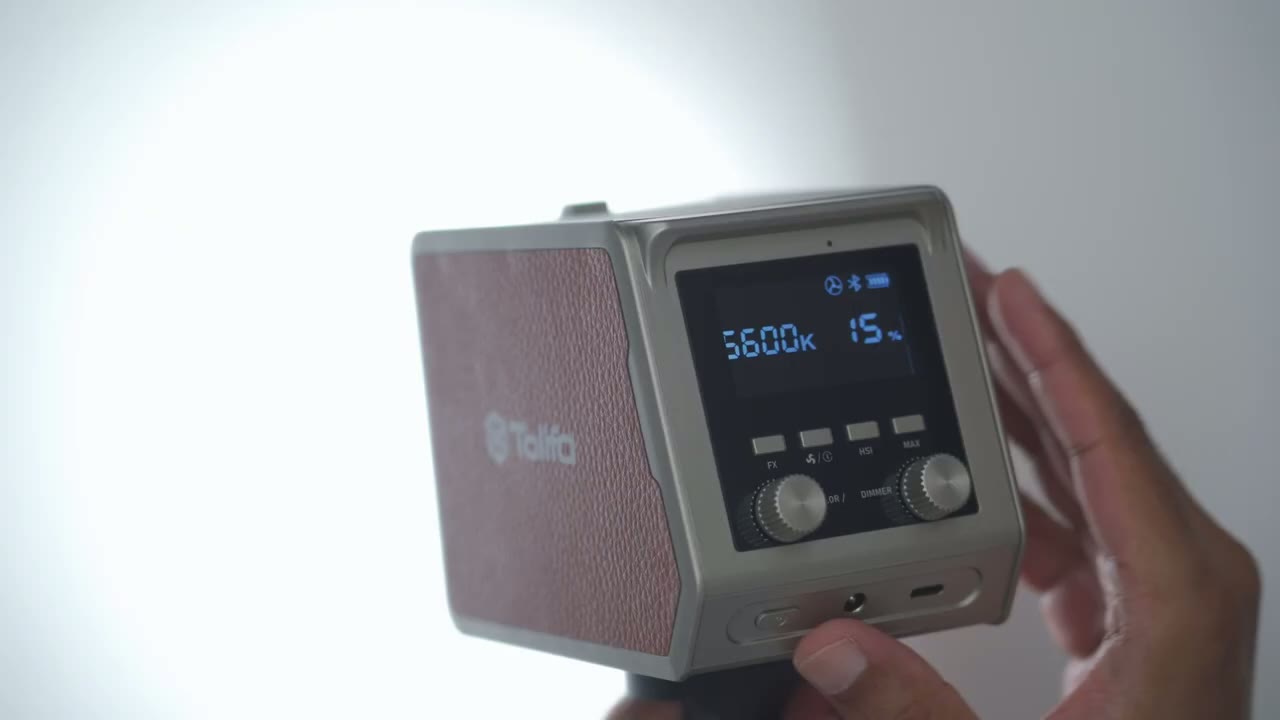
going to be dependent on the light intensity that you use so I tested it a couple different ways so if I maxed out the brightness now you could Max it out even more by hitting this Max button and you could see when I hit it it’s going to boost the light even more and it’s going to flash letting you know it’s in Max mode so I had 41 minutes of runtime with Max mode on at 100% without Max mode on I had an hour of 13 minutes I also tested it at 75% I had an hour and 40 minutes and then I tested it at 50% and I had an impressive 2 2 hours and 36 minutes and that was at 5600k and every time I let the battery run to zero the light just cut off and to fully charge it back using a 45 W charger it took me about 3 and 1/2 hours to go from 0 to 100% by the way you can also continuously power the light using a plug-in adapter now one didn’t come in my package but you can buy an optional one from TFO if you like or if you have one lying around like I did you could just use that as long as it meets the power requirements pairing the palom LED
App Setup
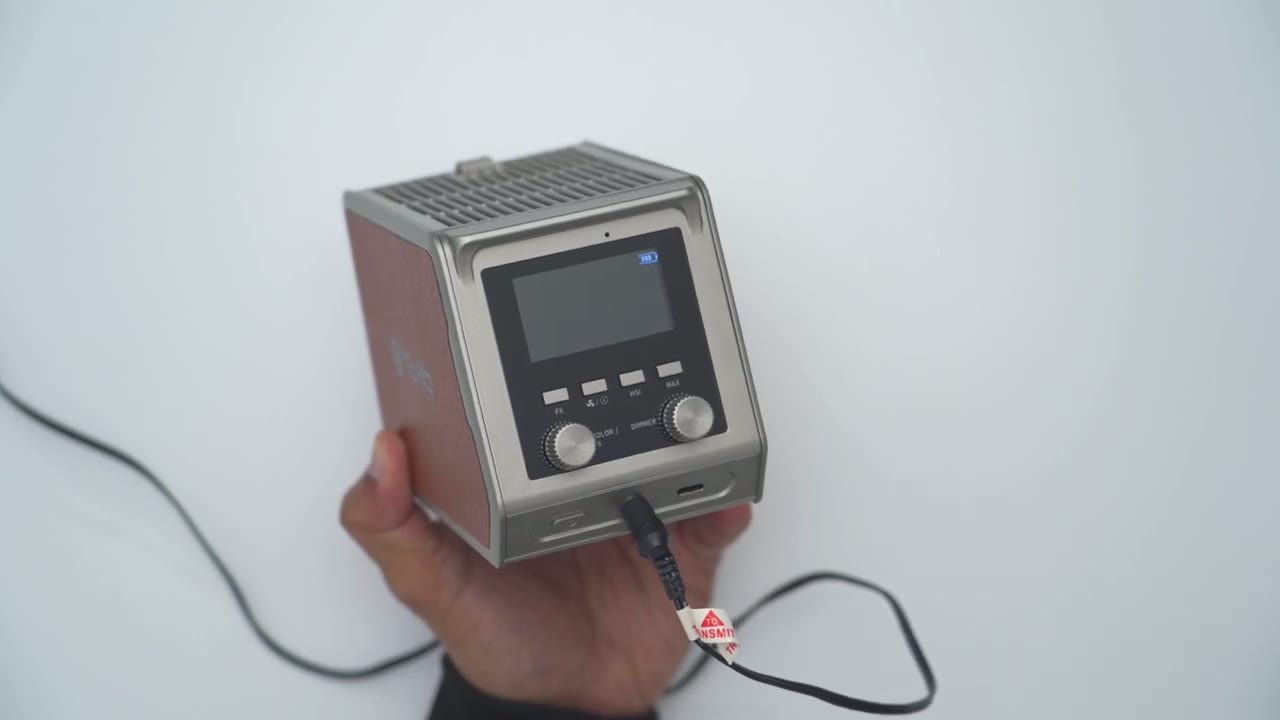
light with the Link light app is super easy you’re just going to turn the light on put it into Bluetooth mode click add device in the Link light app and follow the steps until it’s added let’s take a
App Settings
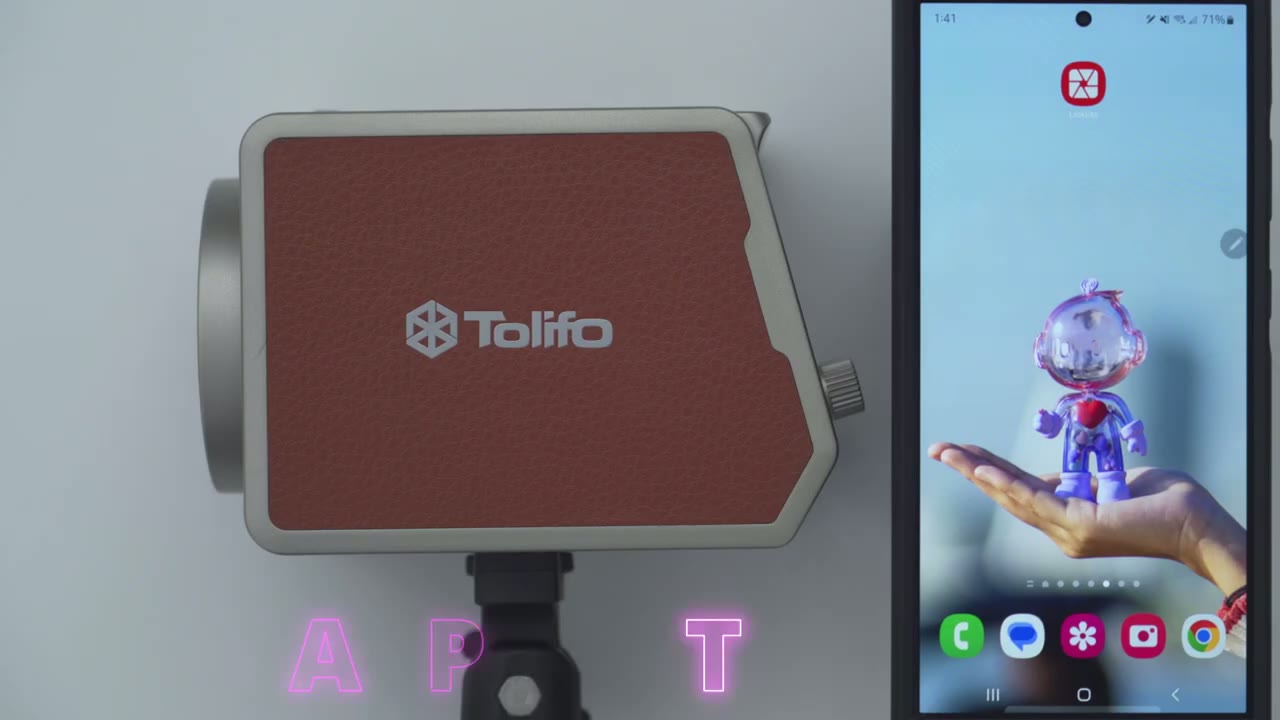
look at the Link light app settings now the Link light app is optional you do not have to get it to get full functionality out of the light but I highly recommend downloading it it’s very worth it now once you open it up you can see we have the power button right here so you could quickly toggle the light on or off and if you tap into the light you go into the full settings so so right away you can cycle through you know different preset color temperatures and if you’re not a fan of any of these presets you can see I can put it to the 4900 go ahead and add it as one of the preset options on here now you can also change the magenta uh green shift on this slider here and then you could also change the brightness intensity so as low as say 1% all the way up to 100% but for this demonstration I think I’ll leave it at around say 51% %.
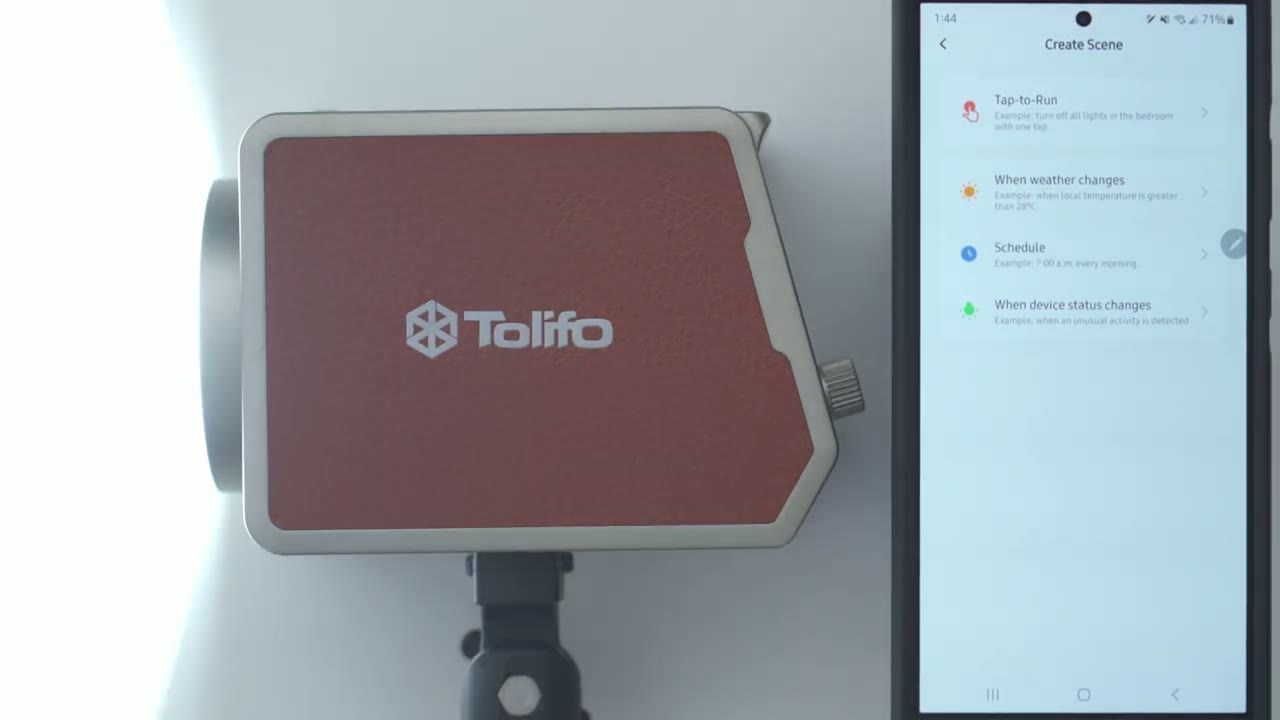
now the next thing we could do is we could go into setting a delay light off so the light’s going to turn off after this countdown helpful if you’re doing something like a time lapse or something like that and then we can also go into music mode here and it actually says that based on the microphone you know uh pickup from the phone it’s actually going to adjust the lights which you could see in real time it could do this for game as well um and this uh romantic mode here again uh and it’s just going to be you know more of this type of reddish pinkish colors so yeah really handy I’ll put it back to 5600k and then let’s go into the next setting which is color now in color again we have preset colors at the top but you can also drag the slider wherever you like so let’s go to this type of uh dark blue color you can also change the Hue of that and of course the saturation of the color so yeah really quick you can see to fine-tune and dial in versus using knobs and again you could change the intensity as well so yeah really handy to use and then let’s and again you can add in you know your own custom colors if you like if we go into gel this is pretty interesting so they have is broken down into Lee and Rosco so you could just go ahead and tap and it’s just going to mimic um those type of uh light outputs so really handy to have if you’re going for a particular look now we can go into calux here and then into color as well so really a ton of options on here now if we go into effect uh just a warning for you know anyone who um suffers from very fast and flashing lights uh fair warning maybe skip ahead to this part but I’ll just demo some of the light effects so if I go into pulse you can see it’s pulsing the light and you could set it to a slow pulse at one uh speed or all the way up to 9 and I’ll just put it back to say four we also have the RGB Loop could set it to one or all the way to 9 where it’s just going to cycle through the color um same with disco disco is another good color now fair warning uh seizure warning I’m going to put it on welding it’s going to be crazy at speed 9 and yeah that’s that’s very quick so you can see um just a ton of light effects and of course you could change the intensity as well so yeah full featured in The Link light app highly recommend getting it now there is also a scene tab you can go ahead and create scene so you know tap to run so you know um if and then you could have then conditions not something I’m really going to use but it is there if you want to go through um to you know have the light rate respond to say weather changes uh to turn on at certain times Etc I have the lights at 100% with the
Fan Noise
Maximo turned on so it’s flashing right there and the fans have kicked in however it’s not overly loud and I think if you have your microphone about say 2 to 3 ft or more away you won’t even pick it up but here’s a demo I’m going to bring the microphone and I would say this is maybe about 12 in 10 to 12 in away 4 to 5 in directly over top about 6 in 12 in away and about 2 ft away here’s a quick look at some of the
Specs
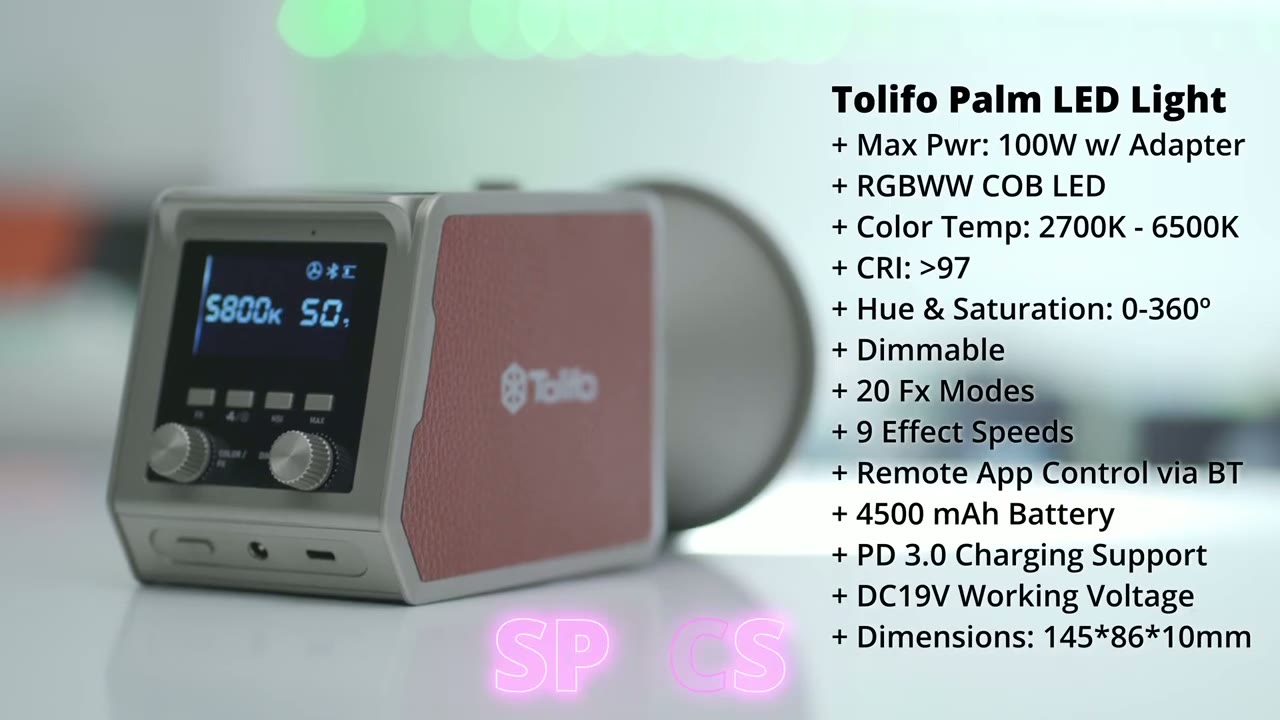
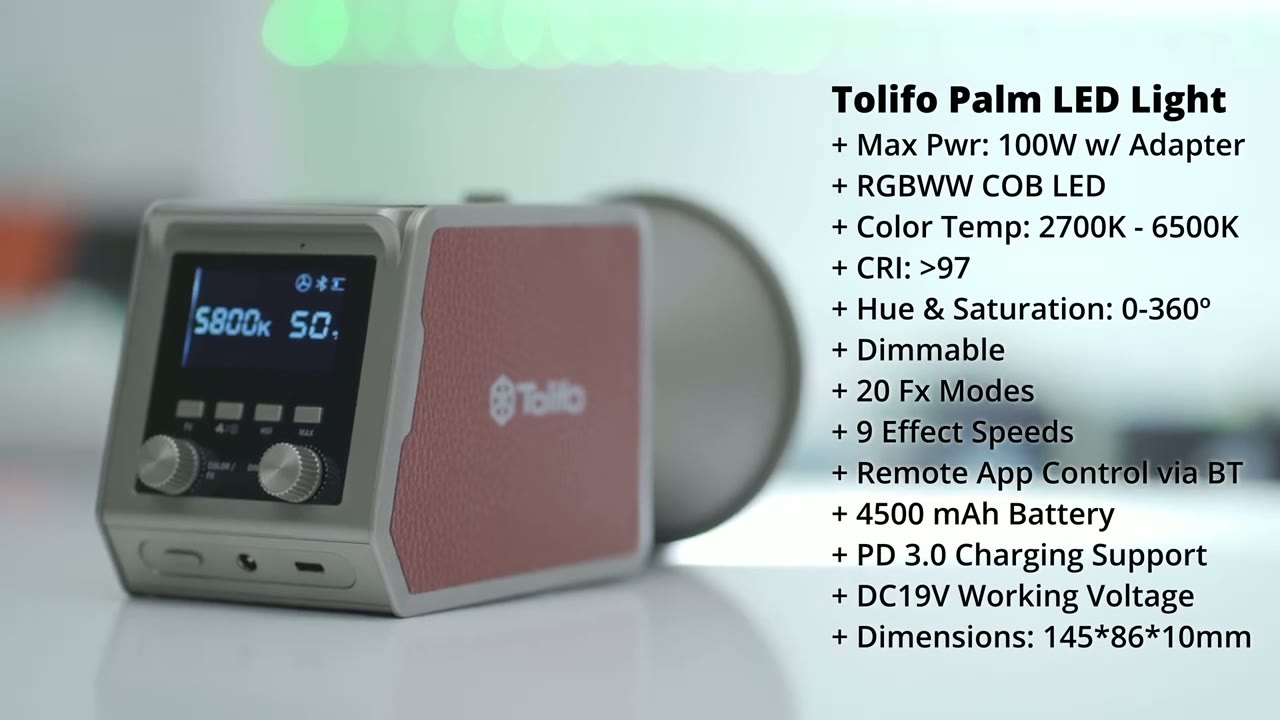
specs feel to pause or jump ahead to the next section so can I recommend the TFO
Recommended?
Palm LED video light and it is such an easy recommendation for me because while I already have a lot of lighting in this room I’ve actually cut two really large LED lights that I use to Just Bounce light off of the ceiling and those are always powered in and this one pal siiz video light is kind of doing the job of both of those just kind of bouncing and you know brightening of this entire space so if you’re someone who’s always on a goal I’m thinking like maybe if for travel uh vlogger or someone who just needs to be on the move all the time this one compact light can really add to your setup and it doesn’t add a lot of weight or room in your bag and of course you can add more of these and connect them to the Link light app so you have you know remote control of each of them independently so if you’d love to take your lighting from something like this to something like this in as little as a second from the comfort of your phone I’m going to leave some links down below to learn more about the TFO Palm LED video light or to pick one up for yourself and I’ll also leave a coupon code down below for an additional discount by the way don’t forget to check out some of my other tech review videos I review a bunch of different Tech on this channel and I’m sure you’re going to find something that you like and if I can ask a huge favor would you mind liking it and subscribing it truly does help me out as a growing Channel and I’ll see you in the next one soon
☑️ Get the Tolifo Palm LED on Amazon
Please note that some of the links in my video descriptions are affiliate links where I earn from qualifying purchases. As an Amazon Associate I earn from qualifying purchases.

