


Buy Eufy E330 Smart Lock on Amazon
Buy Eufy S330 Smart Lock Amazon
Please note that some of the links in my video descriptions are affiliate links where I earn from qualifying purchases. As an Amazon Associate I earn from qualifying purchases.
Intro
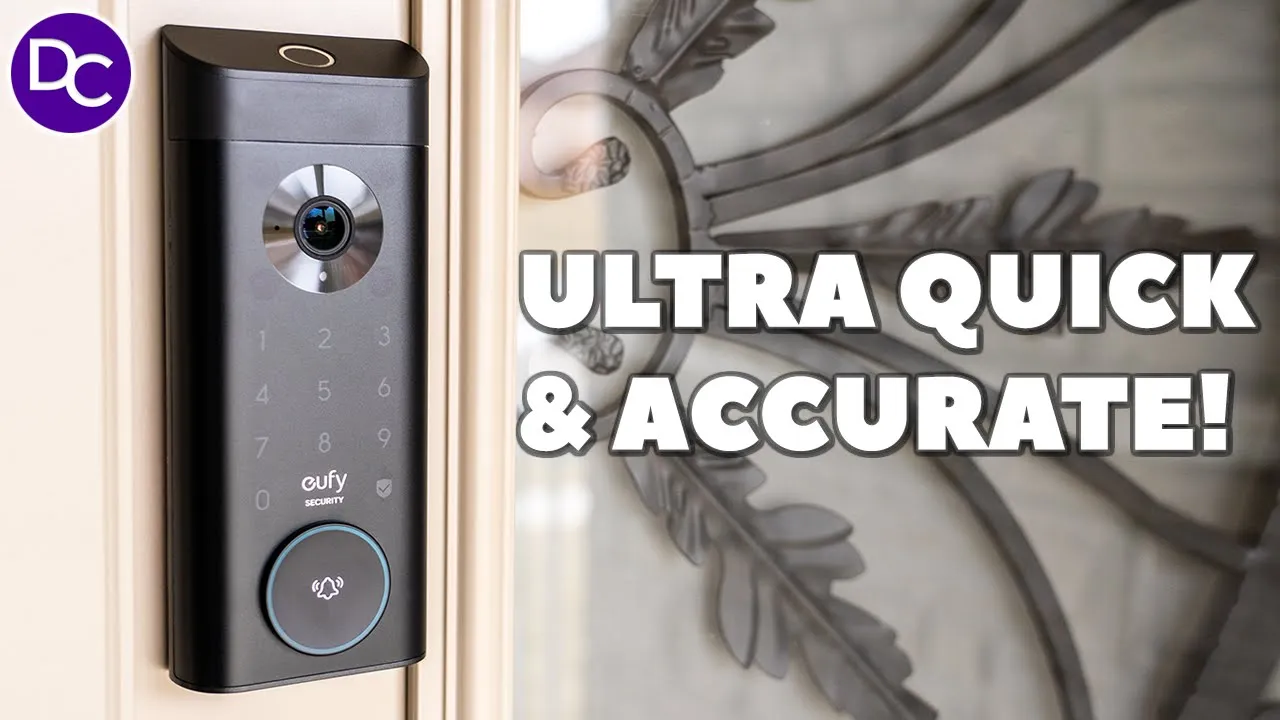
hey guys it’s Adrien and today I’m taking a look at yui’s video Smart Lock e330 now this features a 2K camera with builtin storage we also a fingerprint unlock along with a bunch of other ways to unlock this and of course there are zero monthly fees now you may be wondering what’s the difference between the video Smart Lock s330 which I have here and I’ve reviewed it I’ll link that up above and the video smart loock e330 well there’s a little bit of differences they’re not very major but let’s take a closer look at the e330 to see you know which is the best lock for you and a big thanks to you for sending us out for a review in the box we have the lock we
Package Contents
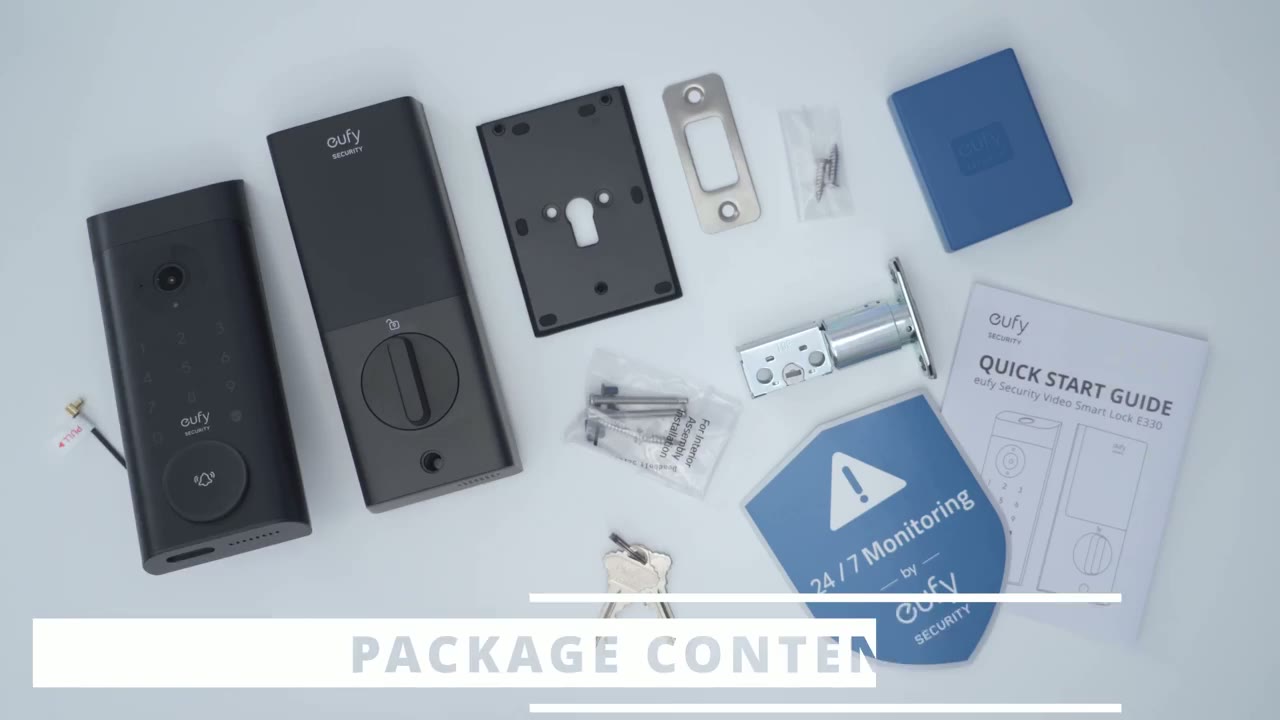
also have the rear portion of the lock along with a back blade for it there’s also a 10,000 mm hour battery strike blade screws dead bolt mounting screws Keys security sticker and quick start
Design
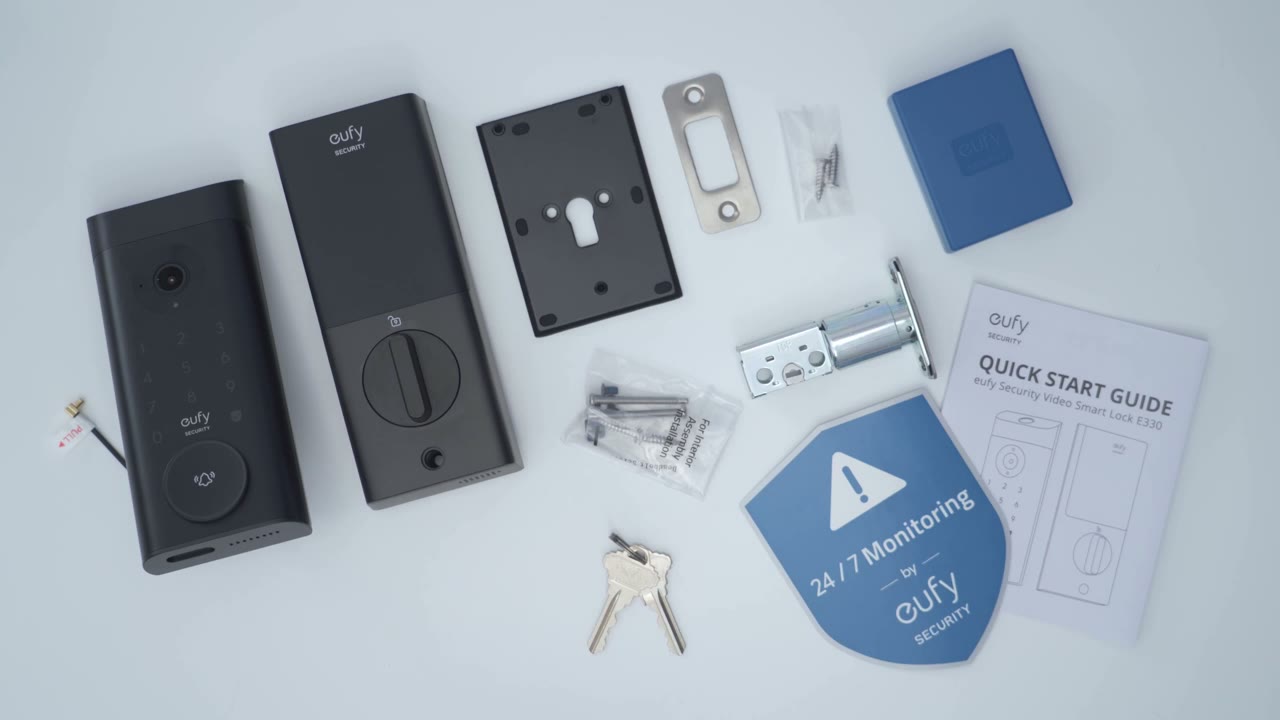
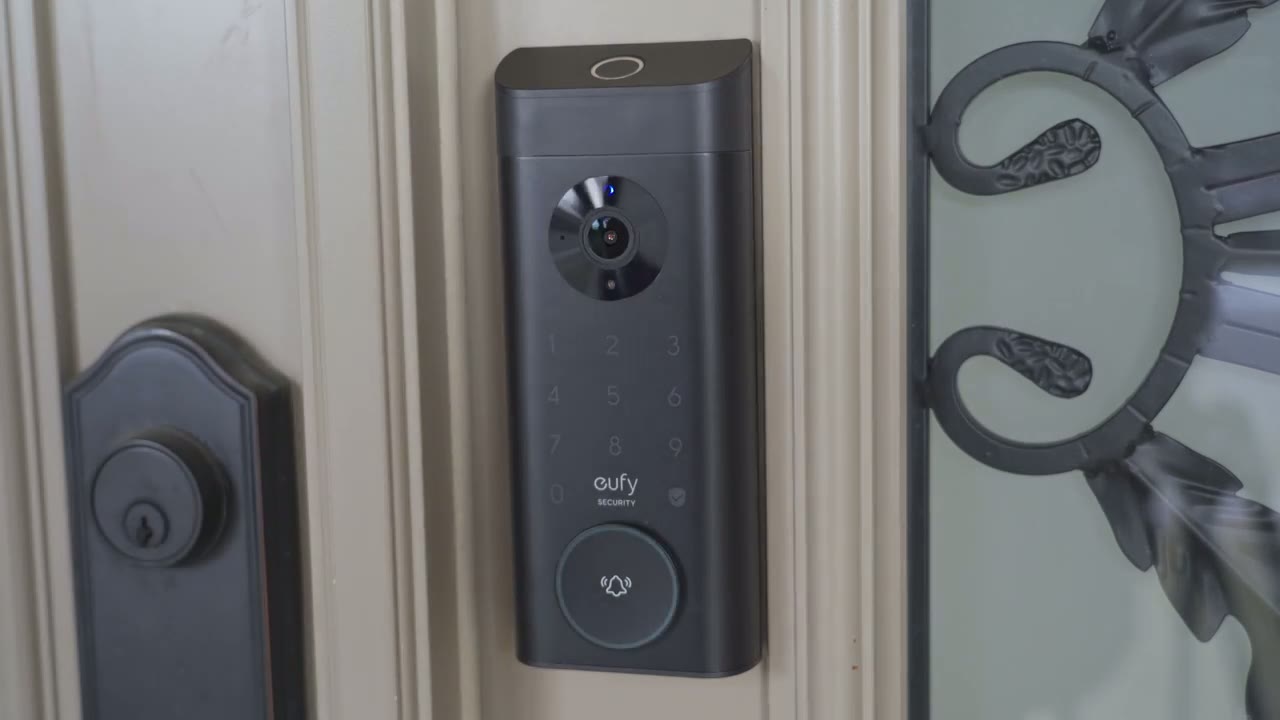
guide the lock has a modern and Sleek design so we have pretty much a matte type of color scheme going on here so we have the top mounted fingerprint reader that 2K lens at f1.6 we also have the keypad here the UI logo and then we also have the ringer and you can actually pry this out and that gives access to the keyhole to use the keys if you still want to use that now looking at the very bottom we have a USB type-c port here and this is meant just for you know emergencies if the battery ever runs out you can just attach a power bank here and then get access to the lock again if you weren’t carrying your keys there’s also a speaker Grill there the rear of the lock has a soft rubbery type of material here and that’s going to keep the lock nice and flush against your door we also have the locking mechanism along with cables which we’re going to connect to the rear portion of the lock to keep everything powered on and then you can also rotate this plastic connector piece right out of there if you don’t need it for your door when you install I usually don’t need this piece so I always remove it the rear portion of the lock which is going to be inside rear house has this nice knob and you can hear it has nice tack do click so you can manually lock and unlock and of course you can just slide up this cover to remove the battery recharge it and then connect it back which is very convenient because this is the portion that stays in your house installation is very straightforward and yui has an excellent video on how to install this so I’ll leave that link below specs
Specs
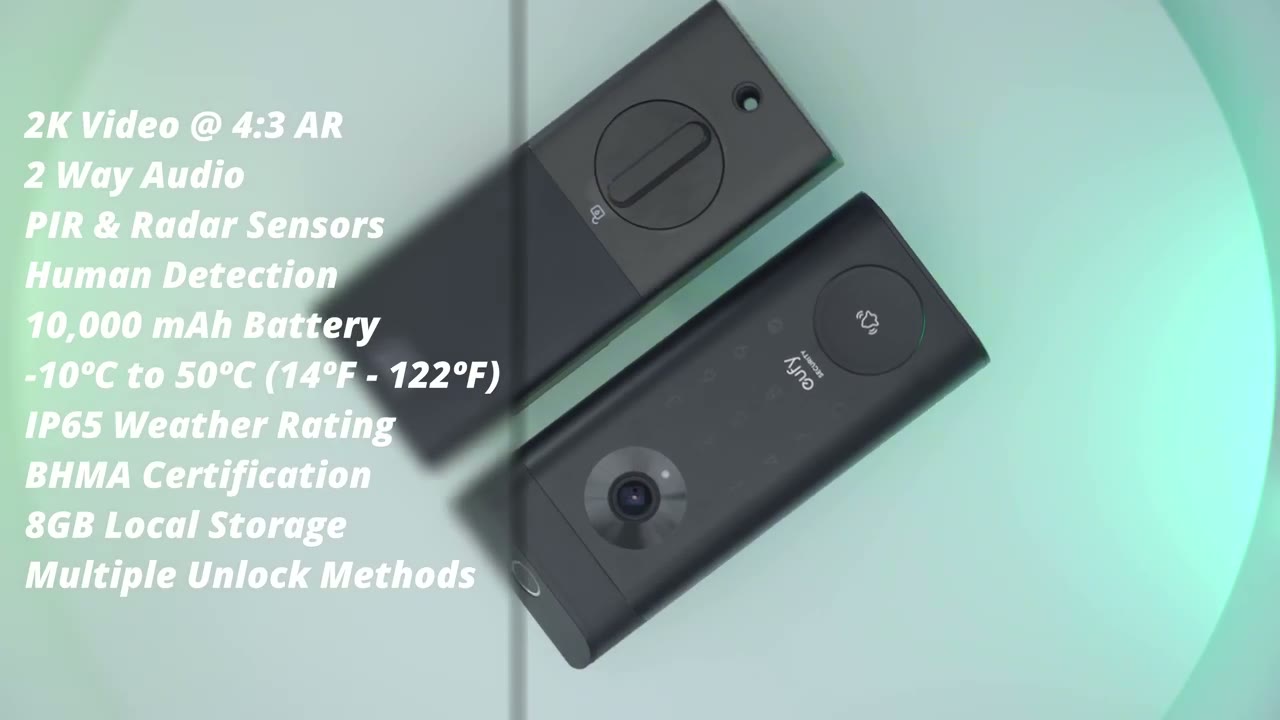
include 2K video resolution with a 4:3 aspect ratio we have two-way audio p and radar sensors we have human detection at 10,000 Mah rechargeable battery operating temperature from -10 C to 50 c and ip65 rating we have 8 GB of lcal storage let’s take a look at the
App Settings
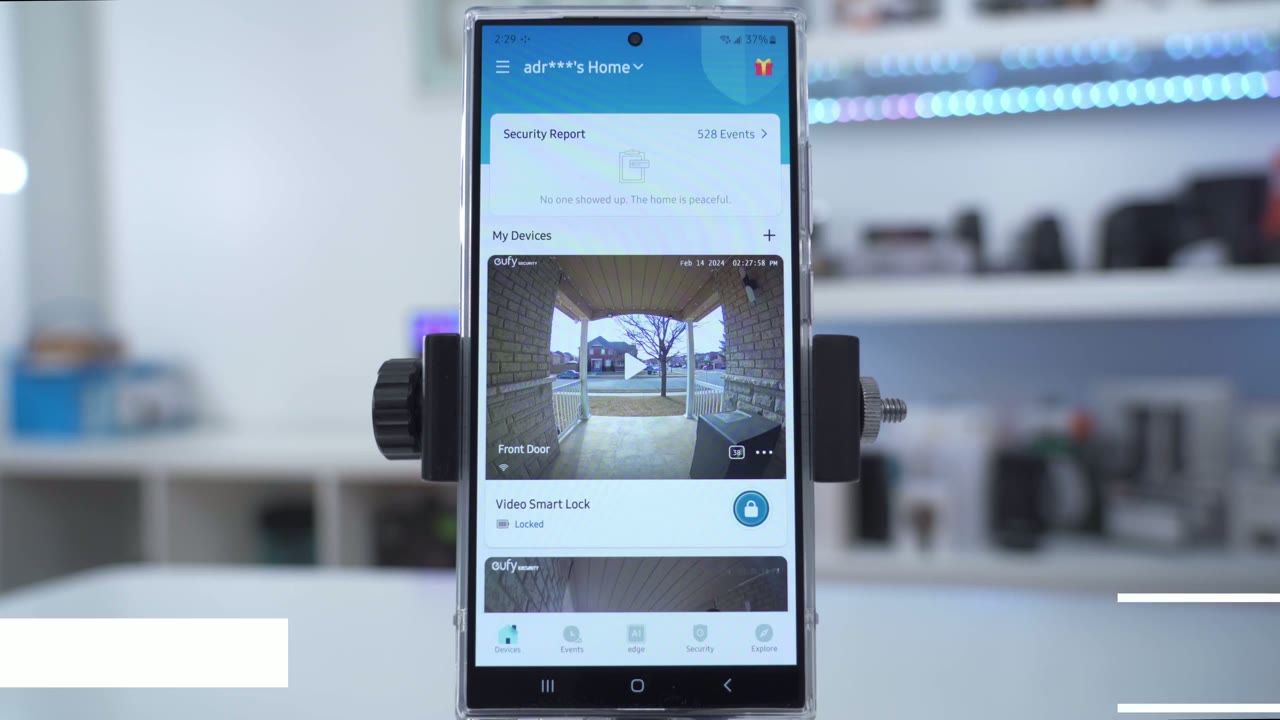
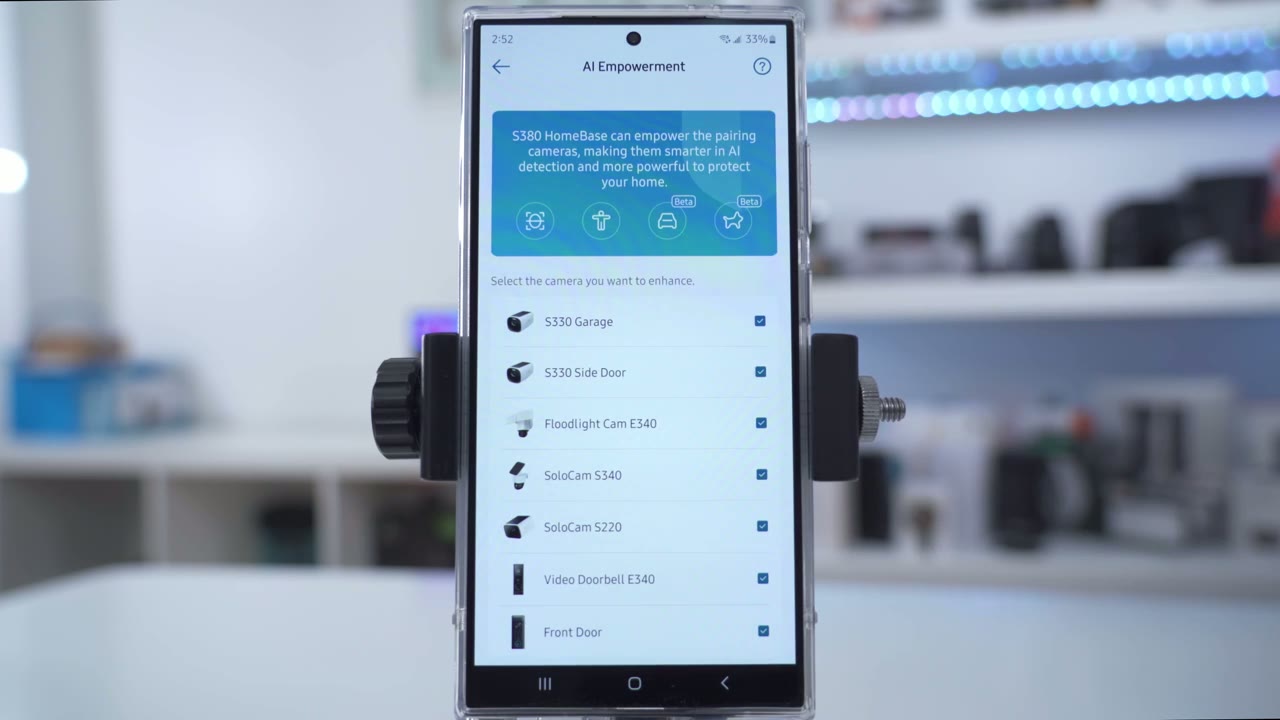
settings in the U app so I can go ahead and launch right into live view I can also see if the door is locked or unlocked which is Handy to know and if I actually long press on this you can see there’s kind of a countdown so I can remotely lock or unlock the door if I like now what I can also do is I can tap into the icon here and I can go ahead and snooze notifications for you know 30 minutes up to 12 hours but let’s go into live view for right now give that a second to load up and you can see that loads fairly quickly here’s my smart drop box now the quality on it is really good you could see very detailed and I can actually even zoom in and make out that sign which I don’t want to um but you can see that right now it’s fairly bright outside and and we do have light coming directly at the camera but it’s handling it very well and I can also see the door lock status right in the middle of the screen here and of course you can also rotate it to give you you know a full wides screen display but let’s get out of that I can also manually start a recording take a screenshot you can hear that microphone pickup it’s also good as well I can also go ahead and start two-way talk with anyone outside and then I can issue quick responses right from here and you can add your own as well I’ve added this delivery box one right there and of course you could just cut the sound looking at the full settings I can turn the lock on or off I can also pair it with the home base which I’ll do afterwards but let’s go into motion detection and I have it set between you know human only or all motion I’ve set it to all motion but you could filter it to human only and then you could set the detection distance either with standard where you can go from 3 ft to 17 or you can actually go into advance and have a bit more fine control the option to integrate the doorbell with a camera is pretty pretty neat so you can see I’ve integrated it with these two compatible cameras here so when I’m looking at live view on any of these cameras I can actually unlock or lock the door right from the camera live view and then into manage access is where you can add different people and you can see I have a passcode added in a fingerprint so this makes it handy you can add as many people as you like under quick response this is a custom one that I’ve recorded but you can add more if you like under power manager you can see I have 88% battery life remaining and that’s based on 251 detections and 236 recording since this was installed which is quite a bit of recordings now you can set it to Optimal battery life where it’s only going to record when someone presses the ringer you could set it to balance surveillance which is what I have it so video clip links are going to be up to 20 seconds and it’s not going to you know alert you two times if it’s the same object detected or you can set it to Optimal surveillance will you’ll have up to 60 seconds of clip length or you can completely customize it set it up to 2 minutes per clip a 5-second cool down or re-trigger time and you could just disable the option to end the clip early if motion stops if you just want as much surveillance as possible auto lock is a handy feature so if you turn that on the lock will actually automatically lock itself between you know 5 Seconds to 3 minutes of you not locking it and you can also set a schedule for that to be active or you could just disable it completely under one touch on locking this is where you could long press the check mark on the lock to lock the door it won’t open it but it will lock it but I prefer just using my fingerprint instead of using this option or using the pin pad you can also enable wrong truck protection so if someone is unsuccessful five times you can set a 5 minute lockout time just to prevent people from you know tampering with the lock you can also turn on Scramble passcode so you can enter up to 12 digits you know fake digits proceeding fake digits at the end and with your real pass code in the middle there Summer and the system will intelligently pick that out under video settings this is where we can have a watermark on or off we can go into video quality and you can see I’ve set streaming quality to high but you can set it to Auto depending on your bandwidth recording quality it’s set to the highest which is 2K or you can set it to 1080p if we go into night vision I’ve set it to automatically detect you know when it should switch to night vision or not and you also have this night vision optimization which I don’t need to use can go into audio settings you can enable the microphone enable audio recording and set the speaker volume and I found it it’s quite loud even at 80% and of course since this doesn’t have a charm you may want to set the ring tone volume to 100% so you can hear it while you’re inside your house and you can also set the sound of the beeps when you enter interact with the lock in terms of it locking unlocking or using the pin pad under notifications We could decide what type of notification we want to get you know do we only want to get it when there’s motion detected when the doorbell is rung when it’s locked or unlocked and then once you tap on the notification do you want to go right to live VI or do you want to go to the related history or recorded event and you could see you know it’s going to show on here front door tap to view event and if I tapped on that it would take me to live view instead of the recorded event now if you want alerts as quick as possible choose most efficient but if you want to get a thumbnail or you want to get a thumbnail with more information you could choose the include thumbnail or the full effect option and of course you could change the app alert tones as well while this lock doesn’t come with an indoor chime you do have the option to use a mini Bas chime if you bought one of those you have that option there or you can use Alexa as a chime under lock calibration you could recalibrate the lock if you need to but I’ve never had to do that even with my previous UI lock and then under General this is where we have the option to turn the status LED on or off we can test the internet connection and we can also take a look at the storage so this does have 8 GB of local storage and I’ve only utilized 576 of that based on about 245 recordings or so so very decent and if you do want to upgrade that you would connect it to the home base which I’ll show later and of course you could share the device with your family and friends so I’ve just connected the e330 to the home base and what I’m going to do now is go into the settings to show what’s changed so to confirm it’s now connected to the home base and you could see if I go into General and then into storage local storage we you could see in instead of showing 8 GB of local storage it’s now showing the 1 tbte that’s installed additionally when I go into the Homebase 3 settings I could tap on AI empowerment and I can see that the front door camera which is the e330 right here it’s now empowered so it says that it’s going to use AI detection to
Video Playback
review recorded video it’s quite easy we’ll go into events and I’ve already pre-selected the front door and you can see there’s a bunch of you know notifications on there so I could see that the door was unlocked by me at this time and then it was manually locked as well and then there’s this one about hum so I’ll just tap on that which is going to be me leaving and from here I can just go ahead and download this clip you know zoom in so it’s very easy to utilize this system all right so let’s talk
Locking & Unlocking
about the Locking and unlocking experience which is pretty much the point of any type of Smart Lock so this is lightning quick and coming from the s330 which is you know a full featured lock and you know about $70 more than this I thought the experience on here was going to be you know kind of reduced a little bit worse but actually I found that the unlocking speed seems maybe even a slightly bit faster than on the s330 I’m not sure if that’s just my mind playing tricks with me or if it’s a different sensor but it is very very fast I literally just need to put my finger on there for you know half of a second and it registers it and opens the door and I’ve been so used and spoiled by the speed and accuracy of the finger unlocked it that’s my primary way to lock and unlock the door I just used my fingerprint pretty much nothing else and you know it’s so liberating to just leave your house with nothing really you know not your keys not a wallet I could just take my headphones and you know my phone and just leave go for a walk come back and just use my finger to lock and unlock however if you don’t want to always use your fingerprints or say you wear gloves and you know that’s going to impede with that then you also have traditional ways to unlock it with the PIN unlock there is a passcode scramble feature so if you’re standing with other people and you’re opening your door you don’t want them to see your PIN what you can do is enter some fake digits at the start then your real pin and some fake digits at the the end and as long as your real passcode is in there somewhere the system will intelligently pick that out from the sequence and open the door there is also an option in the app where you could just you know long press the check mark or okay button and that will activate the lock to lock it it can’t open it but it will lock it every time you want to leave but it does take a little bit longer than just using your fingerprint to use a traditional key what you’ll have to do is kind of like pry down the push button ringer and once you do that then you’ll get access to the key slot to use your traditional key and when using the UI app you can actually see in real time if the lock is actually locked or unlocked which is very handy because you know sometimes you may leave the house in a rush and you’re not quite sure did you lock it or unlock it well you could pull up the U app and easily see the lock status if it’s locked or unlocked and there is also an additional feature in the app where you can program the door to you know automatically lock after a certain preset time so you’re always coming in going you know loading groceries you may forget the lock and automatically lock itself you know providing everything is nice and flush with the door frame and the dead bolt this is also a great op option you know if you have someone just visiting your house say temporarily to drop something off like a delivery person or someone who’s you know just checking your mail and bringing it in you don’t actually have to give them a physical key they can just text you call you and you can remotely unlock the door for them they can just go in place everything of course you can monitor them with the yui you know indoor camera and then when they leave just remotely lock it again the app also shows you kind of a lock and unlock history so you can see who’s exactly coming and going and at what time there’s also a fairly new feature that you added which is that anytime you have a compatible yui camera if you’re looking at the live view and you see a delivery person or a guest you know kind of leaving their car and coming up to your house you don’t actually have to jump into the door lock settings to unlock it right from a supported camera you could just hit the doorlock icon and you can open it from live view on a supported U camera which is pretty
Video Quality
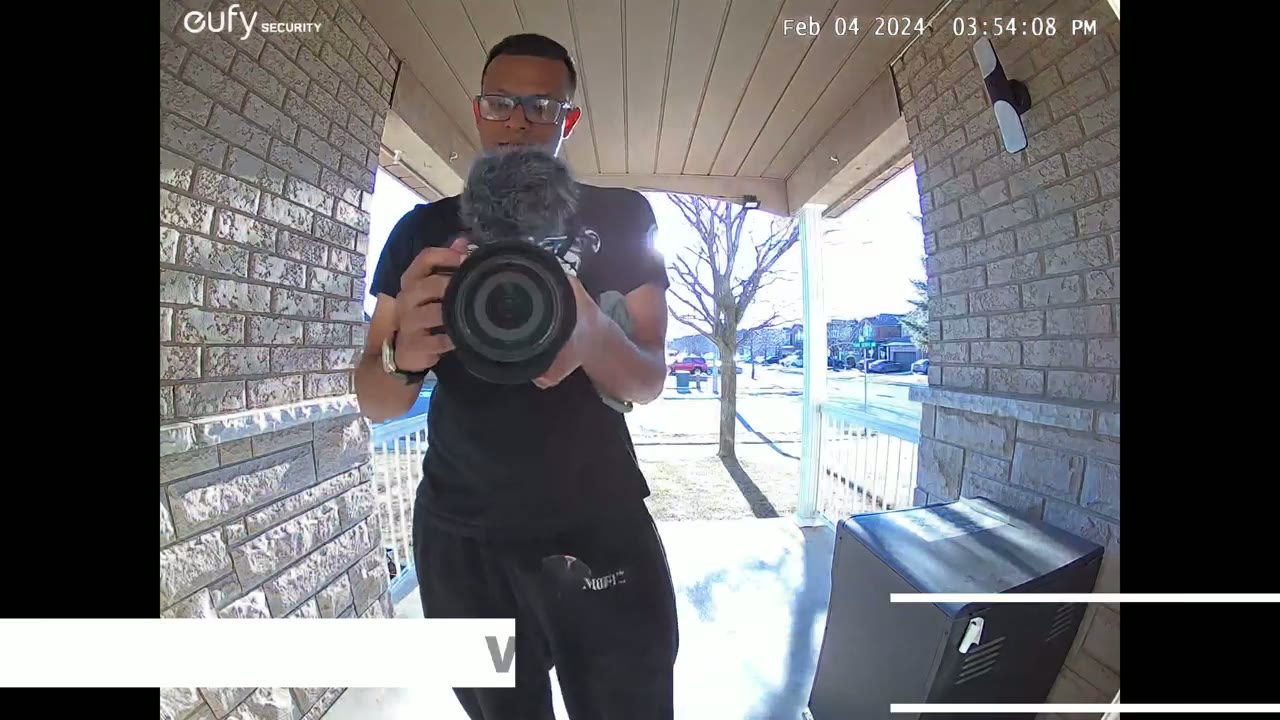
cool so the video quality on here was great during the day and at night so during the day everything was you know brightly exposed and because because I have a covered entryway not as much light you know direct light makes its way in there so it’s a lot of ambient light or reflected light but it was still very easy to make out faces of you know me coming and going delivery people and the same at night you know in this one clip I almost had free you know Uber Eats guys the guy dropped a bag and then he realized hey that was the wrong house he came back and got it and you can see it captured that all very clearly the field of view on here was also wide enough because anytime someone rang it and if they took a couple of steps back I can easily make out you know most of their body from the top of their head to just below their knees which is you know a lot of viewing area the camera was
Motion & App Alerts
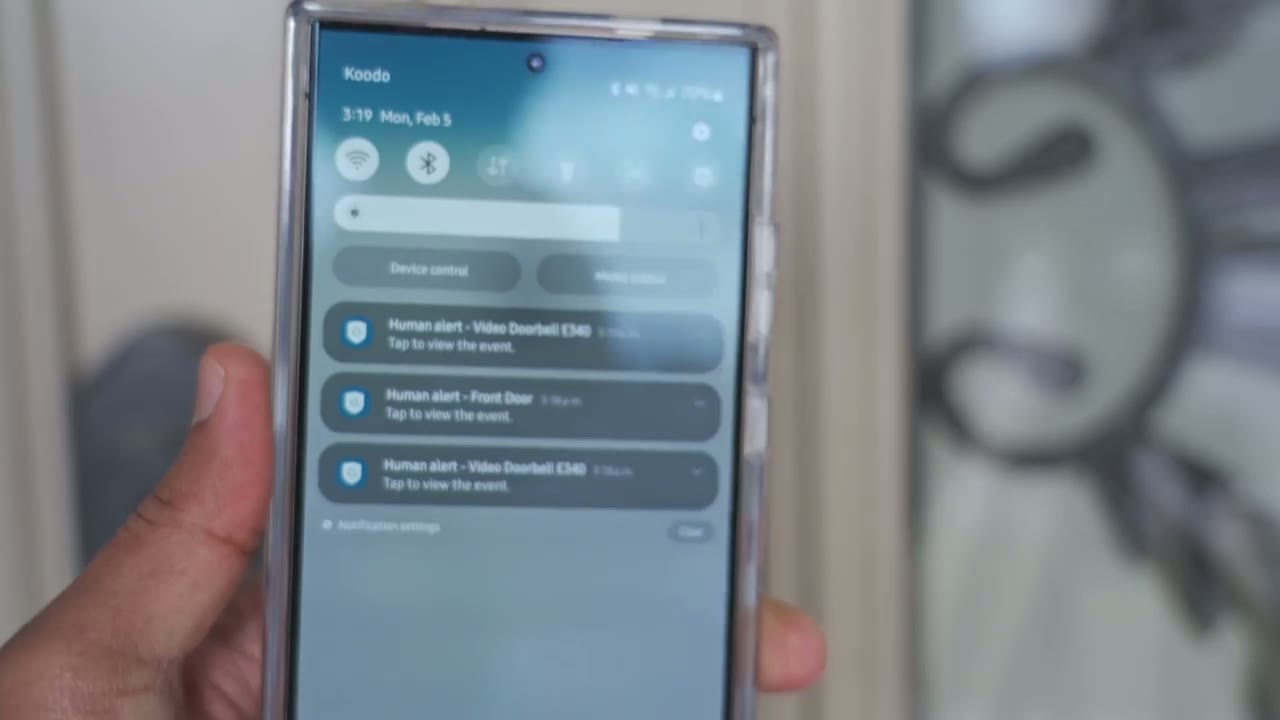
also fairly decent a detecting motion and then once it detected motion you know just popping up an app notification or alert and then once you tap into that it quickly loaded up live VI so here’s a
Speaker
demo of the speaker now there’s some pre-recorded you know kind of quick replies that you could send to people if you’re busy and of course you can also record your own excuse me can I help you please leave my package in the delivery box and close the lid the door lock
Storage
comes with 8 GB of built-in storage and you can’t expand it through the doorbell but if you buy the optional home base 3 then you could use the storage that comes on the home base 3 now in about a week of me you know fully testing this coming and going a lot delivery people and I have a lot of foot traffic you know kids coming back and forth from school cars and so on I only use about 440 MB and this was it you know set to the maximum video recording and then recording with sound and I’m estimating this is going to give me probably 3 to 5 months of video playback history which is pretty good for me the battery life
Battery
on here is pretty good as well so it’s a Canadian winter it’s much colder and the cold weather does deplete battery life quicker now I’m at around 89% and this is based on around say 250 detected events based on the motion sensitivity settings that I have and about 230 recorded events and that’s actually pretty good because I did you know a lot of playing around and testing with this initially when I set it up so not a battery life is going to be kind of more constant and more stable now whenever it is time to top of the battery life is very easy since the battery is located you know inside your home all you do is slide up the top cover remove the battery connect it to any USB type-c cable same as you would charge your phone charge it fully back up and then pop it back in and you’re good to go and of course you can always buy like an optional battery or you know a separate battery just so that you already have one already charged up so you have no downtime by the way if the battery ever dies completely you do have a USB type-c port located at the bottom of the lock that you could use to connect a power
E330 or S330?
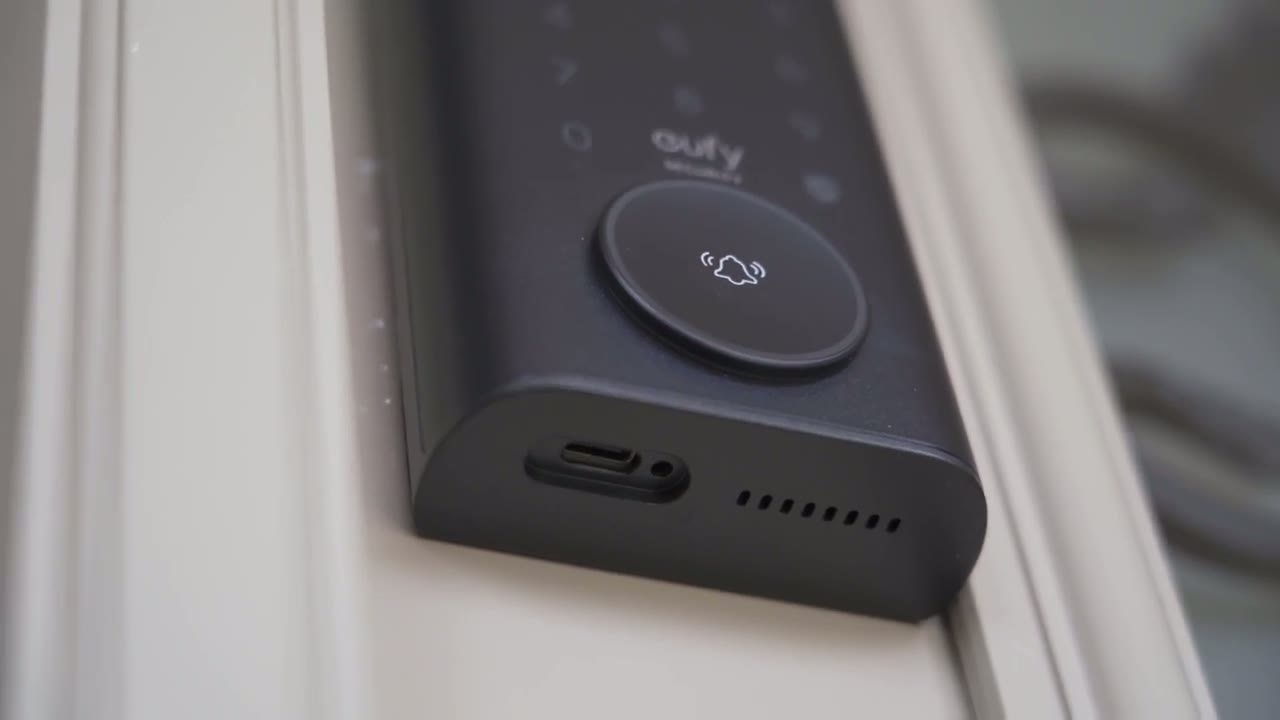
bank so should you get the s330 or e330 video Smart Lock now I’ve used this for about a year I’m very familiar with it and this actually comes with a chime unit and what that means is that anytime someone rings the doorbell you know wherever you’ve plugged the chime in you’ll hear it you know very loudly in that room and the chime unit also has a Micro SD card stot so that you can add additional storage there is no home base 3 that you have to have so that’s one of the key differences now with the e330 there is no chime unit so when someone Rings a doorbell you’re kind of just hearing the the [Music] speaker and you’re also getting an app notification or Alert on your phone and for me that’s been good enough you know I always have my phone on me it’s not a make or break type of thing for me but this does have something called loitering detection so if someone’s just kind of standing outside loitering around your door lingering it will play a message to them or you know a pre-recorded message asking them hey kind of what are you doing here can I help you that’s not present on this system the e330 again not something I really found myself missing yeah it’s a nice to have but you know really not necessary the other thing is the s330 has something called leaving detection so when someone’s actually leaving you know it’s going to notify you of that as well so based on all of those differences you know is it worth paying an extra roughly $70 us for those features well that’s going to be up to you to theci side now I’ve been using the e330 I really don’t feel like it’s a step down in terms of a video Smart Lock I didn’t really miss any of the features that I mentioned previously and it’s just been working flawlessly and maybe even a little bit faster in terms of the fingerprint unlock now the other reason why this may be beneficial to you is if you do any type of rental property you know you could just put this lock on and instead of changing or exchanging a physical key just register the person or your tenant with you know their fingerprint if they’re opposed to that then just with the pin pad and then when it’s the end of the lease you know just go ahead and delete them from the system and you don’t actually have to worry that you know hey they didn’t return my key on time or maybe they made copies and you have to switch out the lock completely so that makes it a wonderful option for you know maybe rentals or short-term rentals like you know airbnbs and things like that so if you’re interested in picking up the yui video Smart Lock e330 I’m going to leave some links down below for you to check it out and let me know you know between both of these locks the s330 or e330 which are you more interested in and I will leave a link to my full review of the s330 if you want to check it out but you know after using both of these locks I can easily say you know you’re really not going to be missing much if you decide to go with the e330 you know say the indoor chime is not that big of a deal for you which I found I really have not missed that much and as always if you found this video helpful please consider liking and subscribing I have a ton more content like this coming and I’ll see you in the next one soon
Buy Eufy E330 Smart Lock on Amazon
Buy Eufy S330 Smart Lock Amazon
Please note that some of the links in my video descriptions are affiliate links where I earn from qualifying purchases. As an Amazon Associate I earn from qualifying purchases.

