


☑️ Get JLAB Epic Lab Edition Earbuds on Amazon
Please note that some of the links in my video descriptions are affiliate links where I earn from qualifying purchases. As an Amazon Associate I earn from qualifying purchases.
Intro
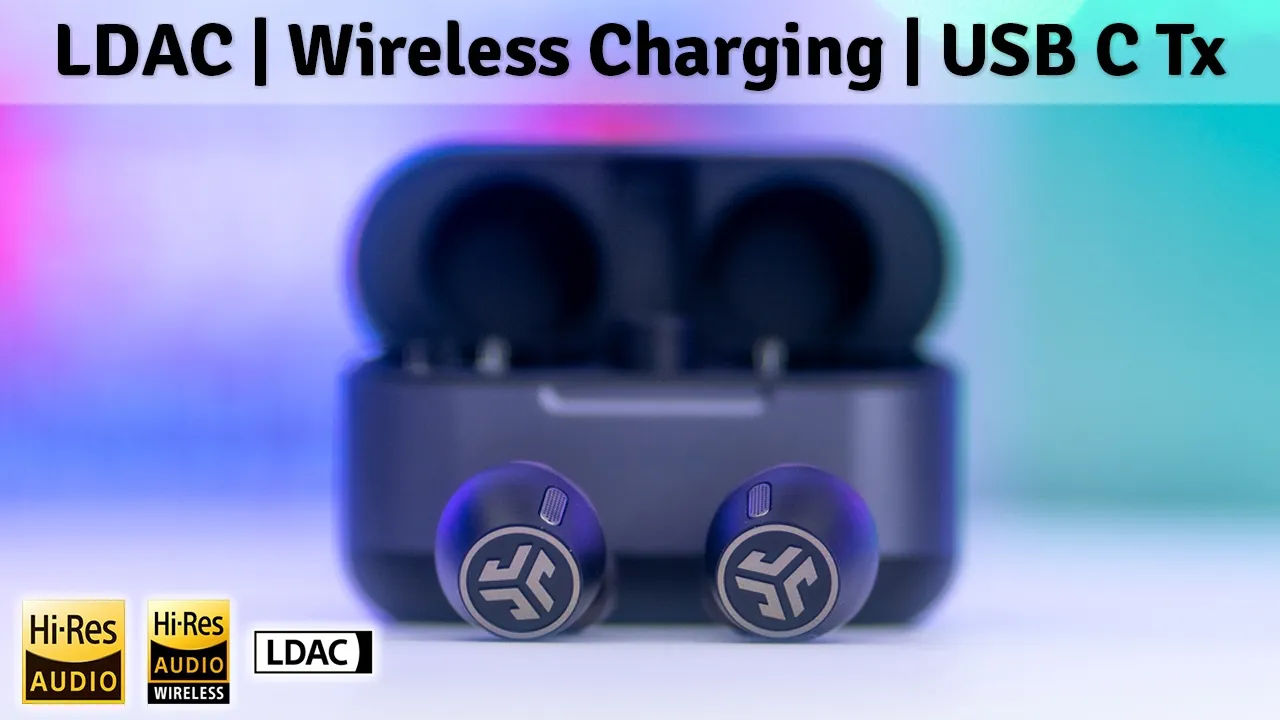
hey it’s Adrian and today I have the jlabs Epic lab Edition earbuds and what makes these so unique is that they have dual hybrid drivers so we have one driver dedicated to base and another driver with the N Balan Armature for everything else and that just pushes standout sound to your ears on top of that we have battery life rated for up to 13 hours and ip55 rating for dust and Sweat Protection Wireless case charging a wireless USBC dongle for super low latency ldac multipoint and more so if all of that sounds good to you let’s take a closer look at the jlab Epic lab Edition earbuds and a big thanks to jlap for sending these out for a
Package Contents
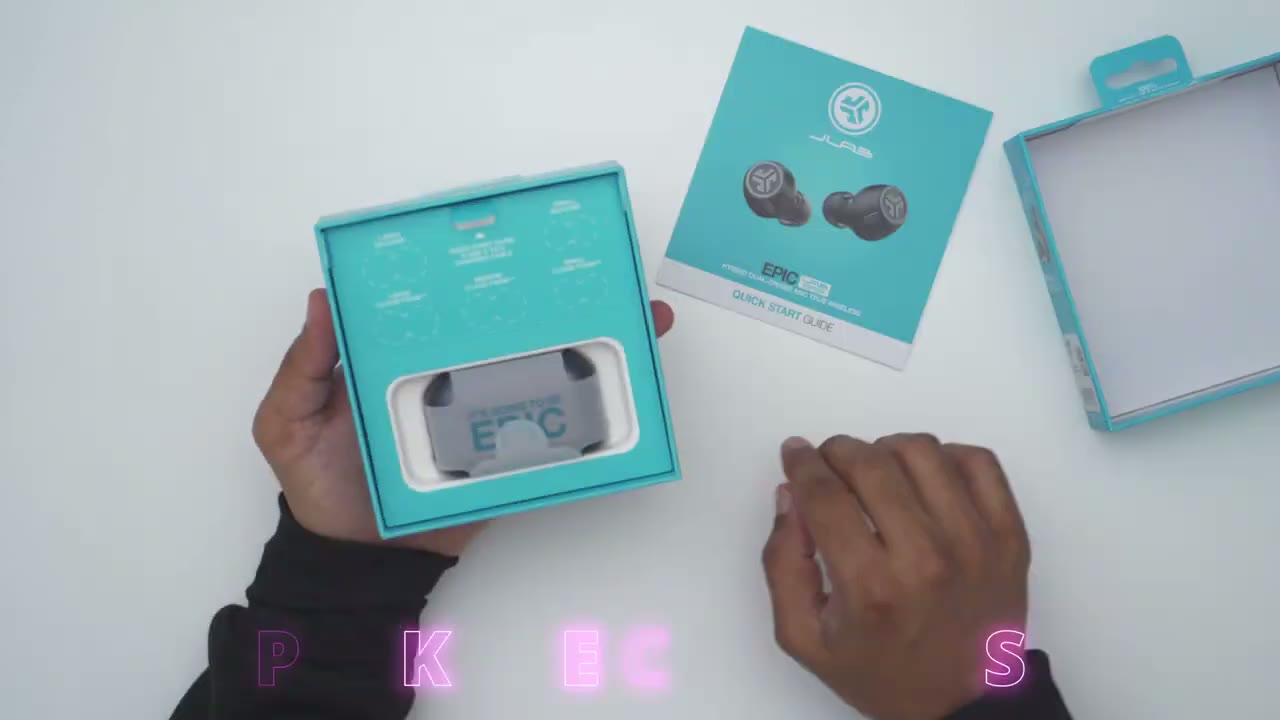
review in the box we have the jlap Epic earbuds along with the charging case USB type-c to type-c charging cable quick start guide five other earbud types and a USB type-c wireless dongle the design
Design
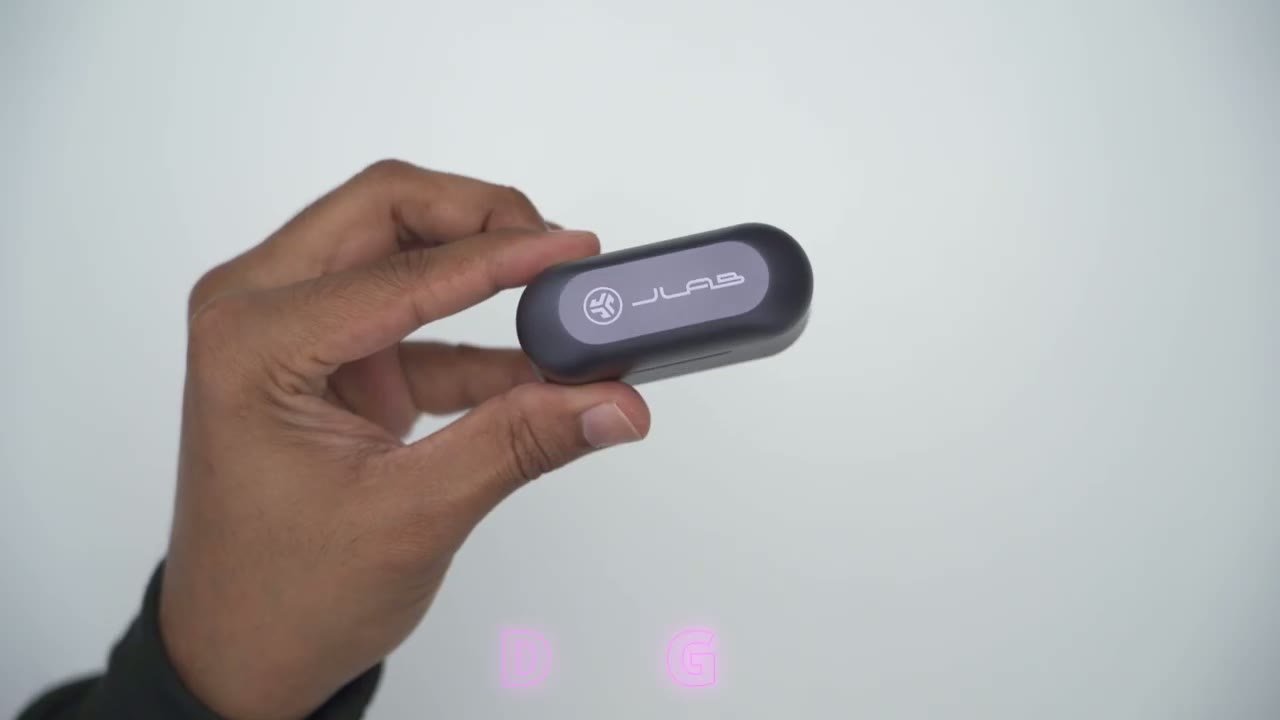
of the jlab Epic lab Edition earbuds is definitely deserving of the name because this feels really good in the hand now this is a zinc alloy case coming in at around 77 G or 0.17 lb so you will definitely feel this in your pocket it doesn’t feel dinky or lightweight it feels quite robust on the front we have LED indicator lights to show charging status and other uh status indicators we also have the jlab writing at the top with the logo on the rear we have the USB type-c port and there’s a rubberized type of finisher that prevents it from kind of like sliding or falling down so it’s a well thought out design on the front we have this thumb Notch here and if I lift this up this is the first opening um kind of segment here because what you could do is from here you could kind of tip it all the way up so you have easy access to grab the earbuds and I’m happy to say that it’s really easy to take these out and put them back in it’s not difficult like you would find on the design of others and especially because you could just retract this all the way back now interestingly with this we do have an included USB type-c wireless dongle that’s housed right in the case and of course it’s easier to take this out once you remove the earbuds but it’s handy that this is housed right in the case and you can use this to connect to your laptop or desktop or maybe even gaming consoles I’ll have to test that out and let you know but yeah overall the case is really well designed and it feels very premium and just taking a look at the actual earbuds thes so this is what it looks like it’s a very short stem and you can see the housing here is a little bit on the larger side but definitely not the largest I’ve used we have two two microphone grills on the sides one there one there and these have environmental noise cancellation and then we also have the J laab logo there and then we also have touch controls as well through that I’m just going to remove the ear tip cover that’s what the speaker Grill looks like and the charging contacts but yeah overall wellth thought out design everything just kind of meshes and blends very well here’s a quick look at
Specs
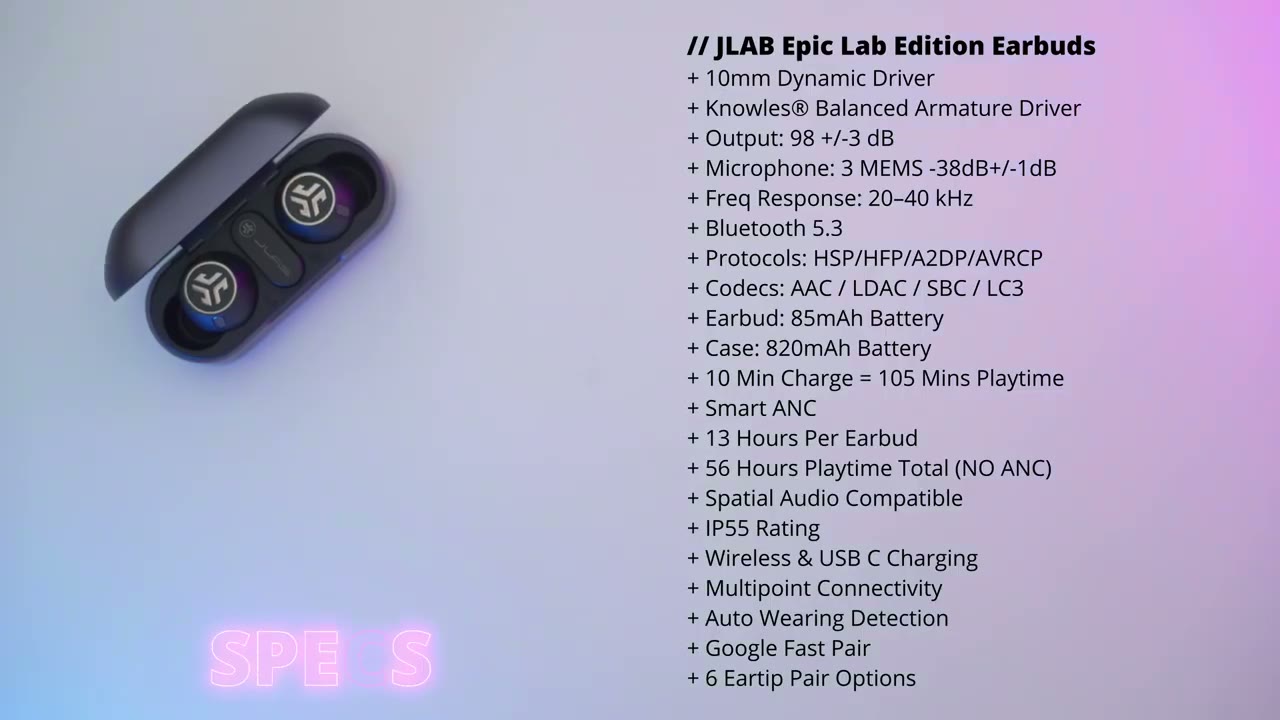
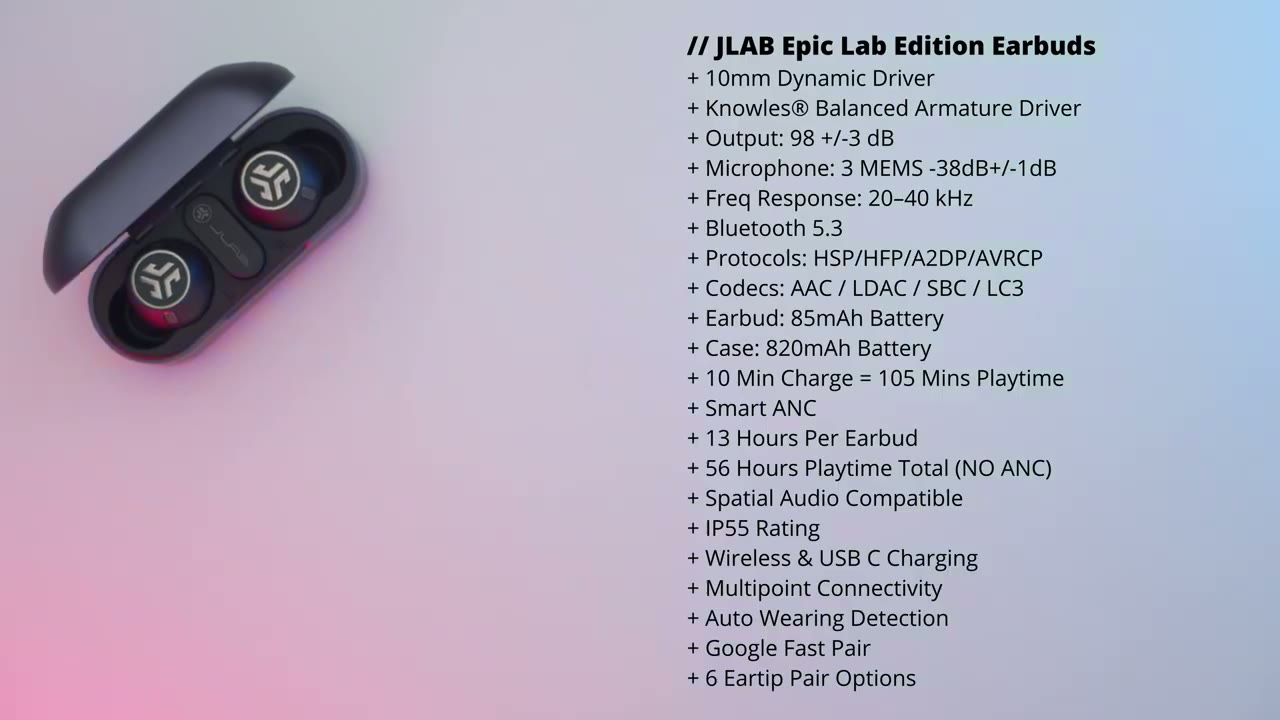
some of the specs feel free to pause and read through or go ahead and jump to the next video section all right I’m I’m
Pairing
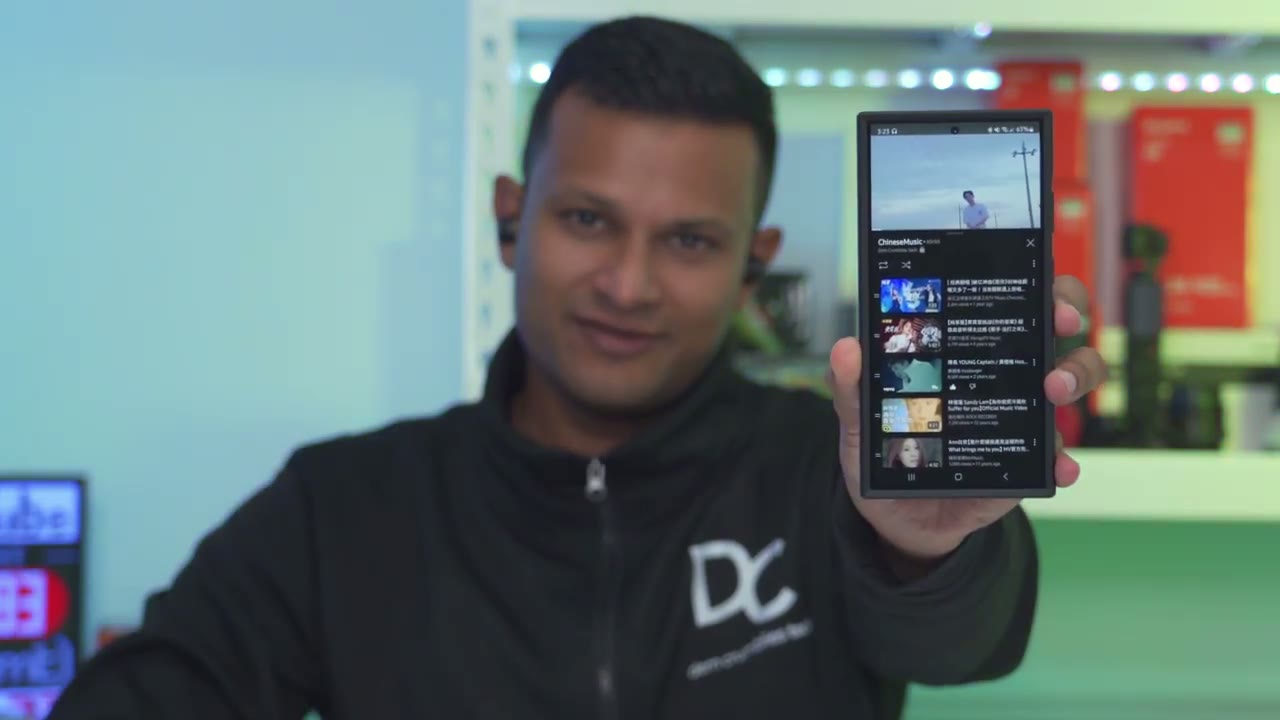
going to pair the jlab Epic earbuds with my phone for the first time so to do that I’m just going to take out both earbuds and I’m just going to wait for the Google Fast pair to pop up on my phone there we go hit connect and this will work with any phone running Android 6 and above I believe and of course if you don’t have it you could go through the traditional way of going into your Bluetooth settings just by long pressing on here going into details and connecting it by scanning with Bluetooth but you can see it’s successfully connected now and we’re at 100% battery life now that the jlab earbuds are connected to my phone via the Google fastp feature the jlab app has detected them and I can see that there’s a firmware update which I’m always happy to see because it means the company is actively working on improving the user experience now that the earbuds are connected to my s24 ultra I’m going to connect them to my zold file so I could use the multi-point functionality so I’m just going to remove them from the case again and likely they’re going to connect on my first phone and what I’m going to have to do is to just disconnect it manually and wait for the Google fastp to show up which it has click on connect and in a few seconds there we go device connected so it’s now connected to the or it’s now paired to the s24 ultra and Z 5 you can see that the
Multi Point
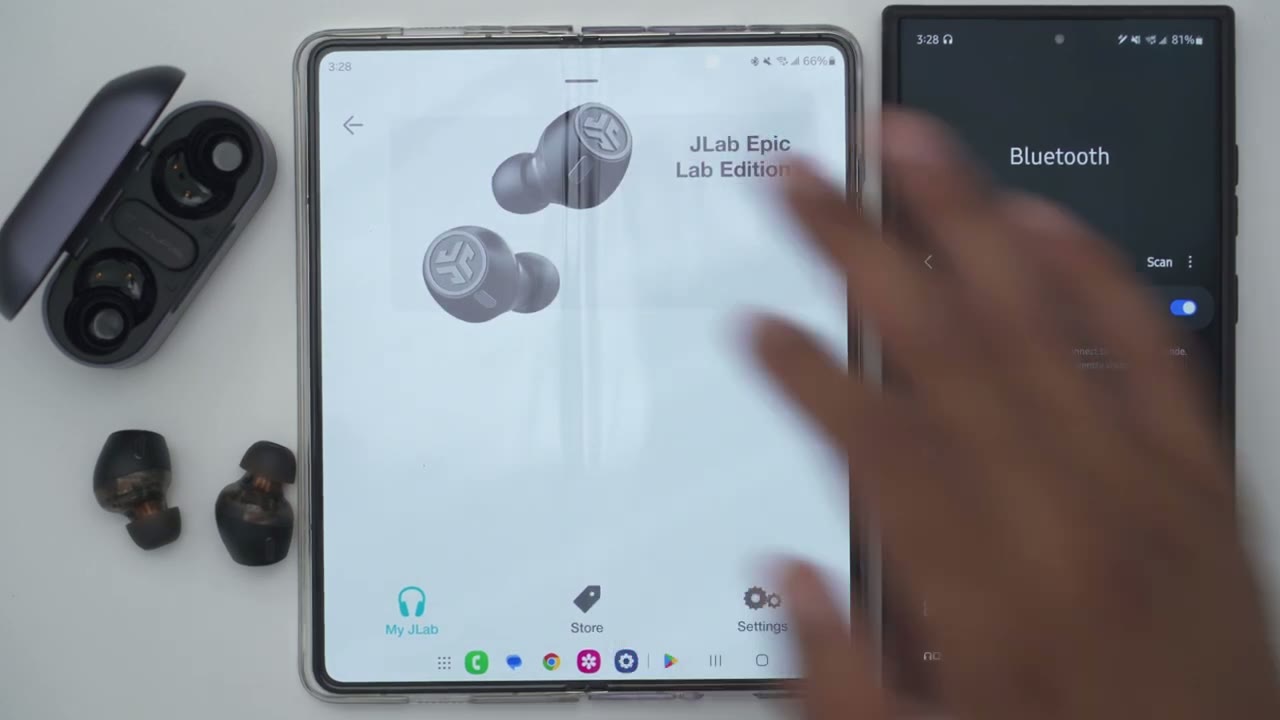
earbuds are connected to my first phone and my second phone SIM multaneously so I’ll jump to the YouTube app and I’ll be able to play music from both of these pretty much simultaneously so let me start on the zold 5 I’m going to bring this closer to the microphone hopefully you can hear that now I’m going to play on the s24 [Music] ultra so it’s taken a few seconds but it stopped the music automatically on the zold 5 and switched it over to the s24 ultra and I’ll do that again let’s take a look at the jlab app
App Settings
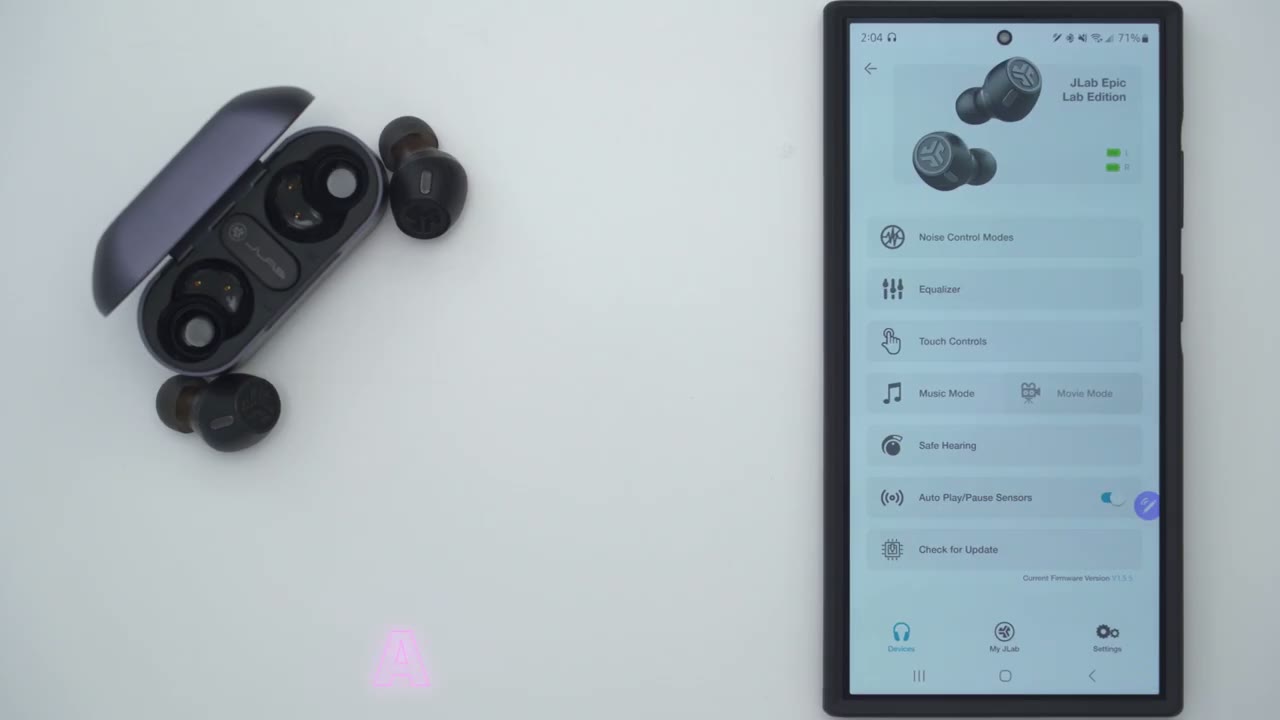
settings so once you open it up you can see the battery level for the right and left earbud if we go into noise control modes we can switch between noise cancellation or be aware and you can also just turn this off completely if you just want it on normal mode now once you do turn it on you can see that there are strength effect sliders for both the beware and noise cancelling mode if we go under equalizer we have three preset equalizers that we can picked from and you can also go into custom and create your own custom equalizer and under touch controls this is where you can go ahead and switch the one tap two tap three tap and the long press or you could set everything back to default now if I go to the three tabs um these are the options that you have and you can also set it to none if you just kind of want to disable some of the touch controls and just use your device for the controls under modes we can switch from music to movie mode now there is no dedicated gaming mode if you’re going to be using these for gaming I recommend using the wirs dongle here the USB type-c connector that’s going to get you the lowest latency then we can go into save hearing and you could put it at the default the 95 DB limit or 85 DB limit if you like and you you can enable the autop playay Paw sensors or the you know in aair or smart wearing detection and then you can check for any updates for the earbuds and under jlab this is where we can go into ambient sounds now this
Controls
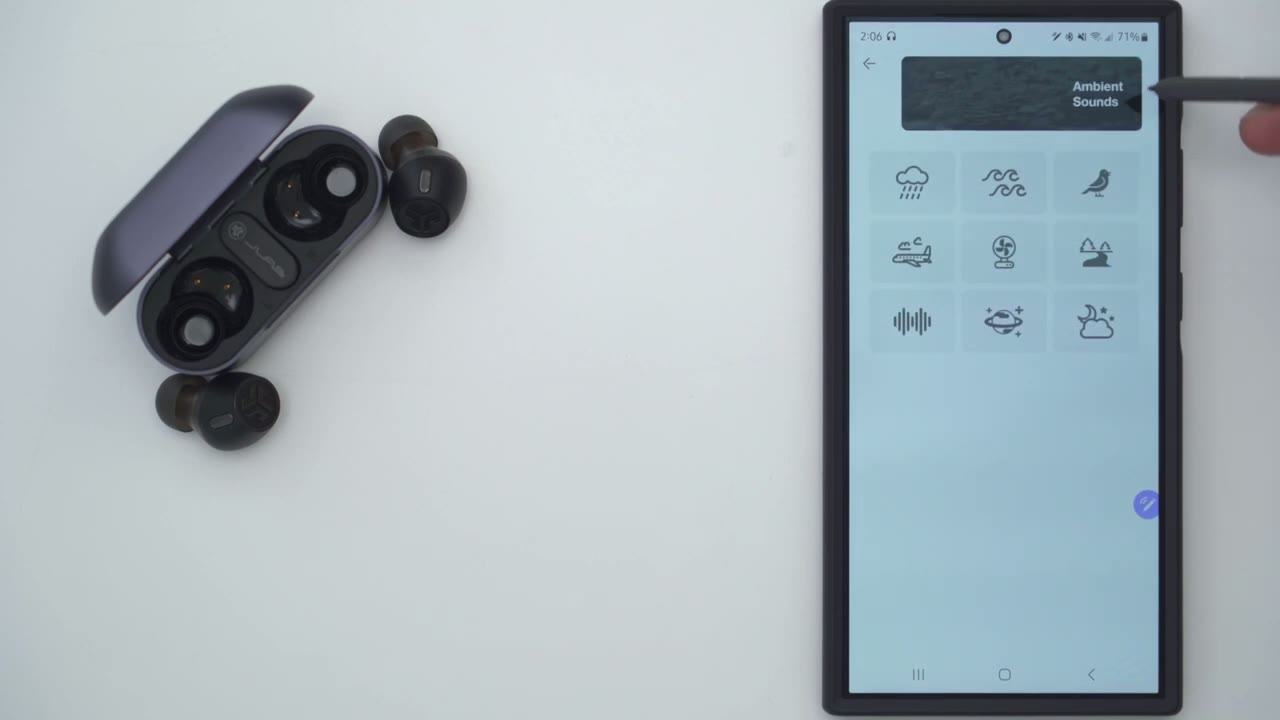
is pretty cool because you can kind of simulate you know um it raining so you don’t actually have to watch a YouTube video or something you could just have this kind of noise while you’re trying to sleep and what’s really interesting is you can actually stack these effects so you could have raining plus a bird chirping um you know plus a plane going and a fan going you know it’s actually pretty cool that they’ve included this um definitely worth checking out if you’re a fan of that type of white noise type of things and then there is actually a burn in tool if you like they recommend you know letting these play for 40 hours now I’ve put well over 40 hours since I’ve received these so I don’t really need to do that then you can also go into the control guide and it’s going to show you what the controls are for you know answering calls or hanging up and then lastly we have the the J out store here and under settings these are the languages you could pick from so looks like we have mandarin uh Netherlands English French Dutch uh Spanish Italian Portuguese uh Korean Japanese Etc here’s a demo of the ambient noises so here’s rain and then a bird chirpping fan noise
Sound
all right let’s talk about the Sound Performance on here and I really don’t think you’re going to be disappointed because this dual hybrid design or dual hybrid driver design that they have going on works so well in tandem with each other so we have one driver dedicated to Bass and if you listen to Bass heavy songs or if you’re a bit of a bass head you’re definitely going to feel that thump there’s warm resonance on here now there is a base boost mode I did use that but I found that it kind of muddied things up a bit too much for me so was mostly using the jlab signature equalizer however if you want to take you know kind of full advantage of what the no balance Armature uh driver provides there is an equalizer for that as well especially if you’re going to be listening to a lot of vocals um or just you know music that covers a wide variety of ranges that’s probably going to be your best bet but for the most part I do like things you know tuned a little bit more Bas heavy so uh I really stuck to the jlab signature I also listened with ldac on and the volume again around I would say say 60 to 70 maybe sometimes 80% depending on the song and it was just you know a rich expansive music listening experience like I was using these basically every night before I went to bed you know when I was brushing my teeth on the computer I really couldn’t take them off and
Wearing Detection
here’s how quickly inir detection works so the video is playing Pop It Out music stops put it back in really within seconds it is so responsive the active
ANC
noise cancellation is definitely better than the ANC that I experience on most type of earbuds now I attribute that to the pretty good seal that I have on here and once I crank the volume say around 60 70% it’s fairly loud where I can barely hear anything you know just ambiently and if I go ahead and snap my fingers with ANC on and the shrink effect slider set to the maximum I really can barely hear anything now when I switch to transparency mode it really lets a lot of audio in so it’s perfect for just having a two-way conversation without taking these in and out of your ear but like I showed earlier if you wanted to take them in and out well you do have Smart wearing or in ear detection I’ve also used the earbuds for
Mic
a bunch of calls with no issues but here’s a demo of what microphone pickup sounds like here’s what the jlab Epic lab wireless earbuds sound like with no ambient noise in the background there’s what the jlab Epic lab earbuds sound like with simulated background noise playing in the background at around 50%
Controls
volume let’s take a look at the touch controls in the jlab app and the reason I’m holding it like this is to simul ated being in my ear since this does have inear detection now I have it programmed for a single T to do volume up and volume down now if I do a double tap it’s going to play and resume playback that’s on the right earbud a double tap on the left will open up the voice assistant and you can see how responsive it is now if I do a triple tap you can see it just switched to be aware I’ll do another triple tap here it’s going to turn off a andc another triple tap and it’s going to turn on noise cancellation so super handy now if I a triple tap on the left 1 2 3 and I’ll go into equalizer so it’s move from equalizer 1 to two and I’ll do that again equalizer 3 and then the I think I did four there custom equalizer and then 1 2 3 again and then back to the first equalizer which is my preferred so you can see the touch controls are super responsive on here now if I just open my Palms up it thinks it’s out of my ear it’s going to stop music playback and as soon as I cut them again it resumes very quickly honestly it’s very impressive how fluid it works all right let’s talk
Gaming
about gaming now there is no dedicated gaming mode that you could activate on these and there’s no gaming mode in the jlabs app as well but we have something better so we have this USB type-c wireless dongle and you can plug this into any device that has a USB type-c port so your phone your laptop desktop and this will wirelessly transmit that audio with the lowest latency much lower than if you were to use a Bluetooth connection that said I did use the earbuds when playing Cod mobile on my phone there’s a little a little bit of latency but nothing that prevented me from playing and enjoying it all right let’s talk about Comfort
Comfort
because this is definitely not going to be for everyone now these earbuds the body is a little bit on the beefier side however the tip that goes into your Air Canal it’s fairly standard it’s not too large now I usually wear these for about 1 to 3 hours and definitely I know when I take them off I can feel that you know they were in versus with some other earbuds so just kind of rest or go in very gently you know you take them out and your ear doesn’t feel any bit differently so yeah if you have smaller air canals these are probably not the best for you but if you have I would say like normal to larger size these won’t be a problem and you know even when I flick it or bump it or whatever it actually stays fairly well in place the battery life has been fantastic so far
Battery
so these are rated for between 9 to 13 hours depending on if you’re listening with a and on or off and of course if you have ldac on or off as well now I’m estimating I’m going to get around 6 to 8 hours when I’m listening and I do have ldac on all the time and I do usec and I am using you know the jlap signature equalizer with the volume set around say 60 to 70% most of the time which is pretty good in my books that’s already pretty much a day of listing for me now whenever these do get drained a quick 10-minute charge is going to give you about an hour and 45 minutes of additional listening time and and then if you factor in the charging casee well you’re going to get between 36 I believe 53 hours again depending on if a andc is on or off and by the way the case also supports wireless charging which is really handy because you could just do kind of reverse charging using your phone to charge the case up so the jlab
Recommended?
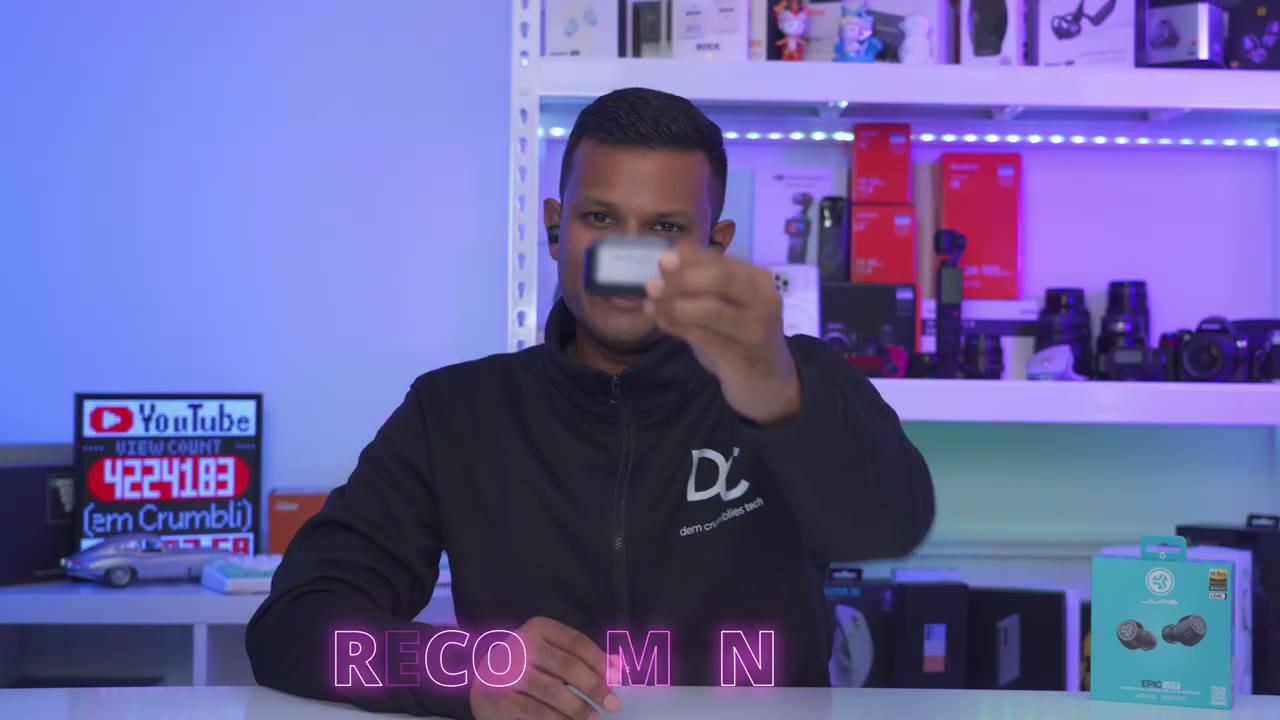
Epic lab Edition wireless earbuds are an easy recommendation for me you know I’ve had these for about 2 months I was supposed to do this review way earlier but I just kind of got hooked on these you know kind of in corporating them into my routine as my daily drivers they’re that good it was hard to put them down and I have a bunch of other earbuds that I could use but let’s talk about the price because these are not budget friendly earbuds they come in at 200 us but I have seen them go on sale for about 100 us on Amazon but I want to talk about if you were to buy these at you know full price or close to full price because even at full price I think these offer a lot of value over you know more mainstream offerings that cost the same as this or even more so the first thing I want to mention is the amazing build quality on this so the case is a zinc alloy case it’s heavy you can feel it in your pocket and I’ve dropped these a handful of times you know trying to take photos or just kind of being kind of clumsy because I’m using them every day you know late at night while I’m brushing my teeth um and you know I’m just not all there and surprisingly there’s no cracks no damage the Sound Performance is just as good the other thing is that the case has wireless charging you know there’s some earbuds where they cost as much of this or more they may and a half Wireless uh charging you also have an ip55 rating on here there’s uh ldac functionality you have multipoint and on top of that we have the USBC wireless dongle and you’re also not going to be disappointed with the sound coming out of these whether you’re a base head you know you have that dedicated driver just for base and then if you’re someone who likes you know a more balanced listening experience hey we have the N preferred Armature on here and then you could just switch The Equalizer to take full advantage of that so there’s basically something for everyone with these pair of earbuds and then don’t forget also about the outstanding battery life definitely one of the longest lasting earbuds I’ve used and that’s thanks in part to the 85 milliamp hours in each earbud which kind of is you know part of the reason for the size we have two drivers in a and a fairly large battery so yeah all in all this is a fantastic option if you were to pick it up full price or even on sale it really packs a ton of features in here so if you’re interested in picking up the jlap Epic lab Edition wireless earbuds I’m going to leave some links down below and if I happen to have any coupon codes or discount codes I’ll also leave those down below in the comments and in the video description and if you found this review helpful please consider checking out some of my other reviews on here I review a bunch of different text so I’m sure you’ll find something you like and as always please remember to like And subscribe it truly does help me out as a growing Channel and I hope to see you in the next one soon
☑️ Get JLAB Epic Lab Edition Earbuds on Amazon
Please note that some of the links in my video descriptions are affiliate links where I earn from qualifying purchases. As an Amazon Associate I earn from qualifying purchases.

