


Please note that some of the links in my video descriptions are affiliate links where I earn from qualifying purchases. As an Amazon Associate I earn from qualifying purchases.
Intro

Hey guys, it’s Adrian and if you’re looking for one of the best gaming phones out there right now, you’re going to want to check out the Vivo IQZ10 Turbo Plus because for around $300 US, this packs a ton of features and functionality. And it actually comes closer, even beats my Samsung S25 Ultra in certain games and benchmarks. So, the Z10 Turbo Plus is packing a massive 8,000 MIA battery for long gaming sessions. You also have bypass charging to reduce heat while gaming. So, it also has great thermal management. And when you pair that with MediaTek’s Dimensity 9,400 CPU and the immortalis G925 GPU, I was actually beating the S25 Ultra in certain benchmarks, which is crazy because this costs three times less than the S25 Ultra.
There’s also a 144 hertz refresh rate AMOLED screen, and when you pair that with their game booster technology, it’s going to give you one of the best gaming experiences out there right now. After using the Z10 Turbo Plus, this feels pretty much like a flagship experience in a lot of
Package Contents
different ways. However, there were some compromises made to keep it around the $300 US mark. So, let’s take a closer look at some of those compromises to see if you can live with them and if this could be your very next gaming phone. So, let’s get into it. In the box, we have the IQZ10 Turbo Plus, a phone case, 90 watt charging brick, USB type A to type-C cable, SIM, a check tool, and there is also a screen protector pre-applied on the phone, so you don’t have to go out and get that. The IQ Z10
Design

Turbo Plus is a beautiful looking phone and it also feels really premium in the hand as well. Now, this is coming in at around 214 g, so it has a little bit of heft to it, but it does feel, you know, really nice and balanced in the hand. I have this white version here, but it also comes in a bunch of other various colors. And you can see on the rear, we have the camera module here along with the IQ logo. And this is pretty much flush. It’s not raised in any way, so no worries about that kind of getting rubbed off. If we look at the side of it, uh you could see there’s really nothing going on there. And then if we look at the other side, we have the volume button along with the power button. Now, taking a top view, this is where we have various microphone ports.
And then we also have the USB type-C port along with the SIM card port and wide speaker grill. Now the SIM card is a dual SIM card, so you can have up to two in here. And on the front, we have that fairly large 6.78 in AMOLED screen capable of up to an impressive 144 hertz refresh rate. And we also have the selfie camera at the top as well. The buttons on here feel really tactile. So you can see I’ll just go ahead turn the screen on easily go up and down and just look how very bright and just vivid that screen is. It’s really beautiful. And like I mentioned earlier, this feels really good in the hand. It doesn’t feel, you know, kind of unbalanced. It’s really easy to just kind of use and manipulate. And let’s do a rocking or wobble test. So I’ll just put the phone kind of flat down.
And the phone case is not on right now. And you can see as I’m going and tapping on the screen, there’s really not much rocking or wobbling. It’s only if I get to the very top corner here where, you know, it’s kind of going down a little bit. Otherwise, you know, it’s fairly well controlled, which is nice to see. We also have a case included in the box. So, you can see it says here designed by IQ. Now, putting this on, you can see it’s a very soft case, you know, easy to kind of just bend. So, it’s not one of those hard rigid ones. But, I’ll just snap
Specs
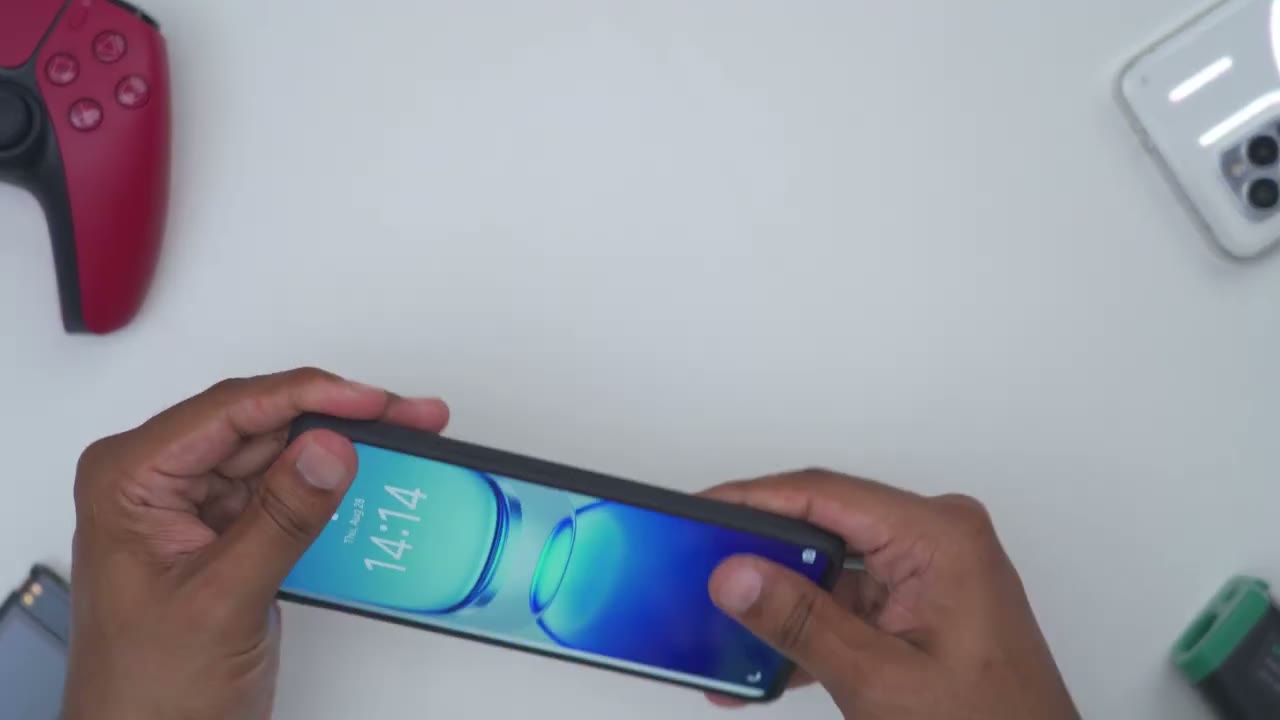
this into place, you know, just really quickly. And this is what it’s going to look like if you’re running the official
Screen
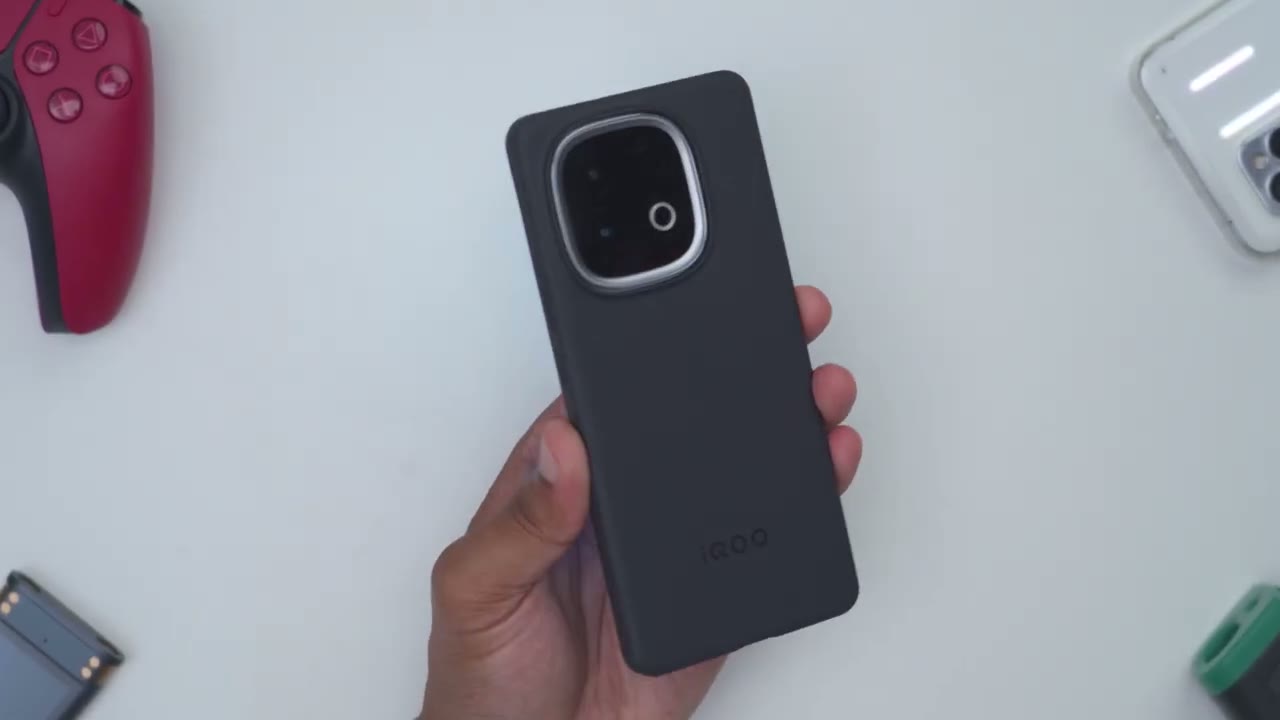
IQ case. Now, putting that back down, doing that same type of, you know, kind of rocking or wobble test. You know, it’s pretty much the same, maybe a little bit less rocking or wobbling since we have the case on. By the way, here’s a quick look at the specs. Feel free to pause and review or jump ahead to the next section. Let’s talk about the screen on here. And it really feels like a flagship type of screen. So, this is a 6.78 in fairly large screen. It’s an AMOLED screen running at a max of 144 hertz. Of course, you could set that to, you know, the variable refresh rate or the 60 Hz refresh rate. This has a brightness of around 2,000 nits uh maximum and then the peak brightness is 5,500 nits. Now, I did put this up against my S25 Ultra just kind of visually looking at both screens.
And I actually prefer the screen on the Z10 Turbo Plus, which is kind of crazy to me
Battery
because that phone uh the S25 Ultra cost three times as much. Again, because this has an OLED screen, you get those nice, you know, dark blacks or kind of pitch blacks. And because the screen is so fast, fluid, and responsive, it’s great for gaming, you know, watching movies or just browsing in general. And because it’s an OLED screen, of course, you could turn on the always on display. That’s something I love having on every phone. So, I don’t actually have to unlock it to see what’s going on. And you could always jump into the always on display, customize it further. So, yeah, the screen experience has zero compromises. Now, to power that really large screen with the high refresh rate and high brightness, you need a large battery.
And thankfully, we have no issues there as well because this is packing a massive and impressive 8,000 mAh battery. And it’s kind of hard to tell just looking at the size of this phone. It is packing that large of a battery. Usually, you’re seeing, you know, really large batteries like that on, you know, like really chunky, rugged phones. So, it’s impressive that they’ve actually fit that in here. Now, this has a max charging rate of uh 90 watts in wired charging. Now, I let this drain down to about 10% battery life. I plugged it in with the supply charging cable. And then I saw a peak uh charging rate of about 70 watts. Now, do note that you do have to go into the options and turn on the super fast charging. It isn’t on by default.
And then whenever you plug in the cable, you have the option to just put it to kind of fast charge or super fast charging. And because this is a gaming phone, we also have bypass charging. So, what does that mean? Well, anytime you’re gaming, with a lot of other traditional phones, you’ll plug in the USB cable. It’s going
Benchmarks
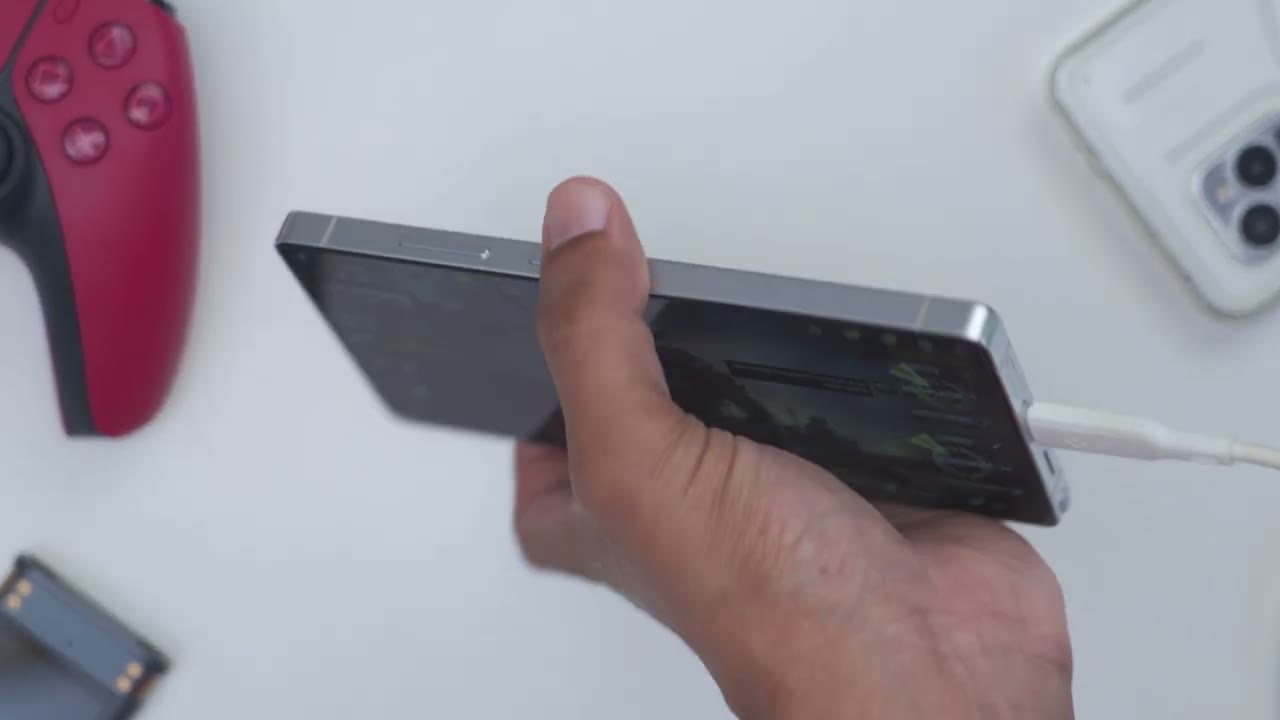
to charge a battery, which of course creates heat, and then it’s going to power whatever you’re doing when you’re gaming, the screen, the GPU, CPU, etc. With bypass charging, you’re just going to supply power to the phone directly without charging the battery. That’s going to reduce the amount of heat being generated, and you’re going to get just better gaming performance. One of the compromises that was made on the Z10 Turbo Plus to keep the price reasonable is that there’s no wireless charging on here. So, if that’s something you definitely need, you’ll have to look at another phone. But again, with 90 watts of fast wire charging, you know, within 5, 10, 15 minutes, you’ll be back in business. All right, let’s touch on benchmarks before we get into gaming performance.
And again, I was just really so surprised with the Z10 Turbo Plus because, you know, at three times less the price of the S25 Ultra, it was actually beating the S25 Ultra in some of the benchmarks. Yes, the S25 Ultra came out on top in some as well, but for the price, it’s just insane the performance coming out of this. In 3D Mark in the Steel Nomad light test, I had about a 19% improvement score over the S25 Ultra and about a 16% FPS improvement over the S25 Ultra. In Solar Bay, the S25 Ultra had a 0.28% better score than the Z10 Turbo Plus. this can kind of be within margin of error. And also consider that this is a phone that costs three times as less and it’s pretty much head-to-head with the S25 Ultra.
In Wildlife Extreme, I had about a 4.6% better score over the S25 Ultra and a 4.69% improvement in FPS over the S25 Ultra as well. In Solar Bay Extreme, the S25 Ultra easily beat the Z10 Turbo Plus. So, it had a 31% better score and about a 31% better FDS improvement as well. Running in 22 benchmarks, the Z10 Turbo Plus beat about 85% of users. Now, when running the test, there was about a 7.1% increase in terms of temperature on the Z10 Turbo Plus compared to a massive 12% increase on the S25 Ultra. I also only experienced 5% battery loss on the Z10 Turbo Plus. But on the S25 Ultra, it experienced 8% battery loss, giving us a total score that was about 17.8% better
Game Settings
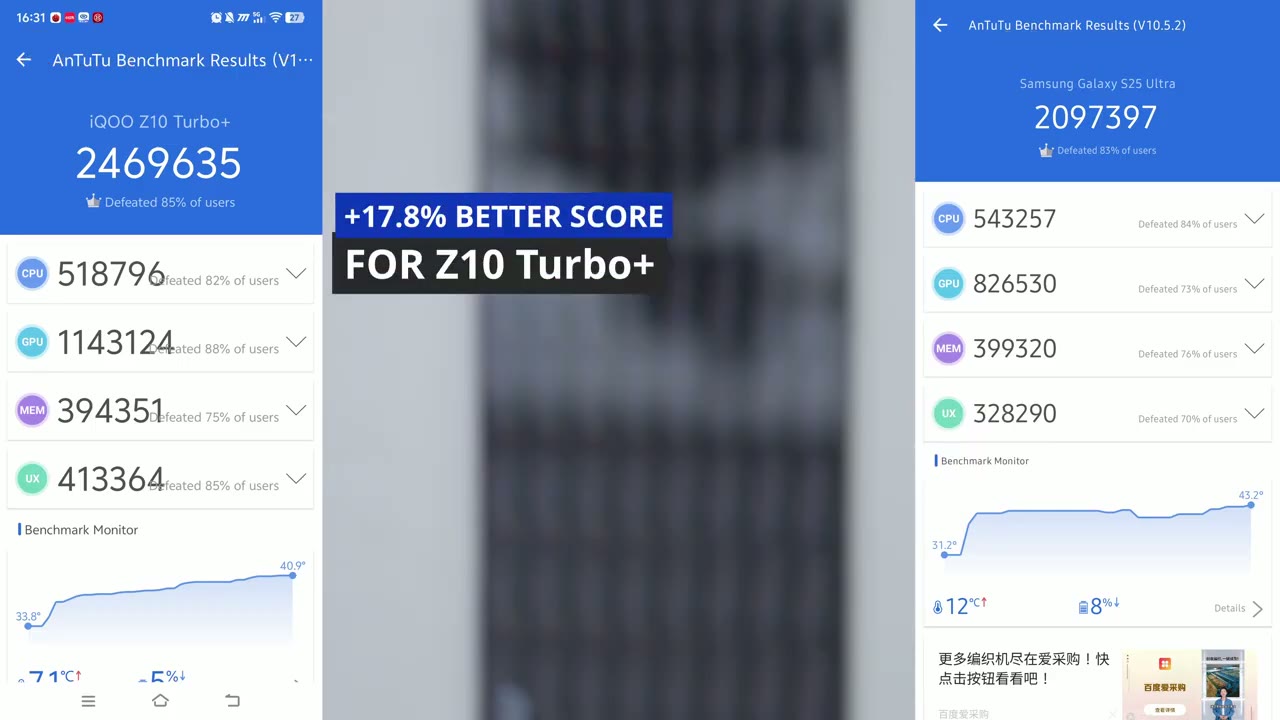
for the Z10 Turbo Plus over the S25 Ultra. In the Geekbench CPU benchmarks, the S25 Ultra had a 0.89% better score in single core performance and about a 17.58% better score in multi-core. In Geekbench GPU benchmarks, the Vivo or the IQ had a score of 20,397 compared to 18,384 on the S25 Ultra. So, we had about a 10.86% better score on the Z10 Turbo Plus. All right, let’s look at some of those in-game settings, which are really neat on here. So, when you swipe out, you can see right here there’s a little notch. So, you can swipe out, and I’m on the performance tab, and you can see it’s showing the current CPU and GPU utilization. Now, I’ve been playing for about um 2.1 hours total, but about 35 minutes right now. And you can see the frames per second is 118. Now, I’ll just jump ahead here.
And if I pull that back out, you know, about 11718. Um the cap is at around 120. Um and I have about 40% battery remaining. Now, take a look at the refresh rate. So, we could set it to smart switch standard, which is going to be around 60 Hz. And of course, we can go ahead swipe right back out and put that to high, which is going to give us, you know, up to 144 hertz refresh rate. And again, these are just quick toggles. I don’t actually have to jump into the main settings. We also have this uh battery saver option. You could see, you know, things have dropped uh a little bit once I enable that. We can also do balance there or do monster, which is going to give us basically top performance also, you know, a temperature increase.
Now, you can also go ahead and change the touch sampling rate. Now, outside of this, you could go into game tools. Now, this is really cool. Take a look at this. So, this is the game uh super resolution. And right now, it’s set to the ultra high quality. So, if I put it to the original quality, you can take a look at the grass. And then when I switch it to uh the high quality or super resolution, you could see that it’s really going to improve things. Now, if we jump back here, same under game visual enhancement. So, take a look at the grass here. So, I’m going to disable this. And you can see the colors are a little bit muted, not as sharp
Gaming
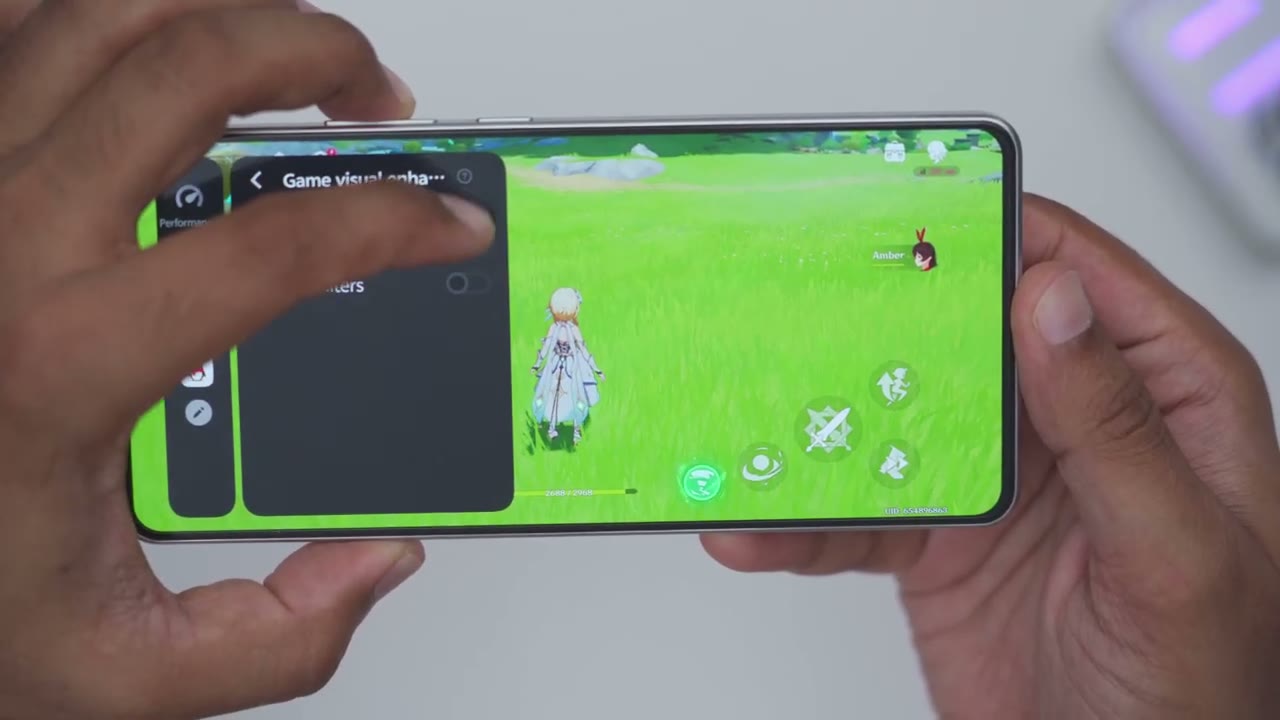
enough. I turn that back on. It just kind of, you know, adds a little bit more saturation and vividness. So, you have a bunch of different options here. Now, one really cool thing you can do, too, is you can just go ahead and tap on this display in screen. And you can see this is the game right here, just in case you needed to do something on the phone. But you can just easily jump right back in to a full screen gaming session. You can also change the orientation, go ahead, start live streaming. You have this game companion, take screenshots, record the screen. You can see the phone’s plugged in and it’s currently charging. So, I’m at about 40% with the super fast charging. Now, what I can do is go ahead and enable the bypass charging feature right here. Click okay.
You can see bypass charging enabled. Now, if I swipe down here, you could see the phone’s no longer being charged, but it’s going to be supplied power, so it can kind of stay around that 40% mark um without getting excessively hot. If you’re getting the Z10 Plus for gaming, you’re not going to be disappointed. This just performed fantastically, way beyond my expectations. Now, when I was gaming, I made sure all of the games were on the highest graphics settings. I have the screen brightness pretty much at 90%, it was quite bright. I set the battery mode or performance mode to monster mode instead of balance, and I turned on a lot of the game enhancement features.
In Call of Duty Mobile, after 30 minutes of non-stop gaming, I still had a sustained around 55 to 60 frames per second, and the temperature only increased about 1 to2° C, which is very impressive. By comparison, on my S25 Ultra, the finishing temperature was 38.6° compared to just around 36° on the Z10 Turbo Plus. In Genshin Impact, after 30 minutes of playing at the high graphics settings, I had a 7% battery drain again with the screen brightness turned high and between 115 to 120 frames per second consistently with a 10° C temperature increase, which finished at around 40° C
Camera
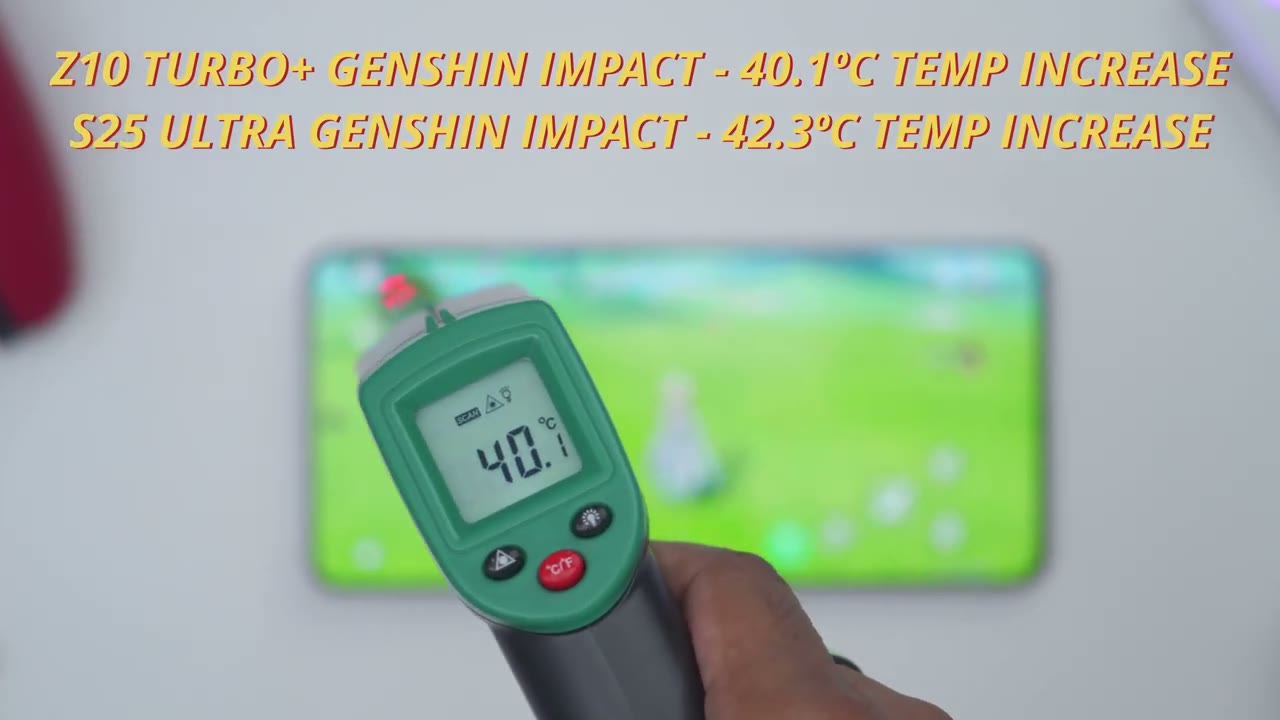
after 30 minutes of gaming. In PUBG, after 30 minutes of playing on the highest graphics settings, I had about an 8% battery drop again with the high screen brightness and a consistent 144 frames per second with a modest 5° temperature increase, finishing at around 42° C. Now, one thing to note is that with PUBG, I actually didn’t let the phone rest right back down to the room temperature setting. I just waited about 5 minutes after I was playing Genchin Impact for 30 minutes on highest graphic settings. Then I booted into PUBG and I still got, you know, that sustained 144 frames per second, only about a 5° Celsius temperature increase. I just wanted to see thermally how well it would handle it.
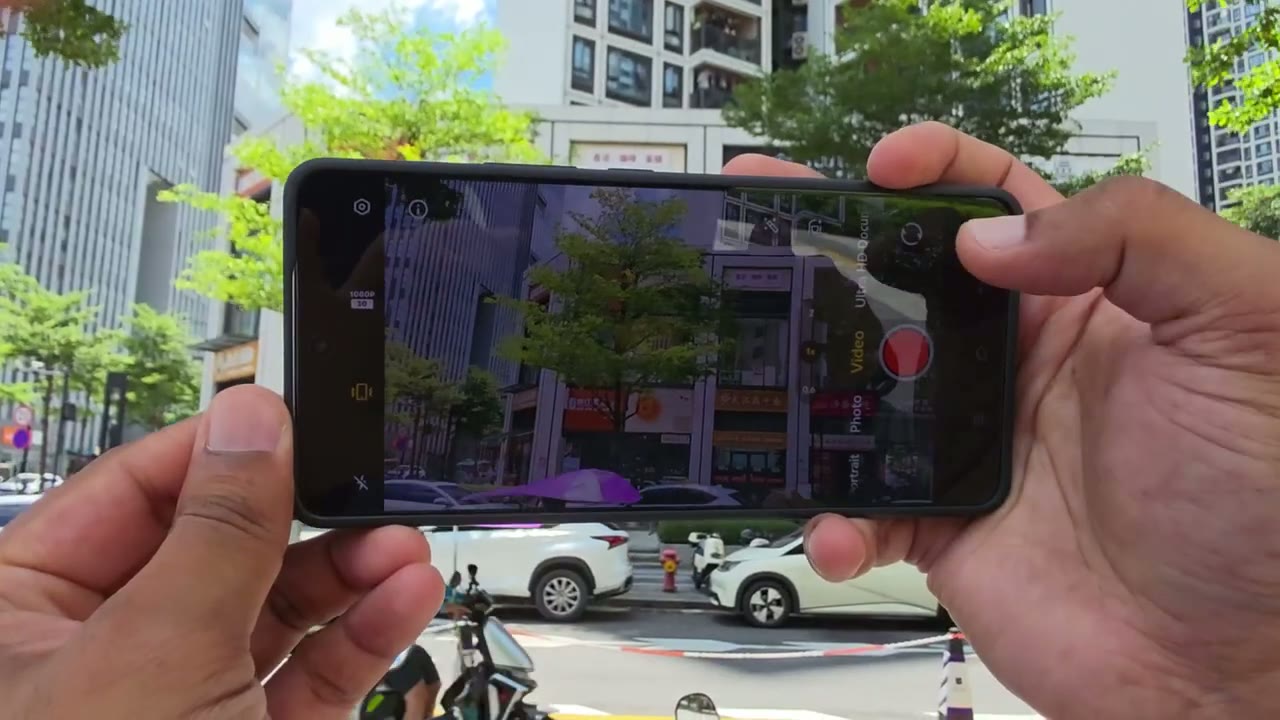
And yeah, the phone is not getting very hot like I noticed on my S25 Ultra, especially if you enable the bypass charging feature. You could just game for hours and you’re really not going to see much of a performance hit. This is just fantastic for gaming. And even if you weren’t going to game, this is just a fantastic phone to get overall. Let’s talk camera performance. So, I wasn’t expecting the best out of this since this is more a gaming centric phone, but I was actually pretty happy with the result. There’s a 50 megapixel wide lens with an 8 megap ultrawide capable of a max of 4K video at 60 frames per second. We also have a 16 megapixel front selfie camera with a max of 1080p. Now, the photos on here were actually pretty good. It was very quick to take photos with critical focus.
photos have good detail overall, but I did find them a little bit lacking in shadow detail, and I found the colors were a bit oversaturated for my taste. And that’s even if I use kind of the natural filter instead of the kind of vivid filter, but you may actually prefer the more saturated look. What was particularly impressive was that close-up shots had a ton of detail anytime you took it with enough ambient light. I also love taking ultra wide photos to capture the entire scene and I love the look of the photos, but I did
Unlocking

notice a color shift when you went from ultra wide photos to the wider 2x with the ultra wide photos having a more muted look or muted colors. Now, there
Speakers
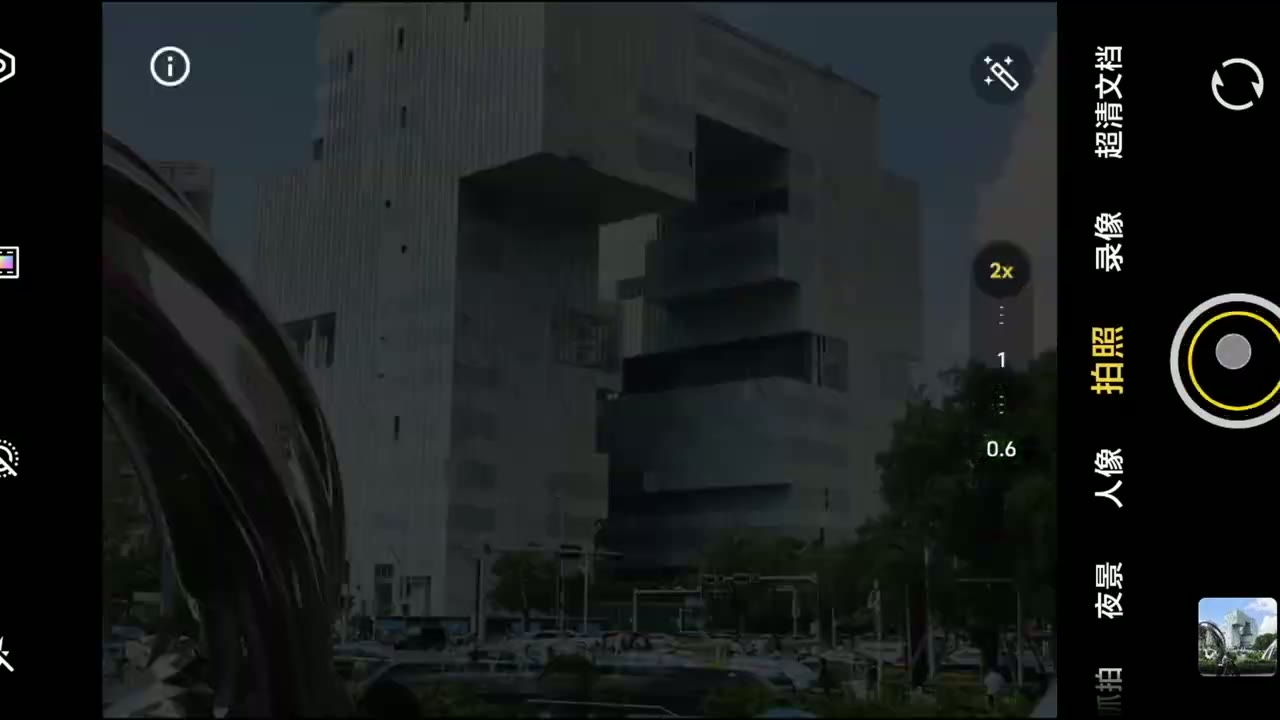
is also a digital zoom feature that goes all the way up to 20x, but I really wouldn’t go past 5x or 10x in this mode. Photos taken at night were also sharp, but I found that they were too oversharpened and too oversaturated for my taste. Now, of course, you can kind of fine-tune this to get it exactly where you want, but if you’re just looking for kind of quick snaps, it could do with a little bit more tuning.
Compromises

I also took 4K video at the max 60 frames per second. You can also take 30 frames per second. And the video was
Overalll Performance

very fluid. The image stabilization did a fairly decent job as I was walking and recording and as I shook the phone. However, video was a little bit more grainy at night, which is to be expected. There’s other options like the time-lapse feature, panoramic, and you can also take 240 frames per second slow-mo video in 1080p. Fingerprint unlocking is also really fast and accurate on here. I also did turn on face unlock, and that was just as fast as well. [Music] The speakers on here do get quite loud, but none of them are front-facing speakers. So, you know, it’s not going to be the best audio quality. So, you’ll just have to kind of cup these in your hand to bounce that sound signal around. Or check out one of my videos here on the best type of earbuds or headphones that you can get.
Another compromise that was made on the Z10 Turbo Plus is
Recommended?
that this has an IP65 rating, whereas a lot of our flagships have an IP68 rating. When it came to the day-to-day use and general performance of the Z10 Turbo Plus, this really felt like a flagship experience to me. And I’m still just blown away that for 300 US, you can get the performance you’re getting on here. You have a fantastic screen, you know, up to 144 hertz refresh rate. It’s AMOLED. You have, you know, great contrast ratios on here. It’s a large enough screen. It gets super bright. you have a massive 8,000 mAh battery to last you 1 day, even 2 days depending on the settings you apply here. Just really impressive.
And with the 12 gigs of RAM that I have here paired with the MediaTek Dimensity 9,400 plus chipset, that’s the 3nm process, plus the immortalis GPU on here, I didn’t have any type of lag, stuttering, slowdown. It didn’t get extremely hot. This was just a super fluid and responsive experience all the time. So, can I recommend the IQZ10 Turbo Plus? And this is one of the easiest recommendations for me to date on this channel. This phone is fantastic value. So, yeah, just go out, get the IQ Z10 Turbo Plus. You’re not going to be disappointed. This is like having a flagship experience on a phone that costs a third of that. You have a 6.78 in large screen. It gets very bright. It’s sharp. You have up to 144 hertz refresh rate. Gaming performance is fantastic.
It’s paired with a massive 8,000 mAh battery to get you through a day, even 2 days, and 90 watts of fast wire charging. There’s really nothing to not like. So, if you’re interested in picking up the IQZ10 Turbo Plus, I’m going to leave links down below. You can pick this up on AliExpress or whichever other site you could find it on. It is a fantastic phone. Looks beautiful as well. And don’t forget to like and subscribe if you found this video helpful. And also check out this video next. You may find that interesting. I also review a ton of other tech on this channel outside of phones. You know, laptops, computers, mechanical keyboards, gaming keyboards, you know, headphones, earbuds. Really something for everyone. I’m sure you’ll find something you like.
And I really hope you’ll join me in my next
Please note that some of the links in my video descriptions are affiliate links where I earn from qualifying purchases. As an Amazon Associate I earn from qualifying purchases.

